Working Time and Time & Attendance Records
Do you waste time manually counting working hours and verifying employee attendance before payroll? The Working Time and Time & Attendance module automates registration of clock-ins and clock-outs, allocates worked hours to projects and generates ready-made summaries for HR. Built-in AI algorithms can automatically describe an entire workweek based on entered data, speeding up daily reporting.
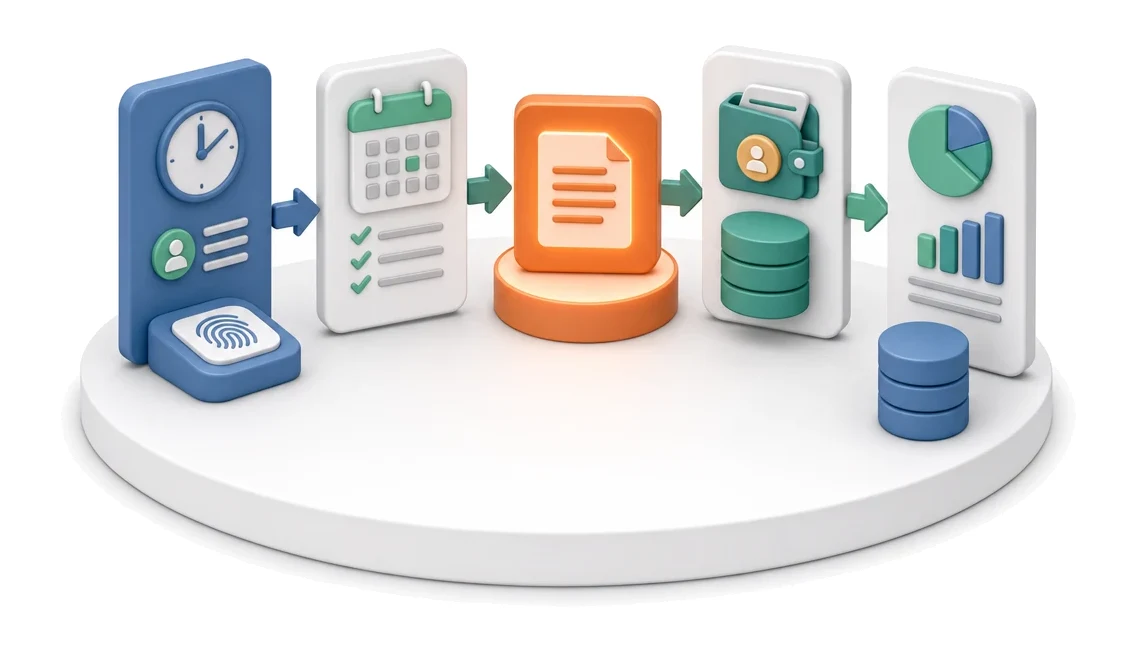
- Input
- Attendance / time registration
- Flow
- Time registration → monthly summary → transfer to payroll
- Output
- Working time summary for the period
What changes in the company after the rollout
Attendance and hours are recorded and summarised monthly. The summary is passed on for payroll processing.
Faster payroll processing
Automatic monthly summaries for HR eliminate calculation errors and shorten payroll preparation time.
Full cost transparency
Breaking down worked hours by departments, processes and customers enables precise tracking of project profitability.
Reduced manual work
Fast entry and copying of records relieves employees from tedious administrative tasks.
Instant attendance verification
Bringing clock-in data and absences together on a single screen makes it easier to monitor work discipline.
Easier resource planning
Analysis of weekly trends and individual workloads helps you distribute tasks more effectively within the team.
How this process looks in Process App
Zrzuty pochodzą z działającego systemu — kliknij, aby powiększyć.
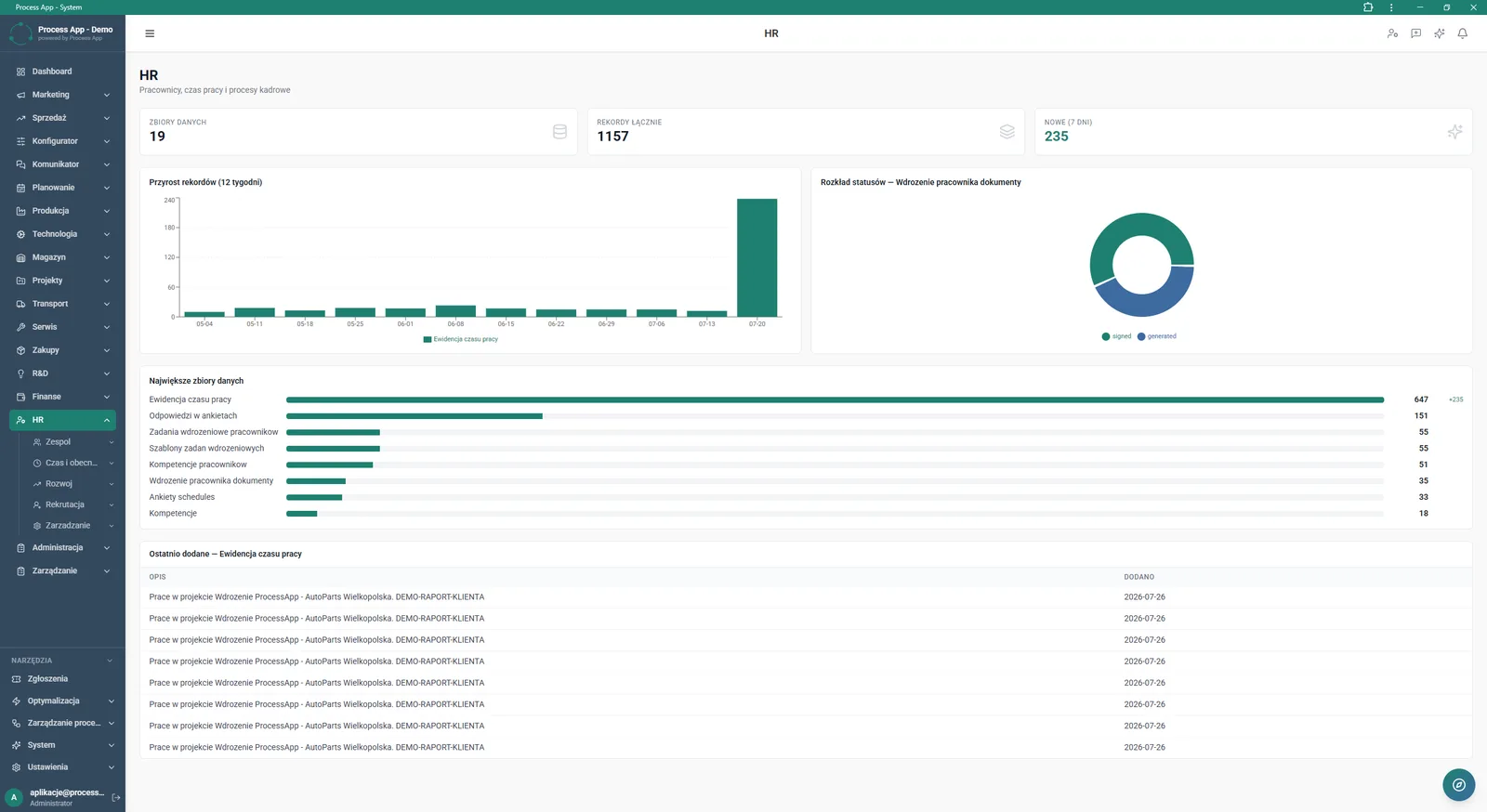
Main HR module screen showing record statistics, growth and status charts, plus lists of the largest datasets and the most recently added working time records.
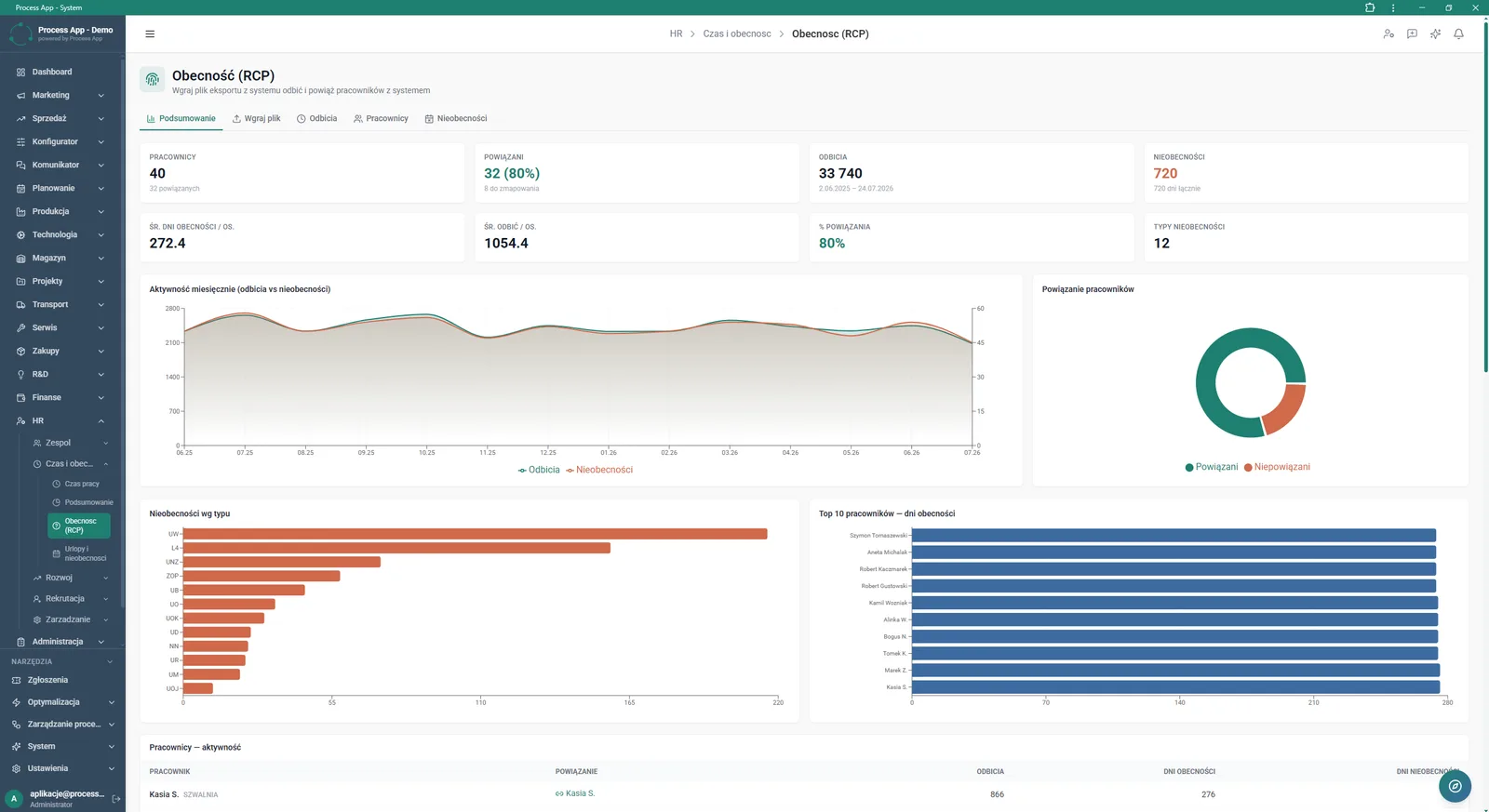
Attendance (time & attendance) summary screen in the HR module, presenting key indicators, activity and absence charts, and a table of individual employee activity.
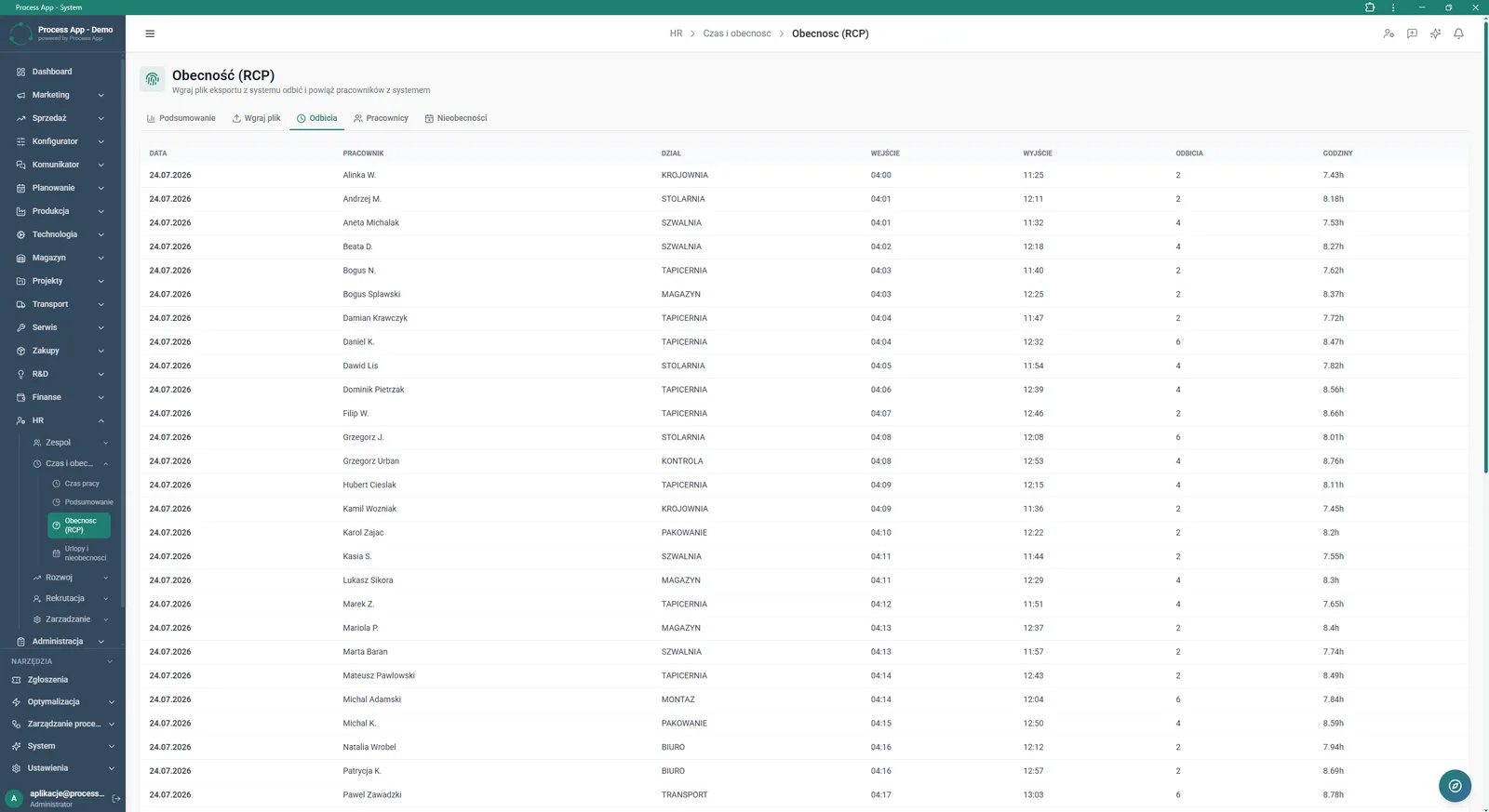
Clock-ins tab screen in the Attendance (time & attendance) module, showing a table with detailed working time data for each employee on a given day.
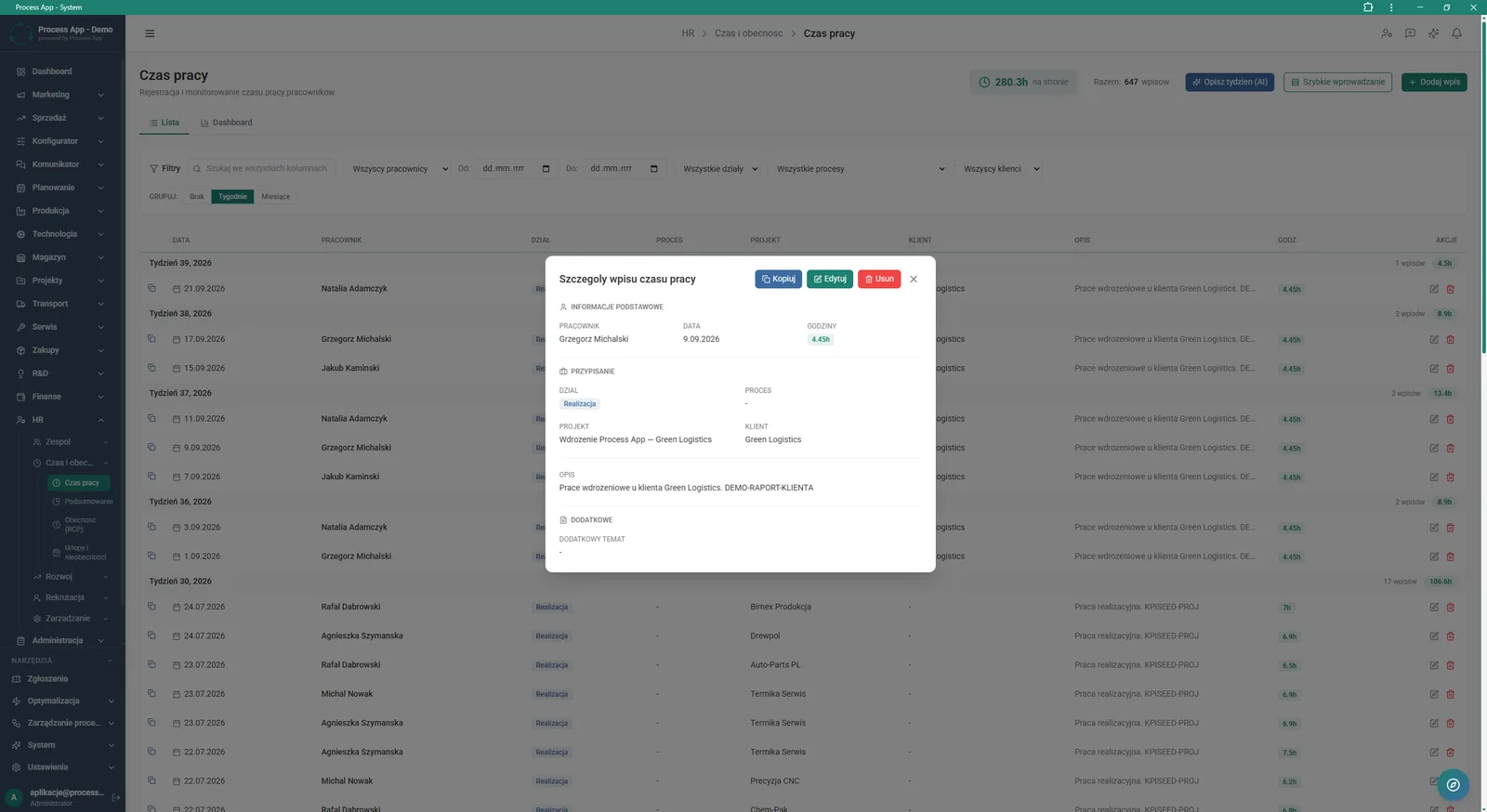
Working time records list screen with an open detail window for a specific entry, showing information about the employee, project assignment and hours worked.
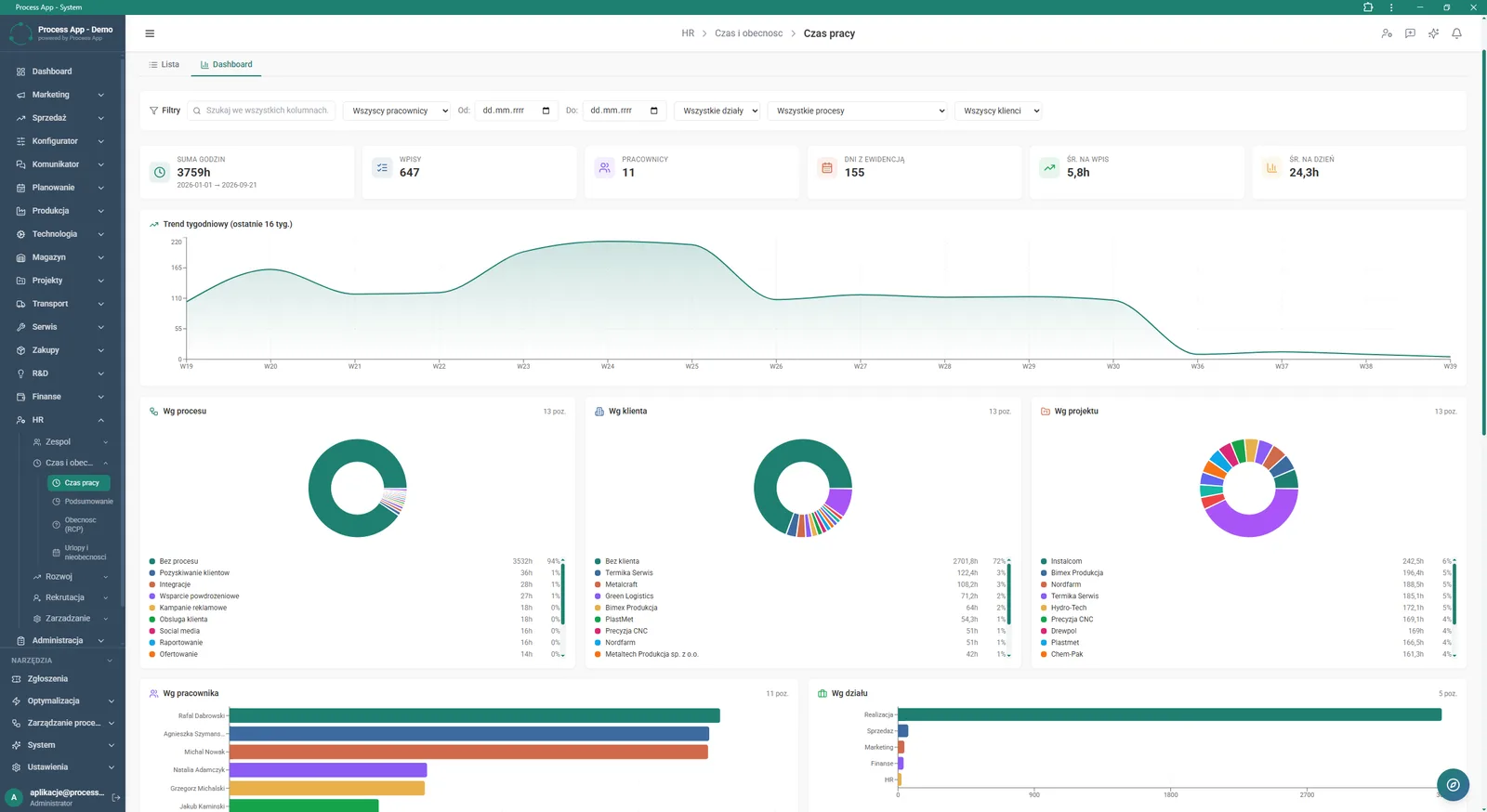
Dashboard screen in the Working time module showing a visual summary of recorded hours using statistic tiles and charts broken down by trends, processes, customers, projects, employees and departments.
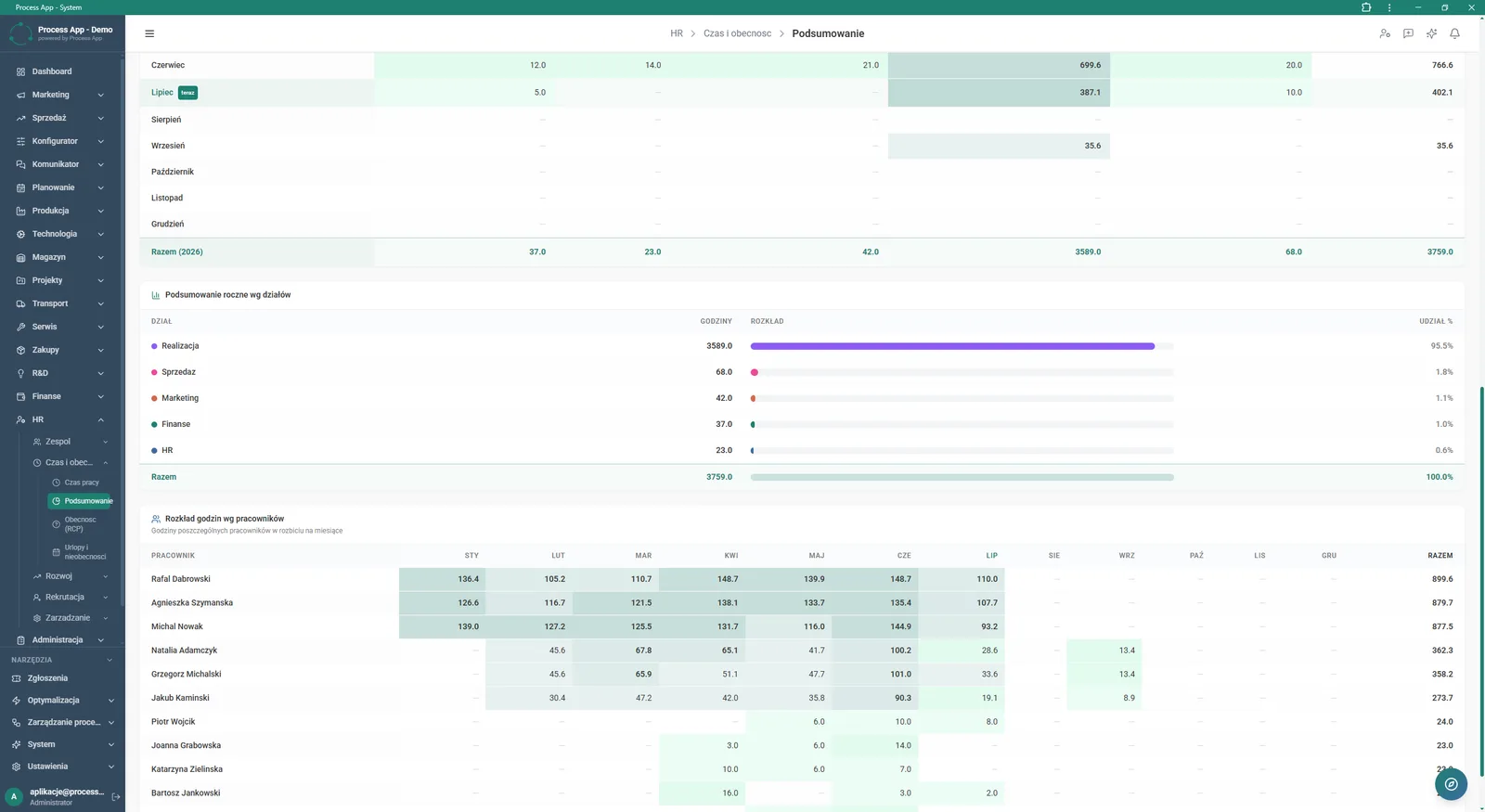
Time and attendance summary screen presenting worked hours broken down by months, departments and individual employees.
What exactly you get
Time and attendance data import
The system allows you to upload an export file from an external clocking system and link it to employee accounts.
Detailed time records
The application lets you allocate worked hours to specific departments, processes, projects and customers.
Interactive analytics Dashboard
The module generates pie and bar charts showing the distribution of hours and trends for selected date ranges.
Entry management
Users can add, edit, delete and copy working time entry details directly from a modal window.
Advanced table filtering
Lists can be searched across all columns, filtered by employees and grouped by weeks or months.
What AI does for you in this process
Weekly summary generation
AI analyses recorded working time entries and automatically creates a text description of the employee’s activity.
Project context recognition
AI processes data about customers and processes, incorporating them into automatically generated weekly reports.
Data entry optimisation
Based on previous records, AI supports quick-entry functions, minimising the need to manually describe tasks.
The process from start to finish
Control your team’s working time in one clear place, combining data from the time and attendance system with actual project involvement. Upload export files from readers and quickly review the Clock-ins tab to check exact clock-in and clock-out times. Use the interactive Dashboard screen to analyse weekly trends and the distribution of hours by processes, customers and departments. Generate consolidated yearly and monthly summaries that immediately show the percentage share of each team in overall company costs. View details of every entry, edit or copy them to minimise the time needed for timekeeping. Filter views by employees, dates or processes to gain full control over activity and absences across your organisation.
See this process on your own data
We will walk you through the “Working Time and Time & Attendance Records” module using your company as the example — the input, the flow and the end result in Process App.
Explore the remaining system modules
Recruitment
Employee Onboarding
Leave and Absence Management
Competency Matrix Management
Strategic Planning (JPS)
Cascading Goals and KPIs
KPI Monitoring
Operational Meeting Management
Process Mapping
Process Standardization
User and Permission Management