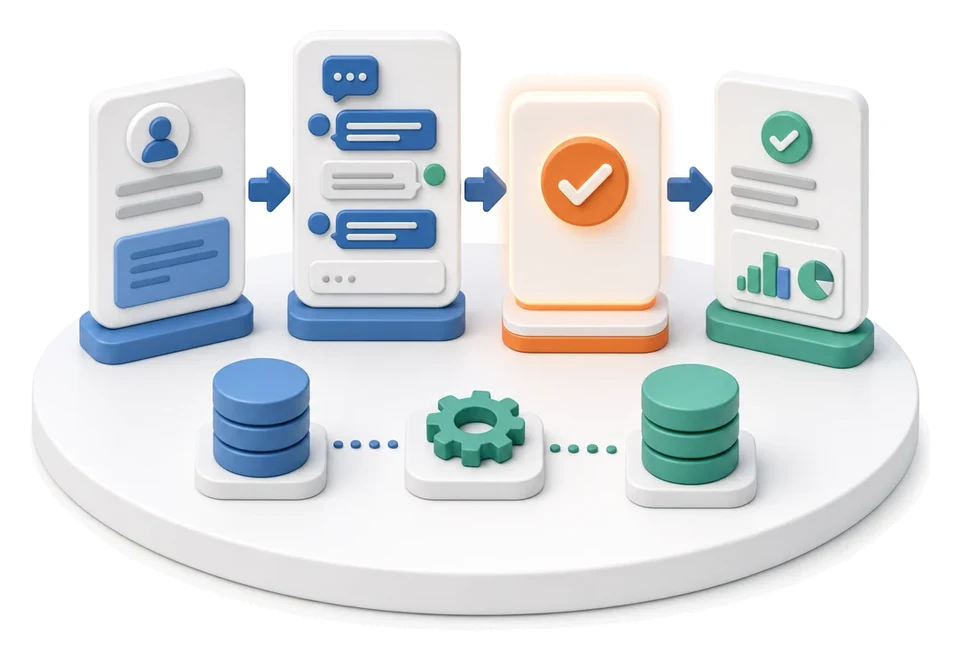
Recruitment
Spending too much time retyping data from CVs and losing track of communication with applicants? The Recruitment module in the HR area lets you manage the entire process end‑to‑end: from raising a hiring request, through publishing job ads, all the way to selecting the employee and logging the full contact history. Built‑in AI algorithms automatically analyse uploaded CV files and populate candidate personal data and qualifications directly in the system.
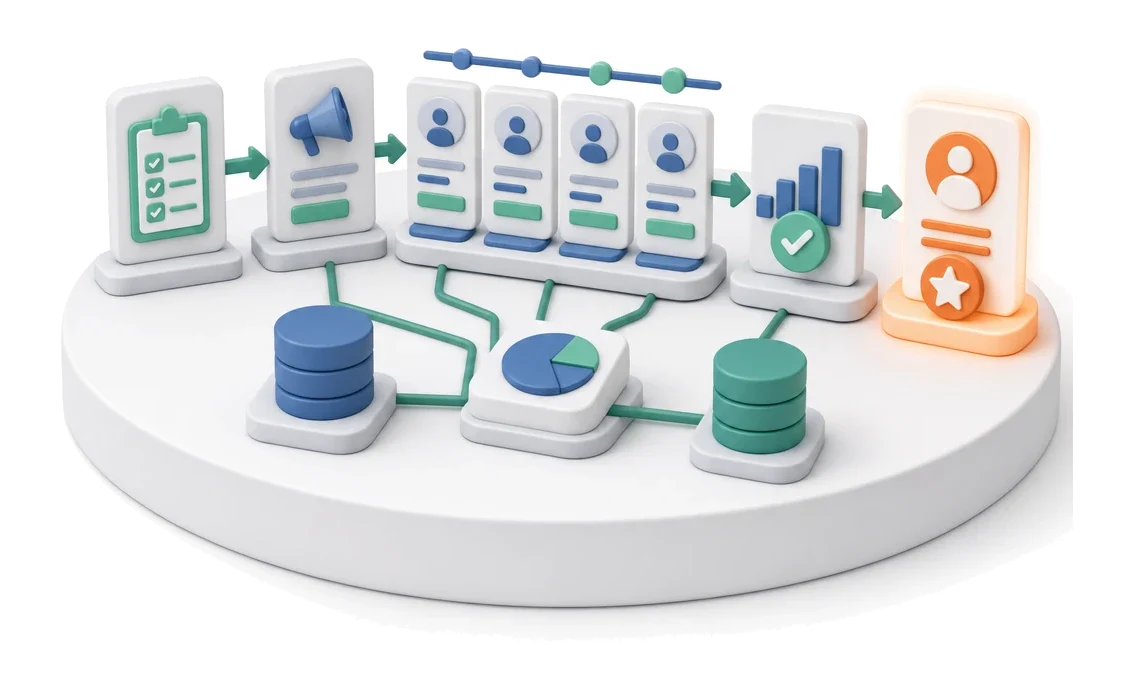
- Input
- Approved hiring request
- Flow
- Job ad → candidates by stage → hiring decision
- Output
- Selected candidate and decision
What changes in the company after the rollout
A hiring request becomes a job ad, and candidates move through the selection stages. The hiring decision and contact history remain in the system.
Faster application screening
Automatic data capture from CVs shortens the time needed to add a candidate to the database.
Full control over open positions
A clear list of HR requests makes it easy to instantly assess the urgency and status of demand in each department.
Structured communication
Storing contact history and communication statuses in the candidate profile eliminates the risk of errors and duplicate messages.
Better process visibility
Statistic tiles and charts on the HR dashboard give management an instant view of the HR team’s workload.
How this process looks in Process App
Zrzuty pochodzą z działającego systemu — kliknij, aby powiększyć.
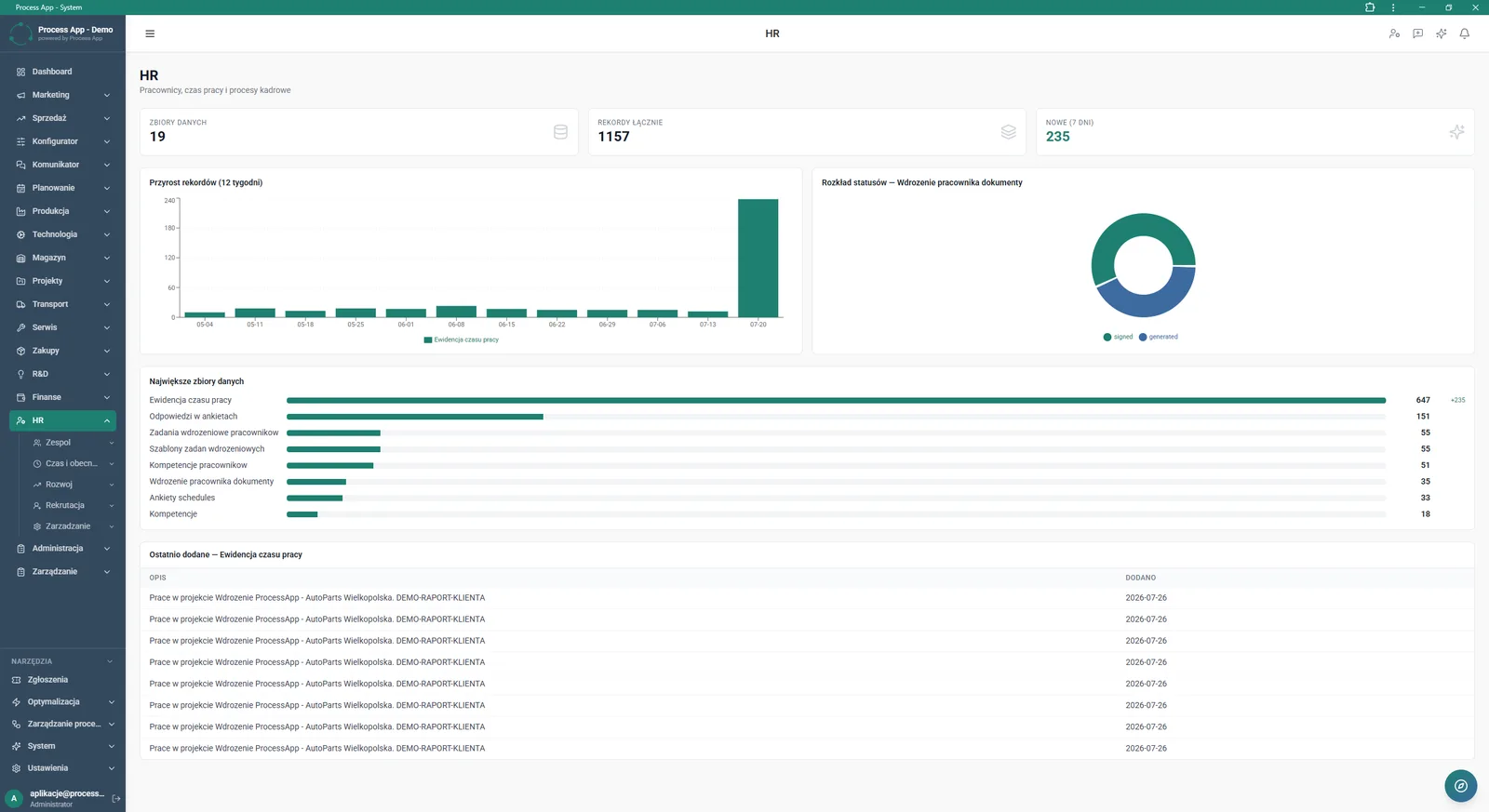
The screen is the main HR module dashboard, presenting a summary of HR data using statistic tiles, charts, and lists of the largest data sets and most recently added entries.
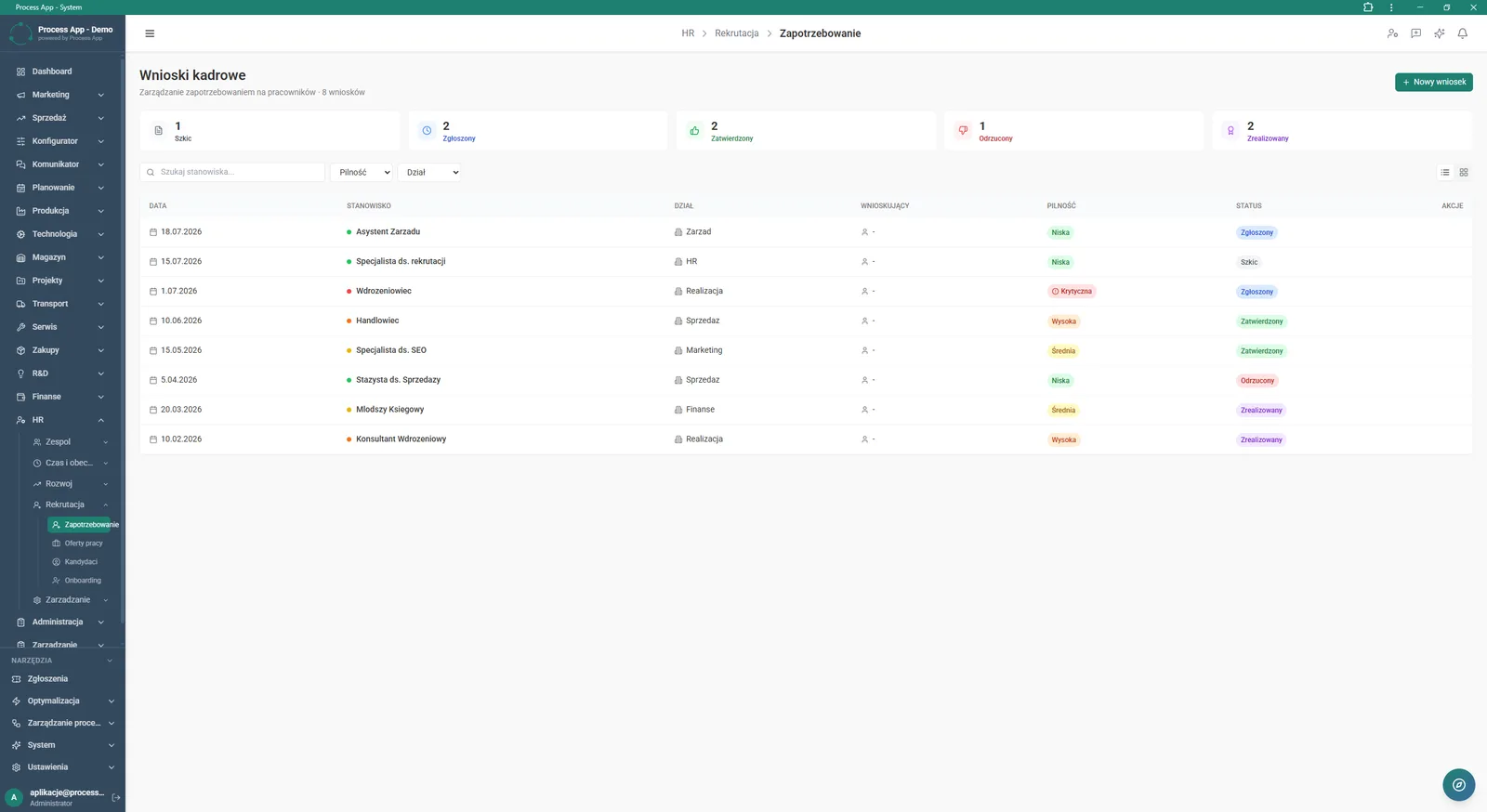
The HR Requests screen in the Demand section displays a list of submitted recruitment needs, along with tiles summarising their statuses and a detailed table.
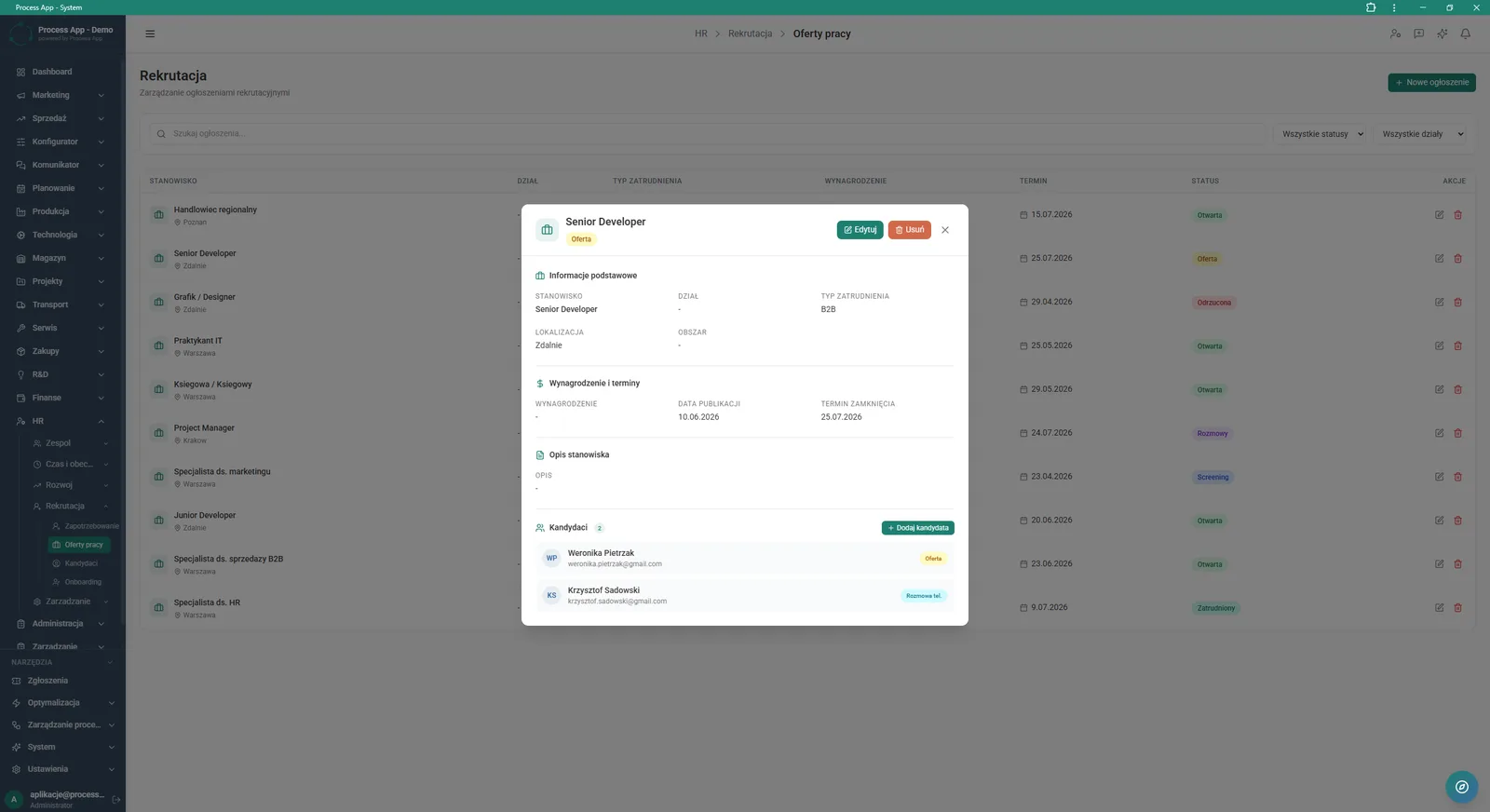
The screen shows a list of job offers with an open detail window for a selected ad, containing information about the position, dates and assigned candidates.
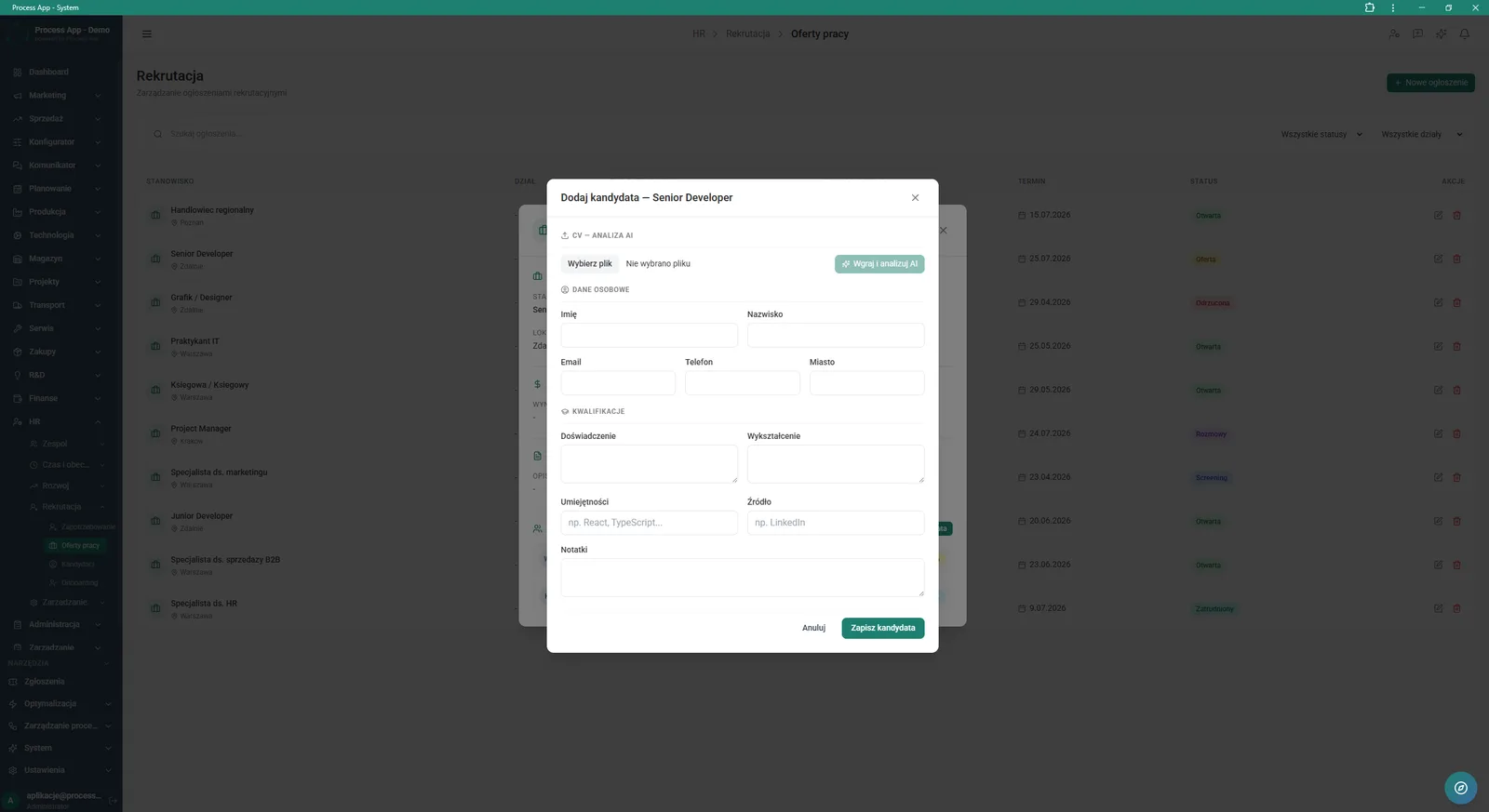
The screen shows an open modal window for adding a new candidate to a job offer, with a form for personal data, qualifications and an option to have the CV analysed by AI.
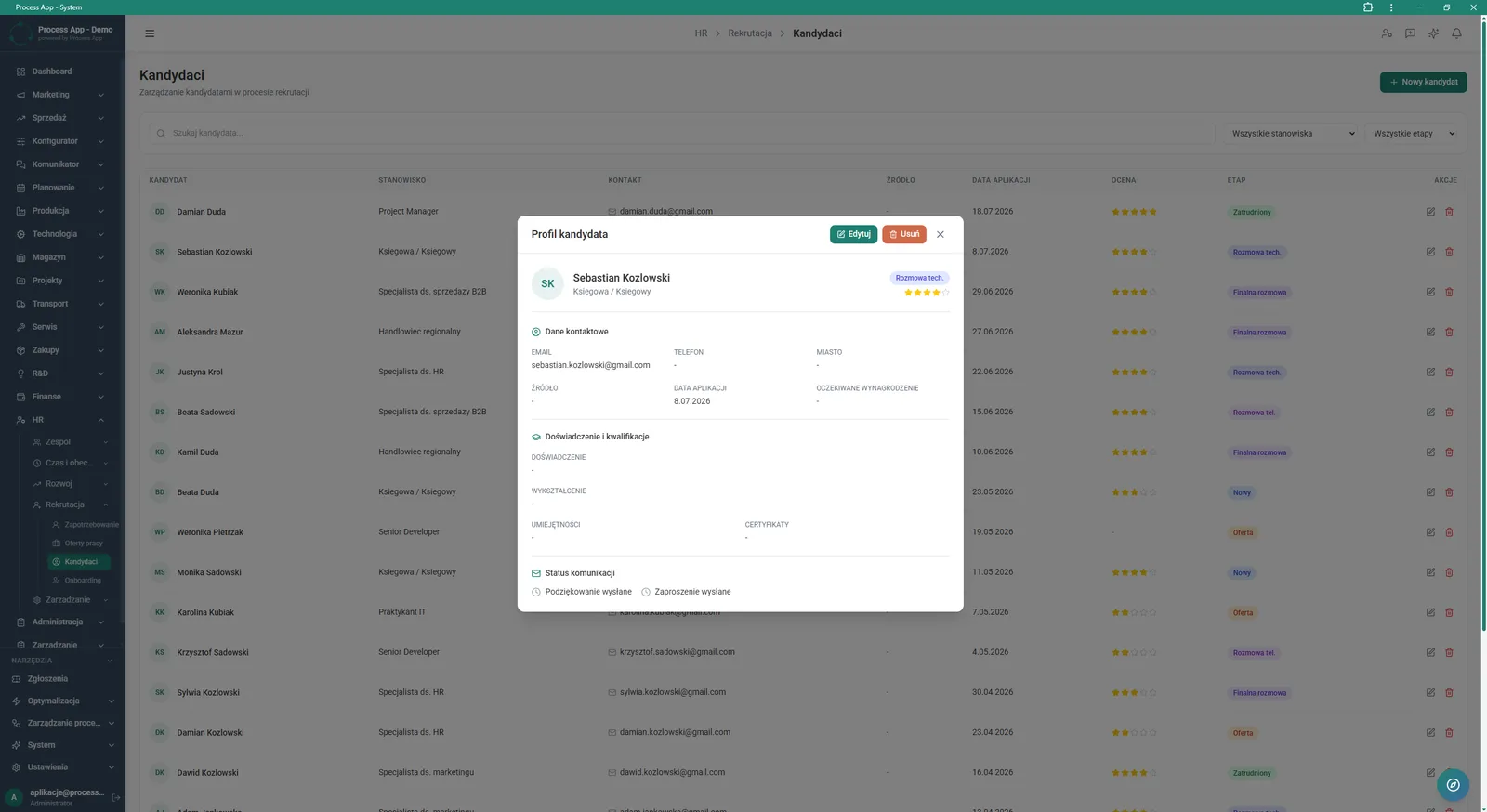
The screen shows a list of candidates with an open profile window for a selected candidate, containing their contact details, qualifications and communication status.
What exactly you get
HR request handling
The system enables creation, filtering and status changes for requests to hire new employees.
Job offer management
The module allows you to add, edit and delete job ads and assign specific candidates to each offer.
Candidate profile database
The application stores detailed information on education, experience, expected salary and source of acquisition.
Recruitment stage tracking
Users can change candidate statuses in the STAGE column, from new application through interviews to employment.
HR data reporting
The main screen generates bar and pie charts presenting record growth and the distribution of document statuses.
What AI does for you in this process
Automatic data extraction
AI analyses the uploaded CV file and automatically fills in text fields in the PERSONAL DATA section, such as first name, last name, email and phone.
Qualification recognition
Artificial intelligence algorithms read information on experience, education and skills from the document and transfer it to the relevant form fields.
Accelerated registration
AI eliminates the need to manually retype the CV after clicking the Upload and analyse with AI button in the add candidate window.
The process from start to finish
Manage the entire hiring process from a single, unified HR dashboard. Review incoming HR Requests in the Demand section and quickly verify their urgency and approval status. Create new Job offers by defining the type of employment, salary and closing dates in detail. Add candidates directly to selected offers and track their progress through each selection stage, from new application to final hire. Verify profiles in the Candidates tab, where you will find full contact details, communication history and information about experience and skills. Control key indicators on the main screen by analysing record growth and the distribution of statuses for onboarding documents.
See this process on your own data
We will walk you through the “Recruitment” module using your company as the example — the input, the flow and the end result in Process App.
Explore the remaining system modules
Employee Onboarding
Working Time and Time & Attendance Records
Leave and Absence Management
Competency Matrix Management
Strategic Planning (JPS)
Cascading Goals and KPIs
KPI Monitoring
Operational Meeting Management
Process Mapping
Process Standardization
User and Permission Management