Strategic Planning (JPS)
Your strategy gets lost in day-to-day operations and you lack a clear view of goal execution? The Strategic plan (JPS) module translates the board’s high-level vision into concrete, one-page plans for the entire group, individual businesses and specific units. Built-in AI tools automatically generate plans, highlight gaps and summarise the company’s situation for the next quarter.
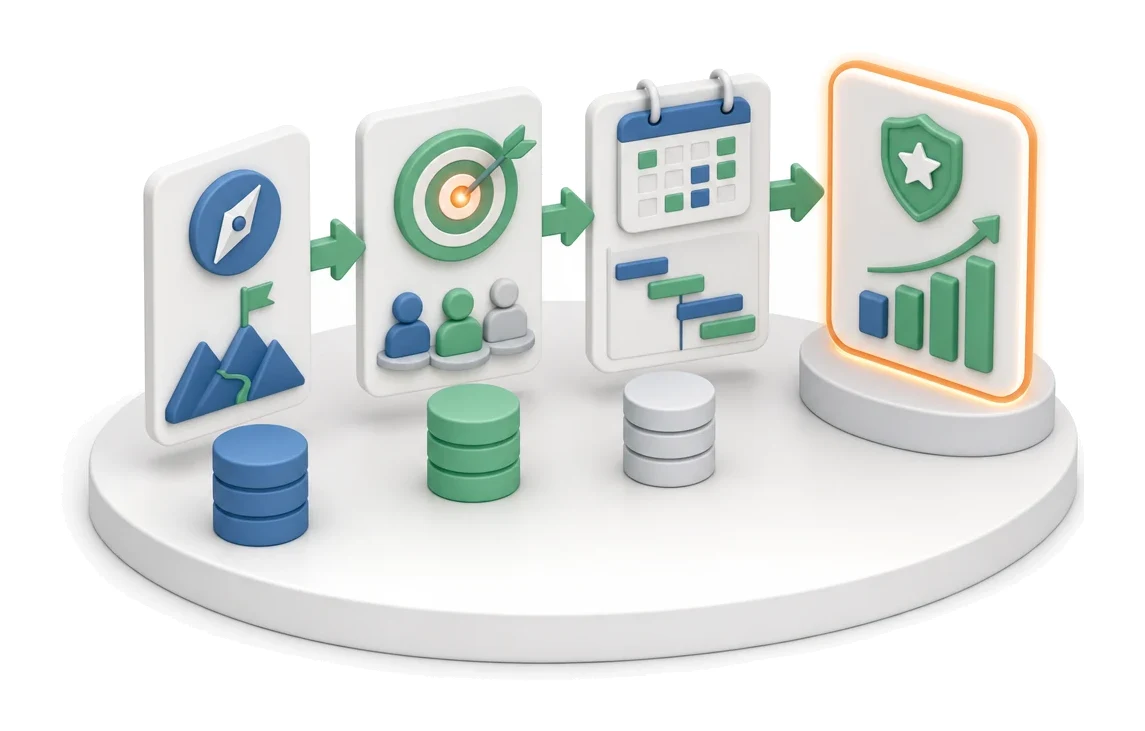
- Input
- Strategy and board directions
- Flow
- Strategy → goals with owners → annual plan
- Output
- Strategic plan with goals
What changes in the company after the rollout
The company strategy is broken down into goals, owners and time horizons. This is the starting point for the entire management by objectives system.
Full strategy transparency
You gain an instant view of the status and progress of all plans in the company on a single screen.
Goal alignment
You easily cascade the board’s vision into concrete businesses and organisational units.
Faster planning
You save time thanks to Excel data import and ready-made matrix templates.
Better execution control
You quickly identify delayed initiatives through timeline visualisation.
Completeness guaranteed
You avoid omitting key strategic elements thanks to indicators and the approval checklist.
How this process looks in Process App
Zrzuty pochodzą z działającego systemu — kliknij, aby powiększyć.
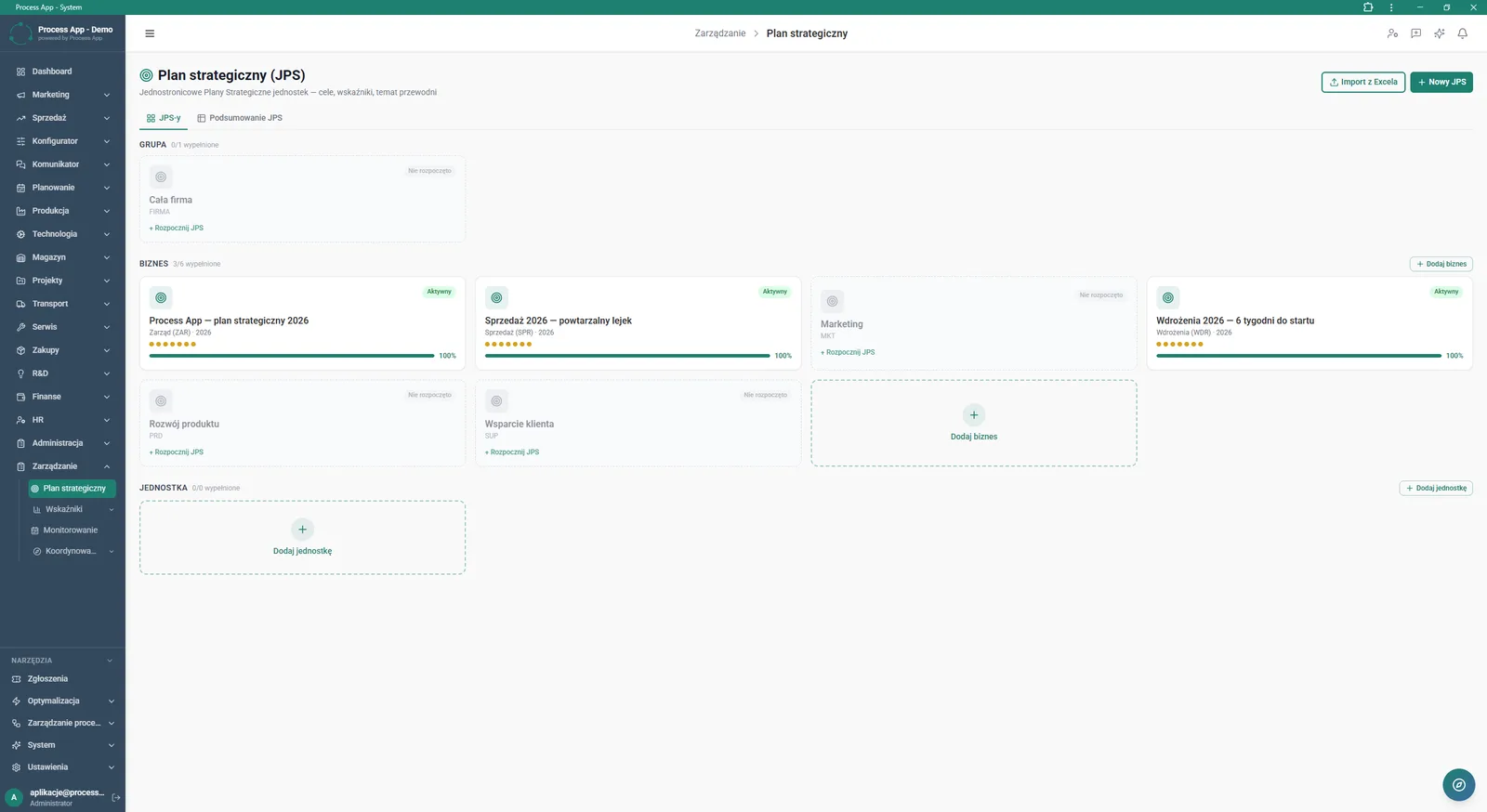
The Strategic plan (JPS) screen shows a tile view of one-page strategic plans broken down by organisational levels, including their statuses and progress bars.
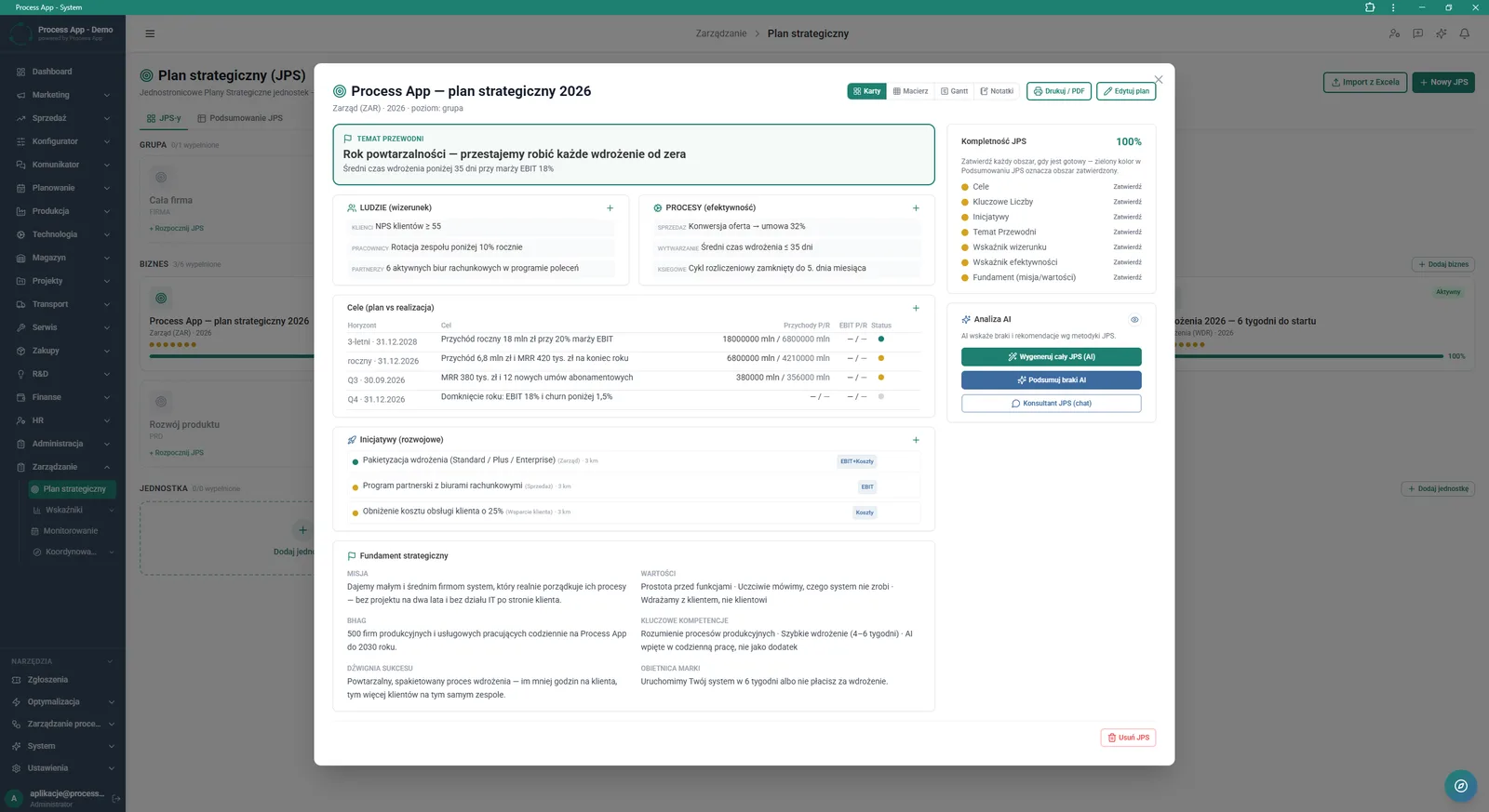
Detail view of the One-page Strategic Plan (JPS) in an open window, showing the main theme, goals, initiatives, strategic foundations and AI analysis tools.
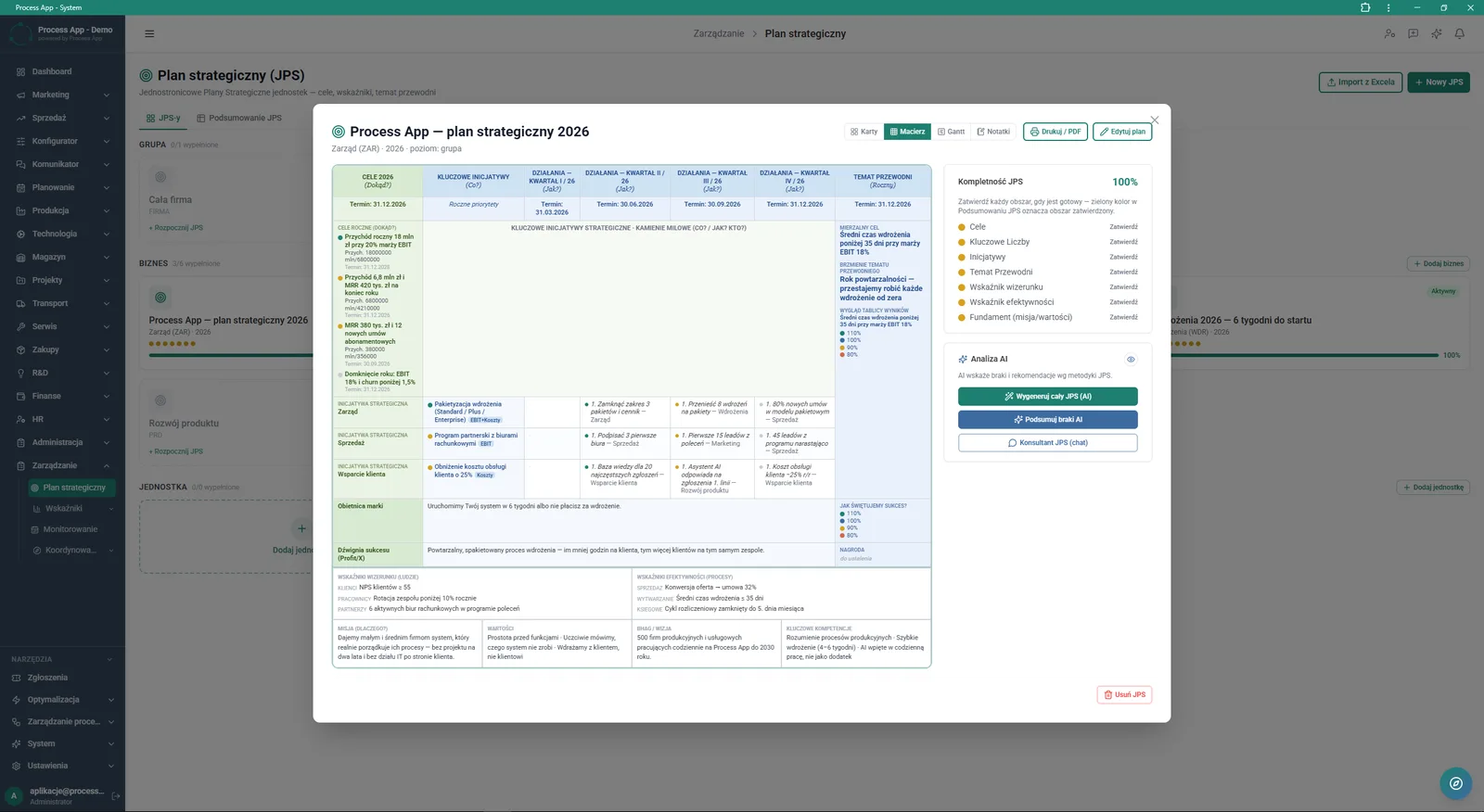
Detail screen of the One-page Strategic Plan in matrix view, presenting goals, initiatives and actions by quarter, plus a side panel with completeness assessment and AI tools.
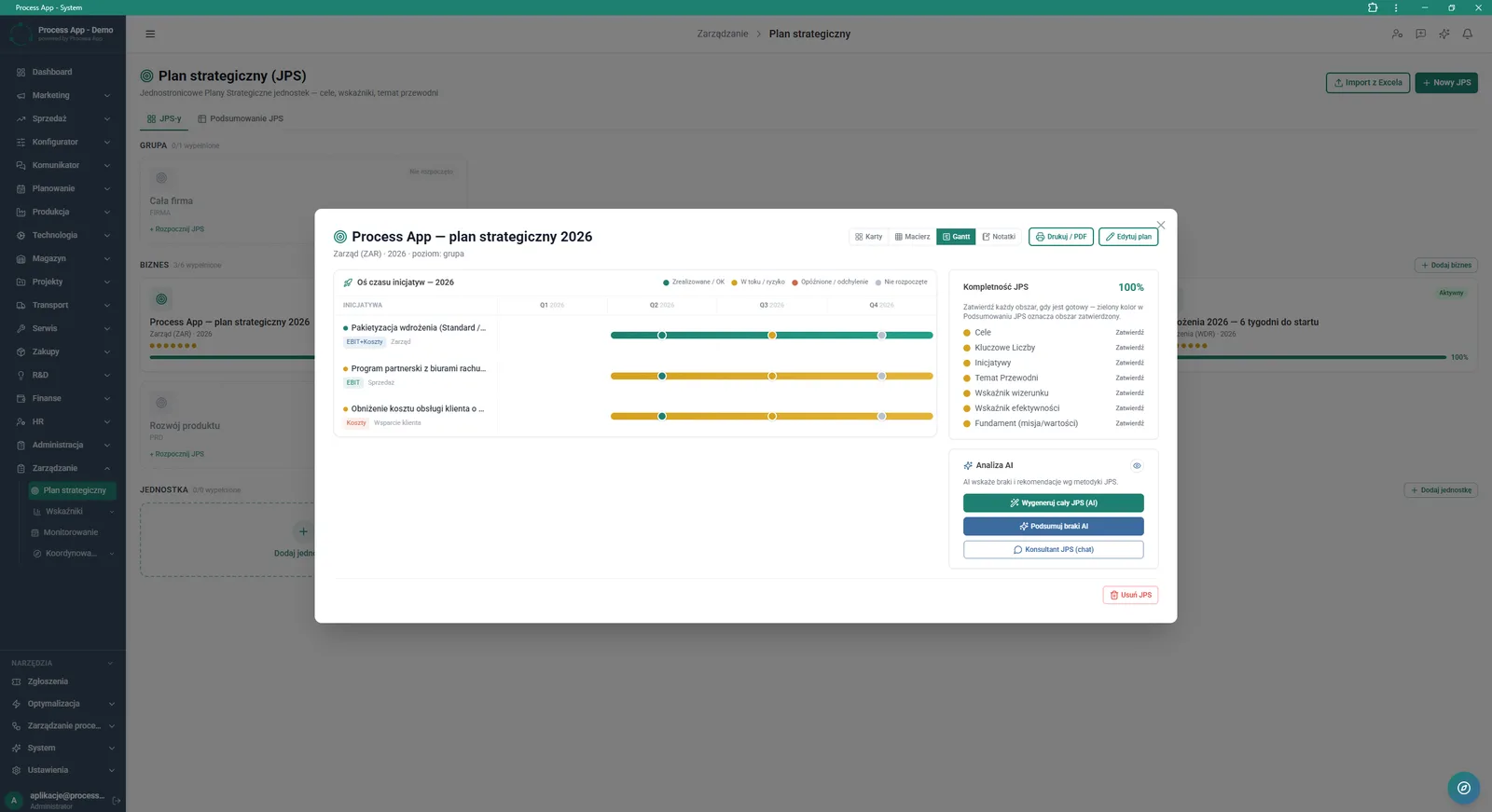
Detail view of the One-page Strategic Plan (JPS) with the Gantt tab active, presenting the initiative timeline by quarter and a side panel with completeness assessment and AI tools.
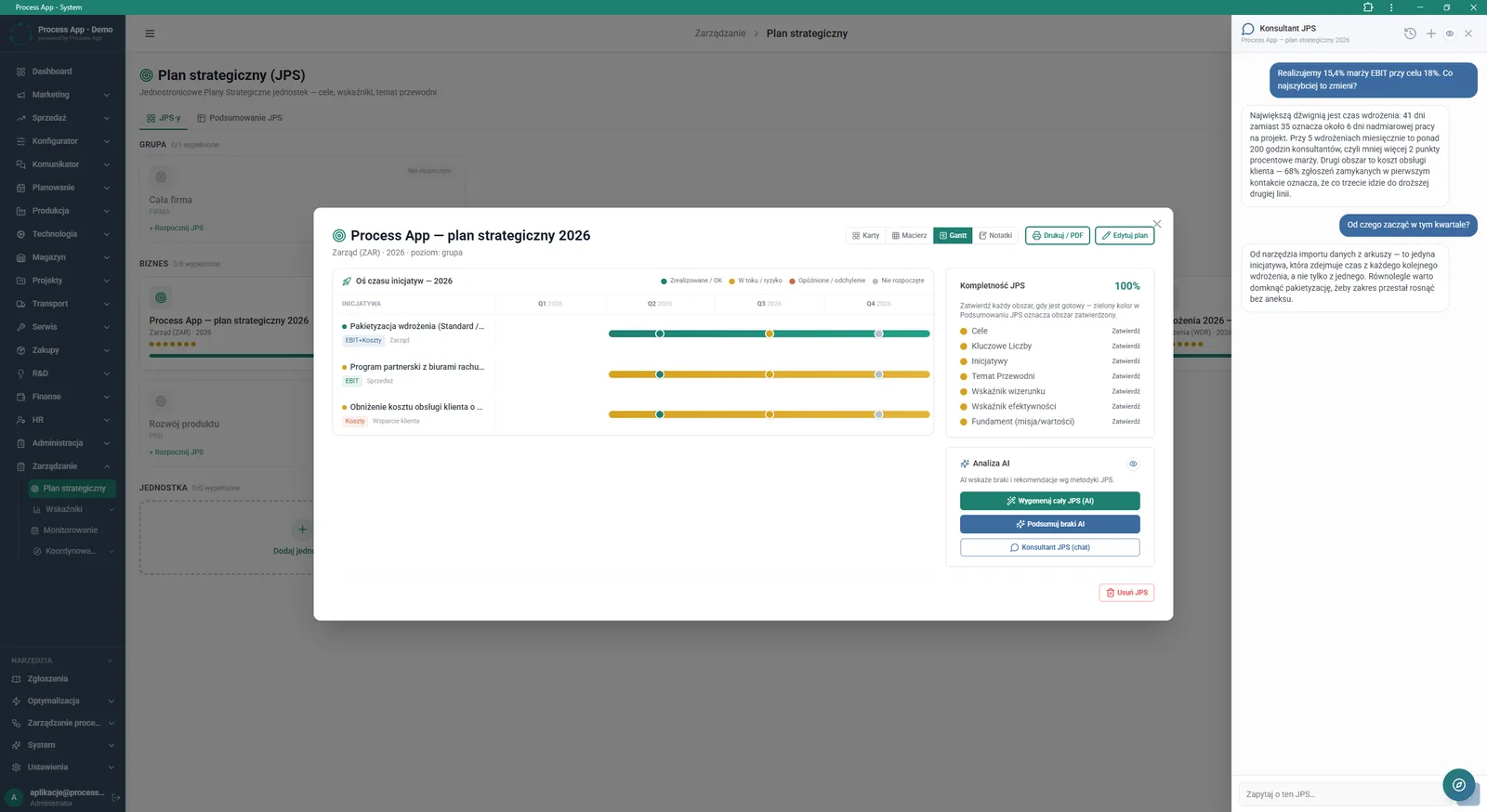
Detail view of the One-page Strategic Plan on the Gantt tab with an open side chat panel with the AI assistant (JPS Consultant).
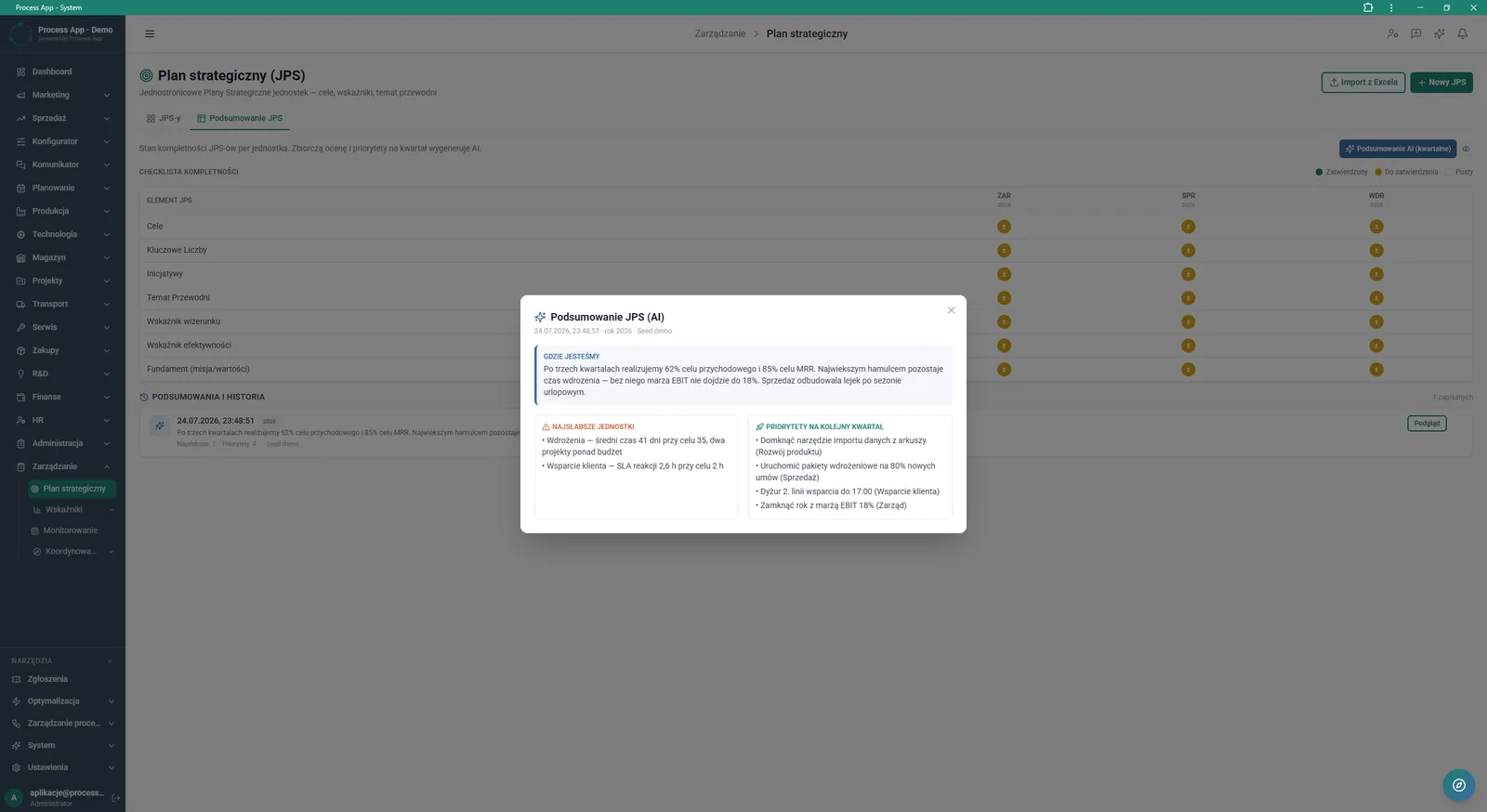
View of the JPS Summary tab with an open JPS Summary (AI) modal window, presenting an AI-generated analysis of the current situation, weakest units and priorities for the next quarter.
What exactly you get
Multi-level plan structure
Create and review plans split into Group, Business and Unit sections.
Multiple data views
Switch plan presentation between Cards, Matrix, Gantt and Notes tabs.
Data import and export
Pull assumptions from an Excel file and generate print-ready or PDF plans.
Initiative scheduling
Break down activities by quarter and mark their execution status.
Completeness verification
Track the percentage completion of the plan and approve individual sections.
What AI does for you in this process
Full-plan generation
Artificial intelligence creates a complete JPS proposal based on the entered assumptions and strategic foundations.
Gap analysis
Algorithms verify plan completion and automatically summarise missing areas that require input.
Quarterly strategic summaries
AI analyses the current situation, highlights the weakest units and sets priorities for the next quarter.
Ongoing advisory
The built-in JPS Consultant answers questions and provides strategic advice via interactive chat.
The process from start to finish
Manage your company strategy from a single place, using clear card, matrix and Gantt chart views. Create new strategic plans from scratch or import existing assumptions directly from Excel. Break down strategic foundations such as mission, values and brand promise, then link them to specific goals and initiatives by quarter. Track execution using intuitive progress bars and status legends to immediately spot delays and risks. Verify the completeness of each plan with a dedicated checklist, approving subsequent areas from key figures to image-related indicators. Switch between Group, Business and Unit levels to keep full alignment with the board’s directions. Export final plans to PDF or print them so you always have an up-to-date document at hand.
See this process on your own data
We will walk you through the “Strategic Planning (JPS)” module using your company as the example — the input, the flow and the end result in Process App.
Explore the remaining system modules
Cascading Goals and KPIs
KPI Monitoring
Operational Meeting Management
Process Mapping
Process Standardization
User and Permission Management
Support Ticket Handling

On-screen Feedback (Comment Mode)

Optimization Analysis
AI prompts and automation management
Lead Generation