Process Mapping
Drowning in procedures and scattered documents, with no single view of who owns what? The Process management module lets you map your entire organisation, linking departments, processes, activities and KPIs into one coherent system. Artificial intelligence automatically assesses automation potential and sets optimisation priorities for every mapped area.
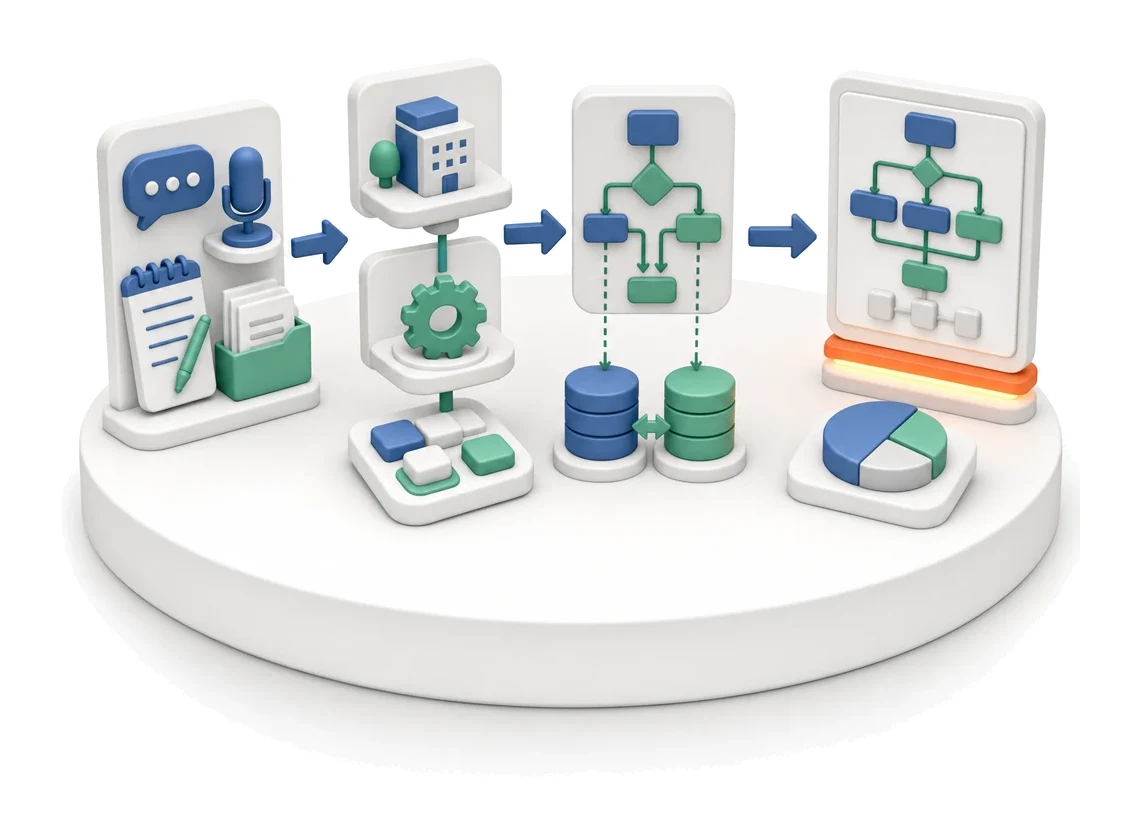
- Input
- Interviews and documentation
- Flow
- Department → process → activities and handovers between departments
- Output
- Process map with activities
What changes in the company after the rollout
Departments, processes and activities are described as an organisational map, with clear ownership and visibility of where processes hand over between departments.
Full organisational transparency
You get a clear view of who is responsible for which tasks and how processes flow between individual departments.
Fast gap identification
You instantly find processes without assigned standards or owners using percentage-based process health indicators.
Better control over objectives
You track strategy execution in real time, with all measurements, formulas and optimisation plans stored in one easily accessible place.
Efficient IT planning
You estimate the required workload and track the status of technical implementations without needing separate project management tools.
Always up-to-date data
You maintain consistent information across the company thanks to fast synchronisation and continuous monitoring of data exchange status.
How this process looks in Process App
Zrzuty pochodzą z działającego systemu — kliknij, aby powiększyć.
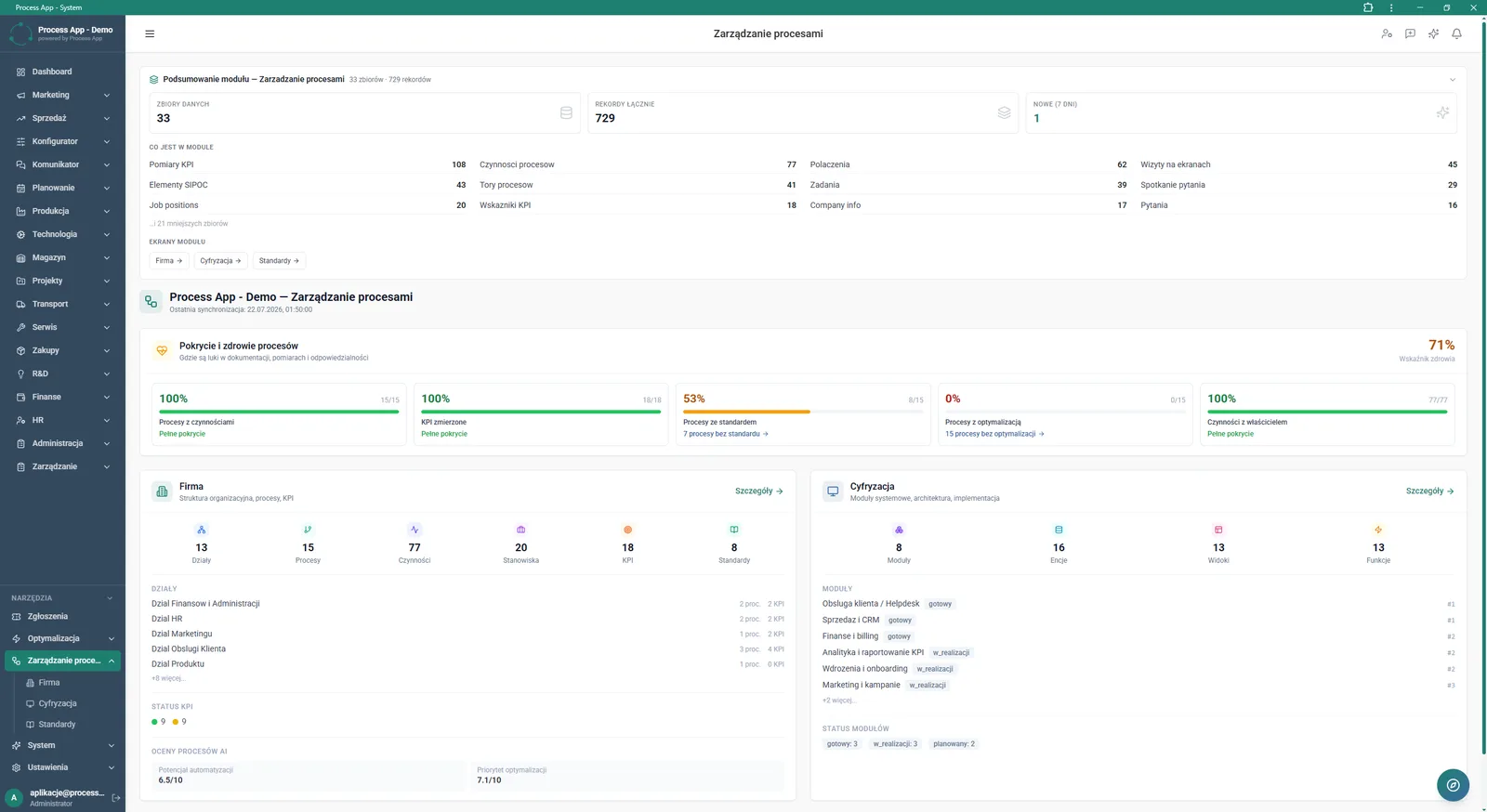
Main screen of the Process management module showing data summaries, coverage and process health indicators, plus details of the company structure and digitisation.
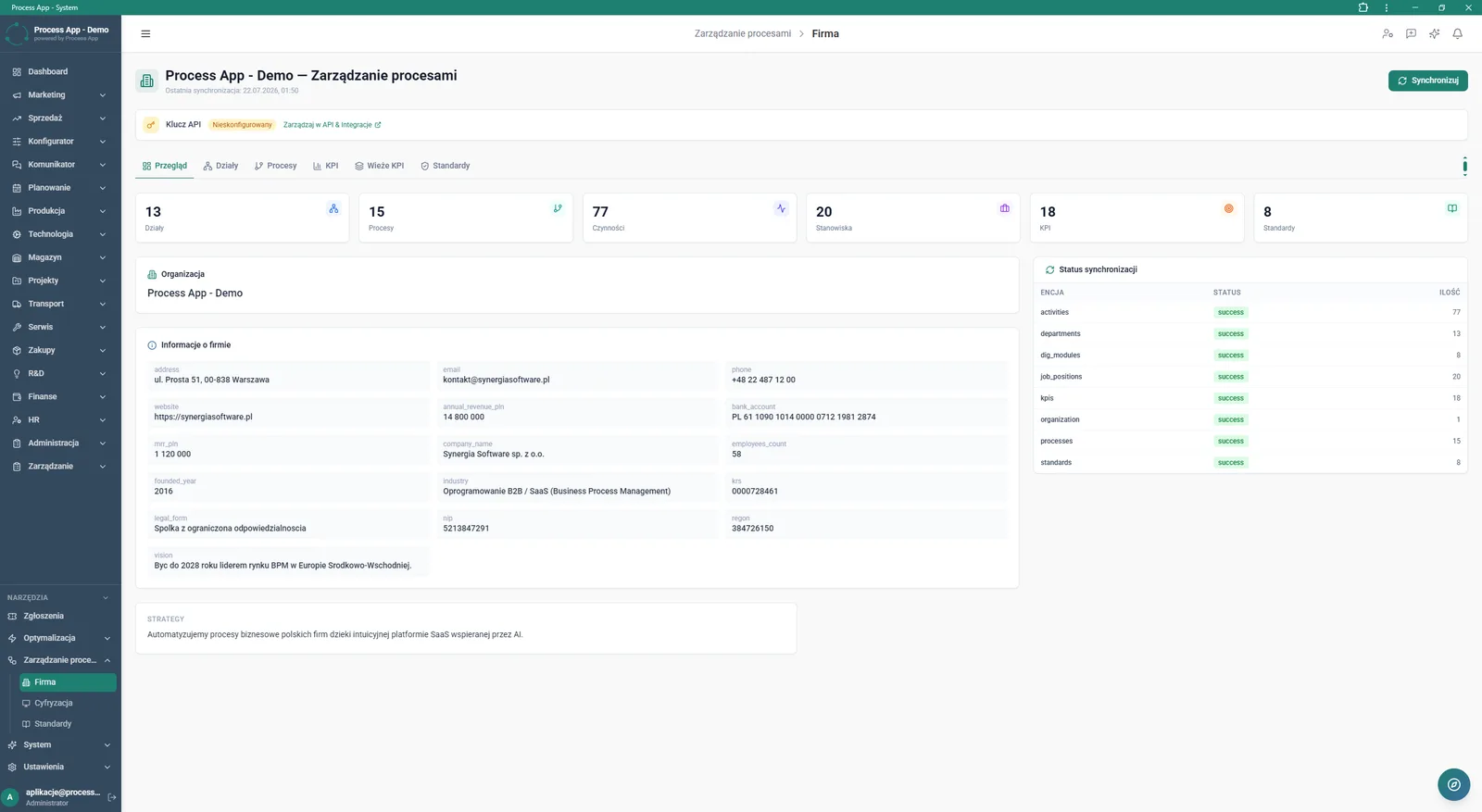
Company data overview screen in the Process management module, showing numerical statistics, detailed organisation information and a table with entity synchronisation status.
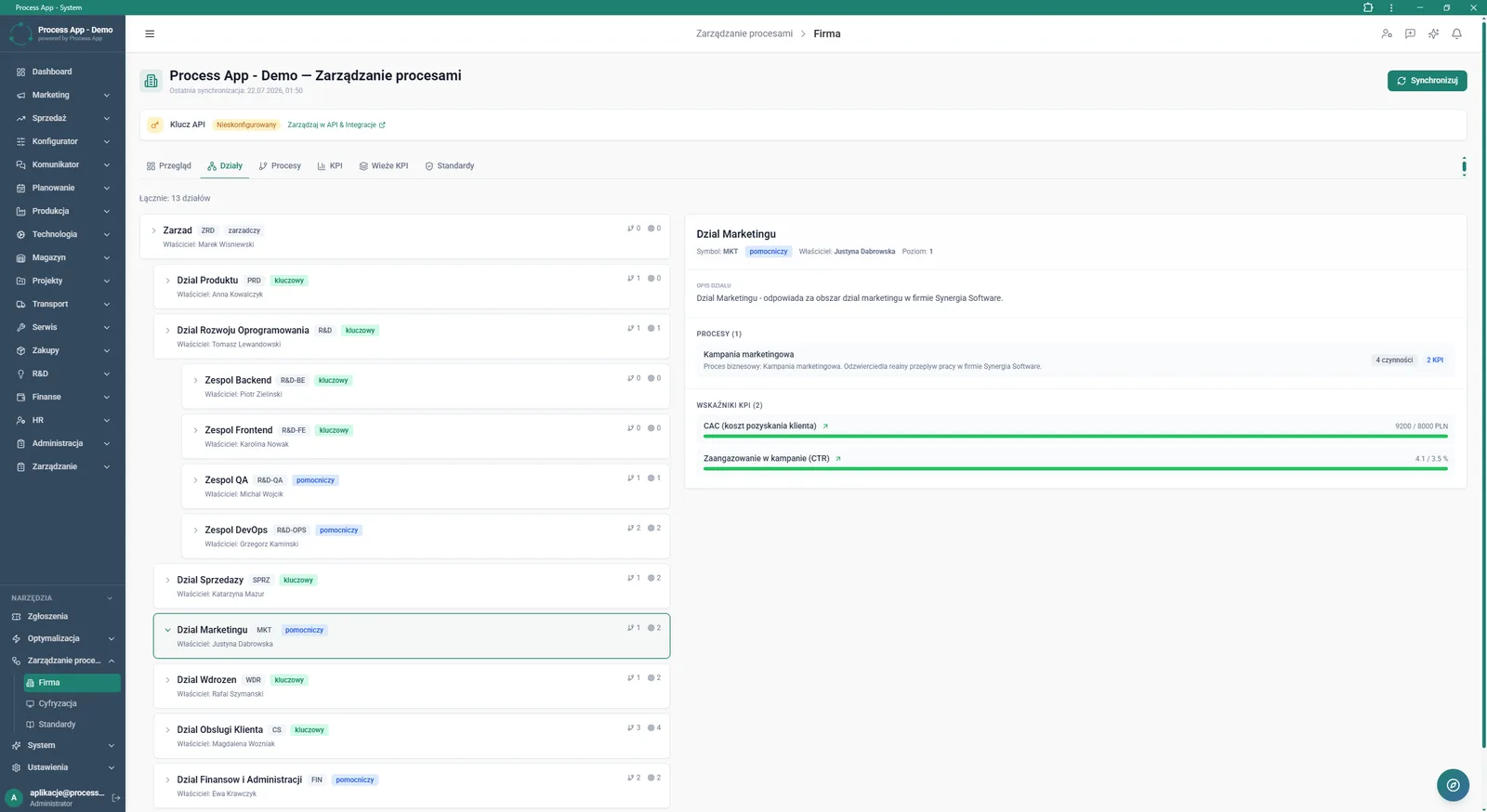
Process management screen in Company view with the Departments tab active, showing the organisational structure tree and a panel with details of the selected department, its processes and KPIs.
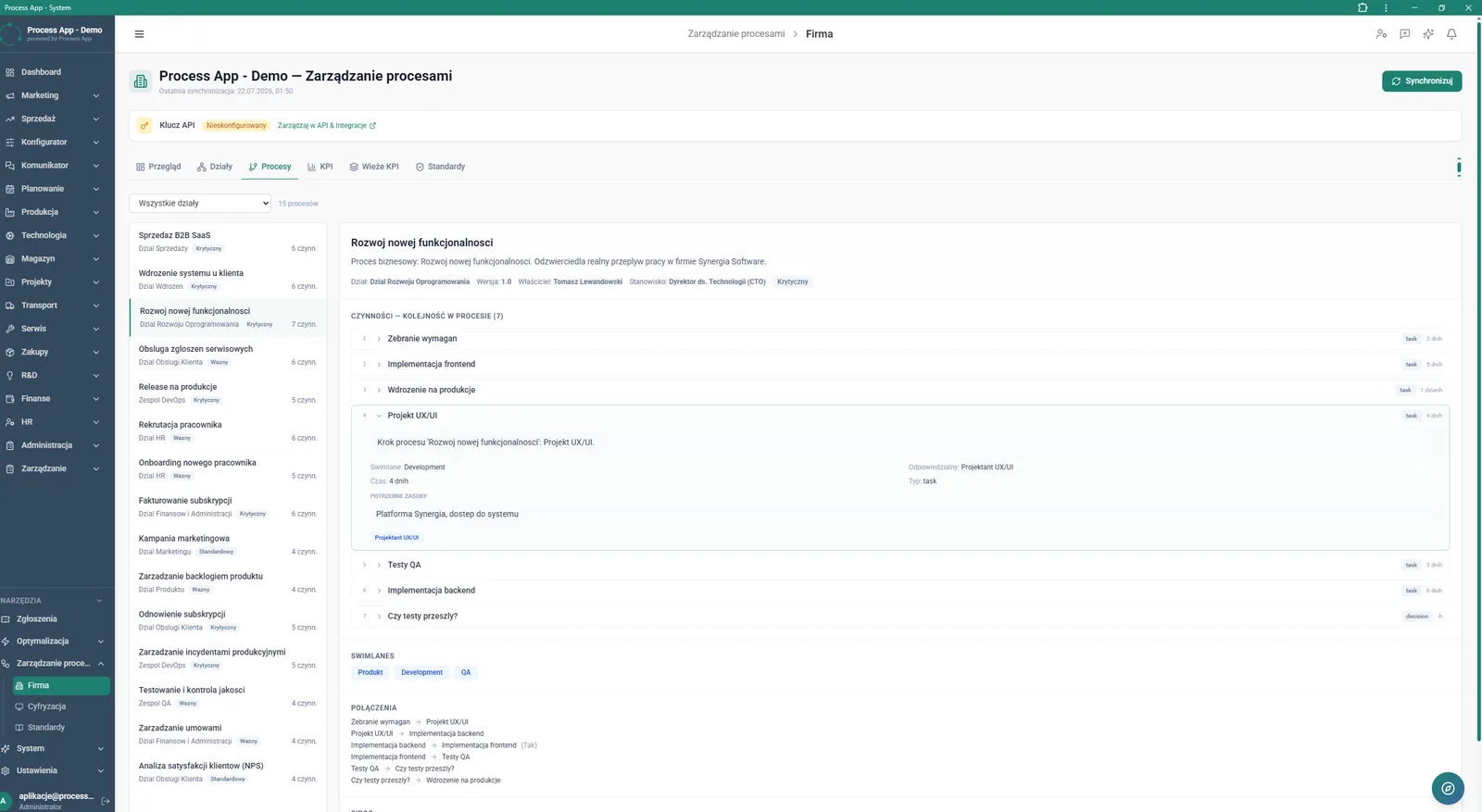
Process management screen in Company view with the Processes tab active, showing a list of processes on the left and details of the selected process on the right, including its steps, resources and connections.
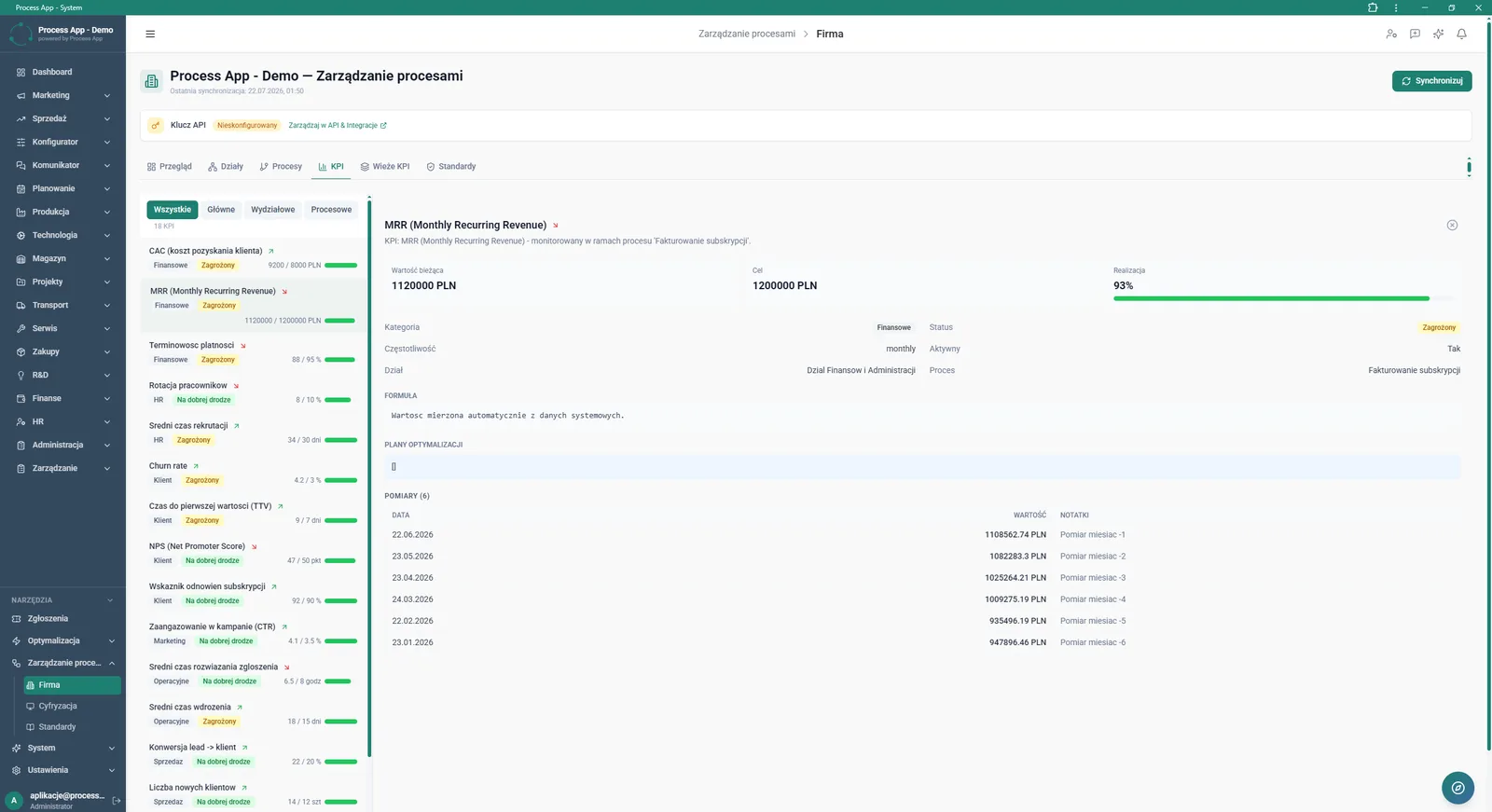
Process management screen in Company view with the KPI tab active, showing a list of indicators on the left and details of the selected KPI on the right, including its values, attributes and measurement history.
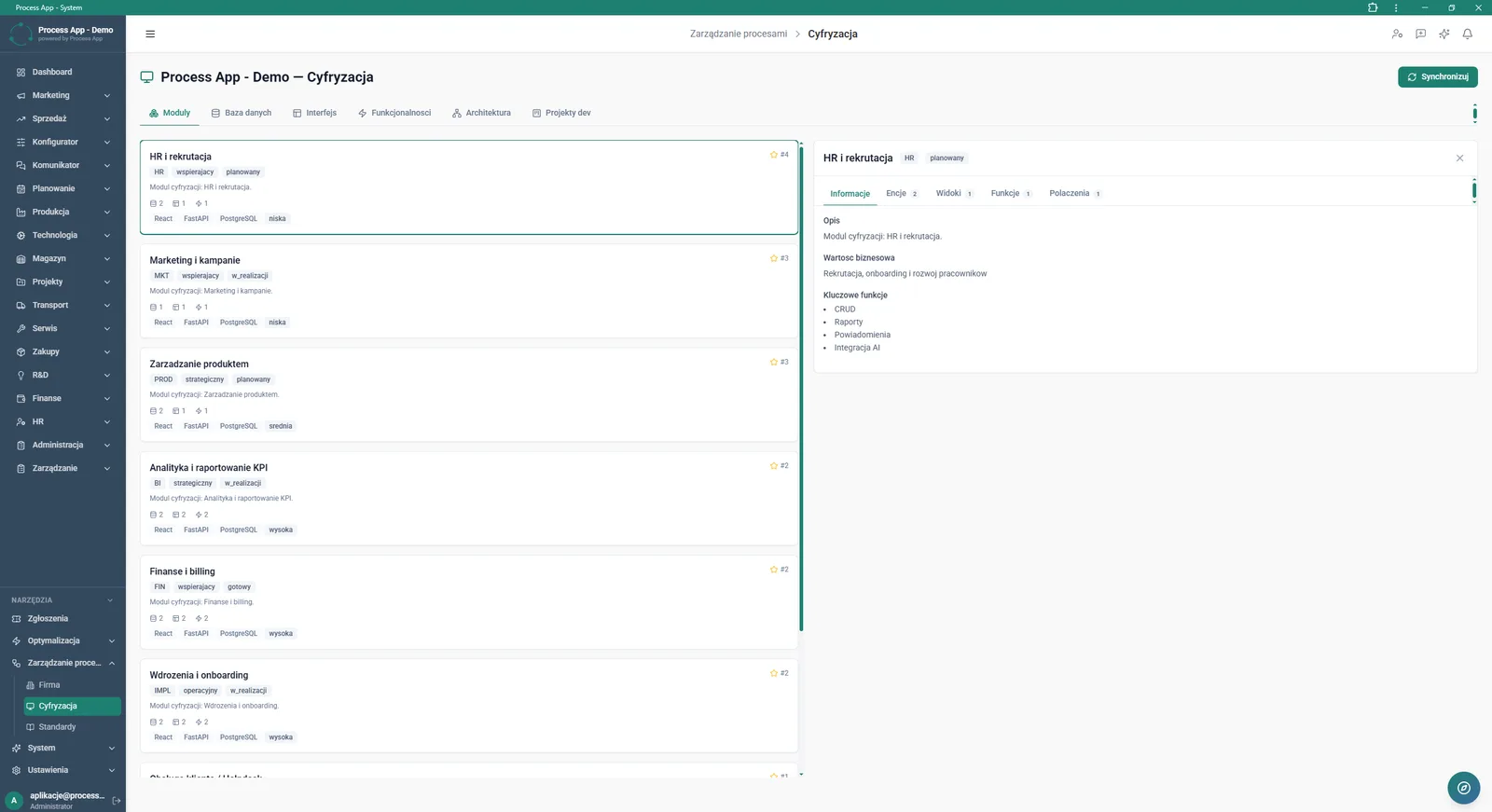
Process management screen in Digitisation view with the Modules tab active, showing a list of system modules on the left and detailed information about the selected module on the right.
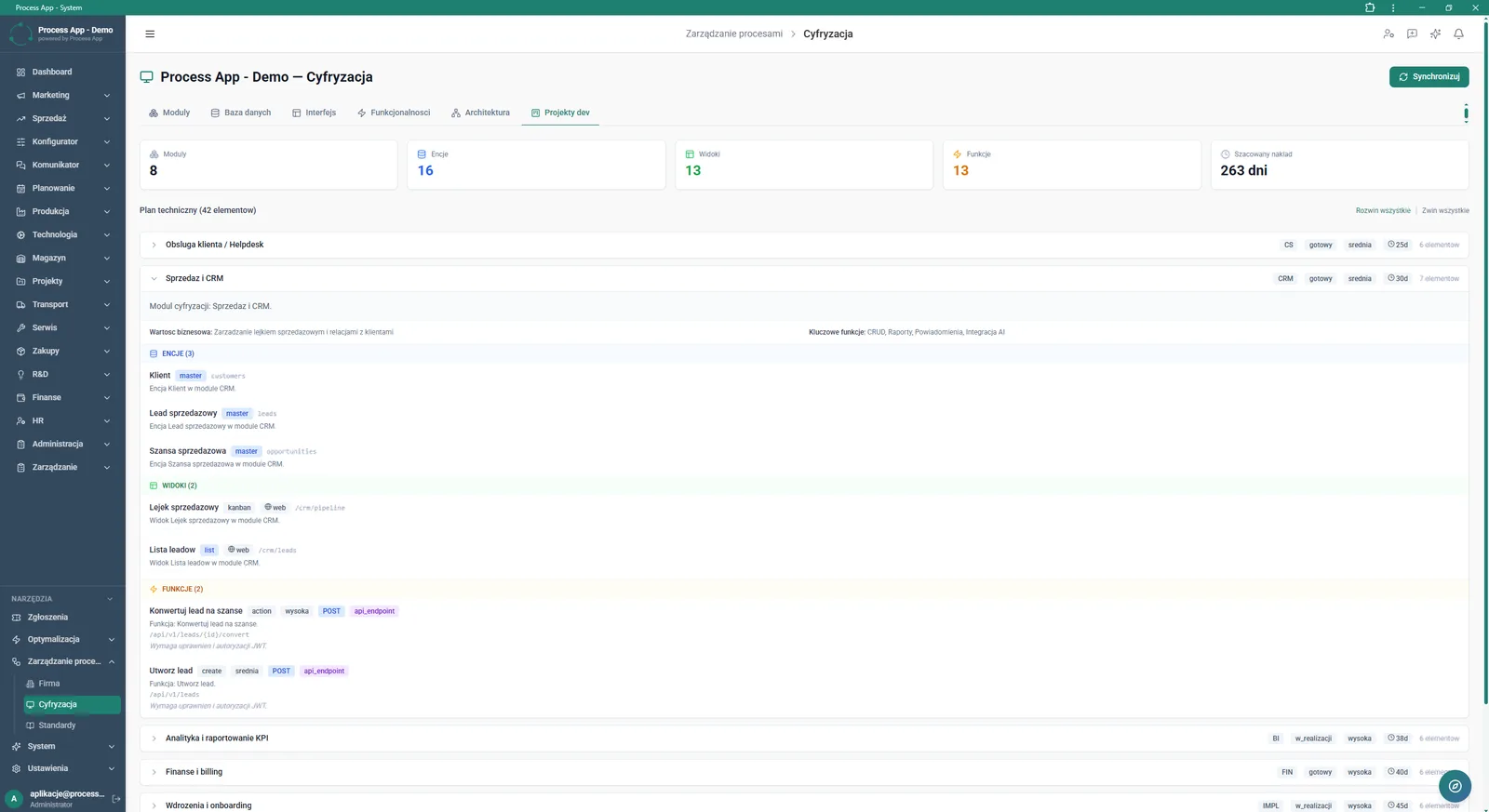
Process management screen in Digitisation view with the Dev projects tab active, showing the technical plan broken down into modules, entities, views and functions, along with a summary of the estimated workload.
What exactly you get
Organisational structure tree
Browse and filter all company departments together with their assigned processes, positions and indicators.
Detailed process mapping
Create activity lists within a process, defining their type, duration, required resources and interdependencies.
KPI management
Record current values, targets and measurement history in a dedicated table, with the option to add notes to each entry.
Technical digitisation plan
View the system architecture split into modules, entities, views and functions in the Dev projects tab.
Synchronization status panel
Monitor data exchange status in a clear table with the columns ENTITY, STATUS and COUNT.
What AI does for you in this process
Automation potential assessment
AI analyses mapped processes and assigns them a score that indicates how suitable they are for digitisation.
Optimisation priority setting
AI evaluates collected process data and highlights, on a numeric scale, which areas of the company require the most urgent intervention.
Process structure analysis
AI processes information about activities, resources and links, supporting the generation of assessments for the entire workflow.
The process from start to finish
Build a clear map of your organisation, from the high-level structure in the Departments tab down to the smallest steps in the Processes view. Assign specific activities to the right roles, define their duration and organise them into readable process swimlanes. Continuously monitor process health indicators and their coverage by standards to quickly spot documentation gaps. Control work efficiency using the KPI tab to track targets, current performance and measurement history. Switch to the Digitisation screen to plan the company’s technology roadmap and follow progress on new modules, entities and views. Manage all data from a single place using synchronisation features and simple API key configuration.
See this process on your own data
We will walk you through the “Process Mapping” module using your company as the example — the input, the flow and the end result in Process App.
Explore the remaining system modules
Process Standardization
User and Permission Management
Support Ticket Handling
On-screen Feedback (Comment Mode)
Optimization Analysis
AI prompts and automation management
Lead Generation
Prospecting
Cold Mailing
Cold Calling
Sales Opportunity Management