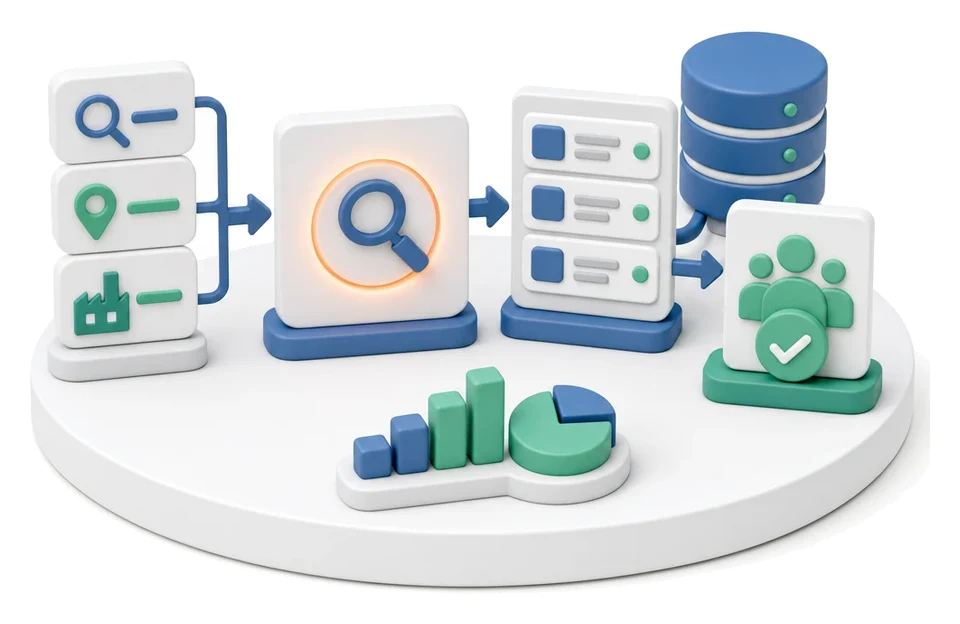
Operational Meeting Management
Are operational meetings in your company a waste of time and discussion without hard data? The operational meeting management module combines KPI results, reported issues and tasks into one coherent coordination system. Artificial intelligence automatically generates the meeting agenda and supports root cause analysis of deviations.
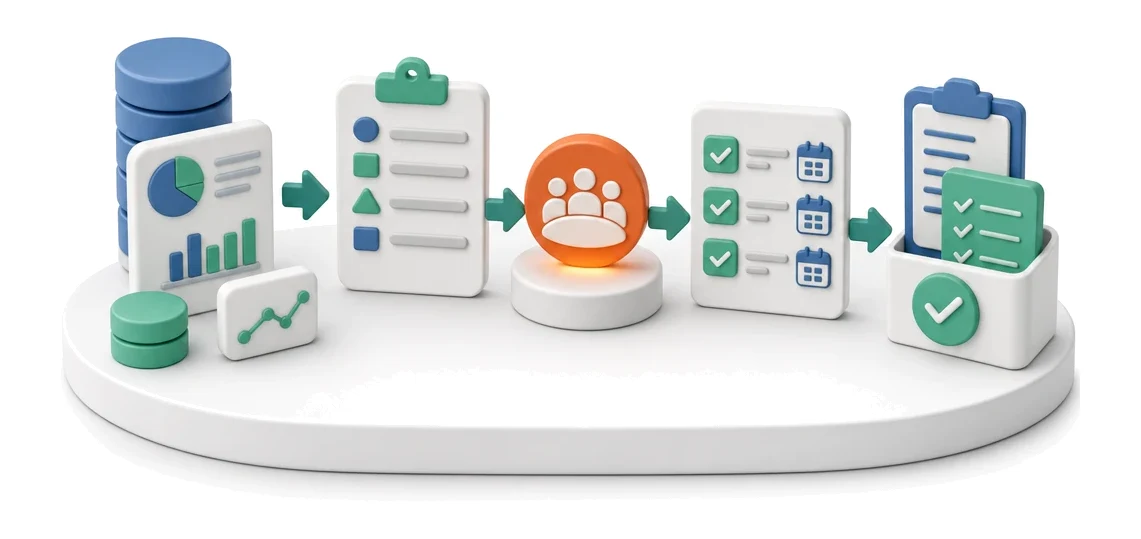
- Input
- Period data and deviations
- Flow
- Agenda from data → decisions → tasks with deadlines
- Output
- Decisions and tasks from the meeting
What changes in the company after the rollout
The meeting agenda is built from system data: deviations, issues and tasks. Decisions immediately become tasks with deadlines.
Shorter meeting time
All data, indicators and open tasks are collected in one place before the meeting starts.
Full visibility of decisions
Every decision made in the meeting immediately becomes a task with an assigned deadline and owner.
Faster response to problems
Ongoing monitoring of KPIs and deviations enables immediate launch of corrective actions.
Less administrative work
Automatic retrieval of key figures and historical deviations eliminates manual retyping of data.
Transparency of corrective processes
Visualising tasks on a Kanban board makes it easier to track team-wide progress.
How this process looks in Process App
Zrzuty pochodzą z działającego systemu — kliknij, aby powiększyć.
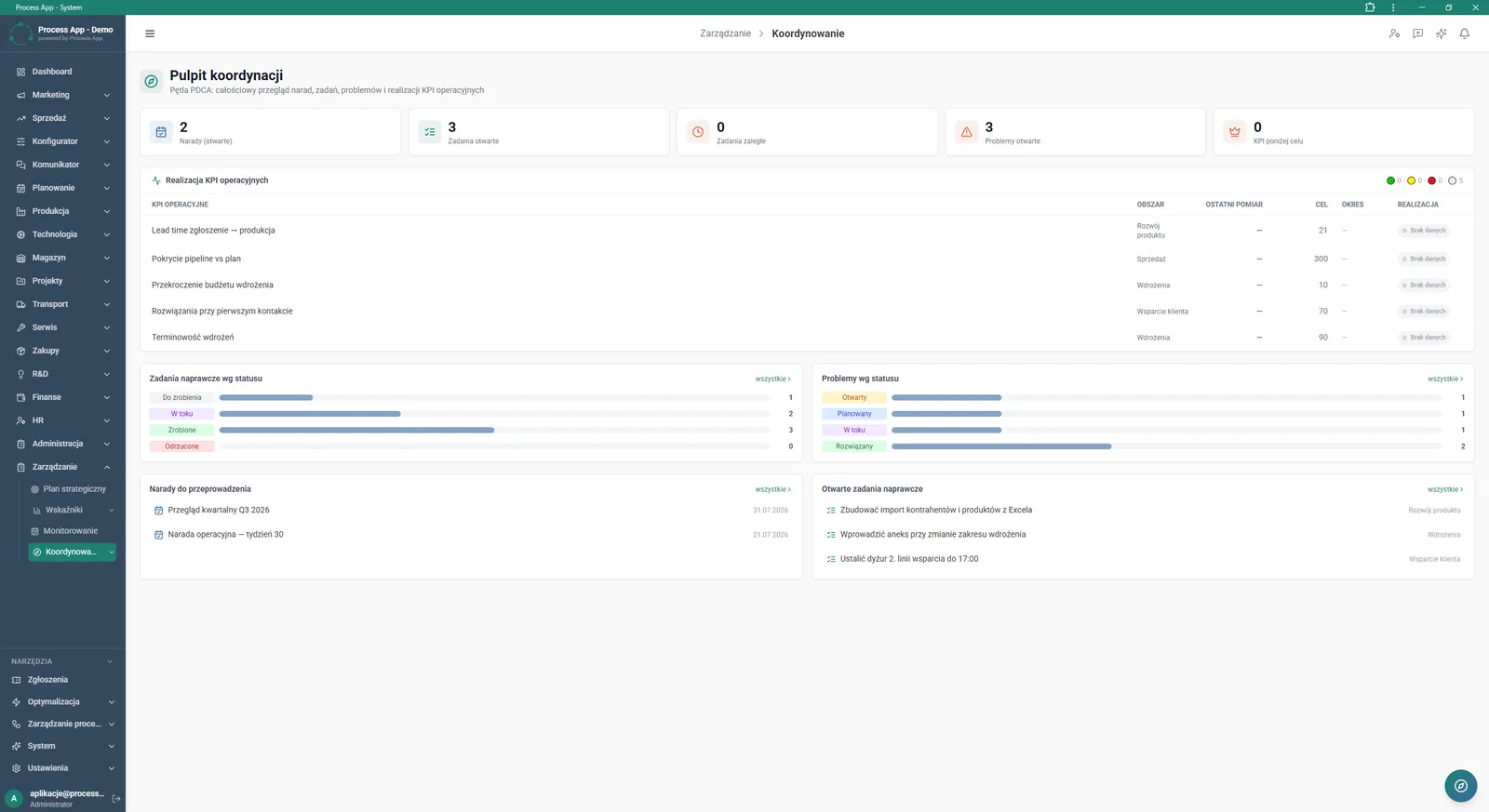
The Coordination dashboard screen shows a summary of open meetings, tasks, issues and operational KPI performance in the form of tiles and lists.
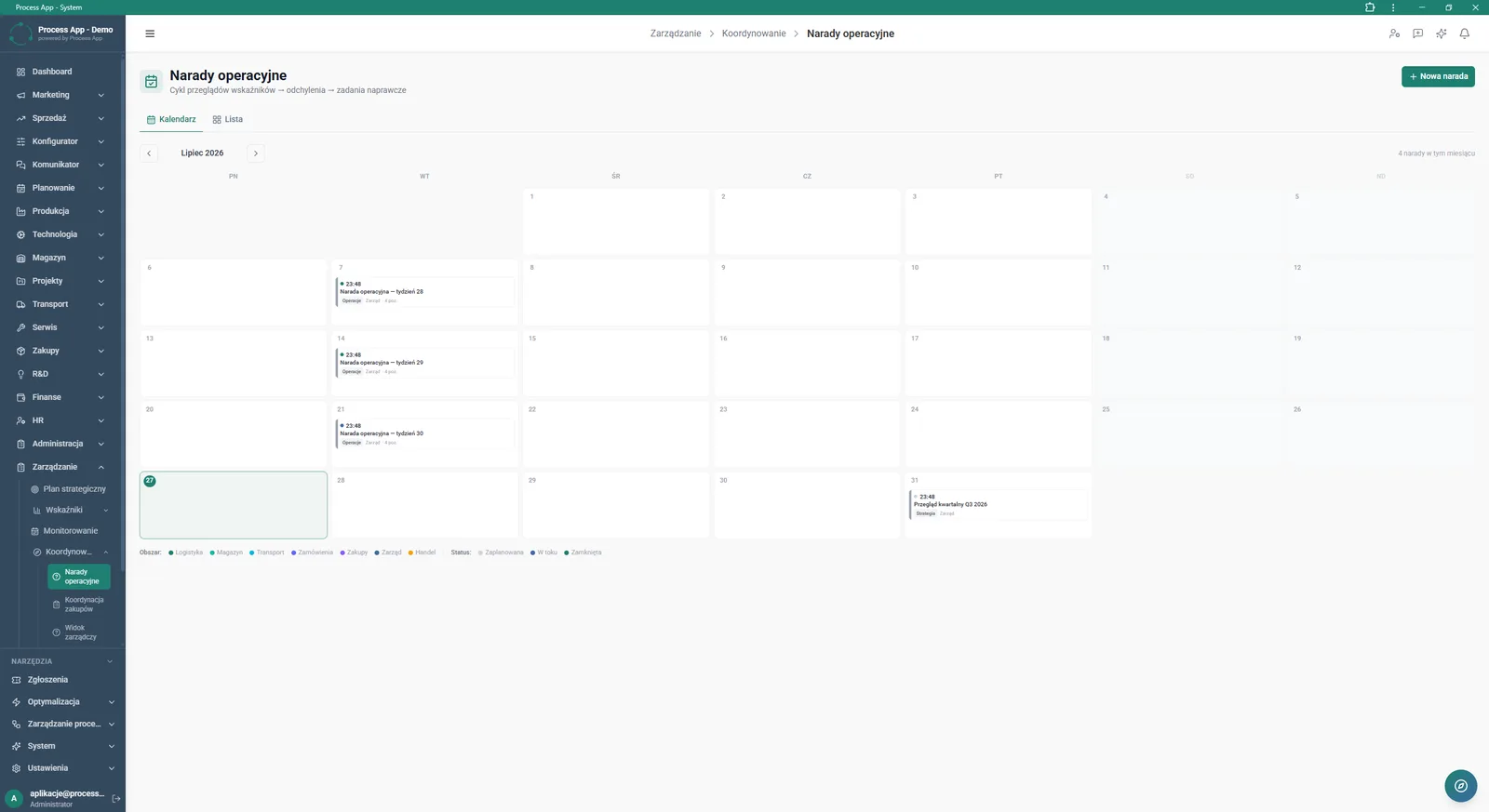
The Operational meetings screen displays a calendar view with scheduled meetings, tabs to switch to a list view, and a legend of areas and statuses.
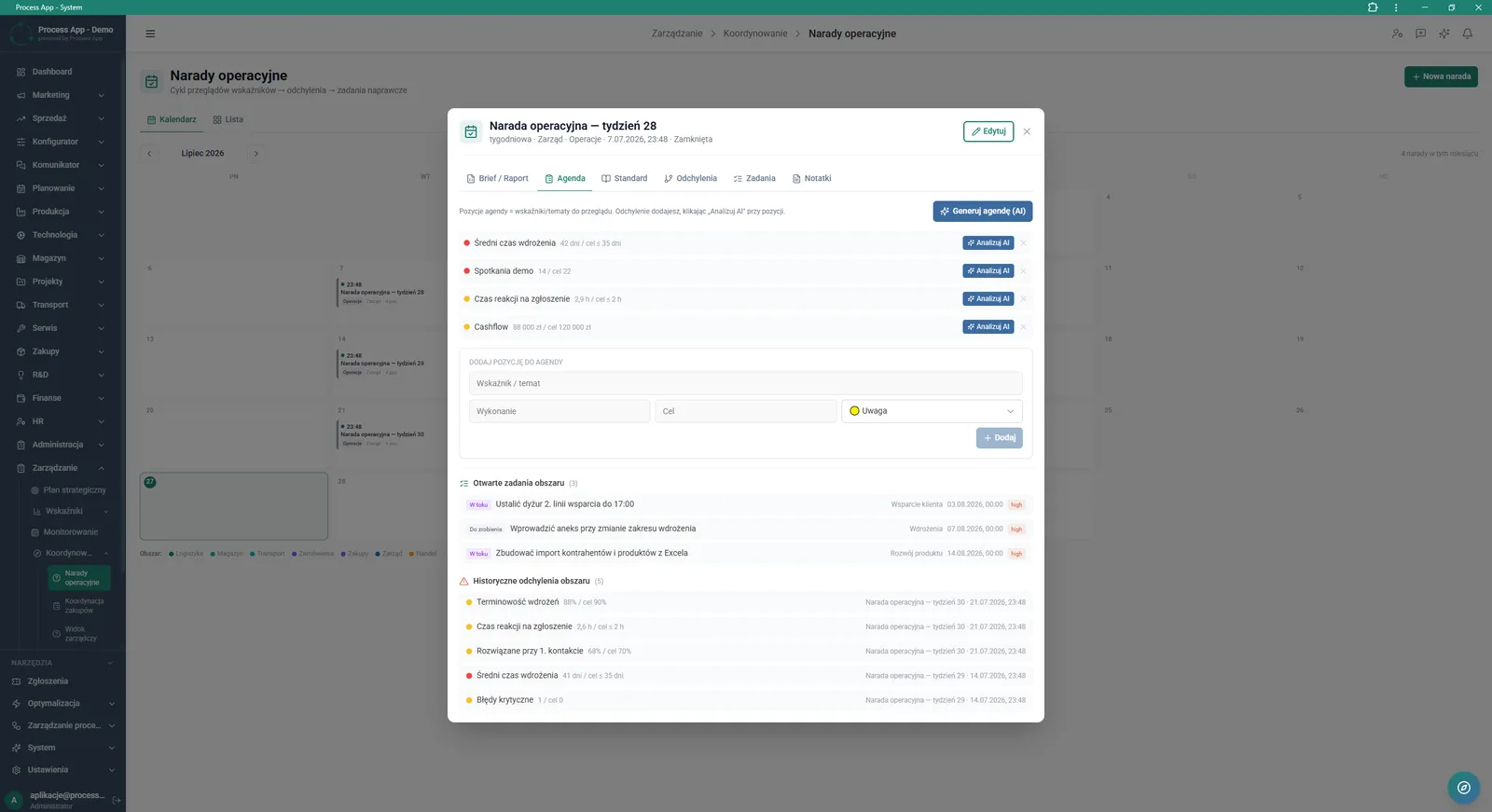
The operational meeting detail screen in a modal window, showing the active agenda tab with a list of indicators, an item entry form, and lists of open tasks and historical deviations.
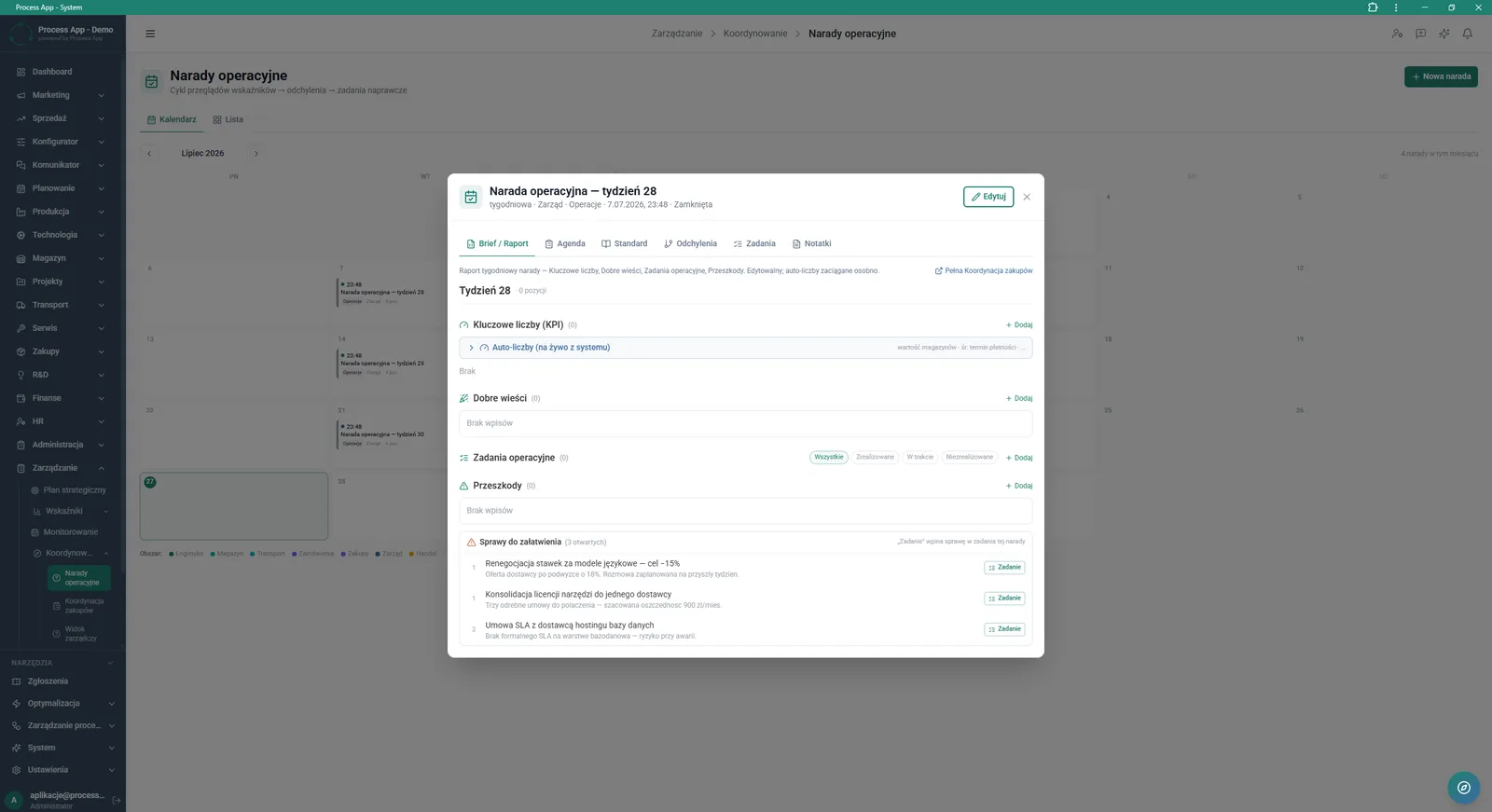
The operational meeting detail screen in a modal window, showing the active Brief / Report tab with sections for key figures, good news, operational tasks, obstacles and action items.
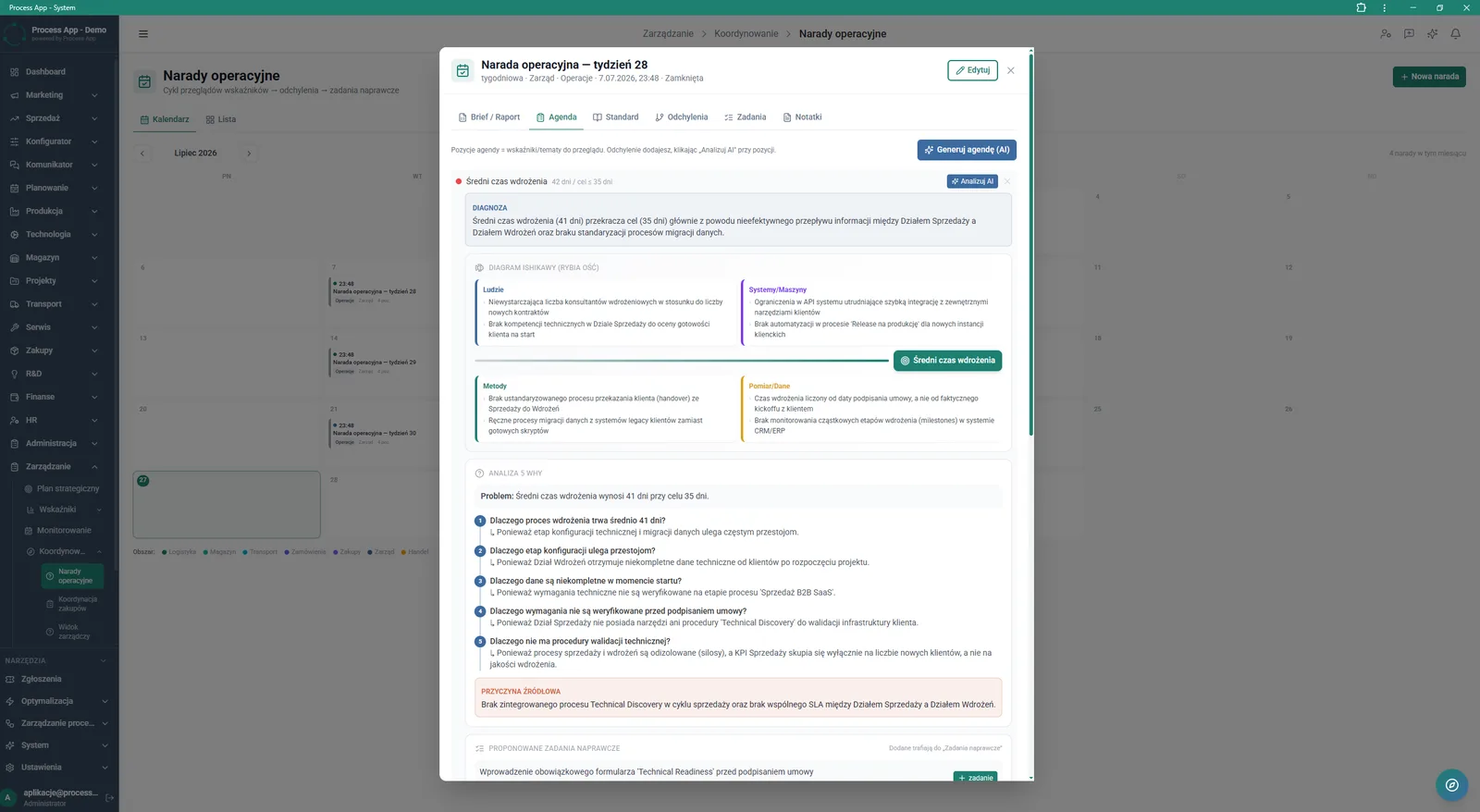
The operational meeting detail screen in a modal window, showing the active agenda tab with an expanded indicator deviation analysis containing a diagnosis, Ishikawa diagram, 5 Why analysis, root cause and proposed corrective tasks.
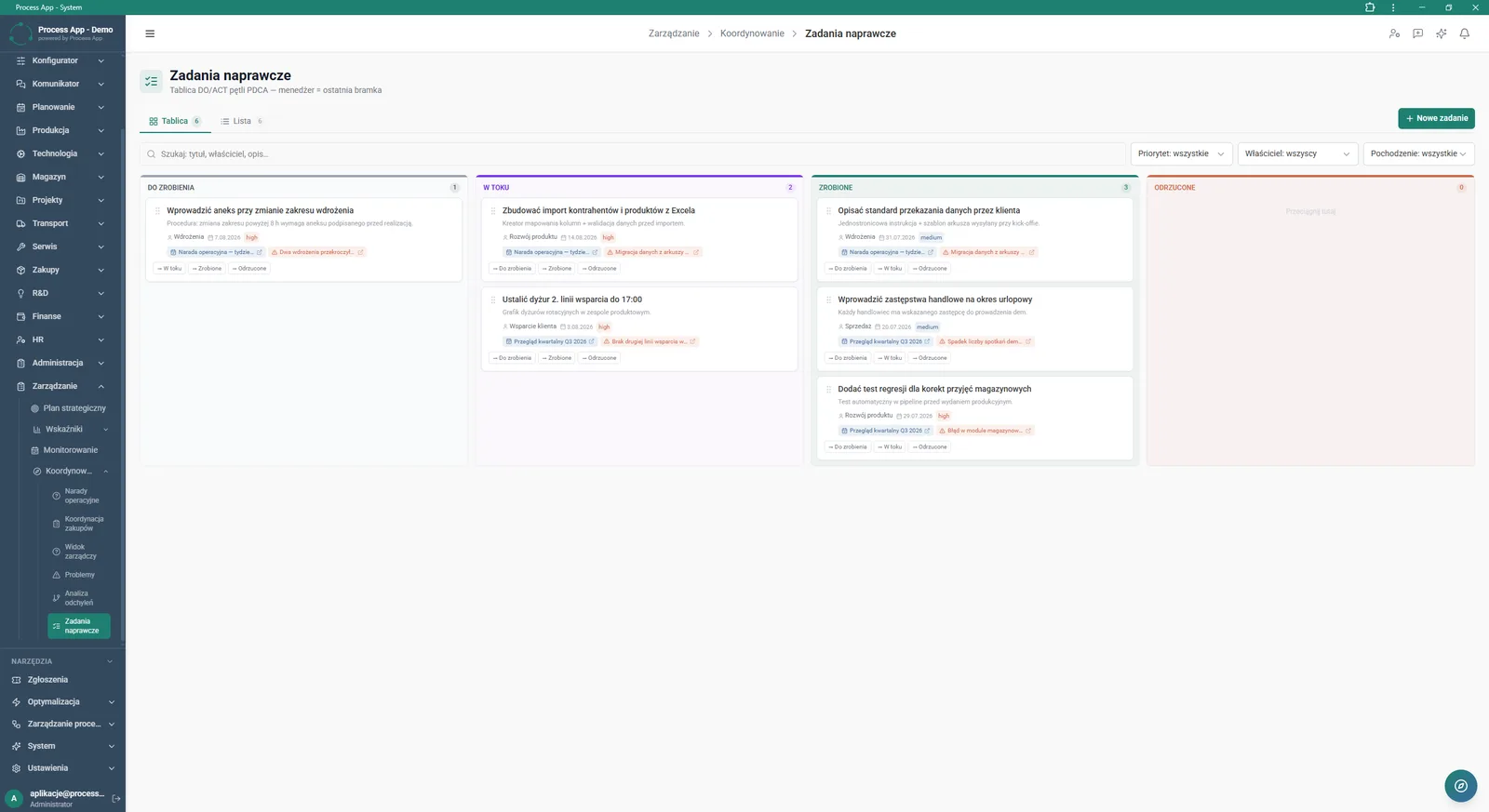
The Corrective tasks screen presents a Kanban board view with tasks divided into status columns, equipped with filters and a search bar.
What exactly you get
Coordination dashboard
The system presents a summary of open meetings and issues, as well as KPI performance, in the form of tiles and tables.
Operational meeting calendar
The application displays scheduled meetings in a monthly view with filters by area and status.
Meeting agenda builder
The module allows manual adding of indicators, targets and topics to the meeting plan.
Brief / Report tab
The screen allows you to record good news, obstacles and action items during the meeting.
Task Kanban board
The system organises corrective tasks into status columns with filtering and search options.
What AI does for you in this process
Agenda generation
Artificial intelligence automatically builds the meeting plan based on system data, deviations and open issues.
Indicator deviation analysis
AI algorithms diagnose the problem using an Ishikawa diagram and 5 Why analysis.
Root cause identification
Artificial intelligence analyses the collected data to precisely indicate the main source of the deviation.
Proposing corrective tasks
Based on the diagnosis, AI automatically suggests specific corrective actions to implement.
The process from start to finish
View a summary of open meetings, tasks and issues on a clear Coordination dashboard. Continuously monitor the status of operational KPIs and react quickly to results falling below target. Plan meetings in a calendar view and switch to a list to keep full control over the schedule. Create comprehensive meeting reports, capturing key figures, good news, obstacles and action items in the Brief / Report tab. Manage corrective tasks on a Kanban board, smoothly moving them from To do all the way to Done. Analyse historical deviations for an area and immediately assign new operational tasks directly from the agenda view.
See this process on your own data
We will walk you through the “Operational Meeting Management” module using your company as the example — the input, the flow and the end result in Process App.
Explore the remaining system modules
Strategic Planning (JPS)
Cascading Goals and KPIs
KPI Monitoring
Process Mapping
Process Standardization
User and Permission Management
Support Ticket Handling
On-screen Feedback (Comment Mode)
Optimization Analysis
AI prompts and automation management

Lead Generation