Employee Onboarding
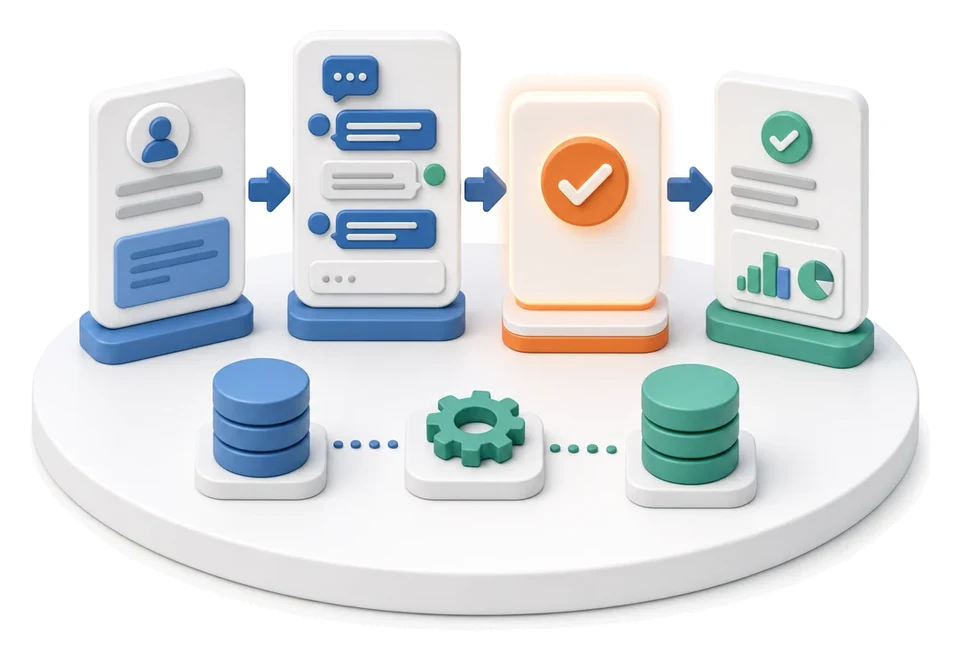
Is your new hire waiting for equipment while departments lose track of onboarding emails? The Onboarding module digitises onboarding plans, goals and trainings, bringing together tasks for HR, IT and line managers in one place. Artificial intelligence analyses the time spent on each stage and suggests optimisations for your onboarding processes.
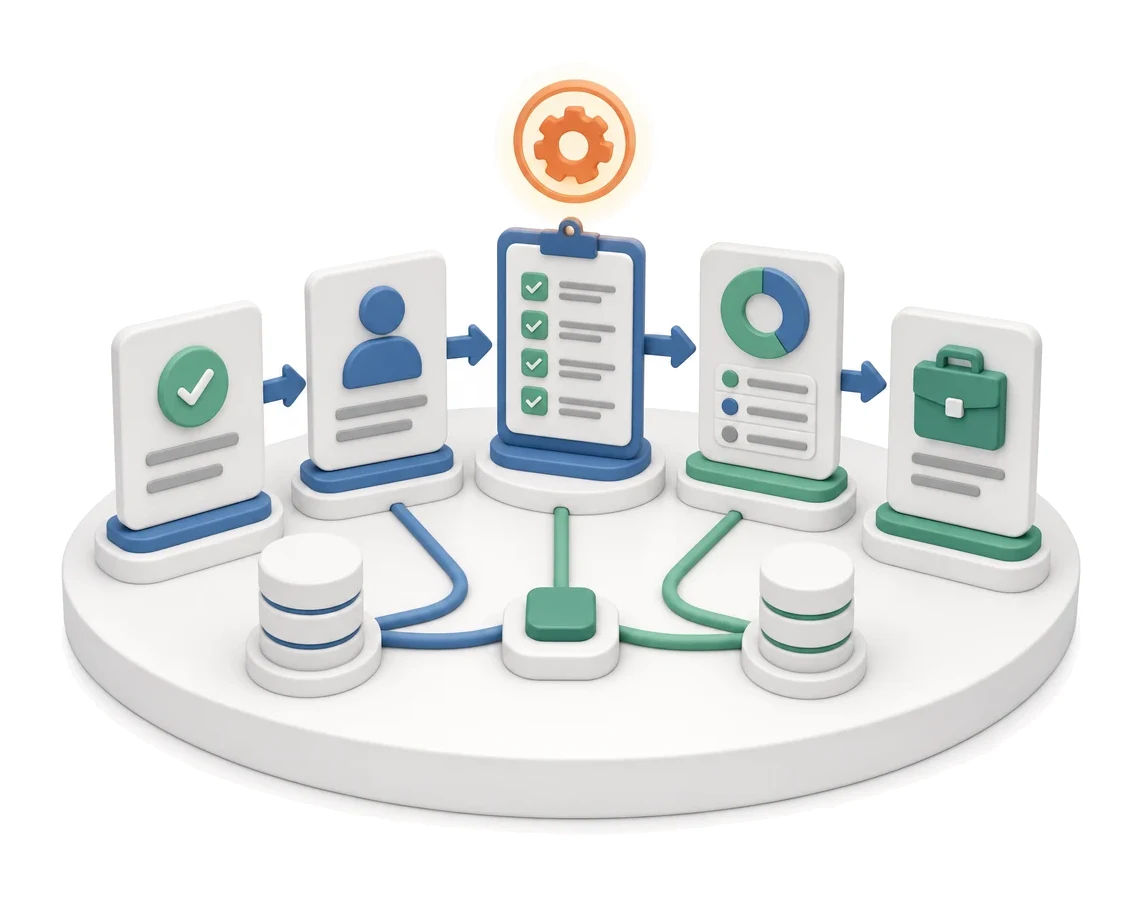
- Input
- Hiring decision
- Flow
- New employee → onboarding checklist → onboarding status
- Output
- Onboarded employee ready for work
What changes in the company after the rollout
A new employee receives an onboarding checklist with tasks for HR, IT and their manager. You can see exactly which stage of onboarding each person is at.
Full process transparency
Managers, HR and IT can see in real time which stage of onboarding each new employee is at.
Time savings
Using ready-made templates removes the need to manually create task lists for every new hire.
Better work organisation
Splitting work into clear task categories helps avoid information chaos between different departments.
Fewer errors
A central register of statuses and progress prevents key documents or mandatory health and safety trainings from being missed.
Easier development planning
Linking onboarding with goals and training makes it easier to build a long-term career path for each employee.
How this process looks in Process App
Zrzuty pochodzą z działającego systemu — kliknij, aby powiększyć.
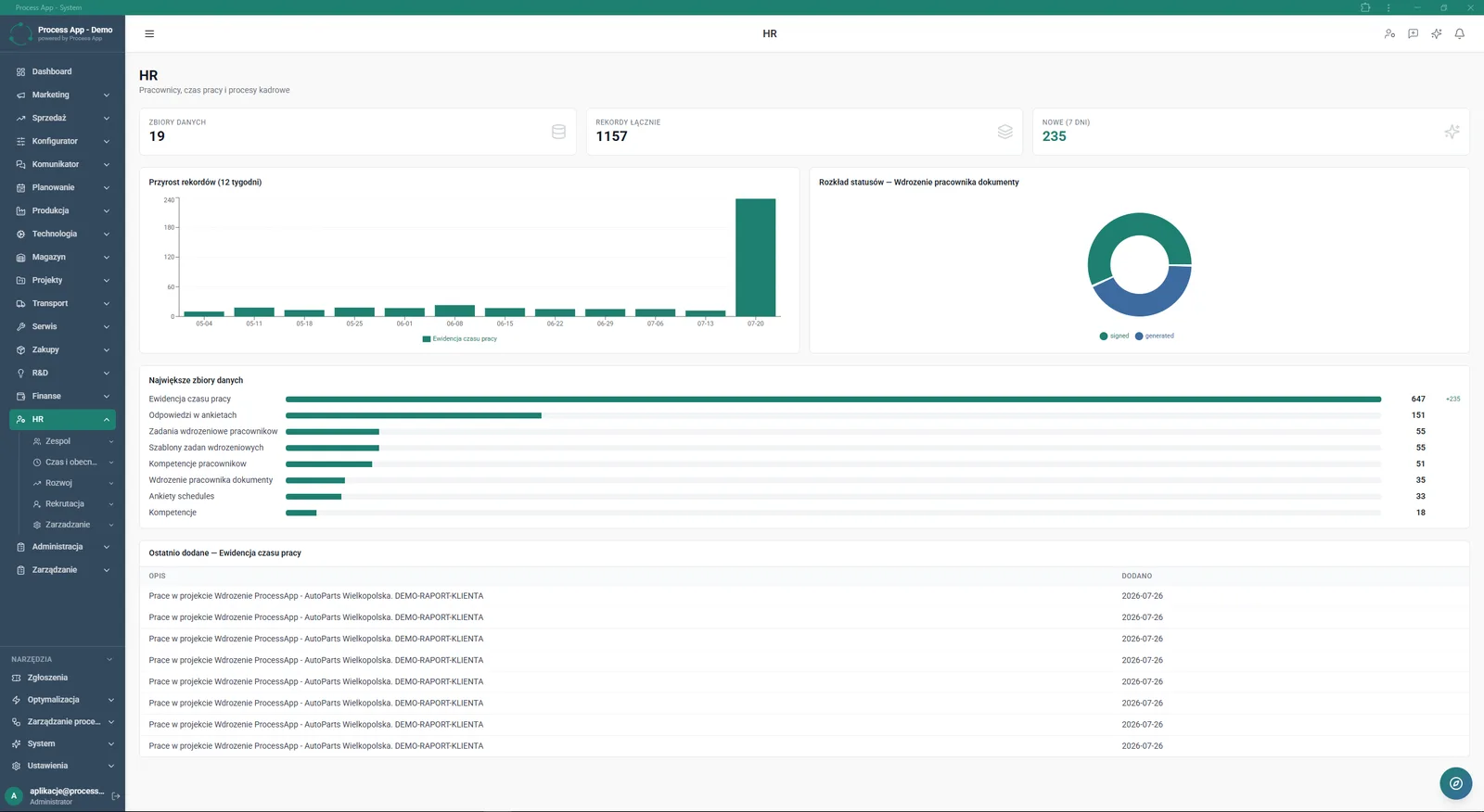
The screen shows the main HR module dashboard with statistics for data sets, charts for record growth and status distribution, plus lists of the largest data sets and most recently added entries.
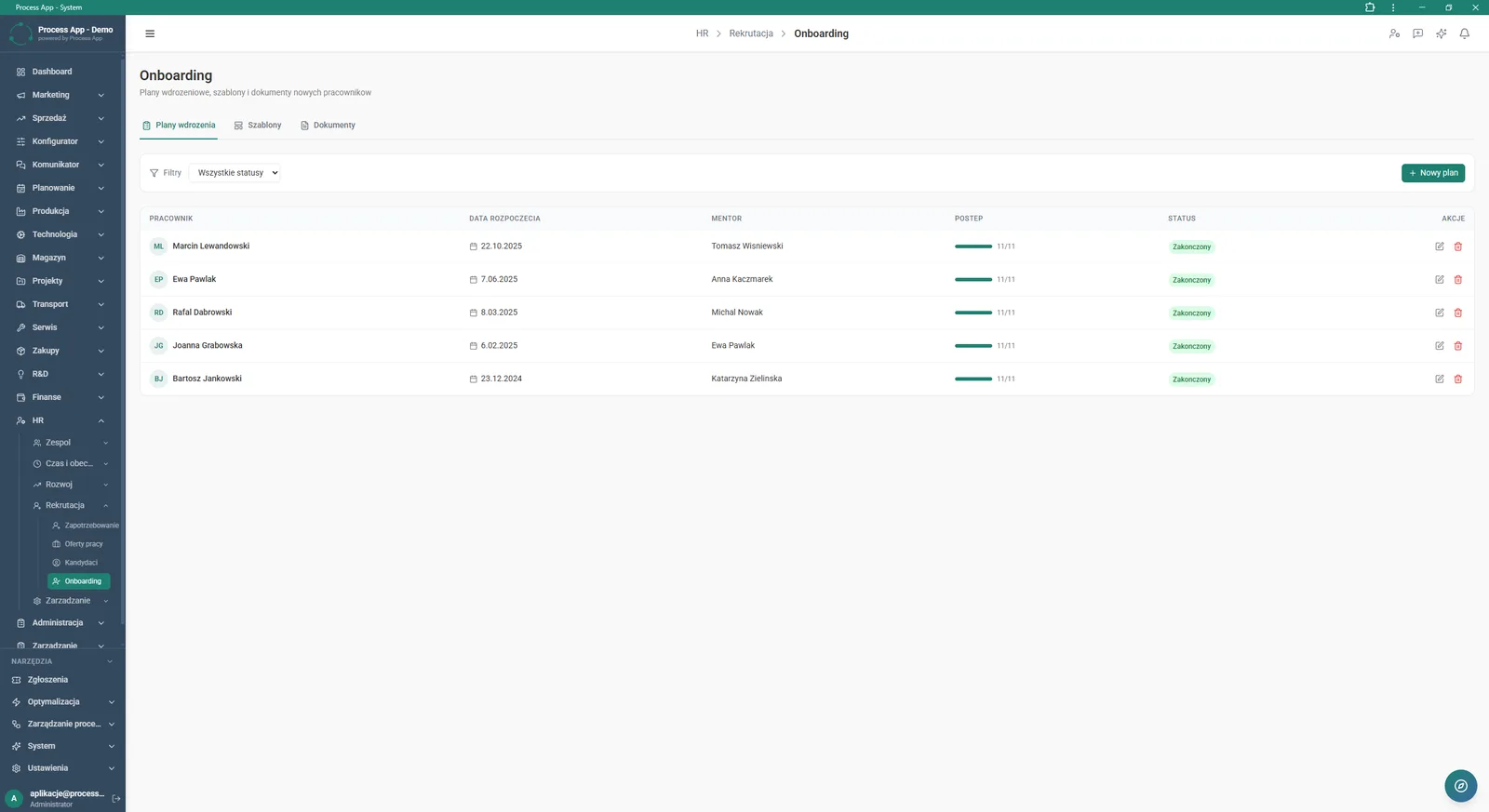
The Onboarding screen in the HR module displays a table of employee onboarding plans with information about the mentor, progress and status.
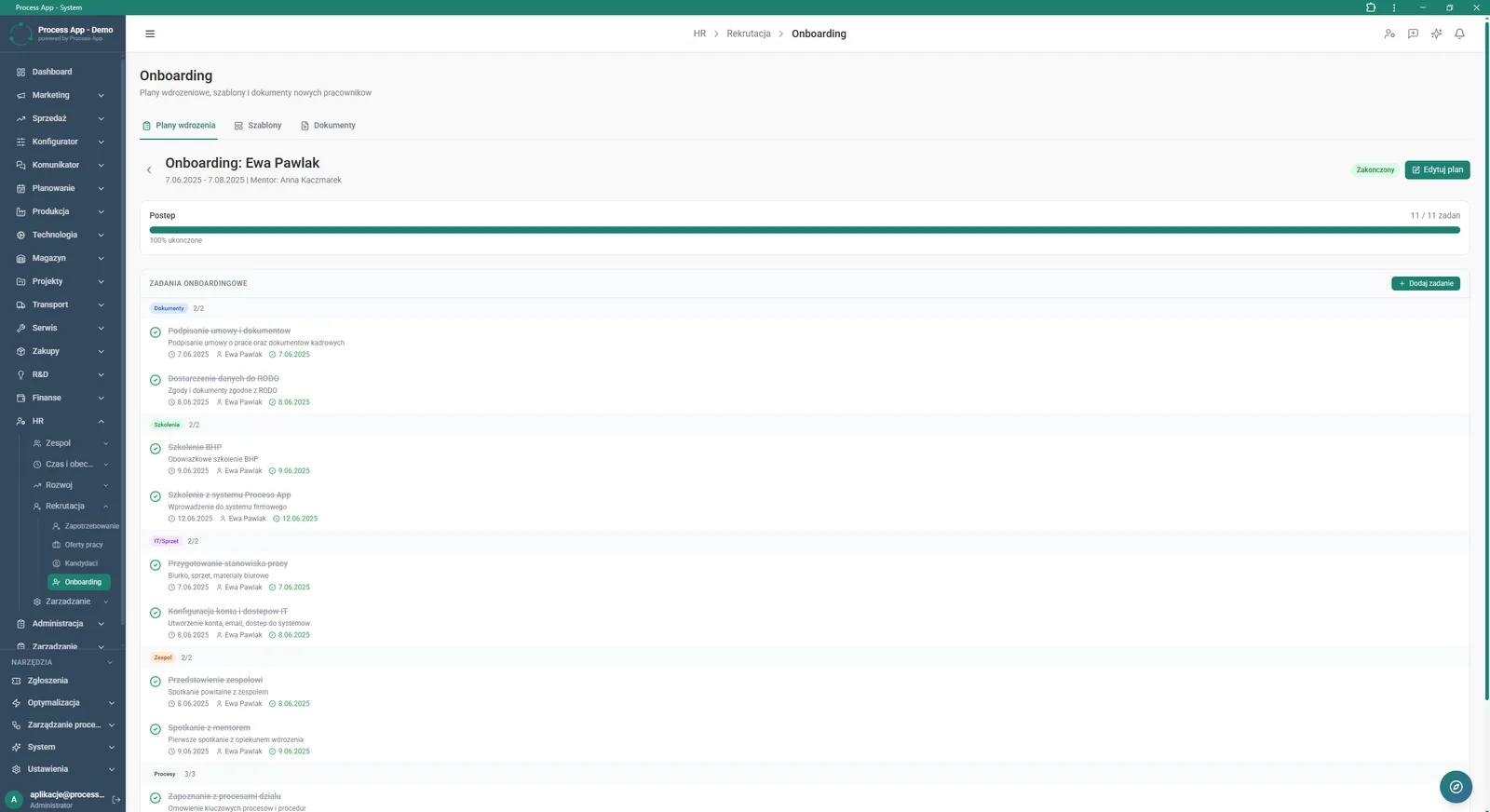
The screen shows details of a completed onboarding plan for a specific employee, including a progress bar and a grouped list of completed onboarding tasks.
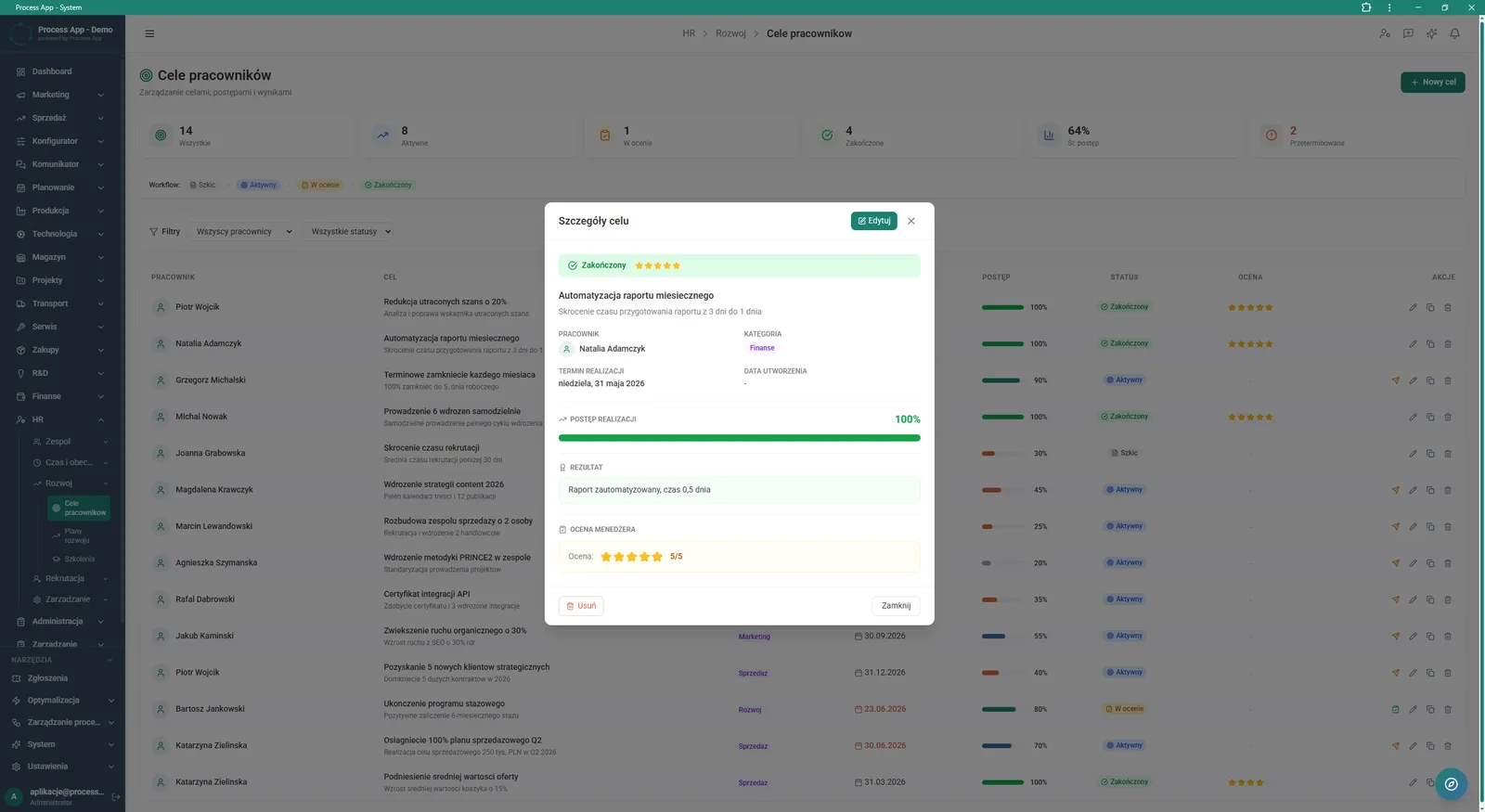
The Employee Goals screen with an open window showing the details of a completed goal, including information about progress, result and manager evaluation against the backdrop of a table with all goals.
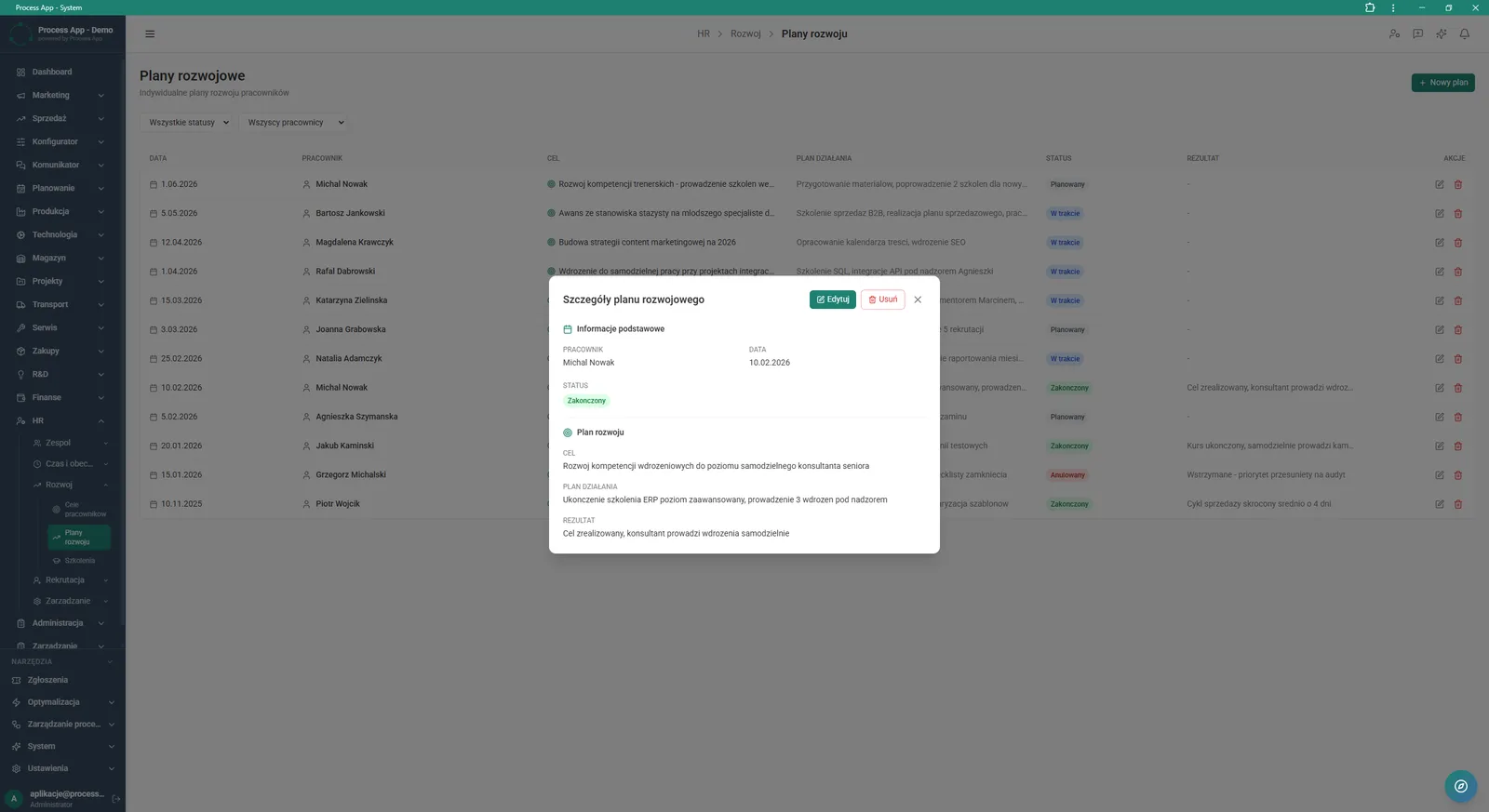
The Development Plans screen shows a table of individual employee plans and an open window with details of the completed development plan for the selected person.
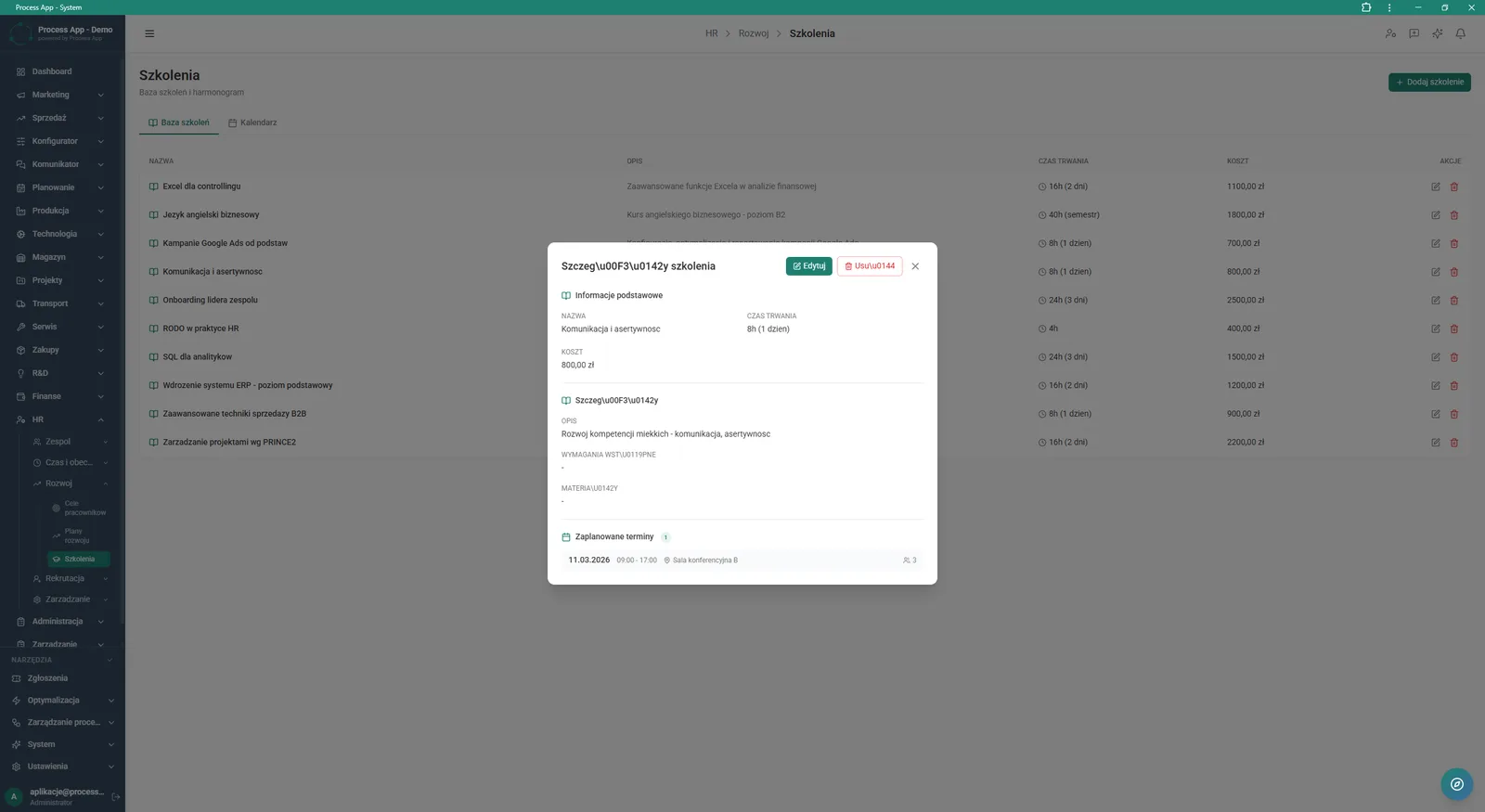
The Training screen with an open window showing details of the selected training, including basic information, description and scheduled dates against the backdrop of the training database table.
What exactly you get
Creating onboarding plans
The system lets you add a new plan, assign a mentor and track overall progress in a clear list view.
Task categorisation
The application groups onboarding tasks into sections with counters, such as Documents, Training, IT/Equipment and Team.
Goal management
The module allows you to add employee goals, register progress and enter the manager’s evaluation.
Individual development plans
The system supports creating plans with a defined main objective, action plan and final outcome.
Training database
The application stores training details together with costs, duration and scheduled dates.
HR statistics dashboard
The system generates charts for record growth and a ring chart of status distribution for onboarding documents.
What AI does for you in this process
Bottleneck analysis
Artificial intelligence analyses the time taken to complete onboarding tasks and highlights the stages causing the biggest delays.
Training recommendations
Algorithms match items from the training database to defined goals and the employee’s individual development plans.
Potential prediction
AI analyses onboarding progress and manager evaluations to identify employees with the highest potential for rapid promotion.
Template optimisation
Artificial intelligence reviews the most frequently repeated tasks and automatically suggests updates to onboarding checklists.
The process from start to finish
Manage the entire employee lifecycle from hiring through to development. Build comprehensive Onboarding Plans, assign mentors and track a progress bar for every new hire. Verify completed onboarding tasks by category such as Documents, Training or IT/Equipment. Go to the Employee Goals tab to add new goals and assess their outcome as a manager. Use Development Plans to define individual career paths and track their status. Build a consistent database from which you can easily schedule dates in the Calendar tab and check prerequisites. Monitor all key metrics from the main HR dashboard, analysing record growth and status distribution.
See this process on your own data
We will walk you through the “Employee Onboarding” module using your company as the example — the input, the flow and the end result in Process App.
Explore the remaining system modules
Recruitment
Working Time and Time & Attendance Records
Leave and Absence Management
Competency Matrix Management
Strategic Planning (JPS)
Cascading Goals and KPIs
KPI Monitoring
Operational Meeting Management
Process Mapping
Process Standardization
User and Permission Management