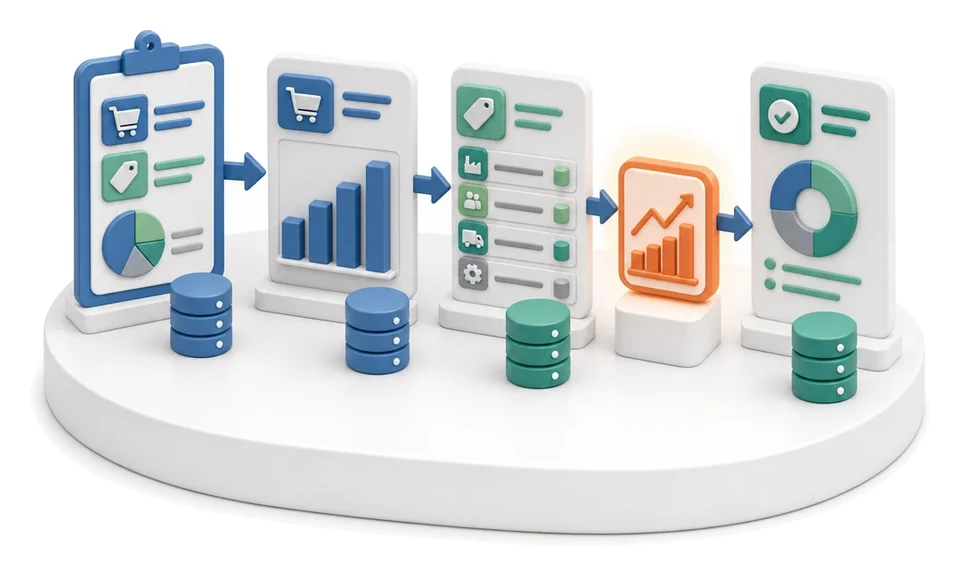
Transport Order
Wasting time manually matching carriers and tracking departure dates? The Transport module lets you comprehensively manage transport orders, fleet and request exchange in one place. AI analyses transport costs and supports choosing the most profitable carrier proposals.
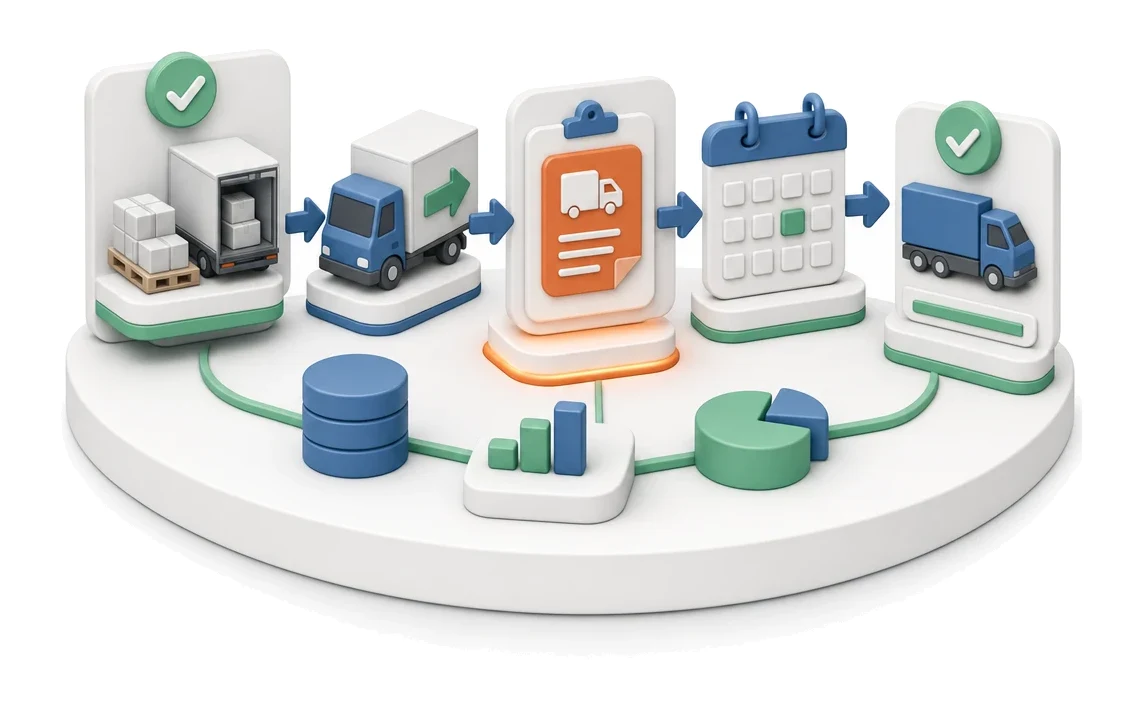
- Input
- Ready delivery / shipment
- Flow
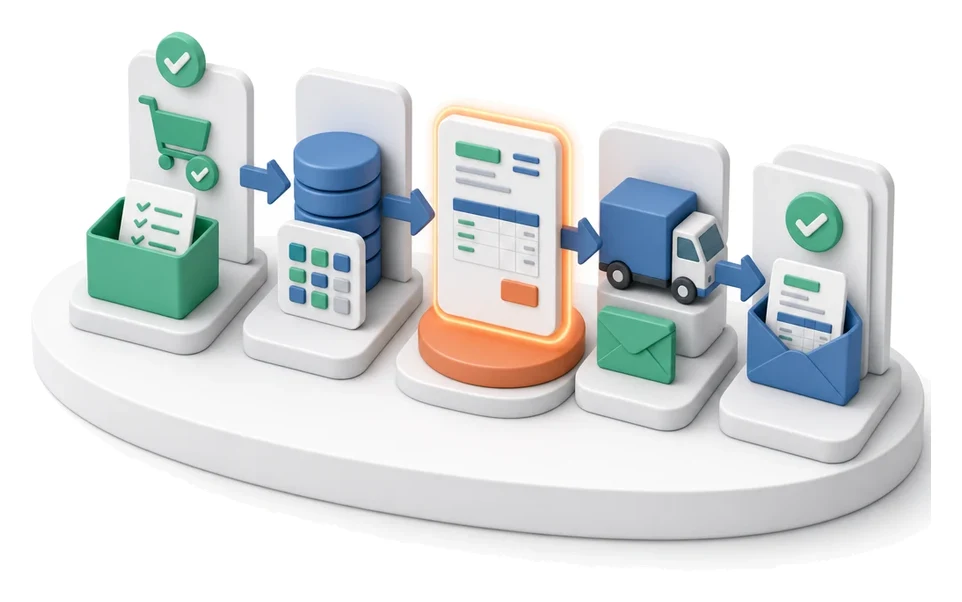
- Shipment → transport order → calendar entry
- Output
- Transport order with deadline
What changes in the company after the rollout
A ready delivery turns into a transport order with load, address and deadline. The order is visible in the transport calendar.
Full cost control
Track annual budget and average route costs in real time using clear KPI indicators on the main screen.
Faster carrier selection
Collect all proposals in one place and easily compare prices in the request exchange.
Fewer operational errors
Generate transport documents and protocols directly from the system, eliminating manual data re-entry.
Better work organisation
A clear route calendar lets you instantly assess vehicle and driver workload in a selected month or quarter.
Fleet uptime
Receive instant notifications of expiring inspections and insurance to avoid downtime.
How this process looks in Process App
Zrzuty pochodzą z działającego systemu — kliknij, aby powiększyć.
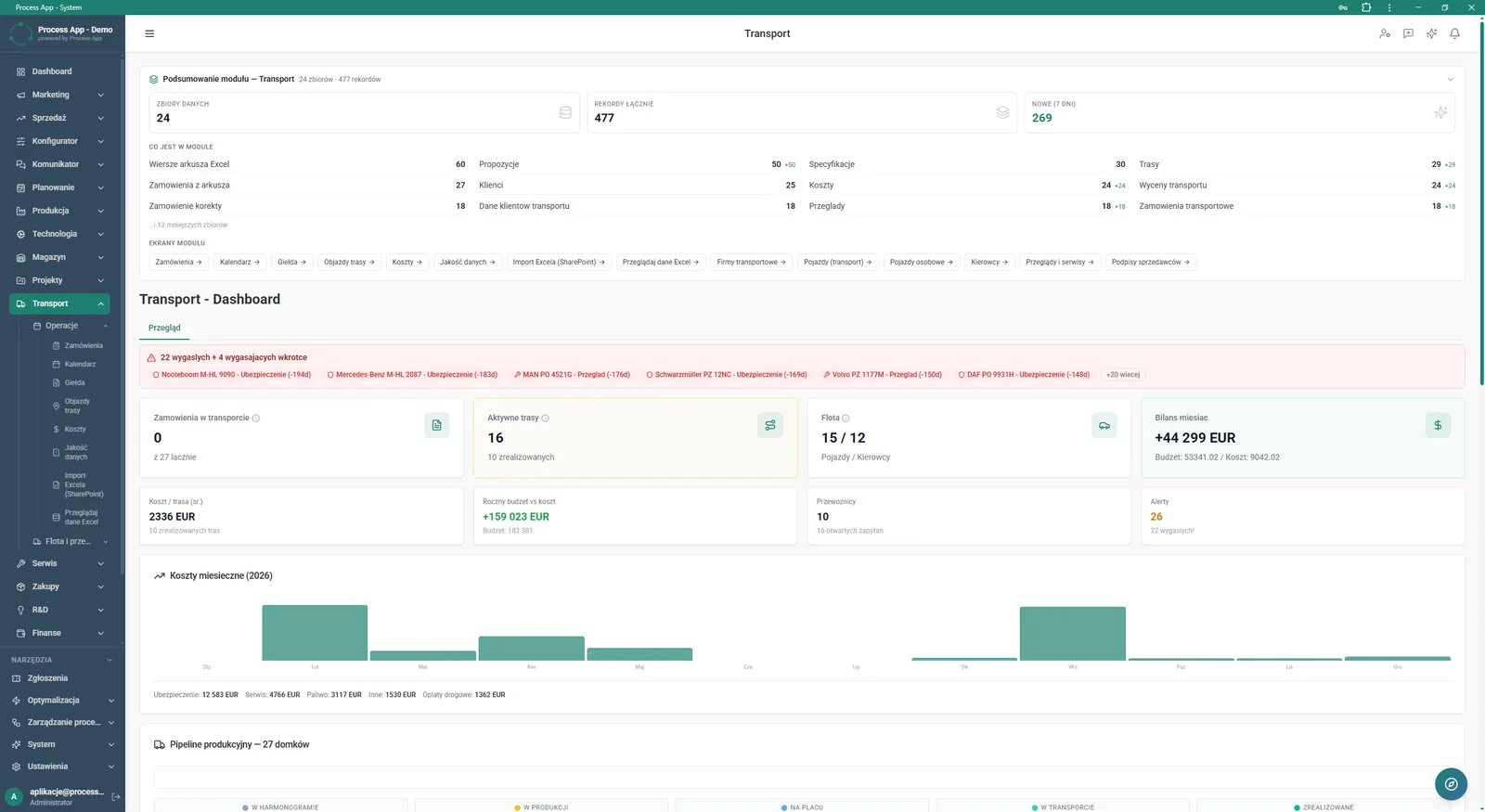
The main Transport module screen showing data summary, alerts on expired inspections and insurance, KPI indicator tiles and a monthly cost chart.
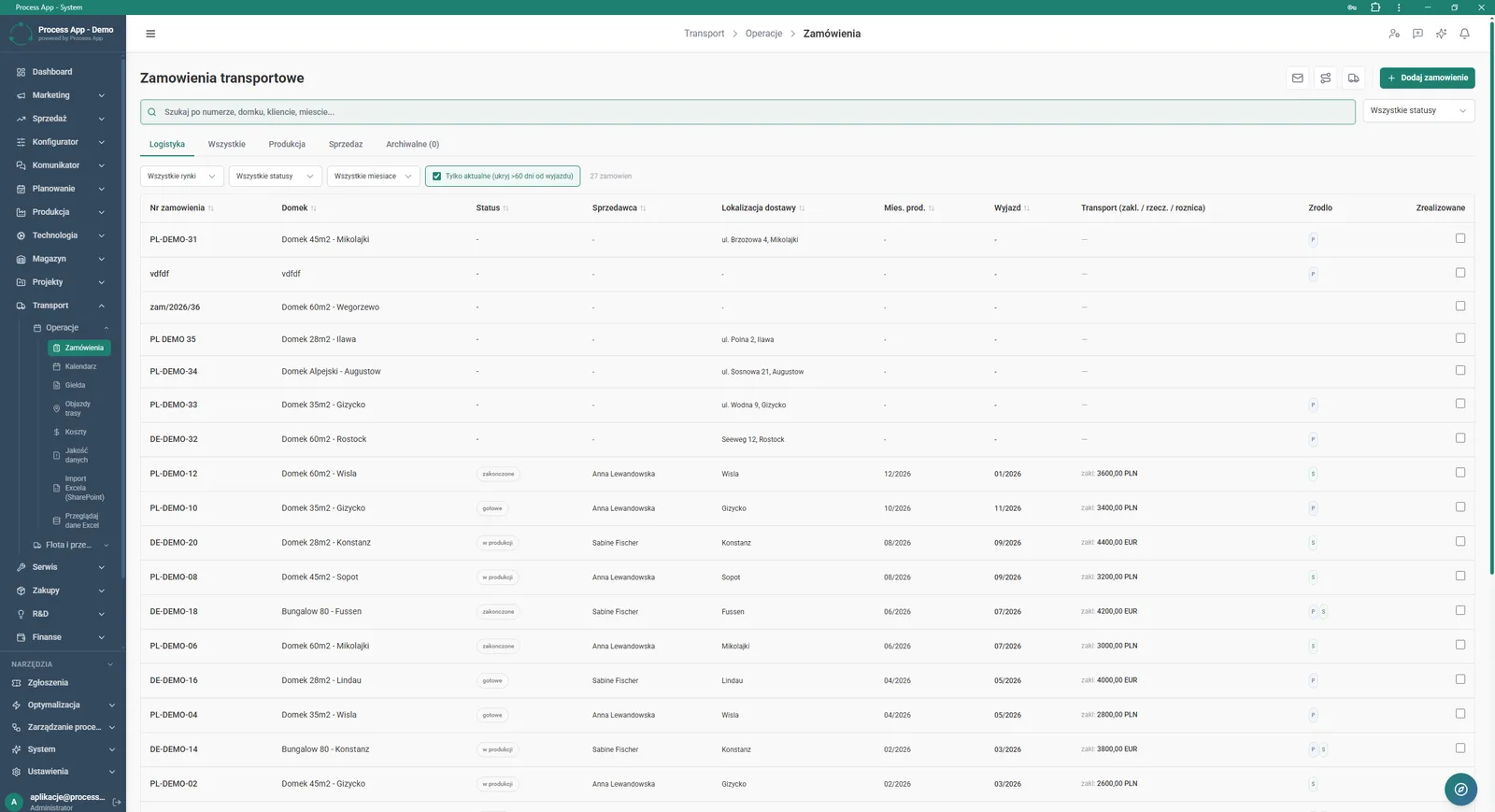
The Transport orders screen displays a table with the list of transport orders, allowing filtering and viewing details such as delivery location, status and costs.
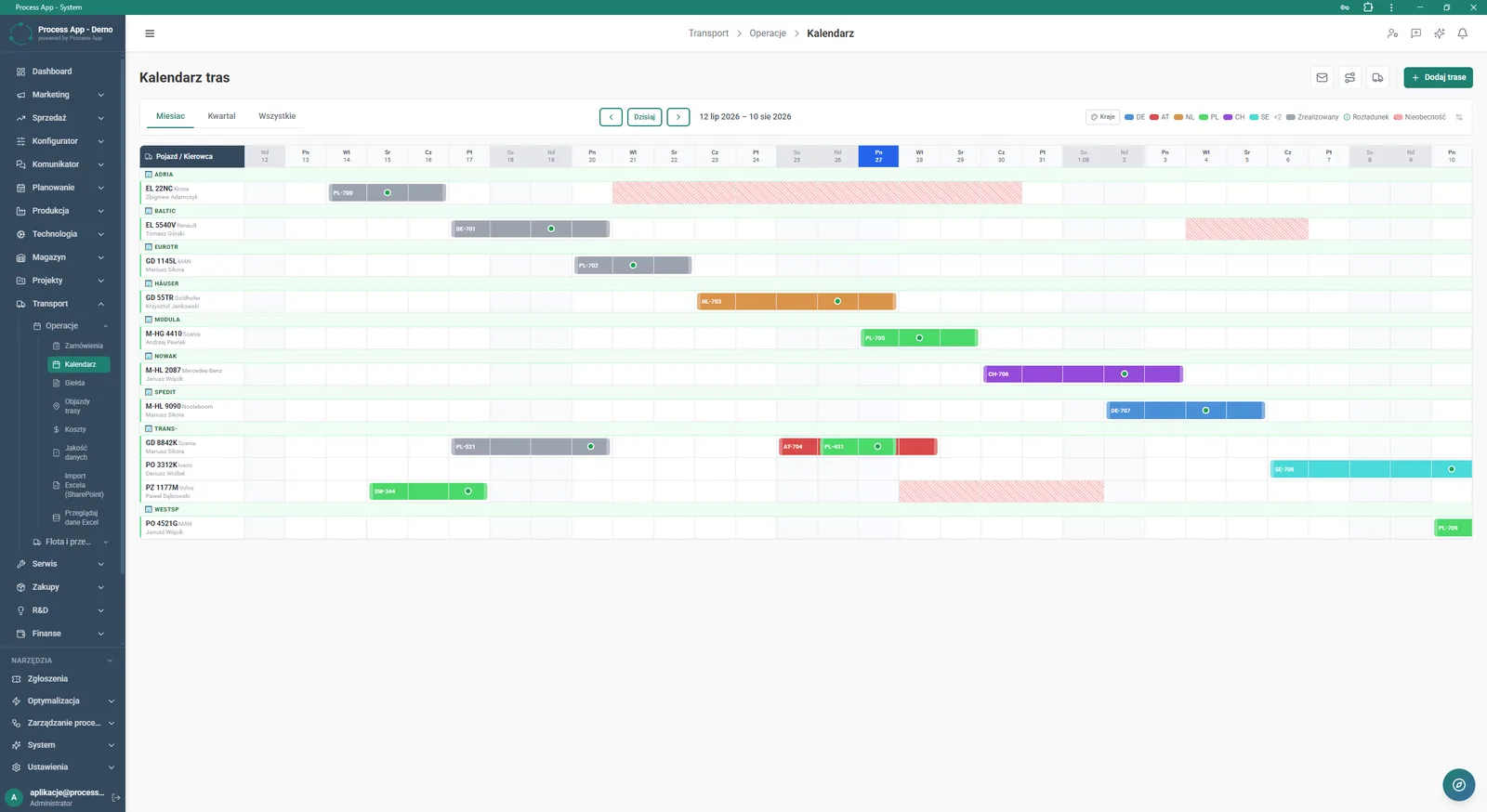
The Route calendar screen in the Transport module shows the assignment of individual routes to vehicles and drivers on a timeline.
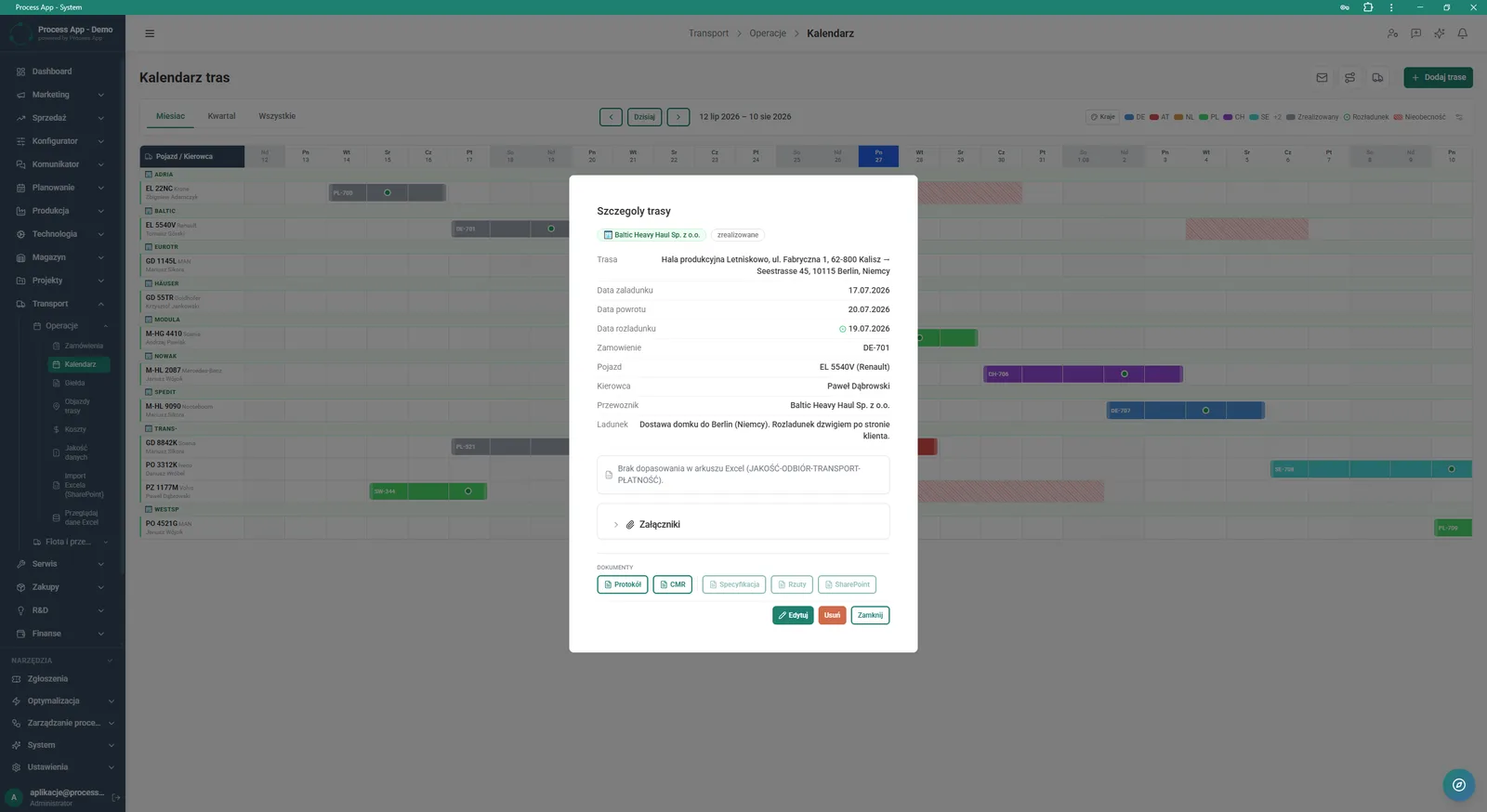
The Route calendar screen with an open Route details modal window presenting detailed information about the selected transport order, including dates, vehicle, driver, carrier and load.
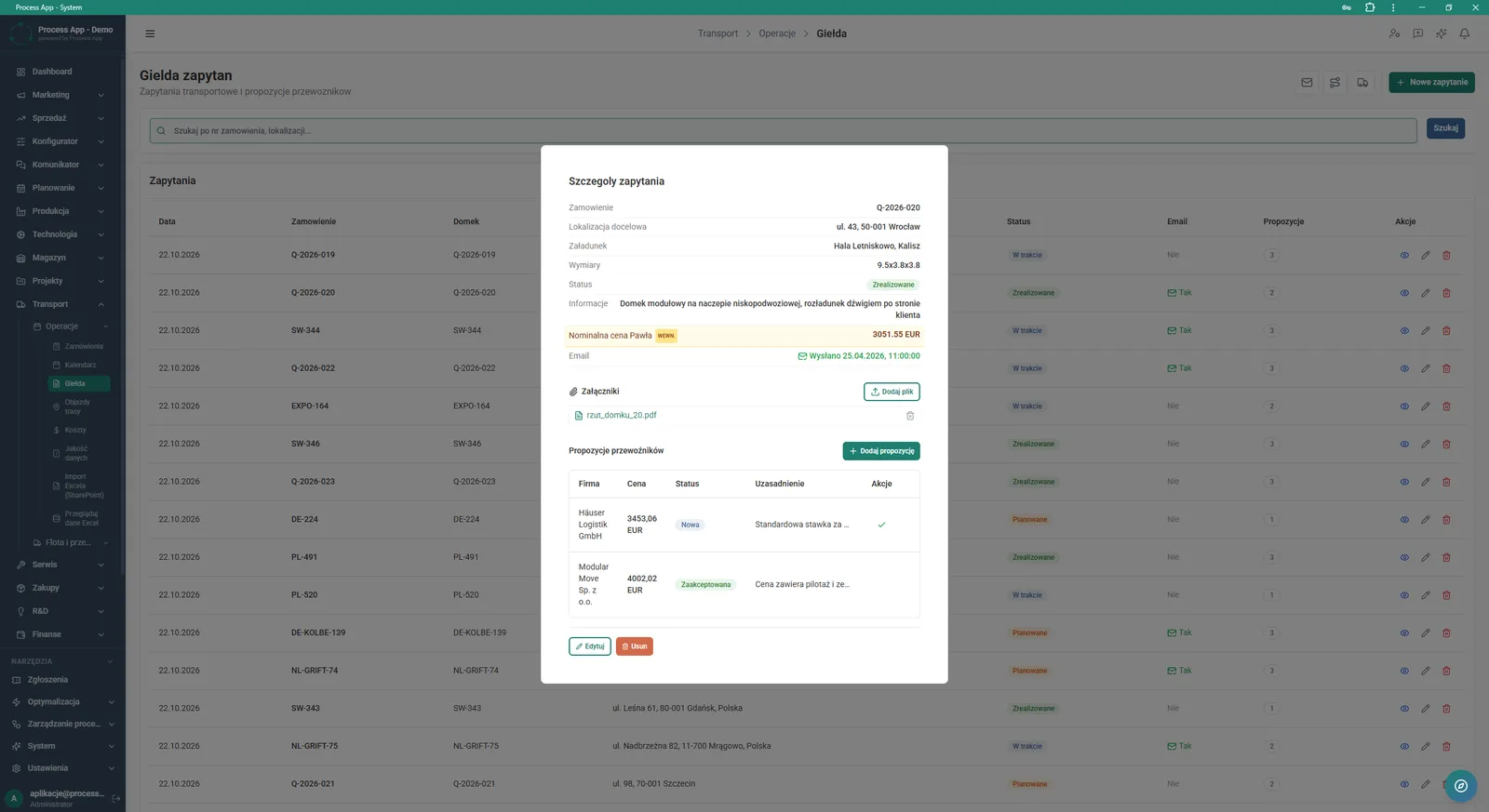
The Request exchange screen with an open Request details modal window showing order data, attachments and a list of carrier proposals.
What exactly you get
Order management
Browse, filter and add new transport orders in a dedicated table broken down by markets and months.
Route calendar
Assign routes to specific vehicles and drivers on an interactive timeline with filtering by country.
Request exchange
Create new requests, add attachments and manage incoming proposals from external carriers.
Document generation
Create and download files such as Protocol, CMR or Specification directly from the route details window.
Analytics dashboard
Monitor active routes, fleet and monthly transport costs using charts and summary tiles.
What AI does for you in this process
Automatic cost analysis
AI analyses historical monthly costs and helps forecast deviations from the annual budget.
Intelligent offer matching
AI analyses carrier proposals in the request exchange and suggests the most cost‑optimal option.
Data quality verification
AI checks consistency between orders and imported Excel sheets, detecting mismatches.
The process from start to finish
Plan and monitor all transport orders from a clear Transport orders screen. Track statuses, delivery locations and costs in real time using convenient filters and tabs. Assign routes to vehicles and drivers on a transparent timeline in the Route calendar view. Control budget and spend with KPI indicators and monthly cost charts on the main dashboard. React instantly to expiring inspections and fleet insurance thanks to the built-in alert system. Collect and approve offers from carriers using the dedicated Request exchange screen. Generate required documents such as protocols or CMR directly from the planned route details view.
See this process on your own data
We will walk you through the “Transport Order” module using your company as the example — the input, the flow and the end result in Process App.
Explore the remaining system modules
Project Kick-off
Project Schedule Planning
Project Management
Project Time Tracking
Project Budget and Margin Control

Client Status Reporting
Complaint Intake and Qualification
Complaints Handling
Service Team and Calendar Planning
Service Trip Execution
Sales Invoicing