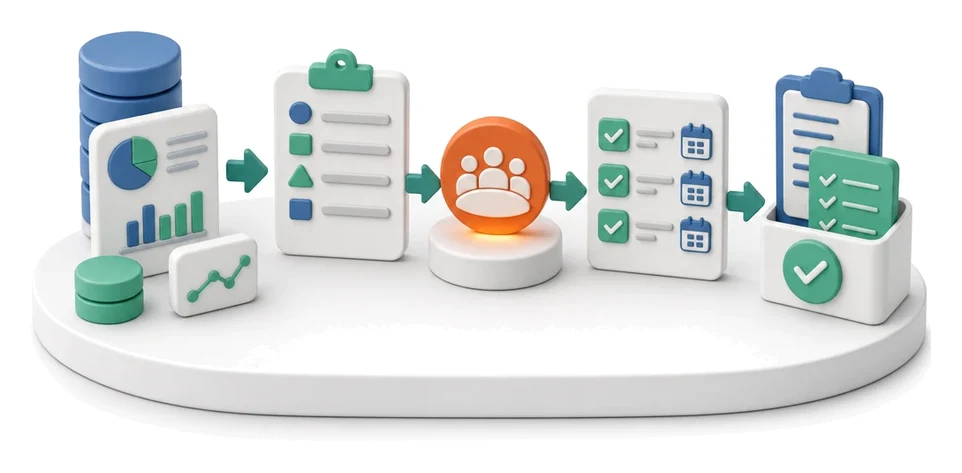
Sales Invoicing
Spending too much time copying data from orders into invoices and chasing payment deadlines? The Finances module automates invoicing, letting you generate proformas and VAT invoices in seconds directly from completed stages. Built‑in AI algorithms analyse financial flows and produce ready‑made reports, supporting accurate business decisions.
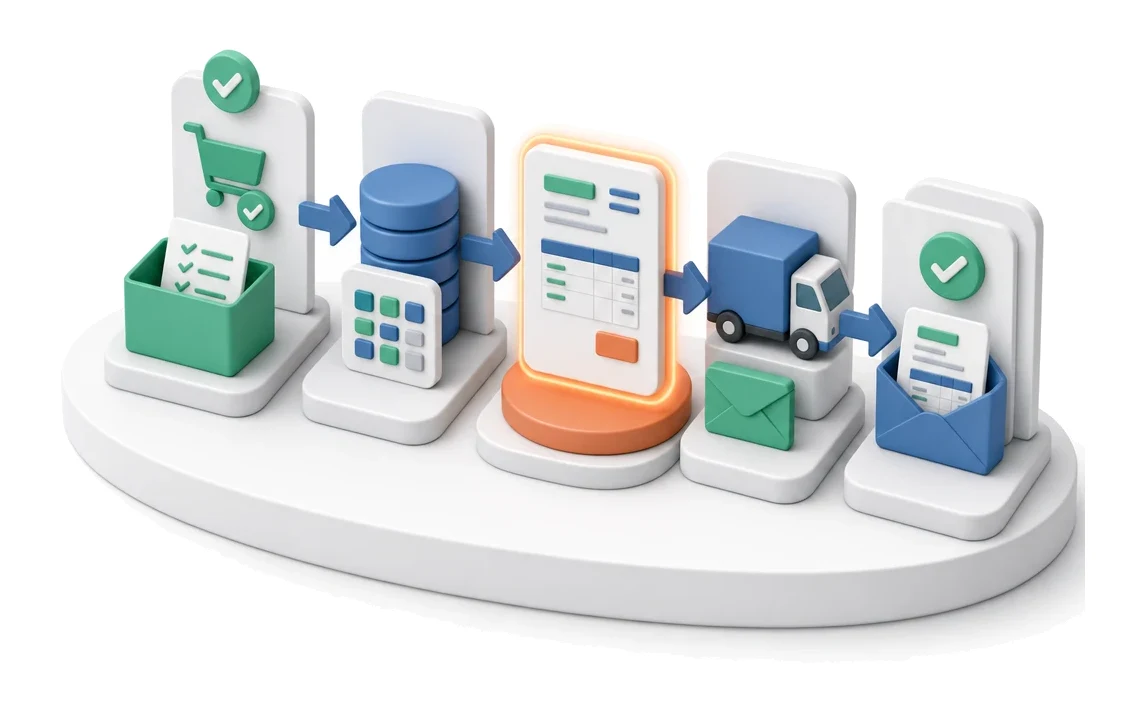
- Input
- Completed order / stage
- Flow
- Execution → invoice from system data → sending to customer
- Output
- Invoice issued and sent
What changes in the company after the rollout
A completed order or project stage is converted into an invoice. The document is generated from system data and sent to the customer.
Faster settlements
Generating documents directly from the quote shortens the time it takes to receive payment from the customer.
Fewer errors
Automatic transfer of data from quotes to invoices eliminates the risk of mistakes from manual retyping.
Full control
Real‑time visibility of statuses and overdue receivables makes collections more effective.
Legal compliance
Direct integration with the National e‑Invoicing System (KSeF) ensures a correct document flow.
Better visibility
Monthly summaries and charts give you instant insight into your company’s financial condition.
How this process looks in Process App
Zrzuty pochodzą z działającego systemu — kliknij, aby powiększyć.
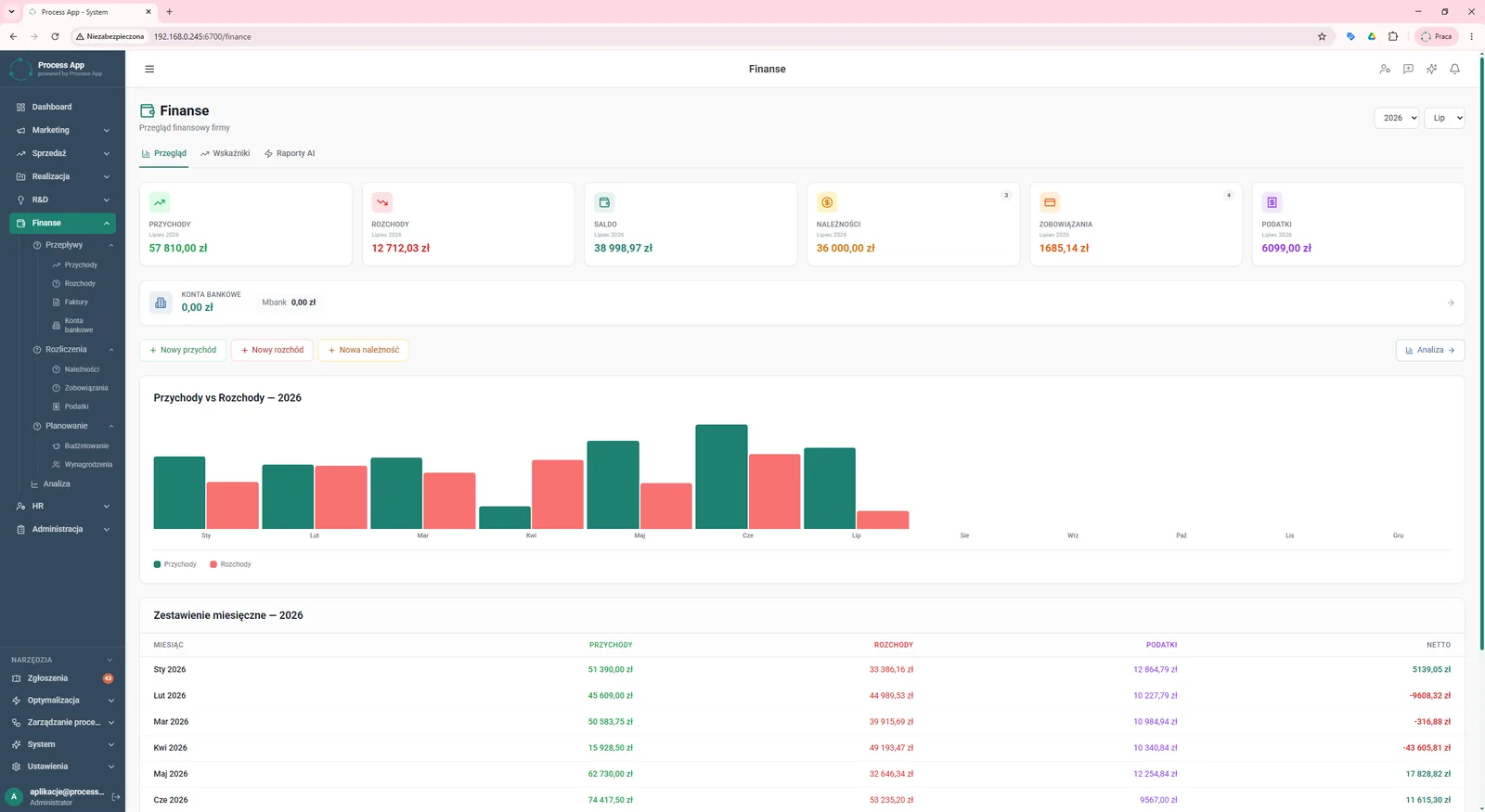
The Finances screen shows the company’s main financial dashboard with tiles summarising key indicators, a chart comparing income and expenses, and a table with a monthly breakdown.
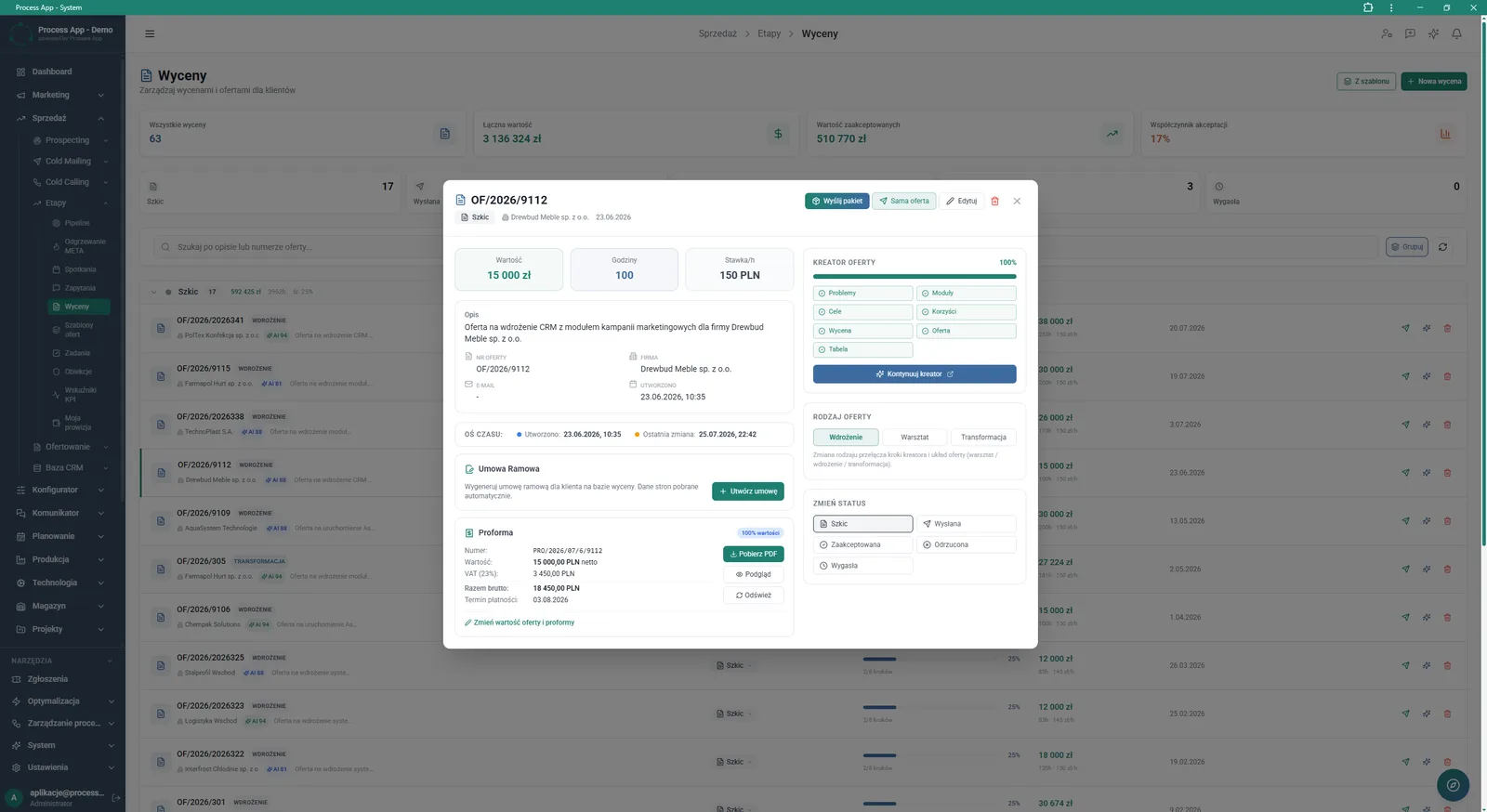
The Quotes screen with the details window of a specific offer open, showing its parameters, status, related proforma and document generation options.
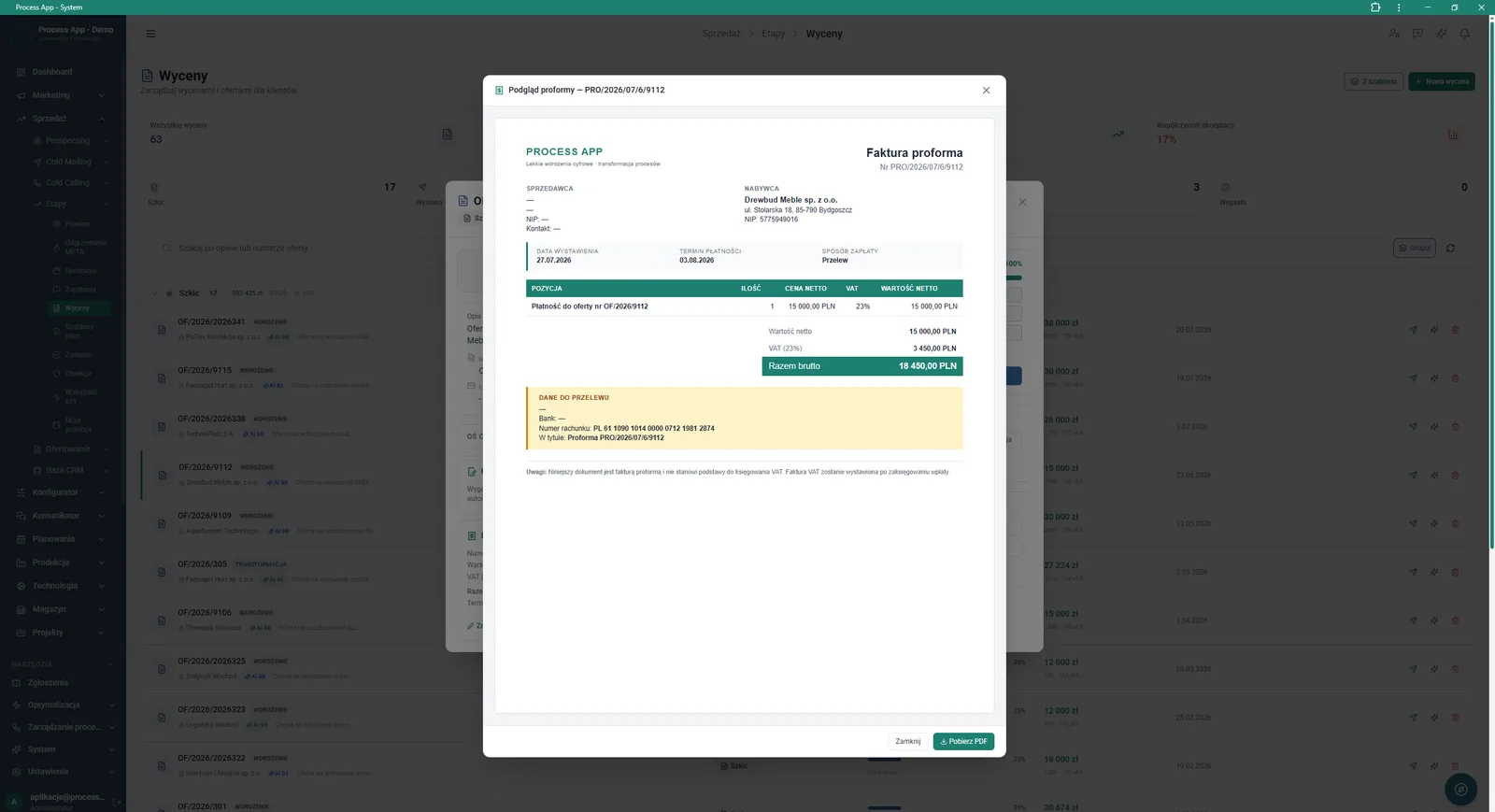
The Quotes screen with the preview window of a generated proforma invoice open, showing contractor data, document line items and bank transfer details.
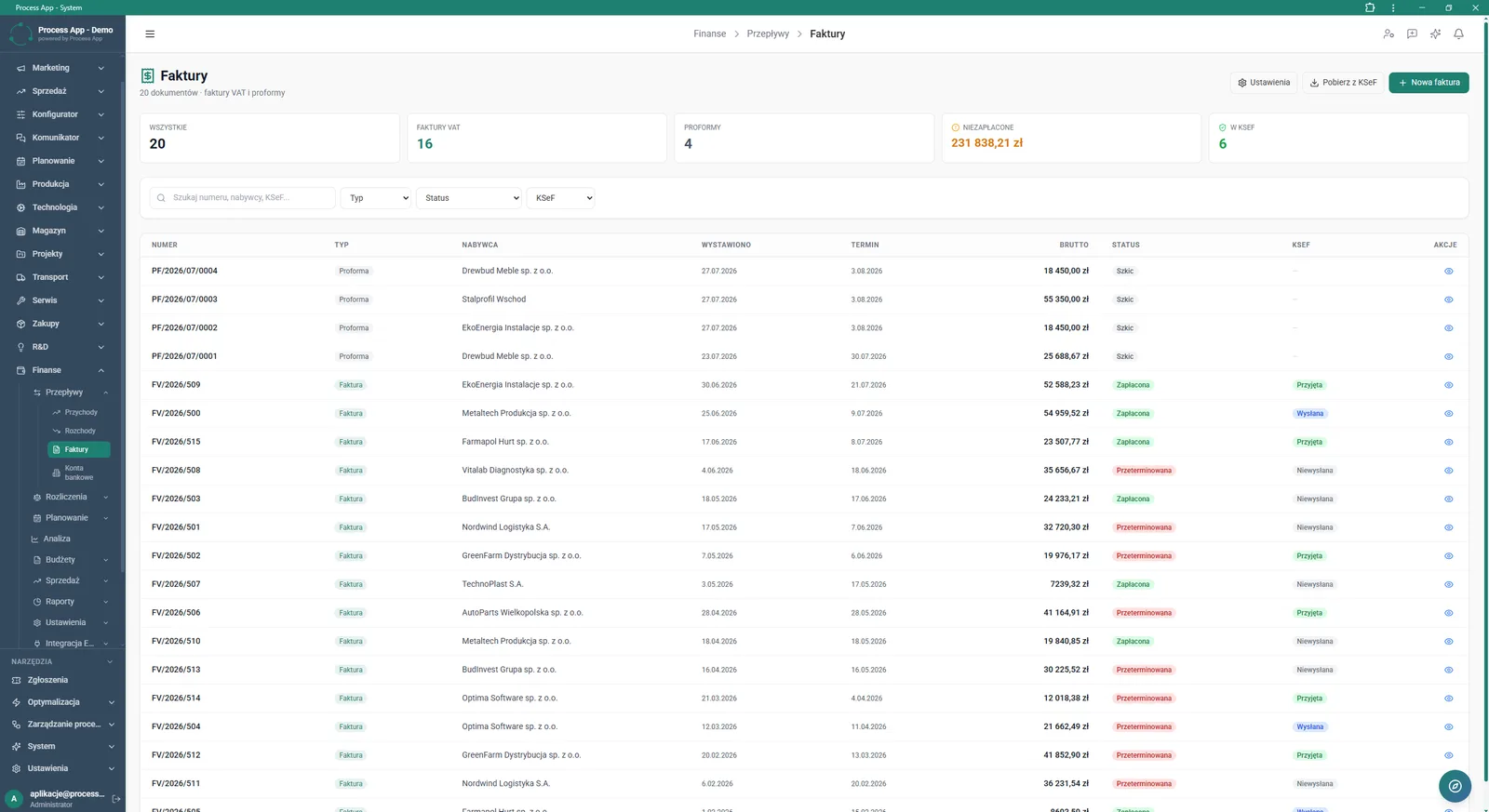
The Invoices screen presents a list of sales documents with tiles summarising their count and value, plus a table with details such as number, type, buyer, gross amount, payment status and KSeF status.
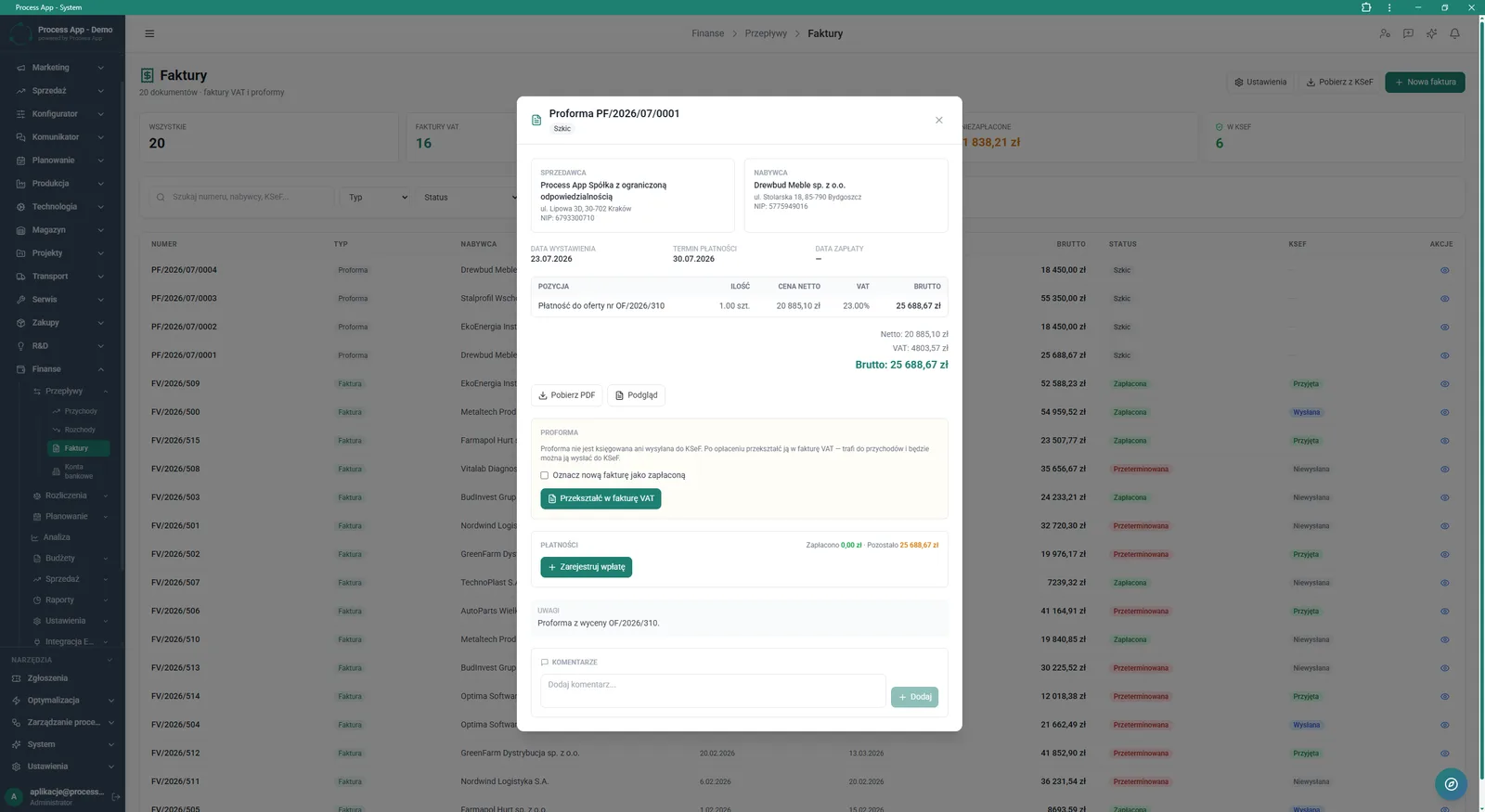
The Invoices screen with the details window of a Proforma document open, showing contractor data, items, payment status and options to convert it into a VAT invoice.
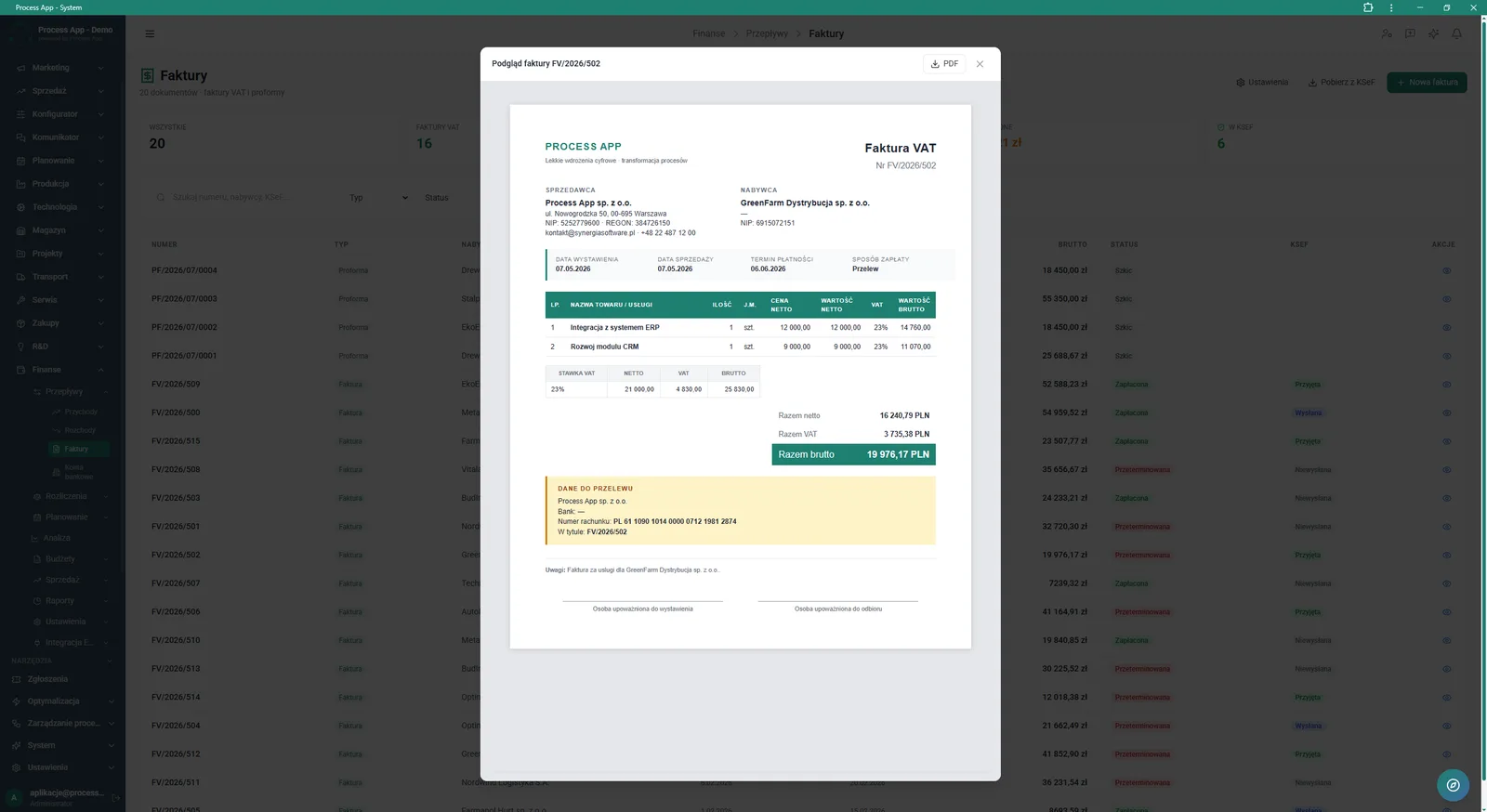
The Invoices screen with the preview window of a generated VAT invoice open, showing the full document view with seller and buyer data, items and bank transfer details.
What exactly you get
Conversion to invoice
The system lets you convert a proforma into a VAT invoice with one click, with an option to mark it as paid.
KSeF support
The application enables sending, downloading and tracking document statuses in the KSeF system.
PDF generation
Every sales document and proforma can be generated as a PDF file and downloaded.
Payment registration
The module allows you to manually add payments to issued documents and track the remaining amount.
Financial dashboard
The main screen presents tiles summarising income, expenses and balance, plus comparative charts.
What AI does for you in this process
Financial reporting
AI analyses collected income and expense data to create ready‑made summaries in the AI Reports tab.
Acceptance analysis
AI processes quote data to help you understand trends in your offer acceptance rate among customers.
Liquidity monitoring
AI analyses monthly summaries and payment statuses, supporting detailed cash flow analysis.
The process from start to finish
Manage the entire sales invoicing process in one place, from quote approval to payment settlement. Use the main Finances screen to continuously monitor company income, expenses and balance. Generate proforma invoices based on accepted quotes and send them to customers directly from the system. Convert paid proformas into VAT invoices with a single click, automatically marking them as paid. Track document statuses in a clear table to see which ones are drafts, which are already paid, and which are overdue. Download and send documents to KSeF while staying fully compliant with regulations. Record incoming payments and add comments to specific documents so all communication with accounting remains structured and easy to follow.
See this process on your own data
We will walk you through the “Sales Invoicing” module using your company as the example — the input, the flow and the end result in Process App.
Explore the remaining system modules
Annual Budgeting (P&L)
Plan vs Actual Control
Month-End Close
Recruitment
Employee Onboarding
Working Time and Time & Attendance Records
Leave and Absence Management
Competency Matrix Management
Strategic Planning (JPS)
Cascading Goals and KPIs
KPI Monitoring