Projects & Implementations

Project Kick-off

Losing control of the schedule and budget right after signing a customer contract? The Projects module lets you smoothly move from order to delivery, centralising management of project phases, team and working time. Built-in AI algorithms automatically summarise meetings and help generate task plans, saving you time.
See the screens
Project Kick-off — module screens in Process App
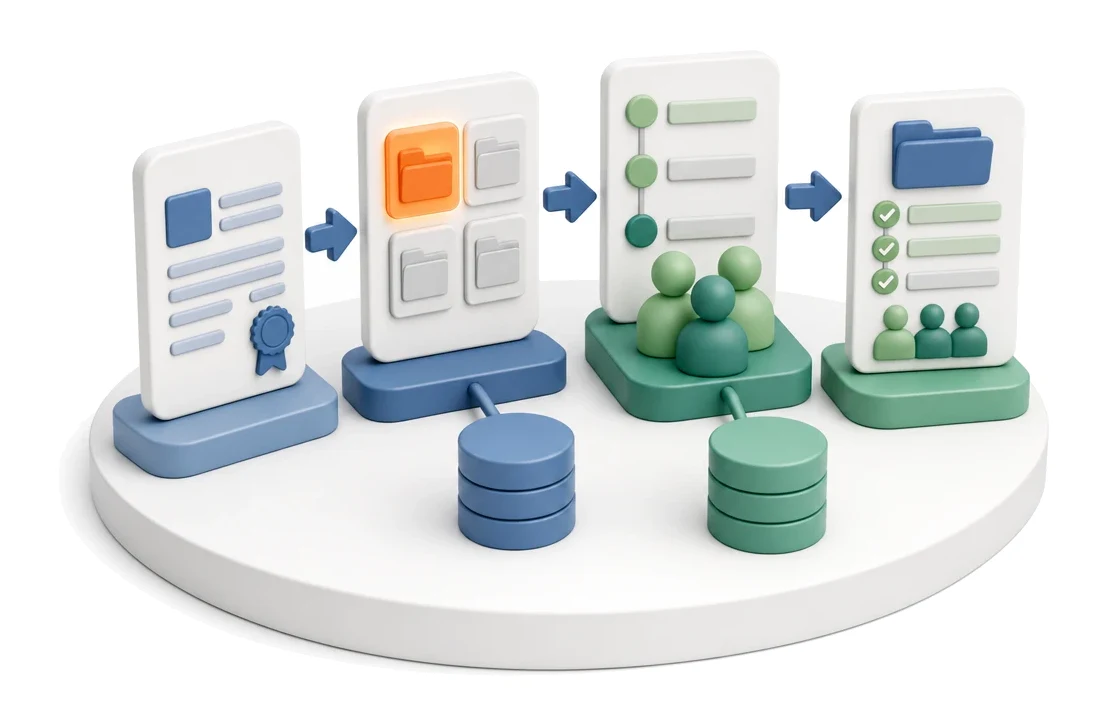
Input
Contract / service order
Flow
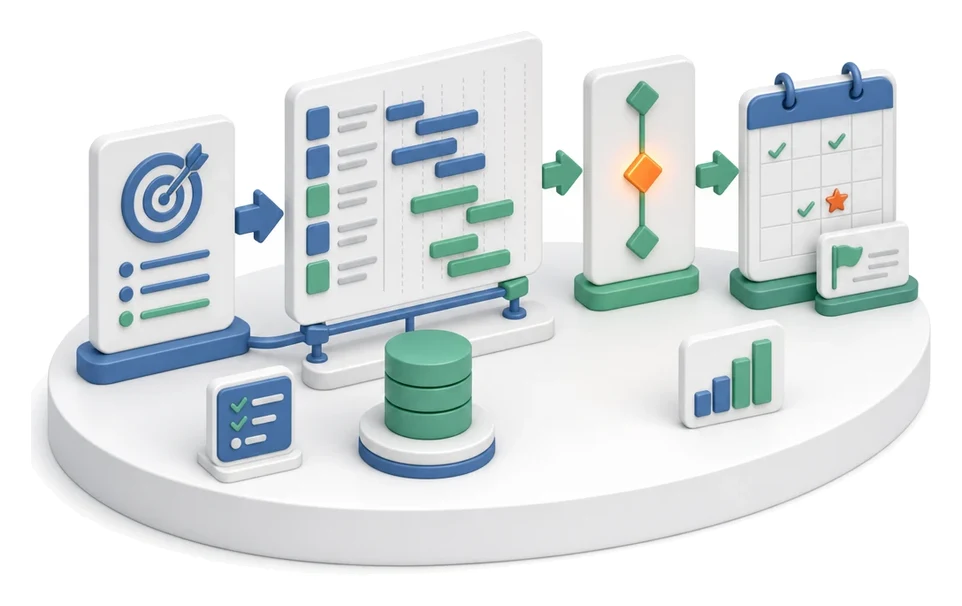
Contract → project from template → phases and team
Output
Project with phases and team
Who works here
Project Manager
Benefits

What changes in the company after the rollout

A signed contract is converted into a project, typically from a ready-made template. From the start, the project has phases, tasks and assigned owners.

Fast risk detection

You react to issues immediately thanks to red delay labels visible directly on the project list.

Full control over execution

You gain a clear view of work progress, team engagement and use of planned time.

Structured communication

You eliminate information chaos by keeping all notes, issues and meeting decisions in the context of a specific order.

Smooth transition into delivery

You shorten project start-up time by assigning tasks and milestones immediately after signing the contract.

System screens

How this process looks in Process App

Zrzuty pochodzą z działającego systemu — kliknij, aby powiększyć.
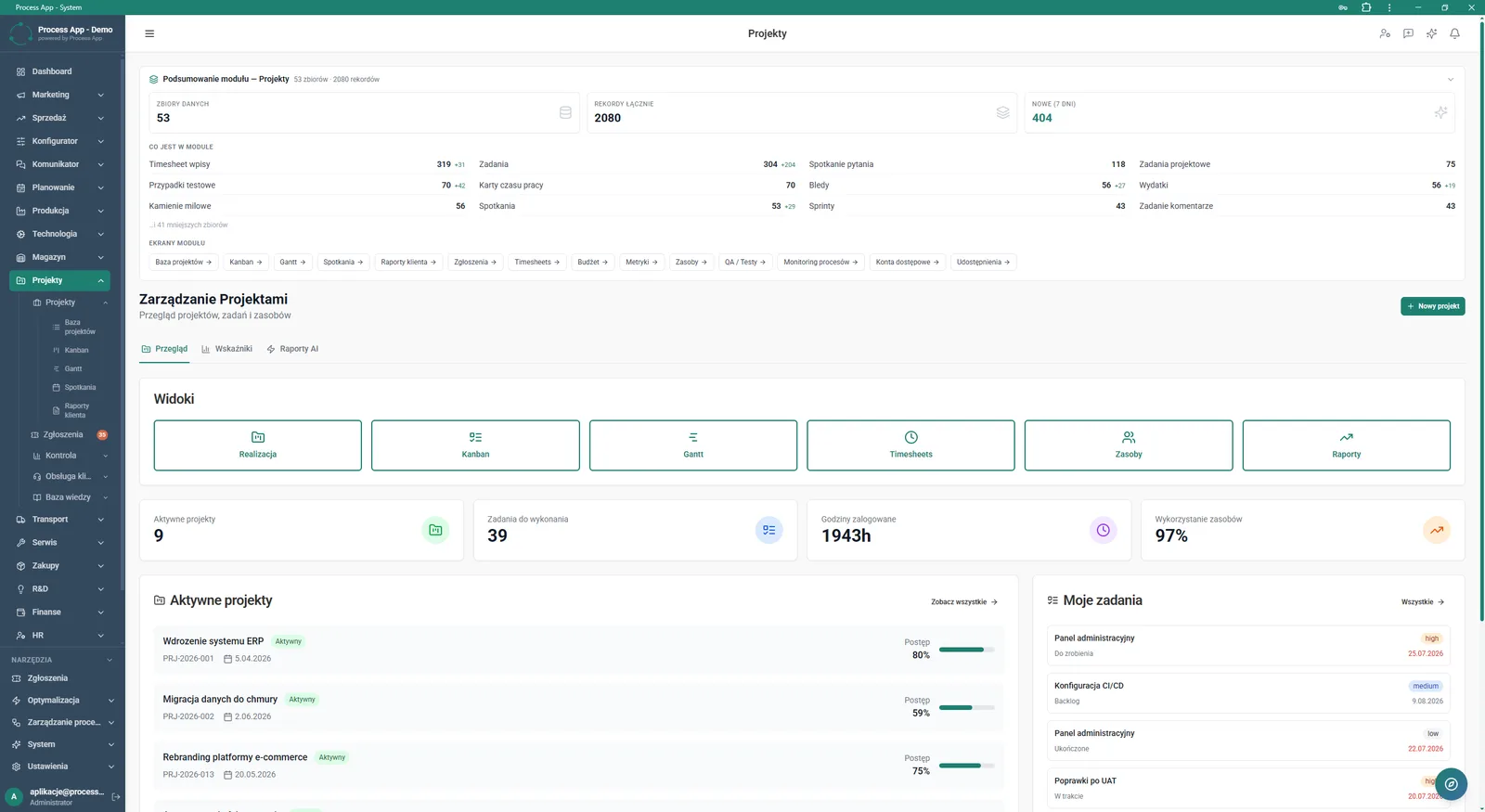
Main Projects module screen showing data summary, shortcuts to views, key indicators and lists of active projects and assigned tasks.
1

Main Projects module screen showing data summary, shortcuts to views, key indicators and lists of active projects and assigned tasks.

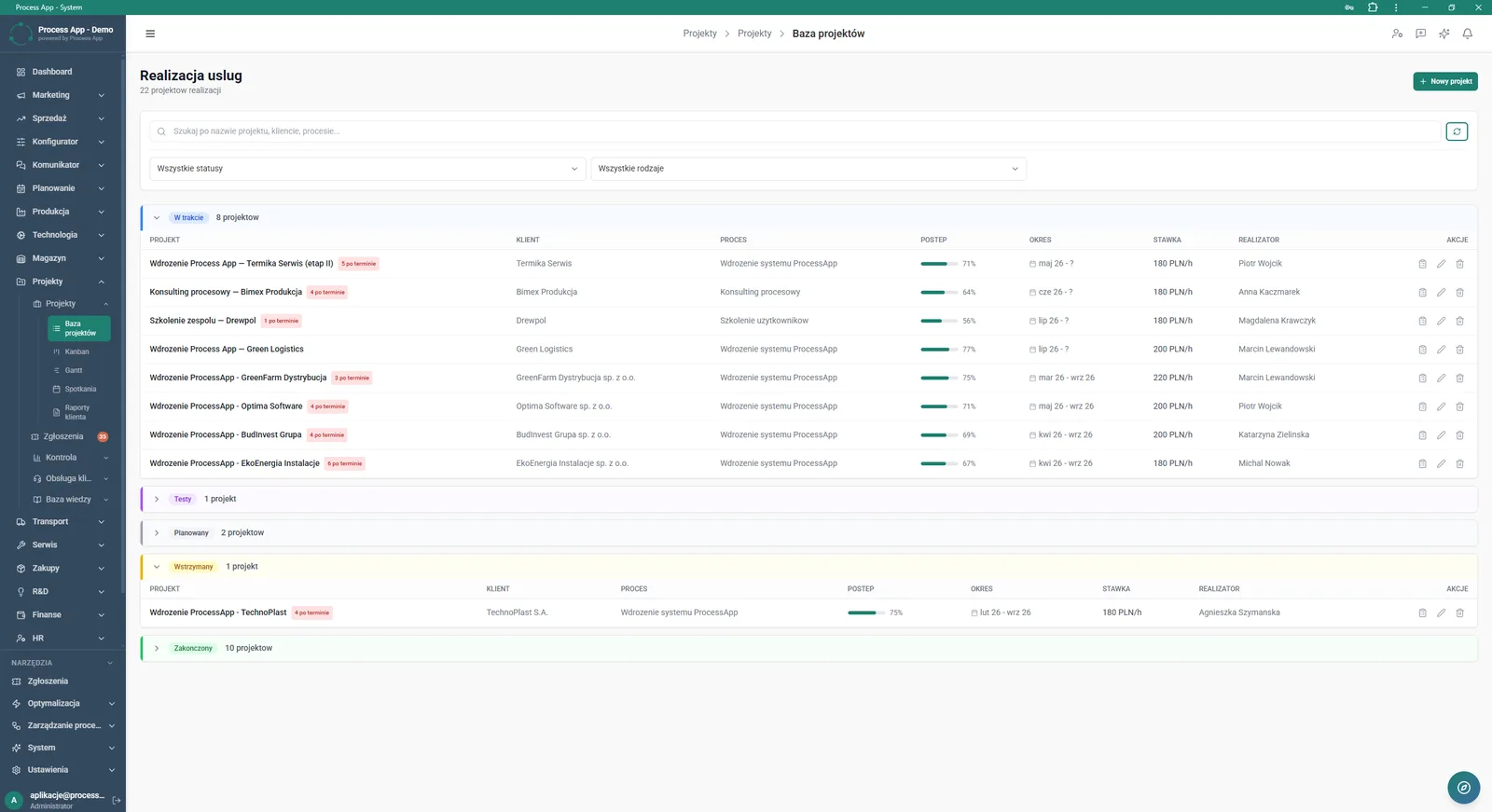
Project database screen displaying a list of delivery projects grouped by status, presenting key data such as customer, progress, period and owner in a table view.
2

Project database screen displaying a list of delivery projects grouped by status, presenting key data such as customer, progress, period and owner in a table view.

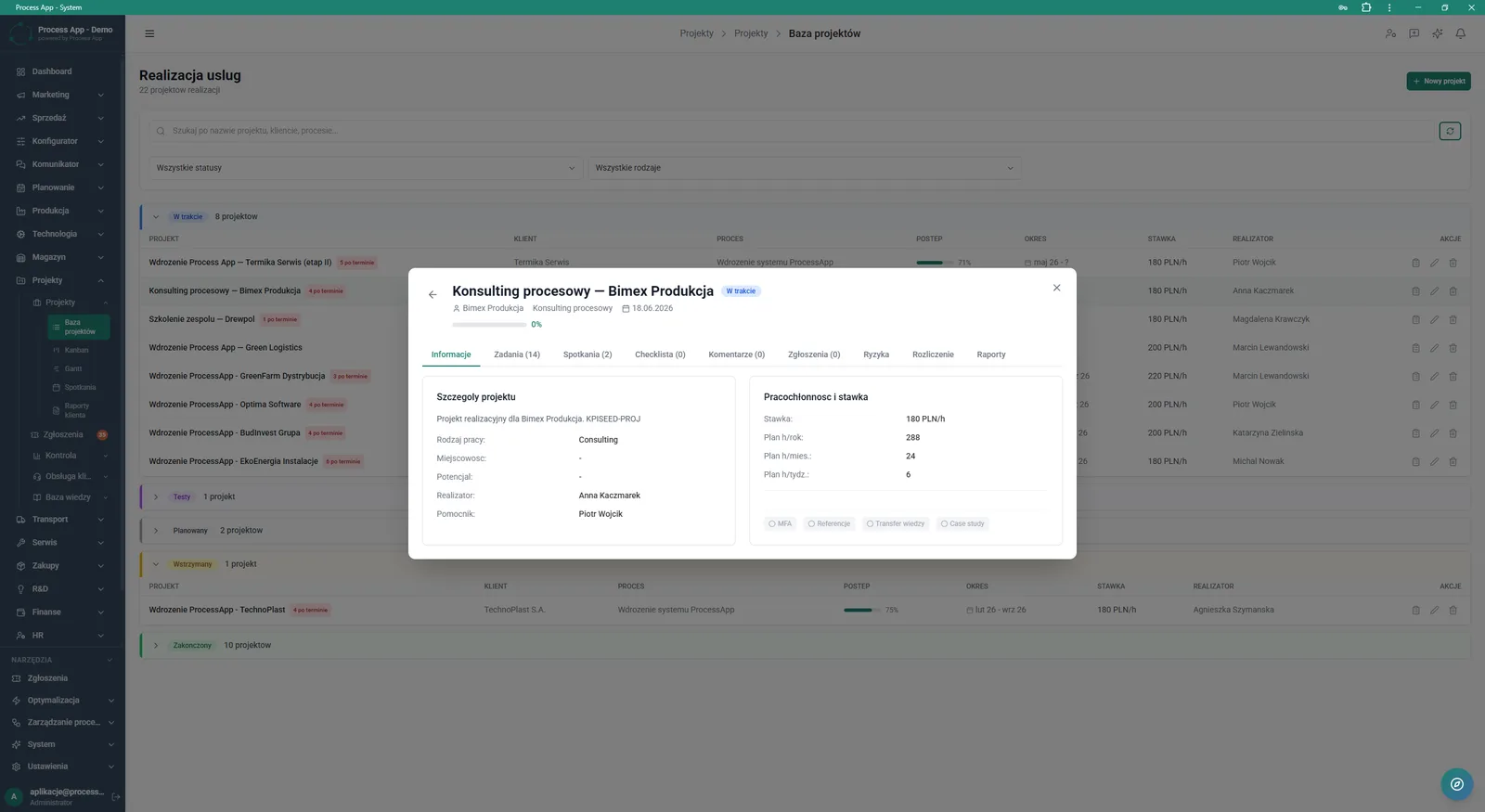
Project database screen with the details window of a selected project open, showing the tab with basic information such as delivery details, workload and rate.
3

Project database screen with the details window of a selected project open, showing the tab with basic information such as delivery details, workload and rate.

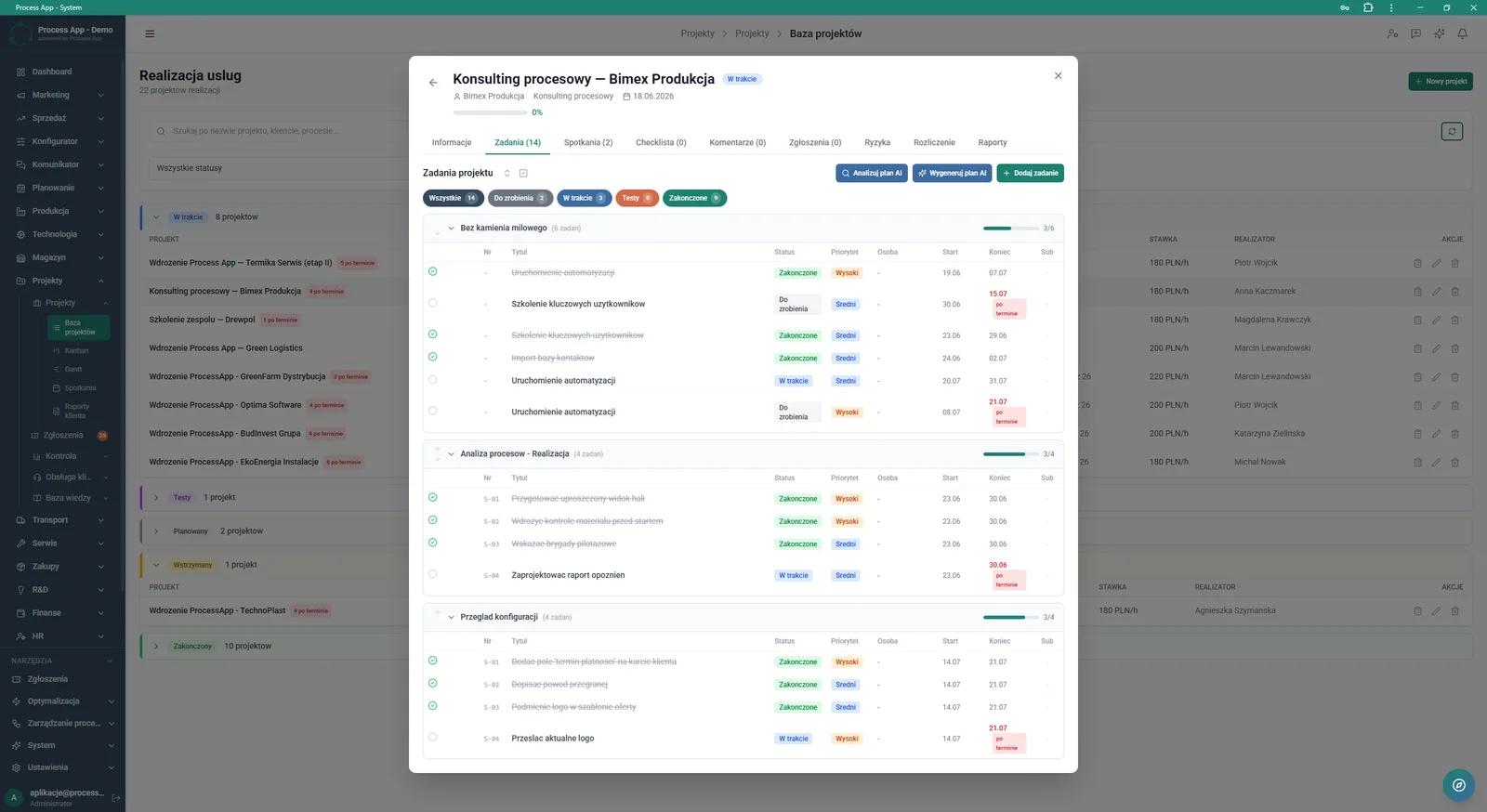
Project database screen with the project details window open, showing the active Tasks tab with a task list grouped by milestones.
4

Project database screen with the project details window open, showing the active Tasks tab with a task list grouped by milestones.

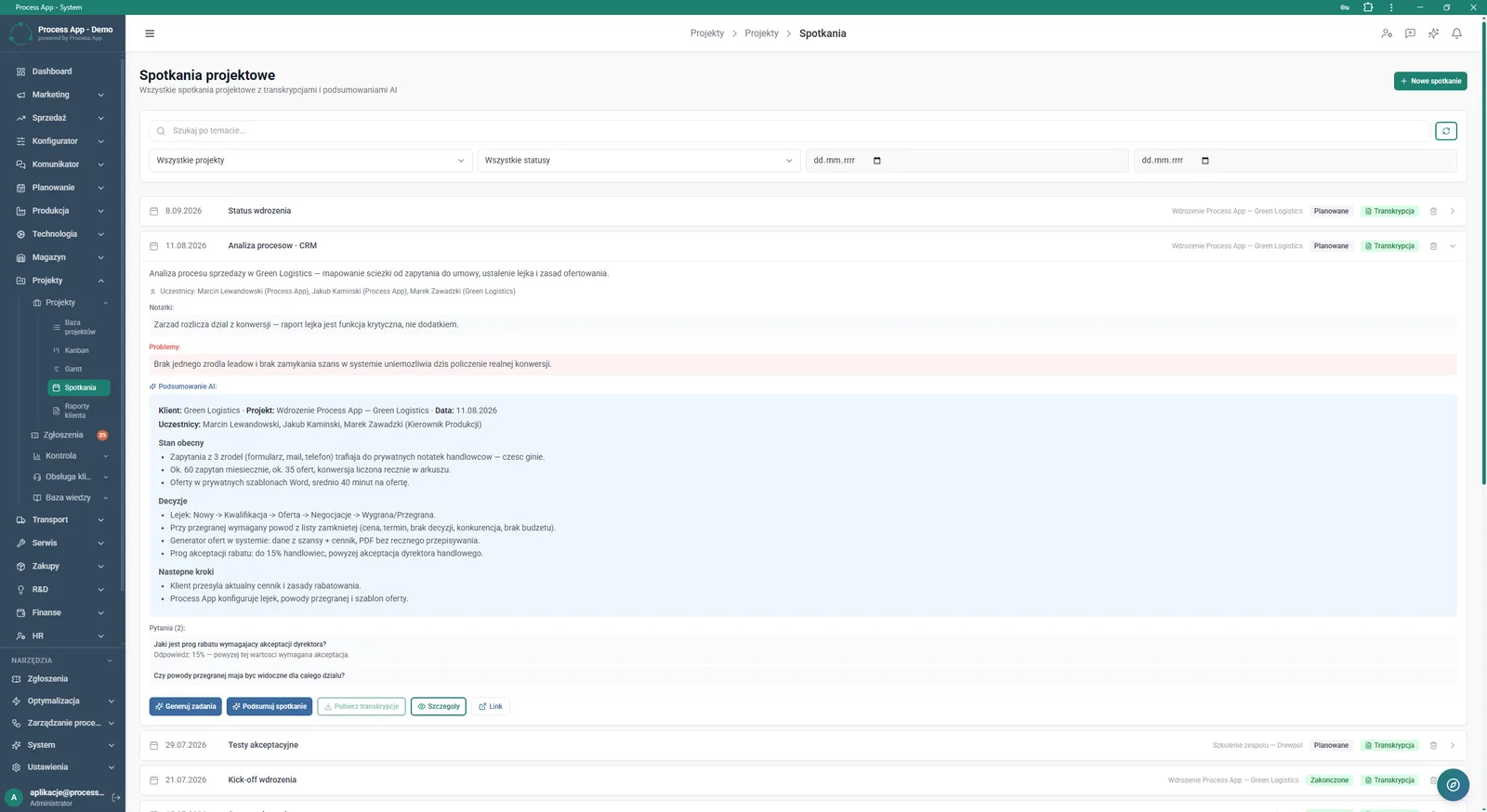
Project meetings screen showing the list of meetings with filtering options and an expanded view of a selected meeting containing notes, identified issues and a detailed AI-generated summary.
5

Project meetings screen showing the list of meetings with filtering options and an expanded view of a selected meeting containing notes, identified issues and a detailed AI-generated summary.

Features

What exactly you get

Project database with statuses

The system groups projects in a clear list divided into statuses such as In progress, Planned or Completed.

Task management

The application lets you create prioritised task lists, assign them to people and group them into milestones.

Project meeting records

The module enables you to log meetings, add notes, report issues and download transcripts.

KPI monitoring

The main screen displays key metrics, including active projects, open tasks and logged hours.

Workload details

The system shows planned hours on an annual, monthly and weekly basis, along with assigned rates.

Artificial intelligence

What AI does for you in this process

Task plan generation

AI analyses project parameters and automatically proposes a structure of tasks to be completed.

Intelligent meeting summaries

AI generates concise summaries showing current status, decisions taken and next steps based on the course of the meeting.

Creating tasks from decisions

AI analyses notes and meeting transcripts to generate a list of concrete tasks for the team.

Module description

The process from start to finish

Manage all ongoing deliveries from a single screen using the Project database view. Group orders by status and instantly spot delays thanks to clear labels next to each name. Drill down into any project to control workload, rates and assigned resources. Plan team work by breaking it down into milestones and concrete tasks with defined priority in the Tasks tab. Keep a full record of agreements in the Project meetings section, gathering notes, identified issues and transcripts in one place. Use the complete KPI overview on the main screen to continuously monitor active projects, logged hours and resource utilisation.

See this process on your own data

We will walk you through the “Project Kick-off” module using your company as the example — the input, the flow and the end result in Process App.

Other modules

Explore the remaining system modules

Project Schedule Planning
Project Schedule Planning

Operations departmentServices
Project database managementMilestone groupingTask status filtering
Project Management

Project Management

Operations departmentServices
Kanban boardInteractive Gantt chartTask detail management
Project Time Tracking

Project Time Tracking

Operations departmentServices
Daily grid recordsProject budget managementEntry filtering and grouping
Project Budget and Margin Control

Project Budget and Margin Control

Operations departmentServices
Working time registrationProject expense recordsFinancial KPI calculation
Client Status Reporting

Client Status Reporting

Operations departmentServices
Report parameter configurationKPI managementLive PDF preview
Lead Generation

Lead Generation

Sales and marketing departmentCommerce and e-commerce
Landing page wizardForm registerCRM lead database
Prospecting

Prospecting

Sales and marketing departmentCommerce and e-commerce
Company searchSearch historySearch schedule
Cold Mailing

Cold Mailing

Sales and marketing departmentCommerce and e-commerce
Campaign managementAutomatic follow-upsPerformance analysis
Cold Calling

Cold Calling

Sales and marketing departmentCommerce and e-commerce
Cold calling campaign handlingCall script editorCall queue management
Sales Opportunity Management

Sales Opportunity Management

Sales and marketing departmentCommerce and e-commerce
Pipeline managementActivity timelineSales meeting handling
Quotation Preparation

Quotation Preparation

Sales and marketing departmentCommerce and e-commerce
Enquiry managementQuotation calculatorProduct configuration
Offer Preparation and Sending

Offer Preparation and Sending

Sales and marketing departmentCommerce and e-commerce
Offer and quote wizardOffer package managementInteractive landing page
Project Schedule Planning

Project Schedule Planning

Operations departmentServices
Project database managementMilestone groupingTask status filtering
Project Management

Project Management

Operations departmentServices
Kanban boardInteractive Gantt chartTask detail management
Project Time Tracking

Project Time Tracking

Operations departmentServices
Daily grid recordsProject budget managementEntry filtering and grouping
Project Budget and Margin Control

Project Budget and Margin Control

Operations departmentServices
Working time registrationProject expense recordsFinancial KPI calculation
Client Status Reporting

Client Status Reporting

Operations departmentServices
Report parameter configurationKPI managementLive PDF preview
Lead Generation

Lead Generation

Sales and marketing departmentCommerce and e-commerce
Landing page wizardForm registerCRM lead database
Prospecting

Prospecting

Sales and marketing departmentCommerce and e-commerce
Company searchSearch historySearch schedule
Cold Mailing

Cold Mailing

Sales and marketing departmentCommerce and e-commerce
Campaign managementAutomatic follow-upsPerformance analysis
Cold Calling

Cold Calling

Sales and marketing departmentCommerce and e-commerce
Cold calling campaign handlingCall script editorCall queue management
Sales Opportunity Management

Sales Opportunity Management

Sales and marketing departmentCommerce and e-commerce
Pipeline managementActivity timelineSales meeting handling
Quotation Preparation

Quotation Preparation

Sales and marketing departmentCommerce and e-commerce
Enquiry managementQuotation calculatorProduct configuration
Offer Preparation and Sending

Offer Preparation and Sending

Sales and marketing departmentCommerce and e-commerce
Offer and quote wizardOffer package managementInteractive landing page