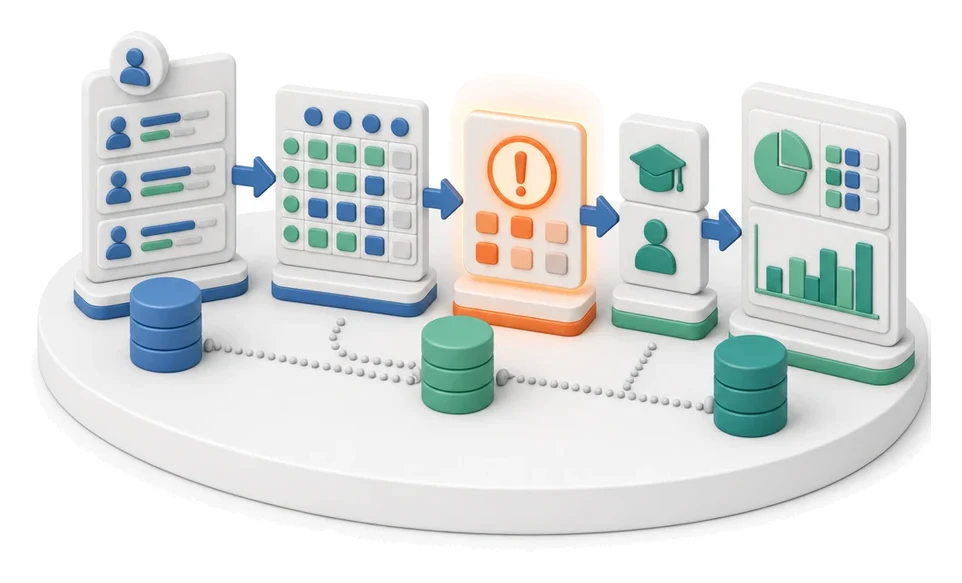
Complaint Intake and Qualification
Drowning in emails from unhappy customers and wasting time retyping data into your system? The Service module lets you centrally manage all service tickets, from initial intake through to the final decision on whether the claim is justified. Built‑in AI algorithms automatically read messages, categorize issues, and suggest corrective actions before you even open the ticket.
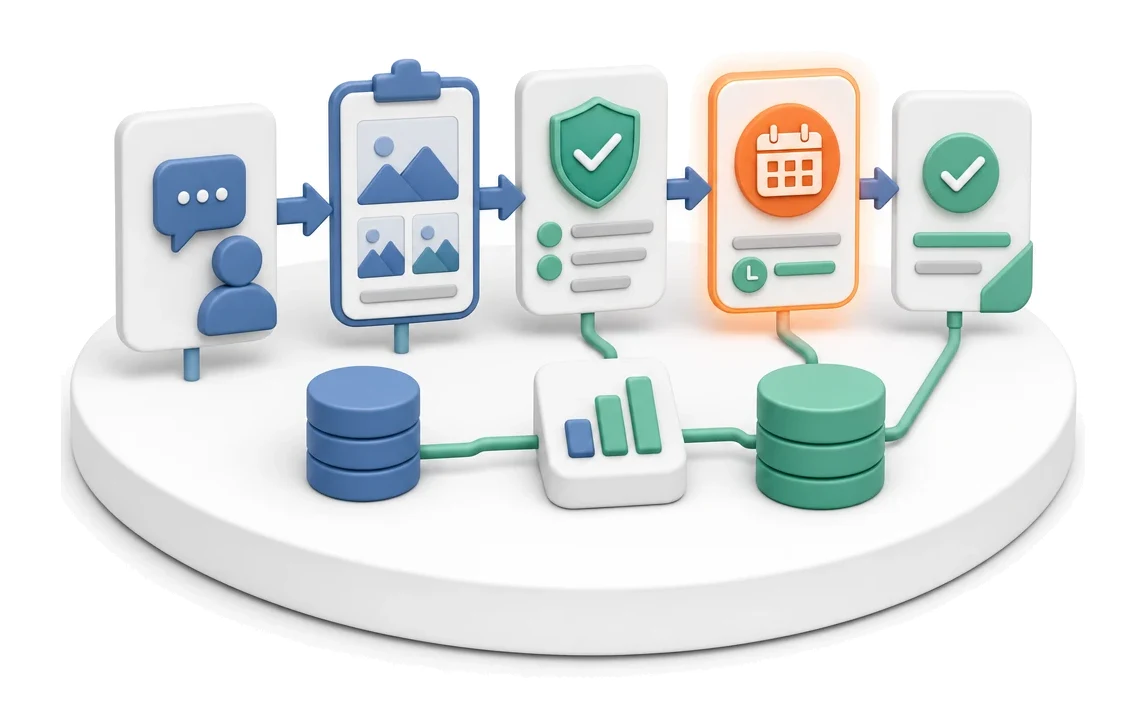
- Input
- Customer ticket
- Flow
- Ticket with photos → warranty assessment → decision and deadline
- Output
- Qualified complaint with decision
What changes in the company after the rollout
The customer ticket is registered with a description, photos, and the affected object. The assessment determines whether the repair is covered by warranty or is billable.
Faster ticket handling
You eliminate manual retyping thanks to automatic email parsing.
Better work organization
You gain full control over deadlines with alerts for overdue tickets and task checklists.
More accurate business decisions
You analyse trends and statistics on complaint reasons, allowing you to eliminate recurring errors.
No language barrier
You save time on external translators thanks to the built‑in description translation function.
How this process looks in Process App
Zrzuty pochodzą z działającego systemu — kliknij, aby powiększyć.
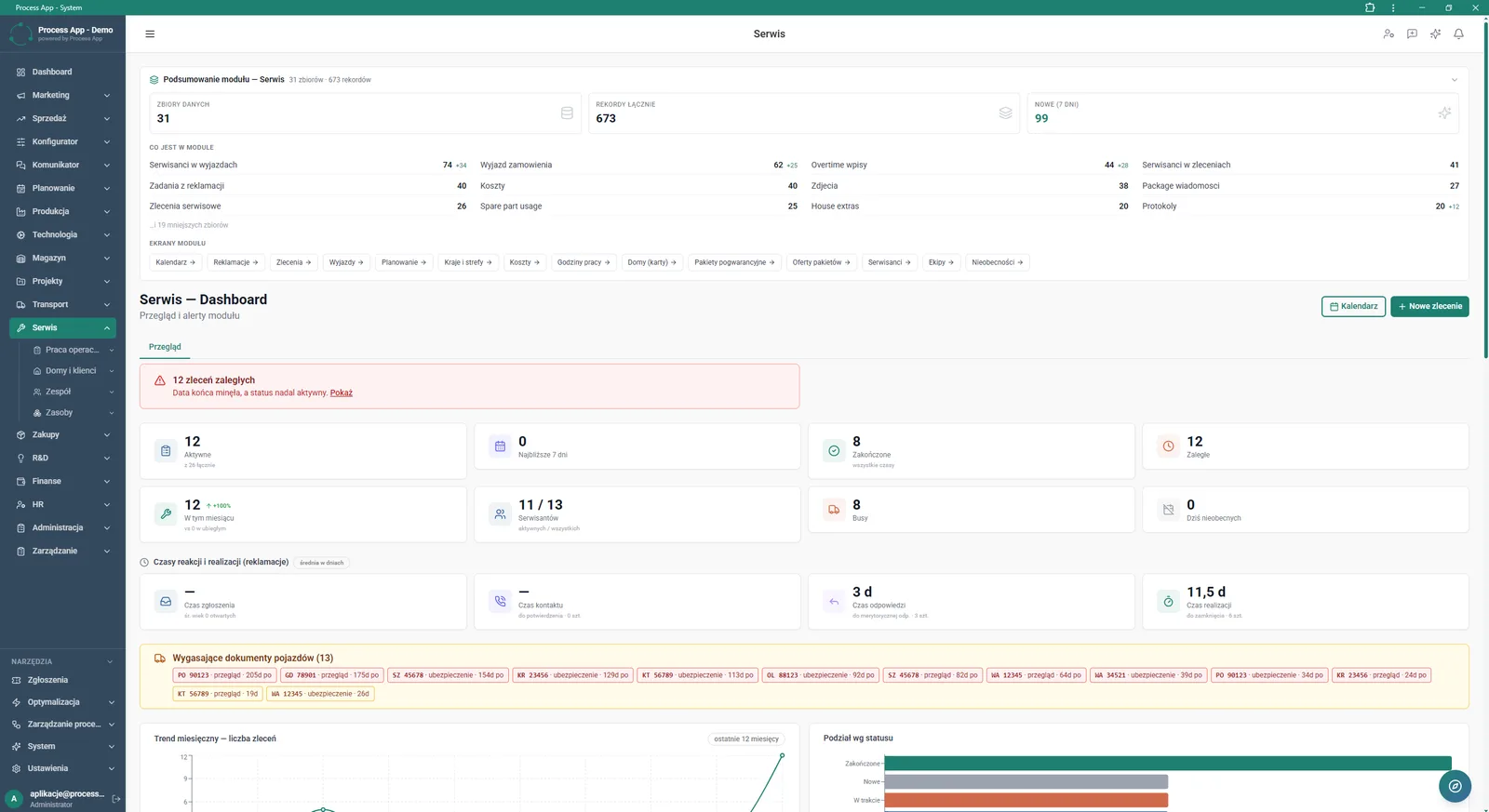
Main screen of the Service module showing data summaries, alerts for overdue tickets, tiles with operational statistics, and trend and status charts.
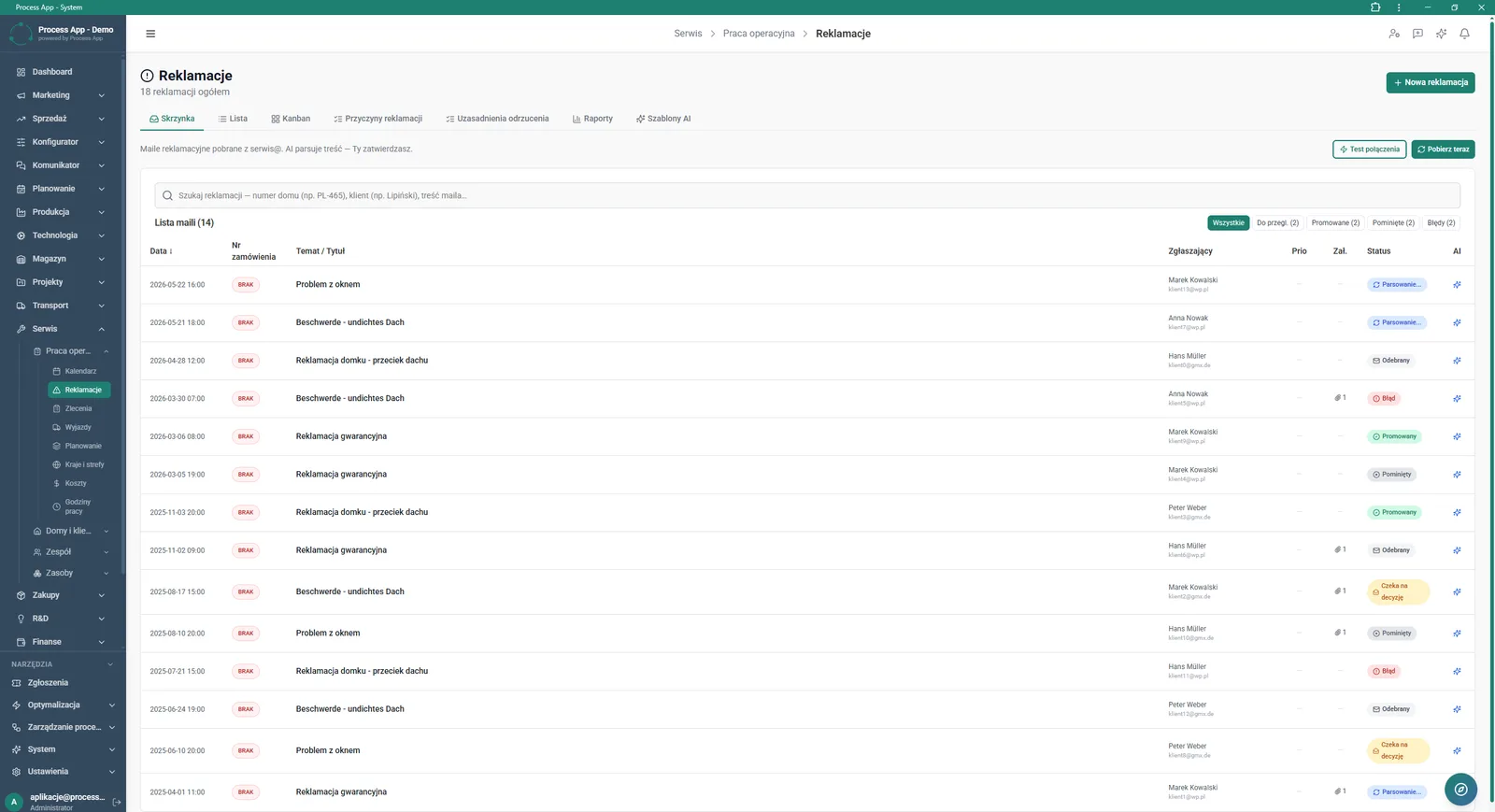
Complaints screen in Inbox view showing the list of imported complaint emails together with their AI parsing status.
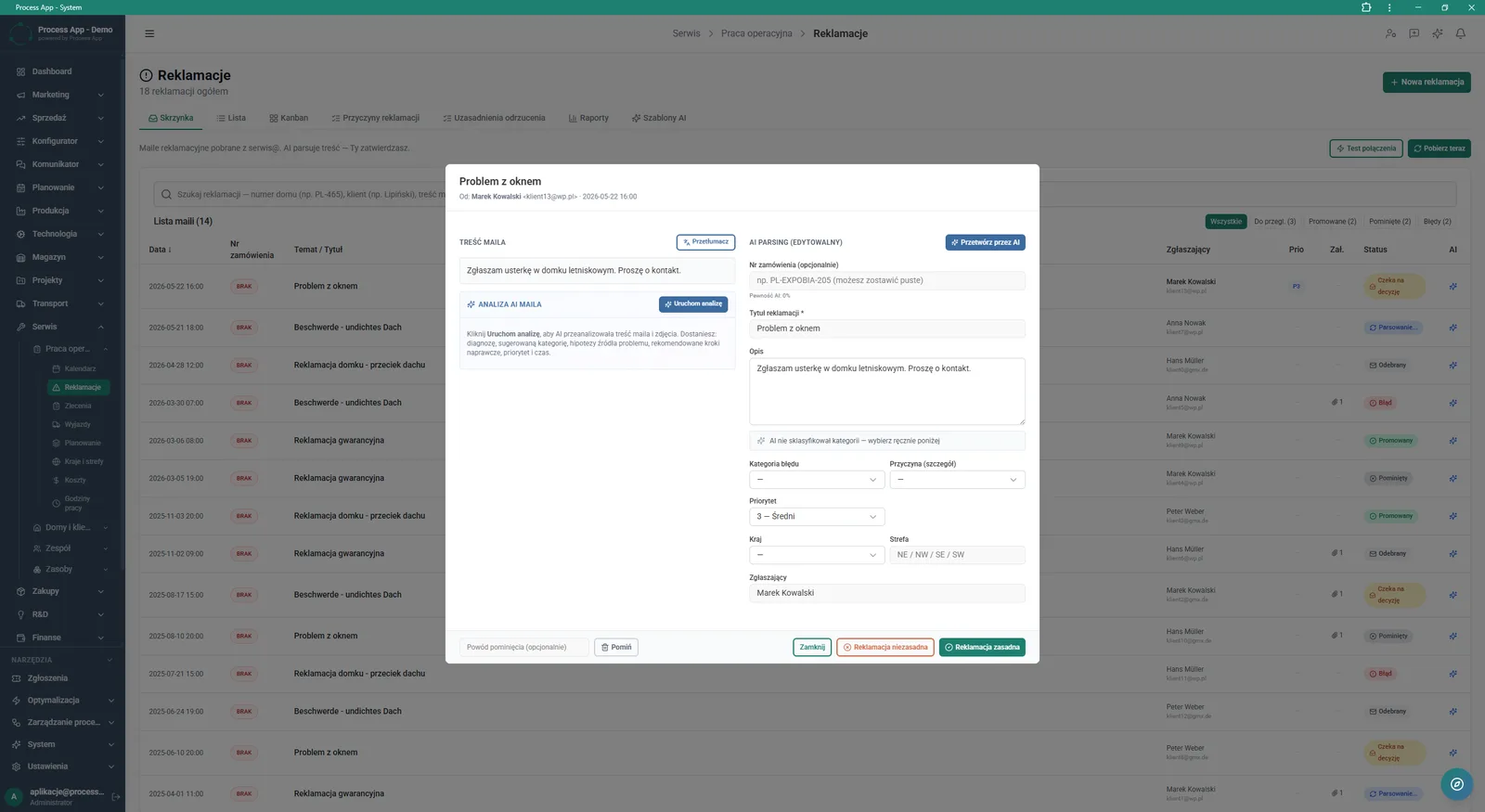
Complaints screen with the ticket detail window open, showing the email content and an editable AI data‑parsing form.
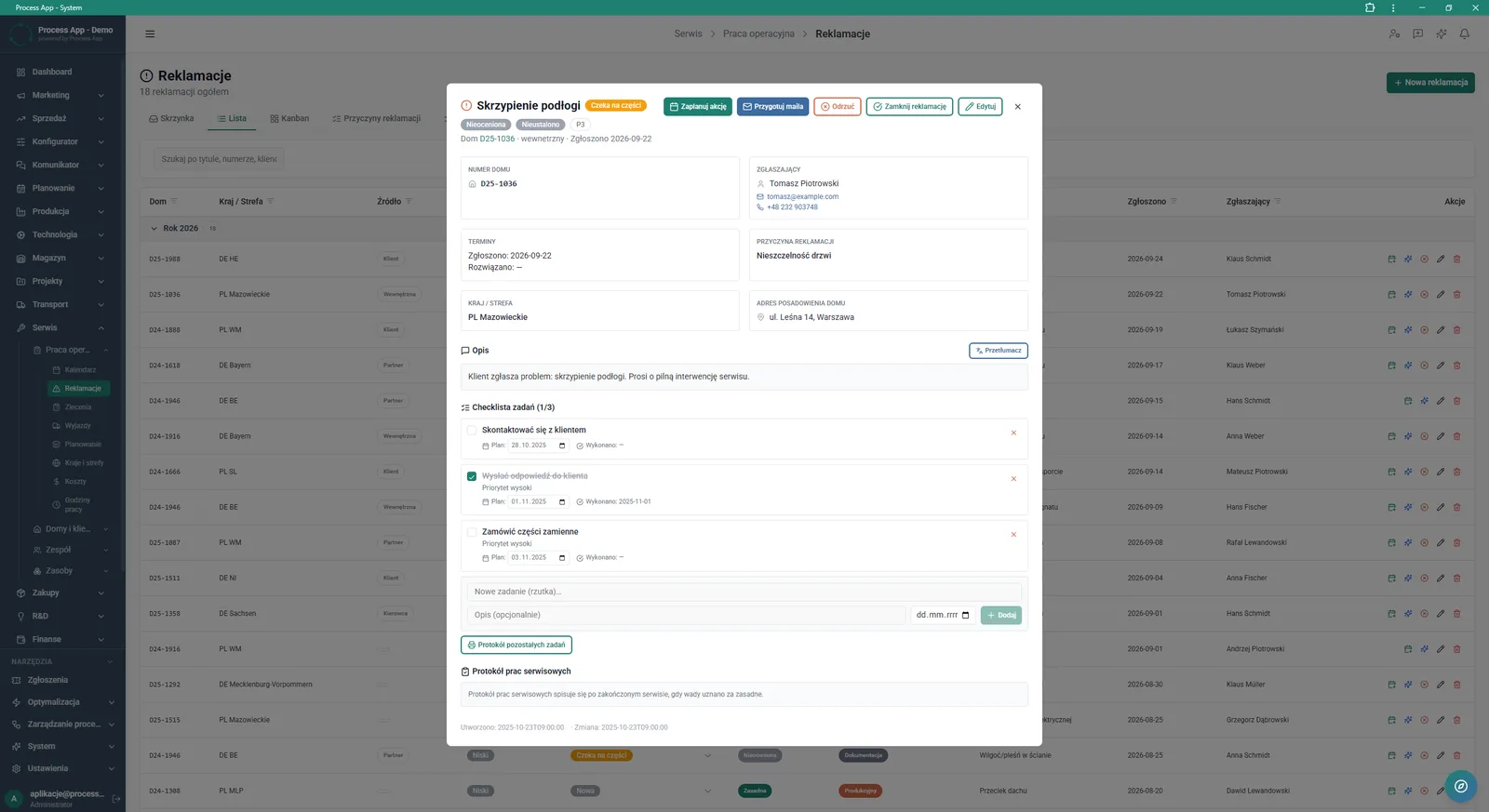
Complaints screen in List view with the ticket detail window open, showing complaint data, problem description, and a checklist of related tasks.
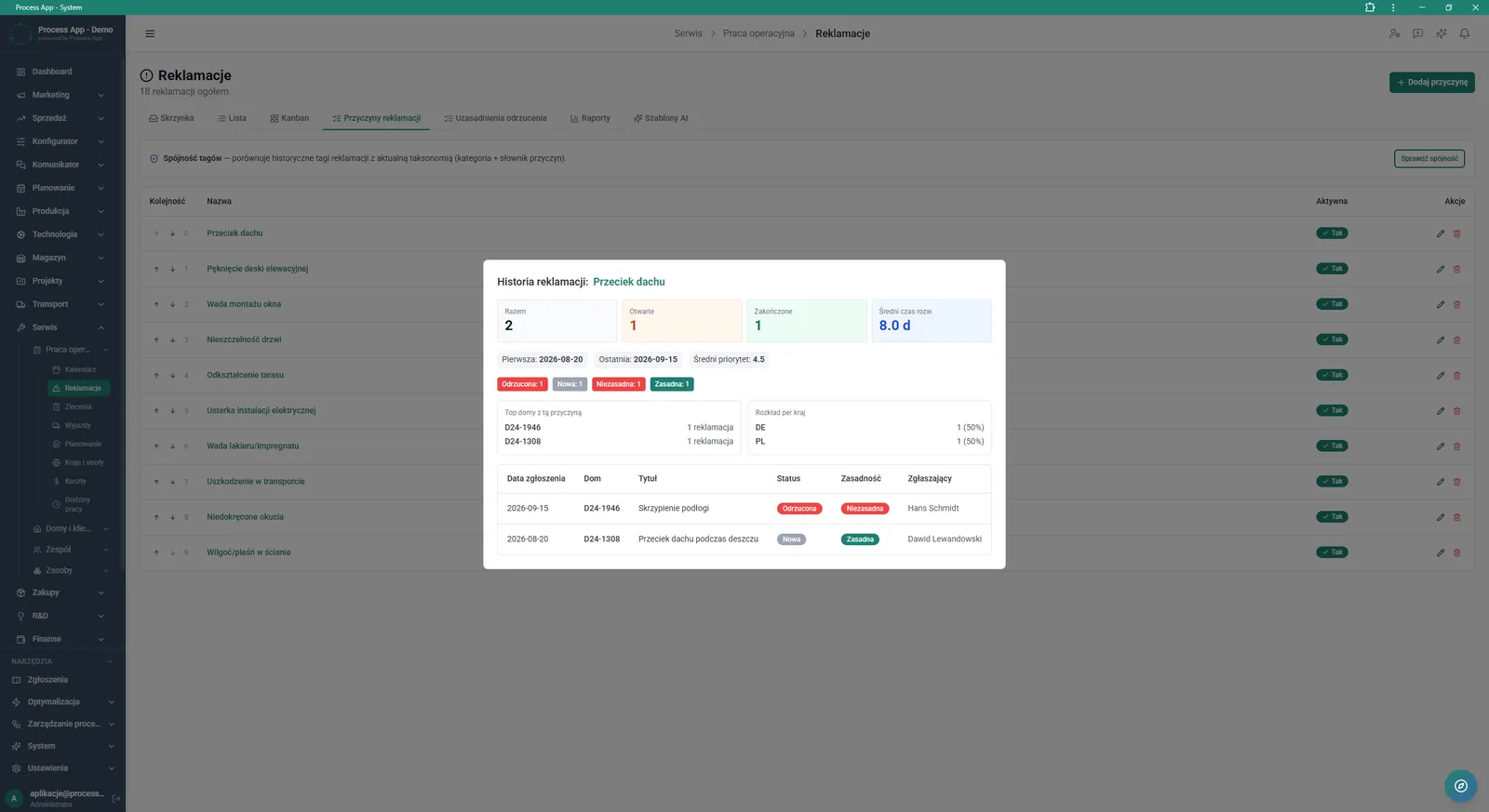
Complaints screen in the Complaint reasons tab with the history window open for a selected reason, showing statistics, geographical distribution, and a list of related tickets.
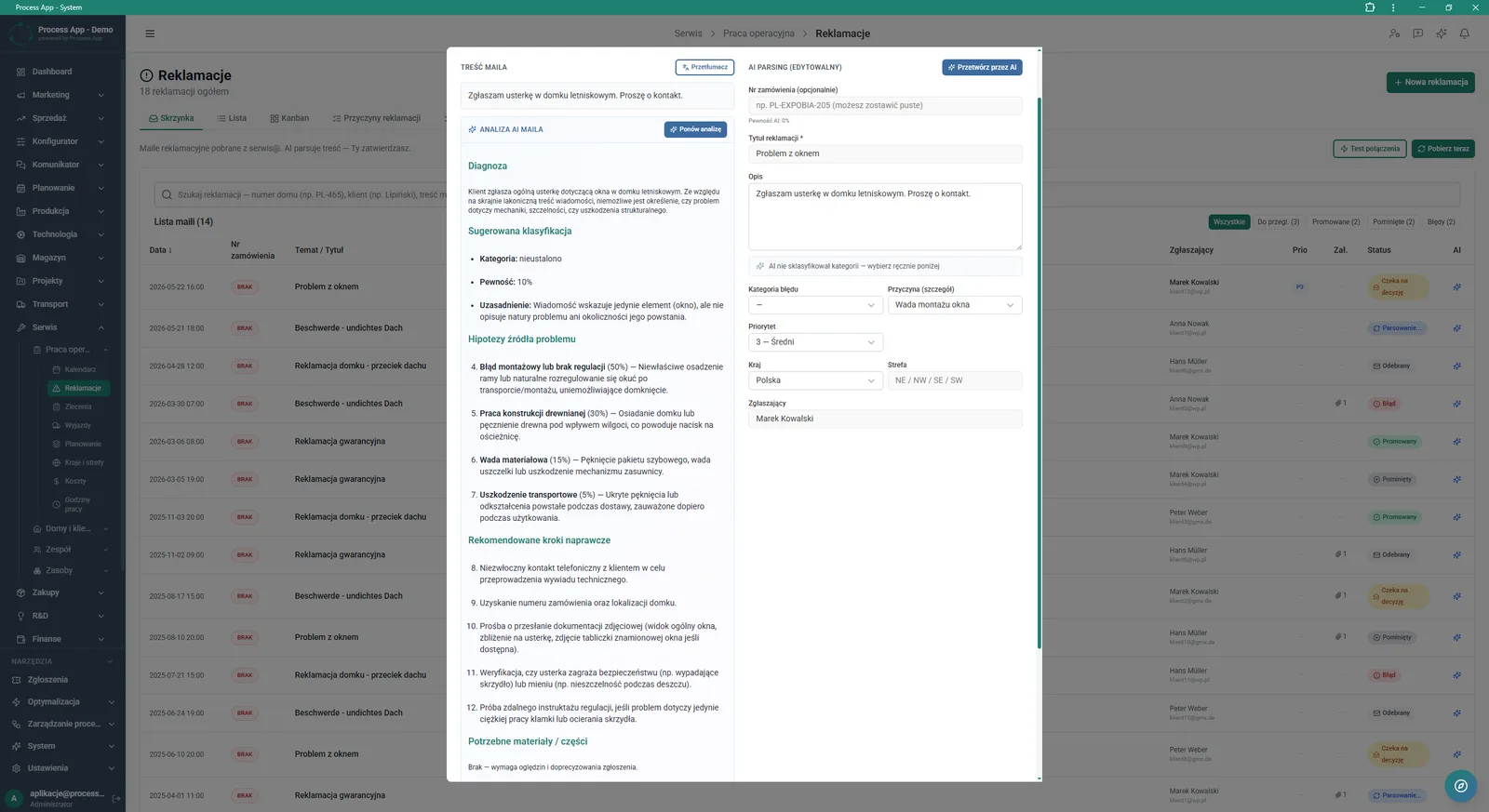
Complaints screen with the ticket detail window open, showing the email content, detailed AI analysis with hypotheses and corrective recommendations, and an editable data‑parsing form.
What exactly you get
Importing complaint emails
The system integrates with the inbox and displays messages in a dedicated view.
Task checklist management
The application lets you add, describe, and tick off planned steps for each ticket.
Qualification and status management
The module lets you reject or accept complaints and track them on a Kanban board.
Complaint reason history
The system aggregates defect data, showing distribution by country and linked houses.
Built‑in content translator
A tool that lets you translate the original problem description from the email with a single click.
What AI does for you in this process
Data extraction from ticket
AI analyses the email content and automatically fills in the parsing form, extracting order number, priority, or country.
Diagnosis and categorization
AI analyses the problem description to suggest the correct error classification and its detailed root cause.
Generating problem hypotheses
AI analyses the provided information and photos, creating a list of potential defect sources.
Recommendations for corrective steps
AI analyses the ticket type and suggests necessary actions and required materials or spare parts.
The process from start to finish
Manage the entire complaints process from a single, clear screen. Stay on top of overdue tickets and monitor key KPIs such as response times and the number of active cases. Pull complaint emails directly into the Inbox view, where the system immediately starts analysing them. Validate AI‑generated hypotheses about the root cause and make quick decisions by marking the complaint as justified or unjustified. Create dedicated task checklists for each case, plan service activities, and prepare responses to customers. Review history in the Complaint reasons tab to analyse the geographical distribution of defects and draw conclusions for the future. Translate the ticket content with one click when working with international markets.
See this process on your own data
We will walk you through the “Complaint Intake and Qualification” module using your company as the example — the input, the flow and the end result in Process App.
Explore the remaining system modules
Complaints Handling
Service Team and Calendar Planning
Service Trip Execution
Sales Invoicing
Annual Budgeting (P&L)
Plan vs Actual Control
Month-End Close
Recruitment
Employee Onboarding
Working Time and Time & Attendance Records
Leave and Absence Management