Service Trip Execution
Losing control of costs and field team working time? The Service module lets you comprehensively manage trips, work orders and technician settlements in one place. Built‑in artificial intelligence analyses team workload trends and automatically monitors the profitability balance of every job.
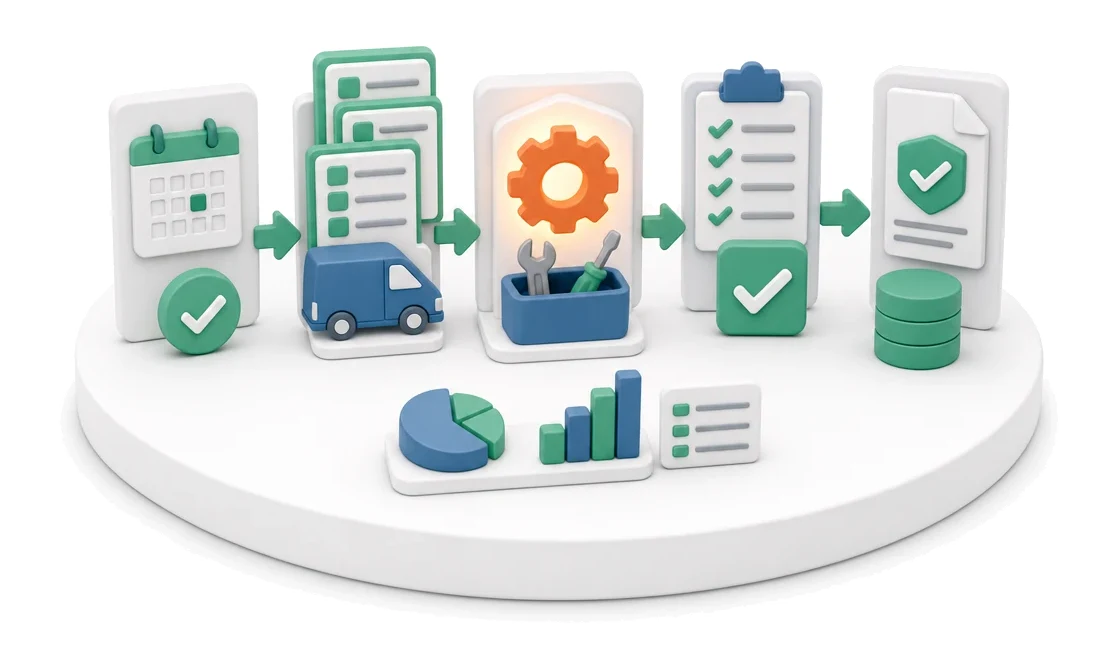
- Input
- Planned trip
- Flow
- Trip with several work orders → execution → completion confirmation
- Output
- Completed work orders and report
What changes in the company after the rollout
The team carries out a trip that covers several work orders within one region. Completion is confirmed on site.
Full financial control
You can instantly check the profitability balance of work orders by comparing revenue, costs and labour.
Faster trip settlements
Reporting working time and costs assigned to a specific work order shortens the time needed to close the trip.
Elimination of fleet downtime
Alerts about expiring vehicle documents let you plan inspections and insurance renewals in advance.
Better work organisation
A clear view of technician workload and work order statuses makes it easier to distribute tasks evenly.
Easy access to documentation
All service reports, specifications and photos are always at hand in the work order detail window.
How this process looks in Process App
Zrzuty pochodzą z działającego systemu — kliknij, aby powiększyć.
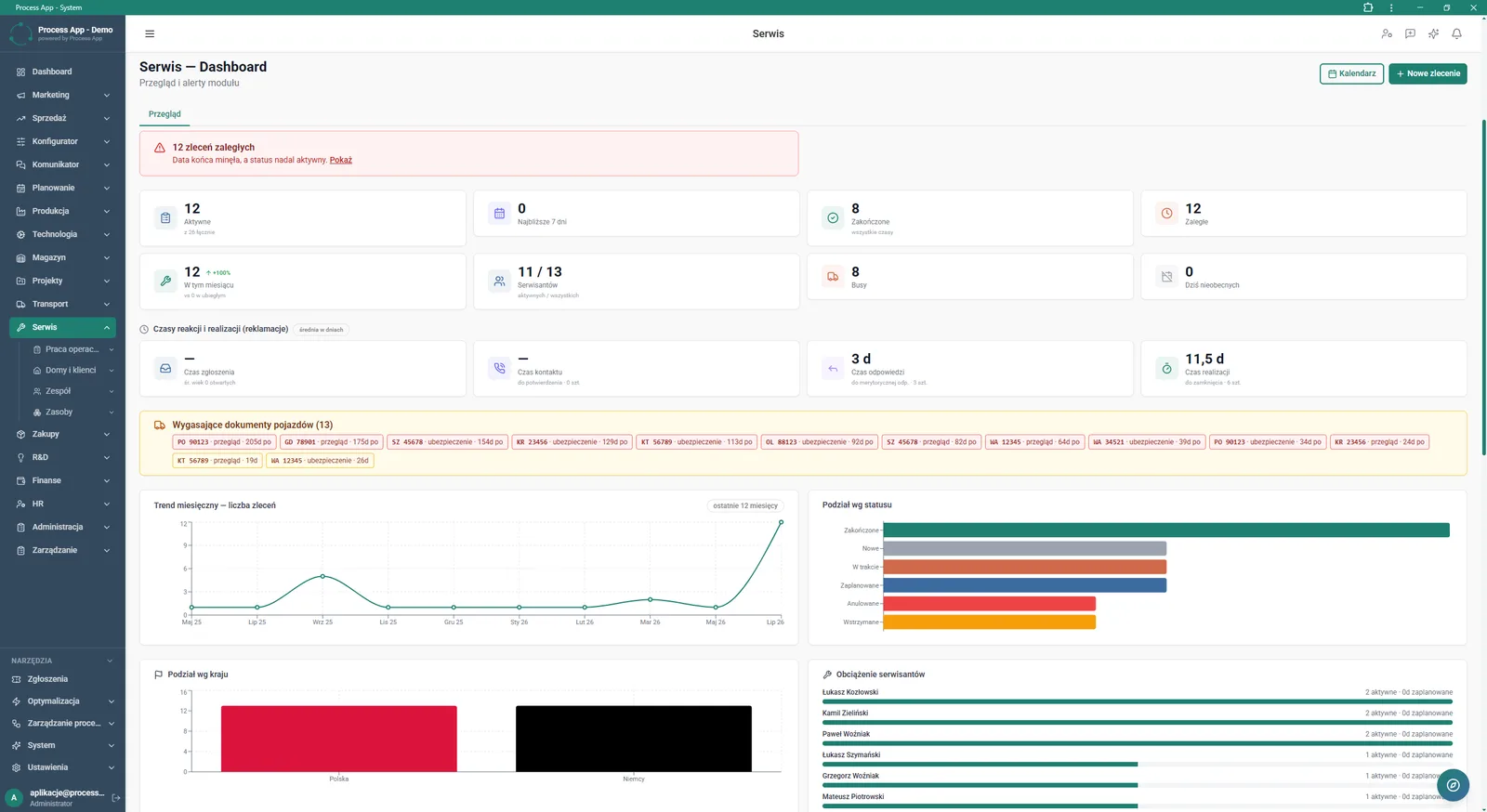
The Service — Dashboard screen presents an overview of key module indicators, alerts on overdue work orders, response times, expiring vehicle documents, and team workload and trend charts.
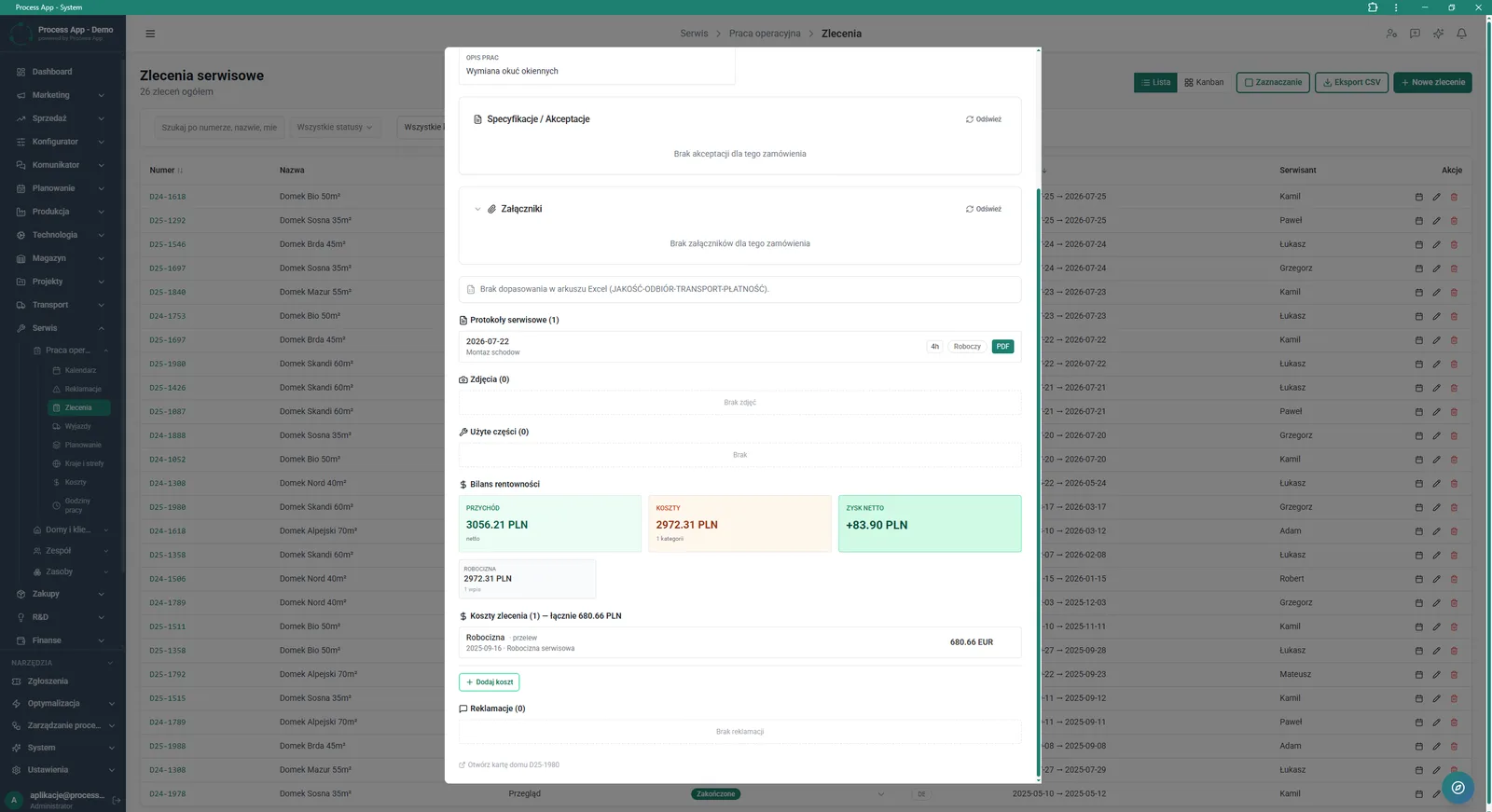
The Work orders screen in the Service module with an open work order detail window showing, among others, job description, reports, profitability balance and costs.
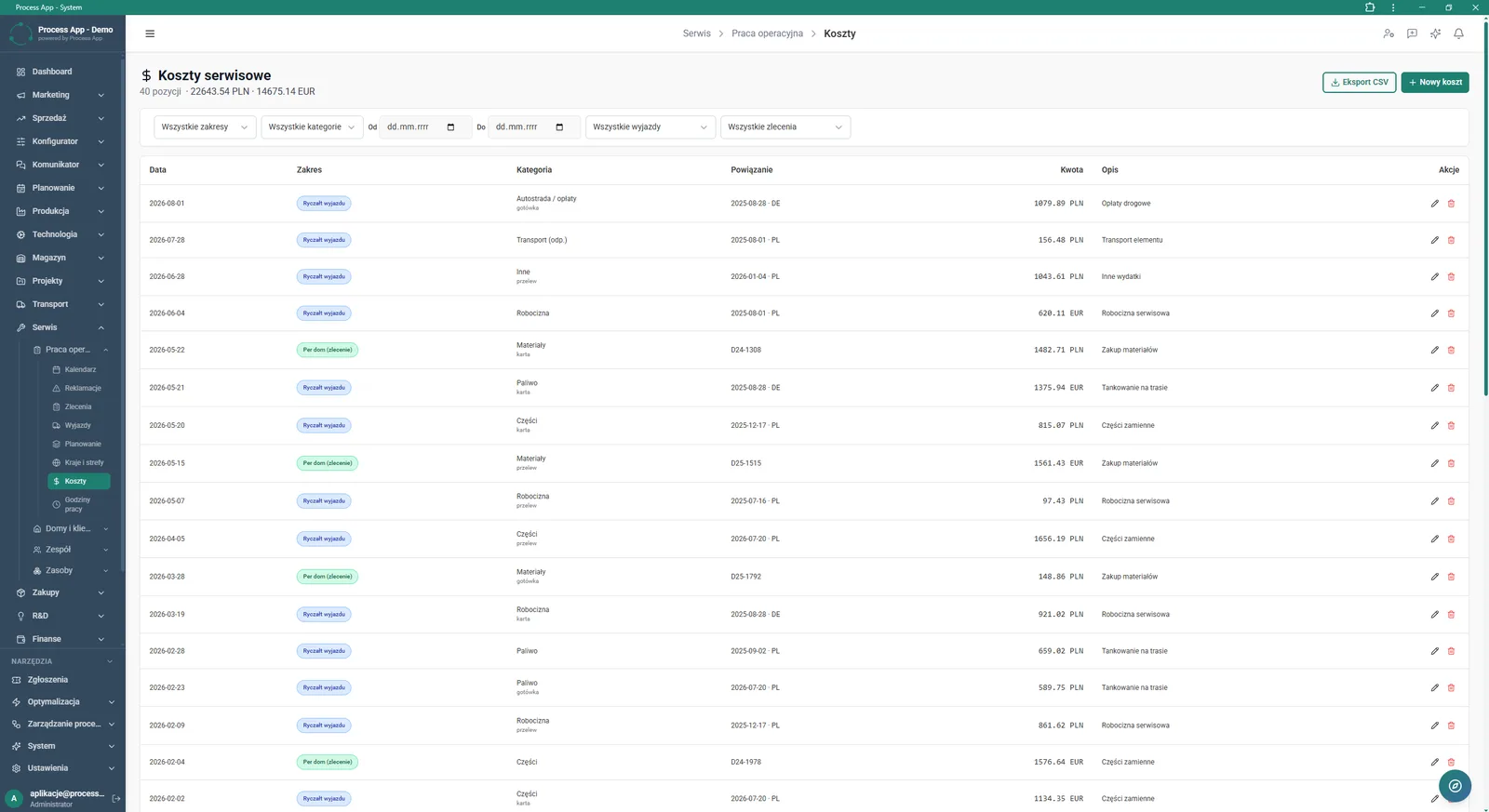
The Service costs screen shows a tabular summary of expenses related to trips and work orders, including the number of items and total amounts.
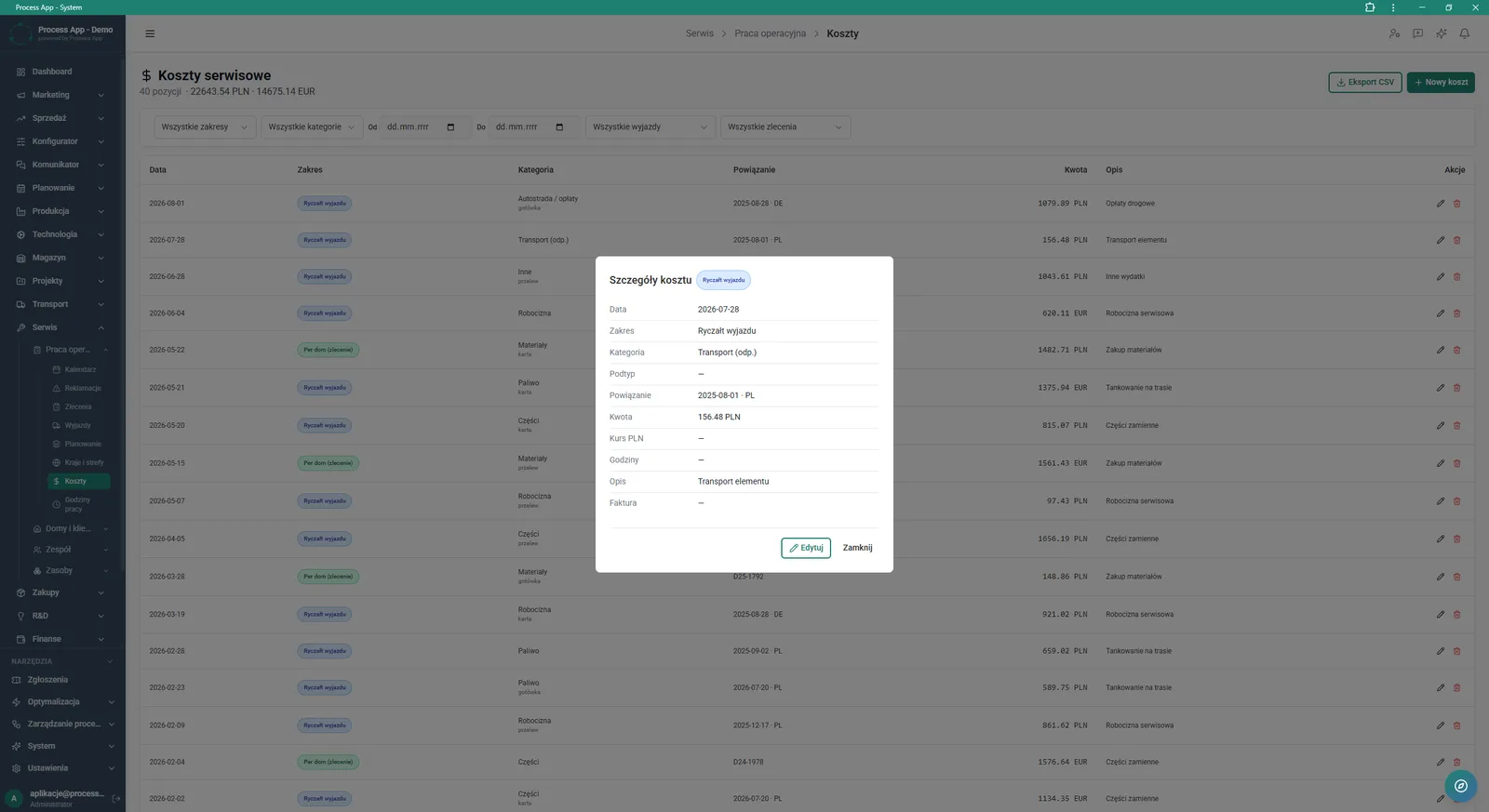
The Service costs screen with an open modal window of the selected cost details, presenting its exact parameters.
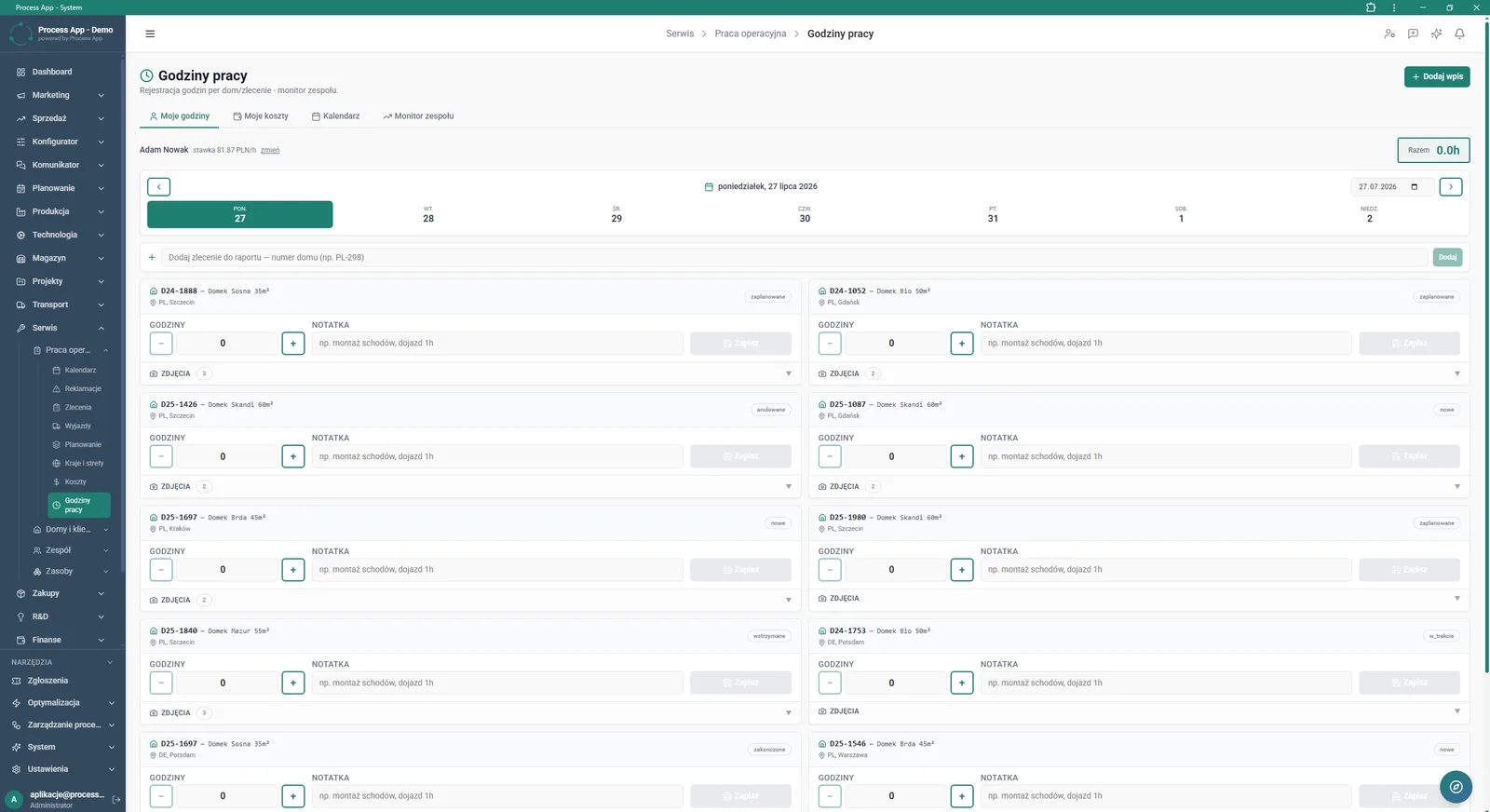
The Working hours screen in the Service module showing a list of assigned work orders for the selected day, with options to report working time and add notes.
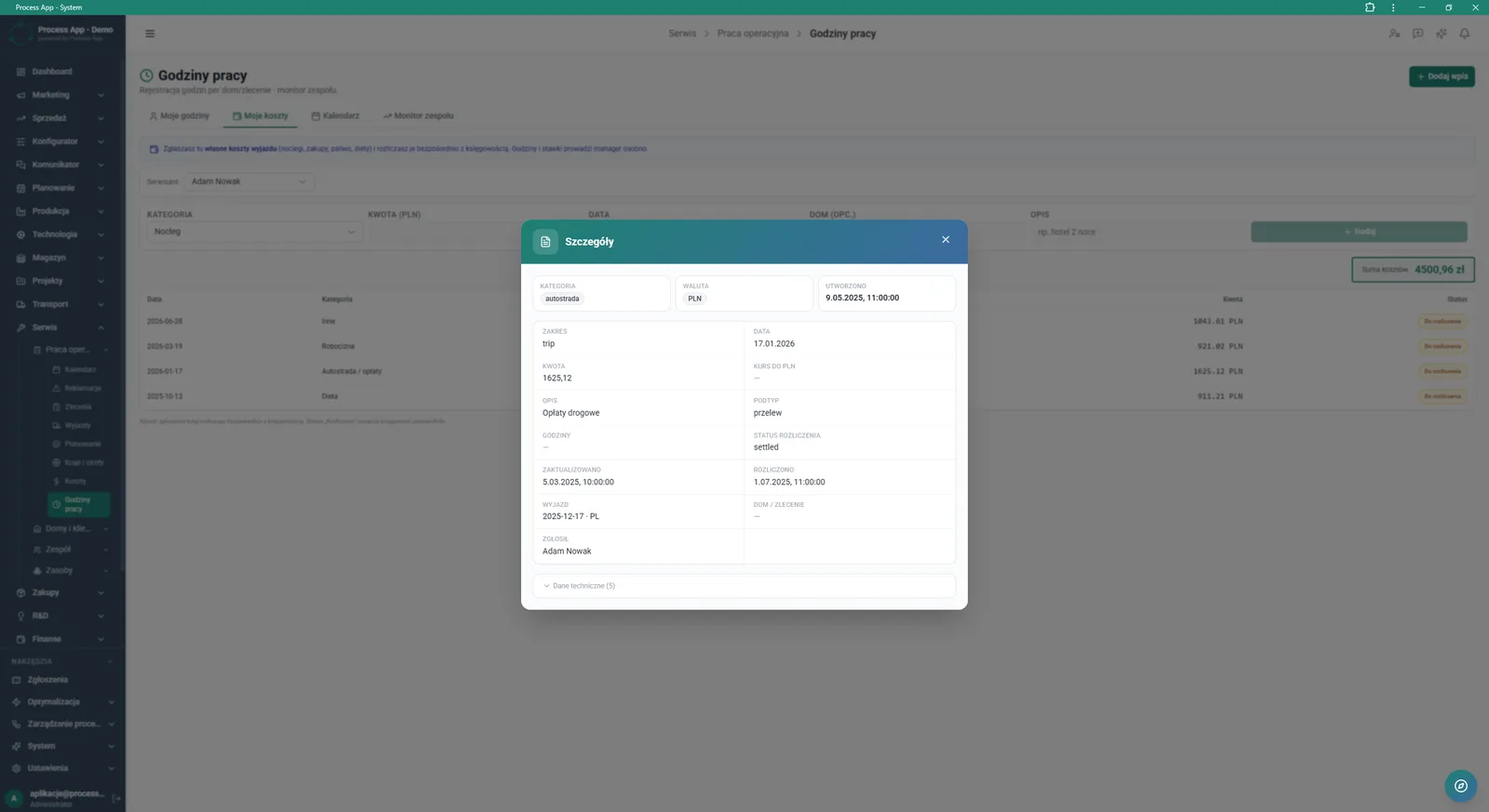
The Working hours screen in the My costs tab with an open Details modal window presenting the exact parameters of the selected expense.
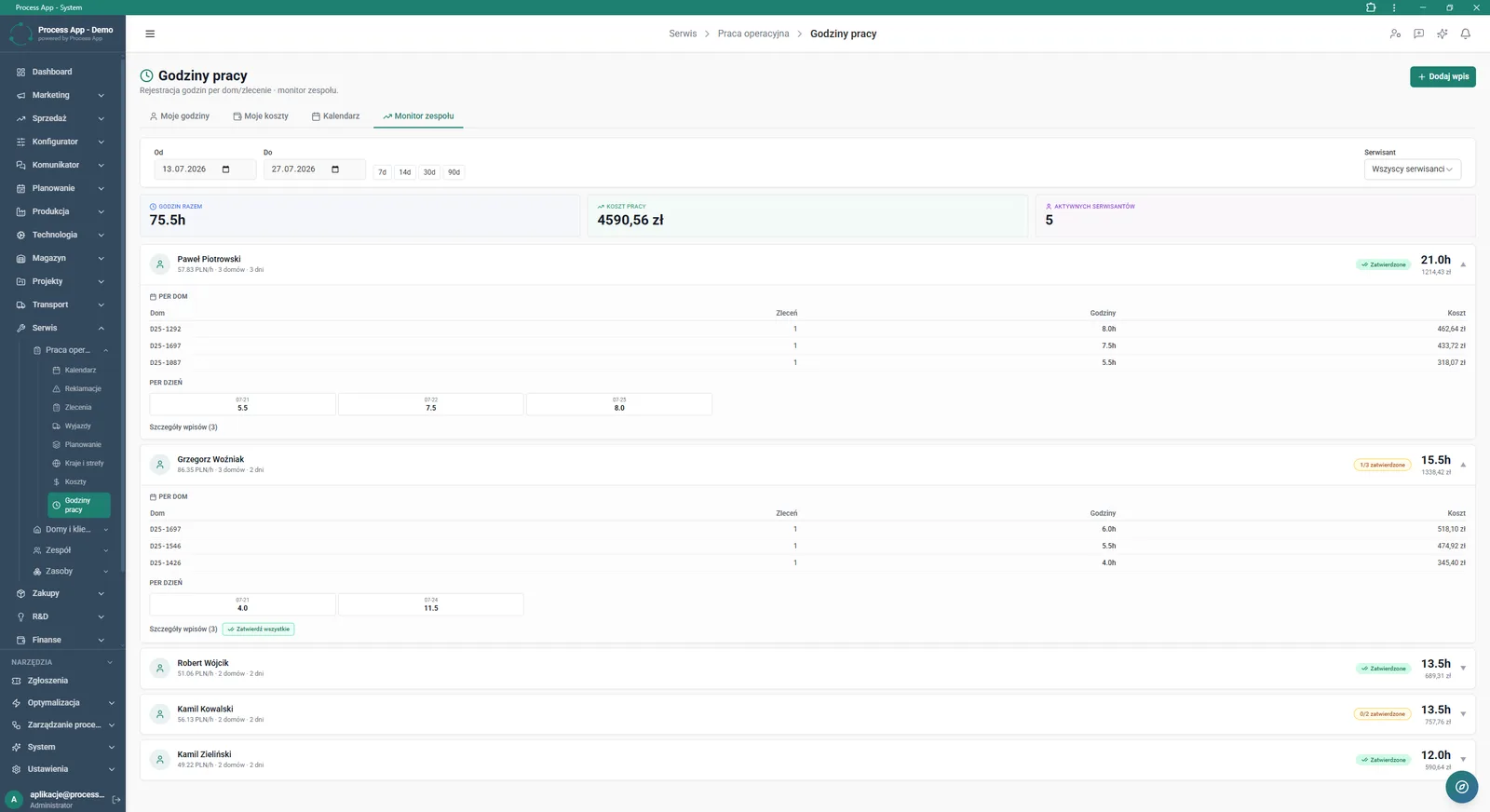
The Working hours screen in the Team monitor tab presents a summary of hours worked, labour costs and activities of individual technicians in a selected period.
What exactly you get
Working time registration
The system allows you to enter hours worked and notes for specific work orders in a calendar view.
Service cost records
The application lets you add expenses by category, currency and link them to a trip.
Kanban board view
Service work orders can be displayed and filtered as an interactive board that makes status changes easier.
Team monitoring
The module generates summaries of hours worked and labour costs for individual technicians in a selected period.
Report handling
The system allows you to download and preview service reports in PDF format directly from the work order card.
What AI does for you in this process
Work order profitability analysis
Artificial intelligence continuously analyses entered costs and hours, predicting the final net profit for the trip.
Team workload optimisation
Algorithms analyse historical execution times and current workload charts to suggest the best technician assignments.
Cost anomaly detection
Artificial intelligence analyses reported service costs and automatically flags expenses that deviate from standard flat rates.
Response time forecasting
The system analyses data from the response and execution time sections, warning about the risk of missing complaint deadlines.
The process from start to finish
Manage all operational work from a single, clear Service — Dashboard screen. Continuously monitor response times, overdue work orders and expiring vehicle documents to avoid downtime. View Work Orders as a list or Kanban board, with quick access to job descriptions, service reports and used parts. Report Working hours assigned to specific sites and days, adding necessary notes and photos directly from the field. Control Service costs by category and currency, with instant conversion to PLN. Track the Team monitor tab to verify hours worked, labour costs for each technician and approve their entries. Gain full visibility into the profitability balance of every trip by comparing revenue, costs and labour.
See this process on your own data
We will walk you through the “Service Trip Execution” module using your company as the example — the input, the flow and the end result in Process App.
Explore the remaining system modules
Complaint Intake and Qualification
Complaints Handling
Service Team and Calendar Planning
Sales Invoicing
Annual Budgeting (P&L)
Plan vs Actual Control
Month-End Close
Recruitment
Employee Onboarding
Working Time and Time & Attendance Records
Leave and Absence Management