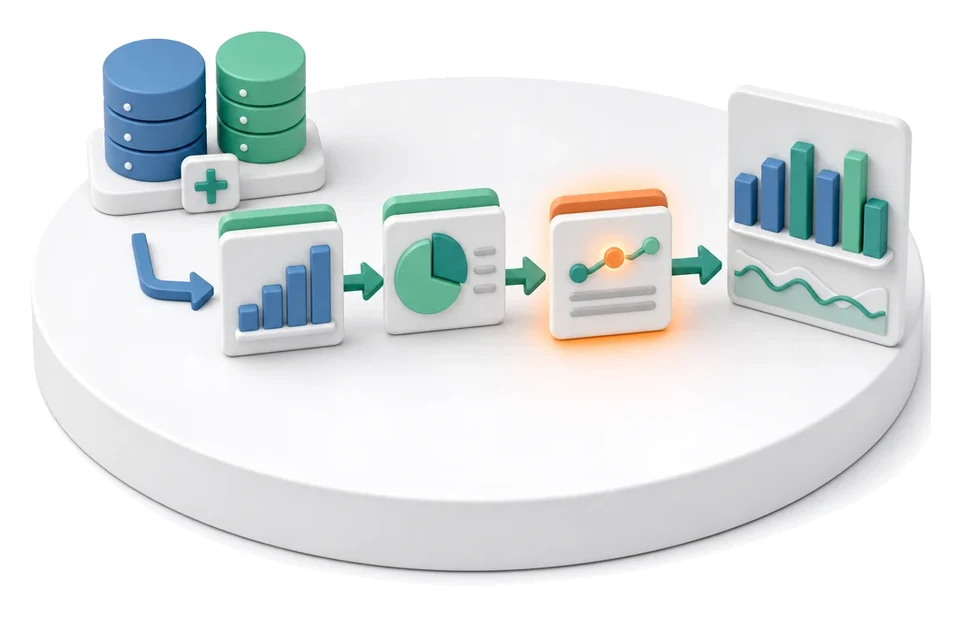
Client Status Reporting
Do you lose hours manually building slide decks before every client meeting? The Projects module lets you instantly generate delivery reports based on live system data, including hours worked, ticket statuses, and work progress. The built-in AI assistant automatically drafts summary text, analysing meeting transcripts and additional context to produce a ready-to-send PDF file.
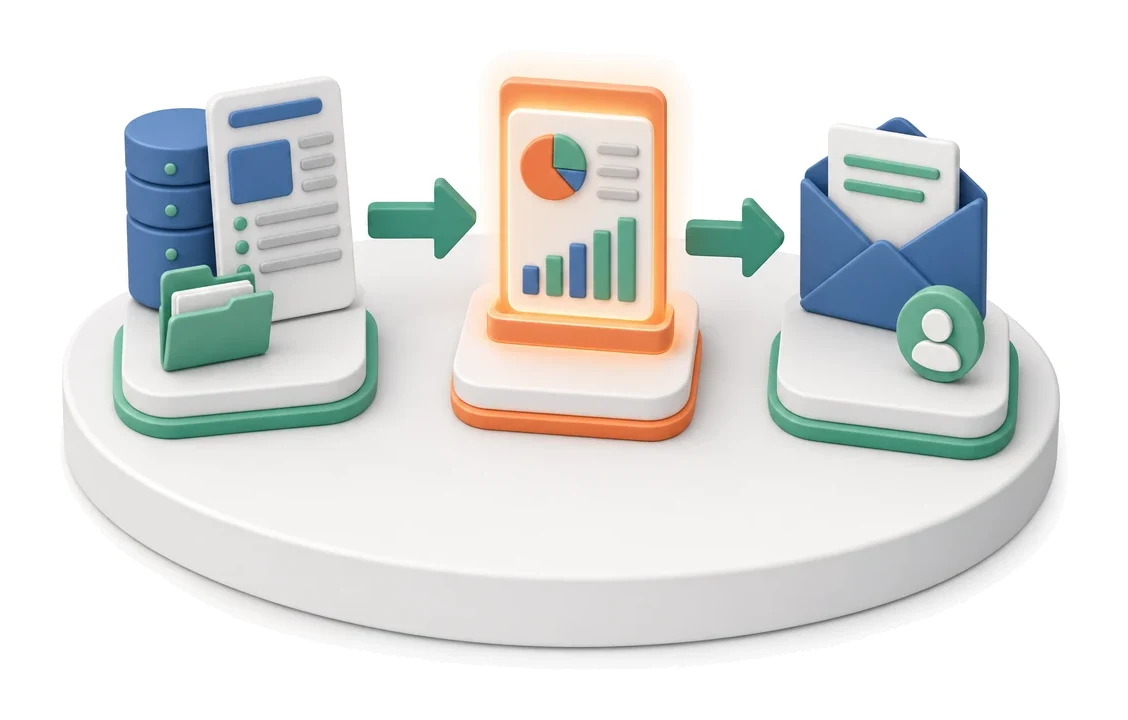
- Input
- Project data
- Flow
- Project data → generated report → sending to client
- Output
- Client status report
What changes in the company after the rollout
The client receives a status report generated from project data, eliminating the need to manually assemble a presentation before each meeting.
Time savings
Instead of creating presentations manually, you generate a complete report from system data in minutes.
Transparent billing
The client receives a clear breakdown of days and hours worked together with the applied rate.
Fewer reporting errors
Automatic retrieval of data on ticket and project statuses eliminates the risk of mistakes.
Faster invoicing
The ability to issue an invoice directly from the finished report speeds up document flow.
Better project control
Access to the history of meetings, notes, and issues allows you to continuously monitor the situation.
How this process looks in Process App
Zrzuty pochodzą z działającego systemu — kliknij, aby powiększyć.
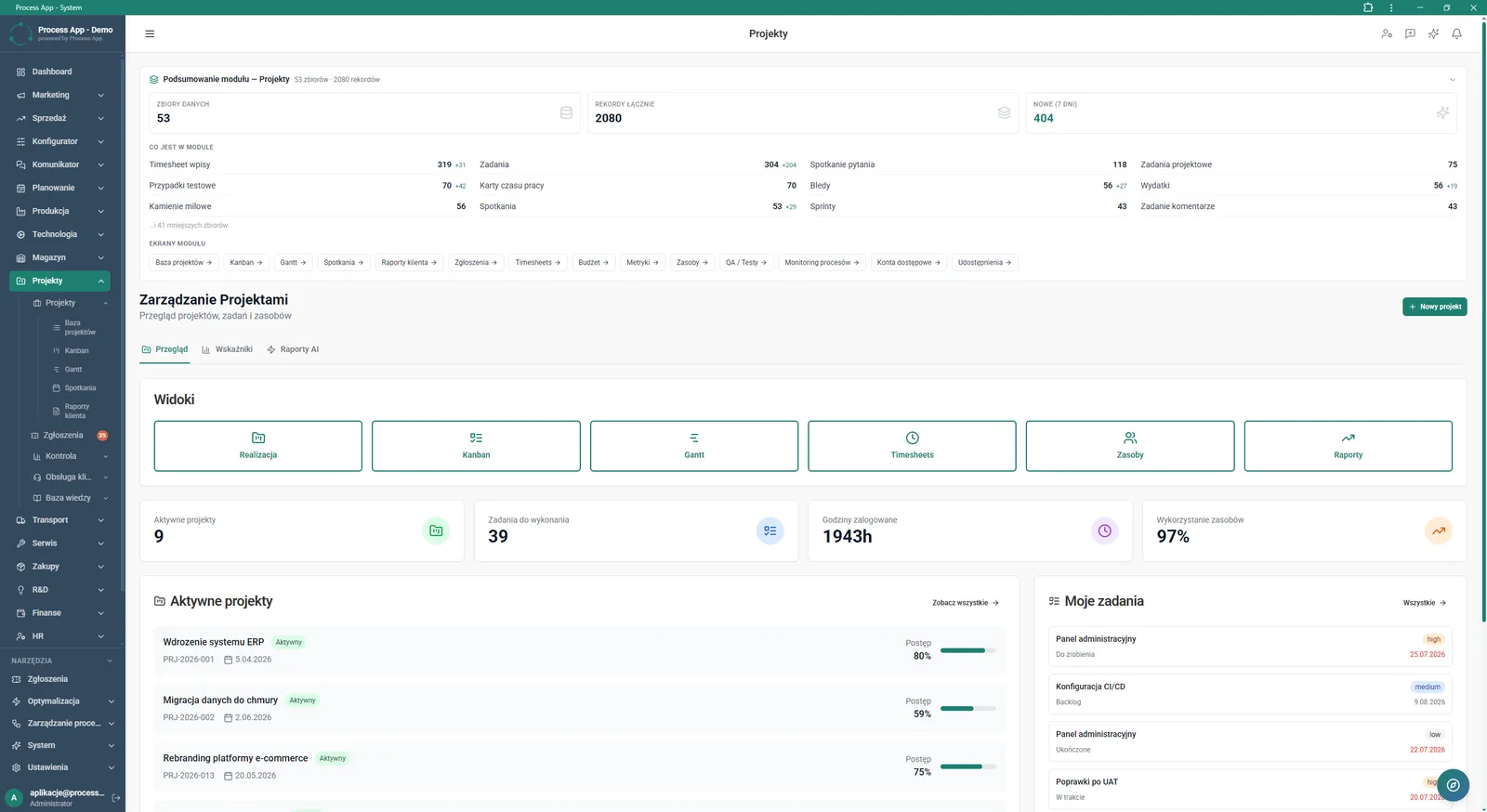
Main screen of the Projects module showing a data summary, available views, key metrics, and lists of active projects and assigned tasks.
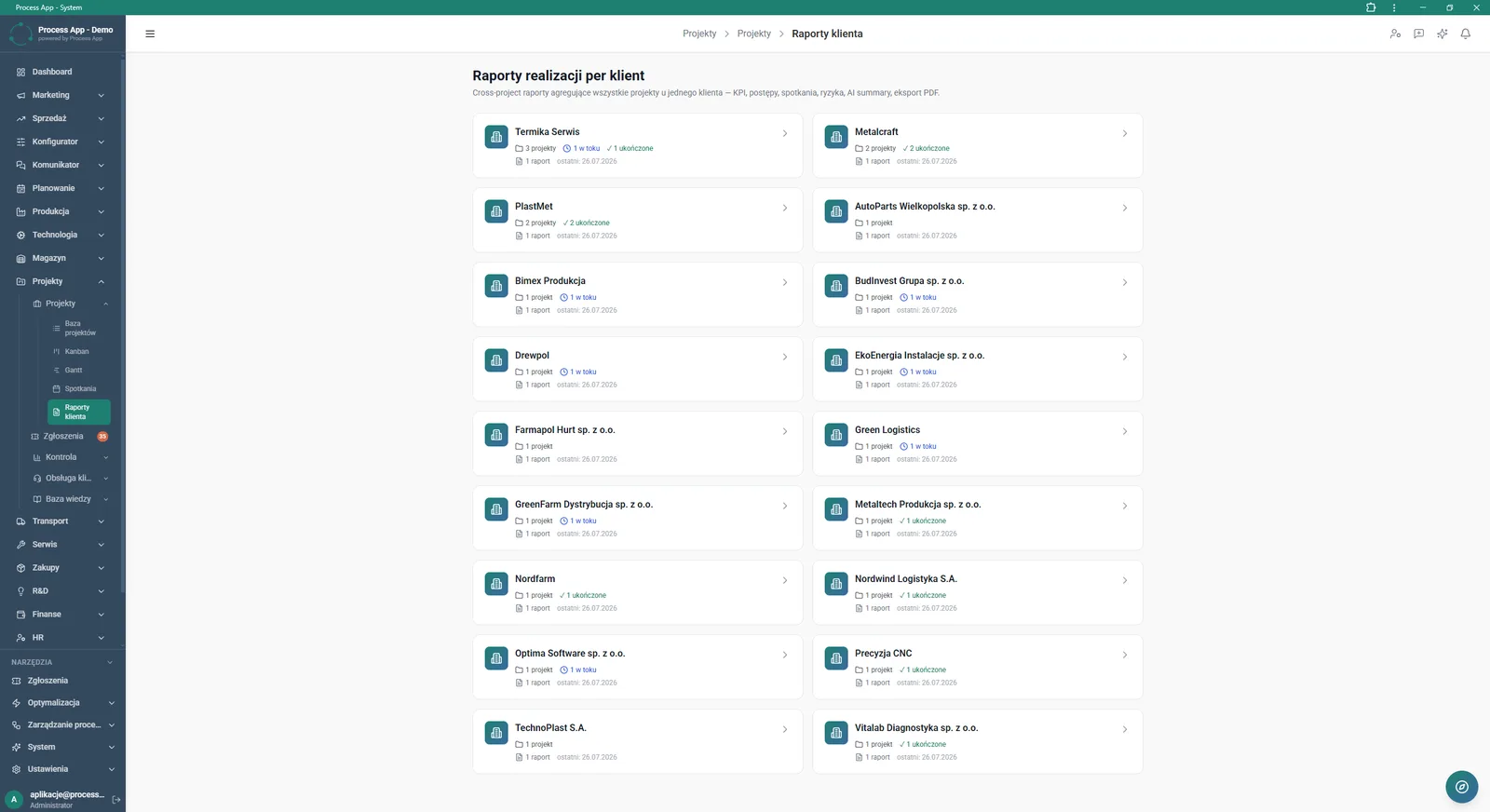
The Client reports screen displays a list of tiles representing individual clients together with a summary of their projects, statuses, and generated reports.
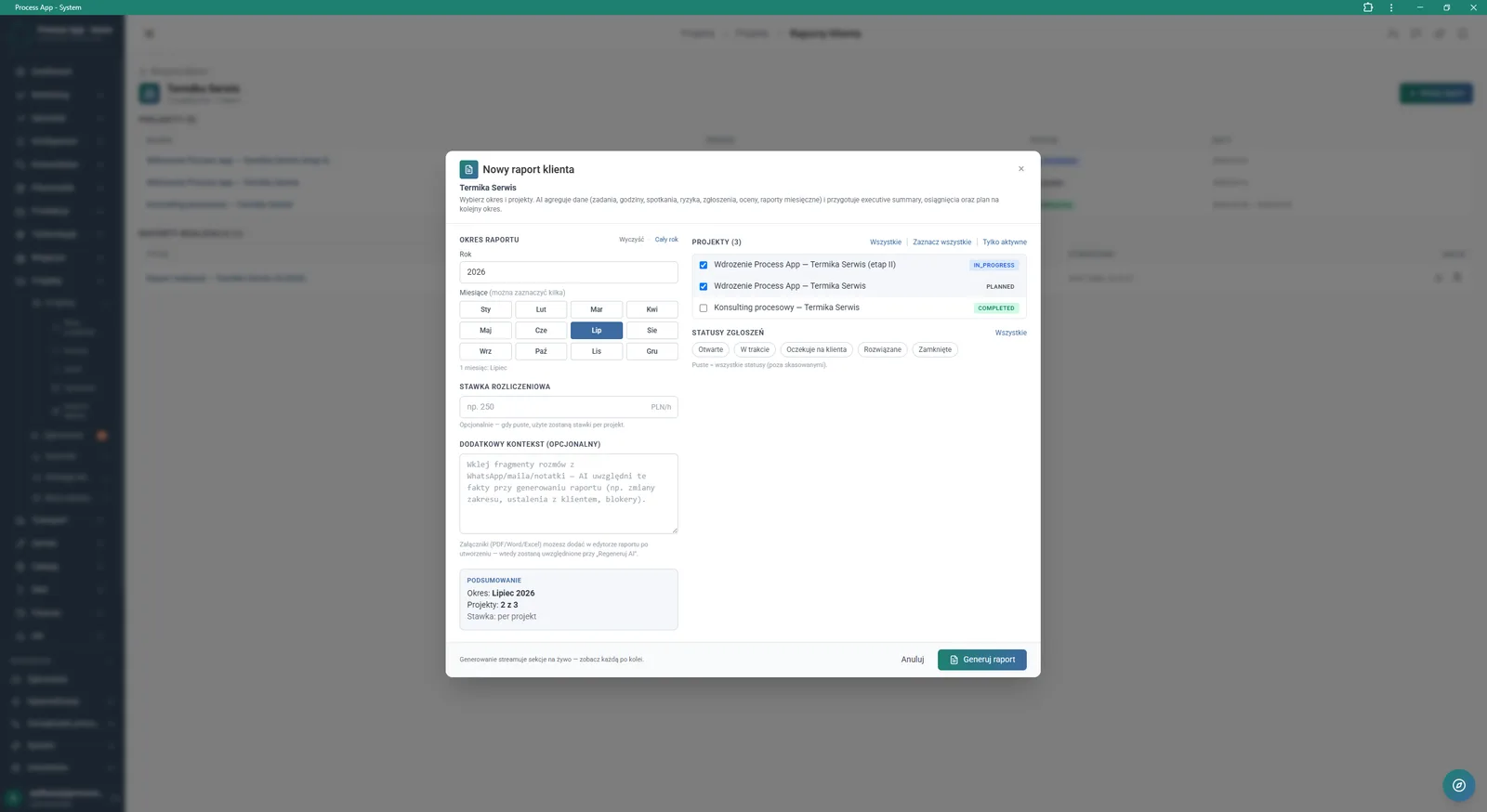
Screen showing the New client report modal window, where the user configures report generation parameters such as period, rate, additional context, and selects projects and ticket statuses.
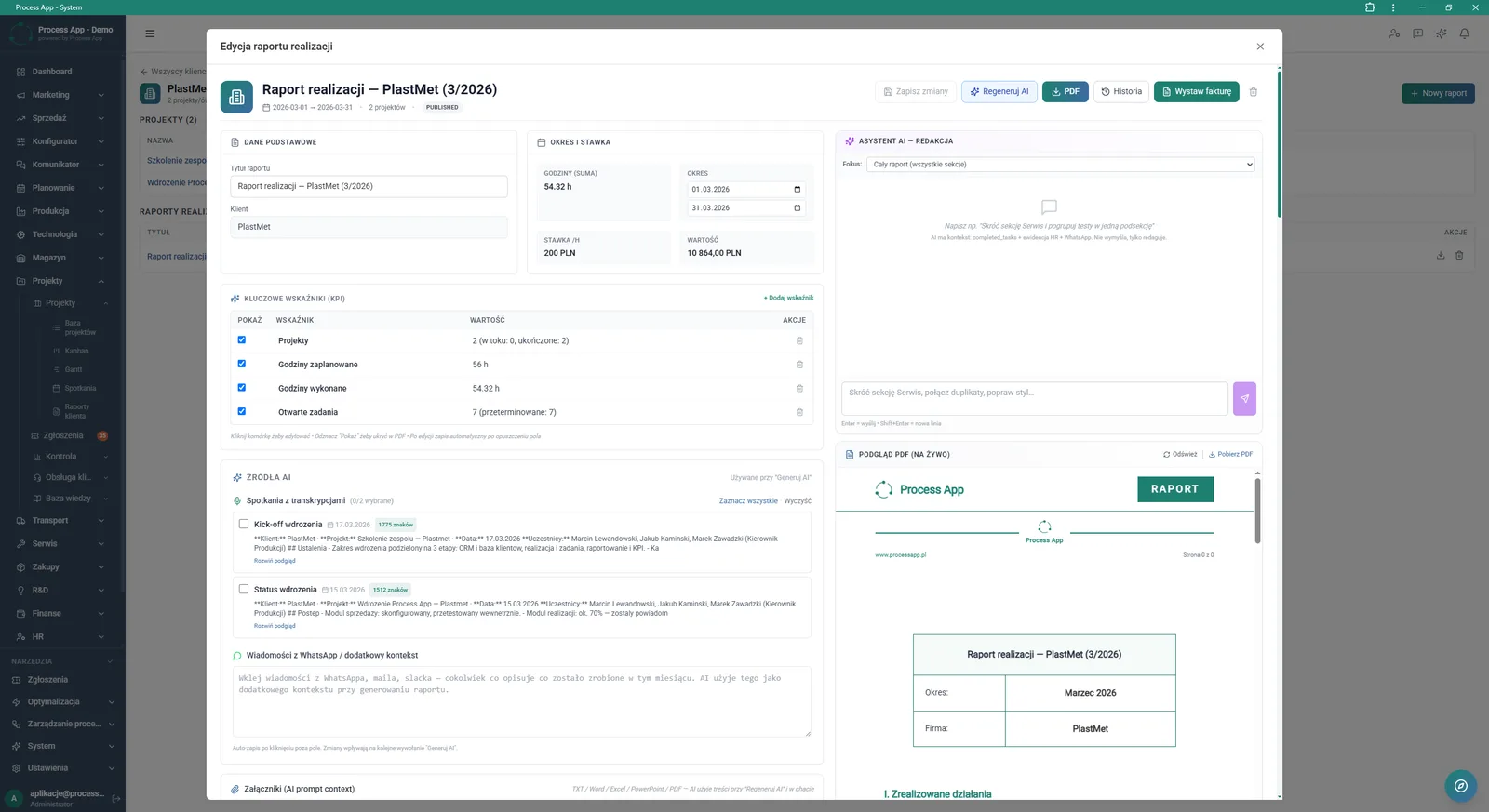
Screen showing the delivery report edit modal window with a form containing basic data, KPIs, AI data sources, the editing assistant, and a live preview of the generated PDF file.
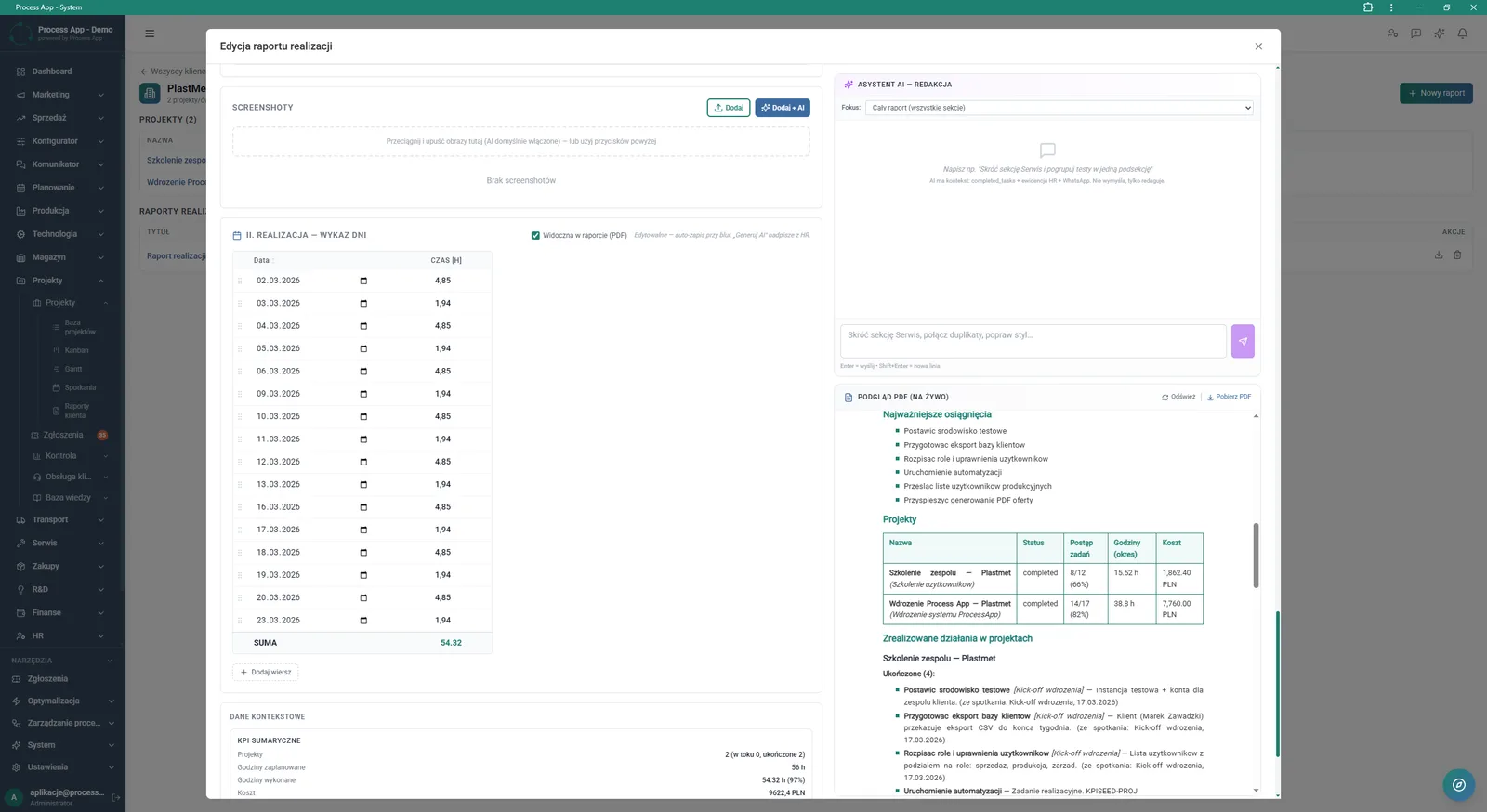
Delivery report edit modal window showing sections for attaching screenshots, a breakdown of days worked, the AI assistant for text editing, and a live preview of the PDF document.
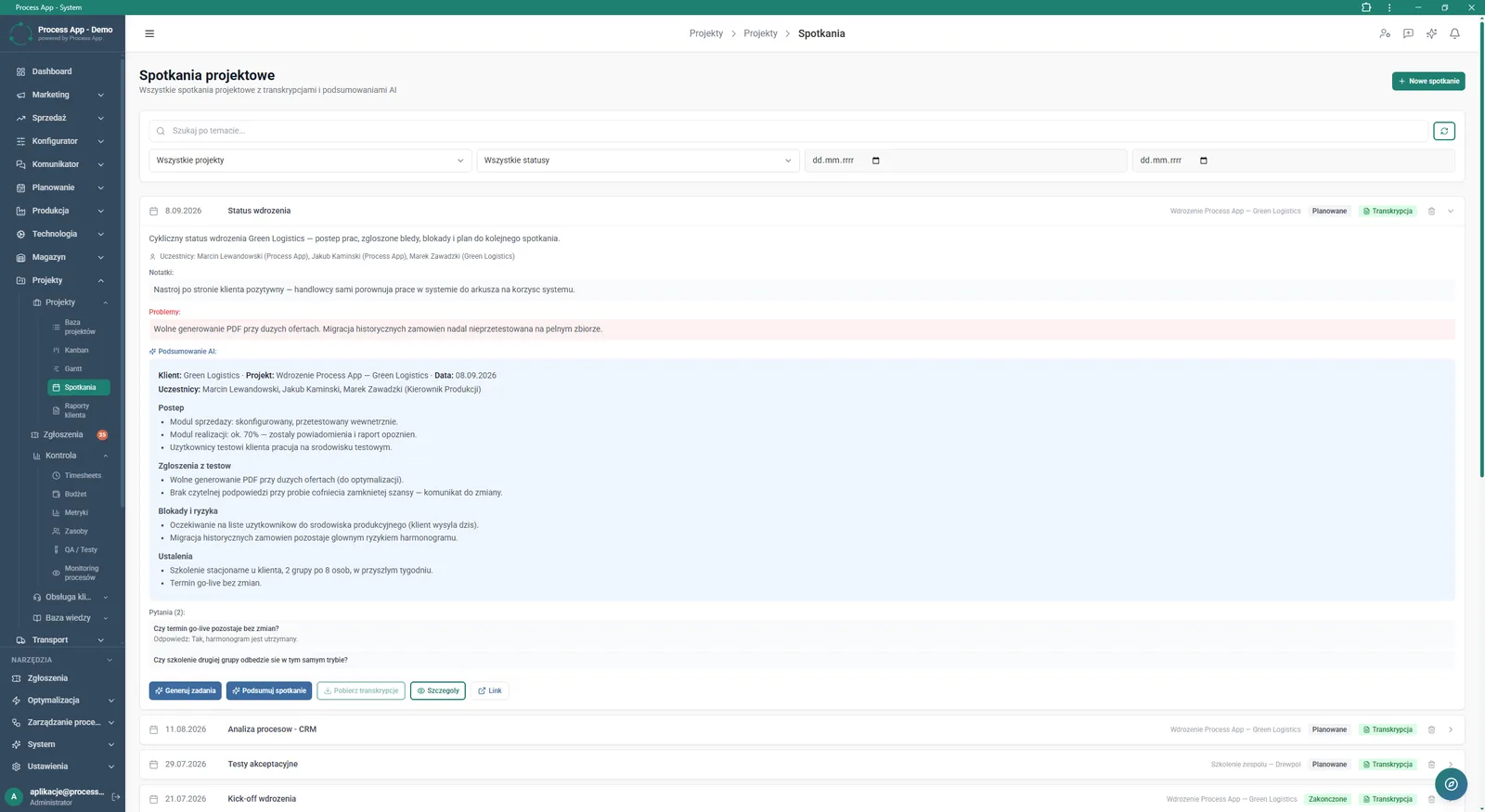
The Project meetings screen shows a list of meetings with filtering options and an expanded detail view containing notes, reported issues, and the AI-generated summary.
What exactly you get
Report parameter configuration
The system lets you select the year, months, billing rate, and specific projects and ticket statuses.
KPI management
You can add and modify key indicators such as planned hours, actual hours, or open tasks.
Live PDF preview
The application continuously refreshes the document view as you make changes in the form.
Project meetings log
The system stores a list of meetings with filtering options and access to notes and participants.
Attaching screenshots
You can add screenshots to each report to document project delivery progress.
What AI does for you in this process
Report text editing
The AI assistant analyses the instructions entered in the Focus field and automatically rewrites the summary text.
External source analysis
AI processes selected meeting transcripts, chat messages, and attachments to build the report context.
Project meeting summarisation
AI algorithms generate ready-made summaries covering progress, test findings, blockers, and decisions.
Task generation from meetings
Artificial intelligence analyses the course of the conversation and automatically creates a list of action items.
The process from start to finish
Manage all projects and tasks from a single screen using views such as Kanban, Gantt, or Timesheets. Browse tiles in the Client reports tab to quickly check the number of active projects and generated summaries for each customer. Create new reports by selecting the period, billing rate, and specific projects and ticket statuses to include.
Personalise the document in the delivery report edit window by adding key KPIs, screenshots, and a breakdown of days worked. Generate project meeting summaries and turn them into tasks, with full visibility of notes and reported issues. Monitor the live PDF preview and create an invoice in one click based on the approved data.
See this process on your own data
We will walk you through the “Client Status Reporting” module using your company as the example — the input, the flow and the end result in Process App.
Explore the remaining system modules
Project Kick-off
Project Schedule Planning
Project Management
Project Time Tracking
Project Budget and Margin Control
Complaint Intake and Qualification
Complaints Handling
Service Team and Calendar Planning
Service Trip Execution
Sales Invoicing
Annual Budgeting (P&L)