Finance

Annual Budgeting (P&L)

Losing control of company profitability because your data is scattered across spreadsheets? The Finance module supports end‑to‑end annual budgeting, combining sales plans and costs into one consistent profit and loss account. Built‑in AI algorithms automatically analyse collected data and generate reports, highlighting key financial trends.
See the screens
Annual Budgeting (P&L) — module screens in Process App
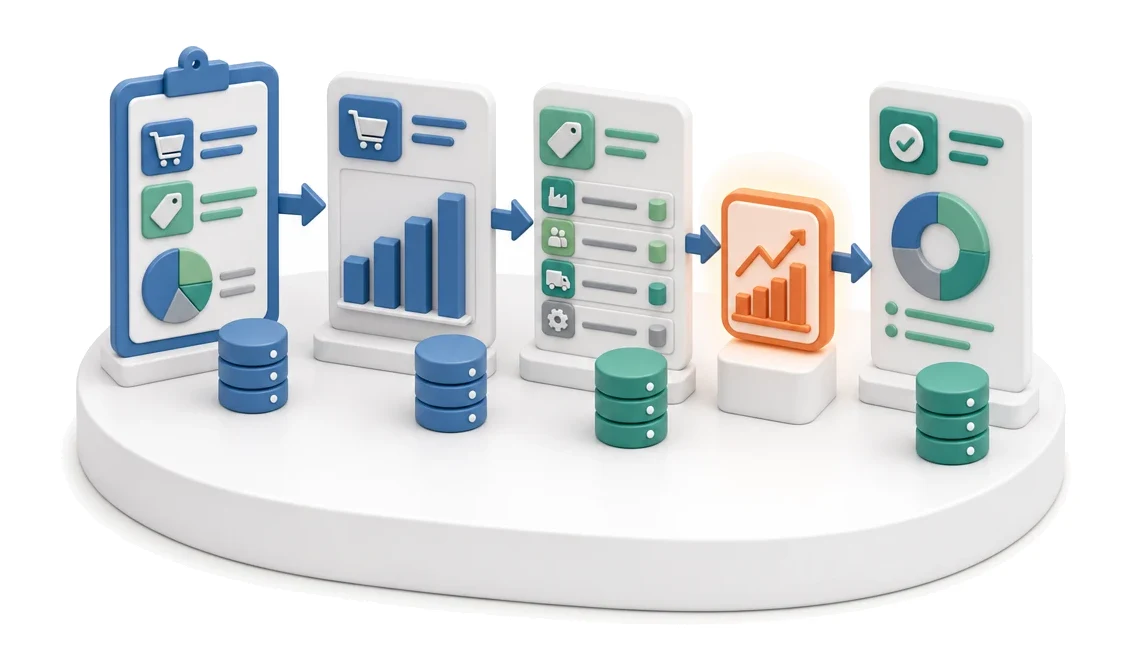
Input
Sales and cost plan
Flow
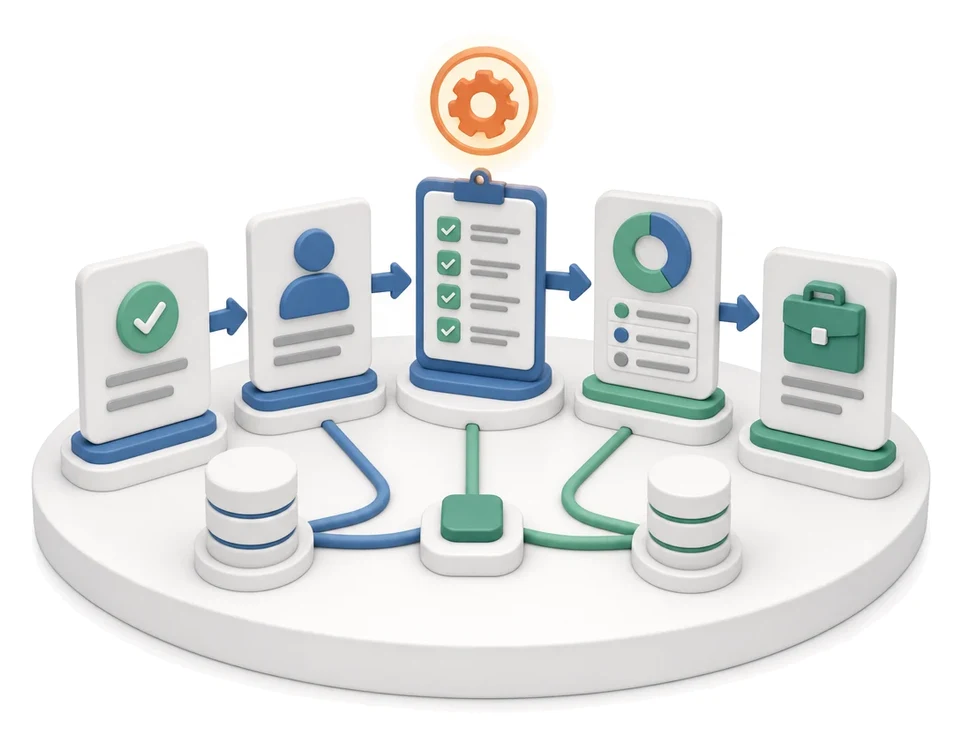
Sales plan → costs by category → P&L result
Output
Annual budget with result
Who works here
Controlling, Management Board
Benefits

What changes in the company after the rollout

The sales plan and all cost categories make up the annual budget. The result is a planned profit and loss account.

Full profitability control

Get instant insight into operating margin and EBITDA for every budget.

Reduced planning time

Eliminate manual retyping of data thanks to automatic linking of the sales plan with costs.

Better management decisions

Make well‑founded decisions based on clear monthly and annual summaries.

Transparent financial processes

Easily track budget approval statuses from draft through to final sign‑off.

Fast liquidity assessment

Quickly check bank account balances and the summary of inflows and outflows.

System screens

How this process looks in Process App

Zrzuty pochodzą z działającego systemu — kliknij, aby powiększyć.
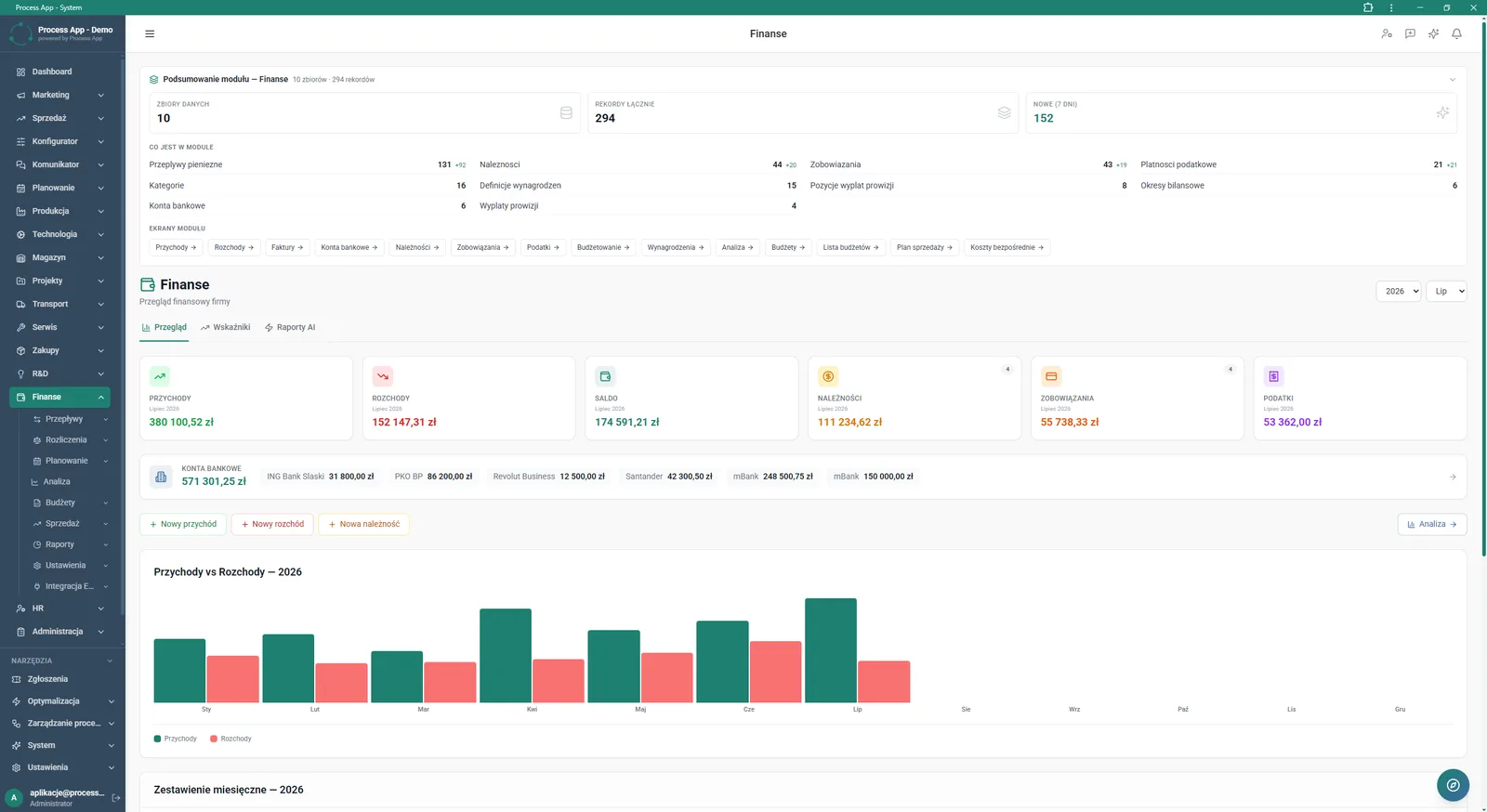
Main screen of the Finance module showing a data overview, key financial indicators for the selected month, bank account balances, and a chart of inflows and outflows.
1

Main screen of the Finance module showing a data overview, key financial indicators for the selected month, bank account balances, and a chart of inflows and outflows.

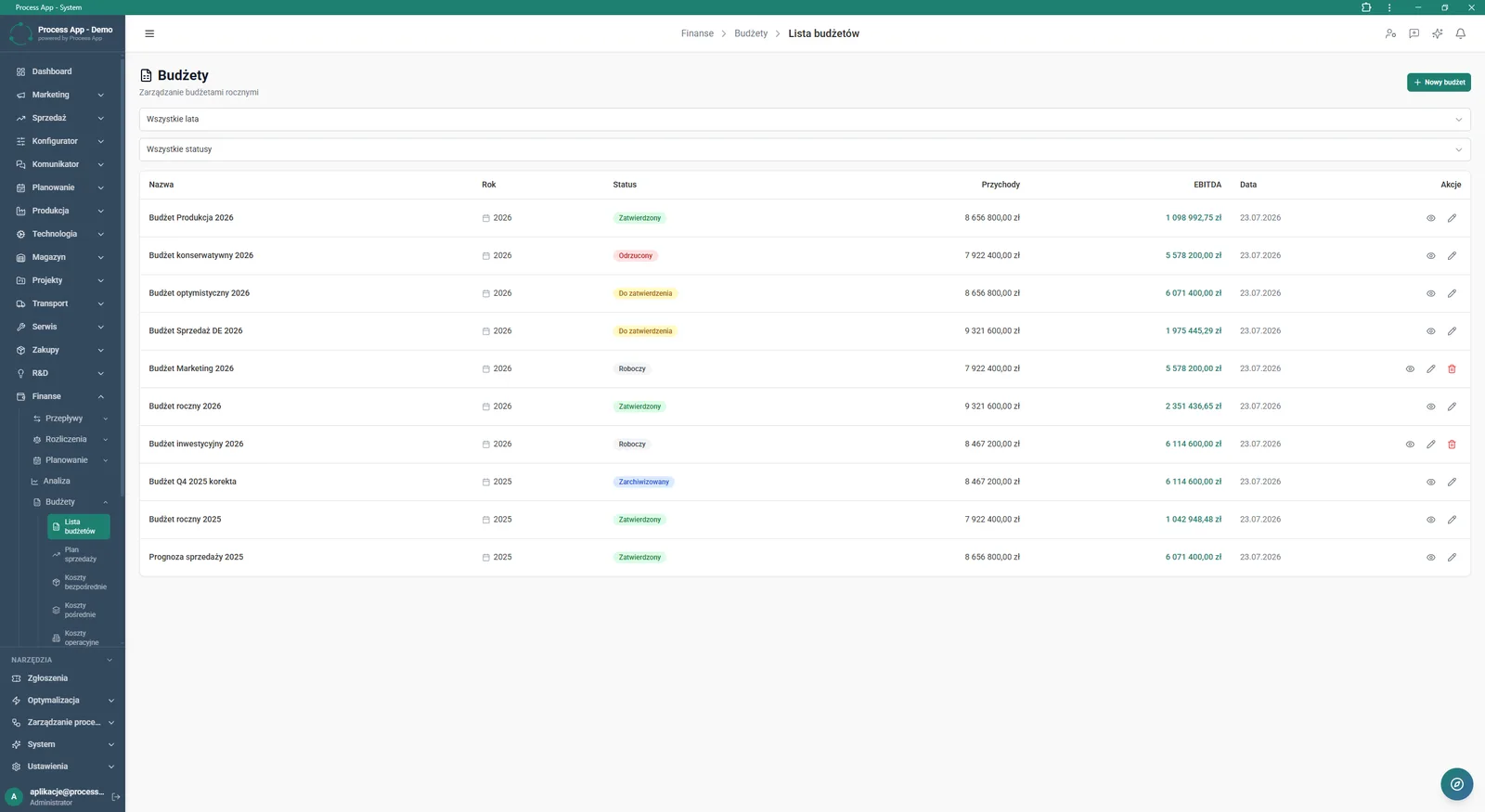
Budget List screen in the Finance module displaying a table of annual budgets with their statuses and key financial values such as revenues and EBITDA.
2

Budget List screen in the Finance module displaying a table of annual budgets with their statuses and key financial values such as revenues and EBITDA.

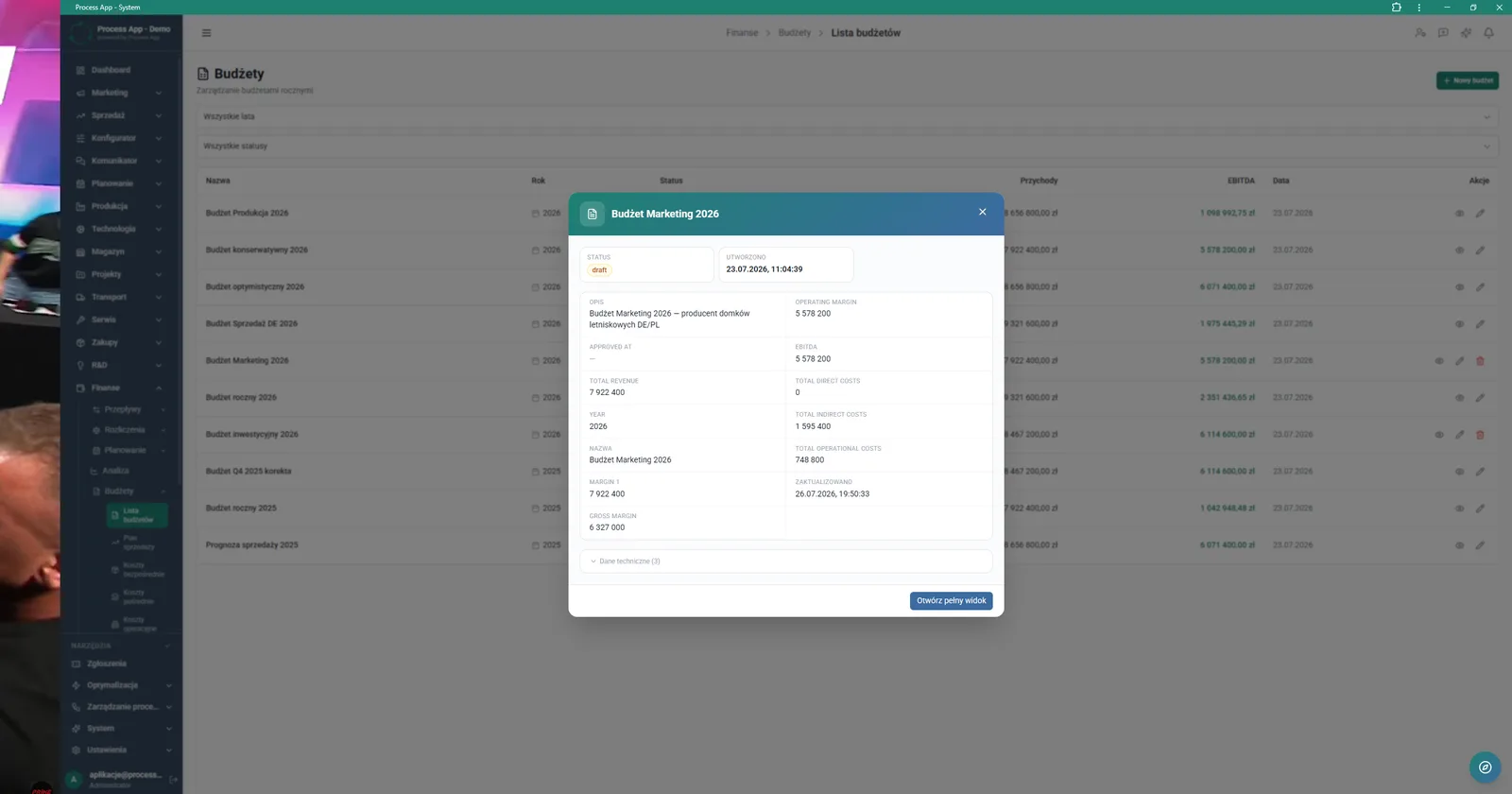
Budget List screen with an open preview window for the selected budget, showing its parameters and financial indicators.
3

Budget List screen with an open preview window for the selected budget, showing its parameters and financial indicators.

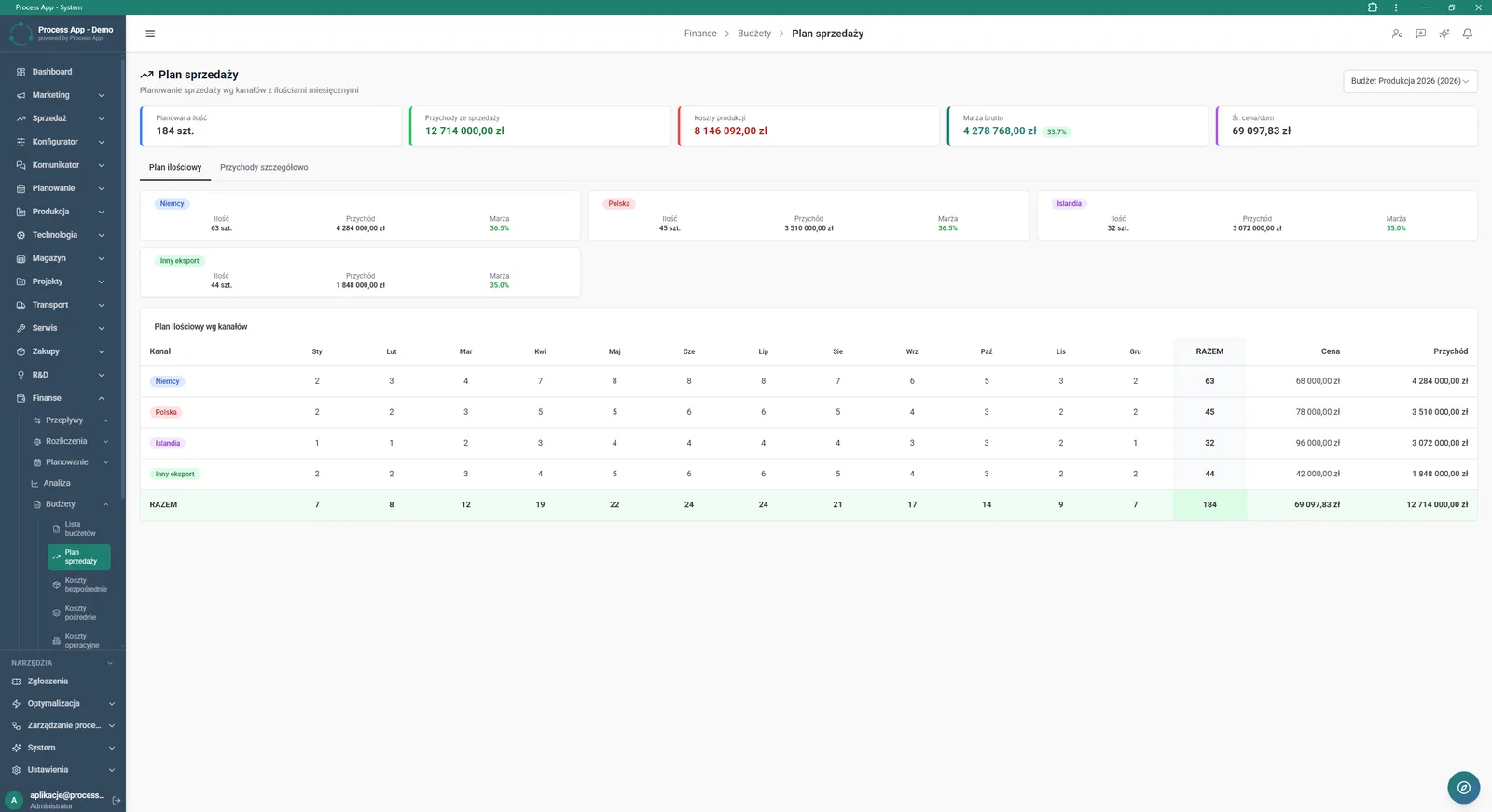
Sales Plan screen in the Finance module showing sales planning by channel and month, with summary tiles of financial values and a table with the quantity plan.
4

Sales Plan screen in the Finance module showing sales planning by channel and month, with summary tiles of financial values and a table with the quantity plan.

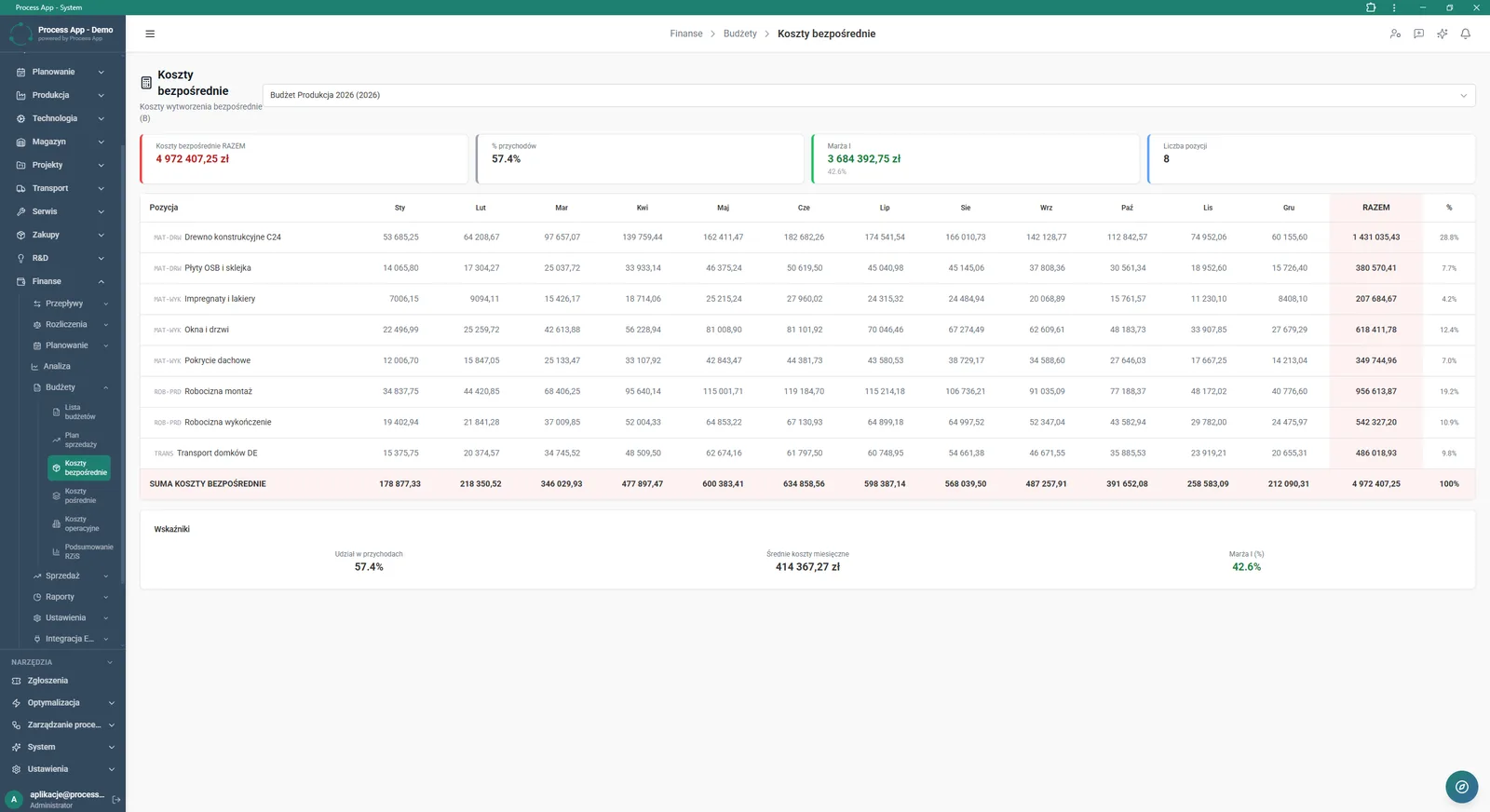
Direct Costs screen in the Finance module showing a detailed plan of production costs by month and category, with summary tiles and indicators at the bottom of the page.
5

Direct Costs screen in the Finance module showing a detailed plan of production costs by month and category, with summary tiles and indicators at the bottom of the page.

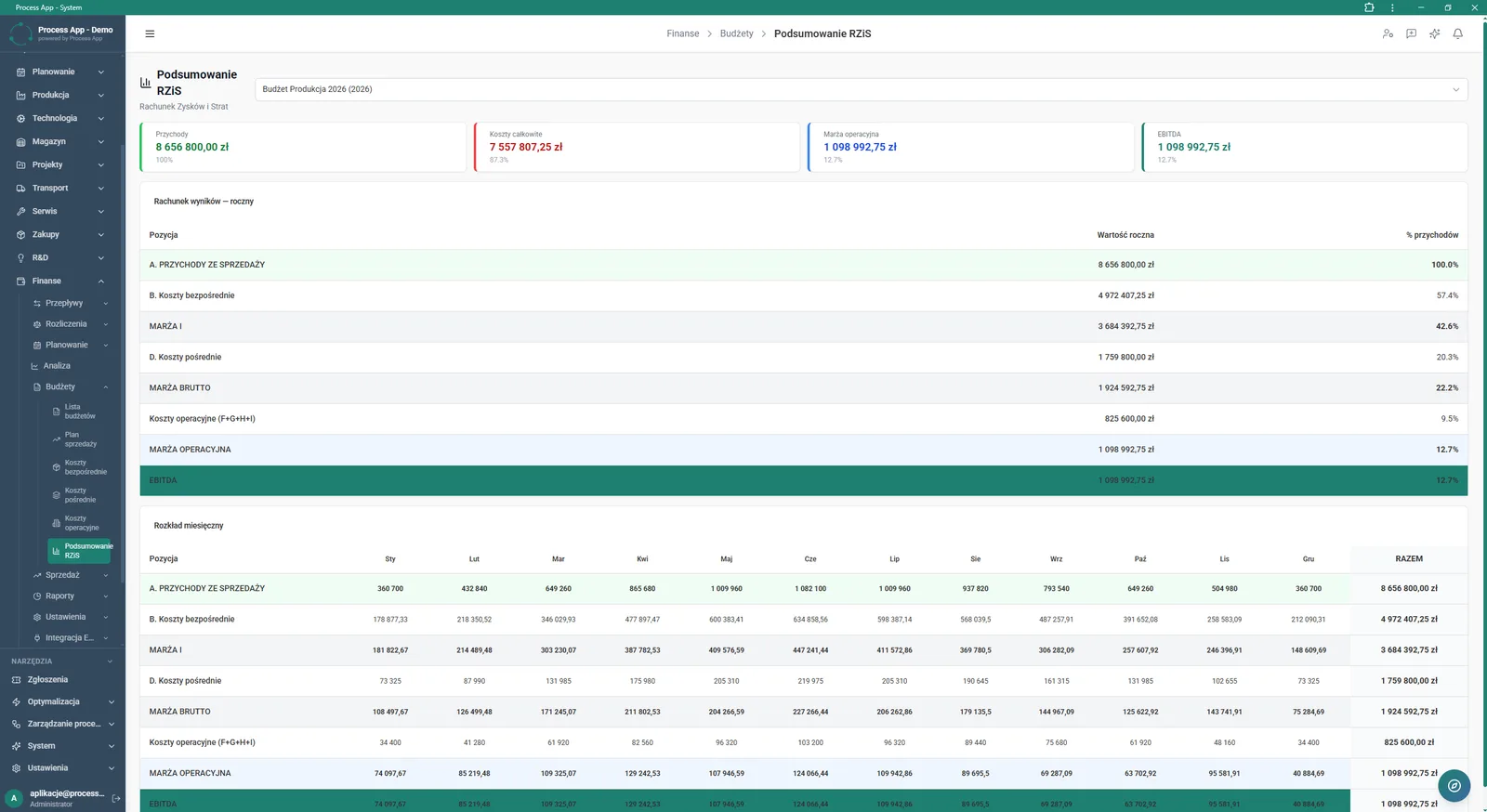
P&L Summary screen in the Finance module showing the consolidated profit and loss account for the selected budget, including summary tiles, an annual results overview and a detailed monthly breakdown.
6

P&L Summary screen in the Finance module showing the consolidated profit and loss account for the selected budget, including summary tiles, an annual results overview and a detailed monthly breakdown.

Features

What exactly you get

Creating annual budgets

The system enables you to add new budgets and manage their technical parameters in a dedicated preview window.

Detailed sales plan

The application lets you enter sales quantities and values broken down by month and distribution channel.

Recording direct costs

The module aggregates production costs by category and calculates their share in revenues.

Generating P&L summary

The system automatically creates annual and monthly profit and loss statements based on the entered plans.

Filtering financial data

The application lets you quickly narrow the budget list view by selected year and status.

Artificial intelligence

What AI does for you in this process

Generating financial reports

AI analyses the entered sales and cost plans and creates ready‑to‑use summaries in the AI Reports tab.

Detecting budget anomalies

AI analyses monthly summaries and highlights unusual deviations between planned inflows and outflows.

Profitability ratio assessment

AI analyses calculated gross and operating margins, supporting quick interpretation of the budget’s financial condition.

Module description

The process from start to finish

Manage annual budgets in one centralised place with full visibility into your company’s financial health. Create new budgets and track their status in a clear list, from draft versions to approved plans. Plan sales by channel and month while monitoring margin and average prices. Enter detailed direct costs so the system can automatically calculate their percentage share in revenues. Review the consolidated P&L summary, where you can quickly assess generated operating margin and EBITDA.

Use summary tiles and interactive charts to react instantly to changes in revenues and expenses.

See this process on your own data

We will walk you through the “Annual Budgeting (P&L)” module using your company as the example — the input, the flow and the end result in Process App.

Other modules

Explore the remaining system modules

Sales Invoicing
Sales Invoicing

Finance departmentFinance and banking
Convert to invoiceKSeF supportPDF file generation
Plan vs Actual Control

Plan vs Actual Control

Finance departmentFinance and banking
Plan vs actual comparisonIndicator Tower tableBudget variance analysis
Month-End Close

Month-End Close

Finance departmentFinance and banking
Interactive P&L statementKPI towerCash flow visualization
Lead Generation

Lead Generation

Sales and marketing departmentCommerce and e-commerce
Landing page wizardForm registerCRM lead database
Prospecting

Prospecting

Sales and marketing departmentCommerce and e-commerce
Company searchSearch historySearch schedule
Cold Mailing

Cold Mailing

Sales and marketing departmentCommerce and e-commerce
Campaign managementAutomatic follow-upsPerformance analysis
Cold Calling

Cold Calling

Sales and marketing departmentCommerce and e-commerce
Cold calling campaign handlingCall script editorCall queue management
Sales Opportunity Management

Sales Opportunity Management

Sales and marketing departmentCommerce and e-commerce
Pipeline managementActivity timelineSales meeting handling
Quotation Preparation

Quotation Preparation

Sales and marketing departmentCommerce and e-commerce
Enquiry managementQuotation calculatorProduct configuration
Offer Preparation and Sending

Offer Preparation and Sending

Sales and marketing departmentCommerce and e-commerce
Offer and quote wizardOffer package managementInteractive landing page
Product Configuration

Product Configuration

Sales and marketing departmentCommerce and e-commerce
Product variant creationSales market managementMultilingual document generation
BOM Development

BOM Development

Operations departmentProduction
Multilevel BOM treeProduct and raw material catalogWarehouse movement history
Sales Invoicing

Sales Invoicing

Finance departmentFinance and banking
Convert to invoiceKSeF supportPDF file generation
Plan vs Actual Control

Plan vs Actual Control

Finance departmentFinance and banking
Plan vs actual comparisonIndicator Tower tableBudget variance analysis
Month-End Close

Month-End Close

Finance departmentFinance and banking
Interactive P&L statementKPI towerCash flow visualization
Lead Generation

Lead Generation

Sales and marketing departmentCommerce and e-commerce
Landing page wizardForm registerCRM lead database
Prospecting

Prospecting

Sales and marketing departmentCommerce and e-commerce
Company searchSearch historySearch schedule
Cold Mailing

Cold Mailing

Sales and marketing departmentCommerce and e-commerce
Campaign managementAutomatic follow-upsPerformance analysis
Cold Calling

Cold Calling

Sales and marketing departmentCommerce and e-commerce
Cold calling campaign handlingCall script editorCall queue management
Sales Opportunity Management

Sales Opportunity Management

Sales and marketing departmentCommerce and e-commerce
Pipeline managementActivity timelineSales meeting handling
Quotation Preparation

Quotation Preparation

Sales and marketing departmentCommerce and e-commerce
Enquiry managementQuotation calculatorProduct configuration
Offer Preparation and Sending

Offer Preparation and Sending

Sales and marketing departmentCommerce and e-commerce
Offer and quote wizardOffer package managementInteractive landing page
Product Configuration

Product Configuration

Sales and marketing departmentCommerce and e-commerce
Product variant creationSales market managementMultilingual document generation
BOM Development

BOM Development

Operations departmentProduction
Multilevel BOM treeProduct and raw material catalogWarehouse movement history