Project Management
The team is getting lost in a tangle of tasks and you’re losing control of implementation timelines? The Projects module lets you manage all work end-to-end using Kanban boards and Gantt charts, giving the whole team one consistent view of progress. Built-in AI algorithms automatically generate status summaries and help refine the details of individual tasks.
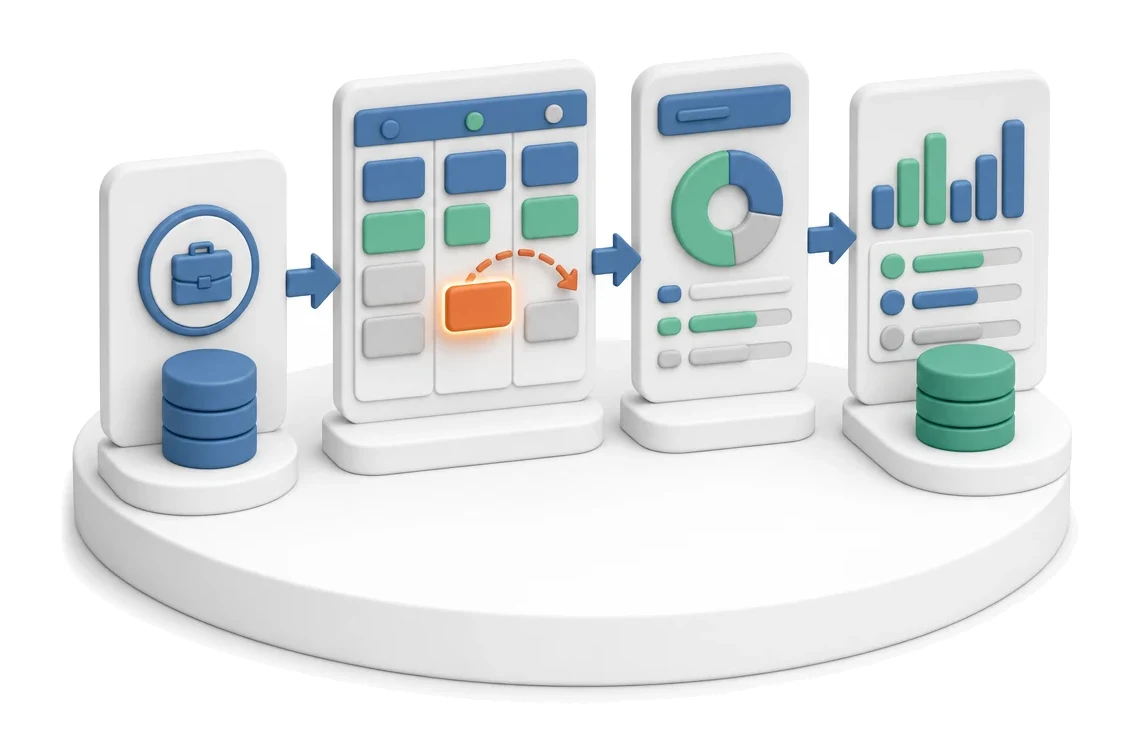
- Input
- Project in progress
- Flow
- Kanban board → task moved → up-to-date project status
- Output
- Current status of tasks and phases
What changes in the company after the rollout
The project is managed on a Kanban board with task statuses. The entire team sees the same picture of progress.
Full work transparency
The entire team sees the same picture of progress and the current status of each stage of execution.
Faster communication
The ability to record voice comments and add attachments directly in the task card shortens decision and clarification time.
Better budget control
Ongoing tracking of monthly indicators allows you to react quickly to deviations from planned revenue.
Instant situational awareness
The overview screen immediately provides key indicators and a list of priority tasks to complete.
Accurate time planning
Timeline visualisation of the schedule makes it easier to allocate resources and avoid overlapping deadlines.
How this process looks in Process App
Zrzuty pochodzą z działającego systemu — kliknij, aby powiększyć.
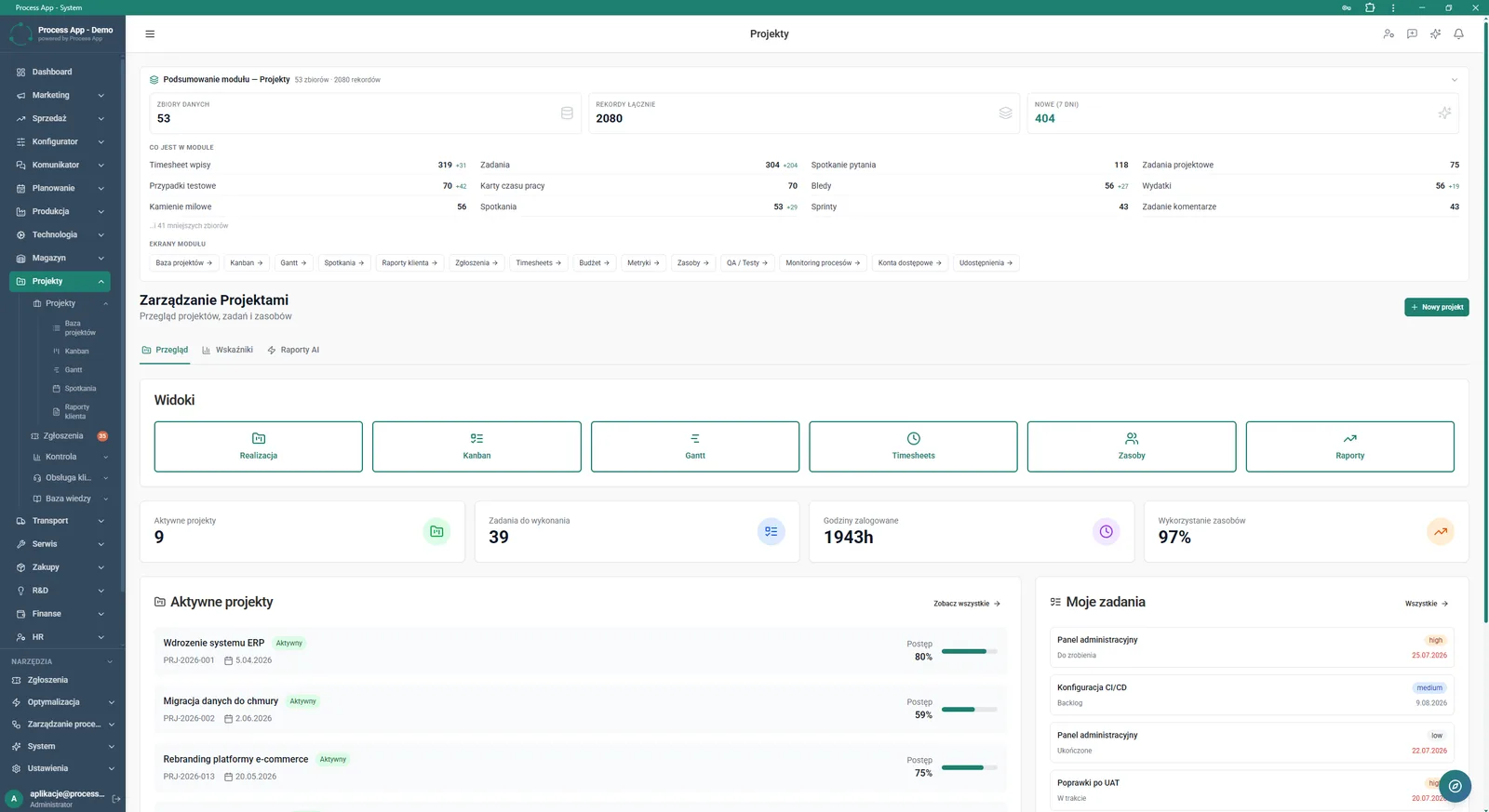
Overview screen in the Projects module presenting a numerical summary of the module, navigation tiles to views, key indicators and lists of active projects and the user’s tasks.
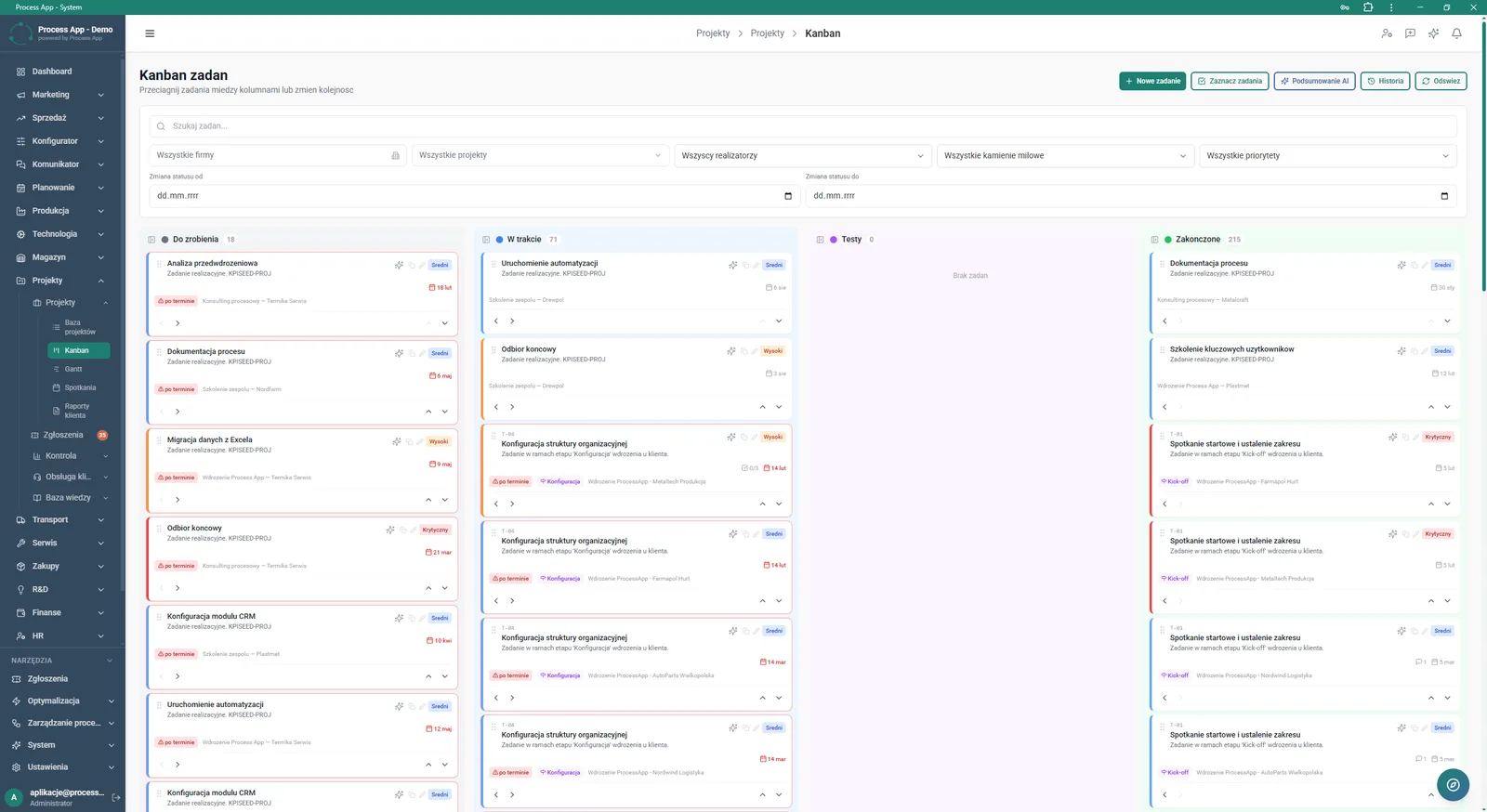
Task Kanban screen in the Projects module displaying a board with task cards arranged in columns by status, along with a filter panel and action buttons.
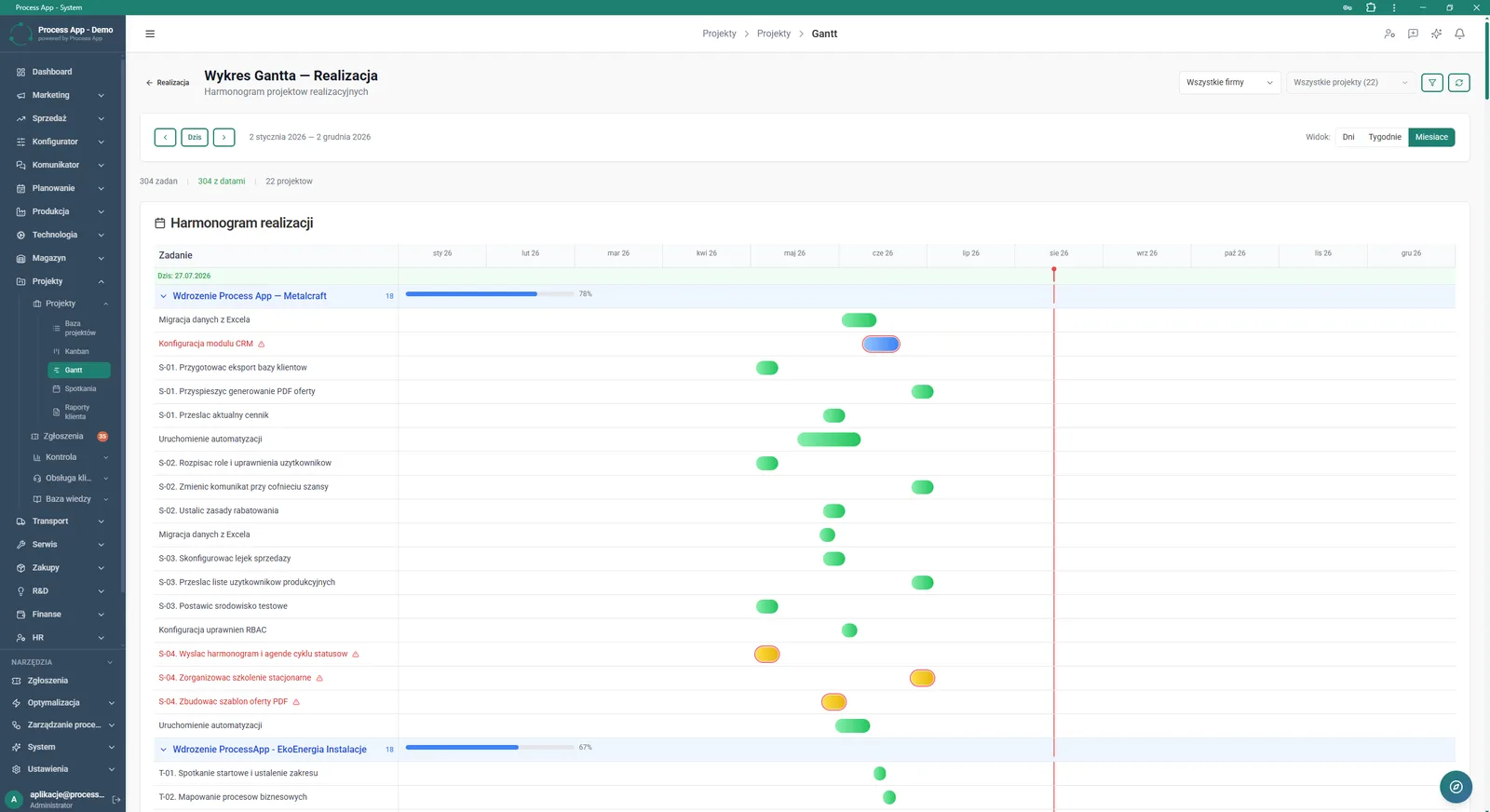
Gantt Chart screen in the Projects module presenting the execution schedule of tasks in a monthly view broken down by individual projects.
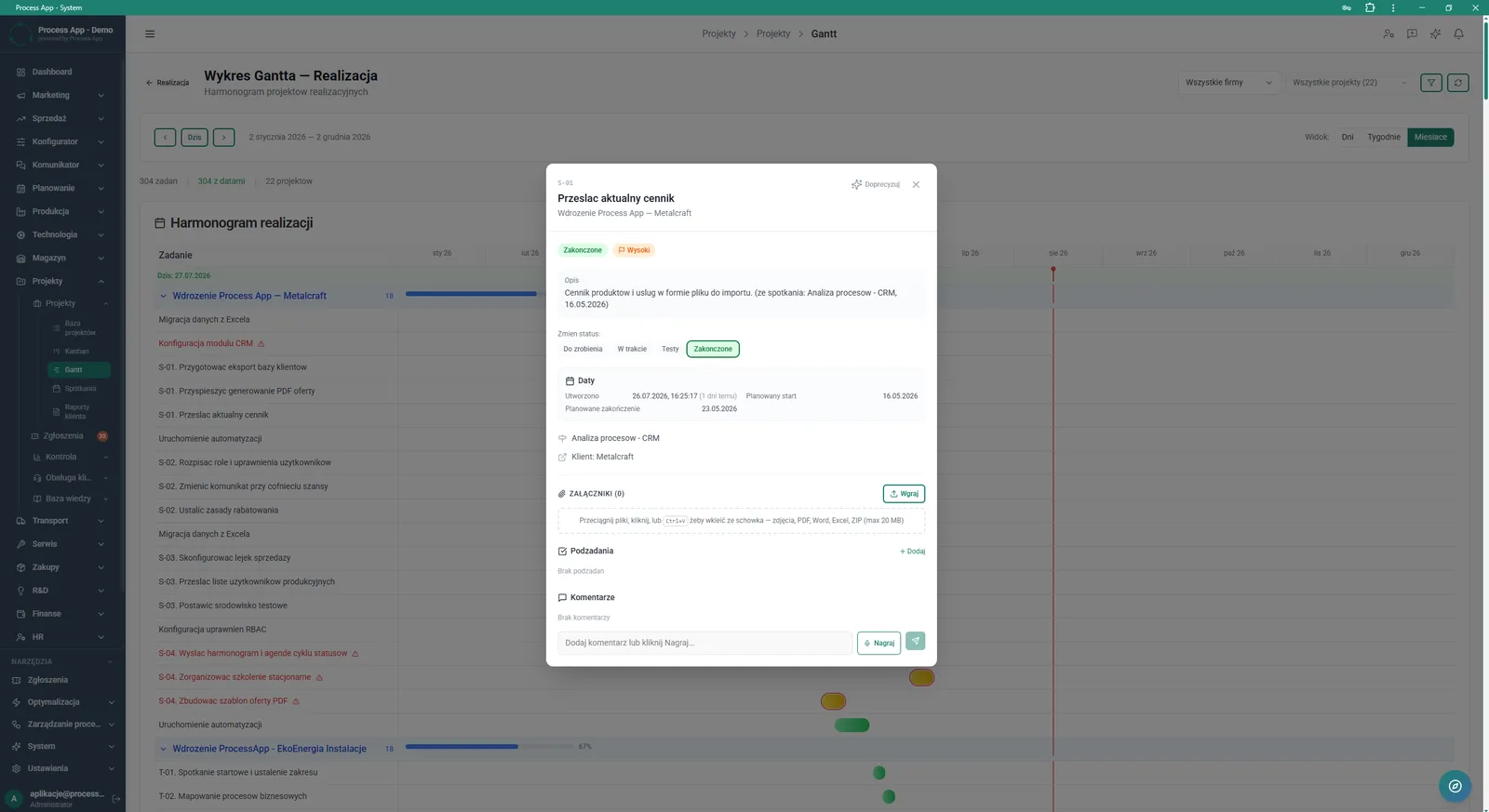
Screen showing an open task detail window overlaid on the Gantt chart view, containing information about status, dates, relations, and sections for attachments, subtasks and comments.
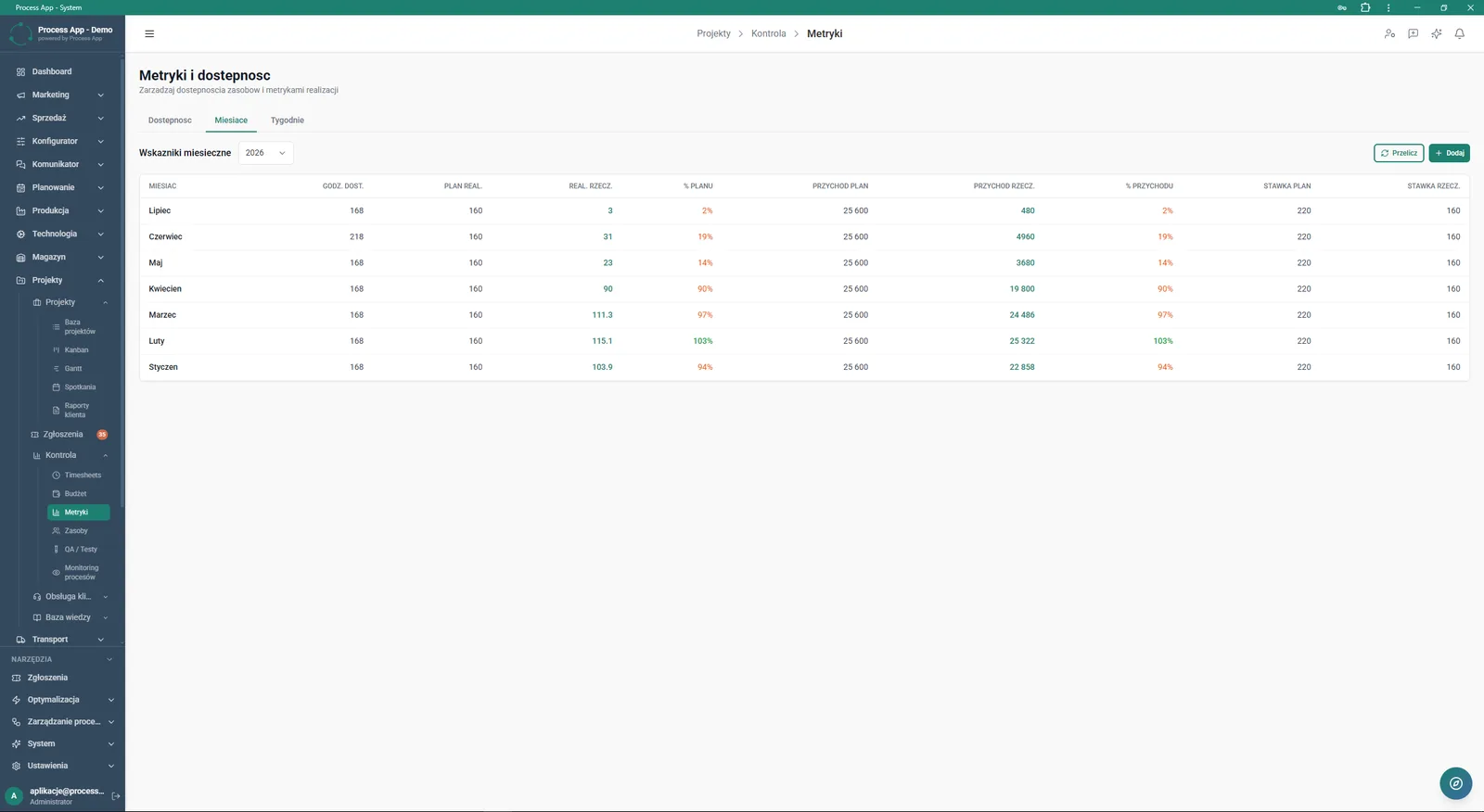
Metrics and Availability screen in the Projects module presenting a table of monthly indicators with data on hours, plan execution and revenue.
What exactly you get
Kanban board
The system lets you drag task cards between status columns and apply advanced filtering.
Interactive Gantt chart
The module presents the execution schedule broken down by projects and allows you to change the time scale.
Task detail management
From a single window, the user can change statuses, add subtasks and link tasks with CRM processes.
Monthly metrics table
The application combines available hours, execution plan and revenue in a clear tabular view.
Advanced search filters
Views can be narrowed down by companies, projects, assignees, priorities and milestones.
What AI does for you in this process
Summary generation
Artificial intelligence analyses the board view and creates quick summaries for the selected tasks.
Detail refinement
AI helps expand the description and parameters of a task after clicking the relevant button in its card.
Report creation
Algorithms generate dedicated analytical summaries available directly from the main overview screen.
The process from start to finish
Manage every stage of project execution from a single overview screen, where you immediately see active projects and your own tasks to complete. Move your team’s daily work onto a clear task Kanban, easily changing statuses from To do through to Completed. Plan long term with the Execution Gantt Chart, which lets you smoothly switch between day, week, and month views. Continuously track key indicators such as logged hours and resource utilisation to avoid delays. Open the details of any task directly from the timeline to add subtasks, upload attachments or record voice comments for the team. Analyse profitability and progress in the Metrics and Availability tab, comparing the execution plan with actual revenue.
See this process on your own data
We will walk you through the “Project Management” module using your company as the example — the input, the flow and the end result in Process App.
Explore the remaining system modules
Project Kick-off
Project Schedule Planning
Project Time Tracking
Project Budget and Margin Control
Client Status Reporting
Complaint Intake and Qualification
Complaints Handling
Service Team and Calendar Planning
Service Trip Execution
Sales Invoicing
Annual Budgeting (P&L)