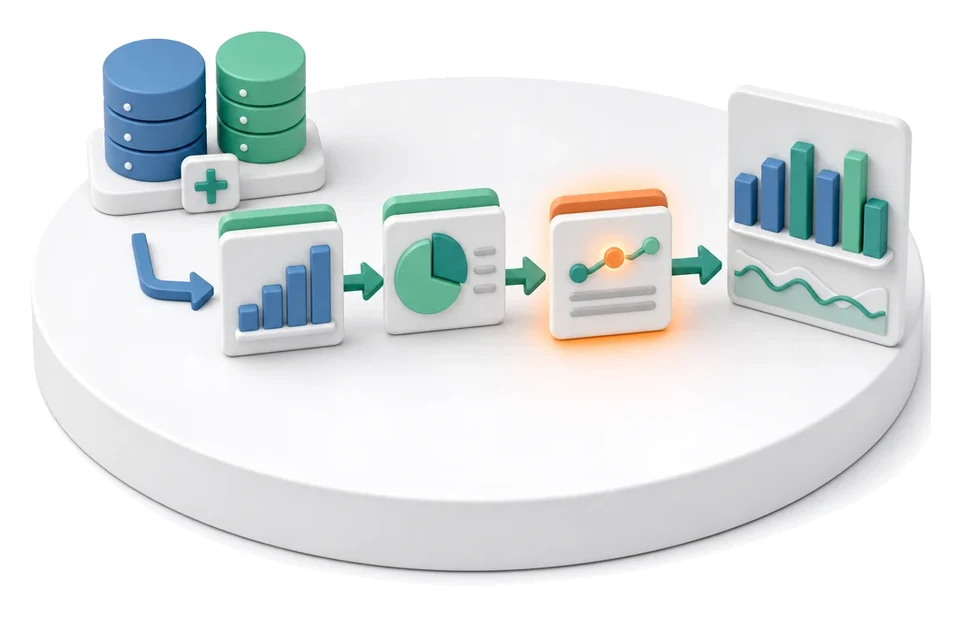
Project Schedule Planning
Losing control of deadlines and dependencies in complex implementations? The Projects module lets you break the scope down into concrete tasks, group them into milestones, and track progress on a Gantt chart. Artificial intelligence automatically generates plans, optimises task naming, and highlights potential delay risks.
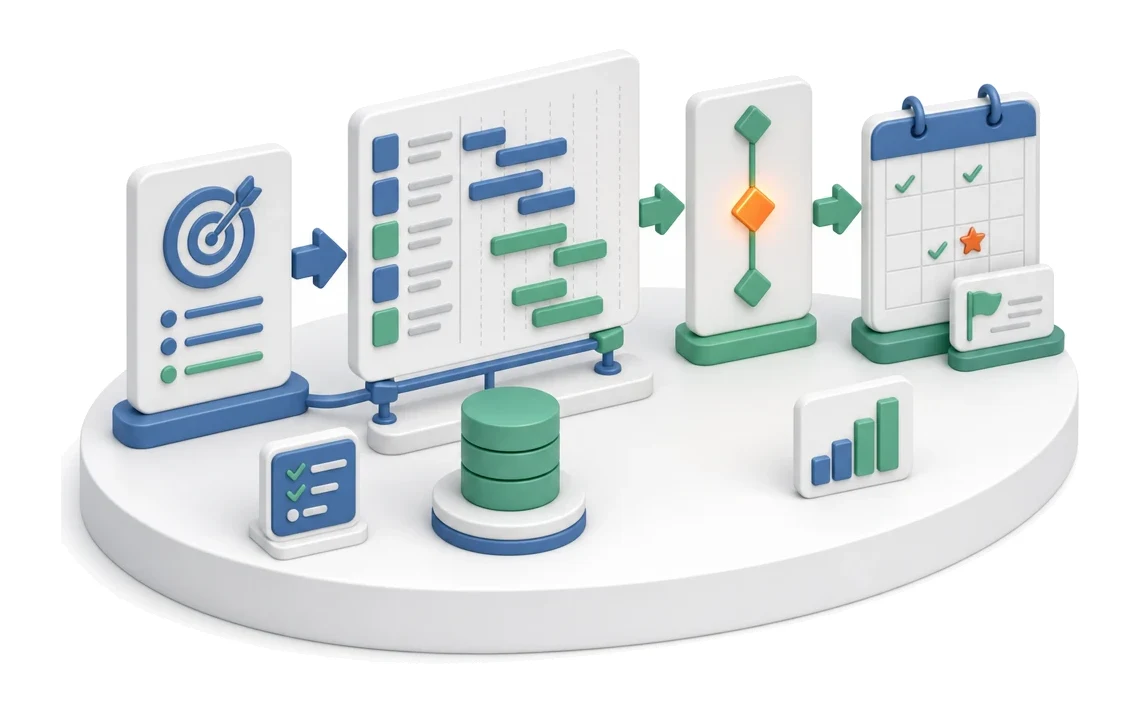
- Input
- Project scope
- Flow
- Scope → tasks on Gantt → milestones
- Output
- Schedule with milestones
What changes in the company after the rollout
The scope is broken down into tasks, deadlines and milestones. The Gantt chart shows dependencies and delay risks.
Faster implementation planning
Save hours of work with automatic breakdown of the scope into ready-to-use schedules.
Full visibility of progress
Immediately see the current stage of the project thanks to a clear milestone structure.
Lower risk of delays
Early risk identification lets you prevent issues before they impact go‑live dates.
Better control of priorities
The team always knows what matters most thanks to clear markers for critical and high‑risk tasks.
All data in one place
Eliminate information chaos by keeping tasks, meetings, tickets and risks in a single view.
How this process looks in Process App
Zrzuty pochodzą z działającego systemu — kliknij, aby powiększyć.
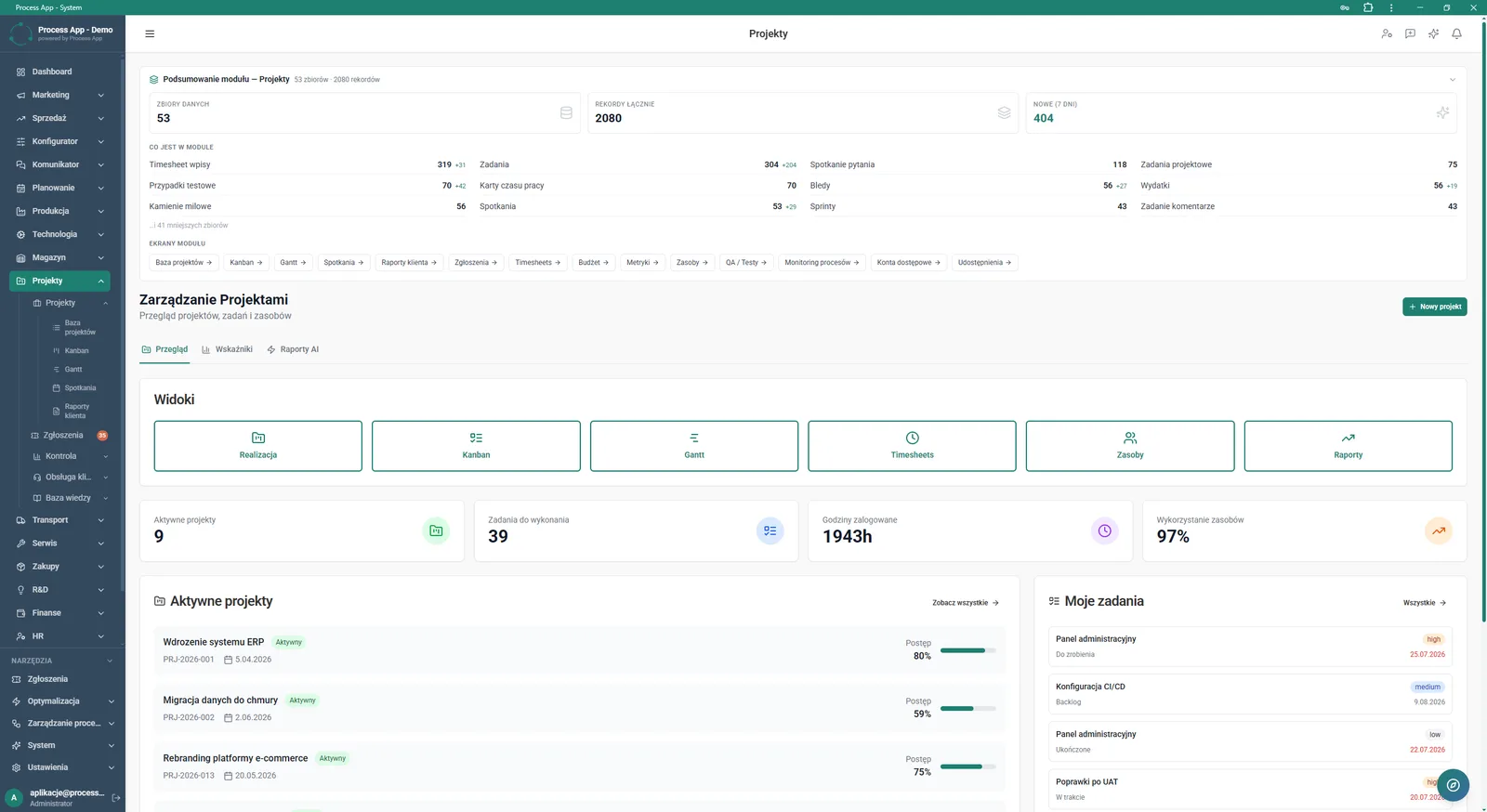
Main screen of the Projects module showing statistics summary, navigation tiles to views, and lists of active projects and assigned tasks.
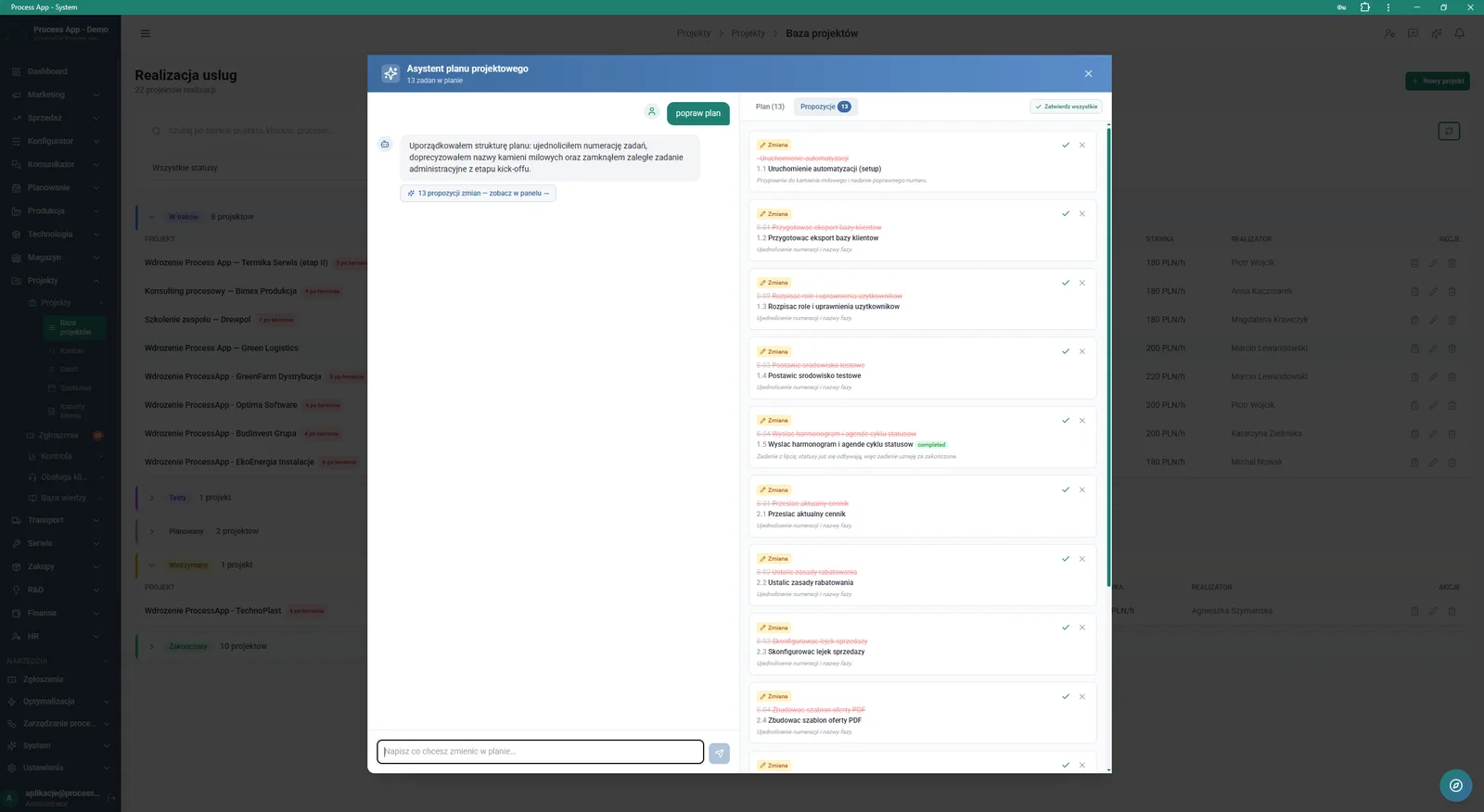
Project base screen with the Project plan assistant window open, showing a chat with the assistant and a list of proposed changes to task names and numbering.
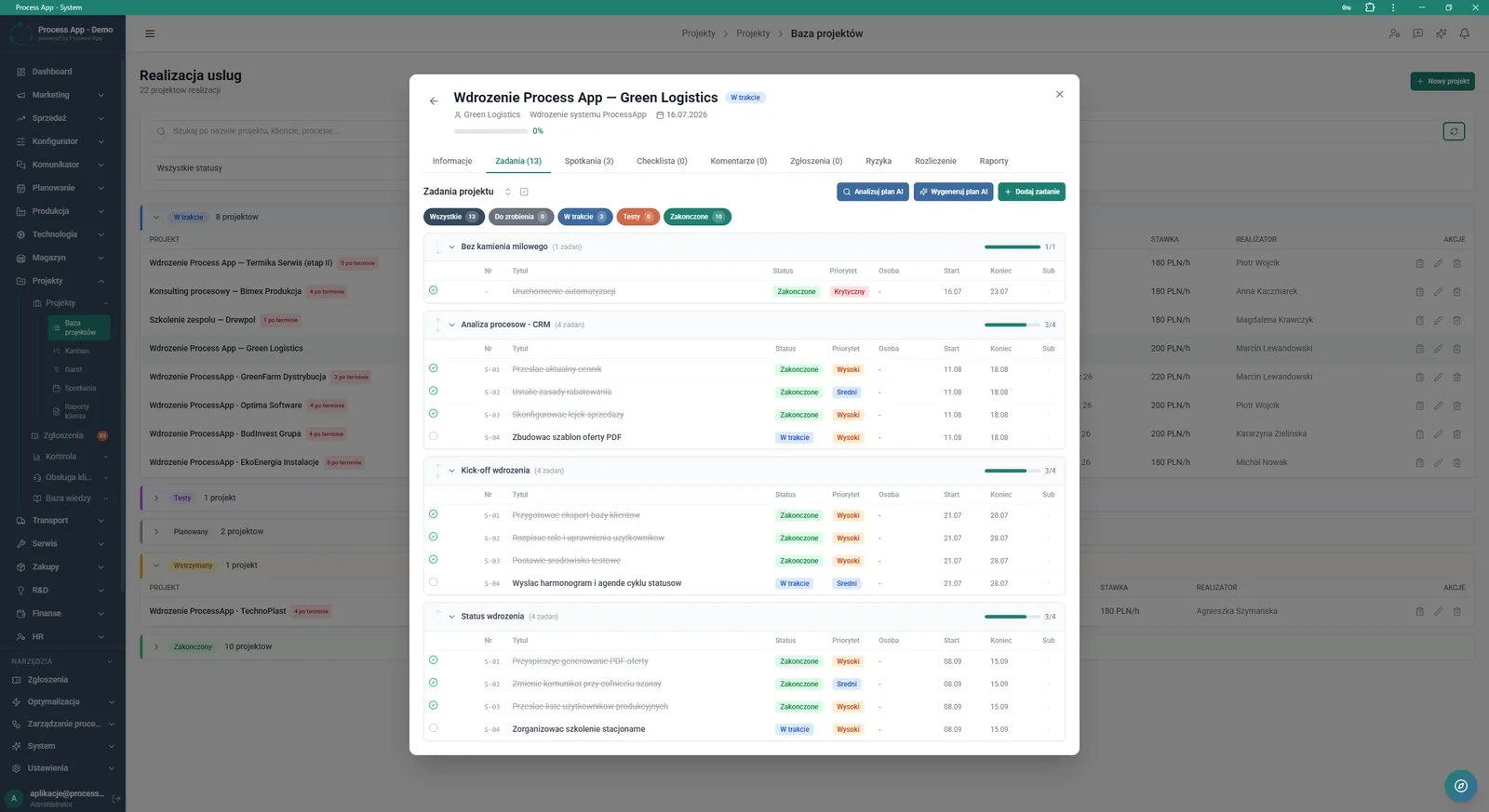
Project base screen with the project details window open and the tab with the task list grouped by milestones active.
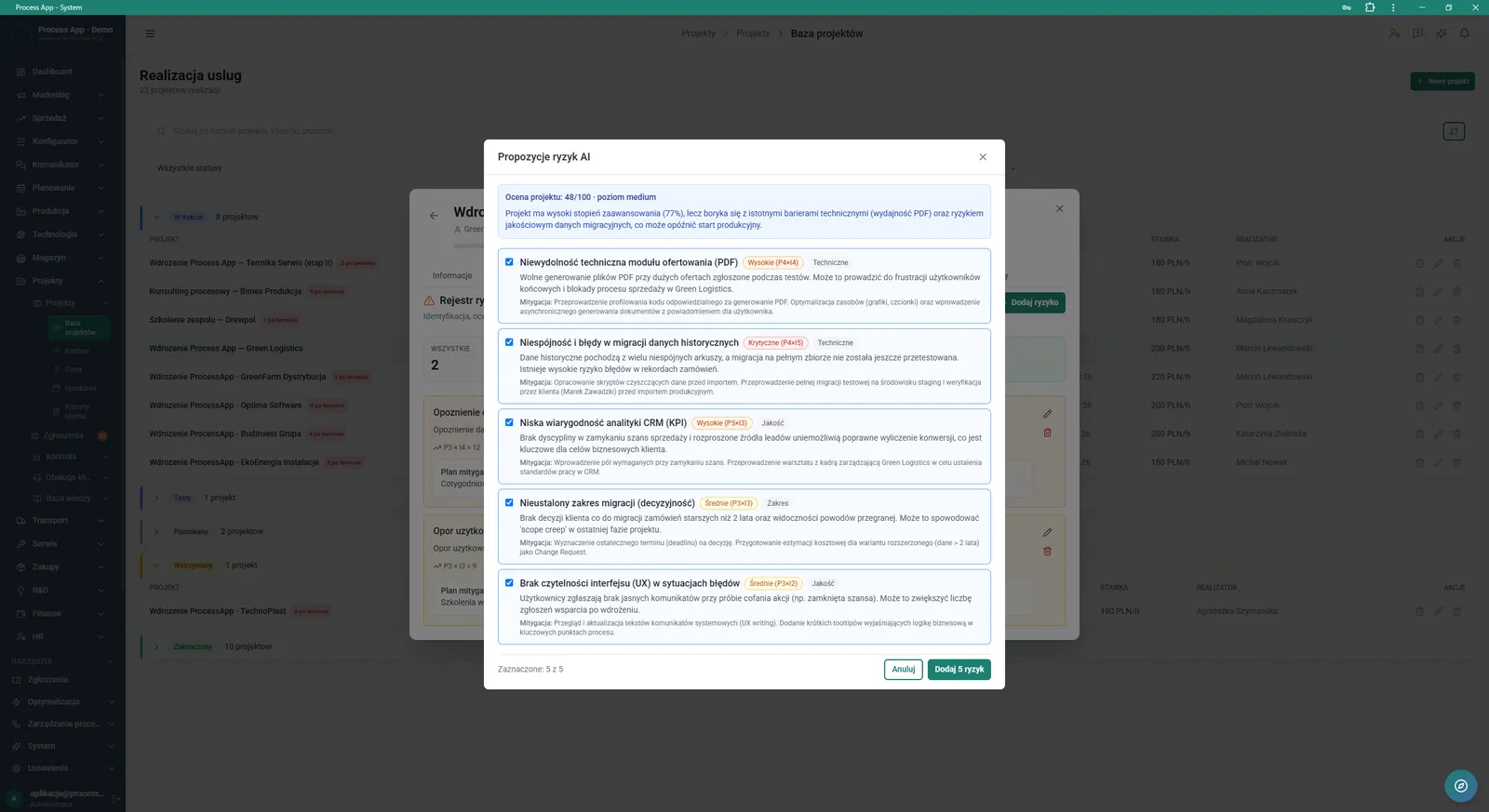
Project base screen with the AI Risk proposals modal window open, showing a generated list of potential project risks with their assessment and mitigation plan.
What exactly you get
Project base management
The system displays a list of all active projects with progress bars and status breakdown.
Milestone grouping
The application lets you organise tasks into logical phases such as Process analysis - CRM or Implementation kick-off.
Task status filtering
The mechanism allows you to quickly narrow the view to tasks with statuses In progress, Testing or Completed.
Multiple work views
The module provides dedicated screens such as Execution, Kanban, Gantt, Timesheets and Resources.
KPI tiles
The main screen presents key metrics including active projects, open tasks and logged hours.
What AI does for you in this process
Project plan generation
AI analyses the implementation scope and automatically creates a task structure using the Generate AI plan button.
Task naming optimisation
AI analyses the current plan and proposes consistent changes to task names and numbering that can be approved with one click.
Risk identification and assessment
AI analyses the project and generates a list of potential risks with categorisation, severity level and a ready mitigation plan.
Plan assistant chat
AI accepts text commands and uses them to modify the schedule in the Project plan assistant window.
The process from start to finish
Manage the entire implementation lifecycle from a single, clear Project base screen. Create new projects and instantly break their scope down into smaller tasks grouped into milestones. Set priorities such as Critical, High or Medium, and track task statuses from To do through to Completed. Control team workload and budget using views such as Gantt, Kanban and Timesheets. Switch between the Overview, Metrics and AI Reports tabs to keep a complete picture of the situation at every stage. Use the built-in assistant to help you build a logical schedule and point out weak spots in the plan. This gives you confidence that every implementation will finish within the agreed time and budget.
See this process on your own data
We will walk you through the “Project Schedule Planning” module using your company as the example — the input, the flow and the end result in Process App.
Explore the remaining system modules
Project Kick-off
Project Management
Project Time Tracking
Project Budget and Margin Control
Client Status Reporting
Complaint Intake and Qualification
Complaints Handling
Service Team and Calendar Planning
Service Trip Execution
Sales Invoicing
Annual Budgeting (P&L)