Service Team and Calendar Planning
Spending too much time manually building schedules and fighting overlapping service trips? The Service module lets you plan a collision-free order calendar, manage field visits, and continuously monitor technician workload. Artificial intelligence analyses execution times and availability to help you build optimal, waste-free schedules.
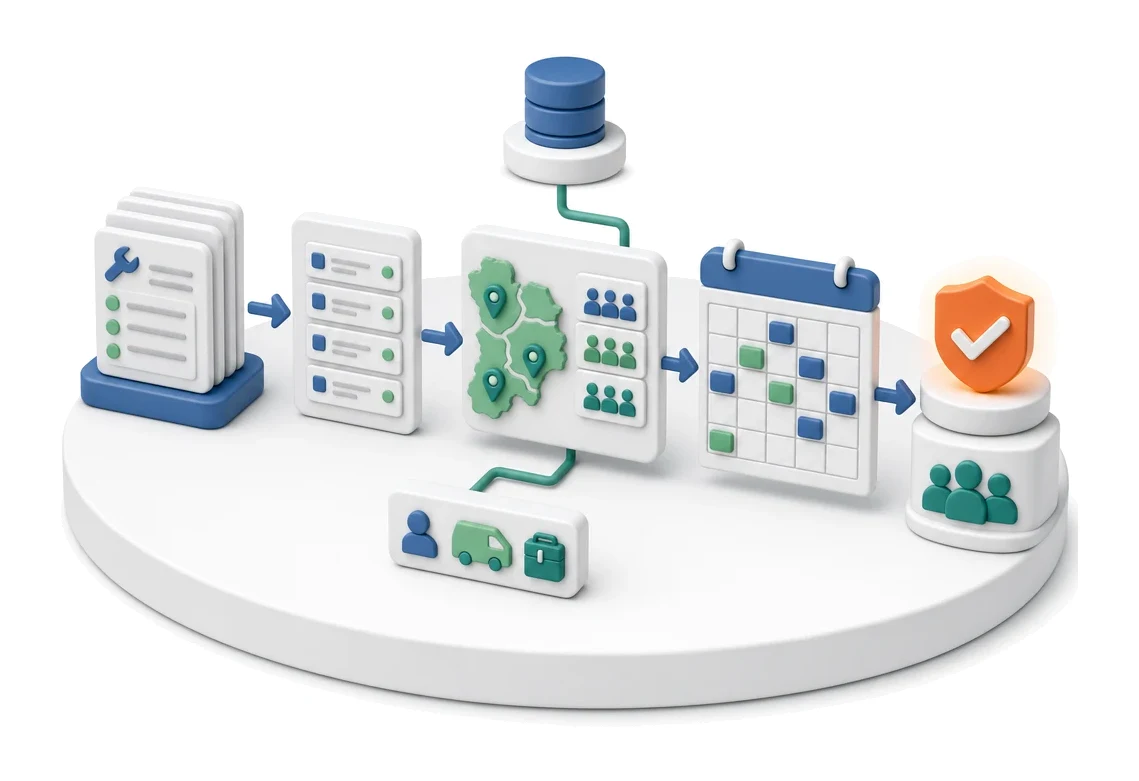
- Input
- Service orders
- Flow
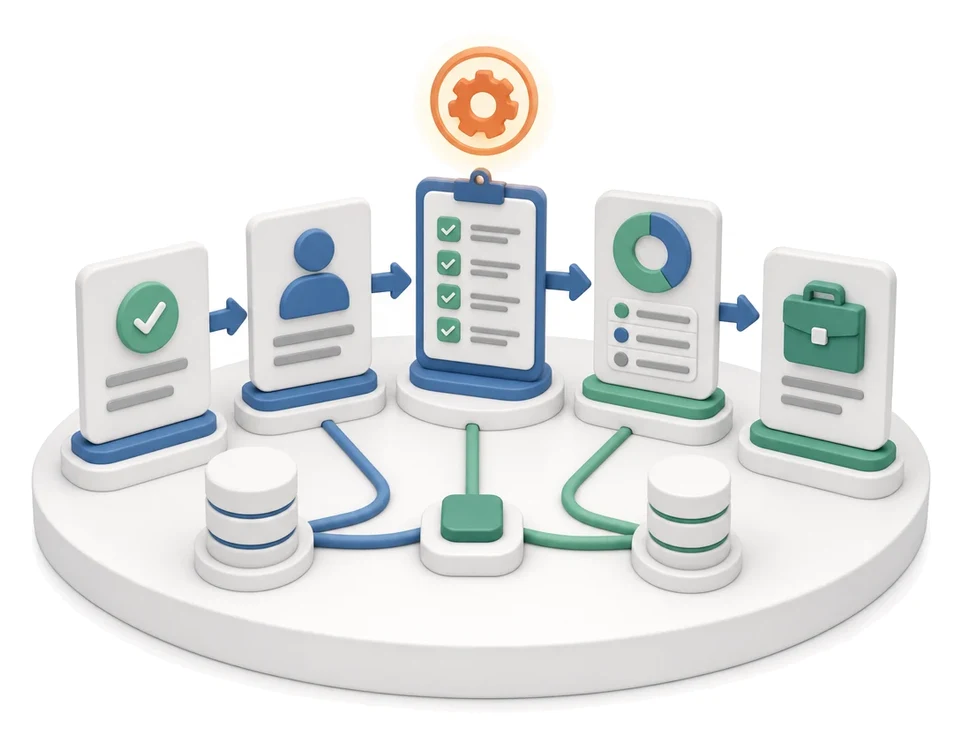
- Order list → assigning teams and regions → weekly schedule
- Output
- Collision-free team schedule
What changes in the company after the rollout
Orders are assigned to team schedules taking into account regions and availability. The calendar eliminates conflicts and empty trips.
Elimination of empty trips
Optimised routing and trip planning reduce operating costs and time spent on the road.
Collision-free work schedule
Including vacations and days off in the calendar prevents assigning orders to unavailable employees.
Full cost control
Tracking per diems, flat rates and costs per house enables precise monitoring of service profitability.
Faster response to delays
Alerts on overdue orders and monitoring of response times help maintain high service quality.
Easier access to history
Instant insight into acceptance reports and warranty statuses speeds up verification of claims.
How this process looks in Process App
Zrzuty pochodzą z działającego systemu — kliknij, aby powiększyć.
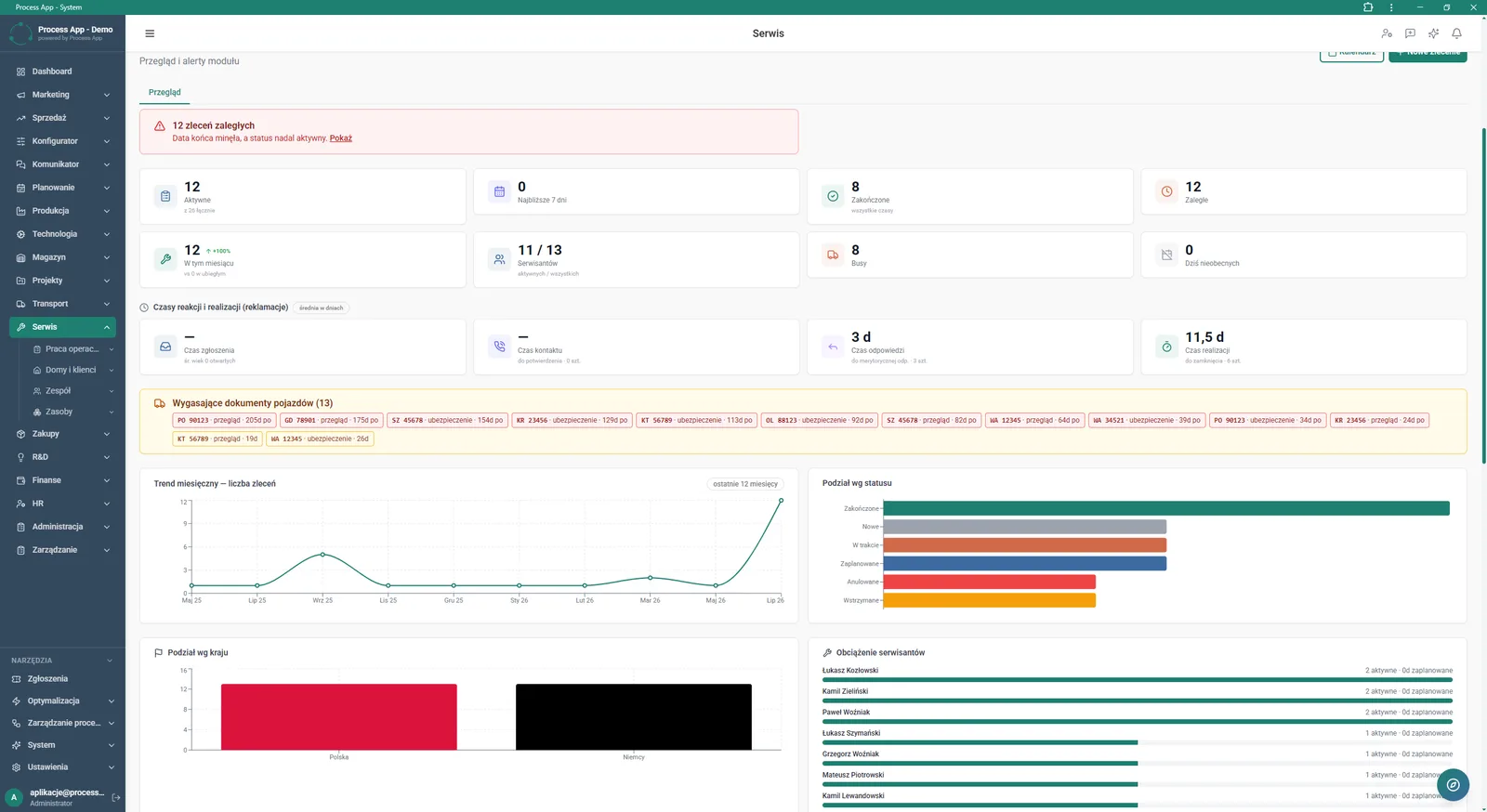
The screen shows the main analytics dashboard of the Service module, including key metrics, alerts on overdue orders, response times, and trend and workload charts.
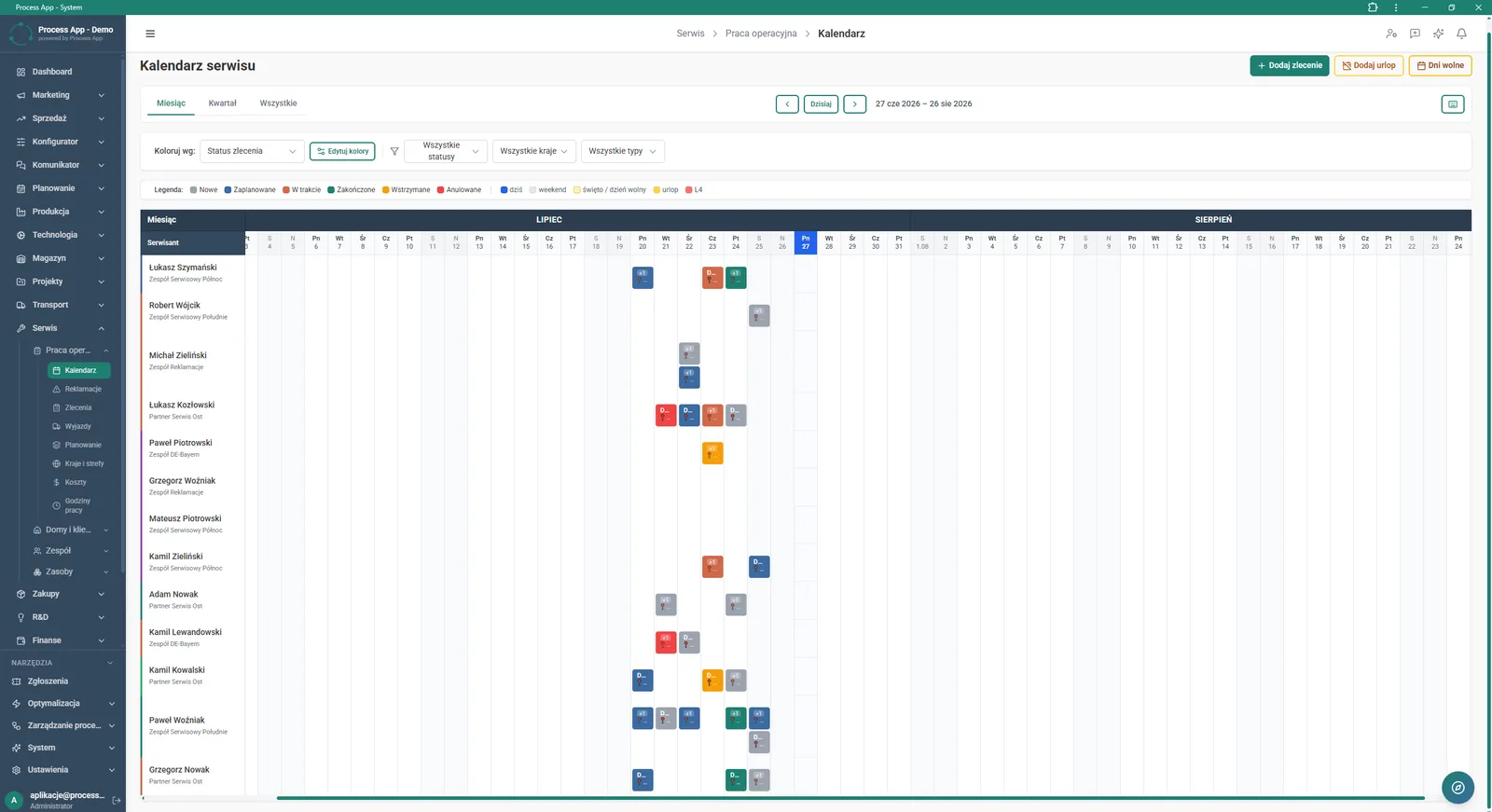
The screen shows the service calendar in the form of a Gantt chart displaying the schedule of orders assigned to individual technicians on a timeline.
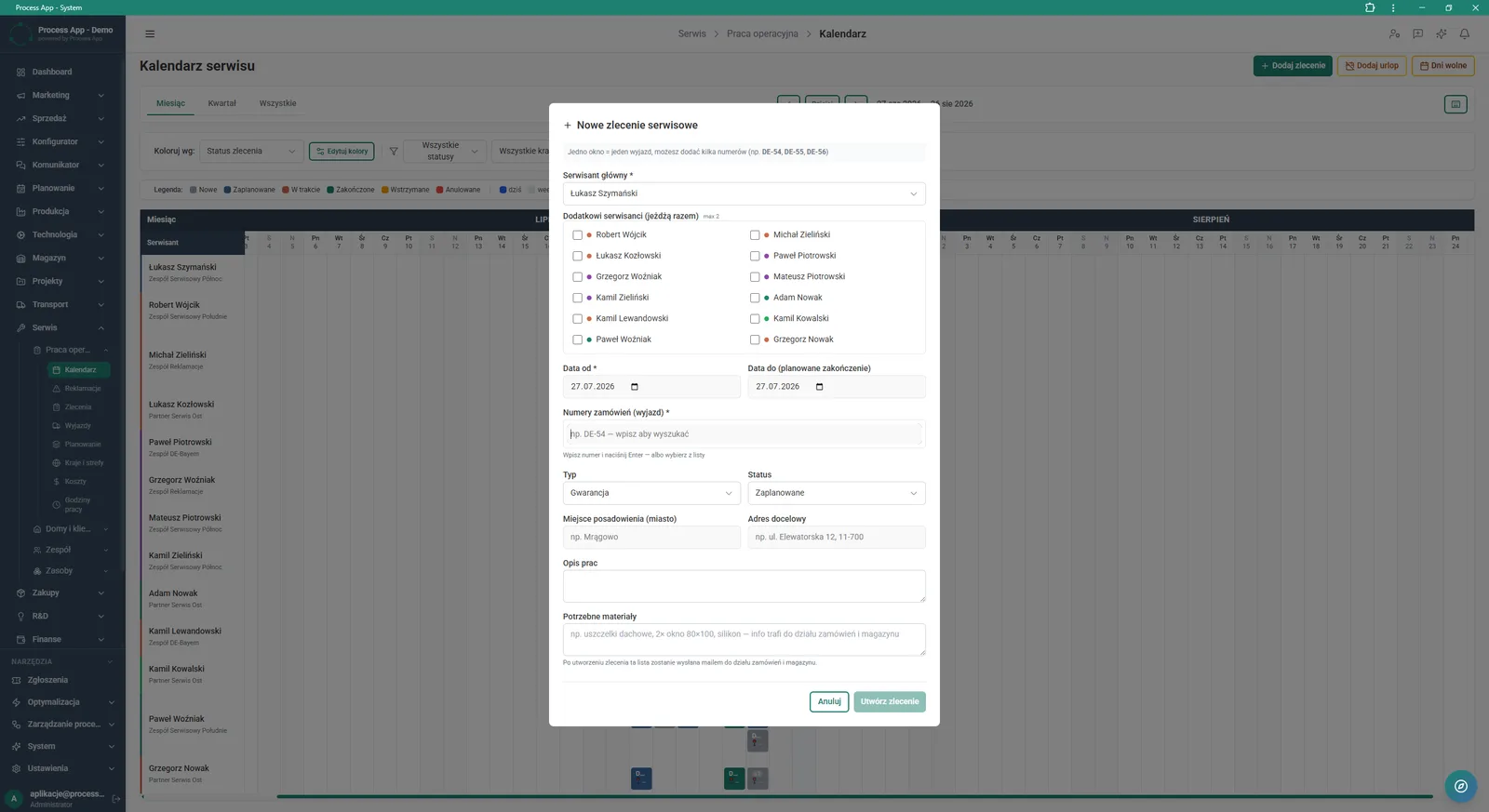
The screen shows the form for adding a new service order opened in a modal window on top of the service calendar.
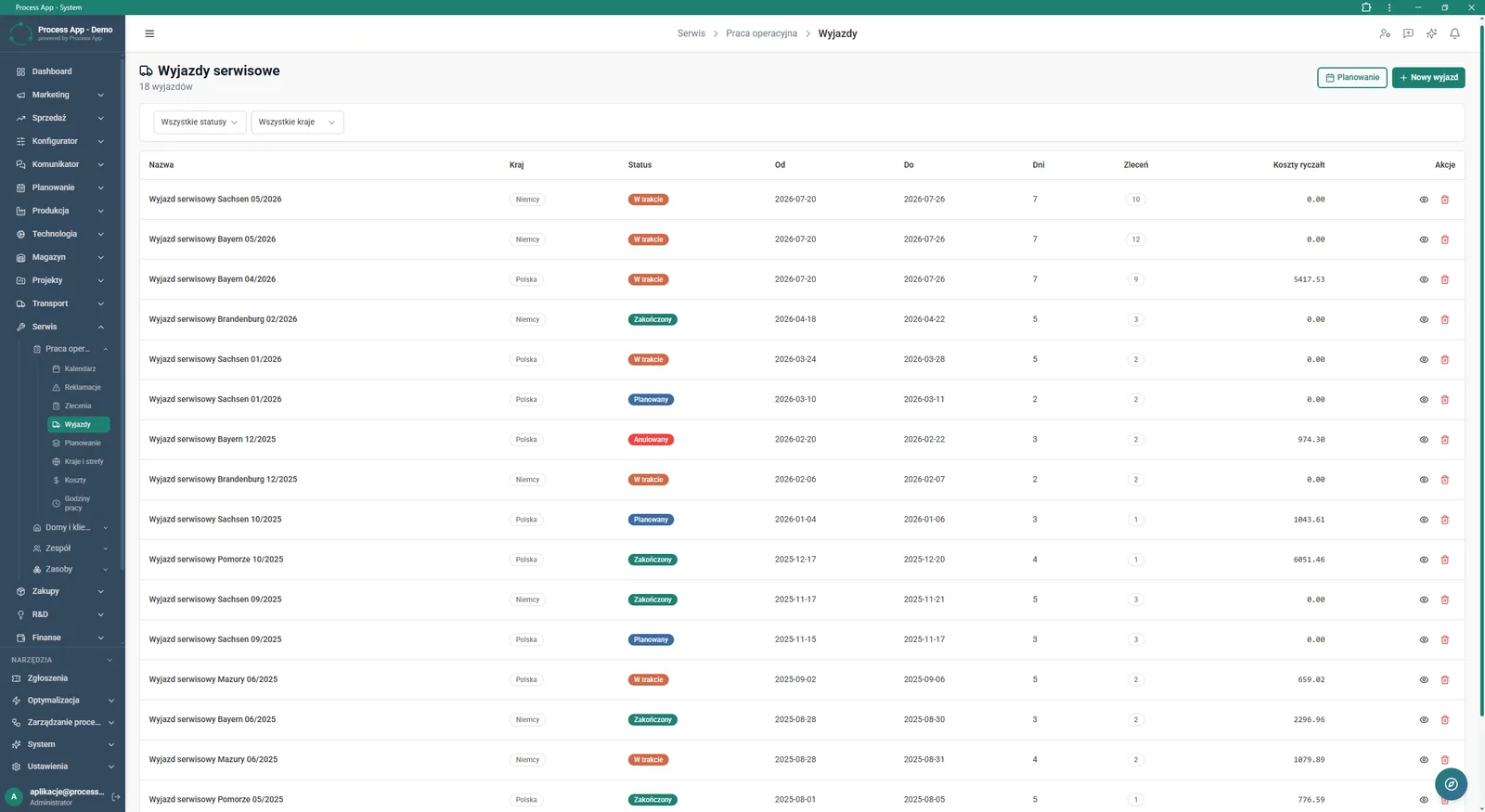
The screen shows the list of service trips in a table with information on status, country, date, number of days and orders, and flat-rate costs.
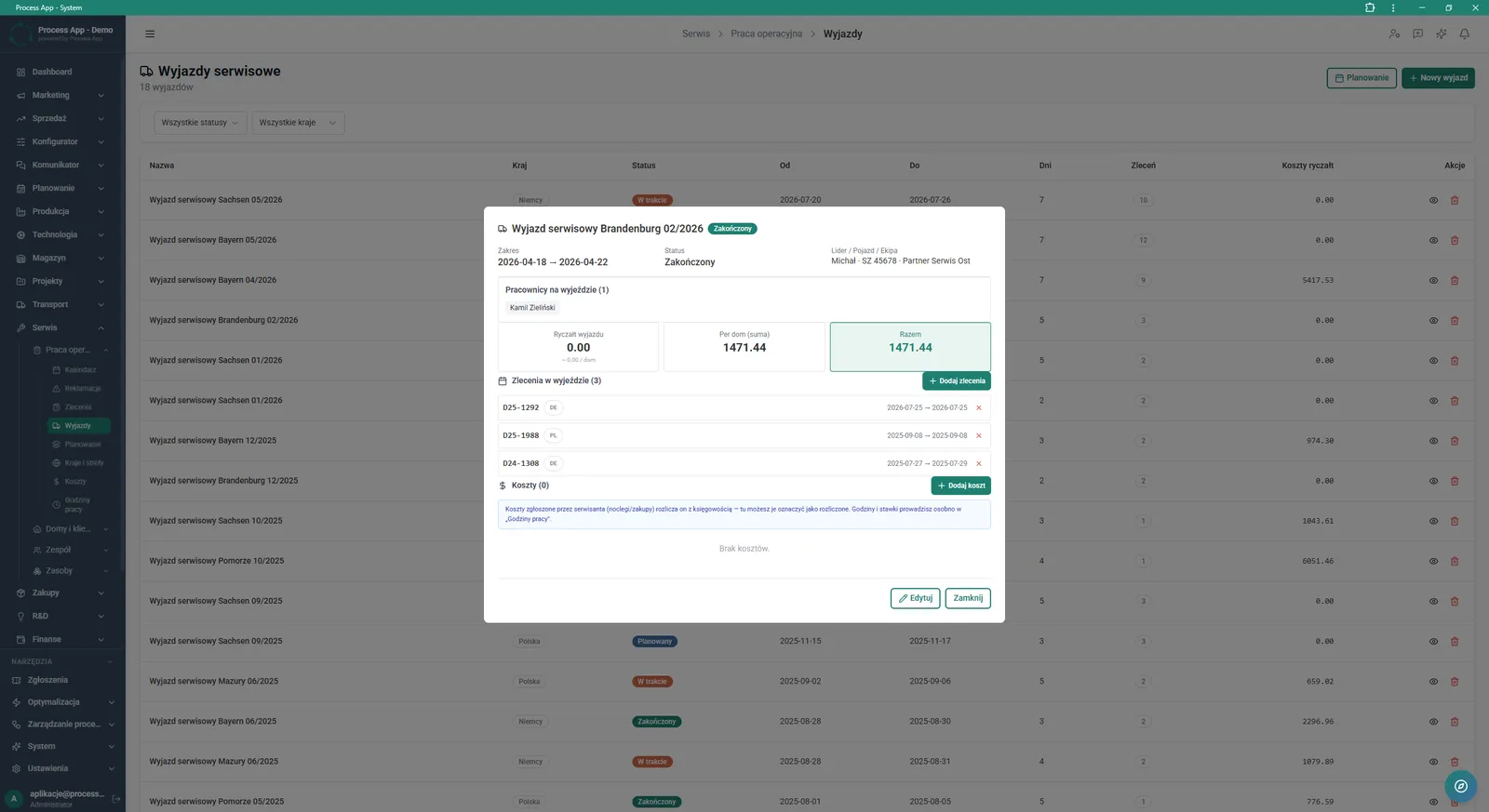
The screen shows a modal window with details of a service trip, including the assigned team, related orders, costs and a financial summary.
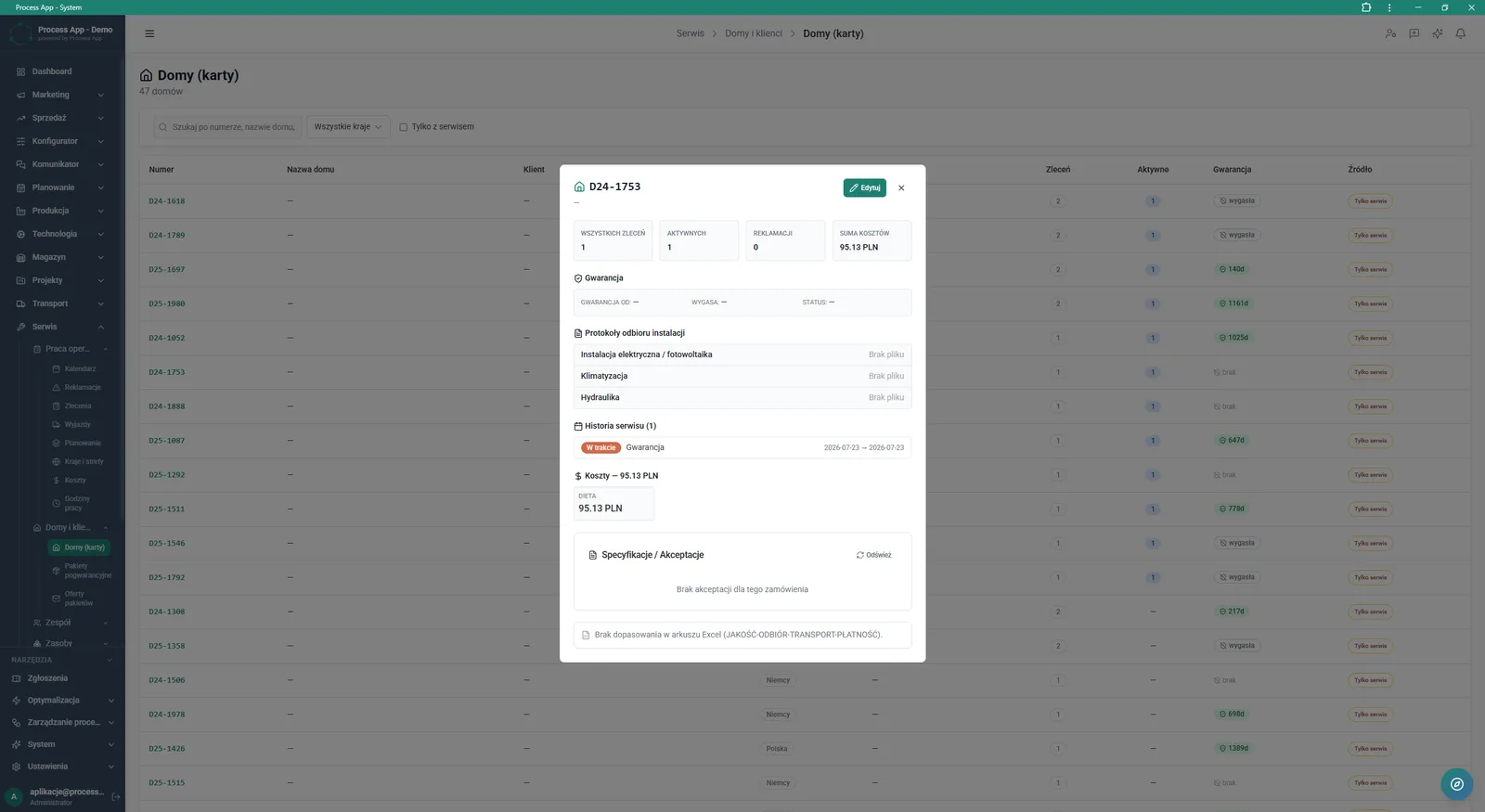
The screen shows a modal window with details of a specific house record, displaying an order summary, warranty status, acceptance reports, service history and costs, against the background of a tabular list of all houses.
What exactly you get
Interactive service calendar
The system displays the order schedule as a Gantt chart with colour editing and filtering options.
Service trip management
The module lets you group orders into trips, assign teams and record related costs.
Module analytics dashboard
The Overview screen presents key metrics, trend charts and workload for each technician.
House records
The system collects in one place the full service history, warranty statuses and installation acceptance reports for each property.
Absence handling
The application allows you to add vacations and days off, which are automatically shown on the timeline.
What AI does for you in this process
Automatic schedule optimisation
Artificial intelligence analyses team availability and locations, suggesting an order layout that prevents conflicts.
Resource workload forecasting
Artificial intelligence analyses historical execution times and monthly trends to forecast demand for technicians.
Cost anomaly detection
Artificial intelligence analyses trip and per-diem costs and alerts you to breaches of standard flat-rate budgets.
The process from start to finish
Manage all operational work from a single, clear dashboard in the Overview tab. Plan service orders in an interactive calendar, taking into account your employees’ vacations, sick leave and days off. Build complete service trips by assigning a lead technician, additional crew members and specific order numbers. Continuously monitor key indicators such as response times, the number of overdue orders or expiring vehicle documents. Control per-diem and flat-rate costs assigned to each trip and verify warranty statuses for individual houses. Quickly filter views by country or status to keep full control over what is happening in the field. This way you eliminate schedule conflicts and gain full visibility over all service activities.
See this process on your own data
We will walk you through the “Service Team and Calendar Planning” module using your company as the example — the input, the flow and the end result in Process App.
Explore the remaining system modules

Complaint Intake and Qualification

Complaints Handling

Service Trip Execution

Sales Invoicing

Annual Budgeting (P&L)

Plan vs Actual Control

Month-End Close

Recruitment
Employee Onboarding

Working Time and Time & Attendance Records

Leave and Absence Management