Month-End Close
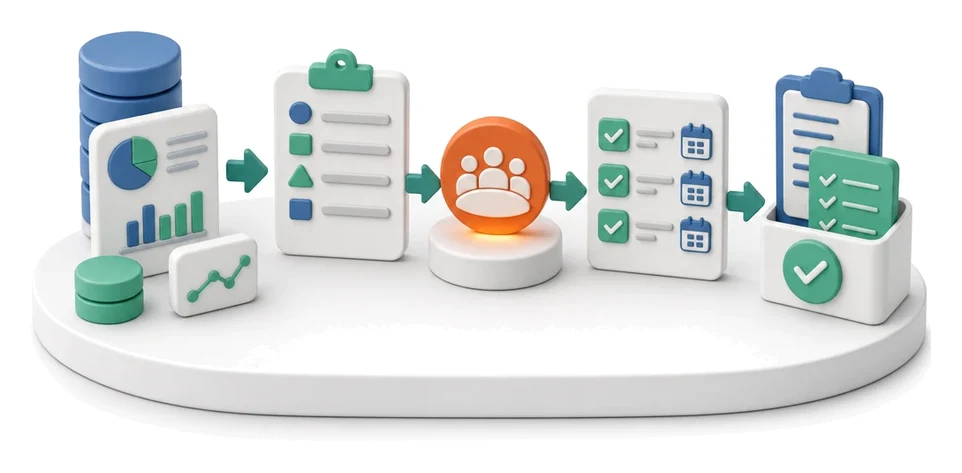
Spending too much time manually preparing month-end reports? The Finanse module automates revenue, cost and cash-flow statements, giving management and controlling a single, shared view. Artificial intelligence automatically generates month-end summaries and highlights key successes in the reports.
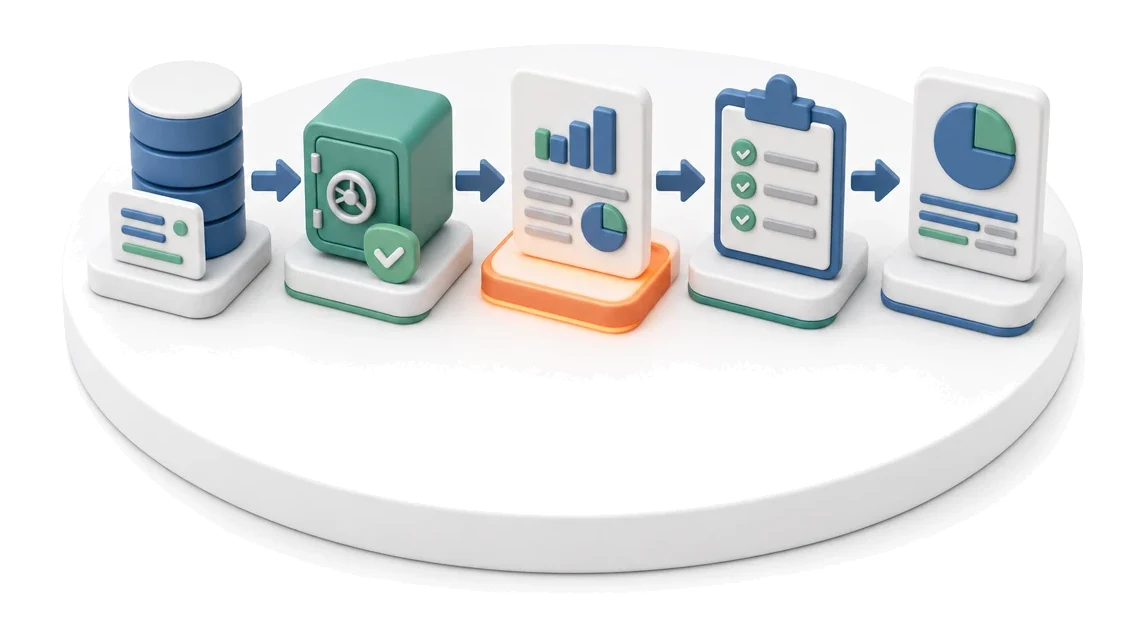
- Input
- Monthly accounting data
- Flow
- Data closing → monthly report → management review
- Output
- Monthly management report
What changes in the company after the rollout
Month data is consolidated and closed with a report. Management gets the same picture as controlling.
Single source of truth
Management and controlling work on the same, always up-to-date financial data.
Faster month-end close
Automatic compilation of accounting data eliminates manual report creation.
Better cost visibility
Instantly identify which categories generate the biggest burden on the budget.
Cash-flow control
Real-time insight into receivables, liabilities and balances helps avoid payment bottlenecks.
Easier planning
Comparing results with the annual plan makes it easier to decide on future spending.
How this process looks in Process App
Zrzuty pochodzą z działającego systemu — kliknij, aby powiększyć.
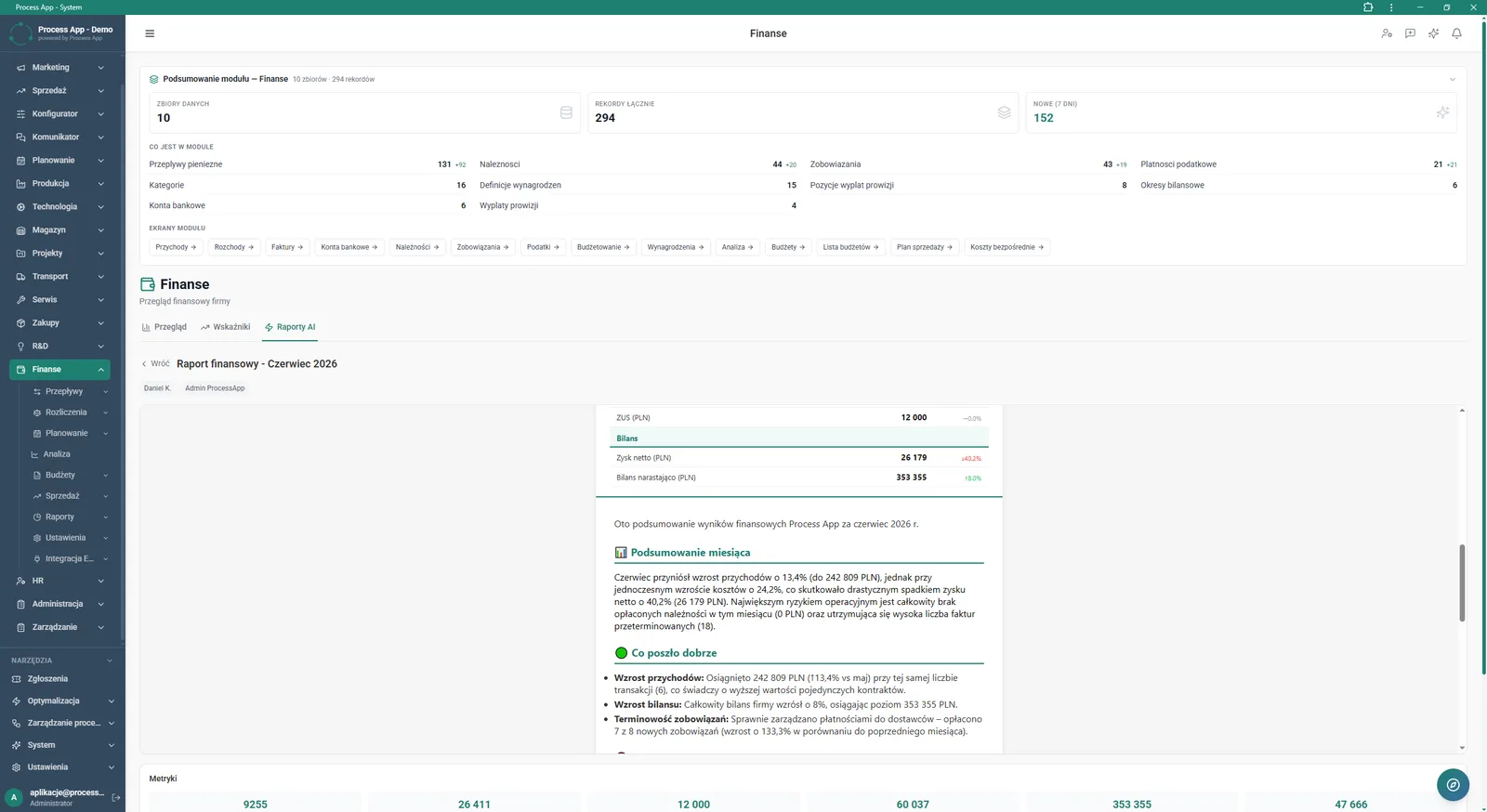
Finanse module screen showing the financial report for June 2026 in the AI Reports tab, including results summary, balance sheet and module content statistics.
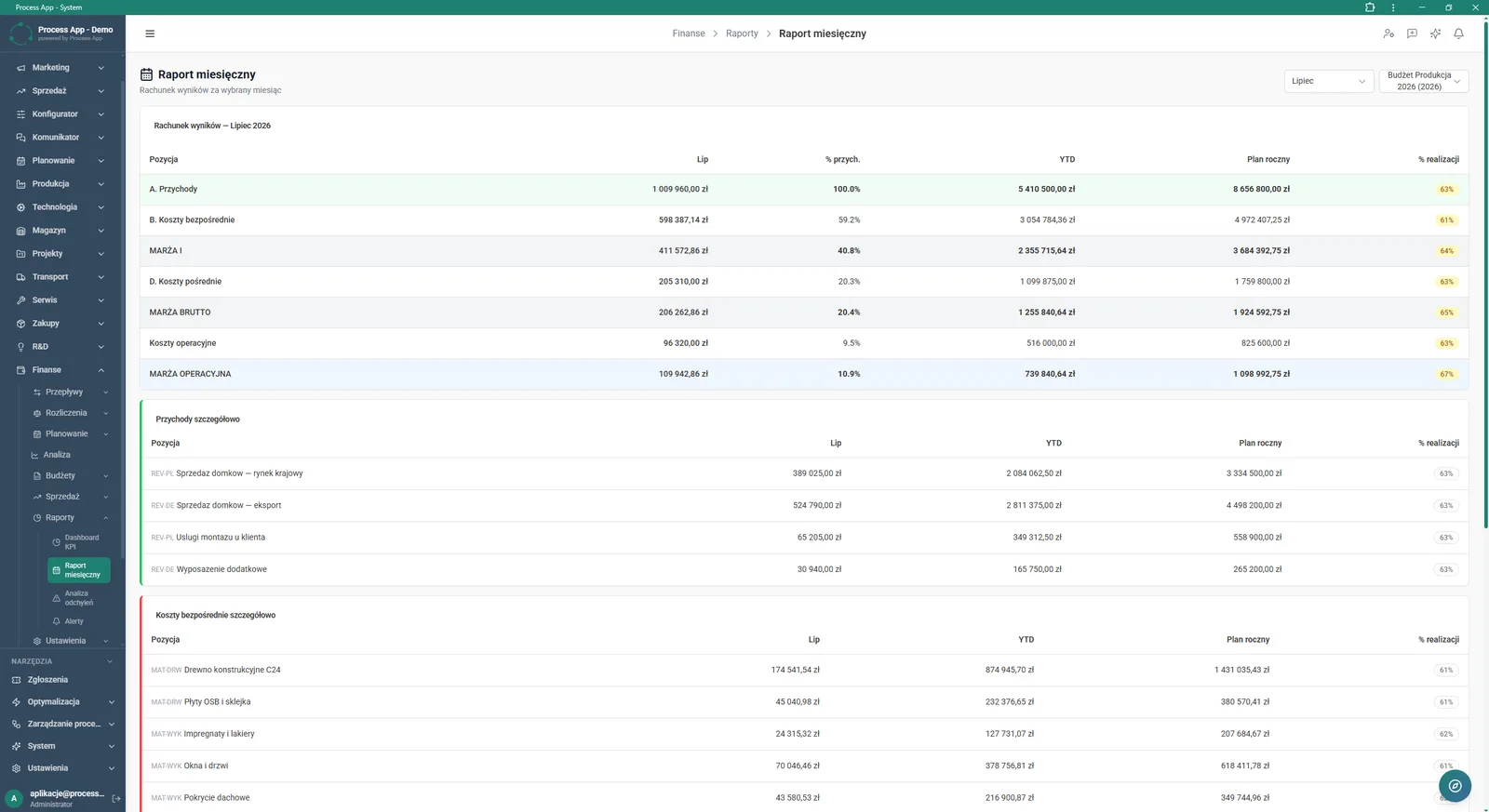
Finanse module screen showing the monthly report as a profit and loss account for July 2026, including an overall statement and a detailed breakdown of revenues and direct costs.
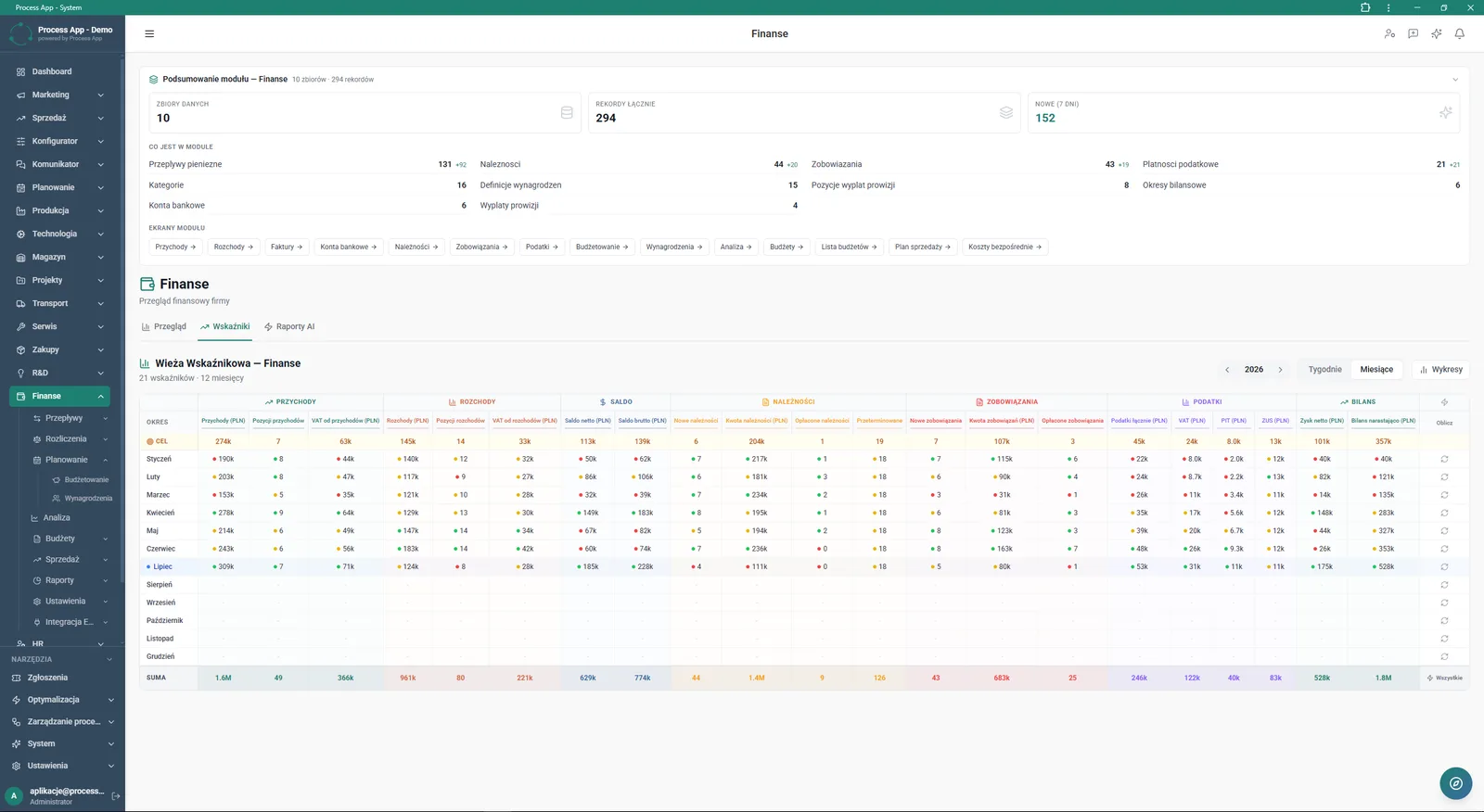
Finanse module screen showing the Indicator Tower with monthly data for 2026, including a table split into revenues, outflows, balance, receivables, liabilities, taxes and balance sheet.
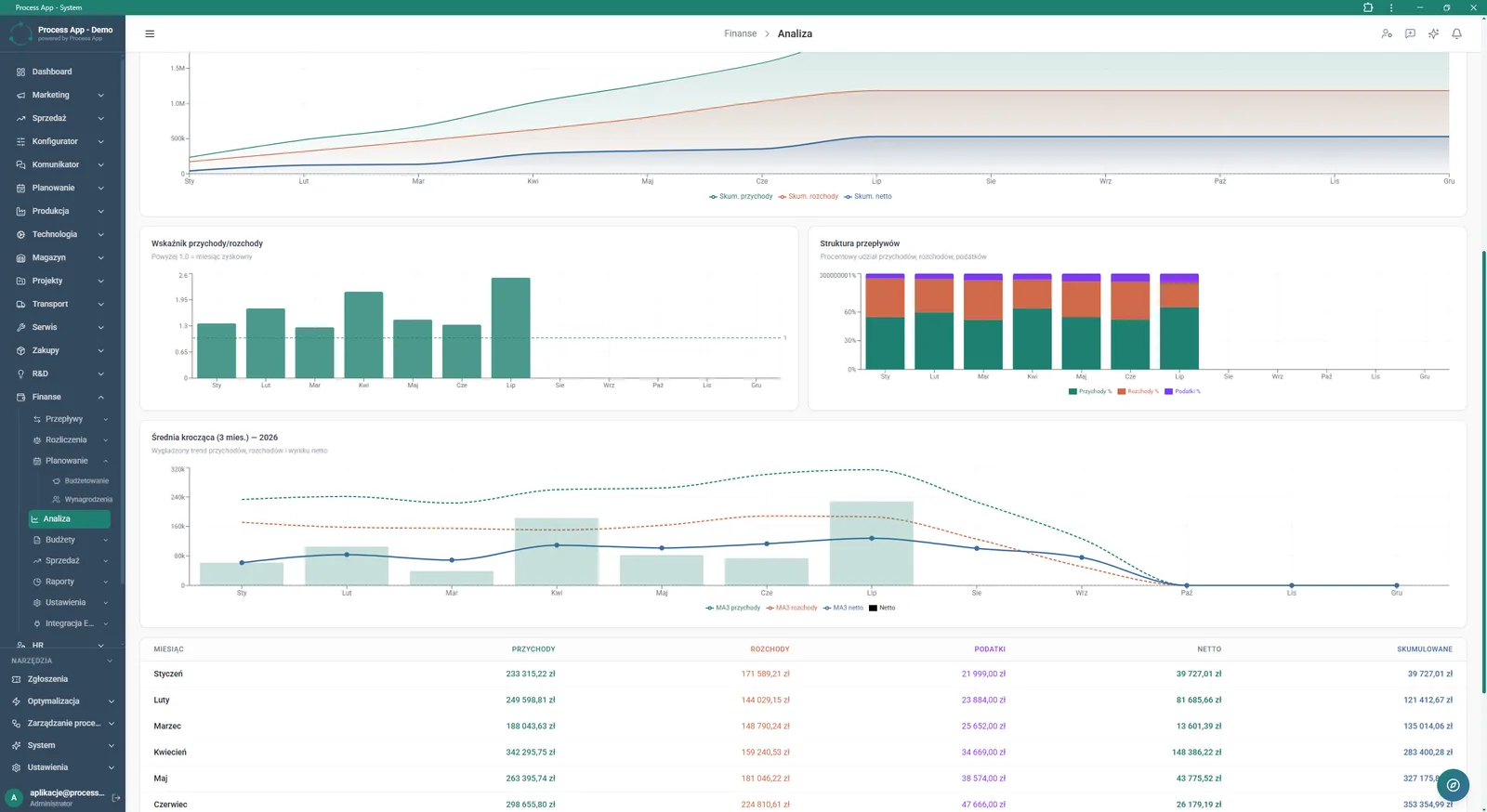
Finanse module screen in the Analysis tab showing a set of charts and a table with monthly financial data, including cumulative cash flows, the inflow/outflow ratio, cash-flow structure and moving average.
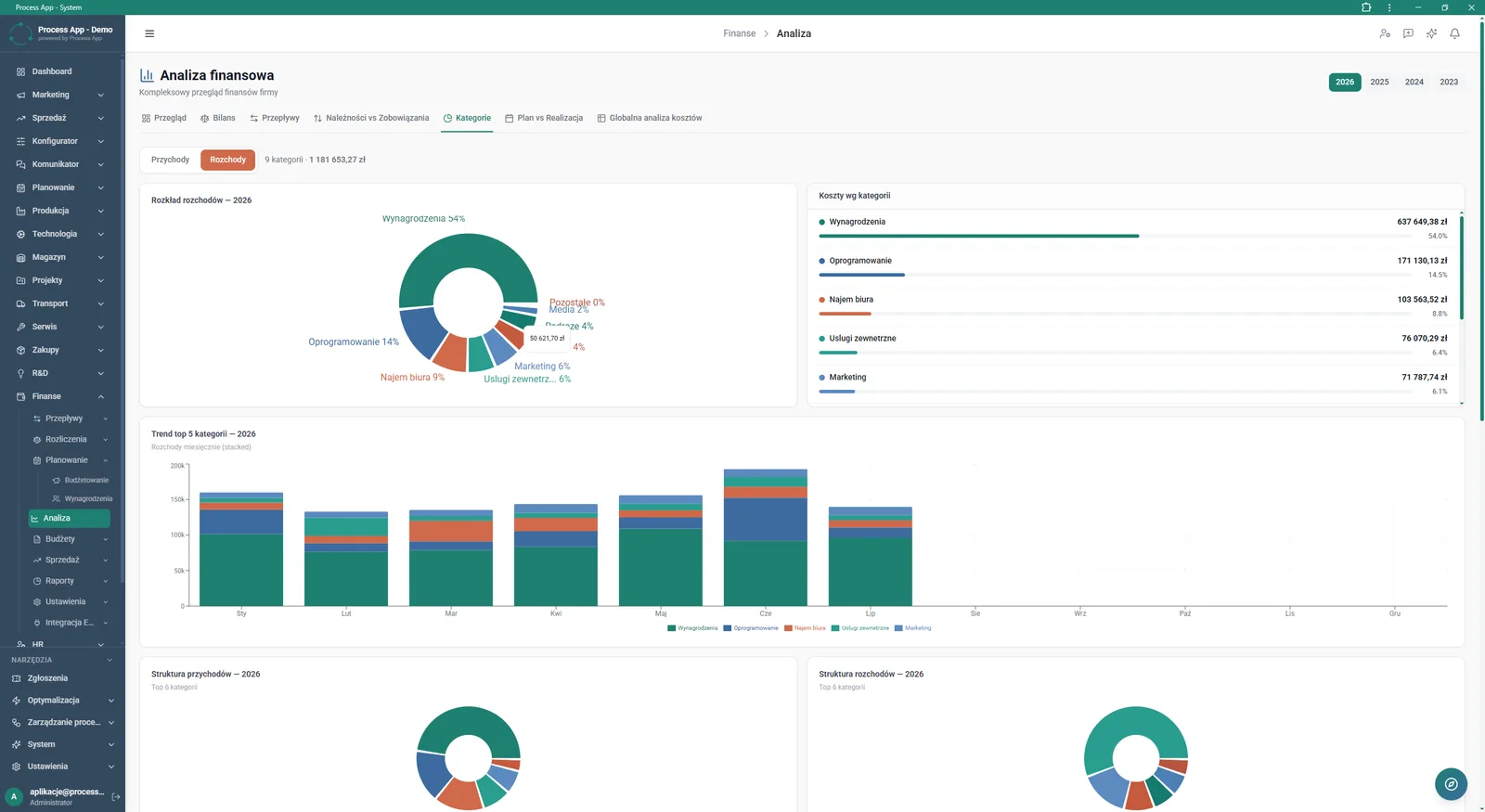
Finanse module screen in the Analysis tab showing a detailed breakdown and monthly cost trends by category for the selected year.
What exactly you get
Interactive profit and loss account
The system presents detailed revenue and cost tables with percentage indicators of plan achievement.
Indicator Tower
The application collates 21 key indicators in a monthly layout for the selected year.
Cash-flow visualisation
The module generates charts of cumulative inflows, outflows and net result.
Cost category analysis
The system shows the breakdown of outflows on ring charts and trends for the top 5 categories.
Filtering and period selection
The user can smoothly switch between years, months and selected budgets.
What AI does for you in this process
Month-end summary generation
Artificial intelligence creates narrative descriptions of the financial situation in the AI Reports tab.
Highlighting positive trends
Algorithms automatically analyse data and highlight areas in the What went well section.
Financial data processing
AI analyses datasets and records to deliver a ready-made financial report for management.
The process from start to finish
View your company’s full financial picture in one place with clear views such as Monthly Report and Indicator Tower. Continuously monitor the profit and loss account, comparing actuals with the annual plan and YTD values. Analyse revenues and direct costs in detail, breaking them down by category and month. Track cumulative cash flows, the inflow/outflow ratio and cash-flow structure on interactive charts. Control receivables, liabilities and tax payments so you always know the exact net and gross balance. Use the Analysis tab to verify trends for the five largest cost categories and the moving average. Give management access to the same always up-to-date data, shortening the month-end closing process.
See this process on your own data
We will walk you through the “Month-End Close” module using your company as the example — the input, the flow and the end result in Process App.
Explore the remaining system modules

Sales Invoicing
Annual Budgeting (P&L)
Plan vs Actual Control
Recruitment
Employee Onboarding
Working Time and Time & Attendance Records

Leave and Absence Management
Competency Matrix Management
Strategic Planning (JPS)
Cascading Goals and KPIs
KPI Monitoring