Purchase Requisition
Does production sometimes stop because materials for a project suddenly run out? The Purchasing module lets production or the warehouse raise material requisitions fast and organizes them into a clear queue for buyers. AI algorithms continuously analyze order statuses and assortment shortages to help keep your processes running smoothly.
- Input
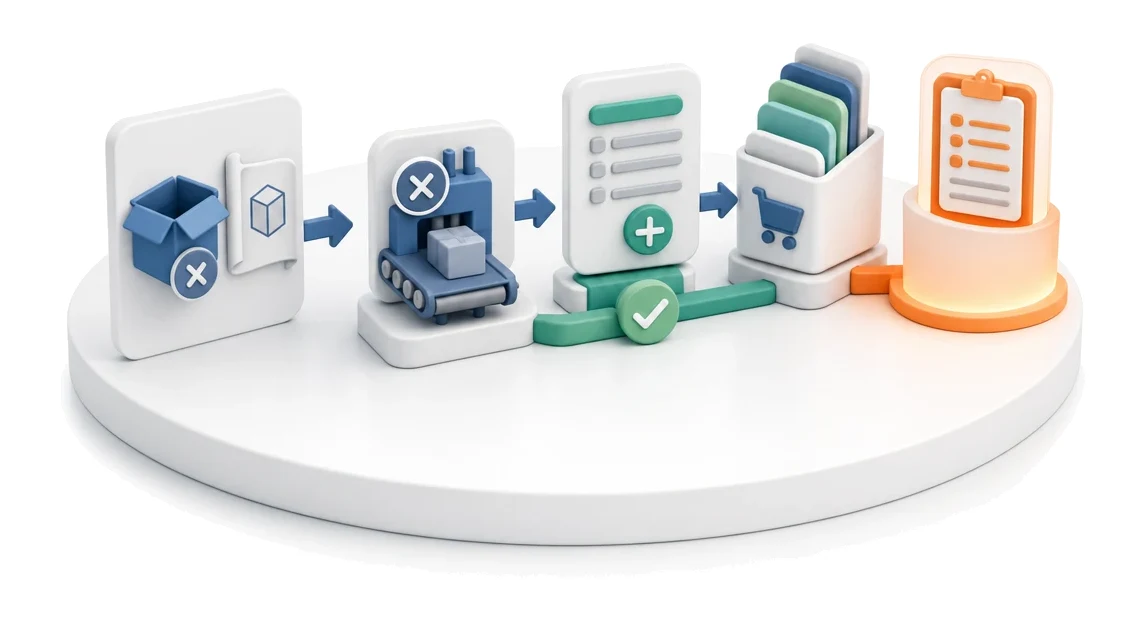
- Material shortage / project requirement
- Flow
- Shortage in production → requisition → buyer’s queue
- Output
- Requisition placed in the purchasing queue
What changes in the company after the rollout
Production, a project or the warehouse submits what is needed and by when. The requisition is the starting point for the entire purchasing process.
Elimination of production downtime
Fast reporting of shortages and creating replenishment orders prevents delays in project execution.
Full visibility of orders
The material checklist lets you see at a glance how complete the supply is for each ongoing project.
Fewer purchasing errors
A central requisition list with precise technical and quantity data eliminates mistakes when ordering.
Faster response to shortages
Grouped views of shortages and replenishments let you quickly identify critical material needs.
Better resource allocation
FIFO-based material reservations ensure a fair and logical allocation of available stock levels.
How this process looks in Process App
Zrzuty pochodzą z działającego systemu — kliknij, aby powiększyć.
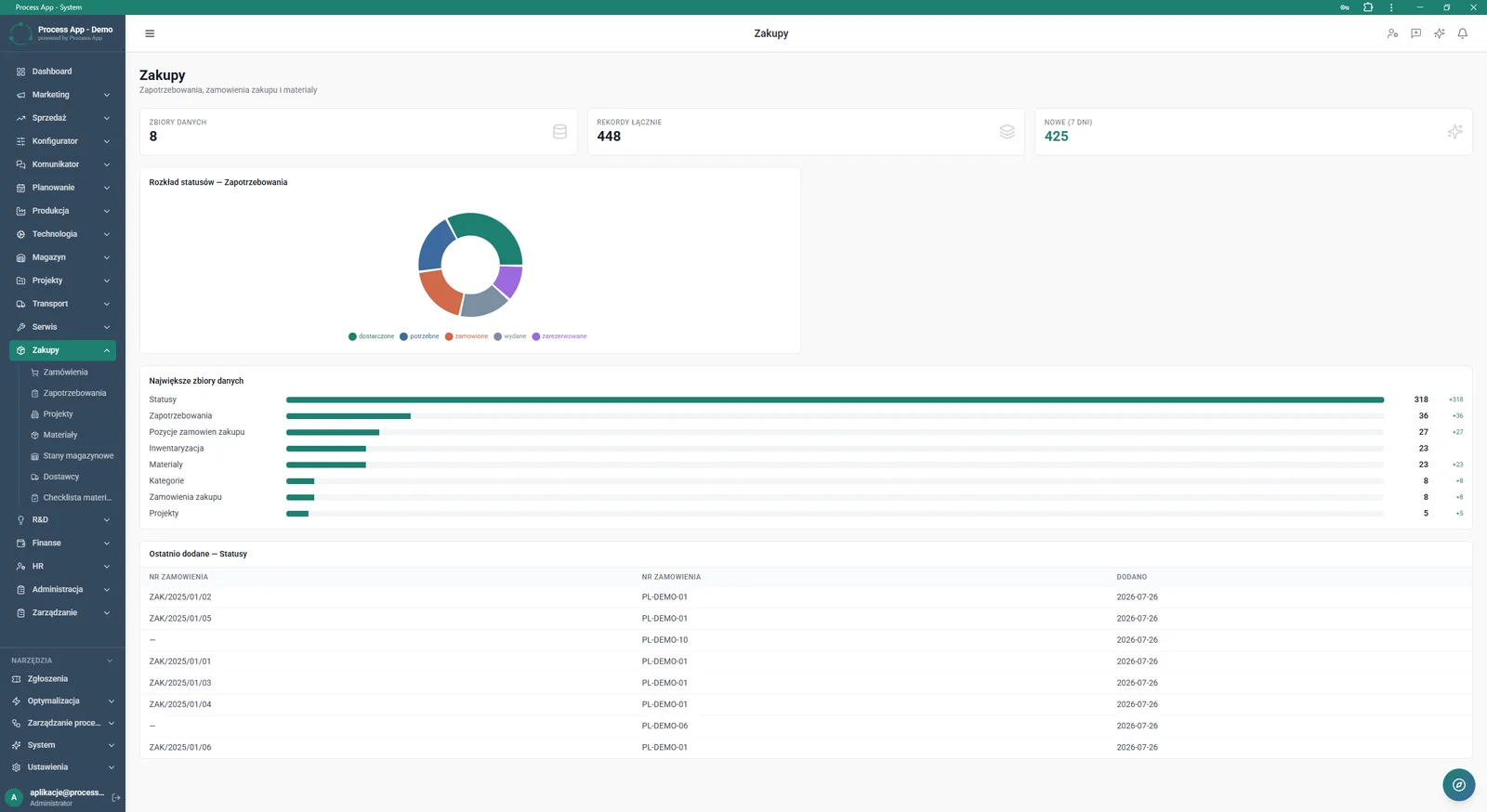
Main screen of the Purchasing module showing data summaries as numeric tiles, a chart of requisition status distribution, statistics of the largest data sets, and a table of the most recently added statuses.
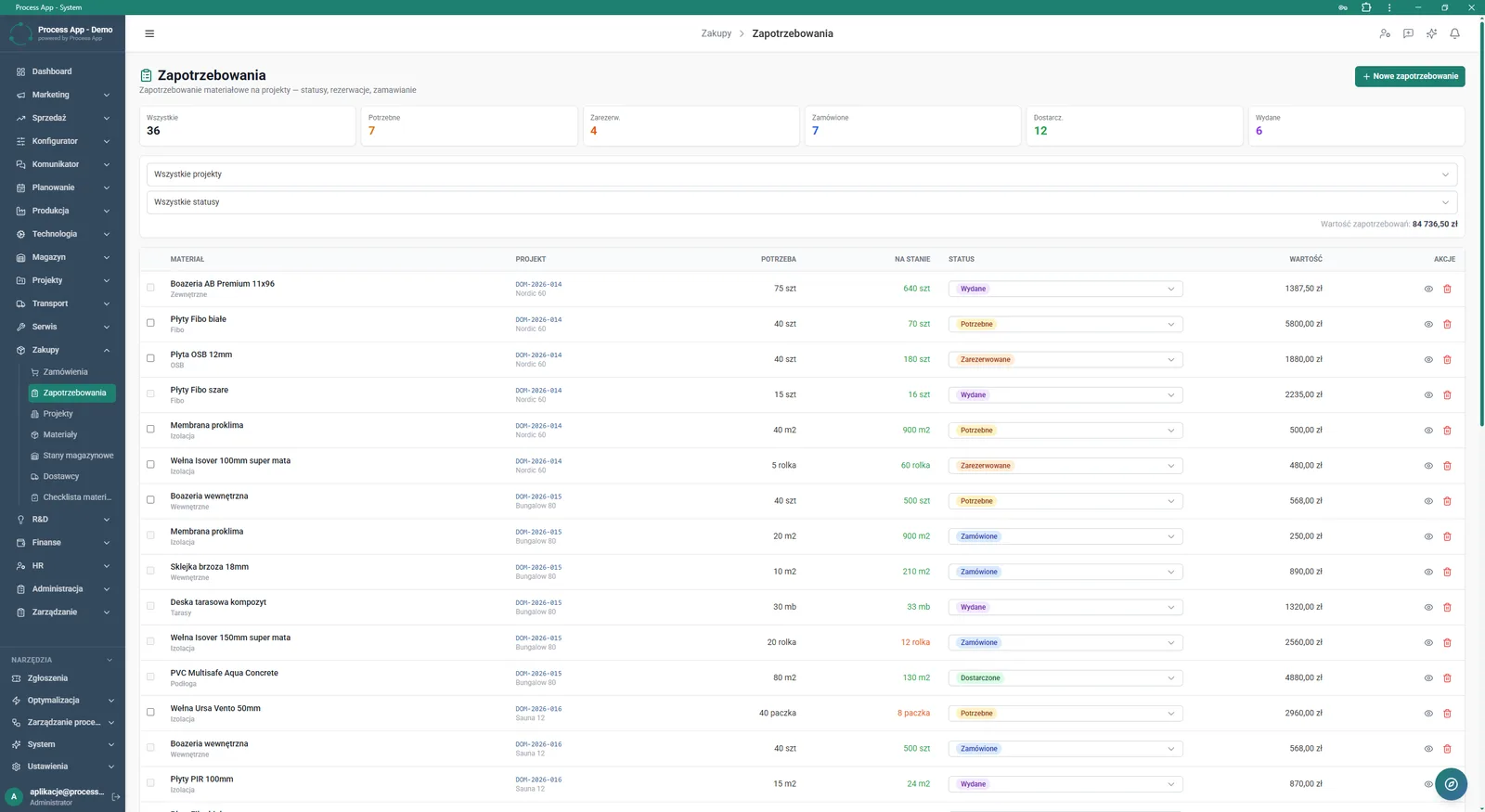
Material requisitions list screen showing tiles with status statistics, filters, and a table with details of reported requirements.
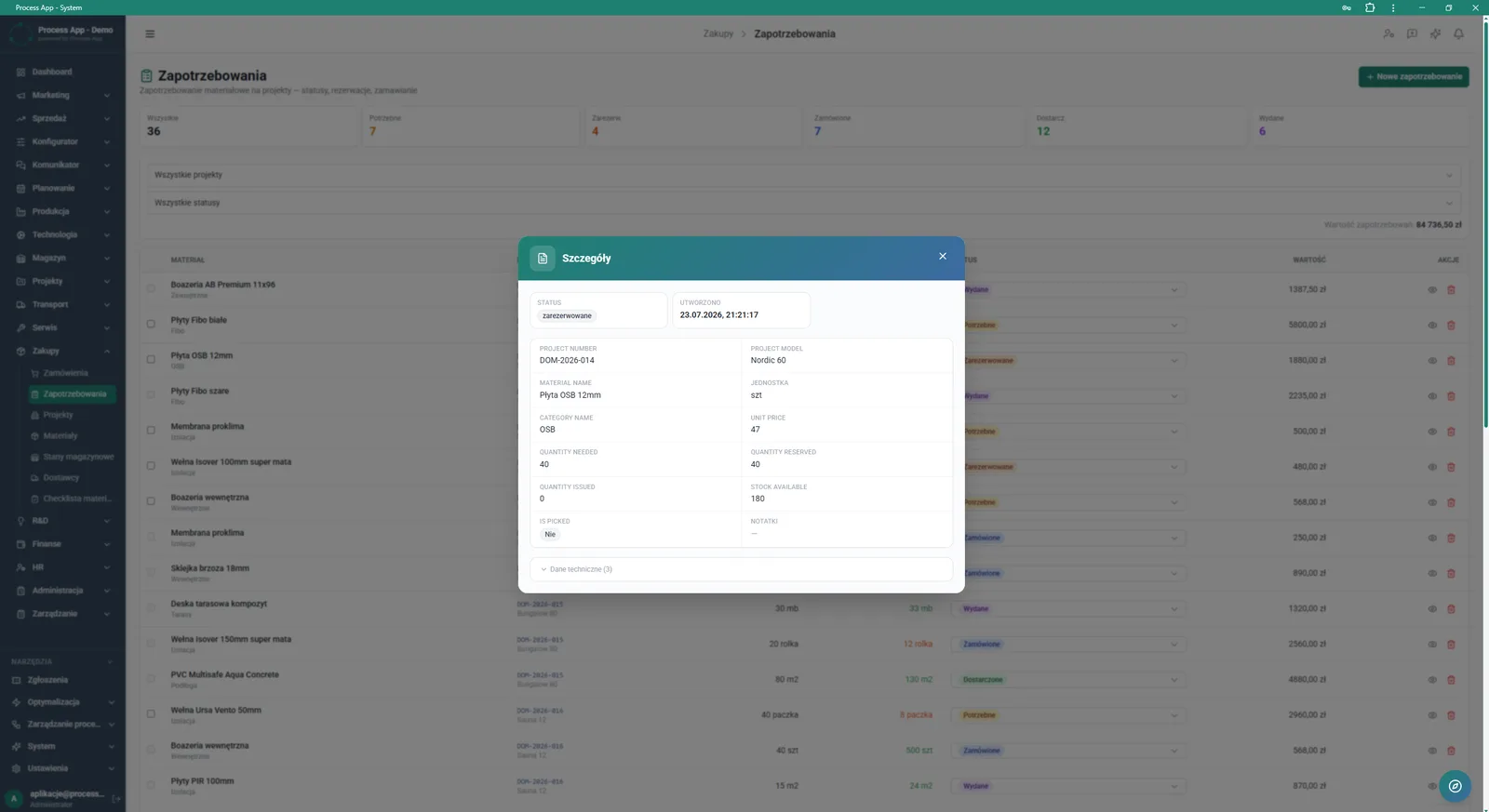
Requisitions list screen with an open modal window displaying details of the selected material requisition.
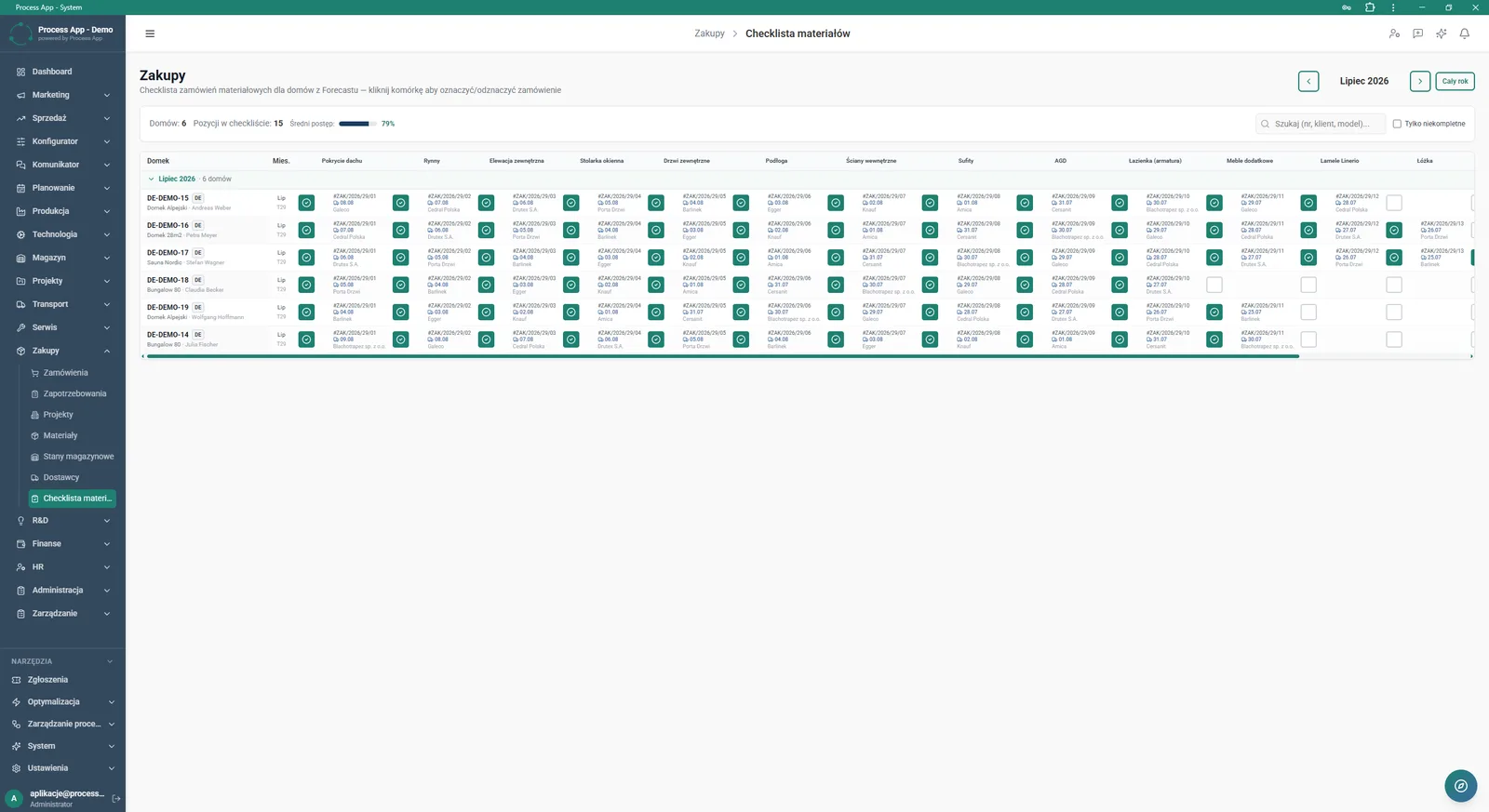
Material checklist screen showing a tabular overview of material order statuses for individual projects, broken down by assortment category.
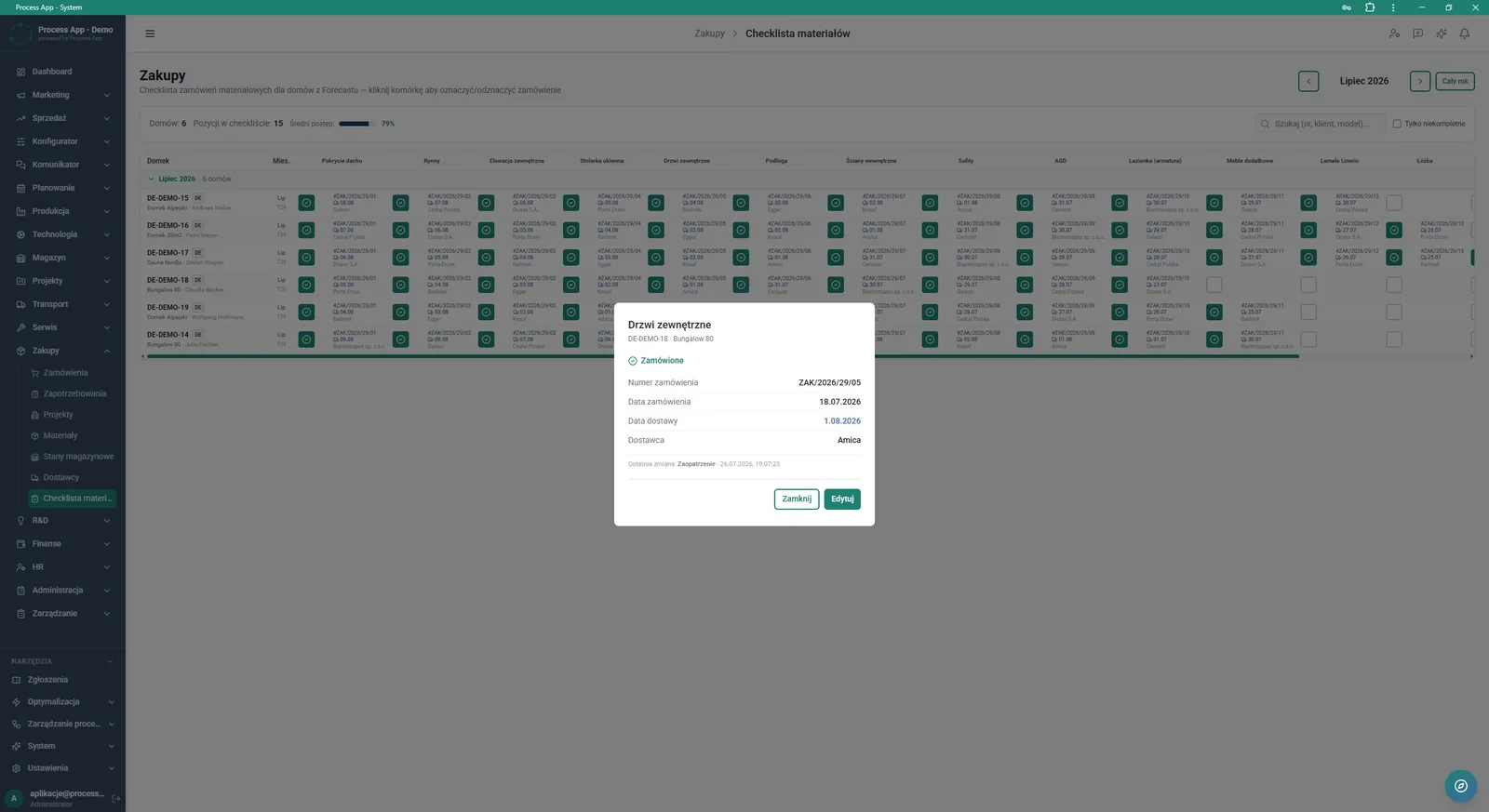
Material checklist screen with an open modal window displaying order details for the selected assortment category and project.
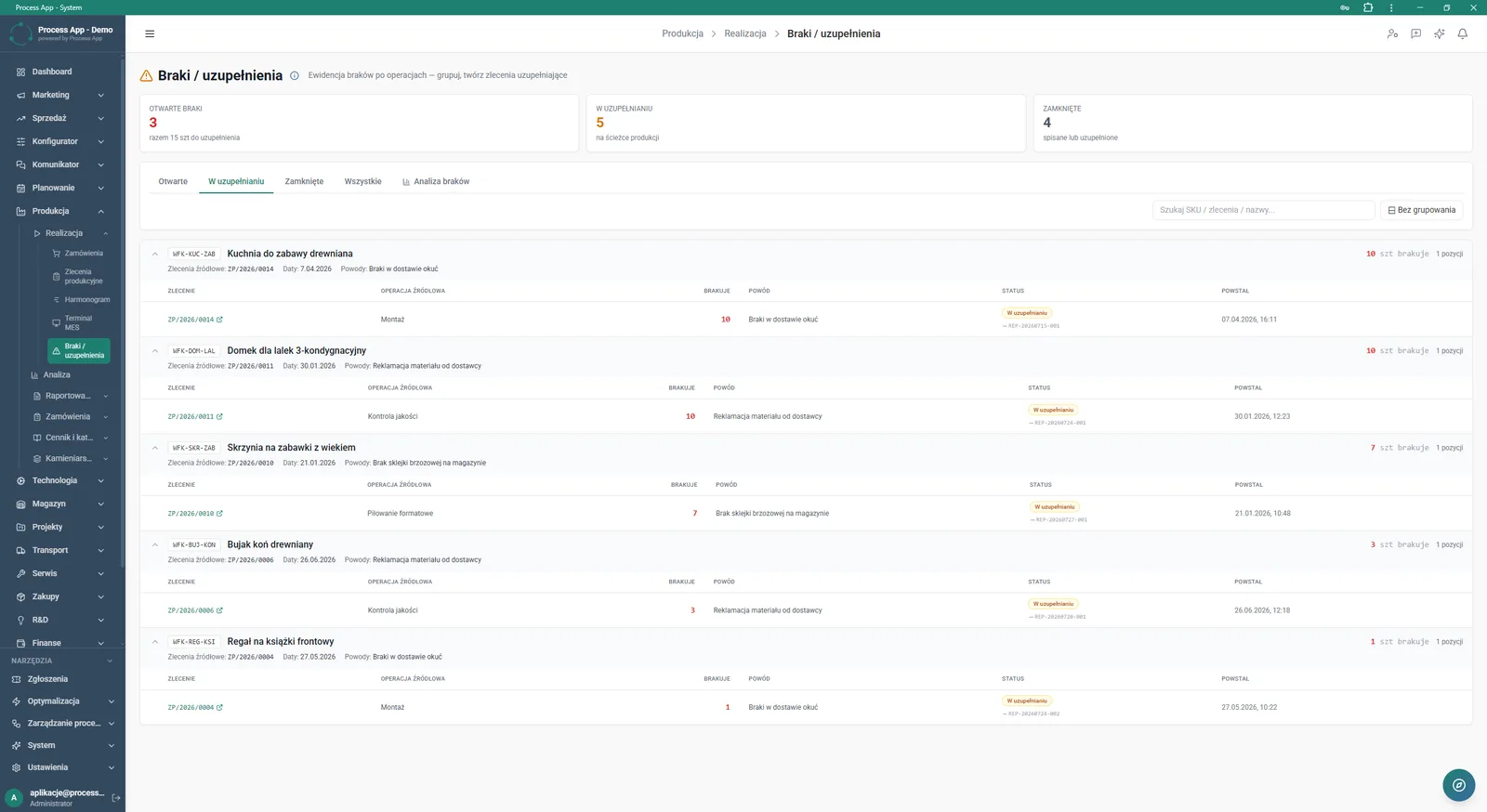
Shortages and replenishments list screen in the Production module, showing grouped assortment items along with details of the orders that generated the shortages.
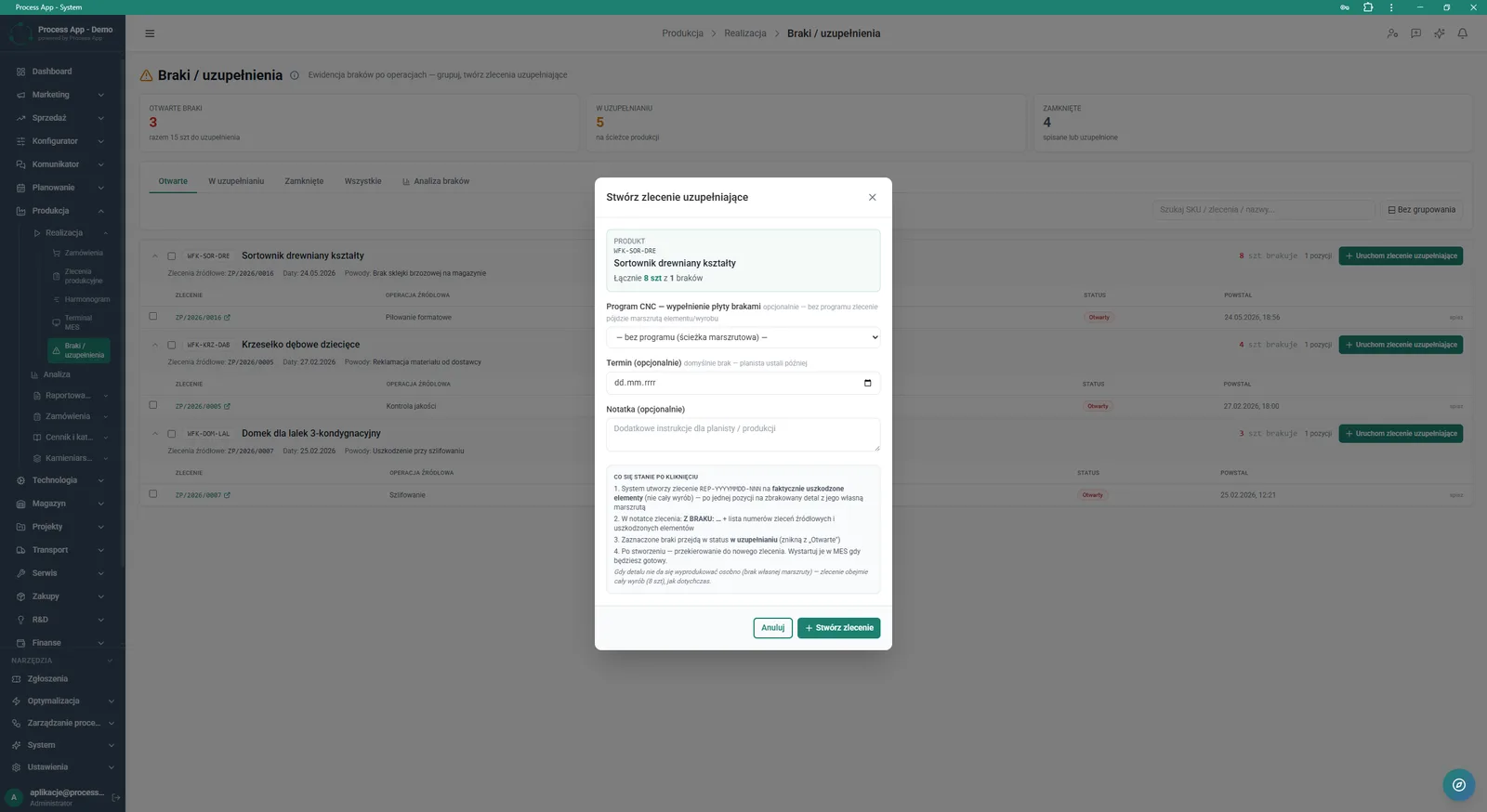
Shortages and replenishments list screen with an open modal window used to create a replenishment order for the selected product.
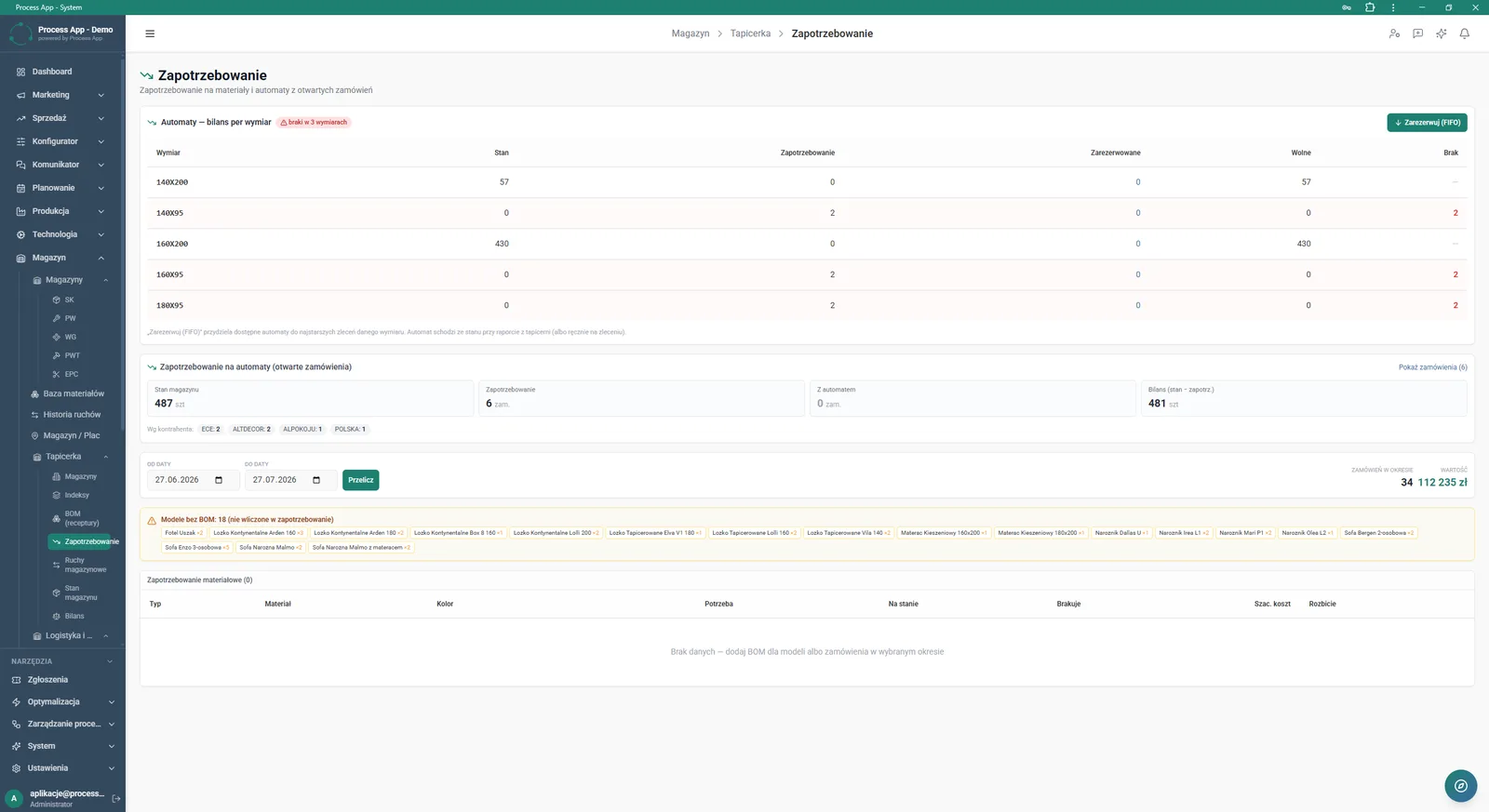
Requisition screen in the Warehouse module showing the machine stock balance broken down by dimensions, open order statistics, and a list of material requisitions for a selected period.
What exactly you get
Requisition management
The system allows you to add new material requirements and change their statuses directly from the table view.
Material order checklist
An interactive matrix lets you mark and unmark orders for individual assortment categories.
Creating replenishment orders
From the shortages list you can generate a new order, selecting the CNC program and setting a deadline.
Balancing stock and demand
The module compares current warehouse stock with requisitions, taking into account reserved and free quantities.
BOM gap detection
The system automatically identifies and warns about models that were not included in requisitions due to missing specifications.
What AI does for you in this process
Status distribution analysis
Algorithms continuously categorize requisitions, presenting current trends on charts and summary tiles.
Grouping assortment shortages
Artificial intelligence automatically combines recurring shortages from different orders into consolidated replenishment items.
Data completeness verification
The system analyzes the project database and automatically flags models without a BOM structure, protecting against ordering errors.
The process from start to finish
Manage the entire procurement process from the moment a shortage is reported through to issuing material to production. Track the distribution of requisition statuses on a clear chart and instantly check the value of open orders. Review the list of shortages and replenishments, where assortment items are conveniently grouped, and create replenishment orders as needed, assigning them to a specific CNC program. Control progress using a material checklist for projects, ticking off ordered assortment categories such as windows and doors or façade elements. Reserve available resources according to the FIFO rule and verify models that were not included in the requisition due to a missing BOM. Filter data by project, status and date range to always have a complete picture of your company’s material situation.
See this process on your own data
We will walk you through the “Purchase Requisition” module using your company as the example — the input, the flow and the end result in Process App.
Explore the remaining system modules
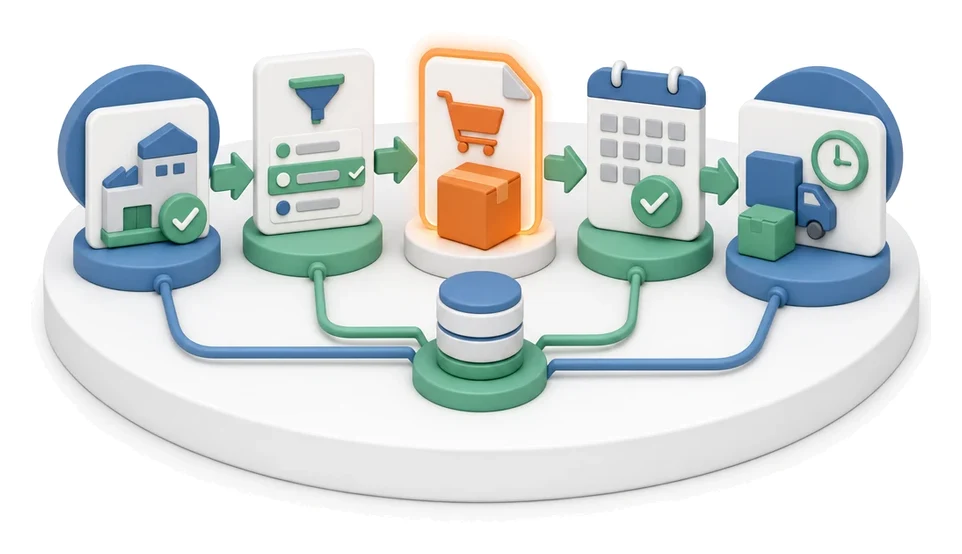
Purchase Order
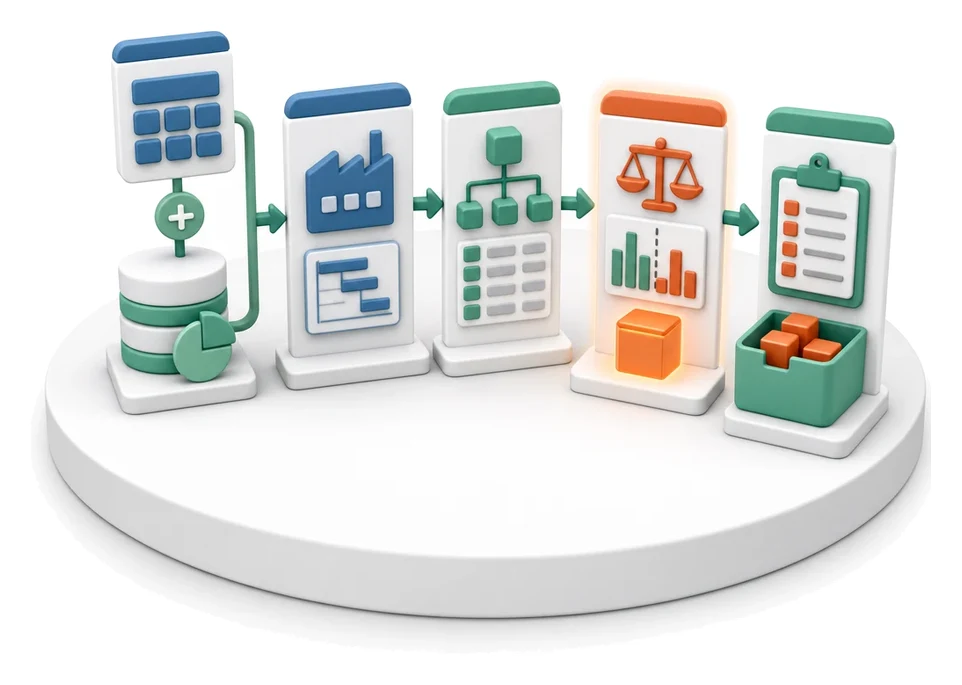
Demand vs Inventory Balancing
Transport Order
Project Kick-off
Project Schedule Planning
Project Management
Project Time Tracking
Project Budget and Margin Control

Client Status Reporting
Complaint Intake and Qualification
Complaints Handling