Purchase Order
Losing control over delivery dates and material shortages on the shop floor? The Purchasing module lets you manage purchase orders, supplier master data and project demand in one place. Artificial intelligence analyses stock levels and automatically suggests the best time to place an order with a selected supplier.
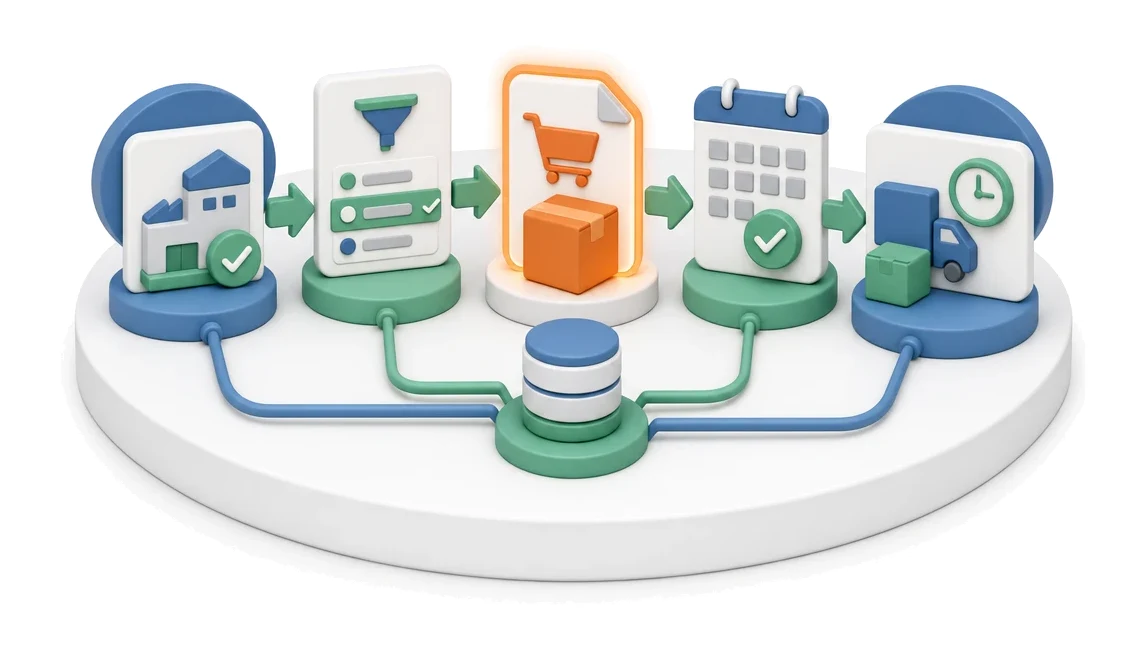
- Input
- Selected supplier
- Flow
- Supplier selection → purchase order → confirmed delivery date
- Output
- Supplier order with delivery date
What changes in the company after the rollout
A purchase order is created with line items, prices and delivery date. The order status is visible to production and project teams.
Full visibility of material demand
Instantly see which materials are missing for specific projects so you can avoid production downtime.
Faster order handling
Eliminate the need to switch between screens thanks to order details displayed directly in the list view.
Better cost control
Gain continuous insight into the total value of orders and the capital tied up in goods currently in transit.
Fewer purchasing errors
Avoid mistakes with clear information on minimum order quantities and minimum stock levels in the material catalogue.
Easier supplier evaluation
Make purchasing decisions faster with instant access to supplier history, ratings and payment terms.
How this process looks in Process App
Zrzuty pochodzą z działającego systemu — kliknij, aby powiększyć.
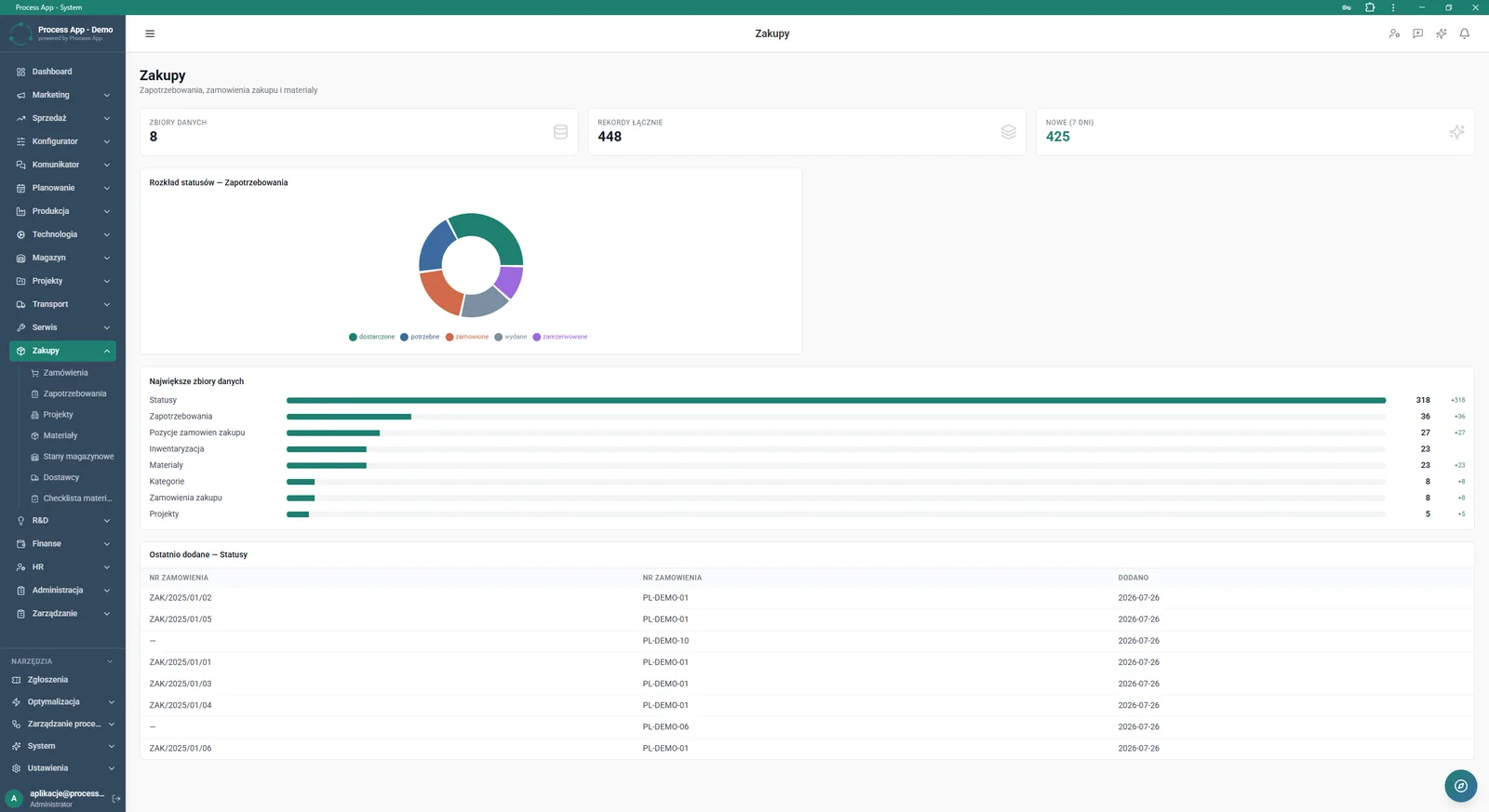
Main Purchasing module screen showing a summary of data in tiles with statistics, charts, and a table with the most recently added statuses.
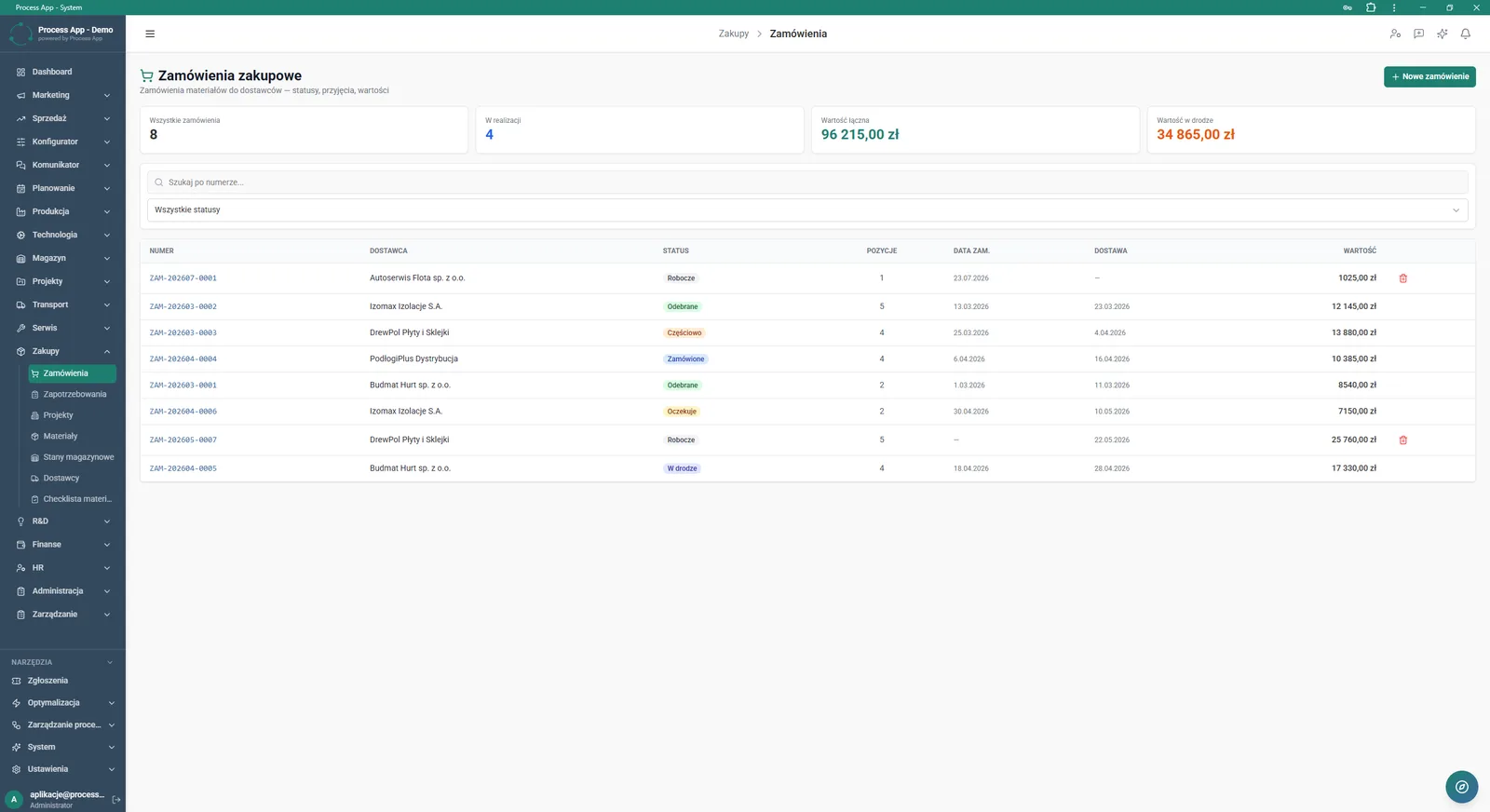
Purchase order list screen showing the order table, summary tiles with values and statuses, and search filters.
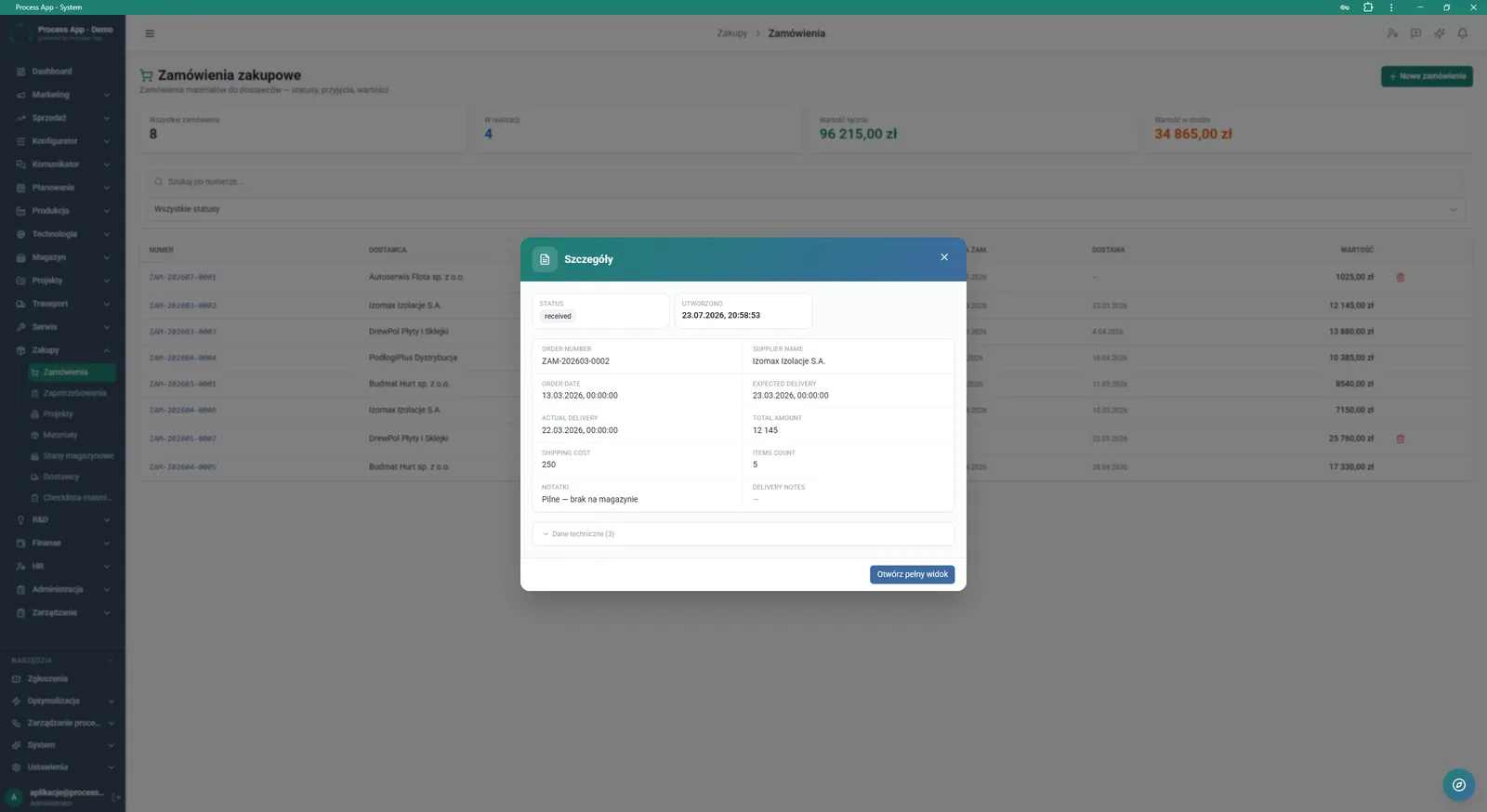
Screen showing a modal window with details of a selected purchase order displayed over the order list.
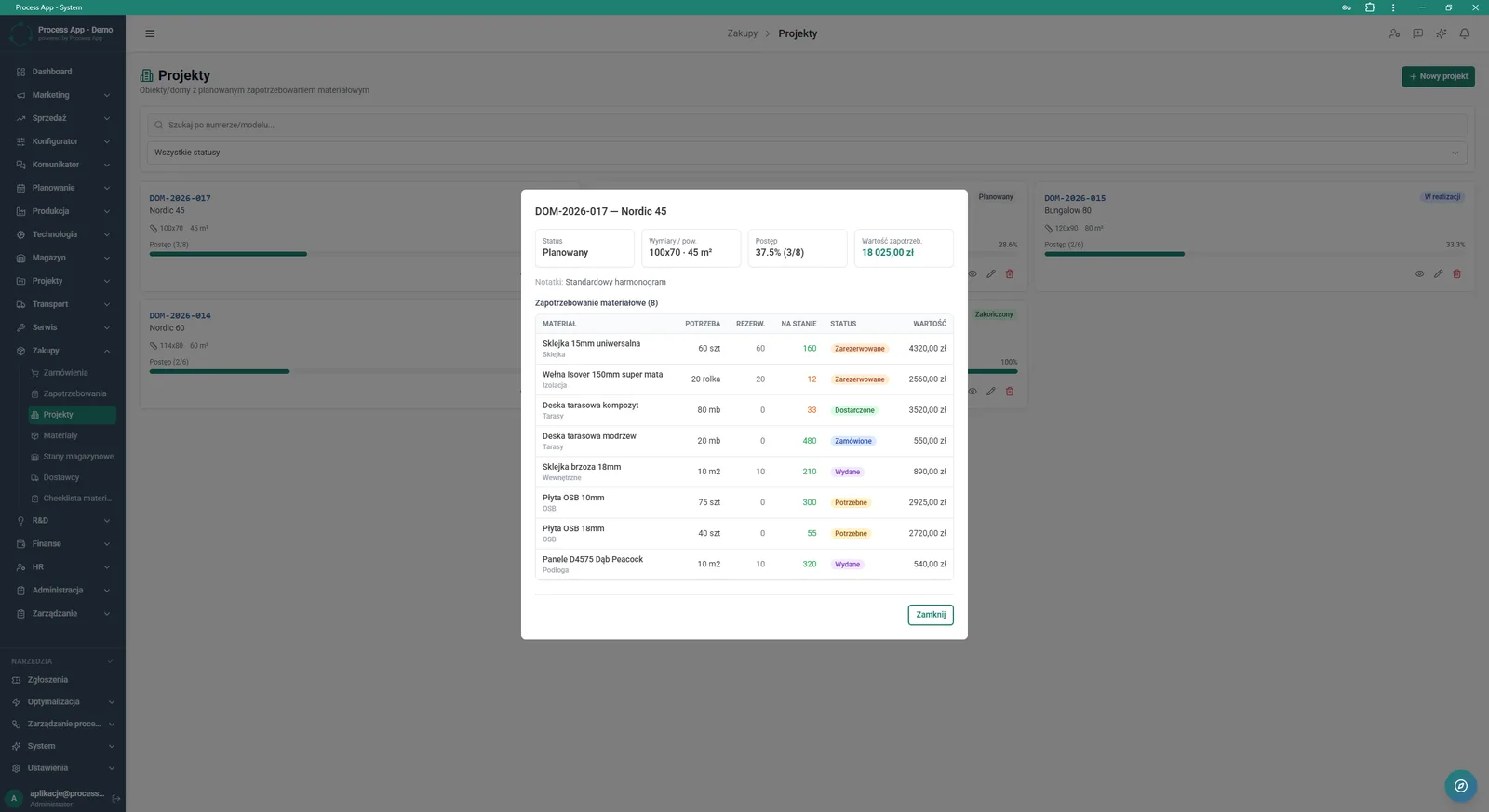
Screen showing a modal window with project details and the material demand list, displayed over the project list in the Purchasing module.
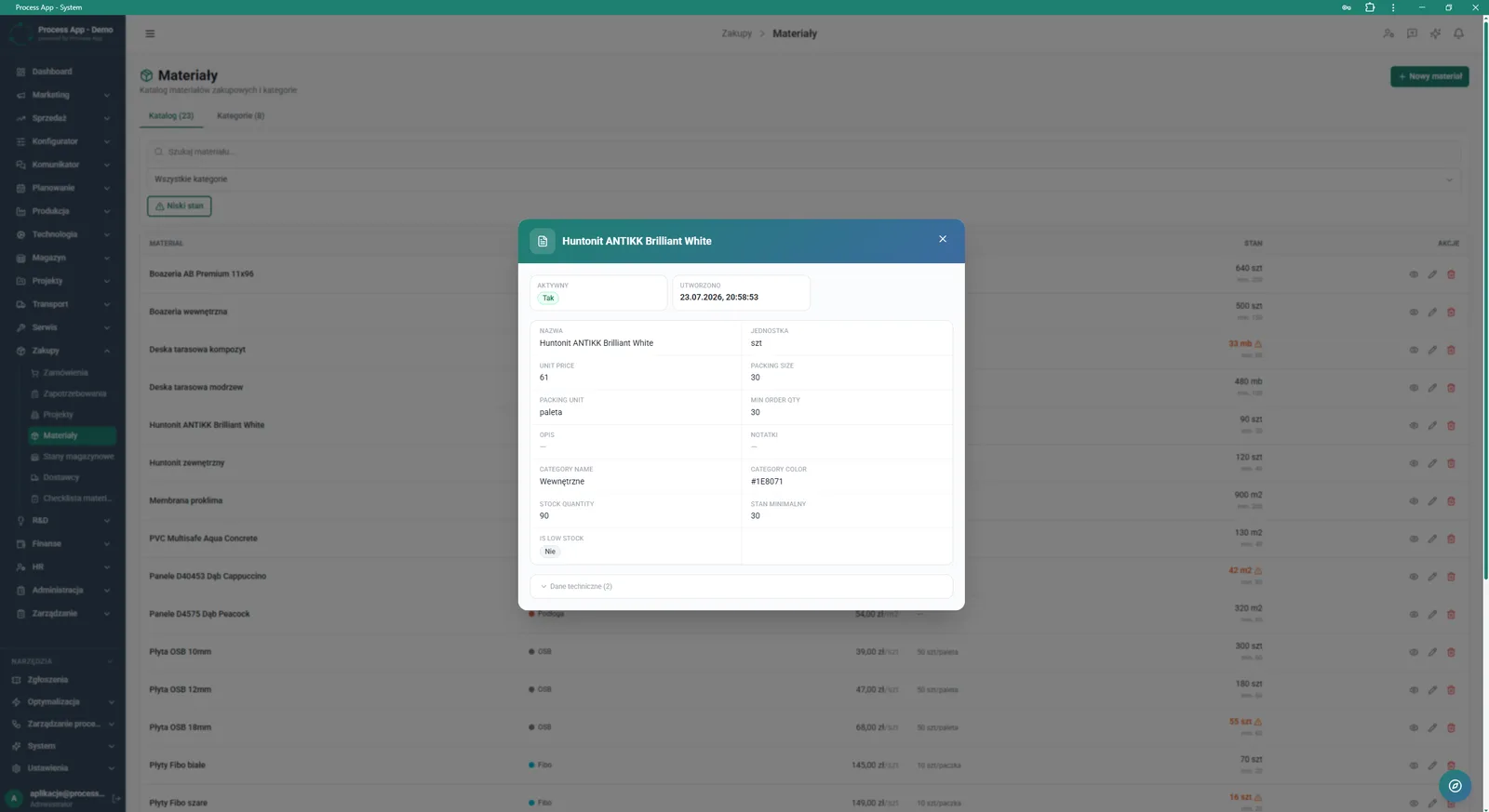
Screen showing a modal window with detailed data for a selected material, displayed over the material catalogue in the Purchasing module.
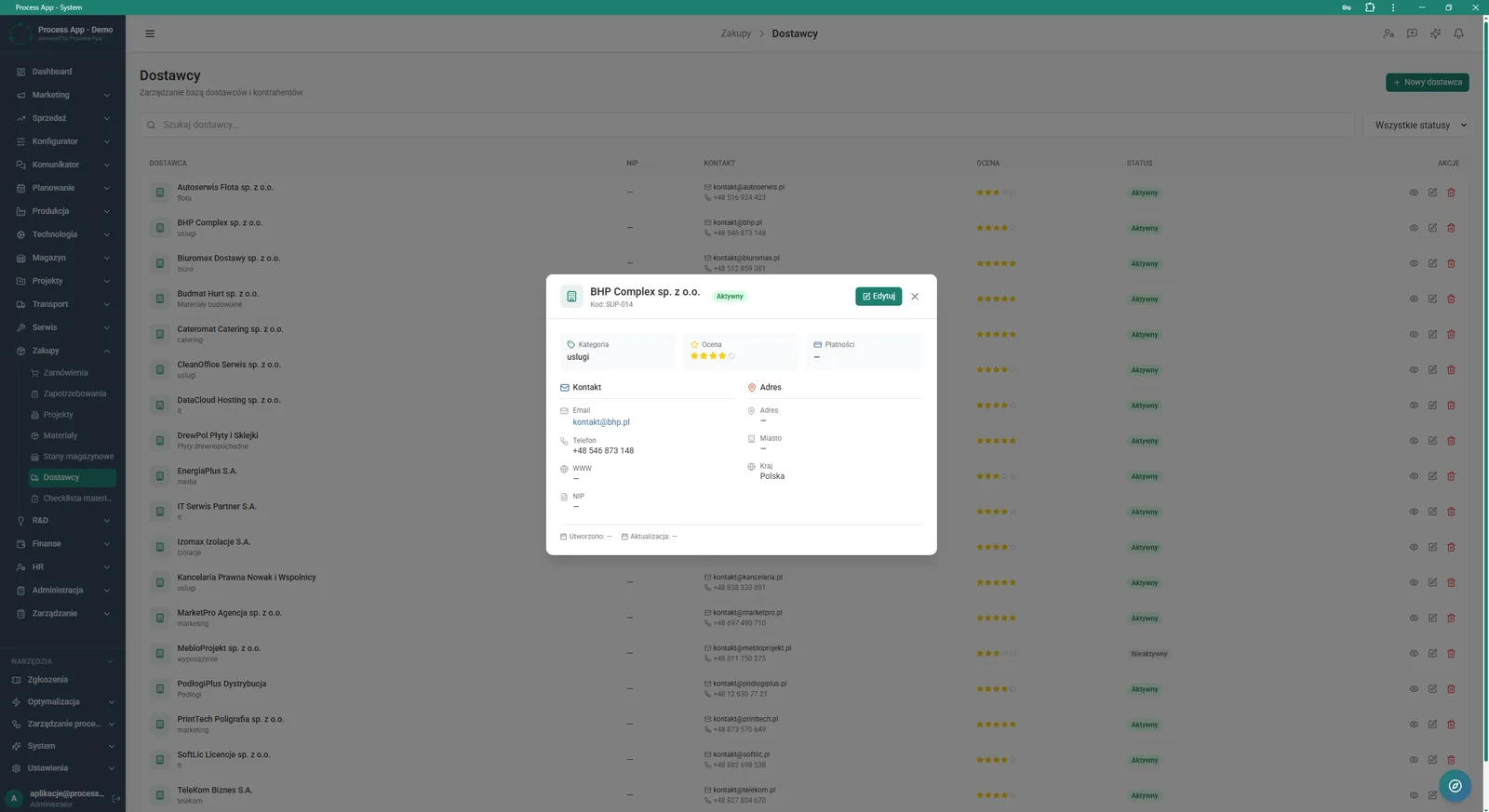
Screen showing a modal window with details of a selected supplier, displayed over the supplier list in the Purchasing module.
What exactly you get
Supplier database management
The system maintains a register of suppliers with their contact details, assigned category and overall rating.
Order status tracking
The application enables filtering and monitoring of all order stages, from draft through to final receipt.
Project demand analysis
The module displays a breakdown of materials by required, reserved and available quantities in stock for a given project or object.
Material catalogue
The system stores detailed technical parameters, unit prices and information on packaging sizes and units.
Purchase data visualisation
The application generates pie and bar charts showing the distribution of demand statuses and the size of each data set.
What AI does for you in this process
Material shortage forecasting
Artificial intelligence analyses current stock levels and project demand, warning you about potential delays.
Supplier selection recommendations
Algorithms analyse historical on-time delivery and supplier ratings to suggest the best partner for a planned order.
Order quantity optimisation
The system analyses minimum order quantities and packaging sizes to propose the most cost-effective purchase bundles.
The process from start to finish
Manage the entire procurement process from supplier selection through to final material delivery. Continuously monitor the distribution of demand statuses and the value of orders in transit using clear charts and summary tiles. Review detailed material requirements for individual projects, checking required, reserved and available quantities in stock. Control your supplier base by viewing their ratings, payment terms and contact details directly from the details window. Create new purchase orders and filter them by status such as draft, in transit or received. Quickly search required items in the material catalogue and pay attention to low-stock alerts. Maintain full control over operating costs with a constant overview of total order value and shipping costs.
See this process on your own data
We will walk you through the “Purchase Order” module using your company as the example — the input, the flow and the end result in Process App.
Explore the remaining system modules
Purchase Requisition
Demand vs Inventory Balancing
Transport Order
Project Kick-off
Project Schedule Planning
Project Management
Project Time Tracking
Project Budget and Margin Control
Client Status Reporting
Complaint Intake and Qualification
Complaints Handling