Production Reporting (MES Terminal)
Wasting time retyping paper job cards and counting scrap by hand? The MES Terminal module lets operators quickly report time, good parts and rejects directly at the workstation. AI algorithms analyse collected data, recommending optimal batch sizes and monitoring machine health based on reported cycles.
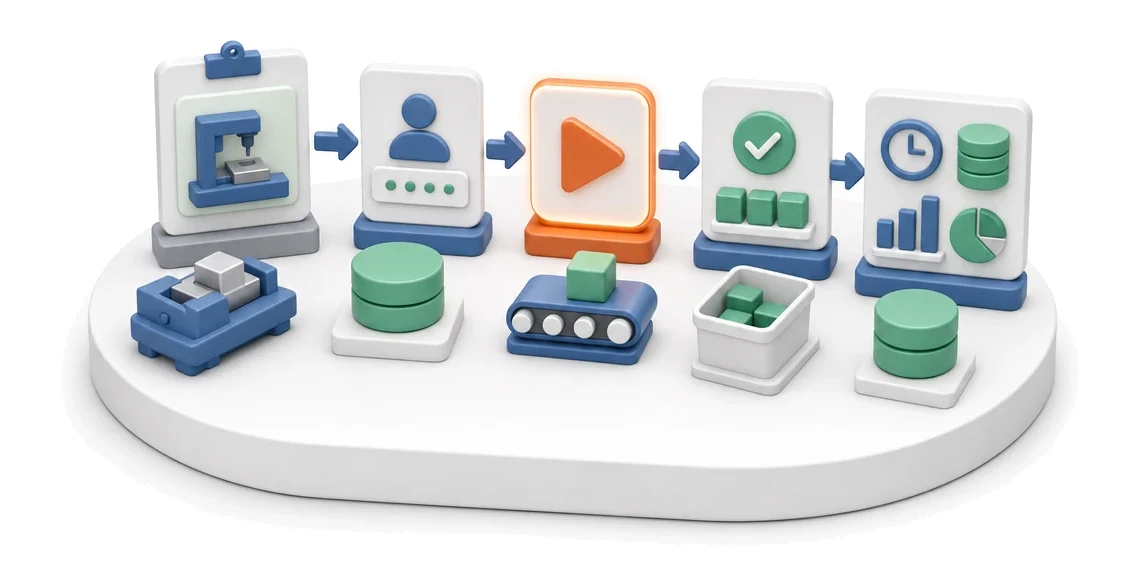
- Input
- Order assigned to the workstation
- Flow
- Operator login → start operation → completion and reported quantity
- Output
- Reported time, quantity and scrap
What changes in the company after the rollout
The shop-floor operator starts and completes an operation at the terminal. The system captures times, quantities and scrap without paper job cards.
Elimination of paper workflow
Operators report production directly on the terminal, removing the need to print and manually retype job cards.
Full visibility of progress
You monitor the execution of each routing step and order status in real time.
Faster problem identification
Employees can immediately add photos of rejects and time comments, speeding up reaction to downtime.
Easy access to documentation
Operators open work instructions and drawings directly on the terminal, reducing the risk of errors.
Accurate cost allocation
The system automatically collects data on labour time and material consumption, simplifying calculation of total manufacturing cost.
How this process looks in Process App
Zrzuty pochodzą z działającego systemu — kliknij, aby powiększyć.
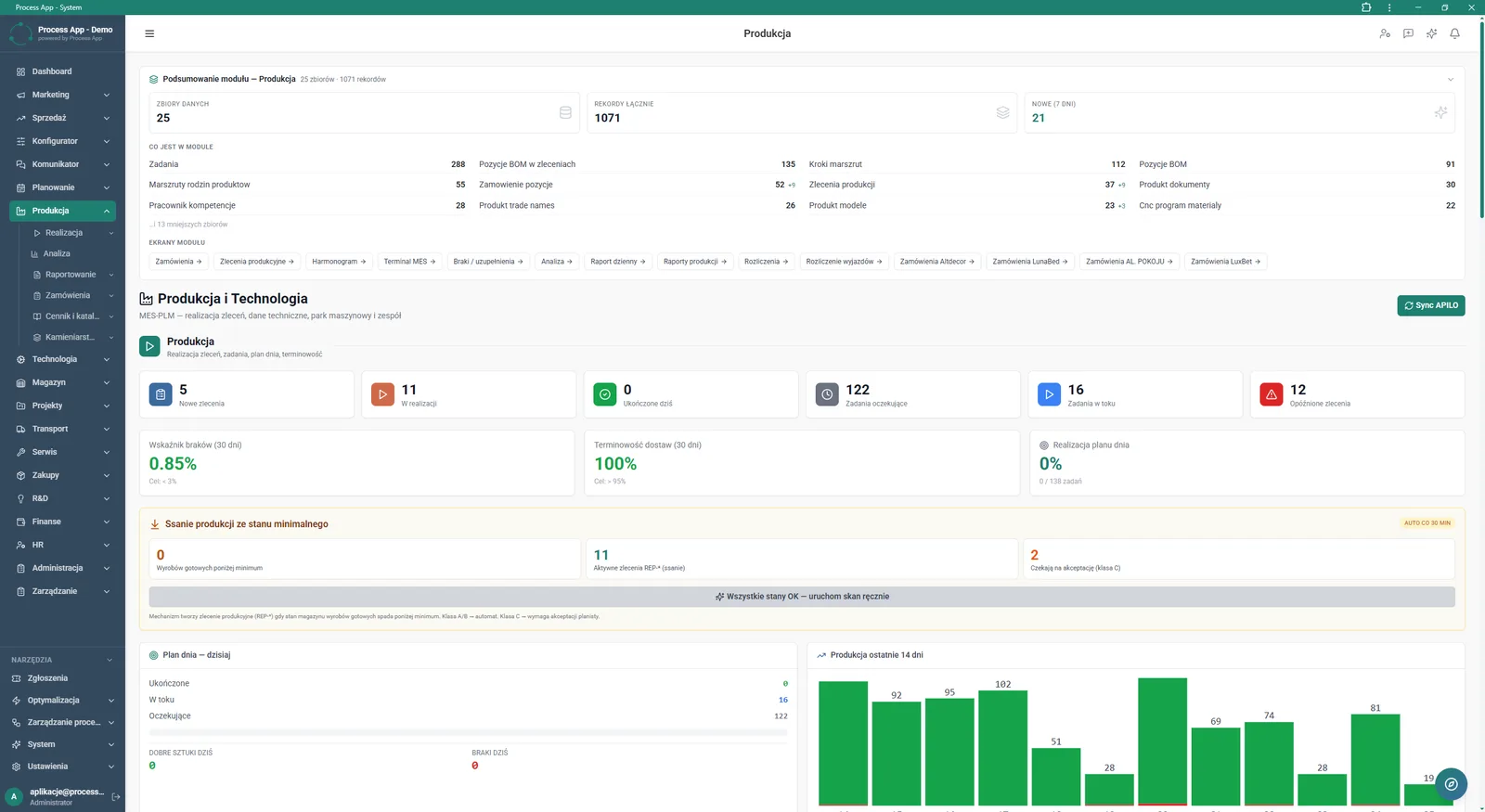
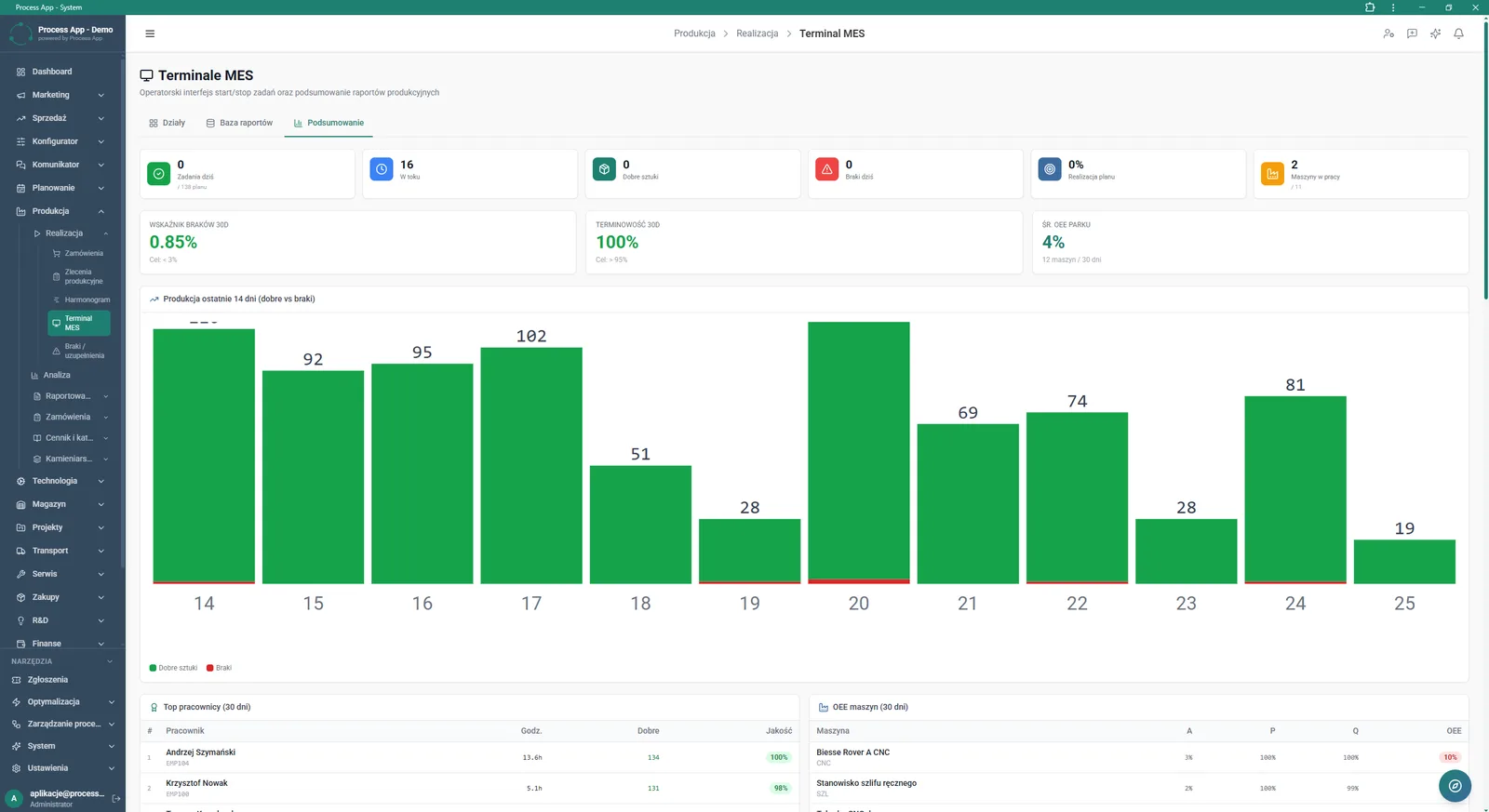
The screen shows the main Production module dashboard with data summaries, tiles with order and task statuses, KPI indicators and statistics for the daily plan and the last 14 days.
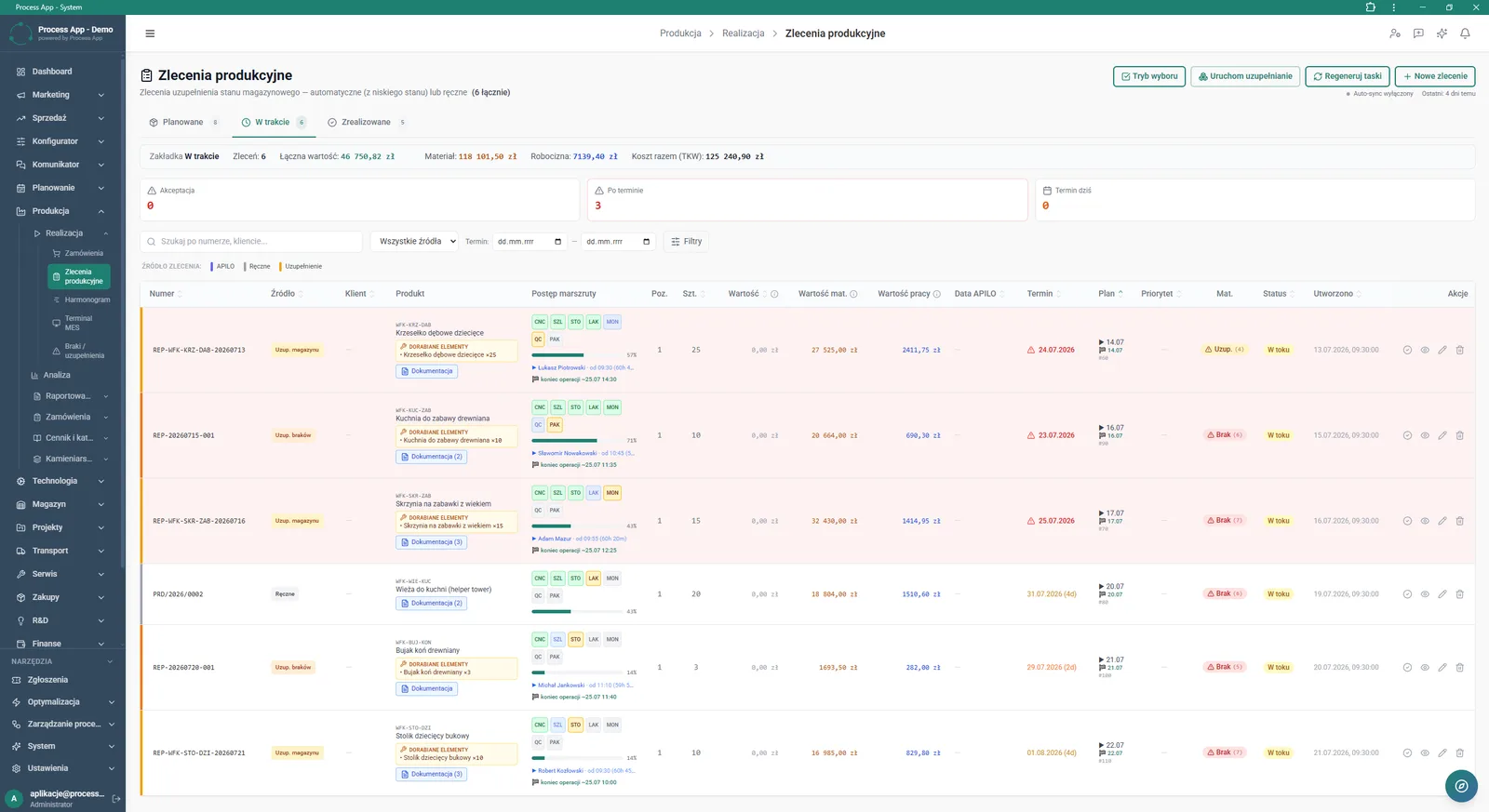
The Production orders screen in the Production module displays a list of orders in the In progress tab, with a financial summary, status tiles and a detailed routing progress table for individual products.
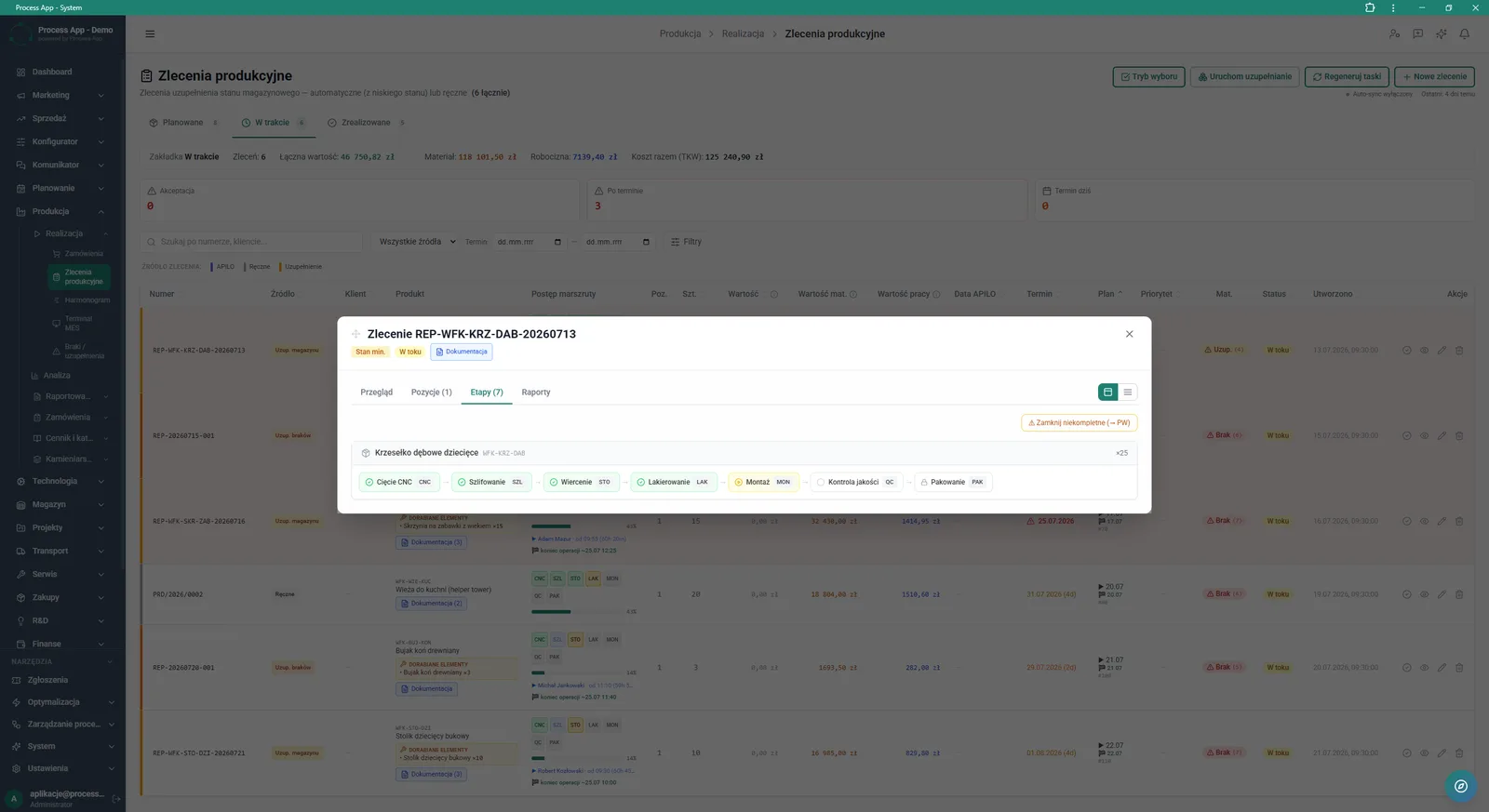
The screen shows a modal window with production order details opened on the Stages tab, presenting individual technological operations for the selected product.
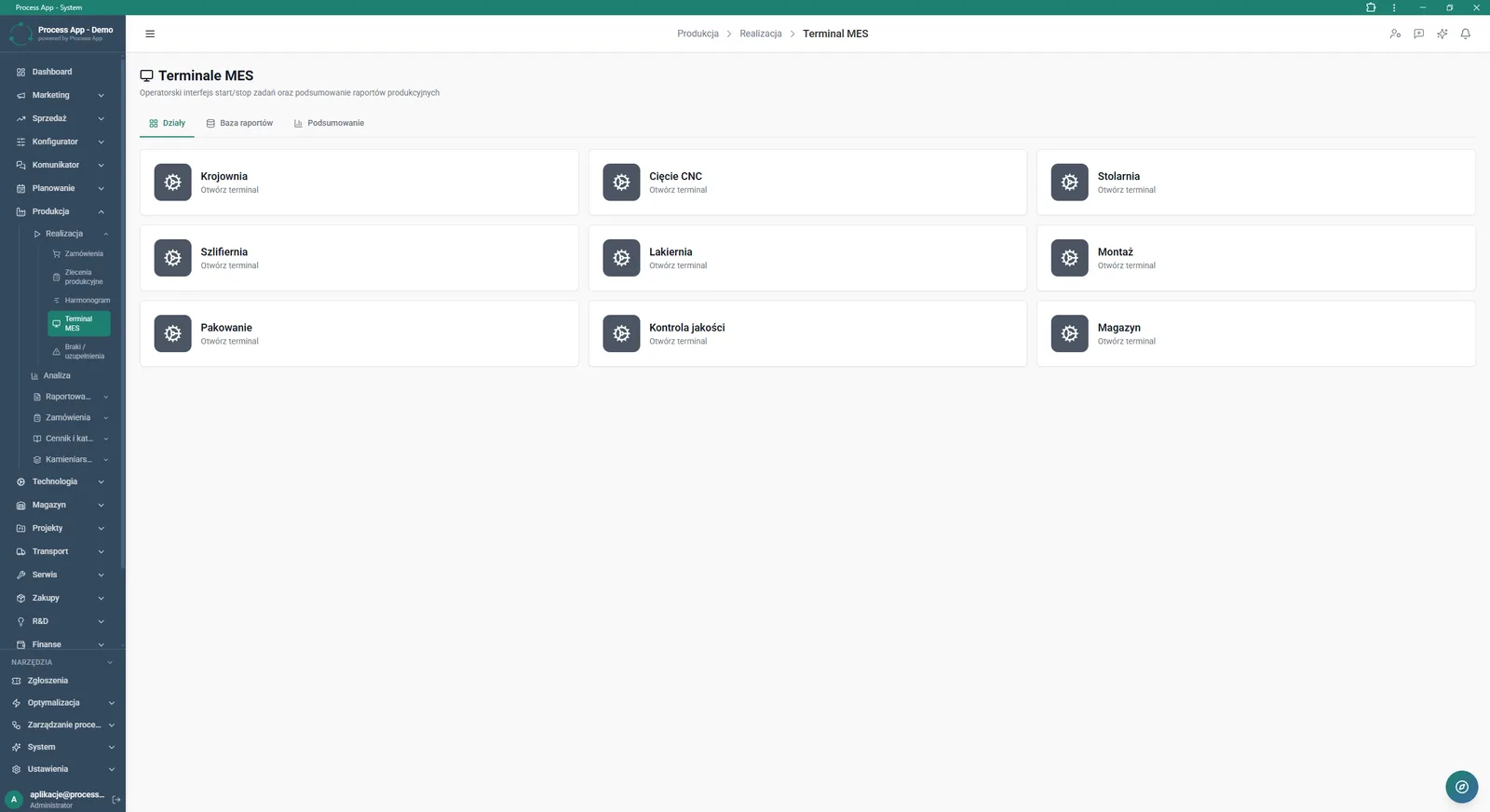
The MES Terminals screen shows the Departments tab with tiles representing specific production areas from which the operator interface can be launched.
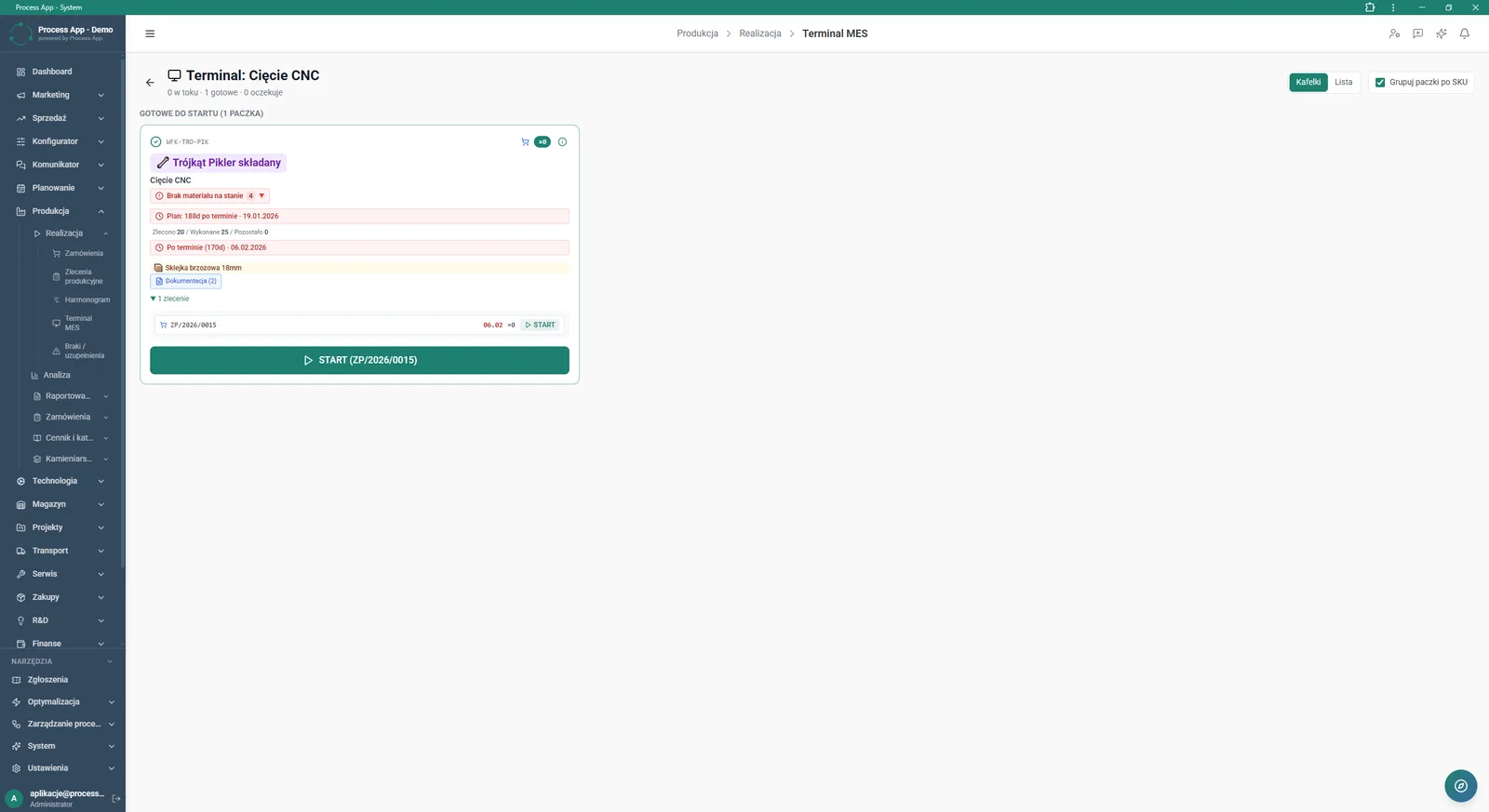
The screen shows the MES terminal interface for the CNC Cutting operation, displaying as a tile a job ready to start with order details, alerts and a start work button.
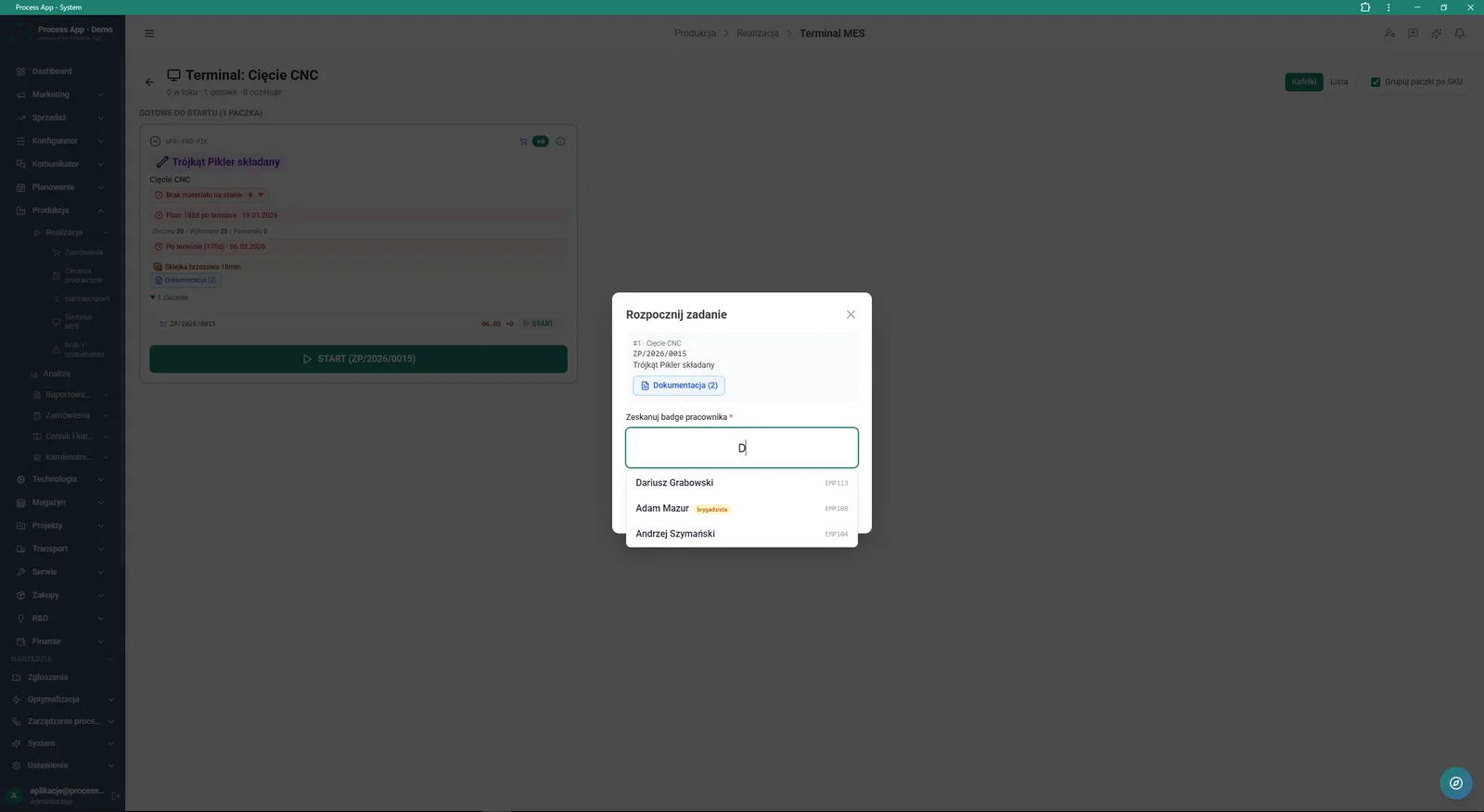
The screen shows the Start task modal window in the MES terminal, containing operation details and a field to scan or search for the operator ID with an expanded suggestions list.
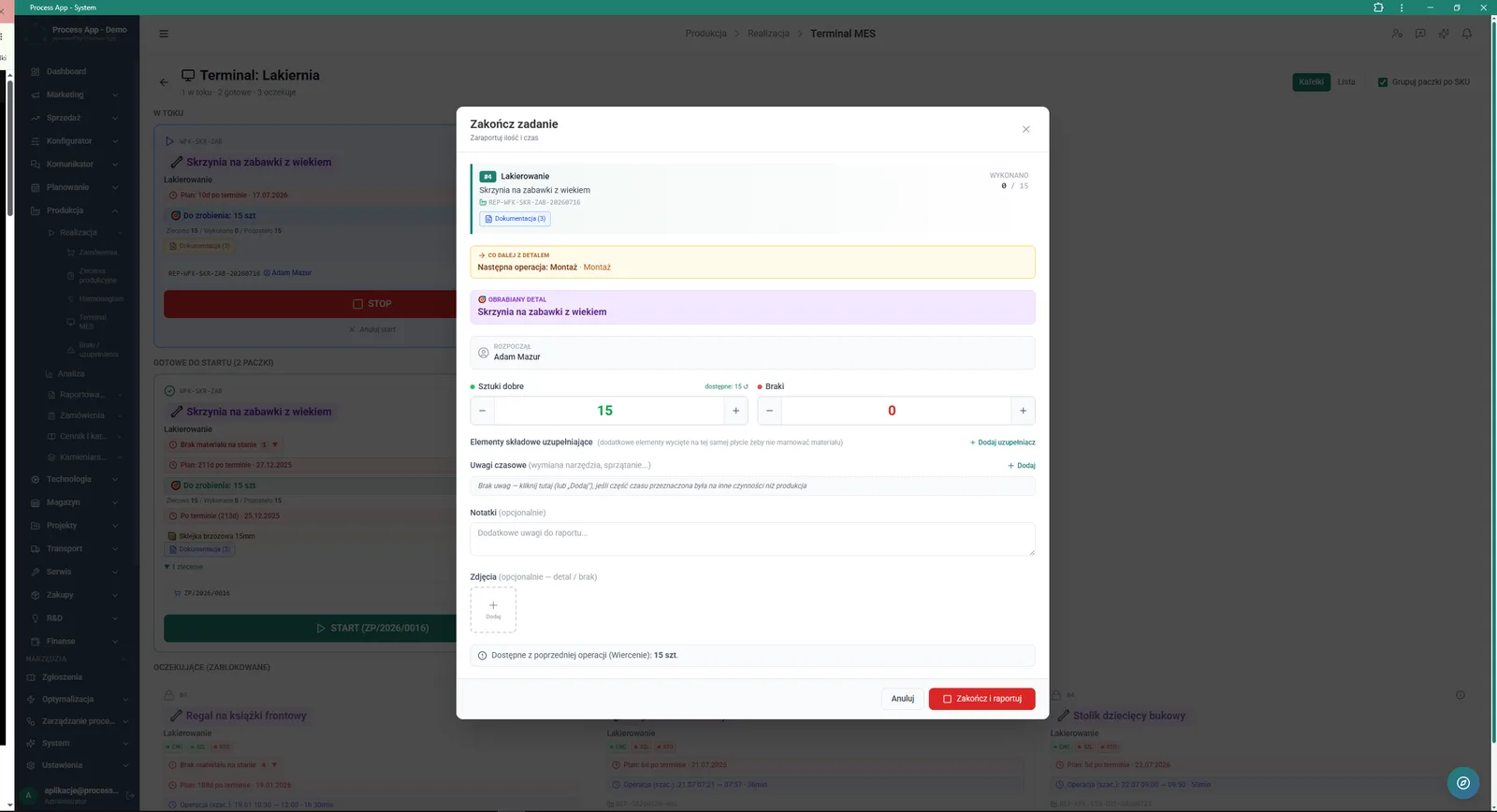
The screen shows the Finish task modal window in the MES terminal, where the operator reports good pieces produced and scrap, and can add time comments, notes and photos.
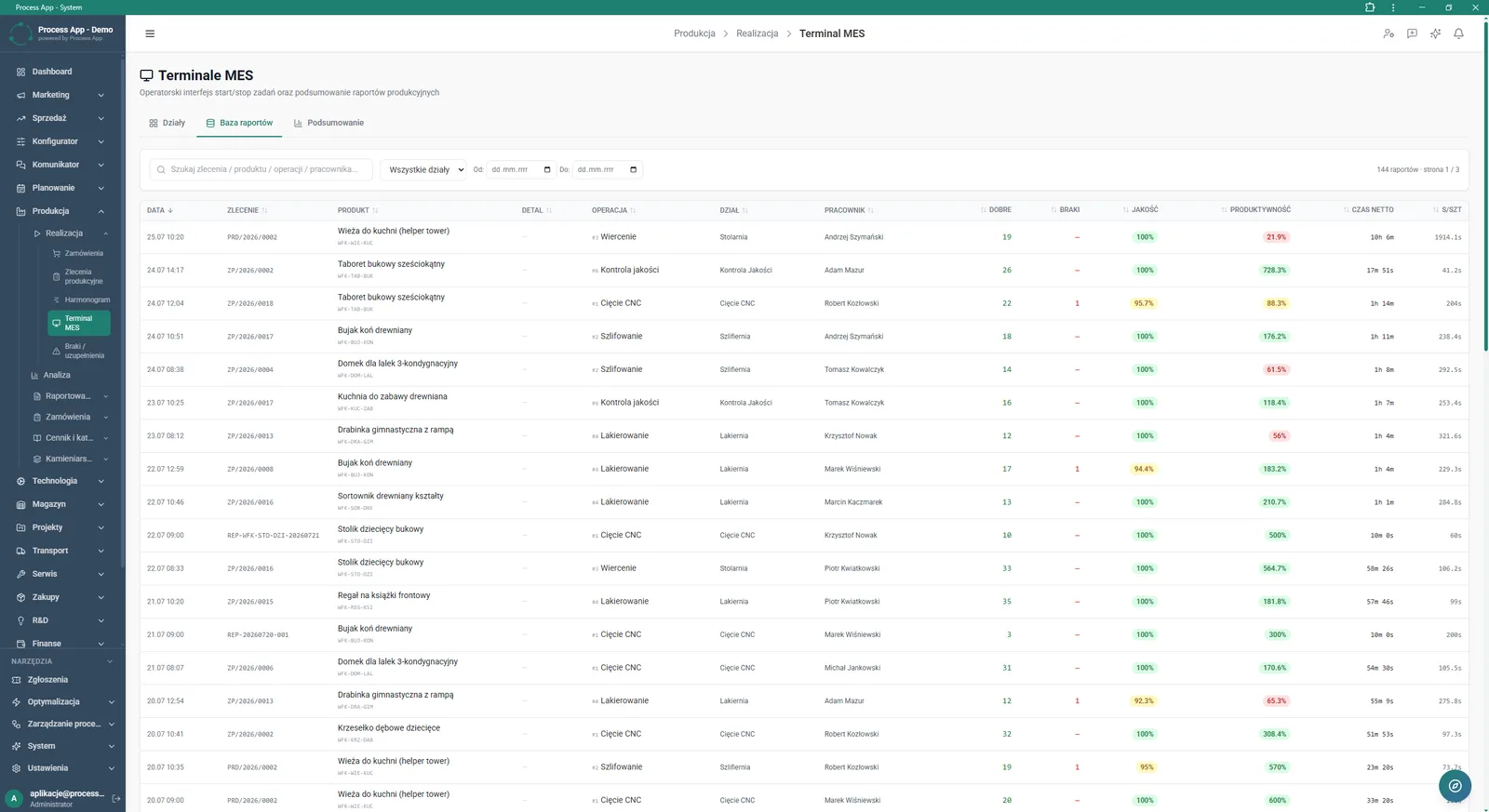
The MES Terminals screen opened on the Reports database tab displays a table with the history of completed production operations, including detailed data on time, quantities, quality and employee productivity.
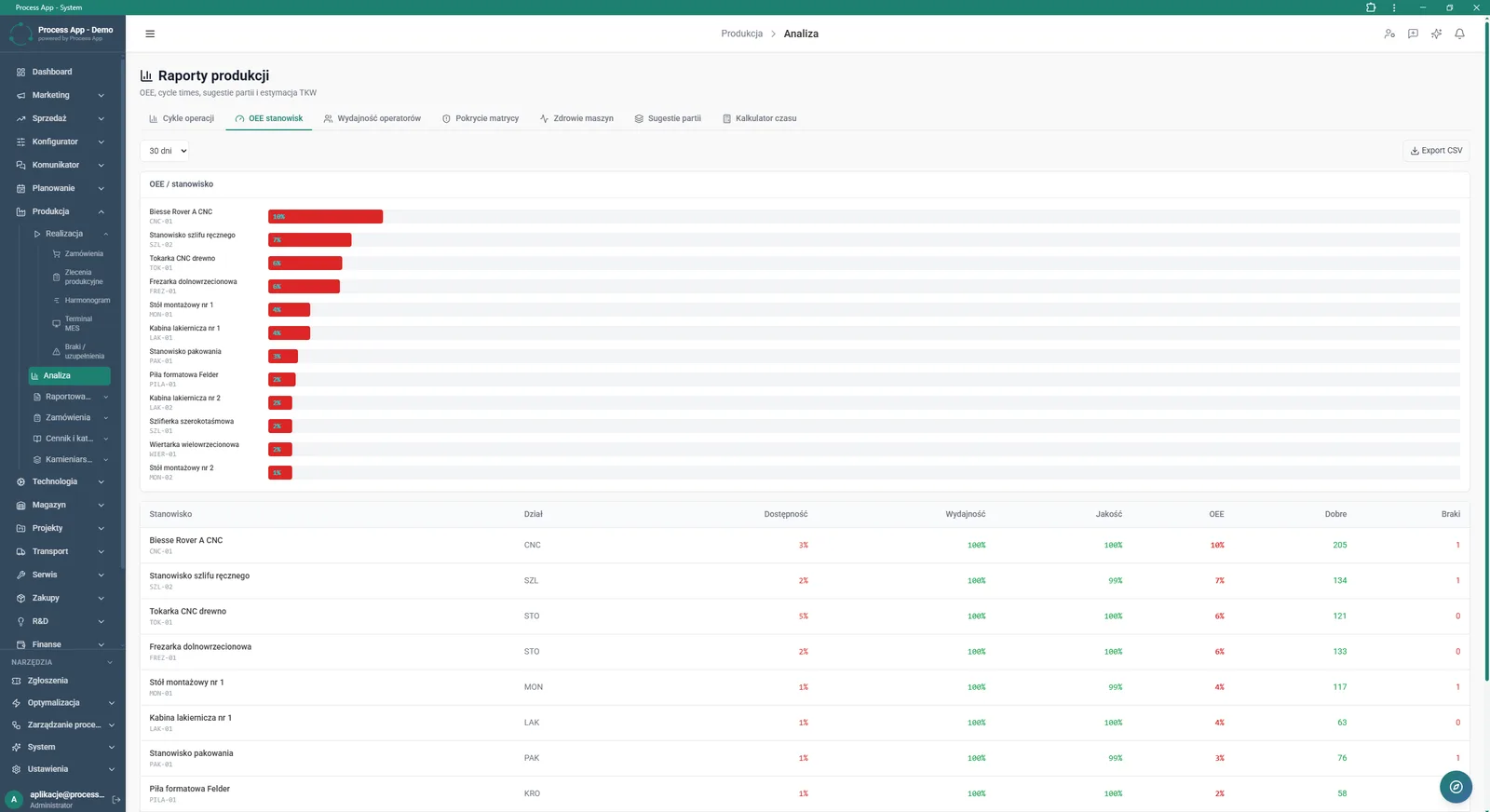
The Production reports screen opened on the OEE by workstation tab shows a bar chart and a detailed table with efficiency indicators for individual machines and workstations.
What exactly you get
Login via scanner
The system enables a fast task start by scanning or searching for the operator’s ID.
Reporting quantities and scrap
The terminal interface allows entry of produced part quantities, rejects and additional complementary items.
Routing progress tracking
The order list shows a progress bar for individual technological operations such as cutting, grinding or assembly.
Production reports database
The module stores the history of completed operations broken down by department, employee and quality/productivity indicators.
OEE KPI analysis
The system generates bar charts and tables presenting availability, performance and quality for each workstation.
What AI does for you in this process
Optimal batch suggestions
Artificial intelligence analyses order history and suggests optimal production batch sizes on the Batch suggestions tab.
Machine health monitoring
Algorithms evaluate reported cycle times and downtimes, predicting potential failures in the Machine health section.
Operation time calculation
The system uses machine learning to accurately calculate expected task duration in the Time calculator.
The process from start to finish
Manage your entire production from one place using the main dashboard with data summaries and KPI indicators such as scrap rate or delivery timeliness. Browse production orders in Planned, In progress and Completed tabs, tracking detailed routing progress for each operation. Launch the operator interface for specific departments such as CNC Cutting, Joinery or Paint Shop directly from the system. Let employees start tasks quickly by scanning their ID and finish them easily by entering good pieces, rejects, as well as time-related comments and photos. Check material availability in real time and view attached process documentation without leaving the machine. Analyse the history of completed operations in the Reports database and review performance on the OEE by workstation tab to continuously optimise your processes.
See this process on your own data
We will walk you through the “Production Reporting (MES Terminal)” module using your company as the example — the input, the flow and the end result in Process App.
Explore the remaining system modules
Production Order Launch
Daily Work Reporting
Piecework Settlement
Purchase Requisition
Purchase Order

Demand vs Inventory Balancing
Transport Order
Project Kick-off
Project Schedule Planning
Project Management
Project Time Tracking