Daily Work Reporting
Wasting time manually counting finished pieces and working hours at the end of the day? The Daily Reporting module lets employees quickly log completed work from their phones, delivering ready-to-use data for payroll and performance statistics. Artificial intelligence algorithms analyse KPIs and production charts from the last 14 days to predict the risk of delays and defects.
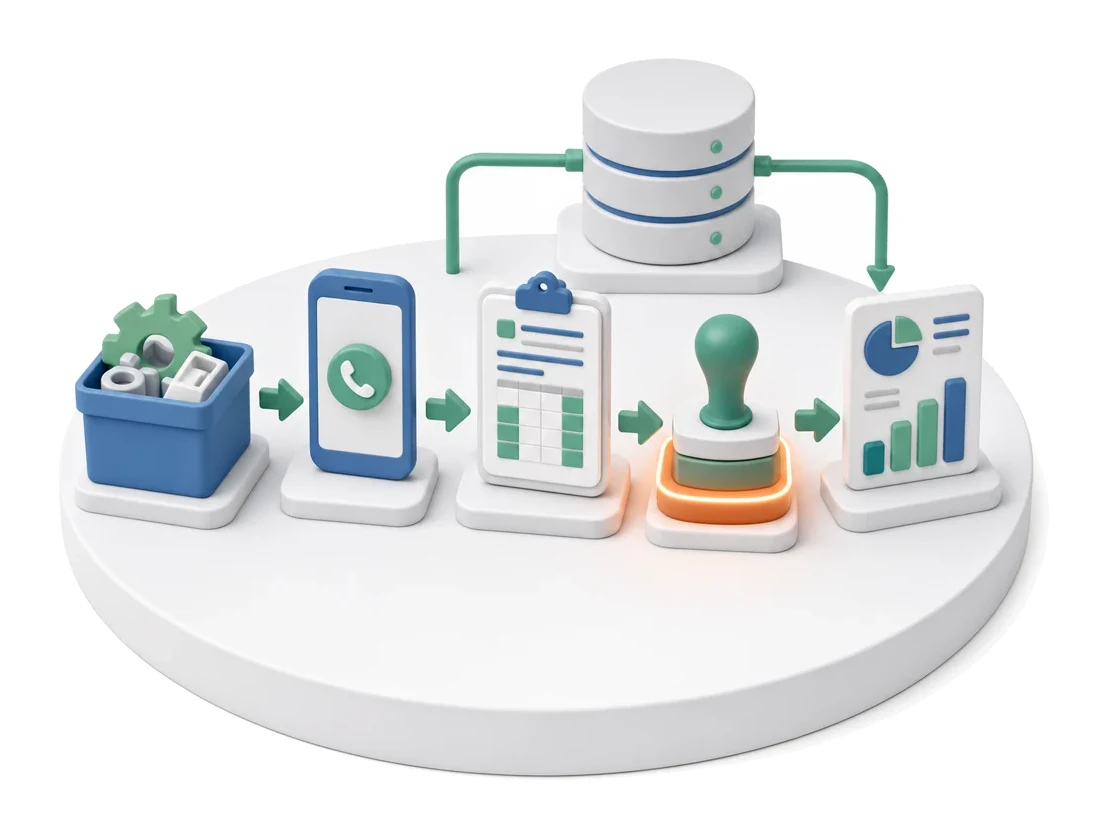
- Input
- Completed work
- Flow
- Phone → daily report → approval by line leader
- Output
- Daily report with hours and units
What changes in the company after the rollout
An employee reports completed work from their phone at the end of the day. The report is the basis for payroll settlement and performance statistics.
Lightning-fast settlements
You eliminate paper timesheets, relying on digital reports sent directly from employees’ phones.
Full progress visibility
You gain instant insight into daily plan execution and the exact number of good pieces and defects.
Fair pay allocation
You easily settle jointly performed tasks thanks to the percentage-based rate split between partners.
Faster reaction to defects
You receive automatic notifications when a selected department does not report its production at the end of the shift.
Fewer data errors
You reduce the risk of mistakes by scanning item codes instead of typing them manually.
How this process looks in Process App
Zrzuty pochodzą z działającego systemu — kliknij, aby powiększyć.
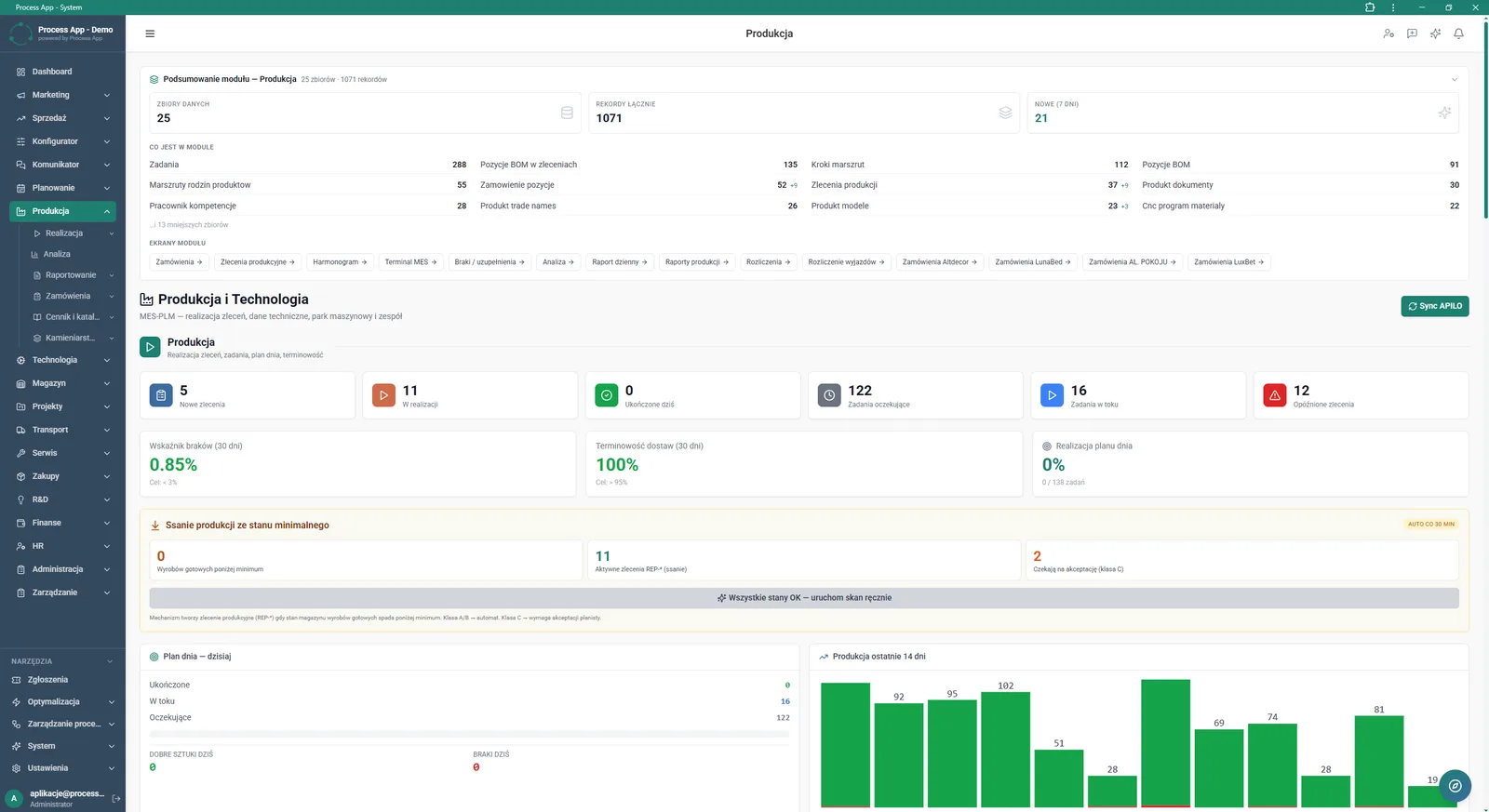
Main screen of the Production module showing data summary, order statuses, KPIs and a production chart from the last 14 days.
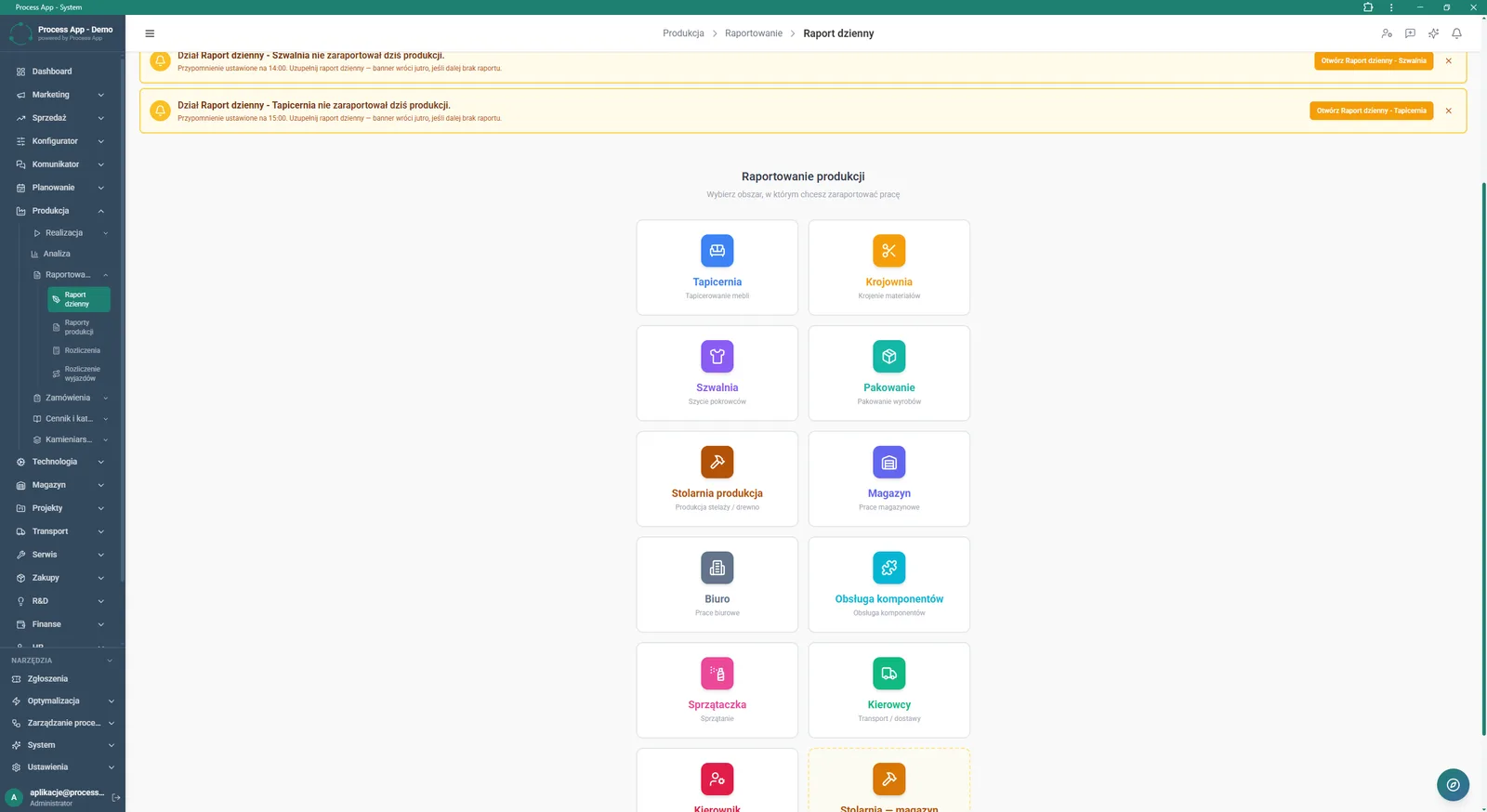
Daily report screen in the Production module showing notifications about missing reports and tiles for selecting the work reporting area.
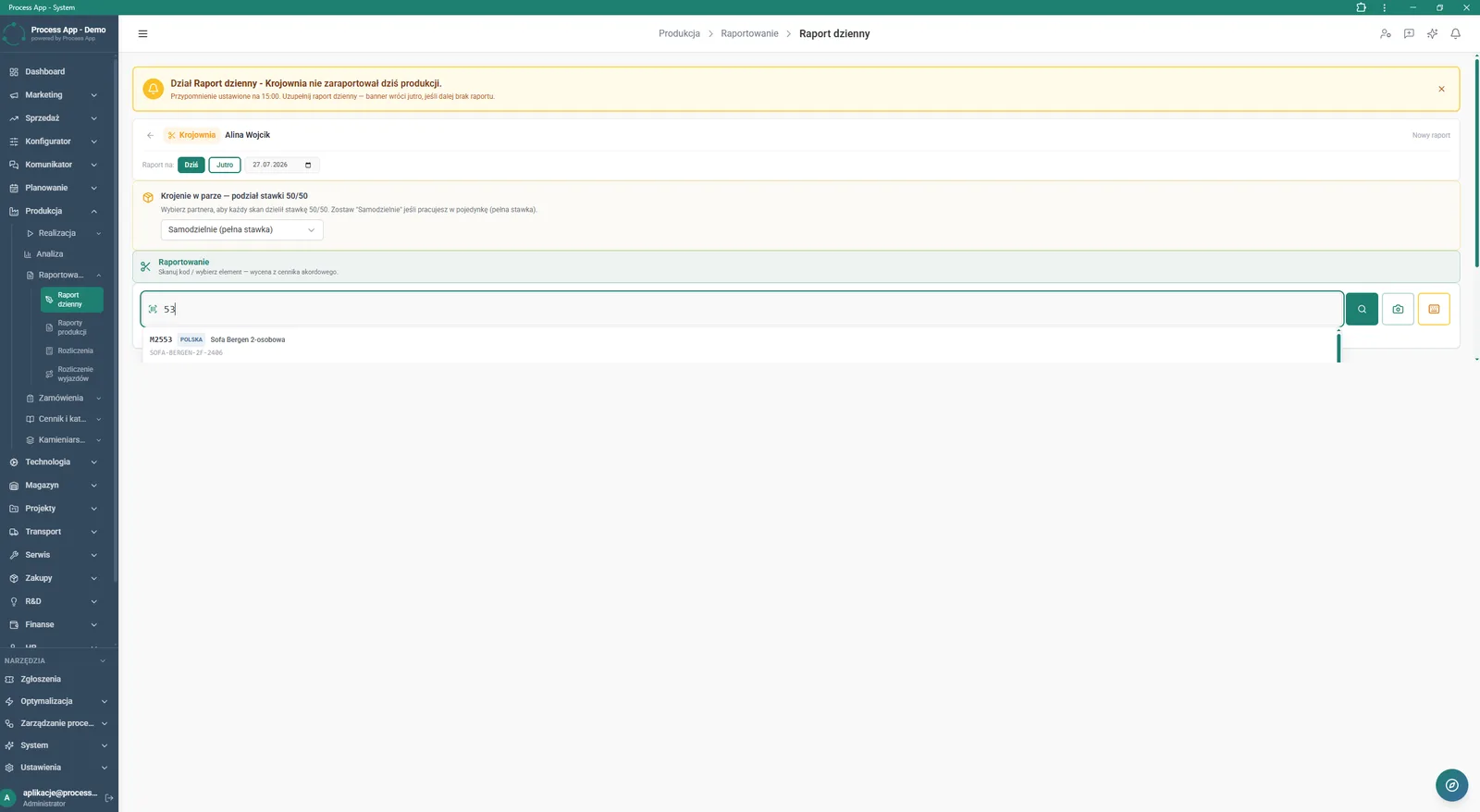
Daily report screen for a specific employee and department, with a date selection form, pair rate split option and a field for entering or scanning codes of completed items.
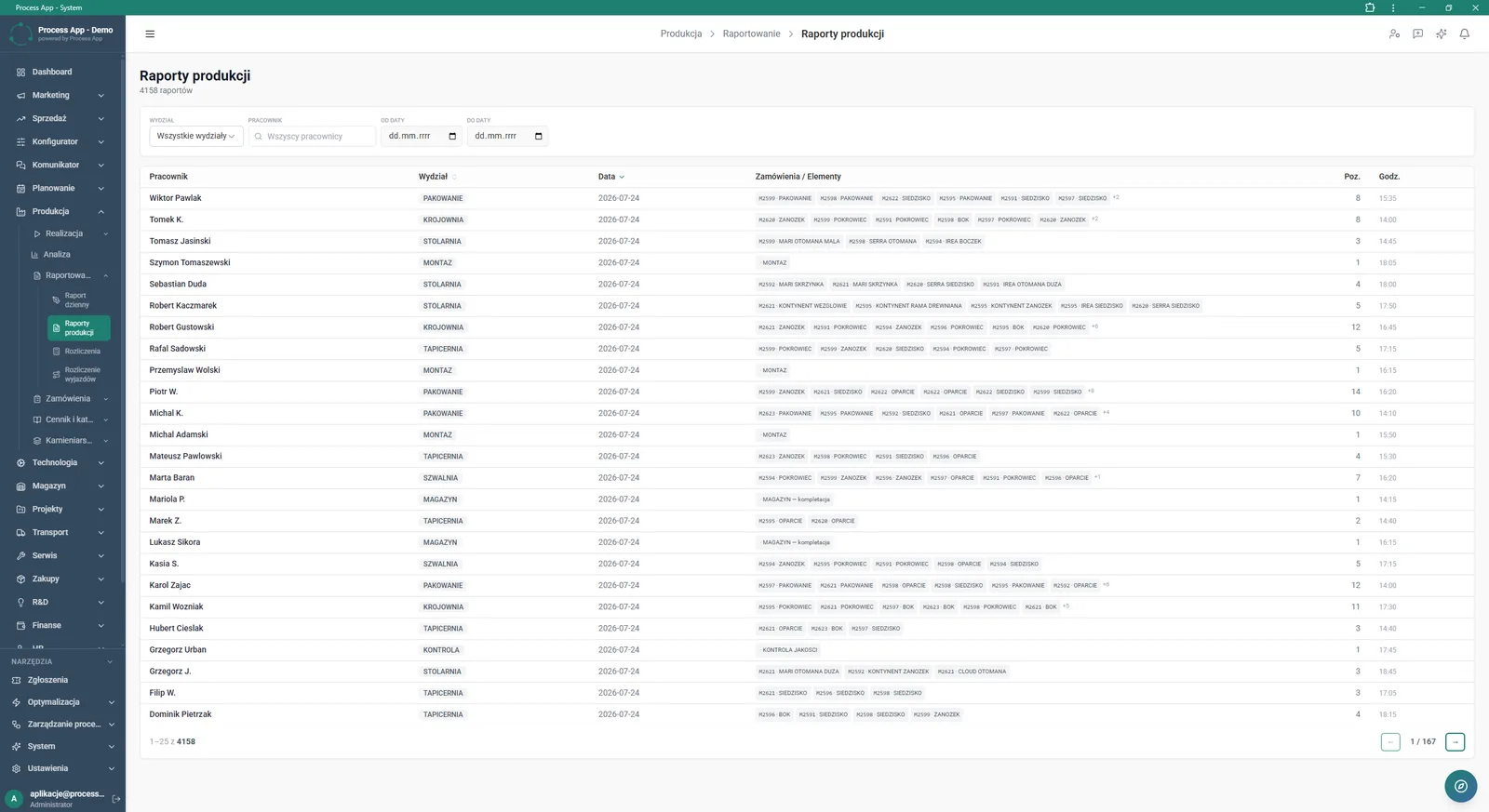
Production reports screen showing a tabular summary of reported work by employees, departments and completed items, with filtering options.
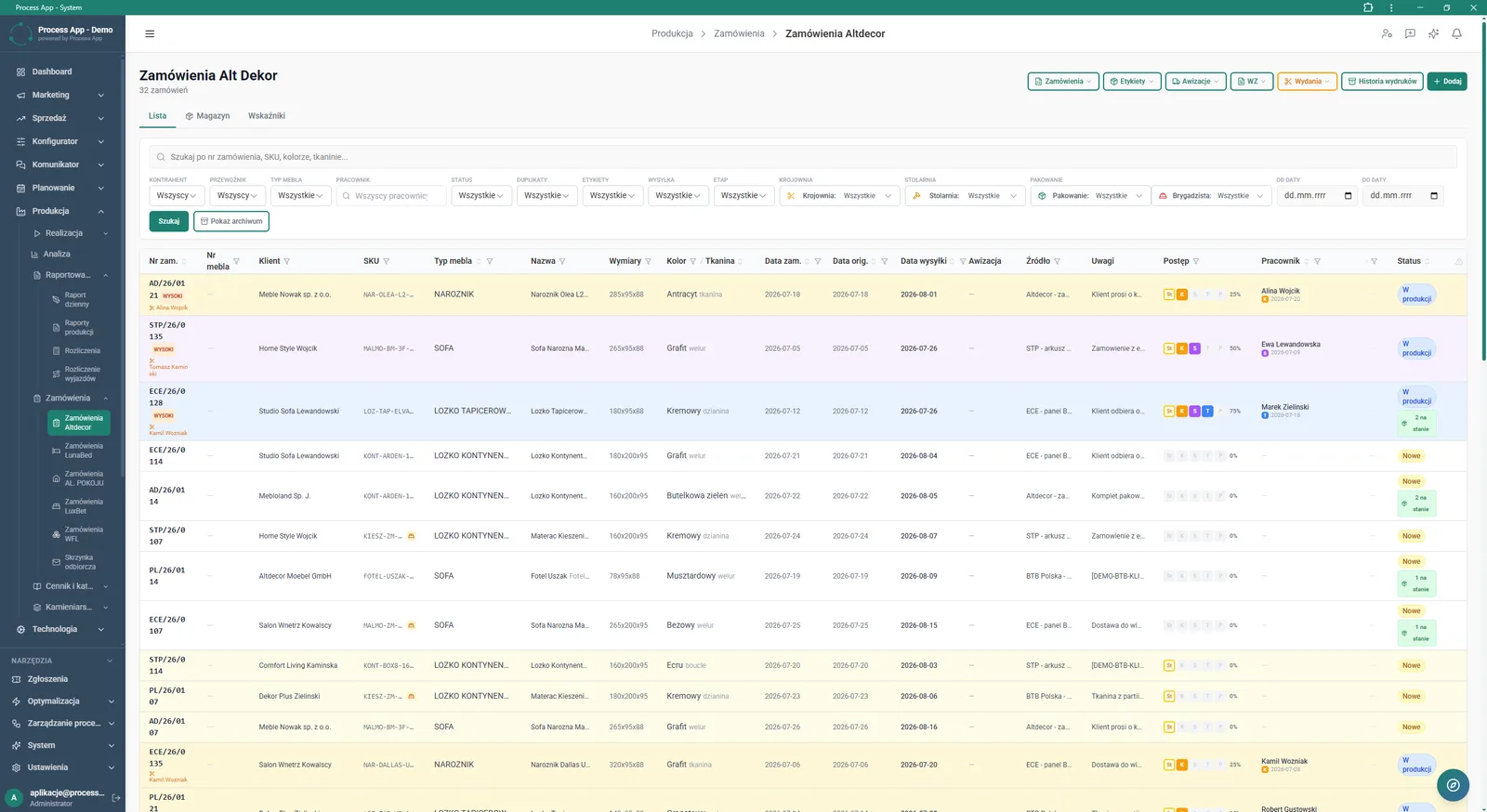
Alt Dekor Orders screen in the Production module showing a detailed order table with advanced filtering options and bulk action buttons.
What exactly you get
Mobile work reporting
The system provides a date selection and completed items entry form dedicated to a specific employee and department.
Barcode scanner support
The application allows you to launch the phone camera to quickly scan an order or product code.
Pair rate management
The module lets you select a partner from a drop-down list and automatically split the rate for completed work 50/50.
Tabular production summaries
The reports screen displays reported work broken down by employees, departments, hours and completed items.
Advanced data filtering
The system enables searching order lists and reports by date, status, employee and furniture type.
What AI does for you in this process
KPI analysis
Artificial intelligence analyses on-time delivery and defect rates from the last 30 days to identify production bottlenecks.
Order delay prediction
Algorithms analyse current statuses of in-progress and queued tasks, warning about potential schedule delays.
Reporting anomaly detection
The system analyses the time of daily report entries and automatically flags unusual performance results for individual employees.
Minimum stock level optimisation
Artificial intelligence analyses the consumption rate of components, suggesting optimal moments to trigger production pull.
The process from start to finish
Continuously monitor daily plan execution and defect rates directly from the main screen of the Production module. Collect data from employees across different departments, such as Cutting, Sewing or Upholstery, using simple tiles to select the reporting area. Let your team quickly enter completed item codes from the keyboard or via the built-in phone scanner. Ensure fair team settlements with the option to split the rate for tasks performed in pairs. Review detailed summaries on the Production reports screen, filtering results by department, employee and date range. React immediately to alerts about missing reports from specific departments to keep data continuity. Manage the entire process from entering the order number through to generating labels and goods issue documents.
See this process on your own data
We will walk you through the “Daily Work Reporting” module using your company as the example — the input, the flow and the end result in Process App.
Explore the remaining system modules
Production Order Launch
Production Reporting (MES Terminal)
Piecework Settlement
Purchase Requisition
Purchase Order
Demand vs Inventory Balancing
Transport Order
Project Kick-off
Project Schedule Planning
Project Management
Project Time Tracking