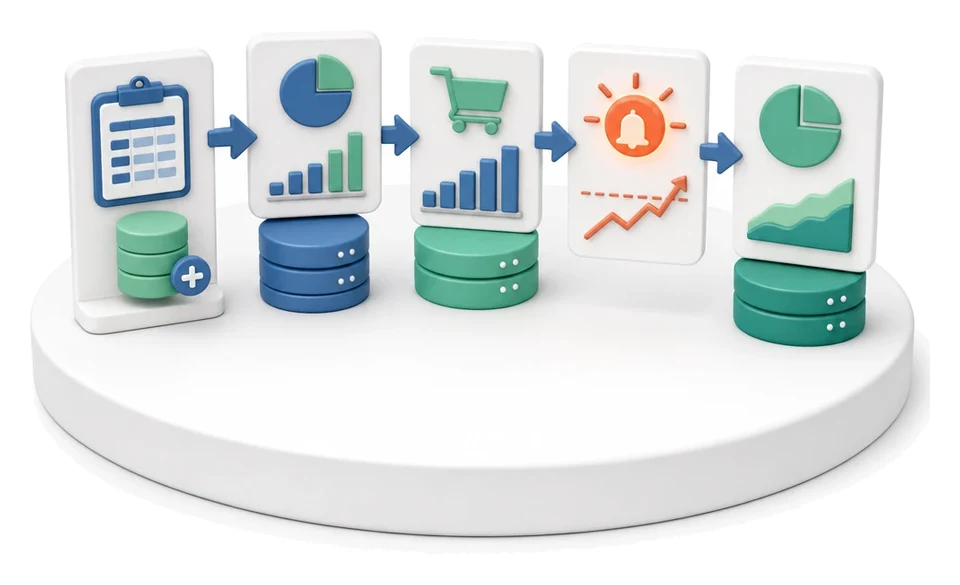
Production Order Launch
Wasting time manually retyping orders and getting lost in material shortages before production even starts? The Production module turns plans into shop-floor-ready orders with assigned operations, materials and due dates, giving you full control over the floor and the schedule. Artificial intelligence analyses historical lead times and stock levels, automatically suggesting the optimal launch dates for each order.
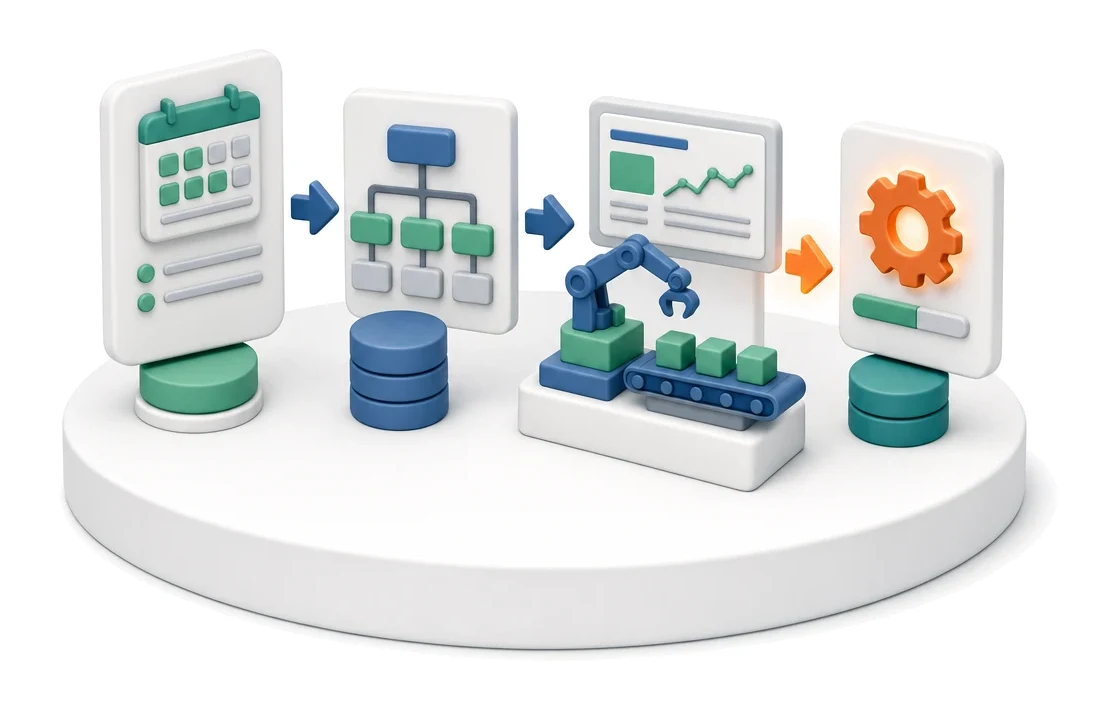
- Input
- Schedule line item
- Flow
- Plan → order with operations → shop-floor view
- Output
- Production order in progress
What changes in the company after the rollout
The plan is converted into a production order with operations, materials and a due date. The order is visible on the shop floor and in the schedule.
Elimination of production downtime
Ongoing verification of stock shortages before launching an order prevents unplanned stops on the shop floor.
Improved on‑time delivery
Continuous monitoring of delayed orders and priorities makes it easier to keep agreed delivery dates.
Planner time savings
Fast order creation in the forecast and synchronisation with external systems reduce manual data entry.
Full cost visibility
Automatic summaries of material and labour values allow you to control the budget of every order in real time.
Faster response to shortages
A pull-based replenishment system from minimum stock levels immediately points to finished goods that need to be topped up.
How this process looks in Process App
Zrzuty pochodzą z działającego systemu — kliknij, aby powiększyć.
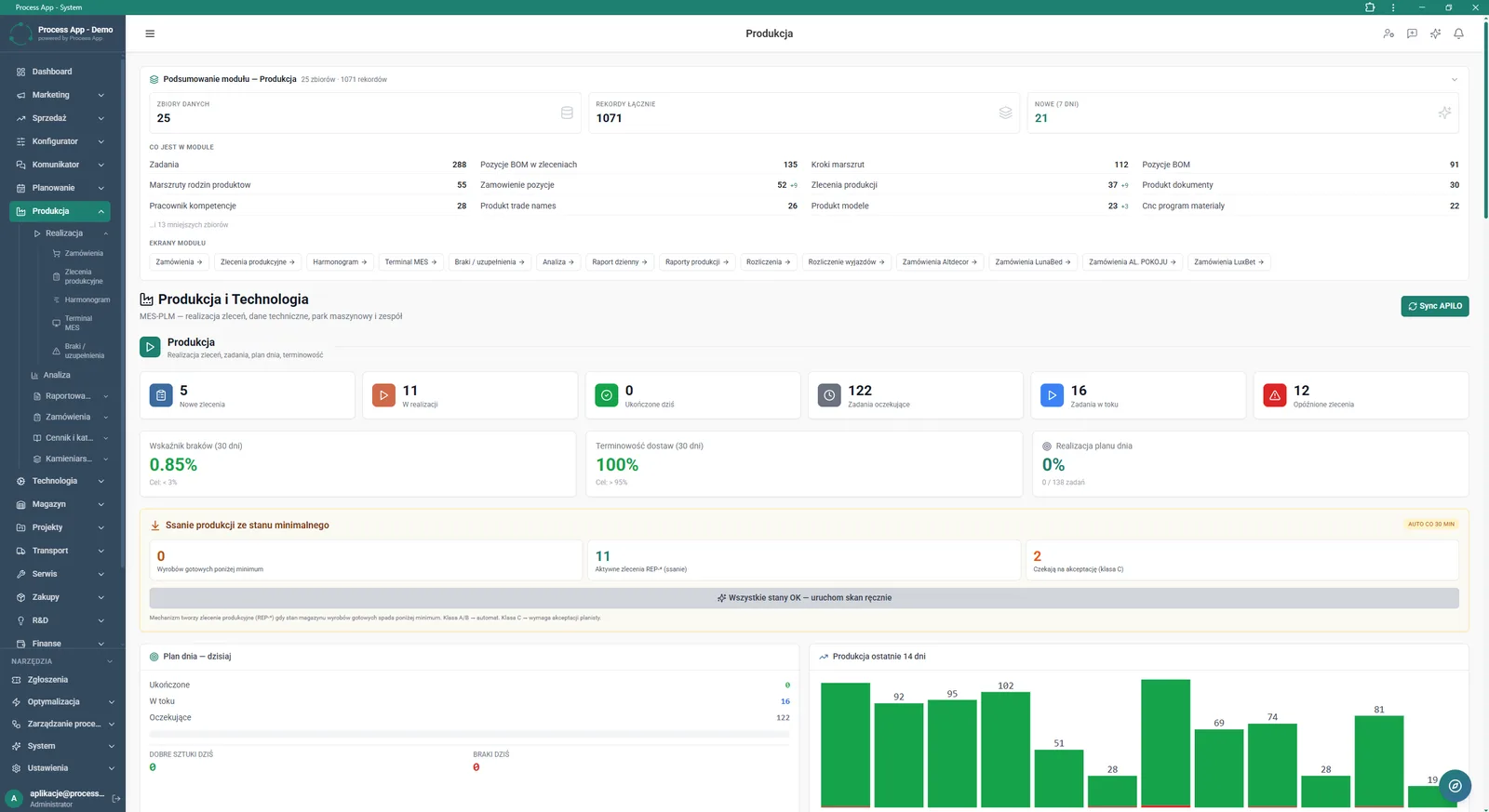
Main screen of the Production module showing summary data, key performance indicators and the current status of orders and tasks.
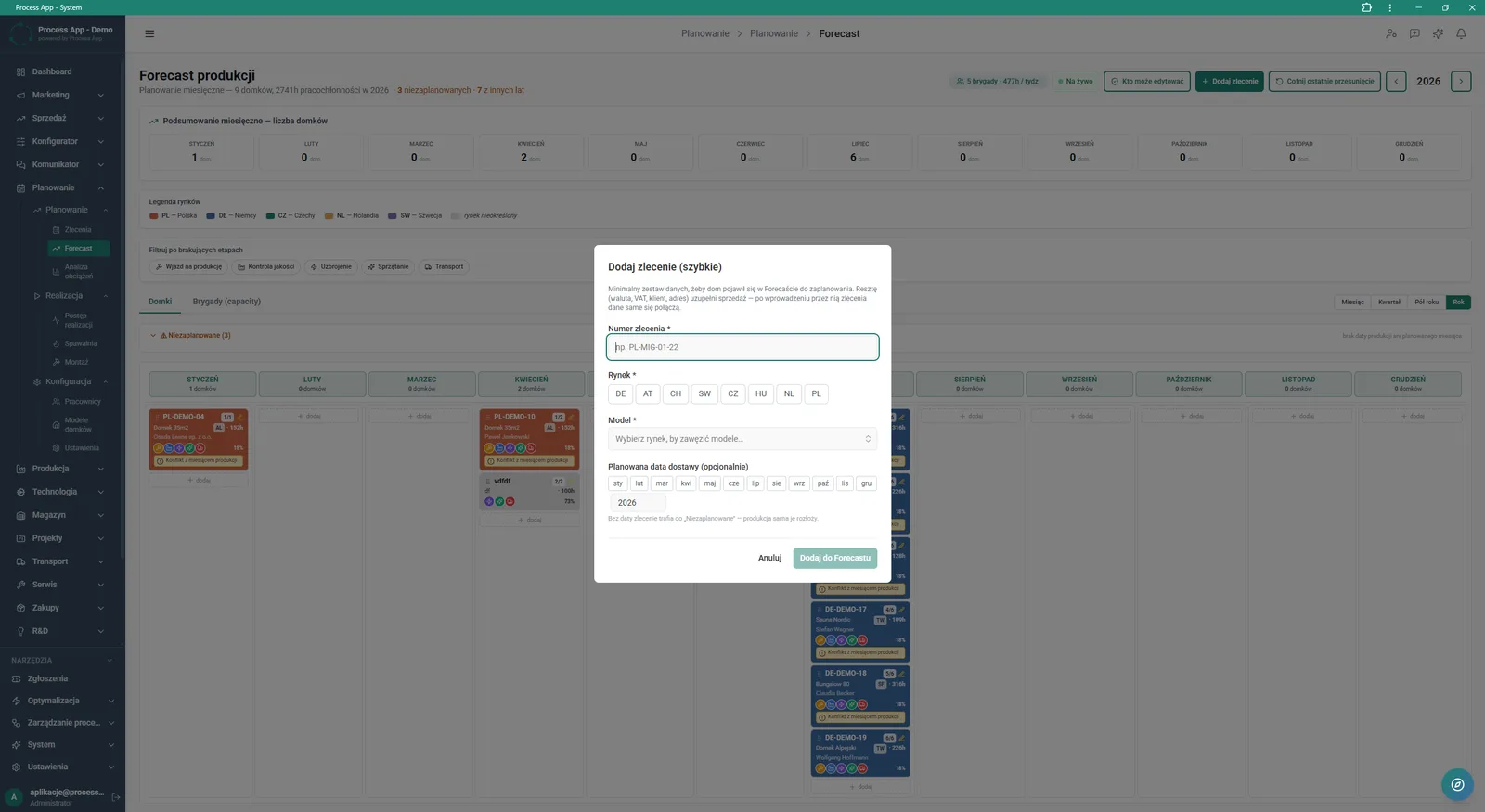
Production Forecast screen with the “Add order (quick)” modal window open, where you enter basic order data such as number, market, model and delivery date.
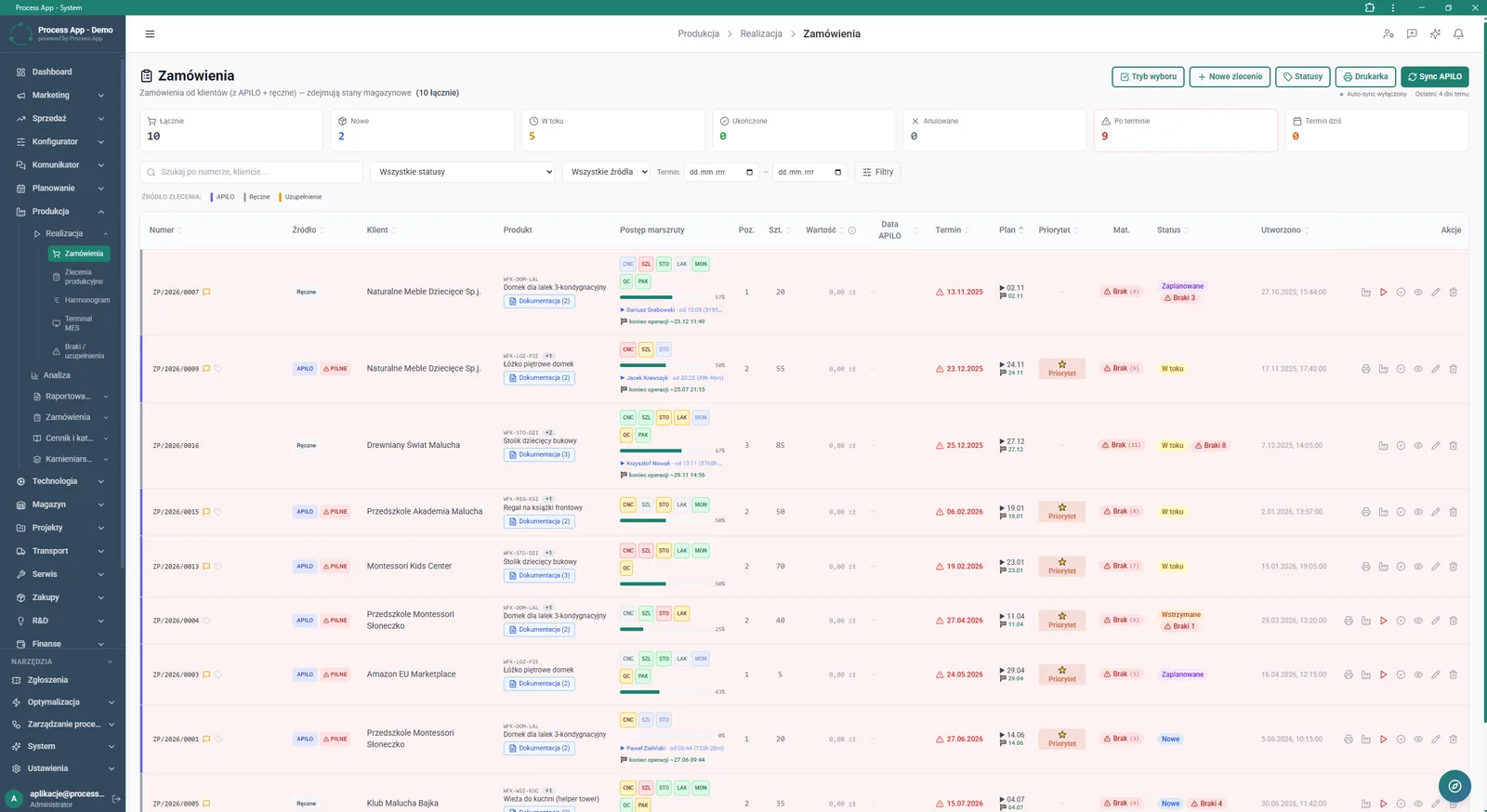
Orders screen in the Production module displaying the list of customer orders with numeric summaries in tiles plus a details table with route progress.
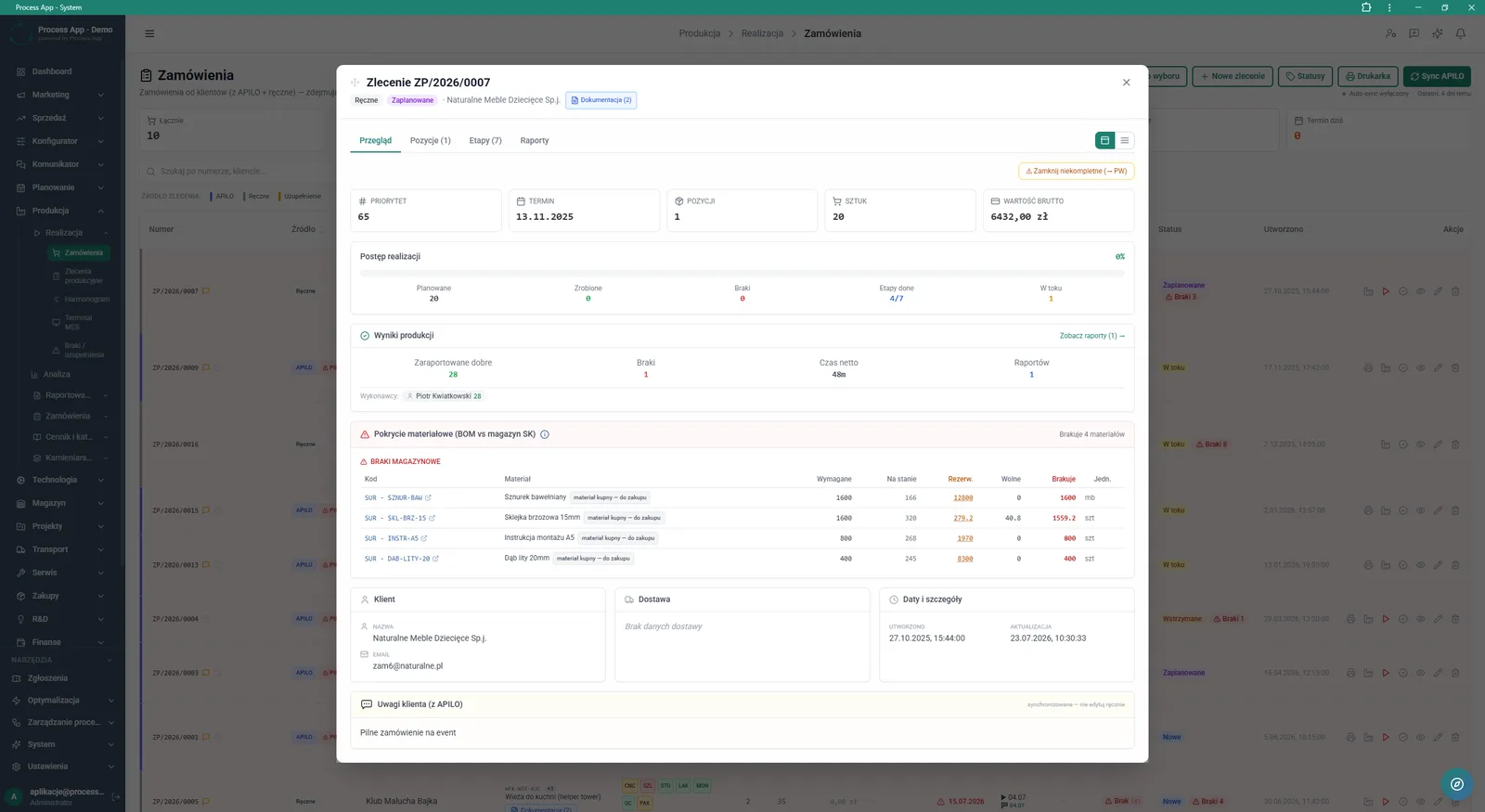
Screen showing an open production order details window with the Overview tab active, including a summary of progress, production results and material shortages.
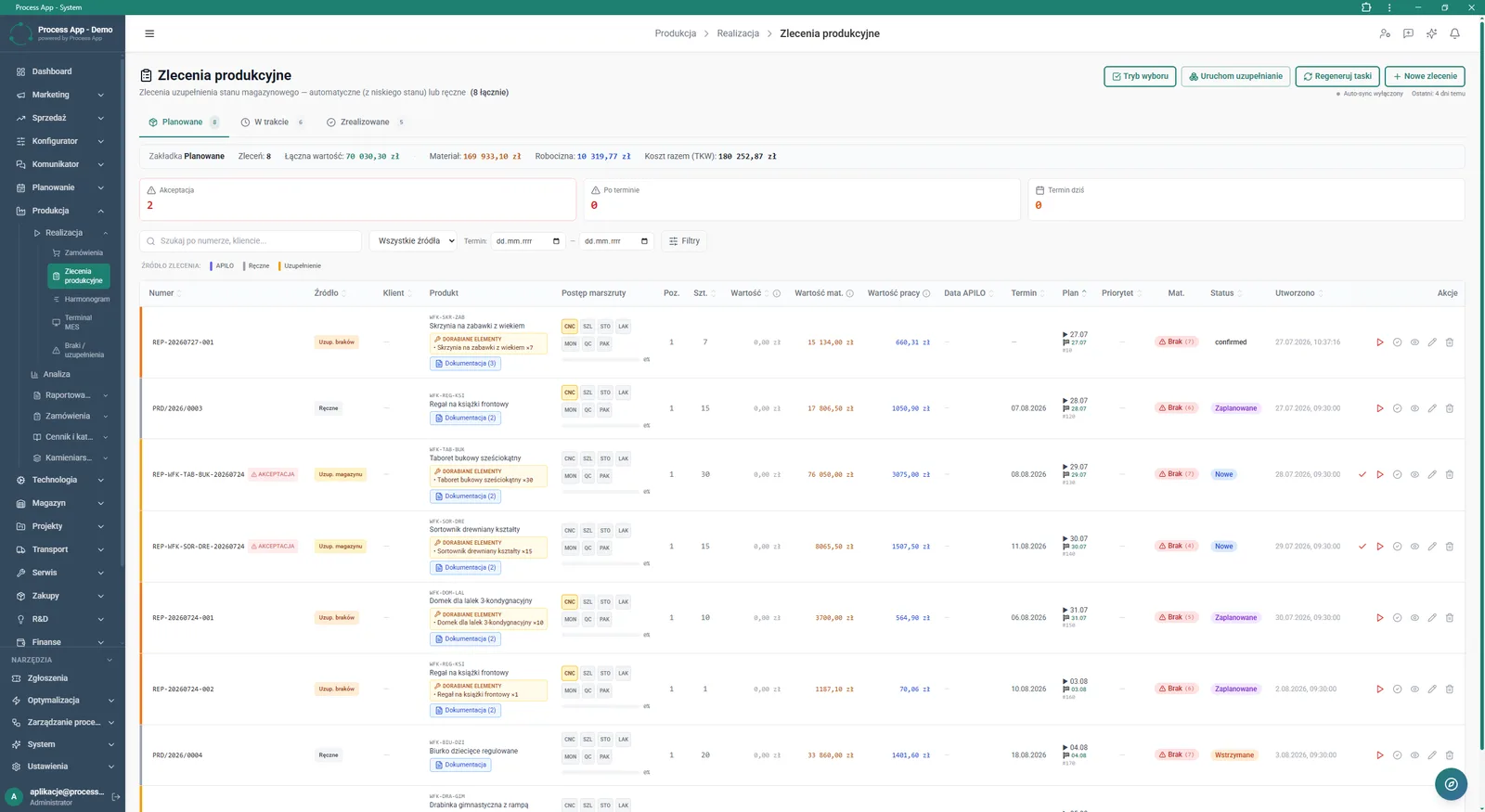
Production Orders screen in the Production module displaying the list of planned orders with value summaries, alert tiles and a details table including route progress and material statuses.
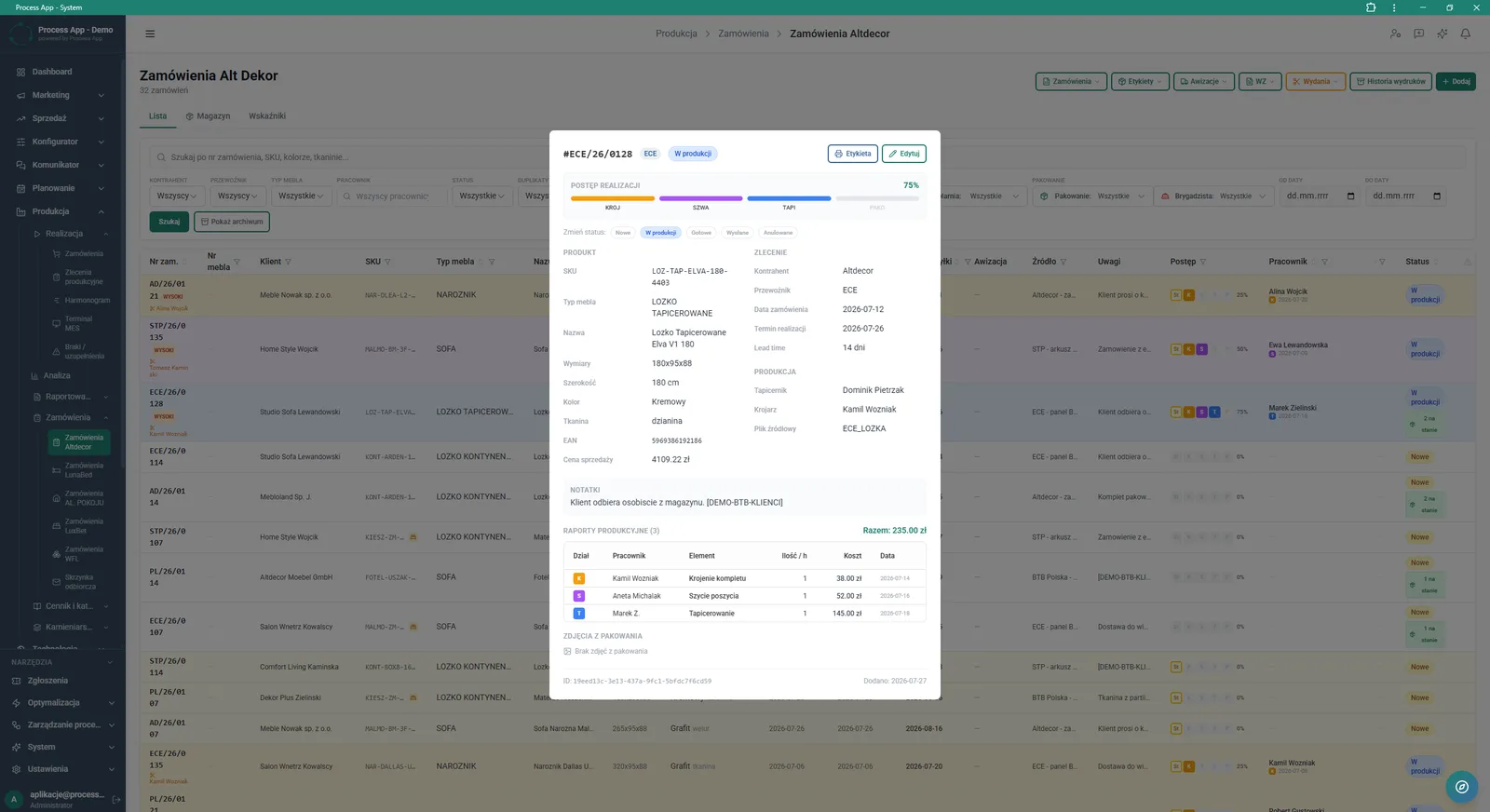
Order list screen with an open details window for a specific order, showing execution progress, product data, order information and production reports.
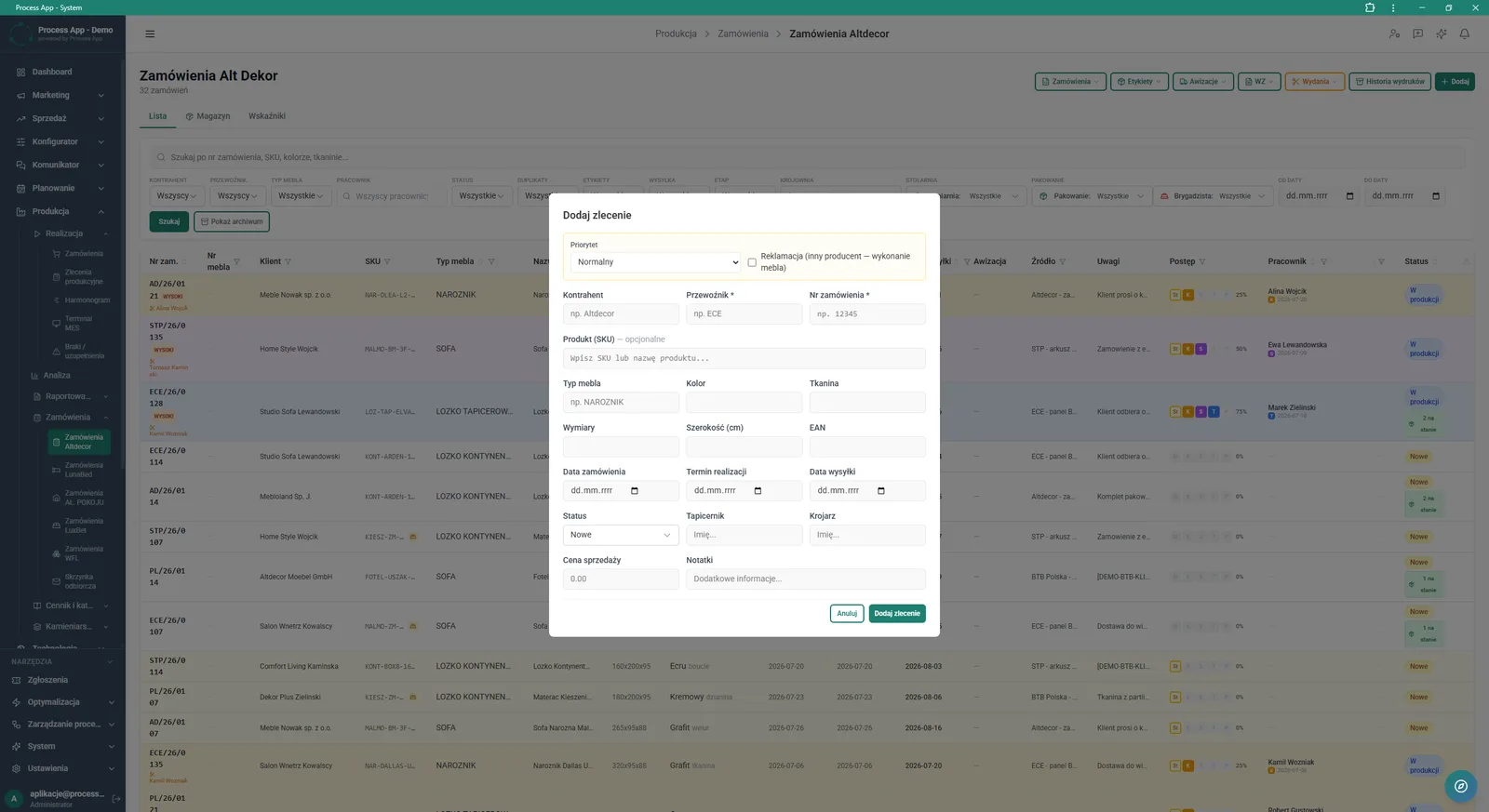
Altdecor orders list screen with the Add order modal window open, used for manually entering the details of a new production order.
What exactly you get
APILO synchronisation
The system imports orders from the external platform and updates their statuses in real time.
Route progress tracking
The application displays percentage completion of an order broken down by individual production stages.
Material coverage check
The shortages table compares required BOM items with current stock levels and reservations.
Production forecast management
The module enables monthly planning split by markets, models and planned delivery dates.
Production report generation
The system collects data on working time, operators and produced quantities in a dedicated tab.
Minimum stock handling
This function allows manual triggering of stock scanning and automatic generation of replenishment orders.
What AI does for you in this process
Material shortage forecasting
Artificial intelligence analyses the schedule and stock levels, warning in advance about the risk of delays.
Daily plan optimisation
Algorithms evaluate priorities and crew availability, suggesting the best execution sequence for work in progress.
Lead time estimation
Artificial intelligence analyses historical production reports to calculate planned completion dates for new orders more accurately.
The process from start to finish
Manage the entire production order lifecycle from incoming customer order through execution on the shop floor. Continuously monitor key performance indicators such as Scrap Rate and On‑time Delivery from the main summary screen. Plan ahead in the Production Forecast view, where you can quickly add new orders and assign them to specific markets and models. Track Route Progress and verify material coverage in the Overview tab to avoid downtime caused by stock shortages. Trigger replenishment and synchronise data with the APILO system with a single click. Review detailed Production Reports and keep labour and material costs under control for every order. Change statuses, generate labels and close incomplete orders directly from the Production Orders list.
See this process on your own data
We will walk you through the “Production Order Launch” module using your company as the example — the input, the flow and the end result in Process App.
Explore the remaining system modules
Production Reporting (MES Terminal)
Daily Work Reporting
Piecework Settlement
Purchase Requisition
Purchase Order

Demand vs Inventory Balancing
Transport Order
Project Kick-off
Project Schedule Planning
Project Management
Project Time Tracking