Product configurator
Spending hours manually calculating prices and preparing quotes for complex products? The Configurator module lets you instantly build a variant from available sections and parameters, automatically generating pricing and a ready‑to‑use specification. Artificial intelligence analyses historical configurations and suggests optimal bundles and margins for selected markets.
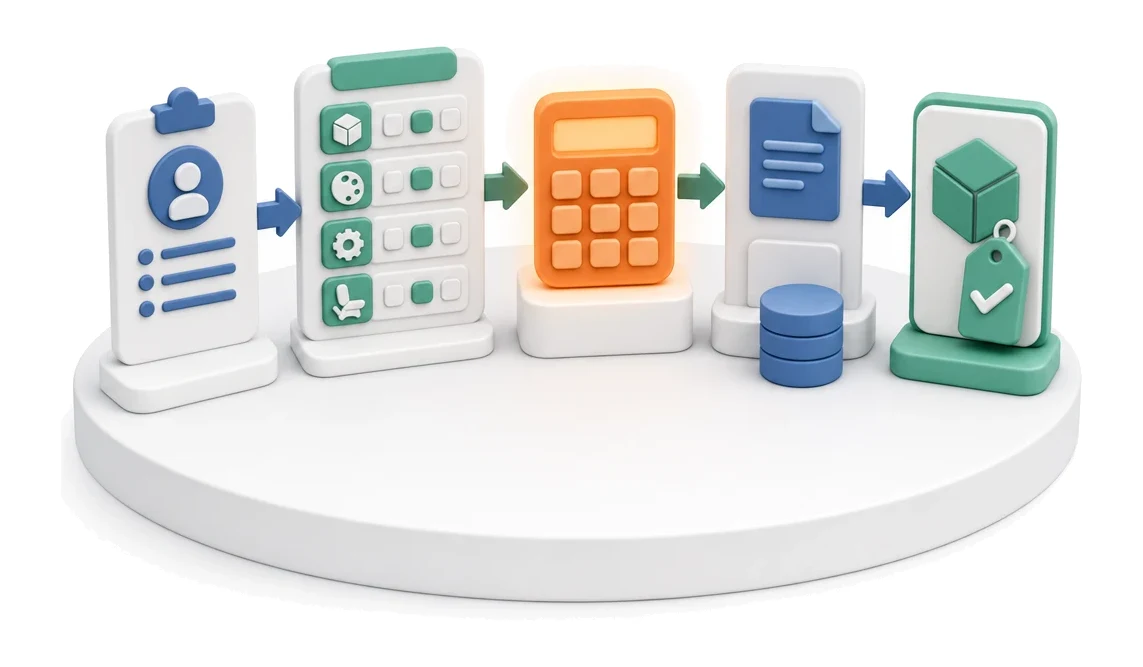
- Input
- Customer requirements
- Flow
- Selecting options in sections → calculated price → configuration transferred into quote
- Output
- Configured variant with price
What changes in the company after the rollout
The customer or sales rep assembles a product variant from sections, options and parameters. The configurator immediately calculates the price and can pass the variant into a quote.
Lightning‑fast quoting
Reduce quote preparation time with automatic calculation of costs and margin.
Elimination of human error
Build products only from compatible sections and approved component databases.
Global sales
Easily adapt offer language, currency and VAT rates to the specifics of different sales markets.
Standardised documentation
Generate visually consistent specifications for the customer and for production from a single source of data.
Full cost control
Gain clear insight into financial parameters, including manufacturing cost and transport cost thresholds.
How this process looks in Process App
Zrzuty pochodzą z działającego systemu — kliknij, aby powiększyć.
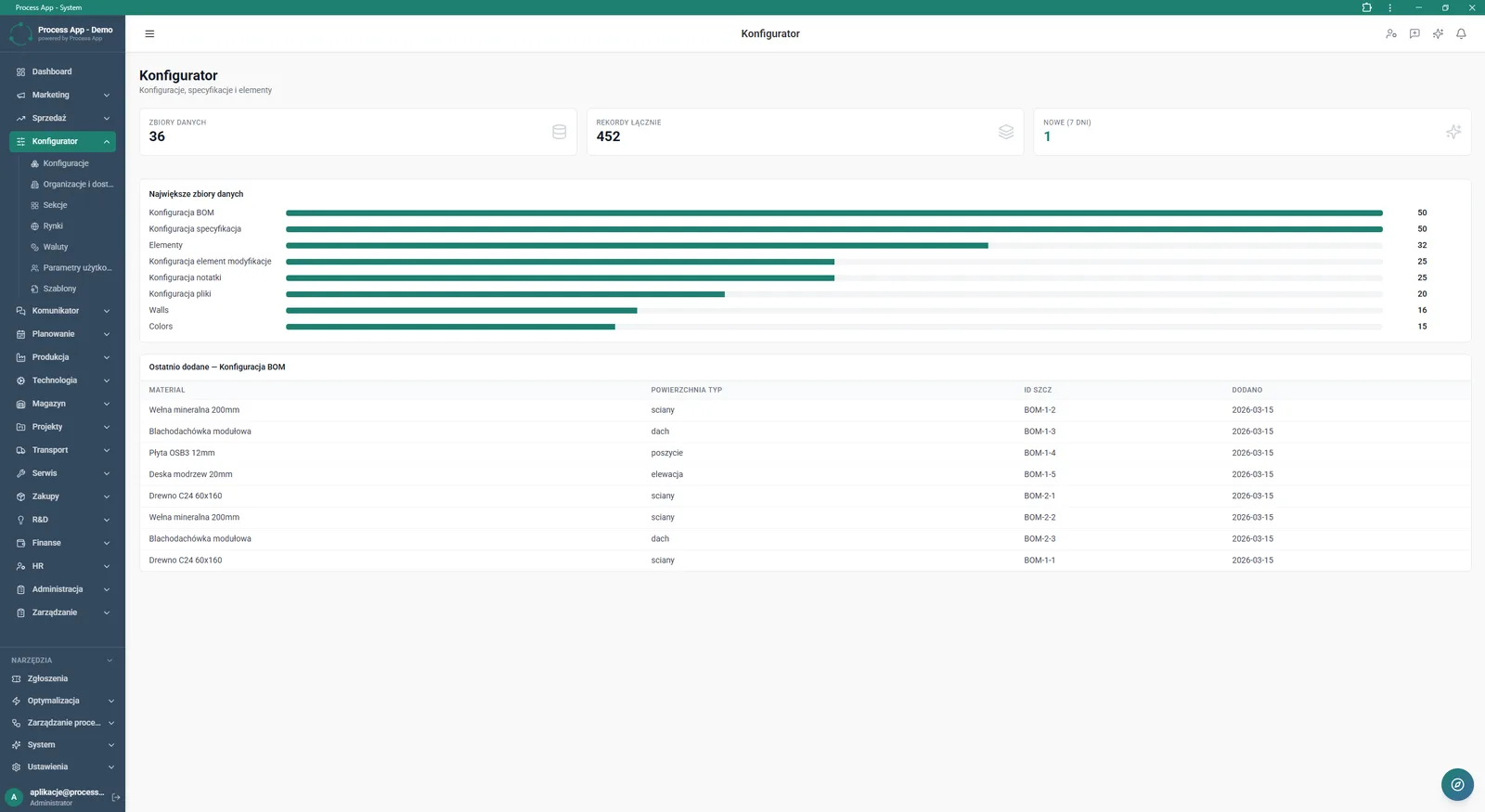
Main screen of the Configurator module showing a statistics summary, a chart of the largest data sets and a table of recently added materials.
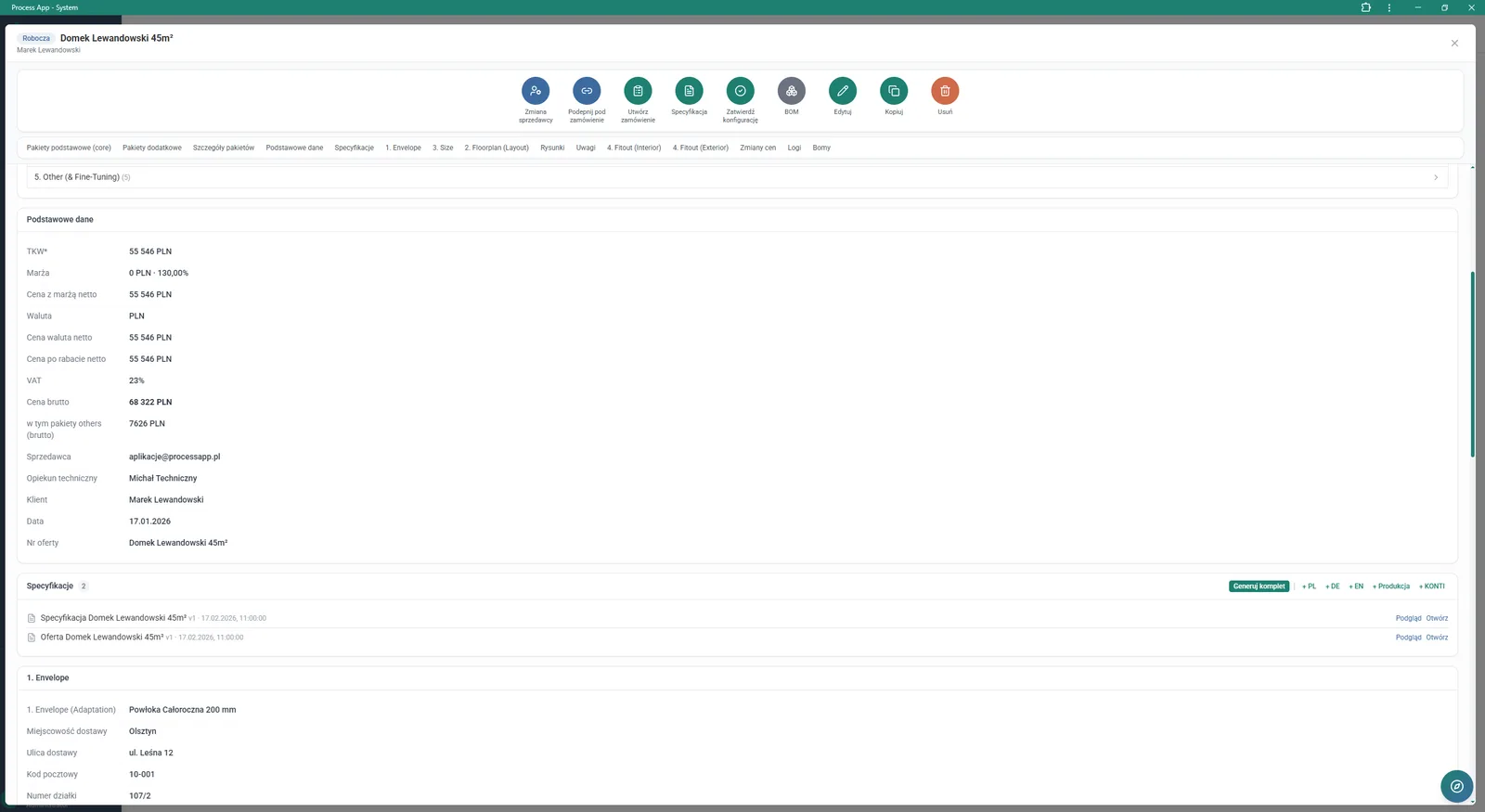
Detail screen of a working configuration for the product Domek Lewandowski 45m², showing a summary of financial data, the list of generated documents and delivery parameters.
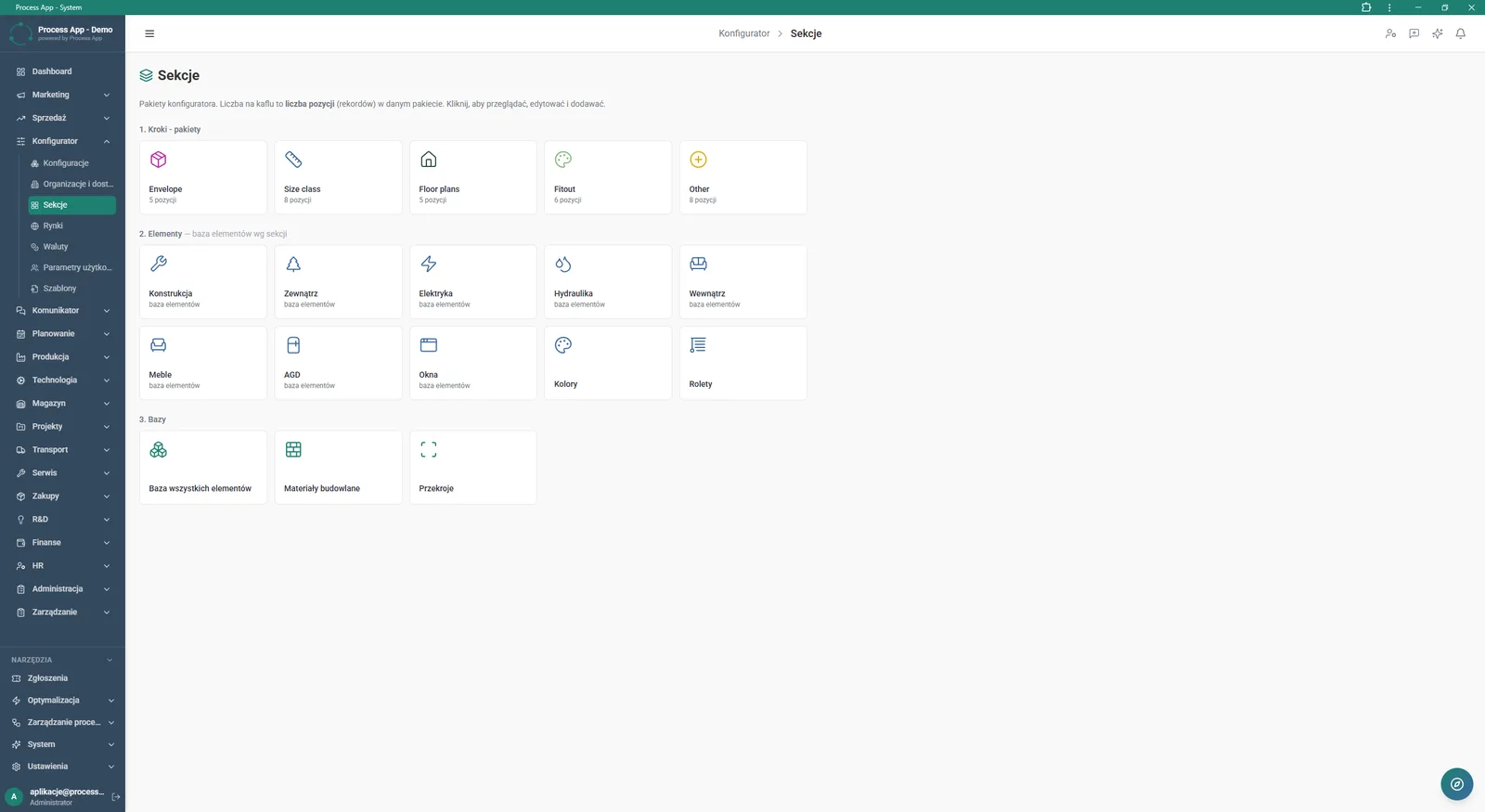
Sections screen in the Configurator module showing tiles grouped into step, element and base categories used to manage configurator packages and items.
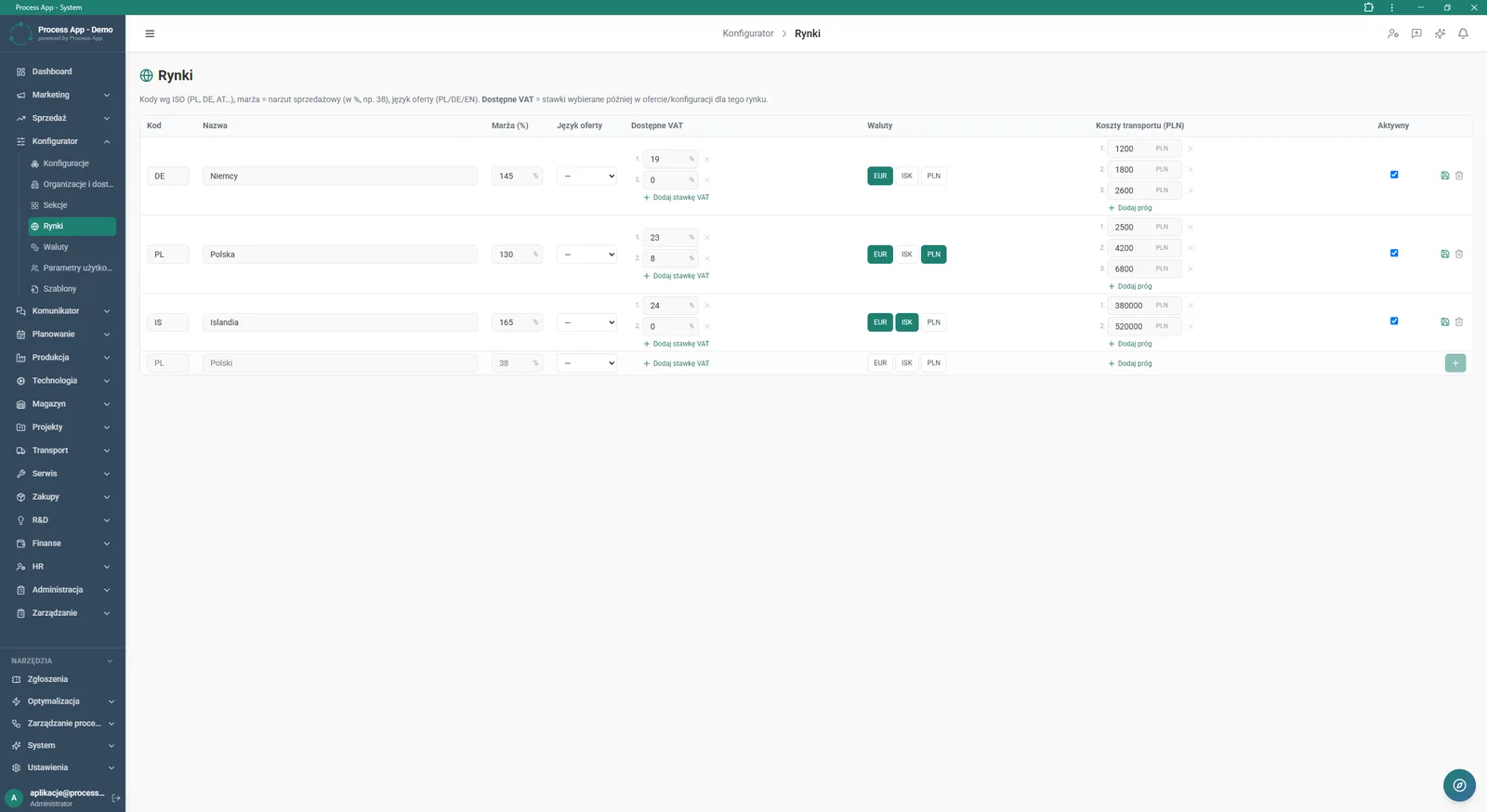
Markets screen in the Configurator module showing a table with sales markets and their assigned margins, VAT rates, currencies and transport costs.
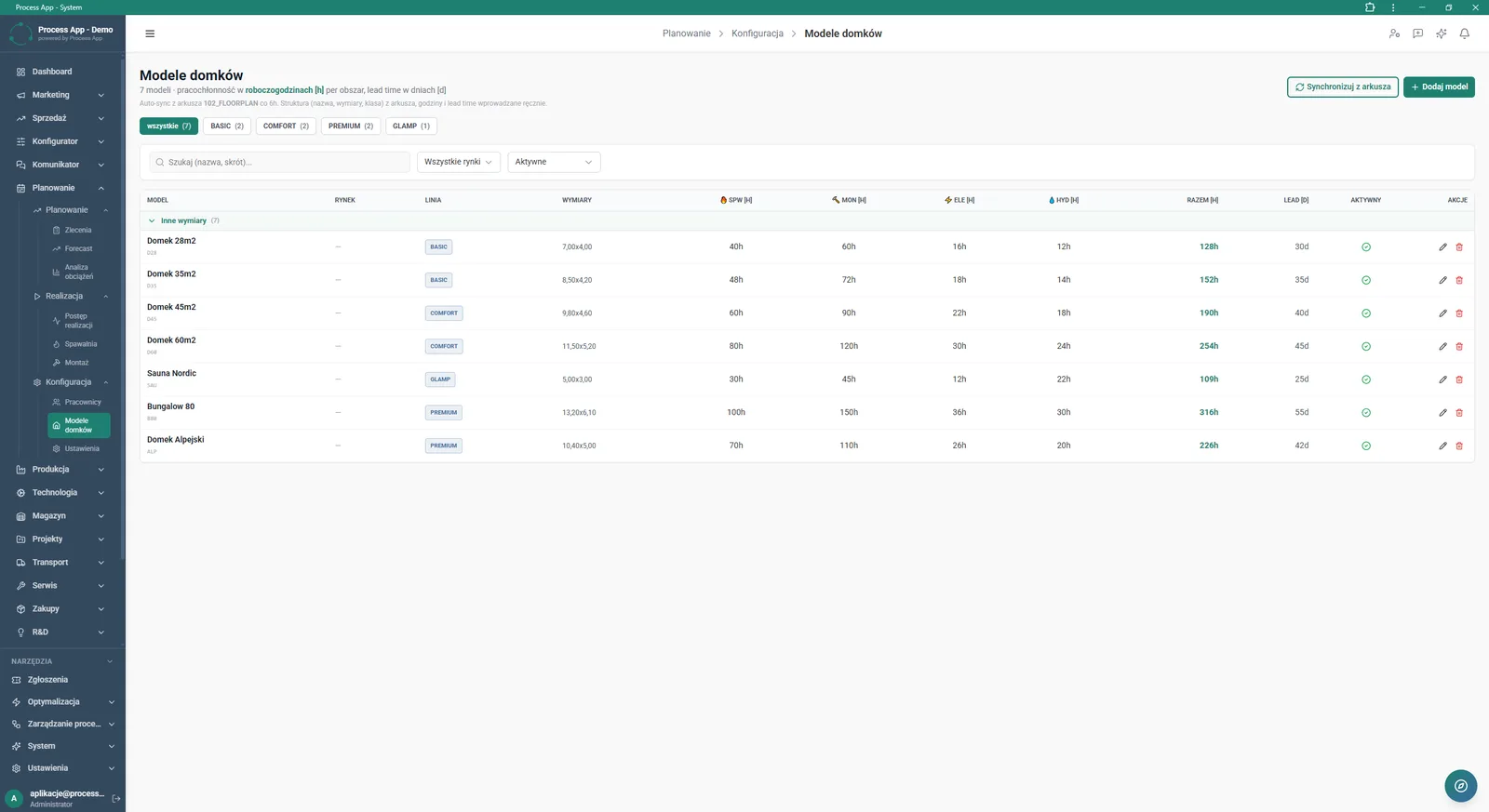
House Models screen showing a table of product models with information on product lines, dimensions, labour intensity broken down by department and lead time.
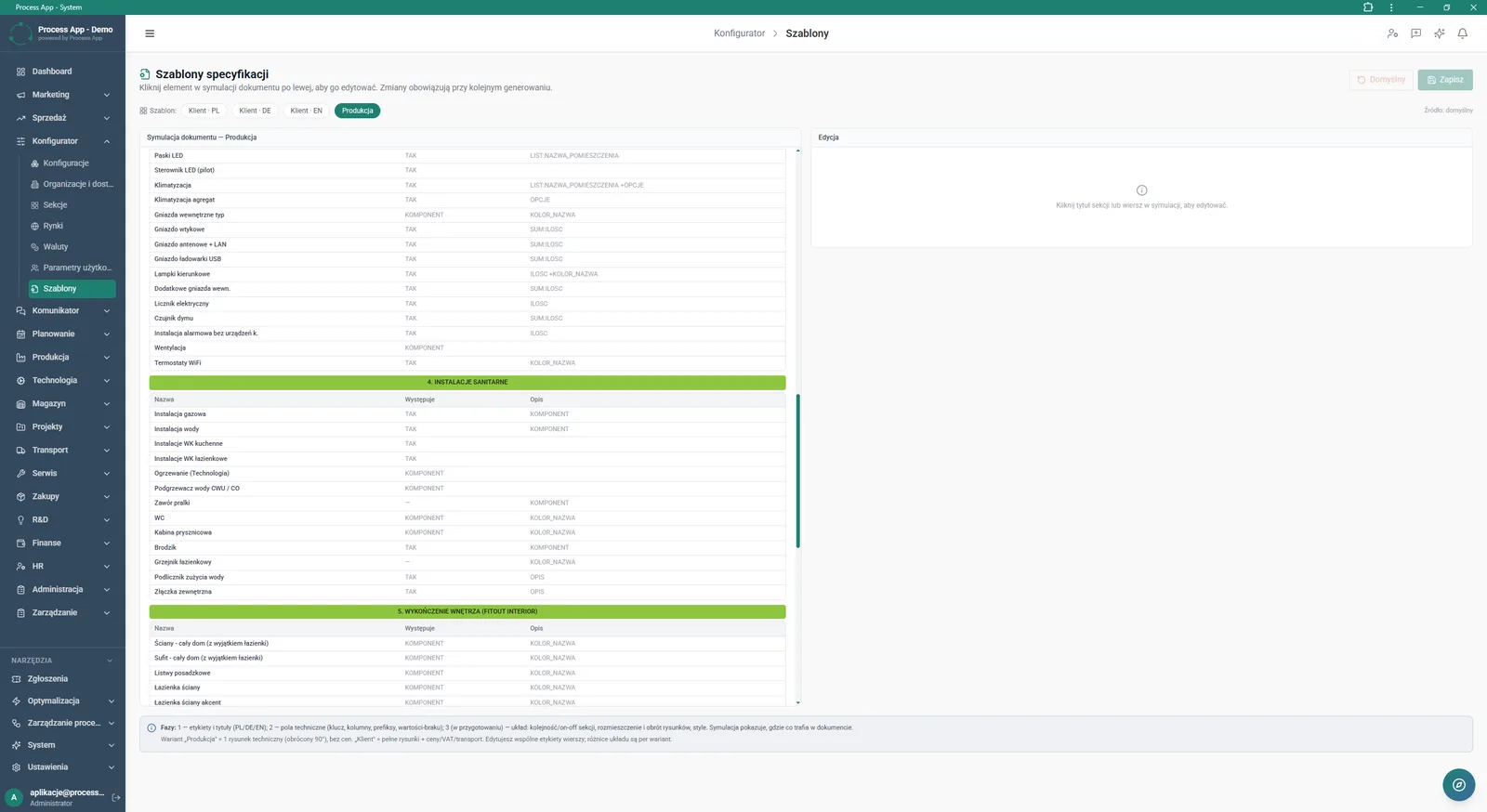
Specification Templates screen in the Configurator module showing a dual‑panel view with a production document simulation on the left and an edit‑ready panel for the selected element on the right.
What exactly you get
Building product variants
The system lets you assemble configurations from predefined packages such as Envelope, Size class and Fitout.
Sales market management
Configure market tables with assigned margins, currencies and transport costs.
Multilingual document generation
Create specifications and offers in Polish, German and English directly from the configuration view.
Specification template editor
Modify document layouts in a dual‑panel view with live simulation preview.
House model synchronisation
Pull current data on dimensions and labour intensity directly from an external spreadsheet.
BOM reporting
Generate and analyse detailed bills of materials for approved configurations.
What AI does for you in this process
Configuration consistency analysis
Artificial intelligence verifies the selection of elements across sections and warns about potential conflicts in the BOM.
Market margin optimisation
Algorithms analyse historical sales data and suggest optimal margin levels for newly added markets.
Automatic translation of notes
The system recognises non‑standard notes entered by the sales rep and translates them into the selected offer language.
Lead time prediction
AI analyses labour intensity in each department and calculates an estimated delivery time for non‑standard variants.
The process from start to finish
Manage the entire quoting process in one place, from collecting customer requirements through to generating a ready order. Build products using predefined sections such as basic packages, structural elements or interior fitout. Keep full, real‑time control of financial data, including margin, discounted price and transport costs for different sales markets. Generate complete specifications and quotes in multiple languages with a single click, tailoring templates to the needs of the customer or the production department. Review statistics of the largest data sets and verify recently added materials in the BOM configuration. Synchronise the base of house models from an external spreadsheet so you always work with up‑to‑date data on labour intensity and lead time.
See this process on your own data
We will walk you through the “Product configurator” module using your company as the example — the input, the flow and the end result in Process App.
Explore the remaining system modules
BOM Development
Technology Routing
Manufacturing Cost Calculation

Demand Forecasting (Forecast)
Resource Planning and Workload Analysis
Production Scheduling
Execution Progress Monitoring
Production Order Launch
Production Reporting (MES Terminal)
Daily Work Reporting
Piecework Settlement