BOM Development
Wasting time manually recalculating material costs for every product variant? The Technologia module lets you comprehensively build and manage multi-level Bills of Materials (BOM) as the basis for material planning and costing. AI algorithms automatically generate cutting plans and optimise minimum stock levels for raw materials.
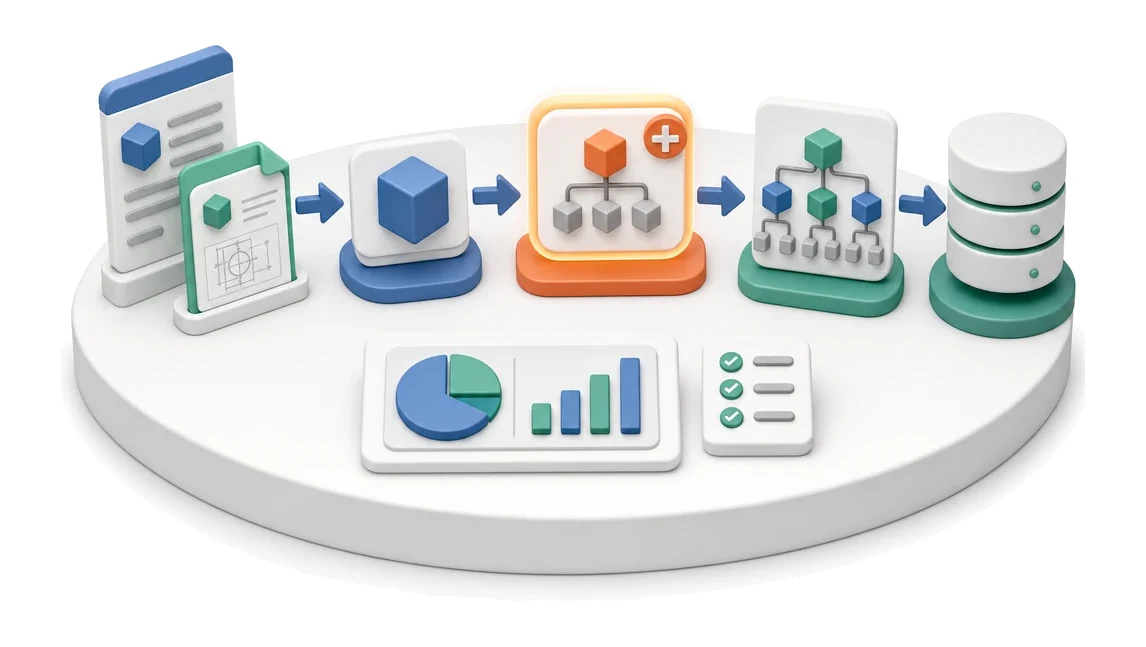
- Input
- Product card, documentation
- Flow
- Product → adding BOM items → structure explosion and requirements
- Output
- Product Bill of Materials
What changes in the company after the rollout
The process engineer builds the product structure: what goes into it and in what quantity. The BOM is the basis for material requirements and cost.
Faster variant creation
Instantly duplicate existing material structures using the BOM copy function from another product.
Full cost control
Continuously track total material cost based on up-to-date prices of assigned raw materials.
Fewer data errors
Keep data clean with a central product catalogue structured by families and classes.
Better visibility of shortages
Quickly identify raw materials with stock below minimum to prevent production downtime.
Ordered life cycle
Easily manage BOM versions by assigning statuses from prototype through to archive.
How this process looks in Process App
Zrzuty pochodzą z działającego systemu — kliknij, aby powiększyć.
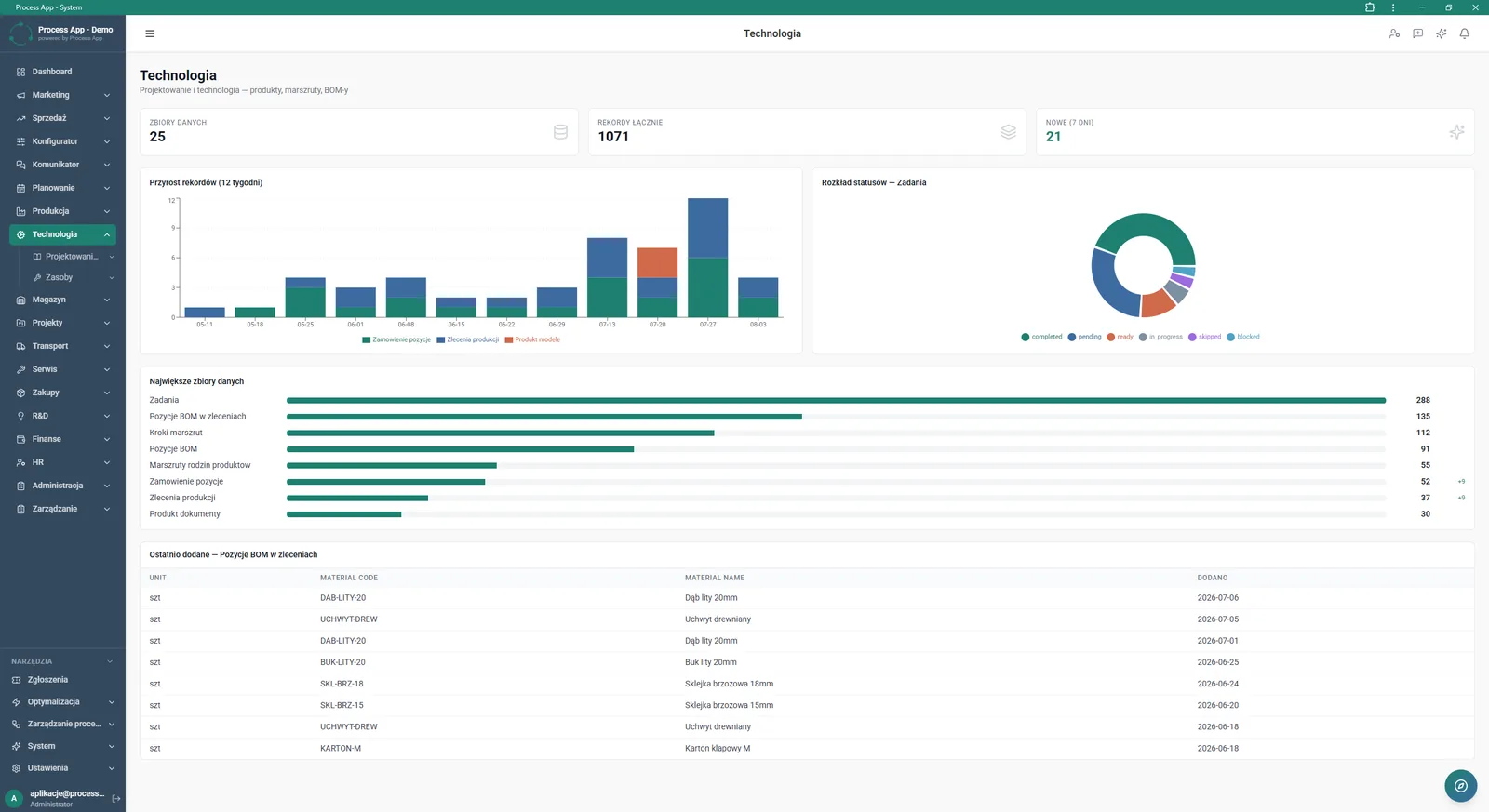
Main screen of the Technologia module showing a data summary with statistic tiles, record growth charts, status distribution, and lists of the largest data sets and most recently added BOM items.
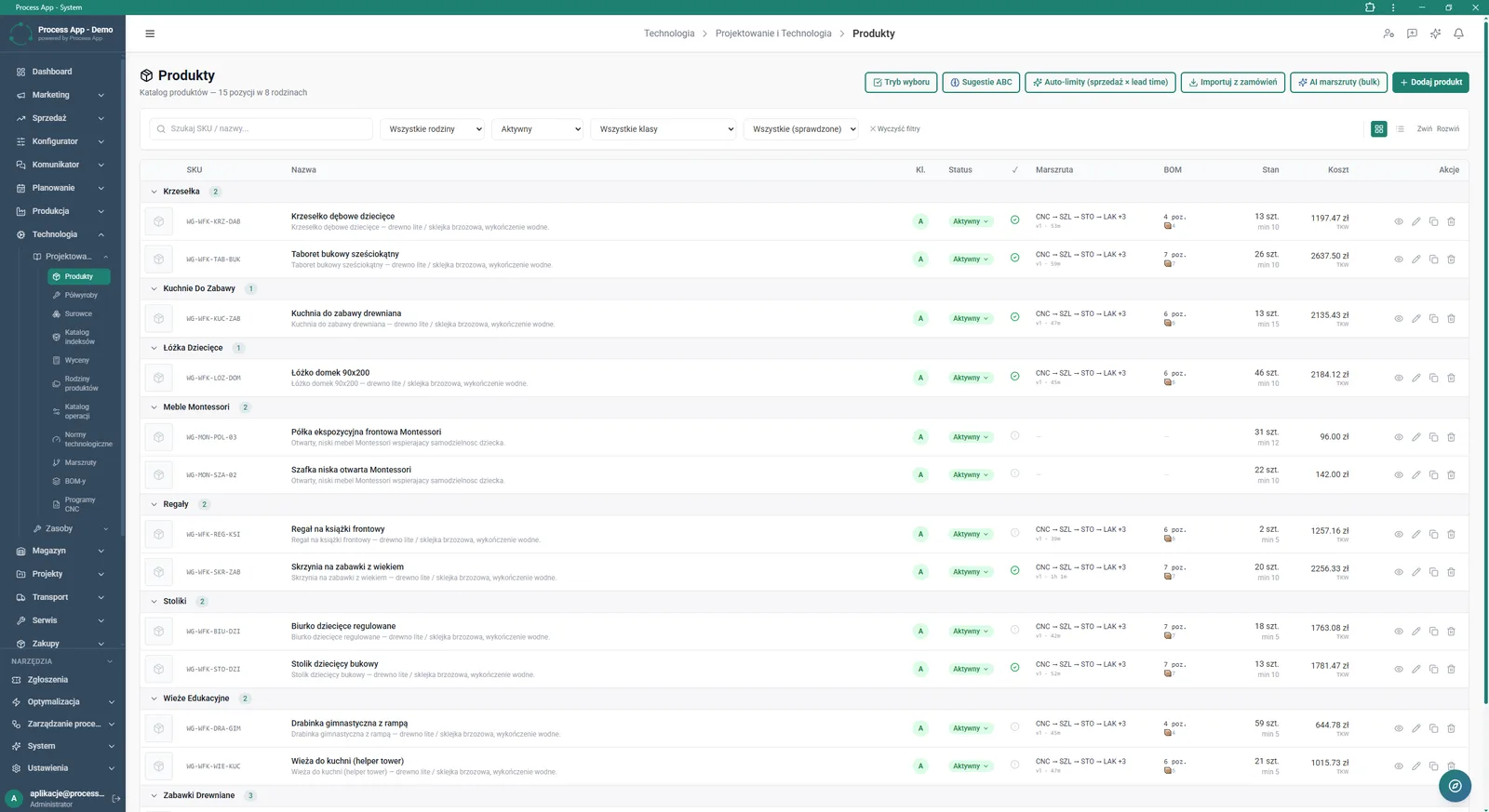
Product list screen in the Technologia module showing a categorised product catalogue with their production and stock parameters.
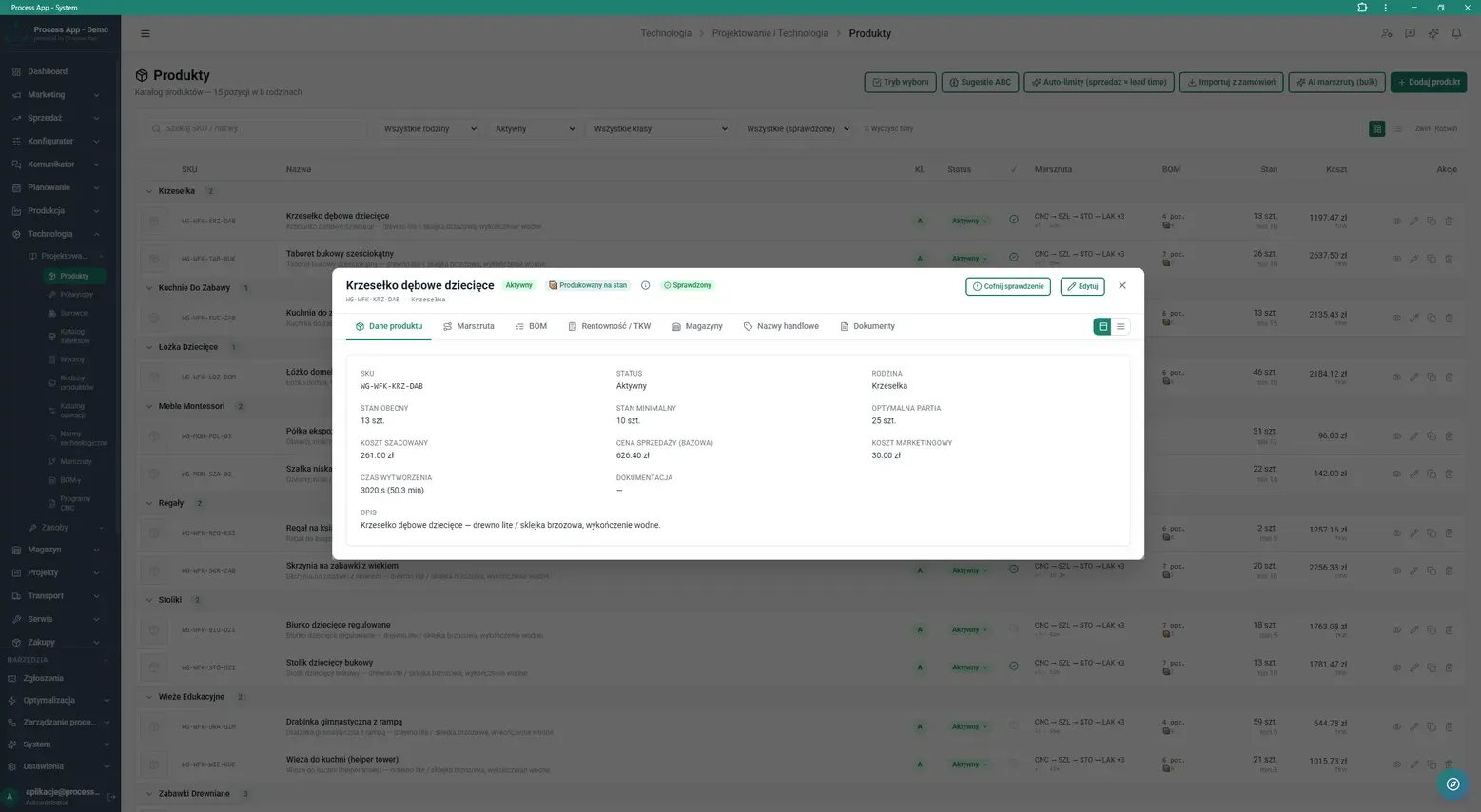
Detail view of a selected product in a modal window, showing the active tab with basic master data, costing, and stock parameters.
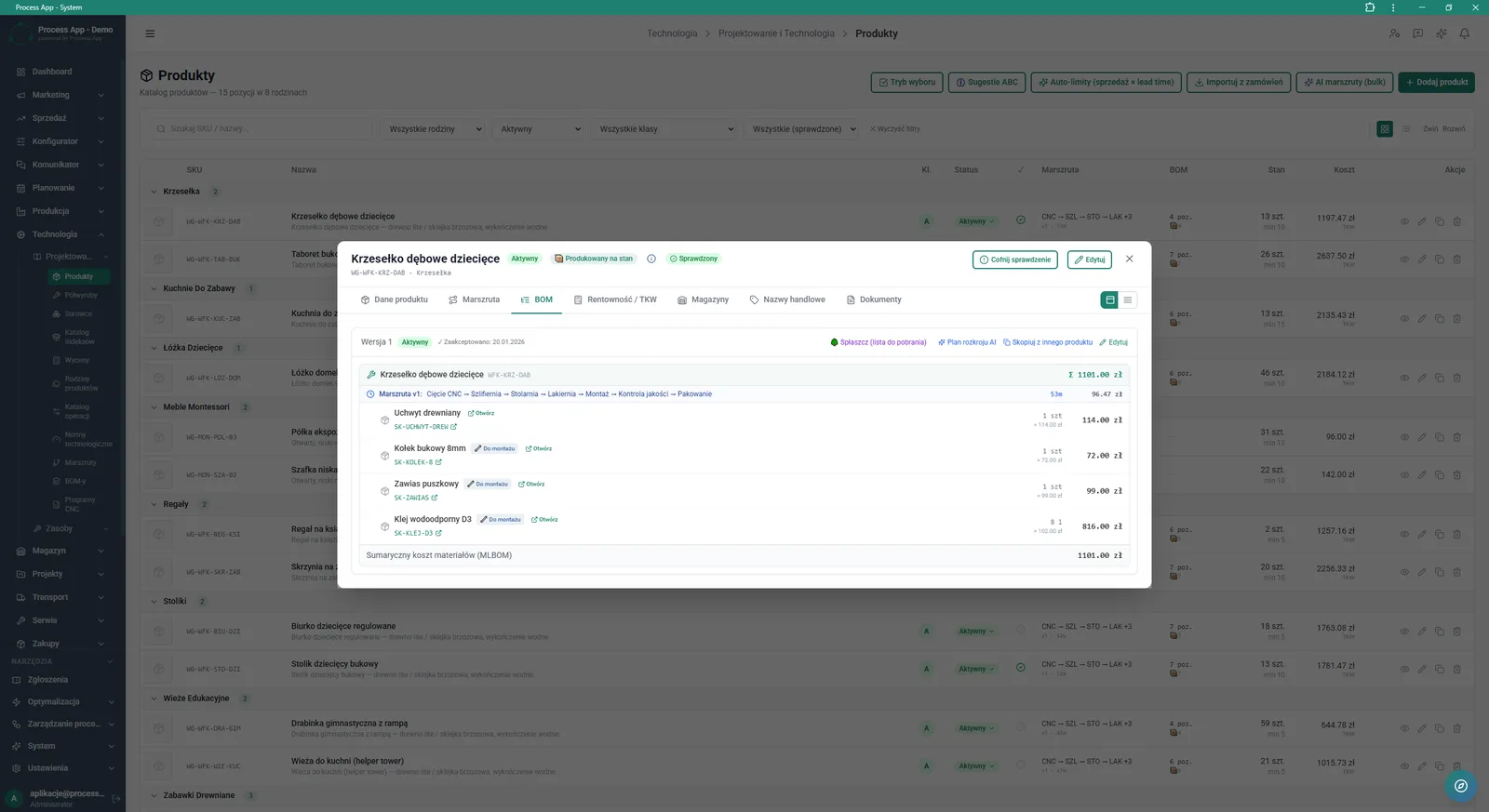
Product detail view in a modal window with the BOM tab open, showing the product’s material structure tree with component costs and the assigned routing.
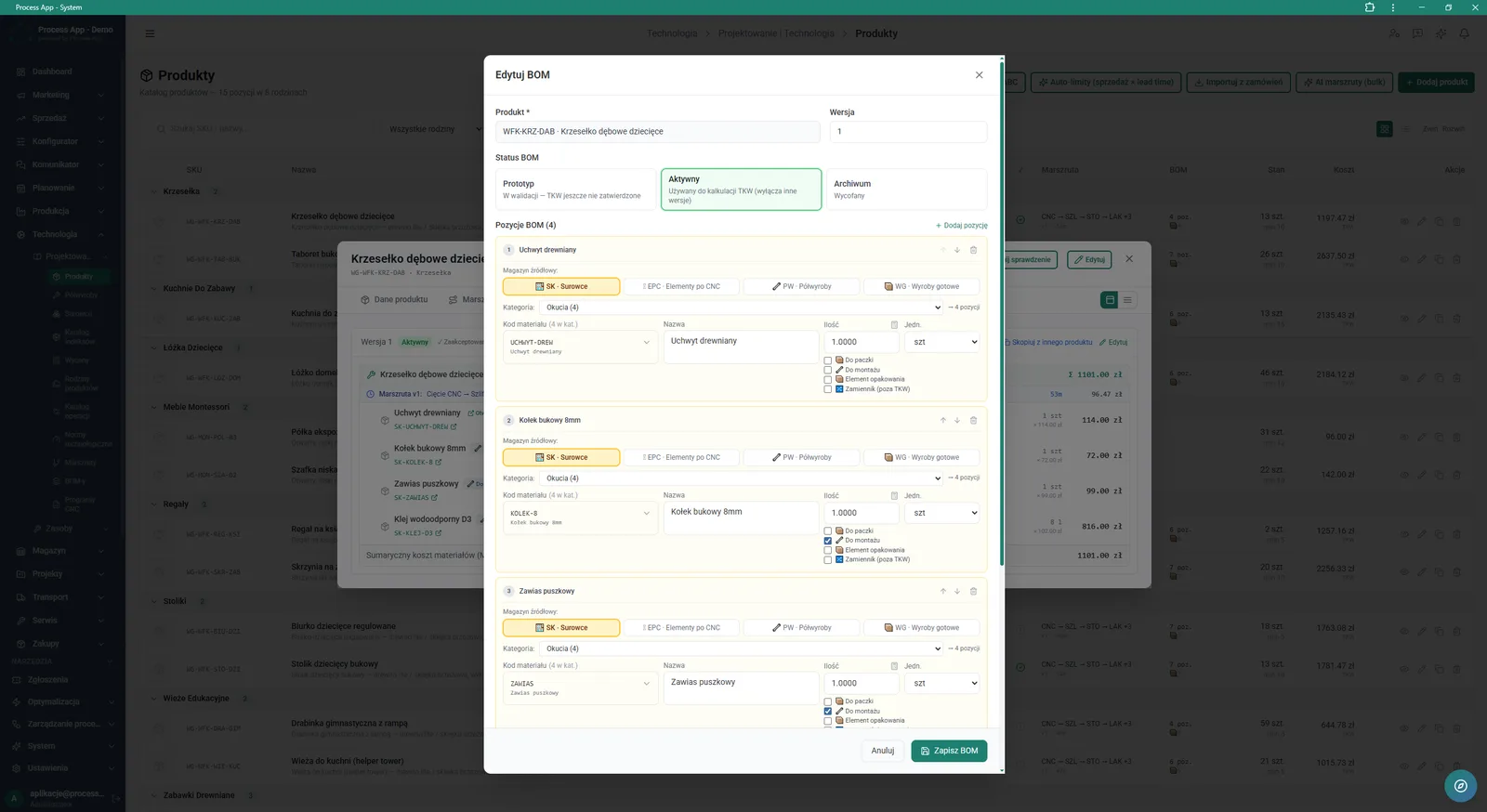
Modal window for editing the material structure (BOM) of a selected product, showing a form for changing the version status and a detailed list of components with their parameters.
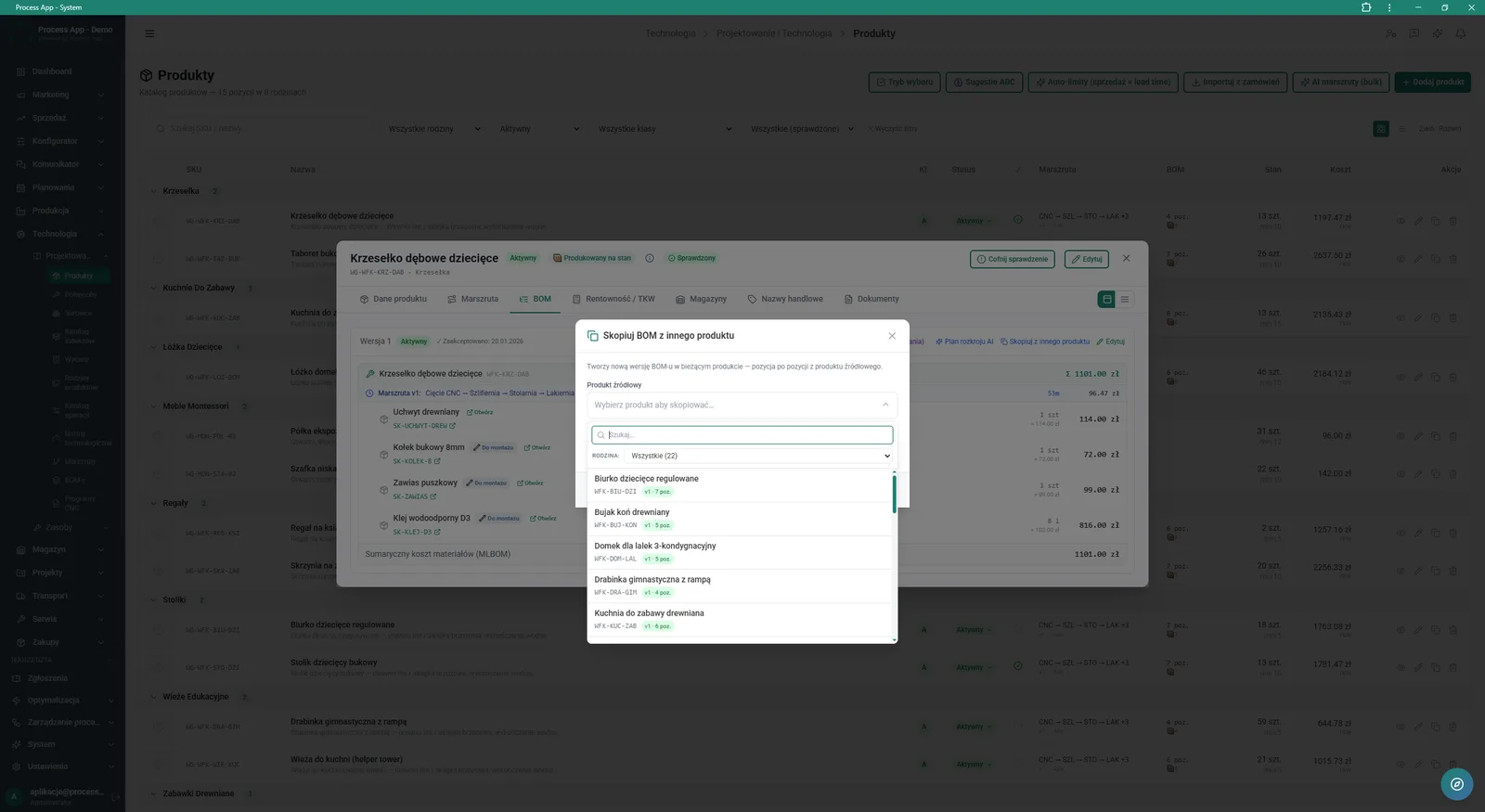
Modal window for copying the material structure (BOM) from another product, displayed over the BOM tab in the details of the selected product.
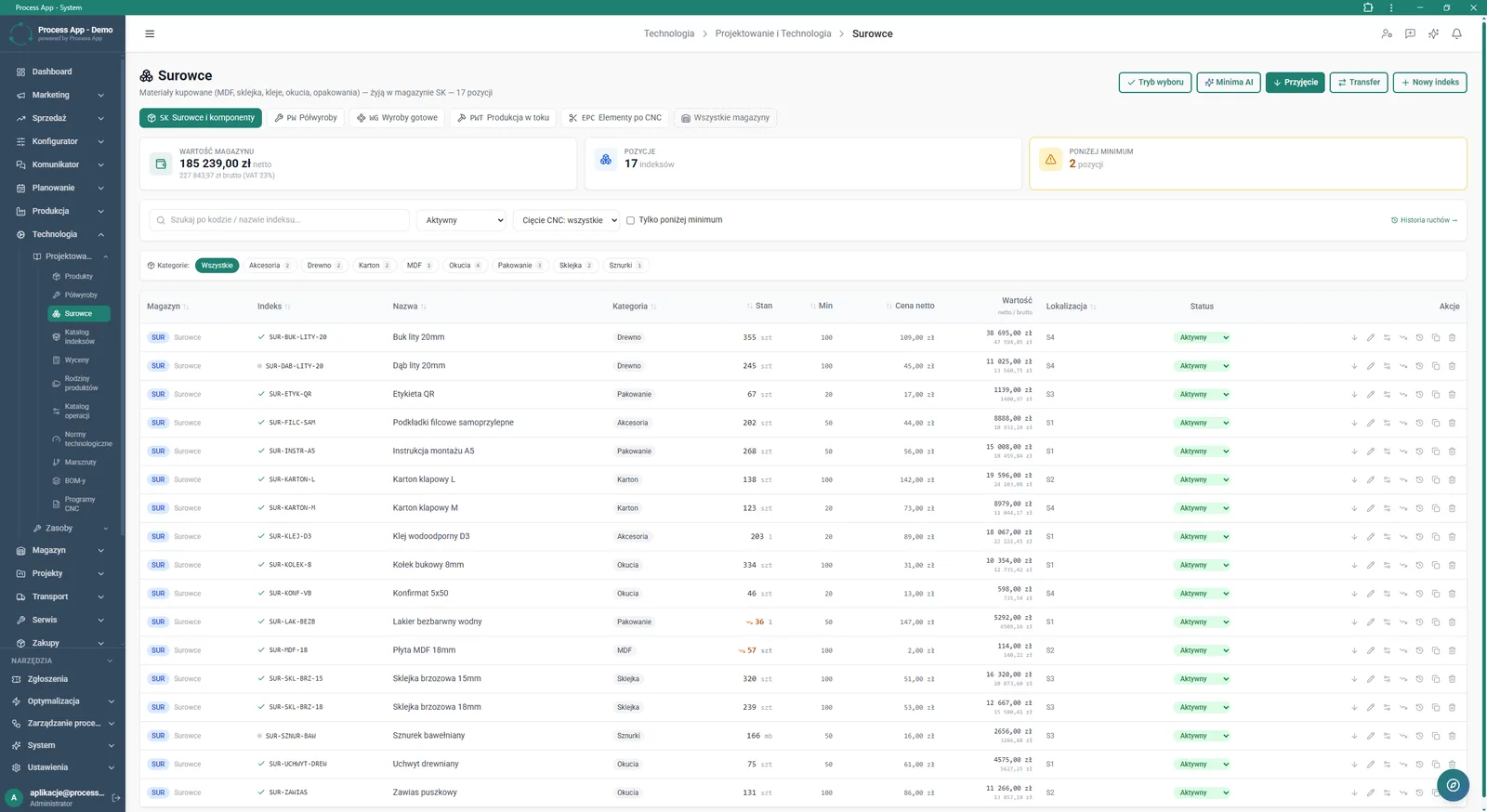
Raw materials list screen in the Technologia module, showing a table of purchased materials with tiles summarising warehouse value, number of items, and stocks below minimum.
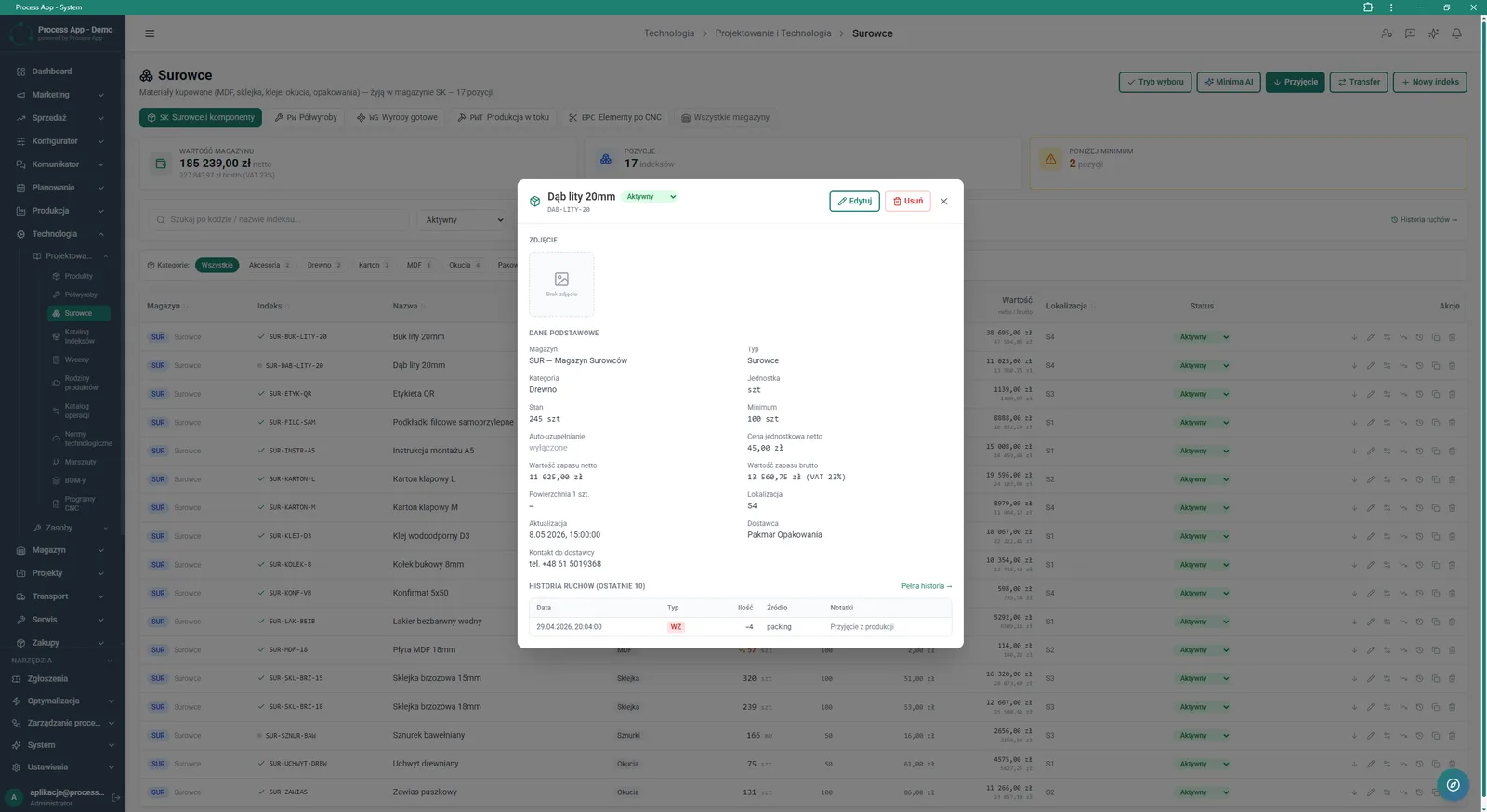
Modal window with details of a selected raw material, displayed over the raw materials list, showing basic data, inventory and costing parameters, and a movement history table.
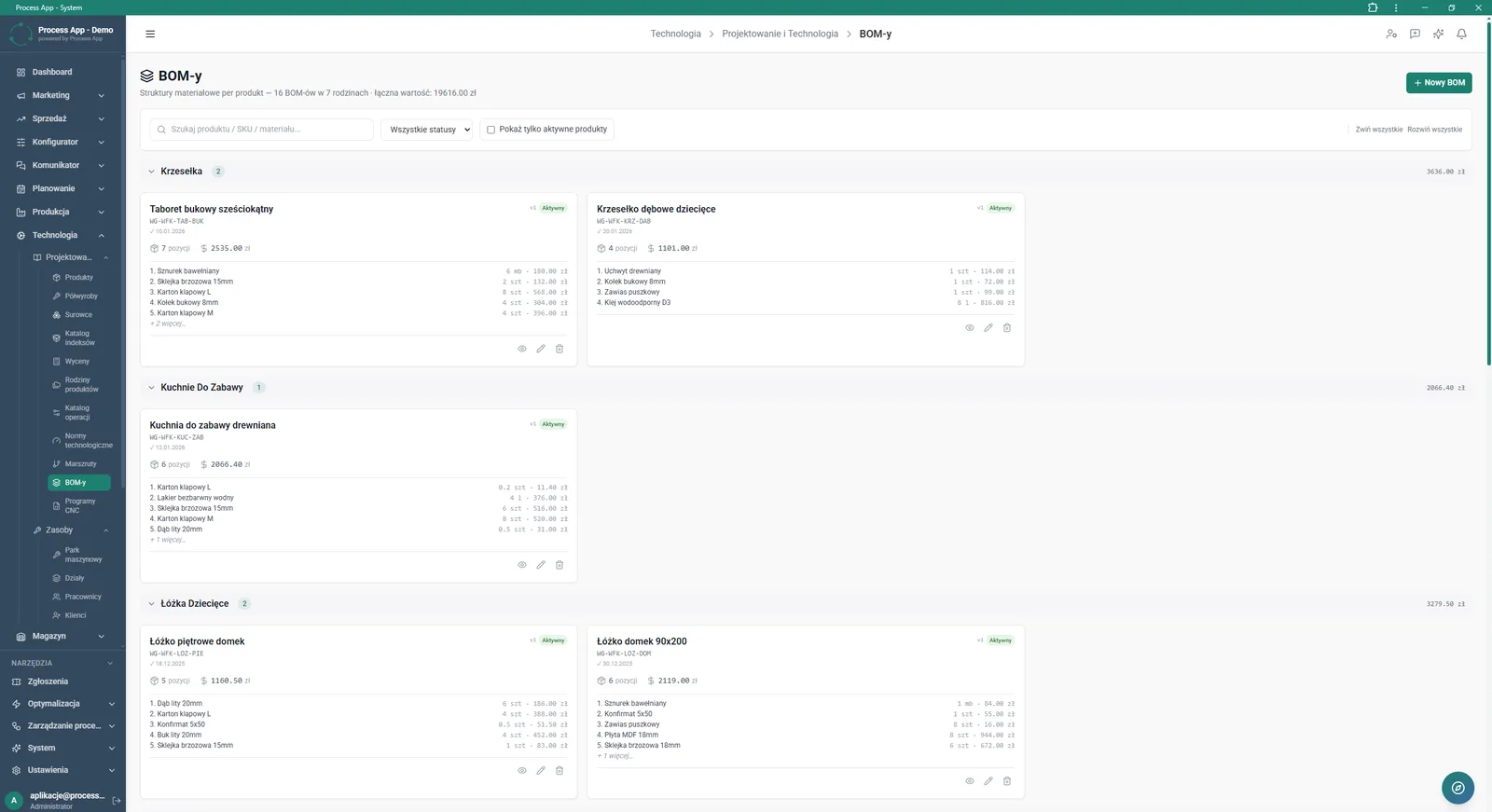
List screen of material structures (BOMs) grouped by product families, showing tiles with cost summaries and a list of main components for each product.
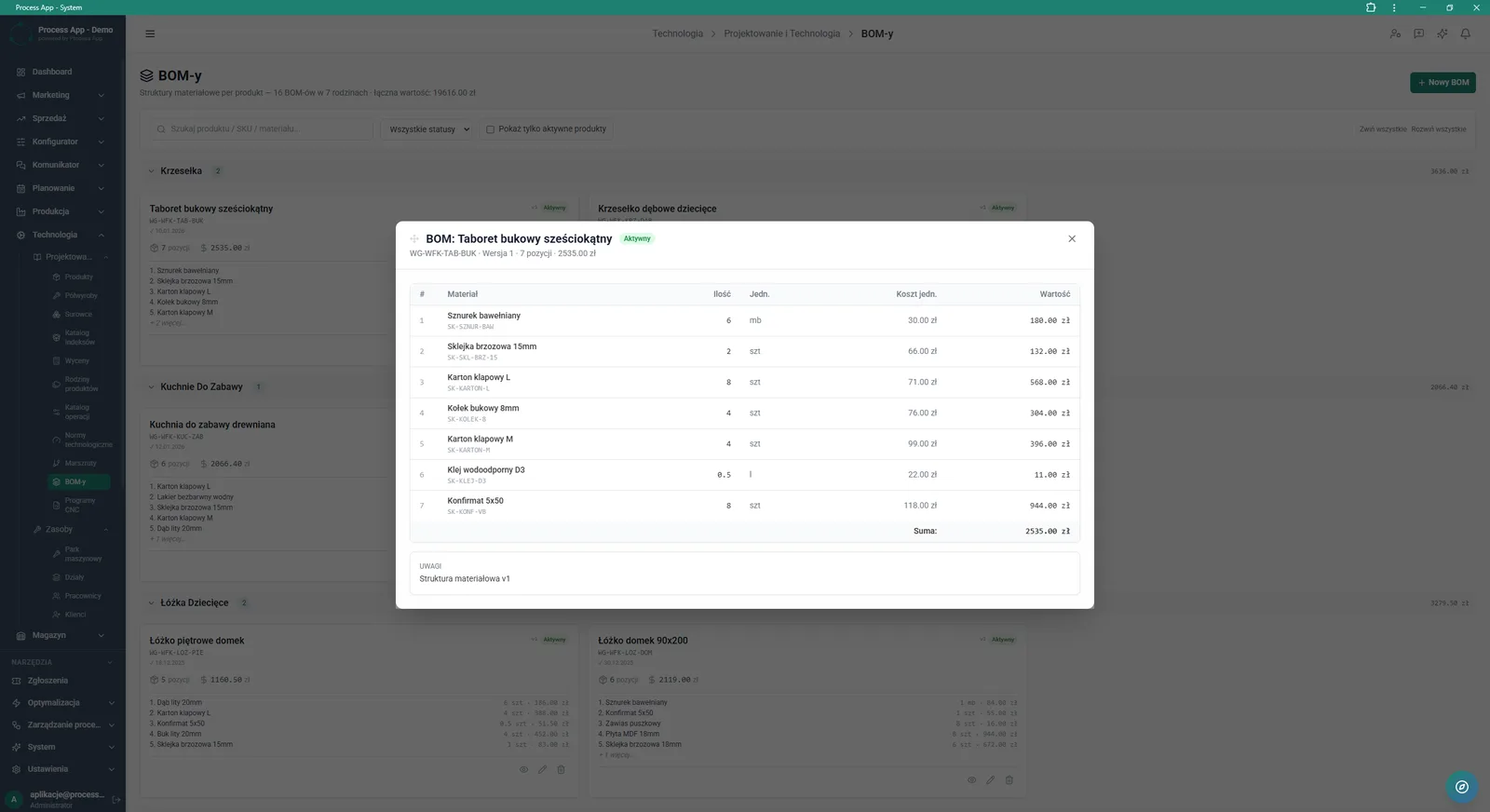
Modal window showing a detailed component list of the material structure (BOM) of the selected product, displayed over the grouped BOM list.
What exactly you get
Multi-level BOM tree
Build and edit material structures, defining quantities, units of measure, and component source warehouses.
Product and raw material catalogue
Browse categorised lists of finished goods and materials along with their stock and costing parameters.
Inventory movement history
Check dates, operation types, quantities and sources for every raw material index directly on its card.
BOM flattening
Generate a downloadable list of all components that make up the selected product.
Statistics dashboard
Analyse charts of record growth, task status distribution and summaries of the largest data sets.
What AI does for you in this process
AI cutting plan
Artificial intelligence algorithms automatically generate an optimal cutting plan for materials directly from the BOM structure.
AI minimums
The system analyses data and automatically suggests optimal minimum stock levels for each raw material.
AI routings
Artificial intelligence mass-optimises and assigns technological steps for many products at once.
ABC suggestions
Algorithms categorise products and materials based on their importance and turnover in the company.
The process from start to finish
Manage the full product catalogue and build material structures in one place. Use the BOM tab to analyse the component tree, partial costs, and total material cost for each product version. Copy finished structures from other products to speed up work on new variants. Control your list of raw materials by checking stock levels, unit prices, and full movement history. Assign components to the right source warehouses and mark their purpose, for example for packaging or for assembly. Edit BOM versions by changing their status to prototype, active, or archived, depending on the product life cycle stage. Use the main dashboard of the Technologia module to monitor record growth, status distribution, and recently added items in real time.
See this process on your own data
We will walk you through the “BOM Development” module using your company as the example — the input, the flow and the end result in Process App.
Explore the remaining system modules
Technology Routing
Manufacturing Cost Calculation

Demand Forecasting (Forecast)
Resource Planning and Workload Analysis
Production Scheduling
Execution Progress Monitoring
Production Order Launch
Production Reporting (MES Terminal)

Daily Work Reporting
Piecework Settlement
Purchase Requisition