Execution Progress Monitoring
You waste time finding out what’s really happening on the shop floor and whether orders are running to plan? The Execution Progress module continuously compares production reports with the planned schedule, giving you a full real-time picture. Artificial intelligence algorithms analyse department workloads and predict the risk of delays at each stage.
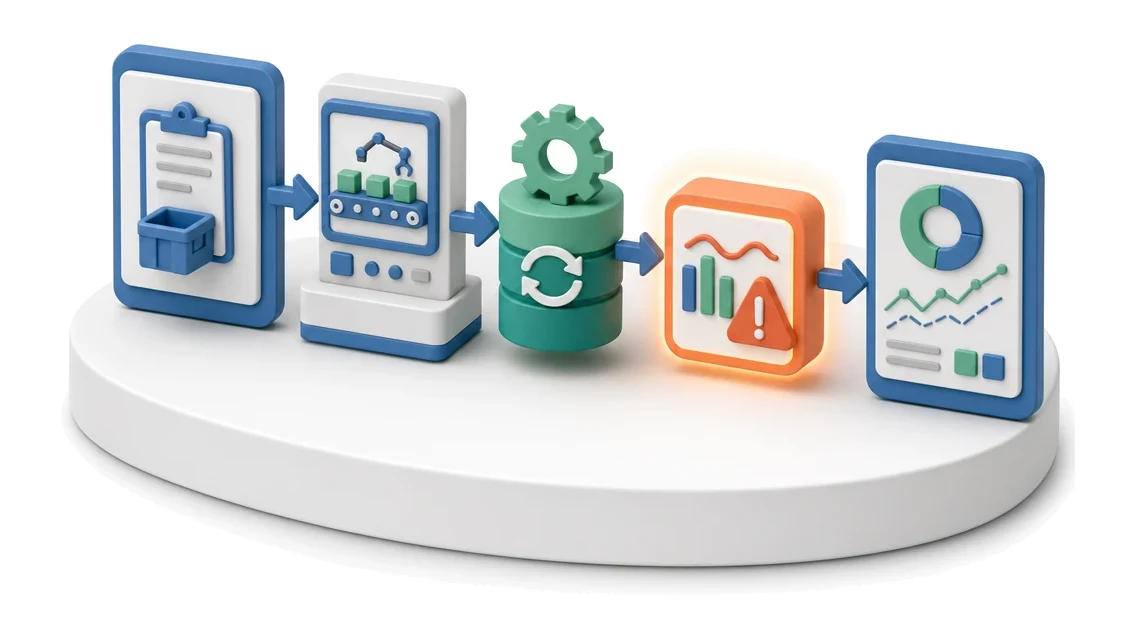
- Input
- Production reports
- Flow
- Report from terminal → progress update → variance from plan
- Output
- Execution status vs plan
What changes in the company after the rollout
Shop-floor reports update order statuses in real time. The planner immediately sees any deviation between plan and actual.
Fast situation assessment
You see live whether execution matches the plan, without having to call the shop floor.
Better work organization
You easily identify bottlenecks in individual departments and prevent overtime.
Faster order handling
You have all documents, attachments and statuses collected in a single order details view.
Fewer mistakes
A clear task path and assigned responsibilities eliminate communication errors between office and production.
Deadline control
You quickly pick up unplanned orders and gaps in the schedule, optimising team working time.
How this process looks in Process App
Zrzuty pochodzą z działającego systemu — kliknij, aby powiększyć.
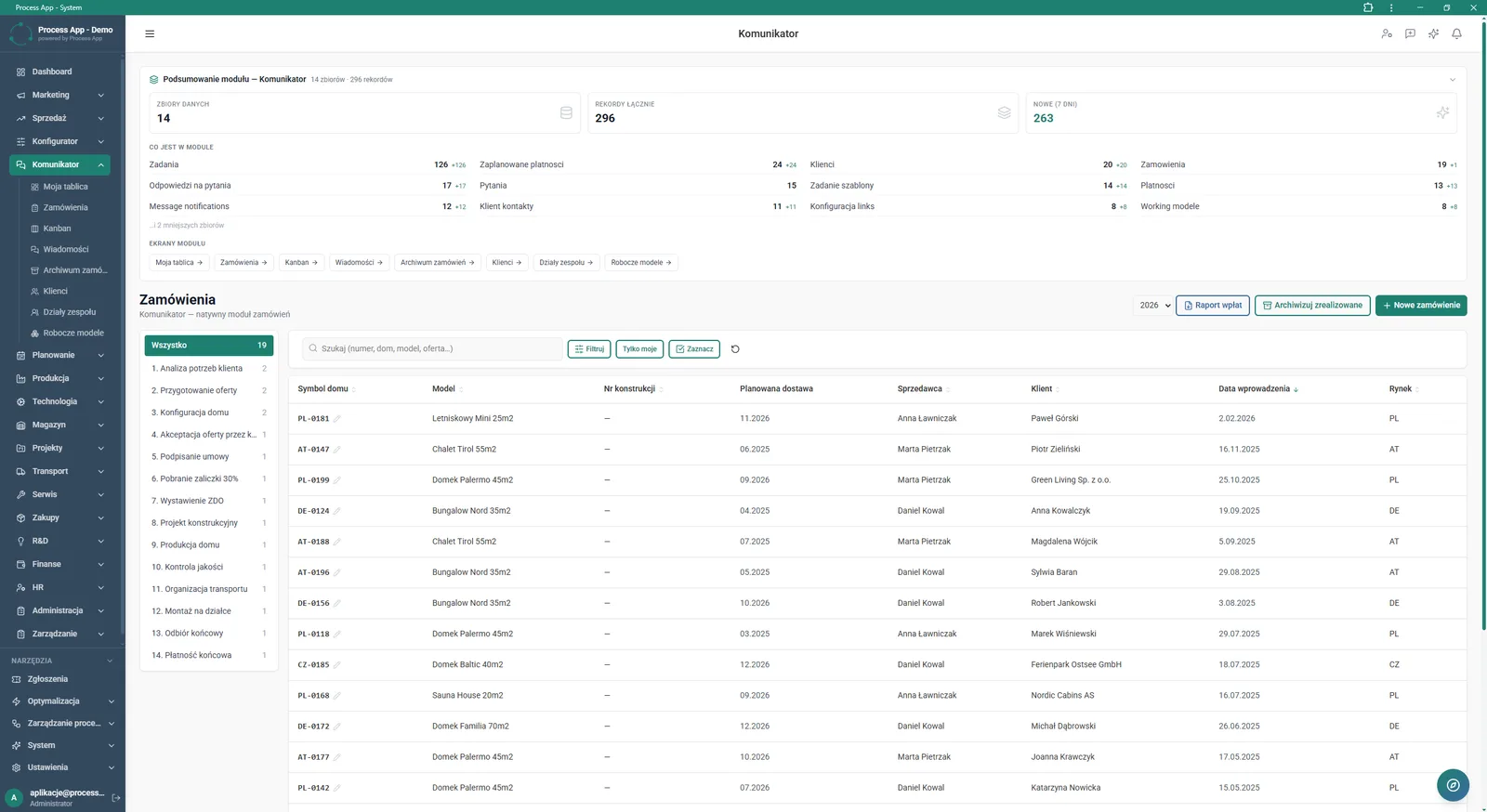
Communicator module screen in Orders view, containing a summary of module statistics and a table with a list of orders broken down by execution stages.
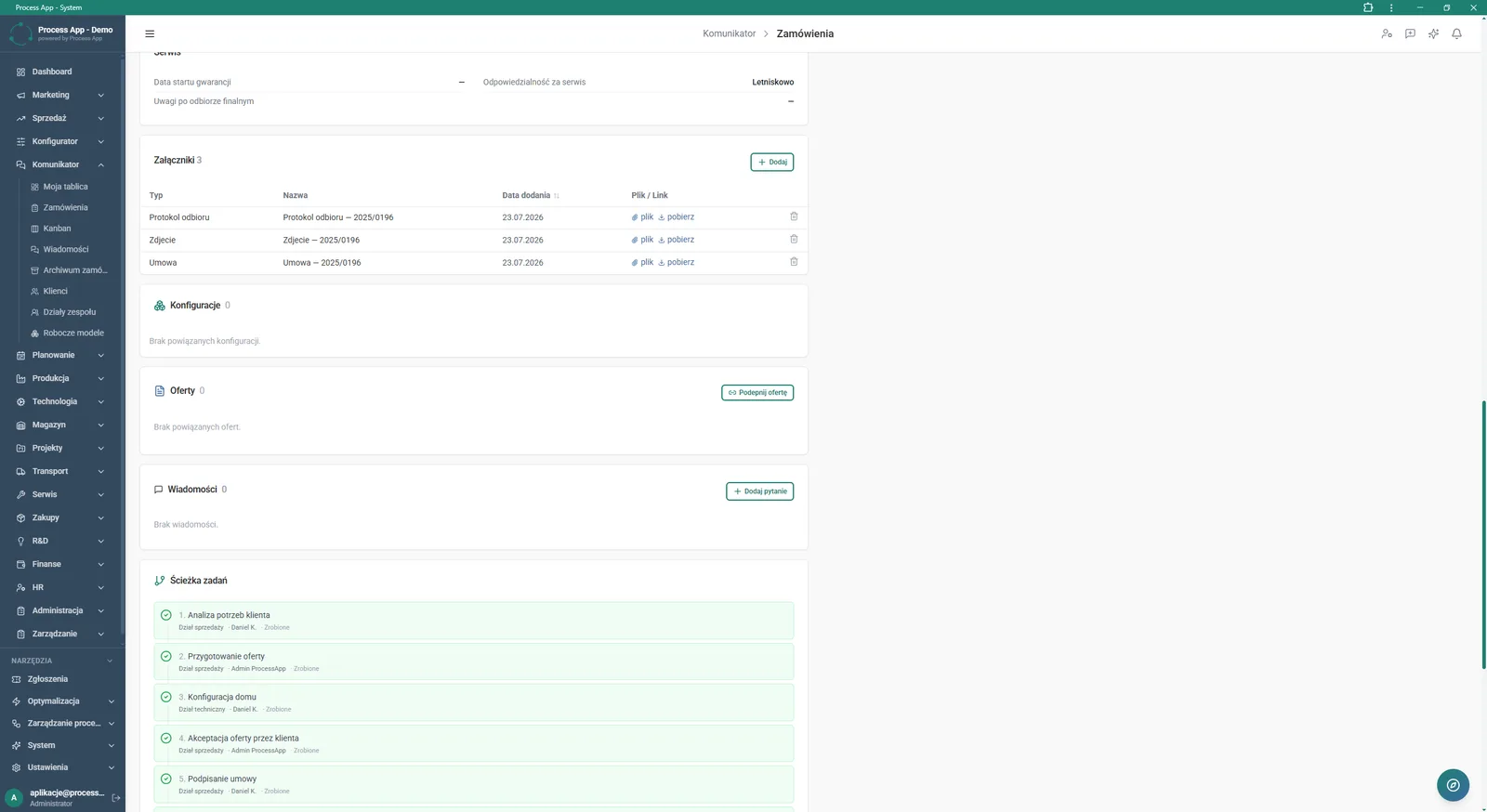
Details screen of a selected order in the Communicator module, showing sections with attachments, related configurations and quotations, messages and the task path.
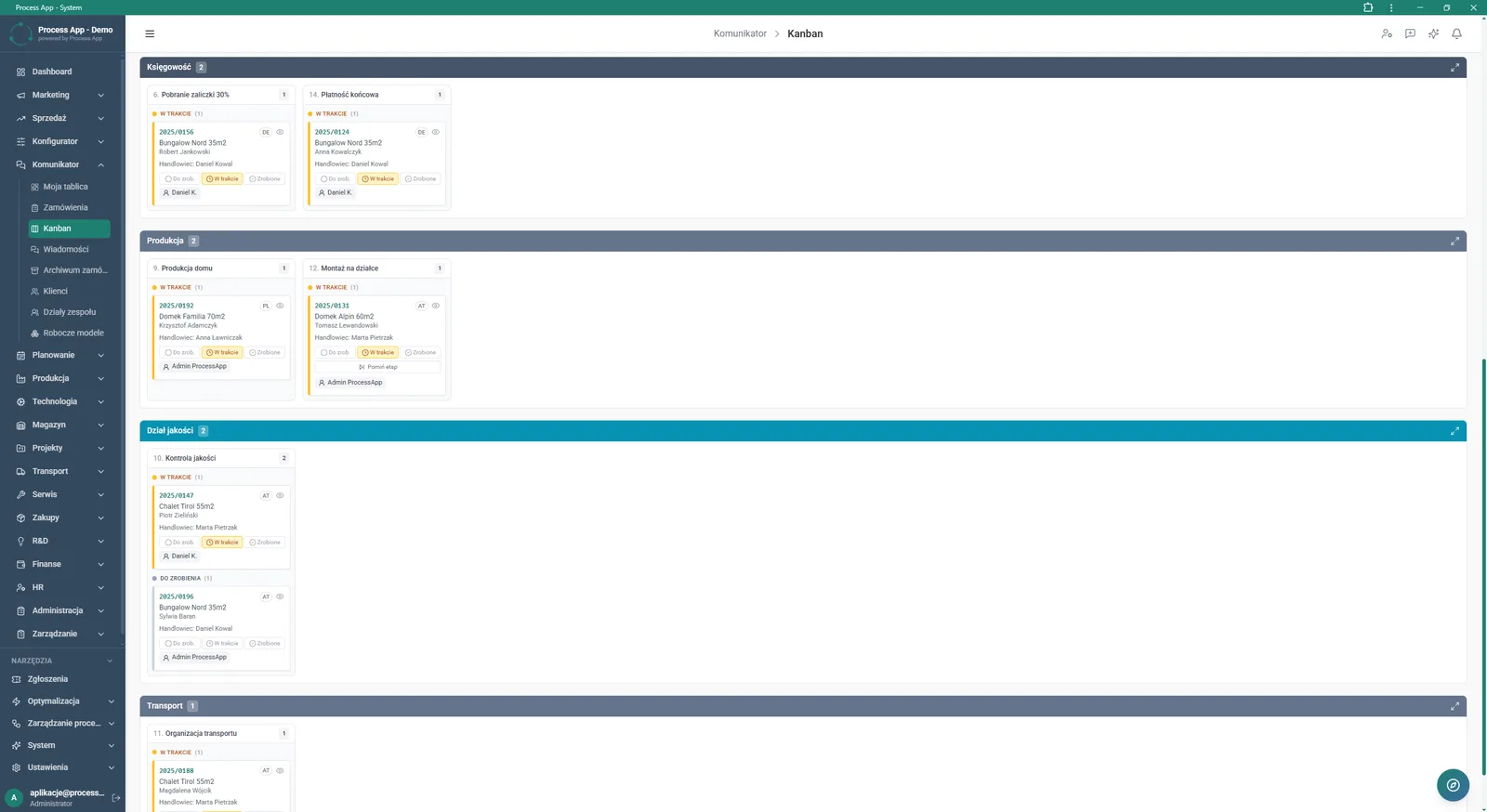
Communicator module screen in Kanban view, showing a board with tasks grouped horizontally by company departments.
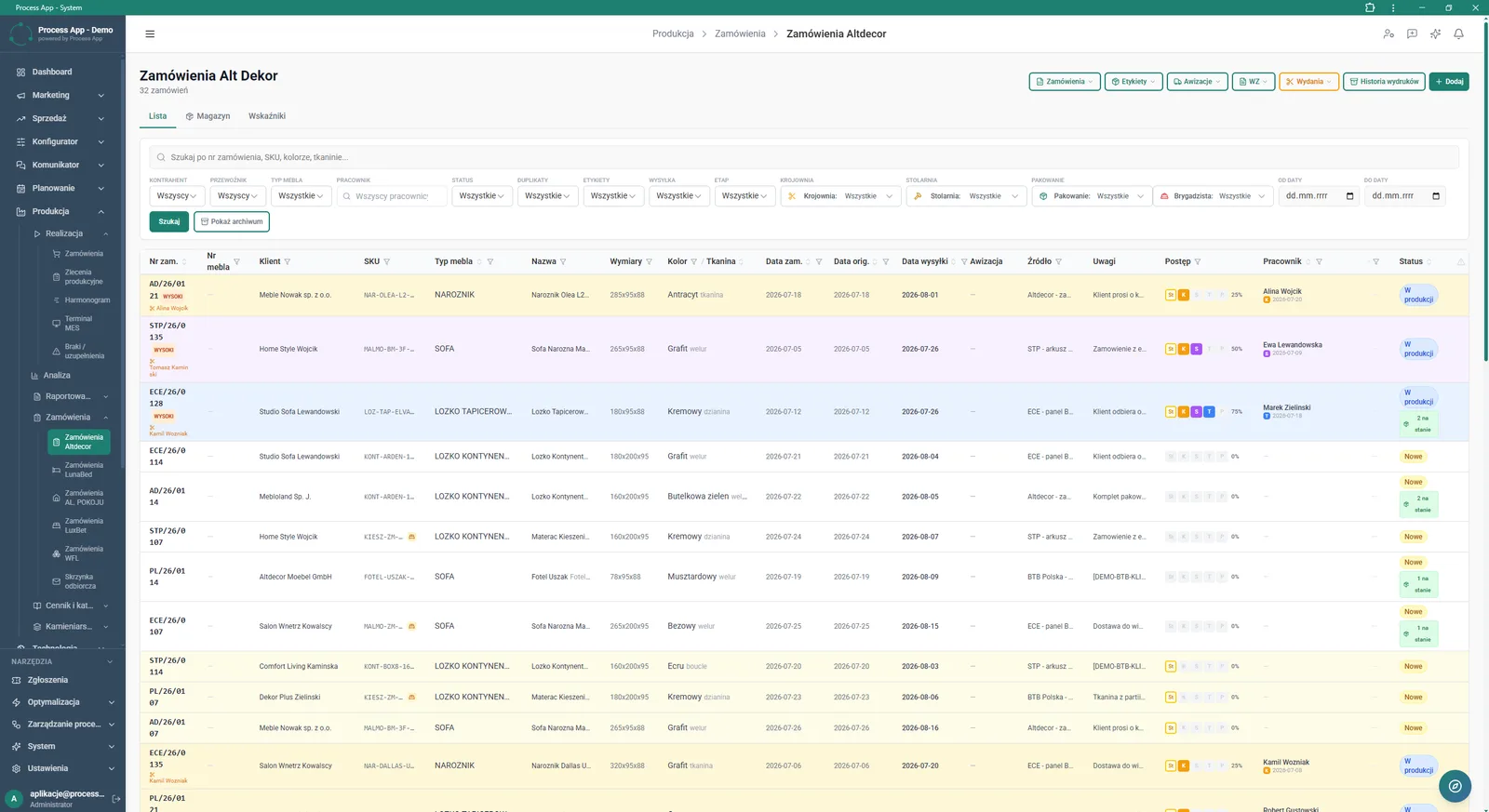
Production module screen in Alt Dekor Orders view, showing a list of orders with advanced filtering options and a table with execution details and progress.
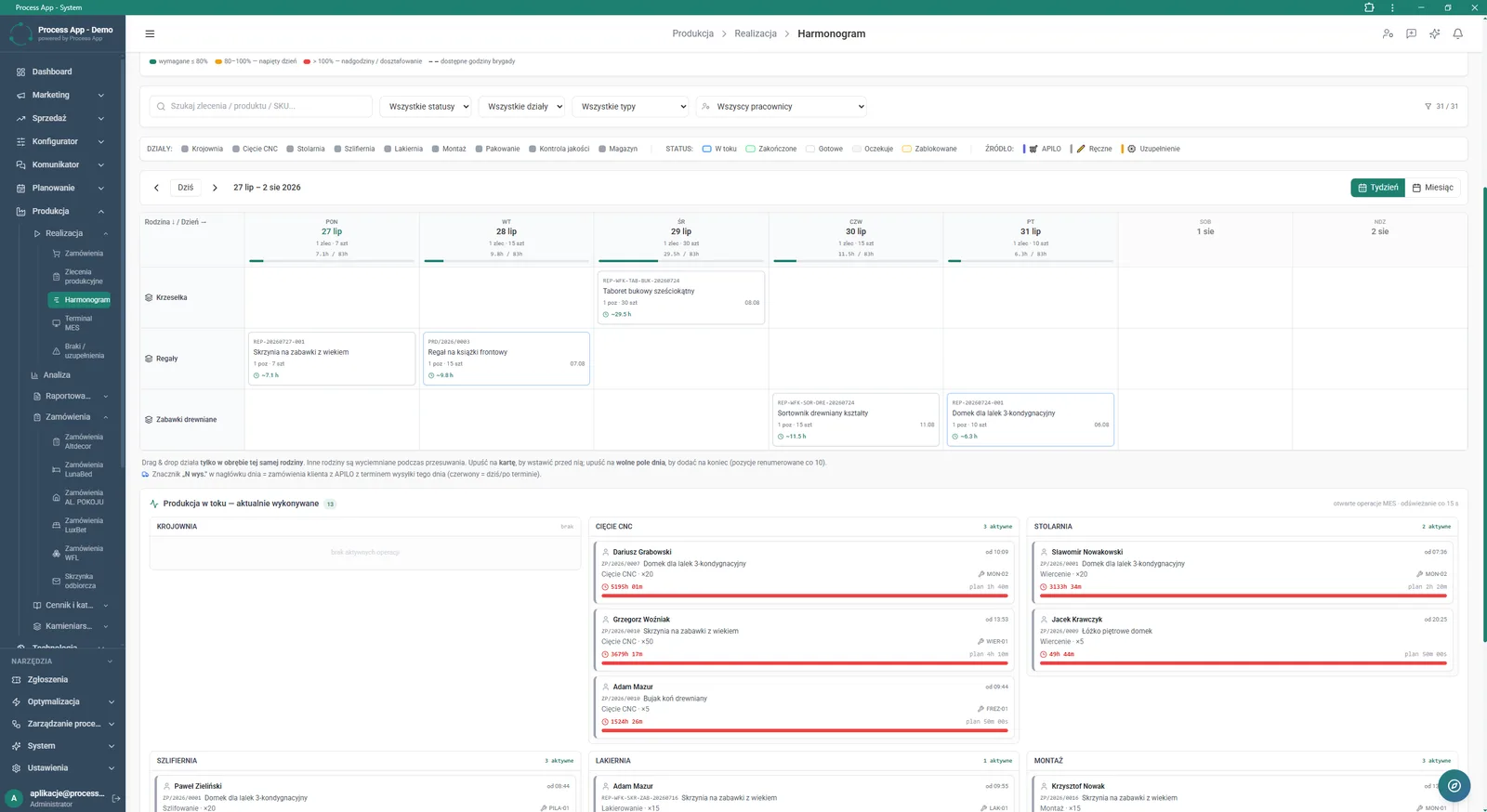
Production module screen in Schedule view, showing a calendar of planned production orders by product families and a section with operations currently being performed in individual departments.
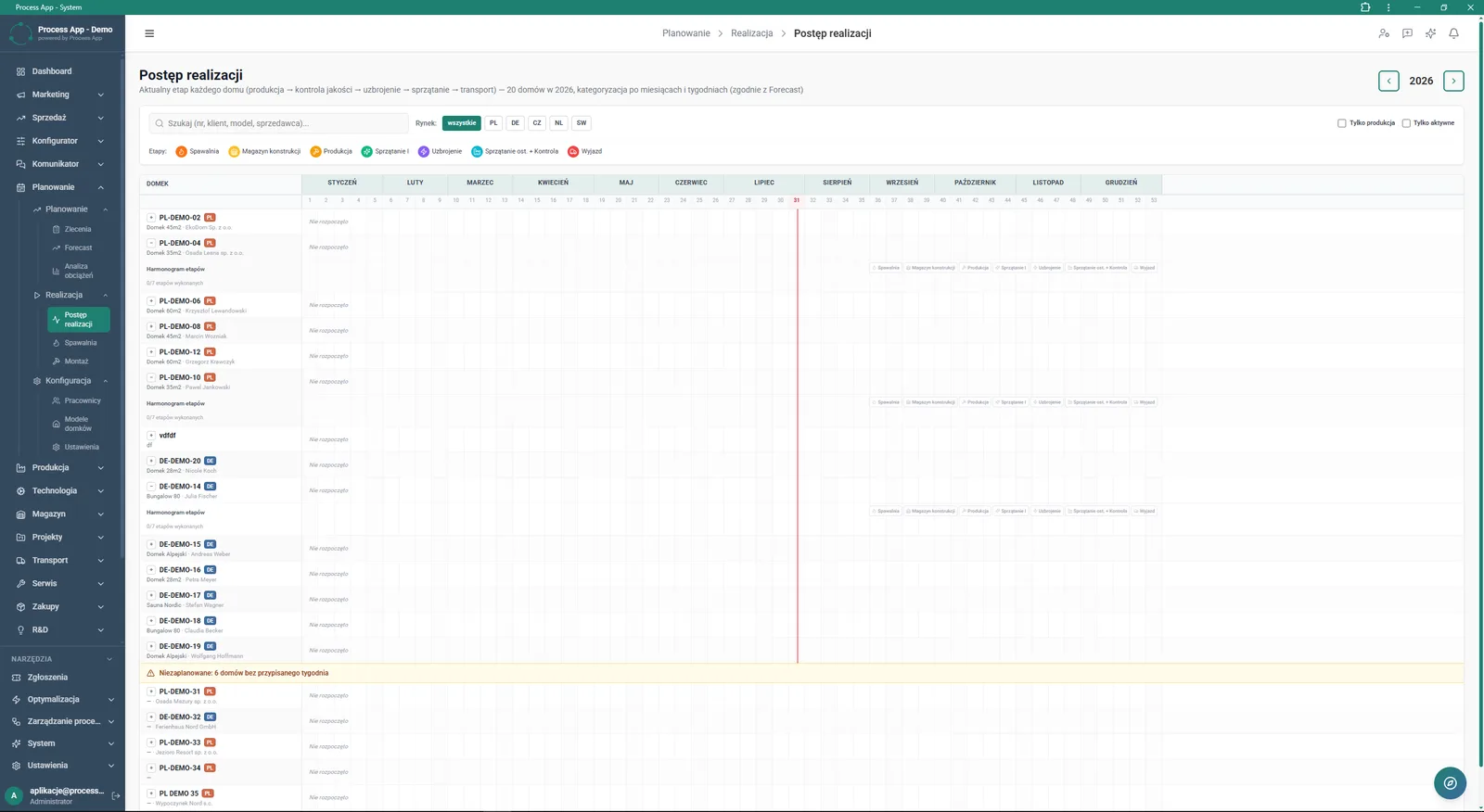
Planning module screen in Execution Progress view, showing the schedule of house build stages broken down by months and weeks of the selected year.
What exactly you get
Stage schedule
Display of planned orders in a calendar view broken down by weeks and months of the selected year.
Kanban board
Horizontal grouping of tasks by company departments and process stages with the ability to quickly change status.
Work in Progress
Monitoring of operations currently being performed, with assigned employee and time, in specific departments.
Advanced filtering
Search for orders by number, customer, sales markets, employees and execution statuses.
Task path
Tracking order execution steps from quotation preparation to final handover in a dedicated section.
Attachment management
Adding, downloading and deleting files, and linking quotations directly in the order card.
What AI does for you in this process
Workload analysis
AI analyses the current assignment of tasks to departments and alerts you before available man-hours are exceeded.
Delay prediction
AI analyses the work pace at early stages and forecasts the risk of missing the shipping deadline.
Scheduling suggestions
AI analyses unplanned orders and proposes optimal time slots in the calendar based on team availability.
The process from start to finish
Monitor order execution progress in clear views tailored to your specific production model. Track the build-stage schedule broken down by months and weeks, spotting unplanned orders immediately. Check the operations currently in progress in the Work in Progress section for each department, such as Cutting, Joinery or Assembly, and see exactly who is working on what. Switch between calendar view and Kanban board to quickly assess statuses and team workload. Filter data by markets, employees or product types to instantly find the information you need. Manage the entire task path, from customer needs analysis through to final payment, with all attachments and messages in one place. This way, you immediately see any gap between plan and actual and can react quickly to downtimes.
See this process on your own data
We will walk you through the “Execution Progress Monitoring” module using your company as the example — the input, the flow and the end result in Process App.
Explore the remaining system modules
Demand Forecasting (Forecast)
Resource Planning and Workload Analysis
Production Scheduling
Production Order Launch
Production Reporting (MES Terminal)
Daily Work Reporting
Piecework Settlement
Purchase Requisition
Purchase Order
Demand vs Inventory Balancing
Transport Order