Manufacturing Cost Calculation
Are you guessing production costs instead of basing your price list on hard data? The Technology module links BOM structures, routings and time standards to deliver an accurate technical cost for every product. Artificial intelligence mass-generates routings for many products at once, saving hours of manual engineering work.
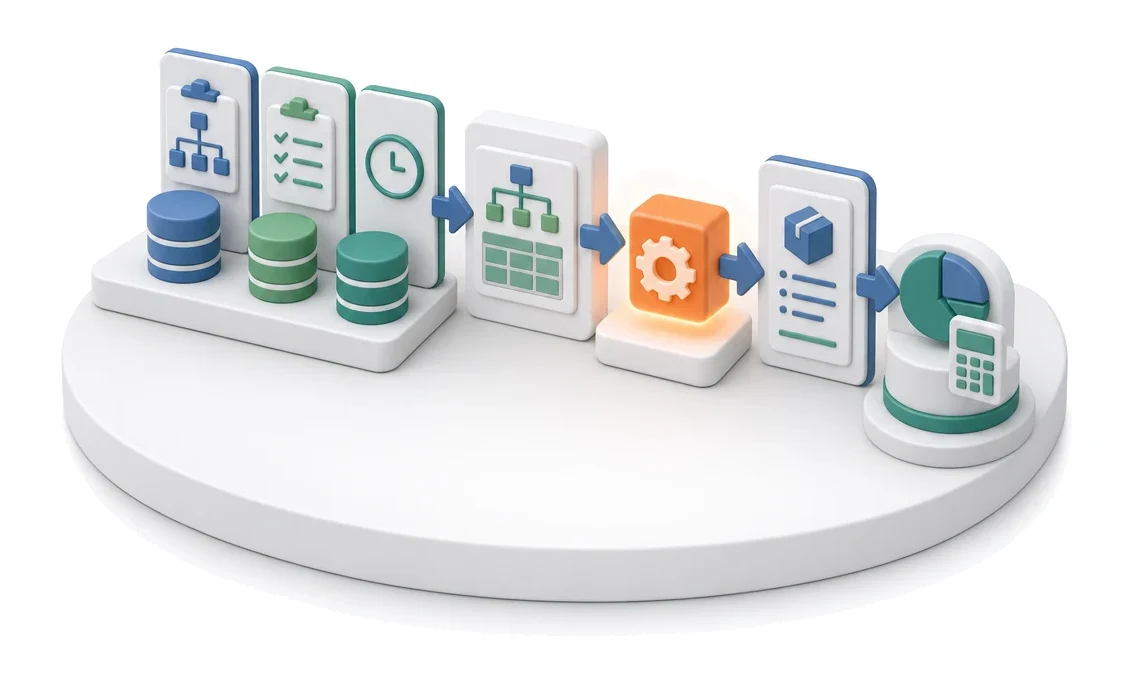
- Input
- BOM + standards + rates
- Flow
- BOM and standards → calculation → product cost passed into the quotation
- Output
- Technical product cost
What changes in the company after the rollout
BOM and standards generate the product cost: material, labour, overhead. Sales gets a solid basis for pricing instead of estimates.
Reliable pricing basis
Sales receives a precisely calculated technical product cost instead of rough estimates.
Safe variant costing
Creating new costings does not affect the base product, warehouse stock or external integrations.
Global data updates
Changing a technological standard automatically recalculates times across all related routings.
Faster assortment onboarding
Grouping products into families enables instant assignment of ready-made process templates.
Full change control
Built-in audit and standard change history protect against errors in documentation.
How this process looks in Process App
Zrzuty pochodzą z działającego systemu — kliknij, aby powiększyć.
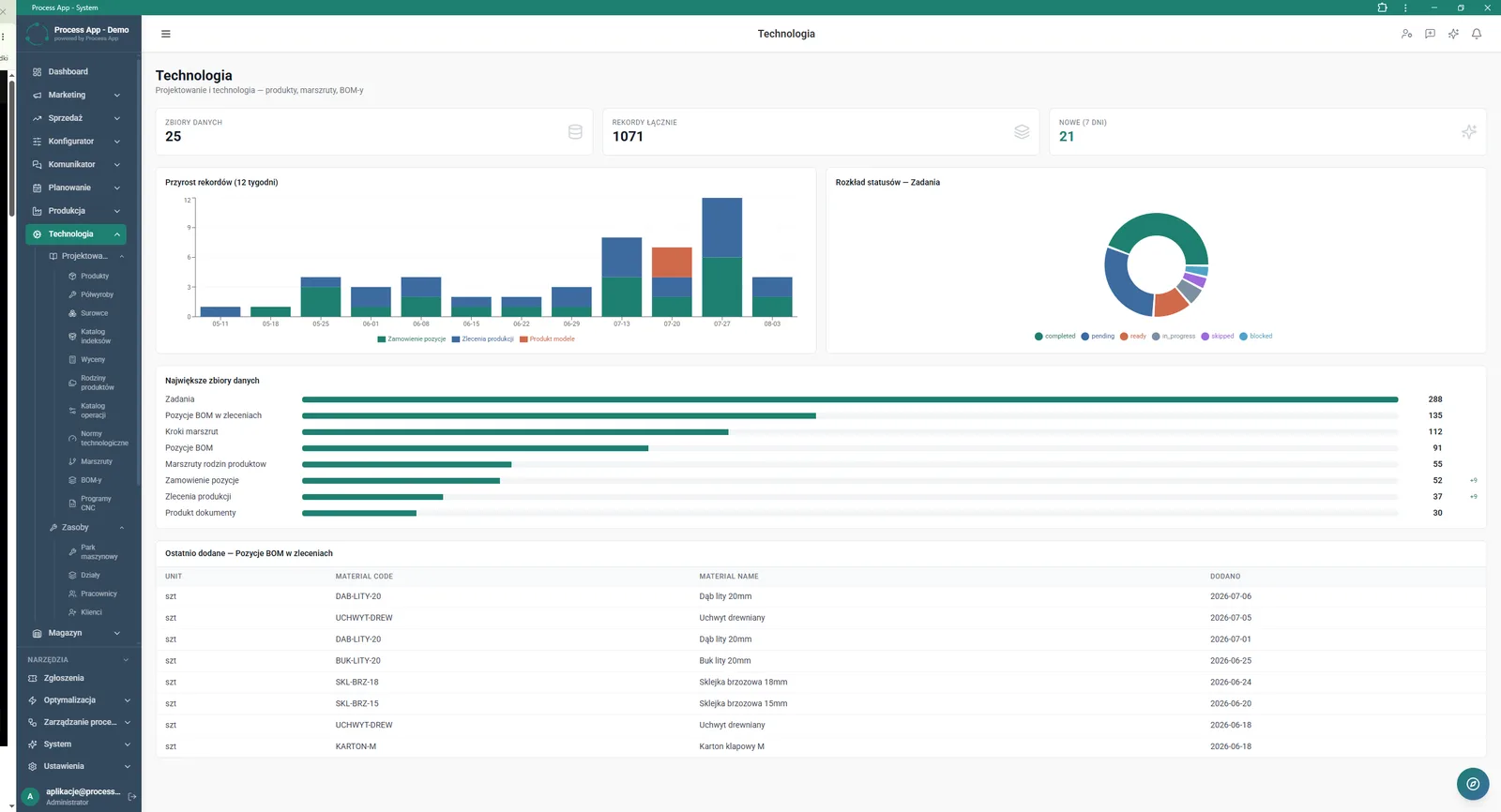
Technology module main screen showing a data summary in the form of statistic tiles, charts of record growth and status distribution, plus lists of the largest datasets and most recently added BOM items.
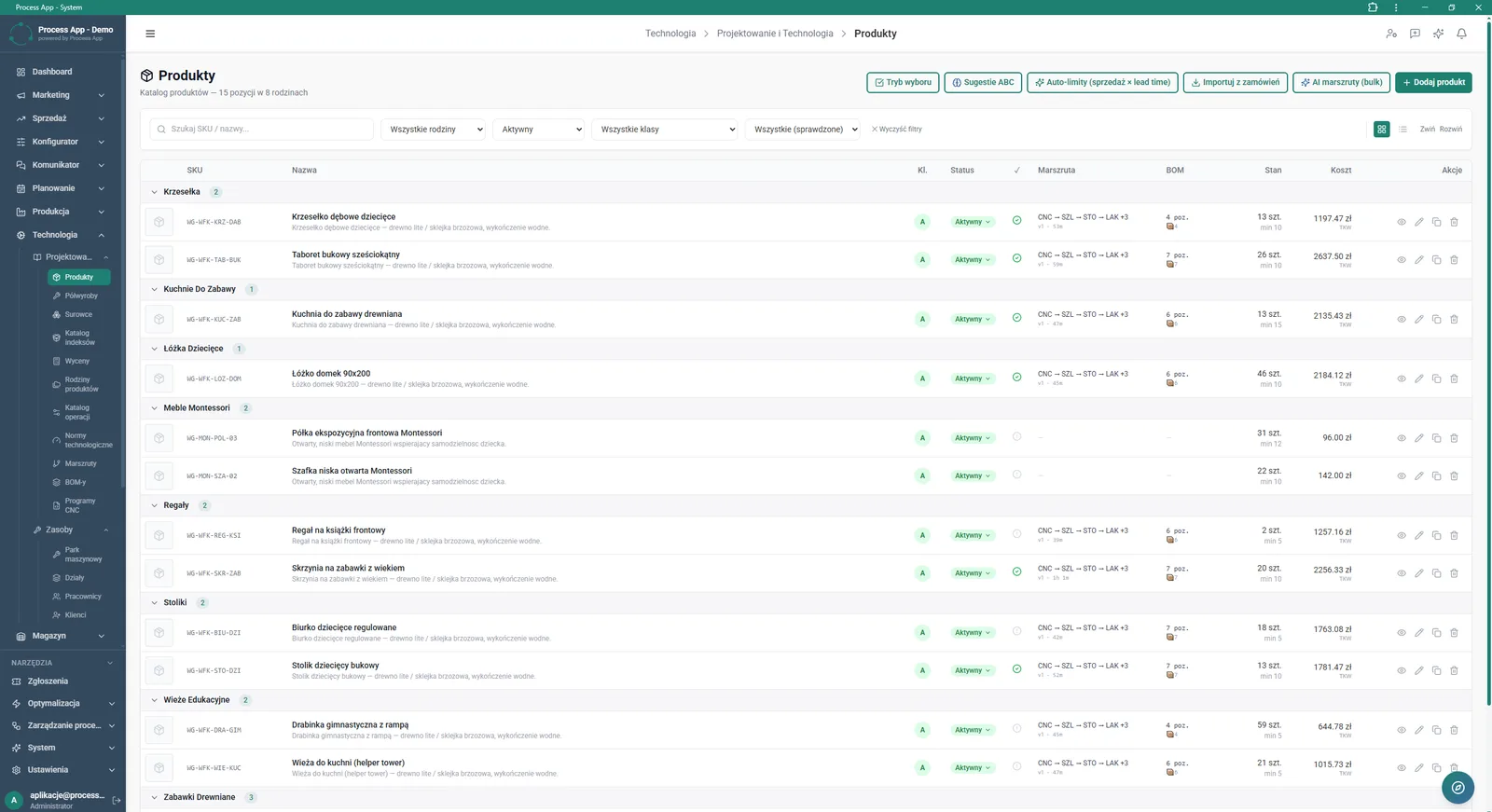
The Products screen displays a categorised product list with information about routing, BOM structure, stock levels and calculated cost.
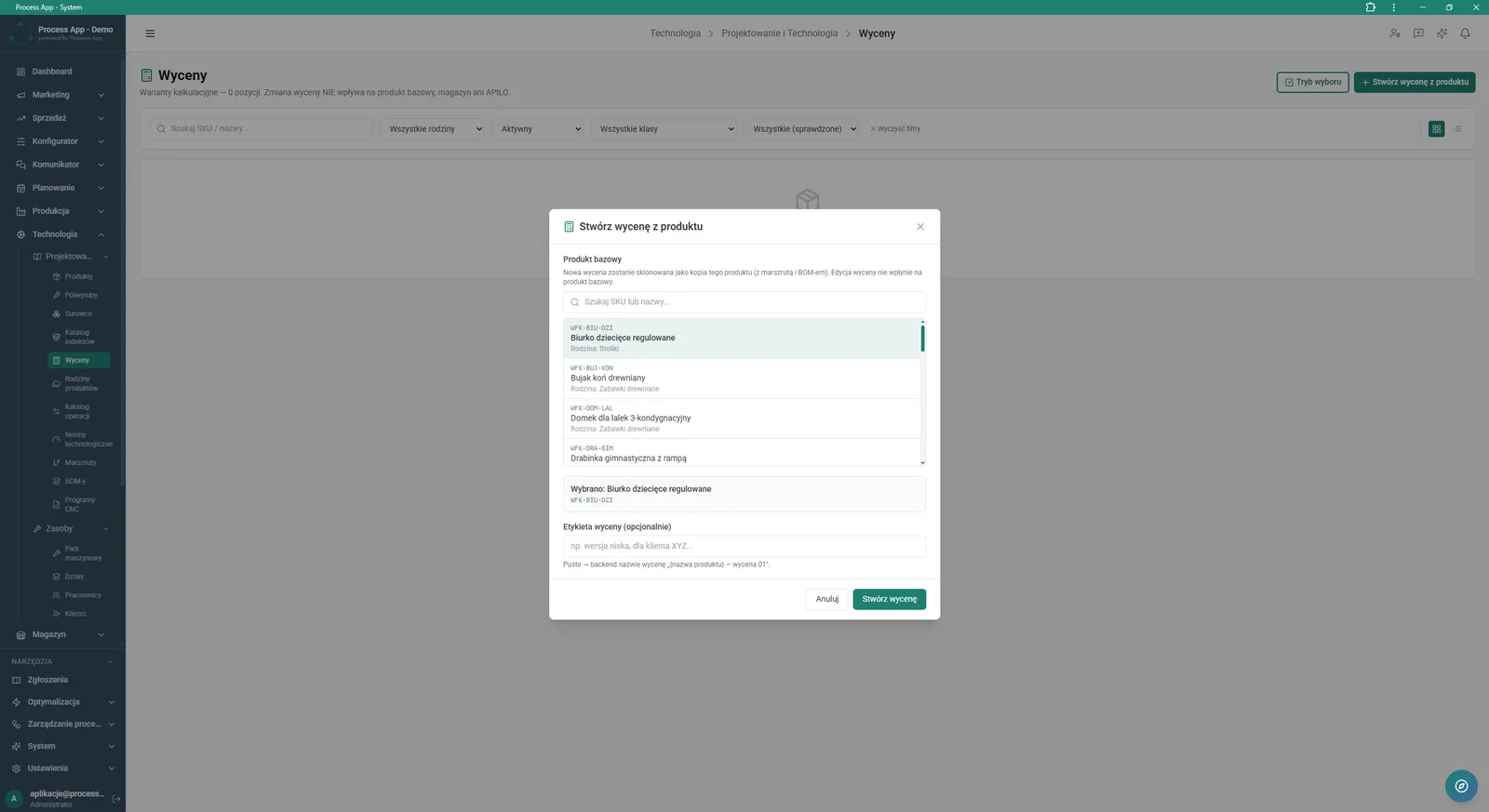
The Costings screen with the “Create costing from product” modal window open, allowing users to select a base product and assign a label to the costing.
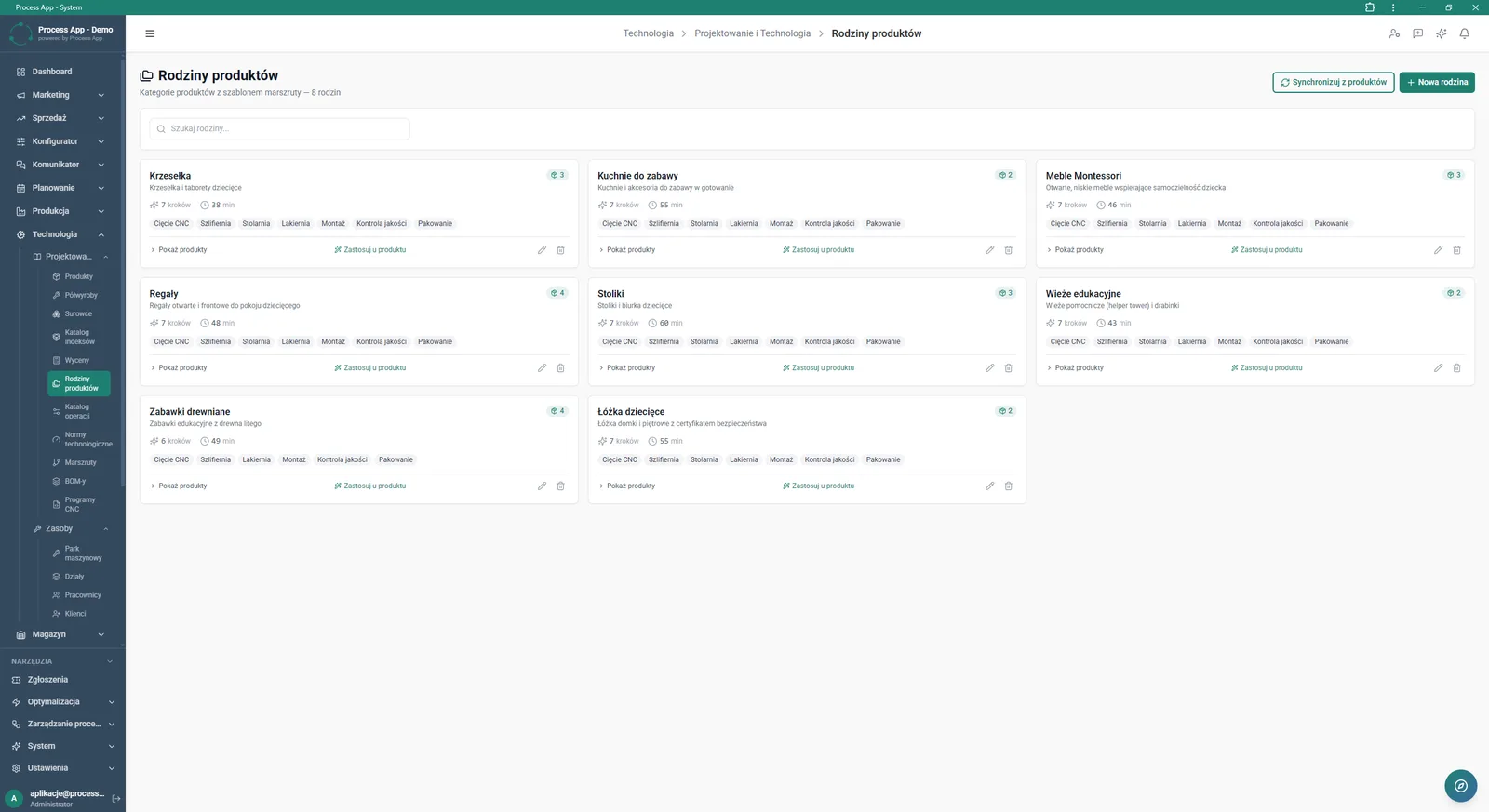
The Product families screen presents a list of product categories as tiles containing information on routing templates, number of steps, operation time and assigned products.
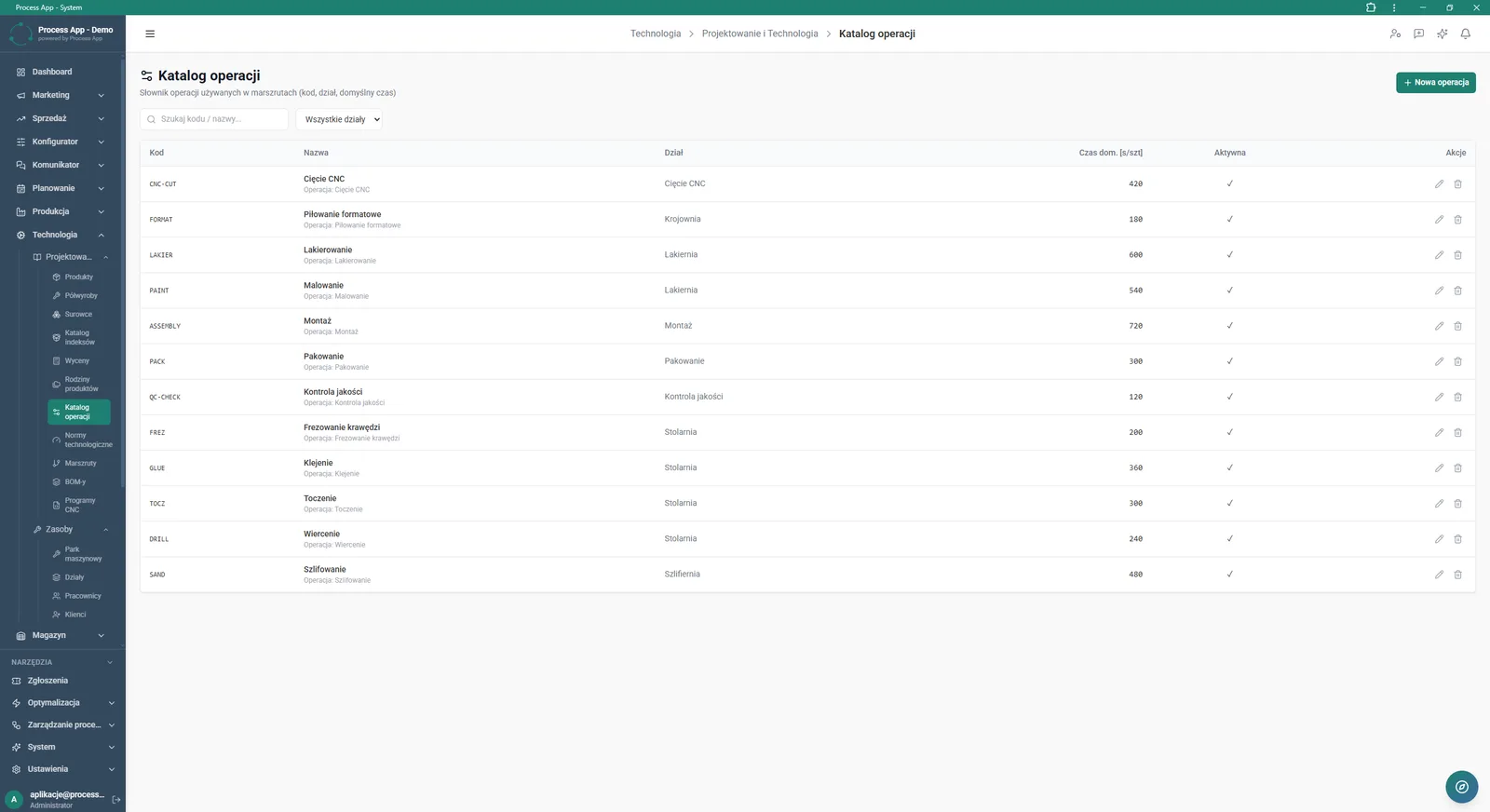
The Operations catalogue screen presents a dictionary of operations used in routings, including codes, names, assigned departments and default execution times.
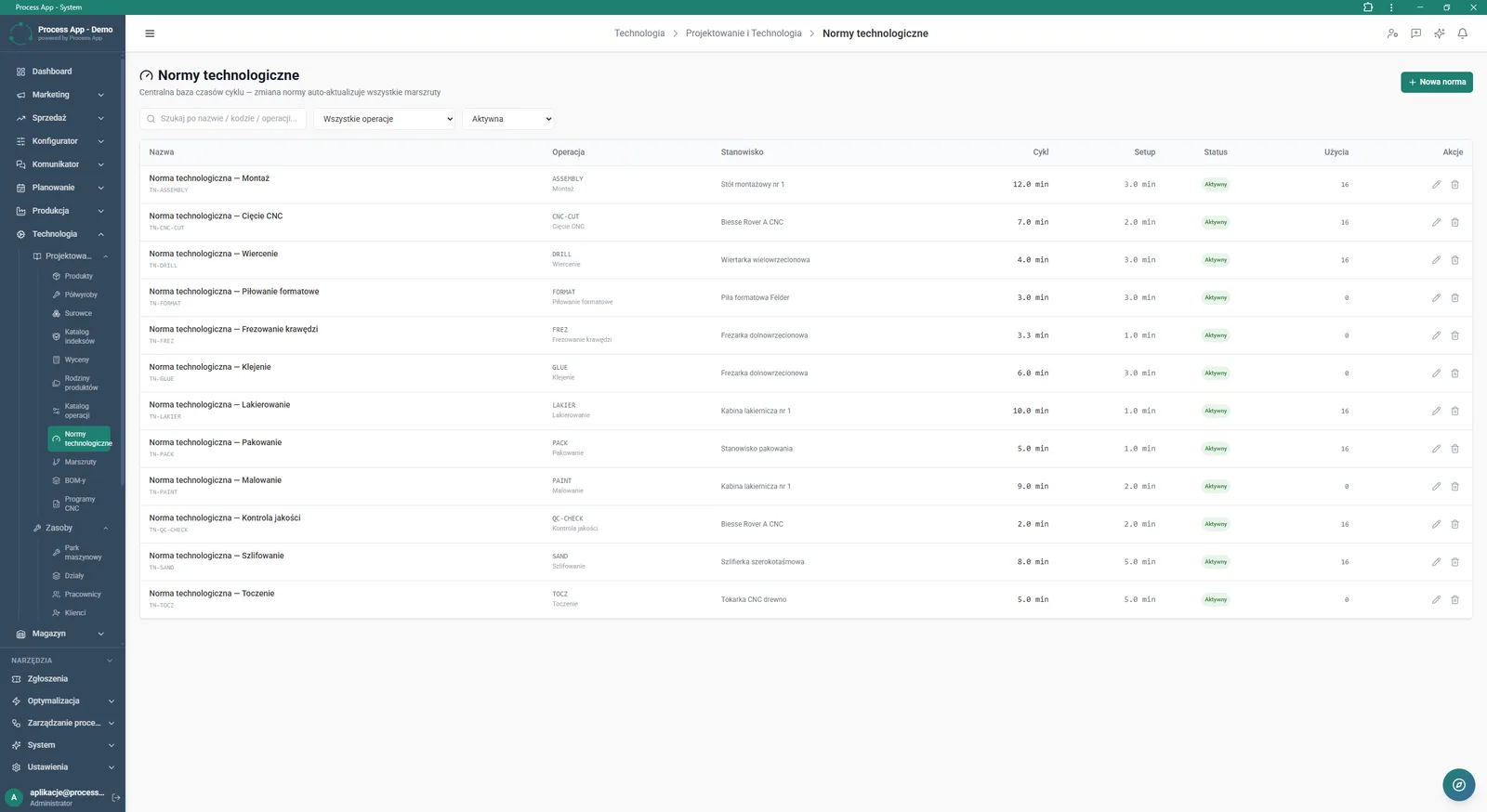
The Technological standards screen presents a central database of cycle and changeover times assigned to operations and work centres, in a table with search and filtering options.
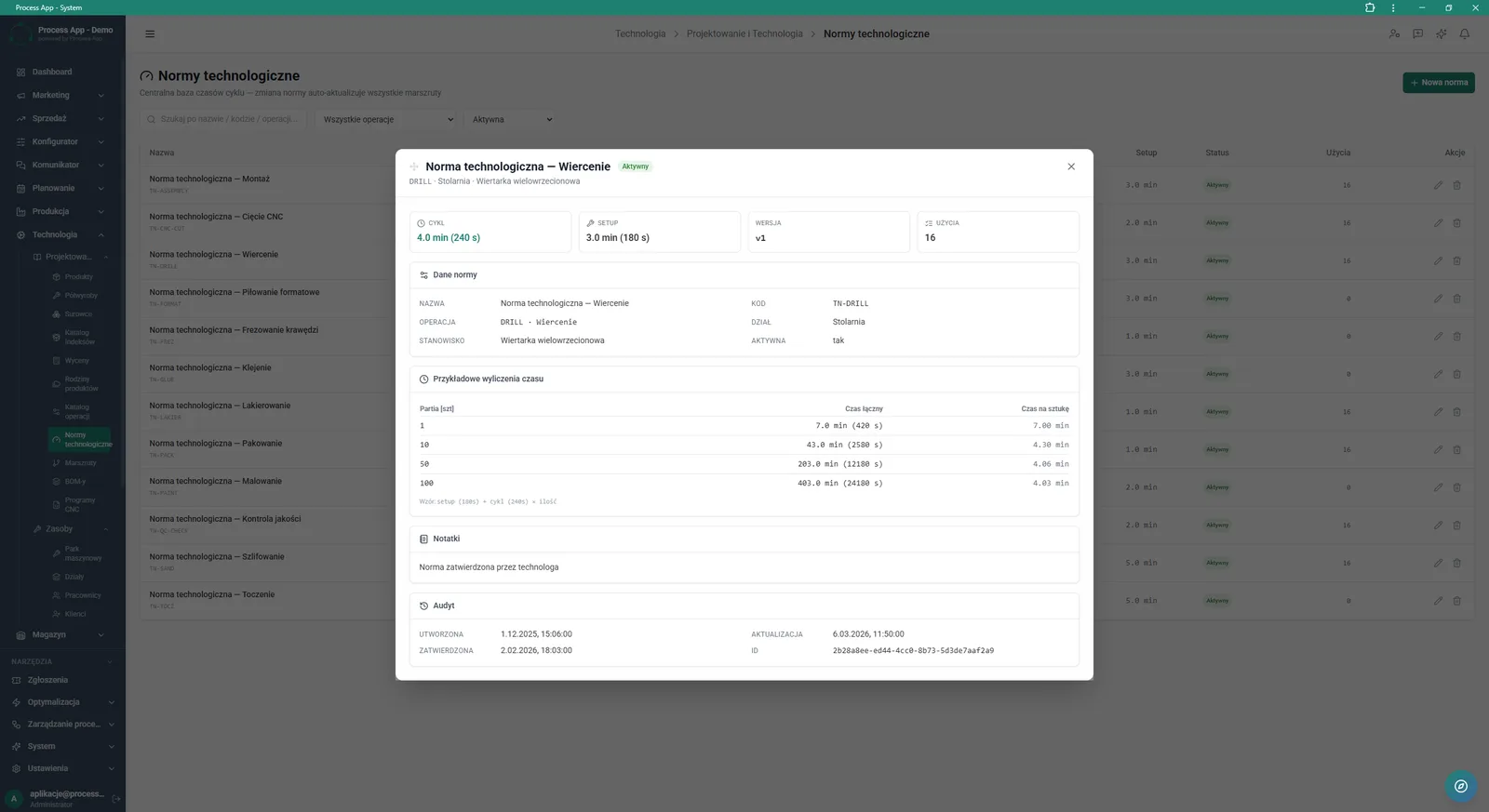
The Technological standards screen with the details window of a selected standard open, showing cycle and changeover times, master data, example time calculations for different batch sizes and audit information.
What exactly you get
Product cost calculation
The system calculates cost based on the BOM structure, assigned routing and time standards.
Central standards database
The module stores cycle and changeover times assigned to specific operations and work centres.
Batch size simulations
A table in the standard details automatically calculates total and per-unit time for different volumes.
Product family management
The application allows you to create product categories and assign default routing templates to them.
Independent costing variants
The system enables generating costing variants with their own labels based on an existing SKU.
Technological operations catalogue
The dictionary stores codes, names, departments and default execution times for all processes.
What AI does for you in this process
Mass routing generation
Artificial intelligence automatically creates production routes for many products simultaneously.
ABC classification suggestions
Algorithms analyse data and propose assigning products to the appropriate rotation classes.
Auto-limit recalculation
The system automatically calculates optimal limits based on sales history and lead time.
The process from start to finish
Manage all technological documentation in one coherent environment. Categorise your assortment into product families and assign ready-made routing templates to speed up new product introduction. Create independent costings based on existing products without risking changes to master data or stock levels. Build a central database of technological standards where any change to cycle or changeover time automatically updates all related routings. Verify time simulations for different production batch sizes and control the change history using audit data. Track record growth statistics and task status distribution directly on the module’s main screen.
See this process on your own data
We will walk you through the “Manufacturing Cost Calculation” module using your company as the example — the input, the flow and the end result in Process App.
Explore the remaining system modules
BOM Development
Technology Routing

Demand Forecasting (Forecast)
Resource Planning and Workload Analysis

Production Scheduling
Execution Progress Monitoring
Production Order Launch
Production Reporting (MES Terminal)

Daily Work Reporting
Piecework Settlement
Purchase Requisition