Lead Generation
Losing potential customers because your forms are scattered and you can’t consistently track sources? The Lead Generation module unifies traffic from campaigns, landing pages and forms into one automated flow that feeds straight into your CRM. Built‑in AI algorithms help you instantly create new landing pages and analyse performance reports.
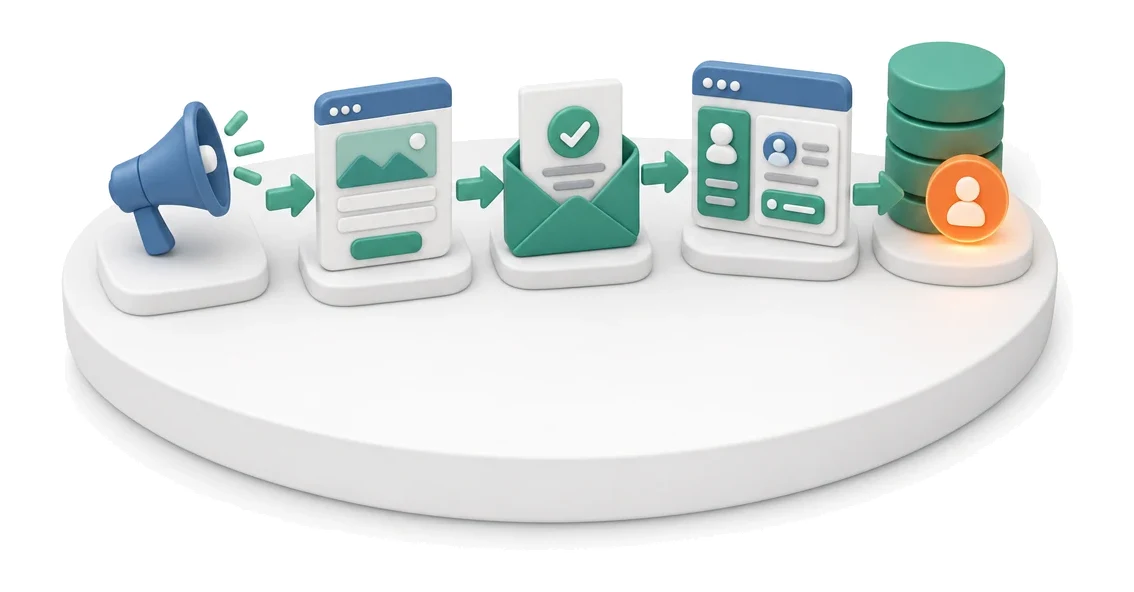
- Input
- Campaign traffic
- Flow
- Landing page with form → form submitted → lead visible in CRM with source
- Output
- Lead in the database with assigned source
What changes in the company after the rollout
Campaign traffic is directed to a landing page with a form. The submission lands in the lead database with the source and campaign attached.
Full control over conversion
You continuously track conversion rate metrics for each landing page, allowing you to quickly optimise campaigns.
Centralised lead capture
You collect all enquiries from different forms in one clear, central message inbox.
Smooth handover to sales
You convert form submissions directly into CRM leads without retyping data by hand.
Transparent acquisition costs
You analyse CPL and CAC on the main dashboard, keeping tight control over the marketing budget.
Faster contact qualification
You use Lead Scoring to instantly assess the sales potential of every submission.
How this process looks in Process App
Zrzuty pochodzą z działającego systemu — kliknij, aby powiększyć.
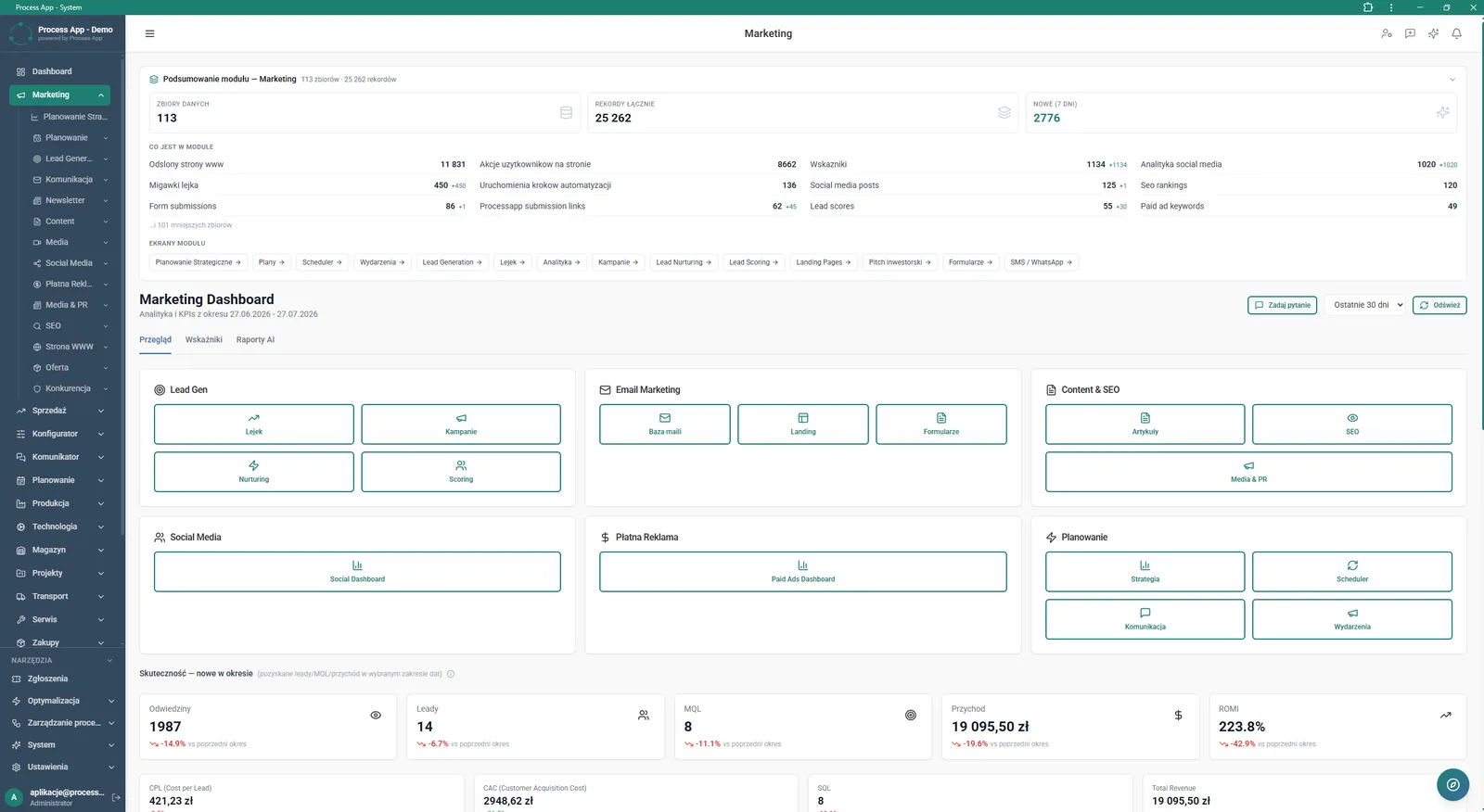
Main marketing dashboard showing key performance indicators such as visits, leads, revenue and ROMI.
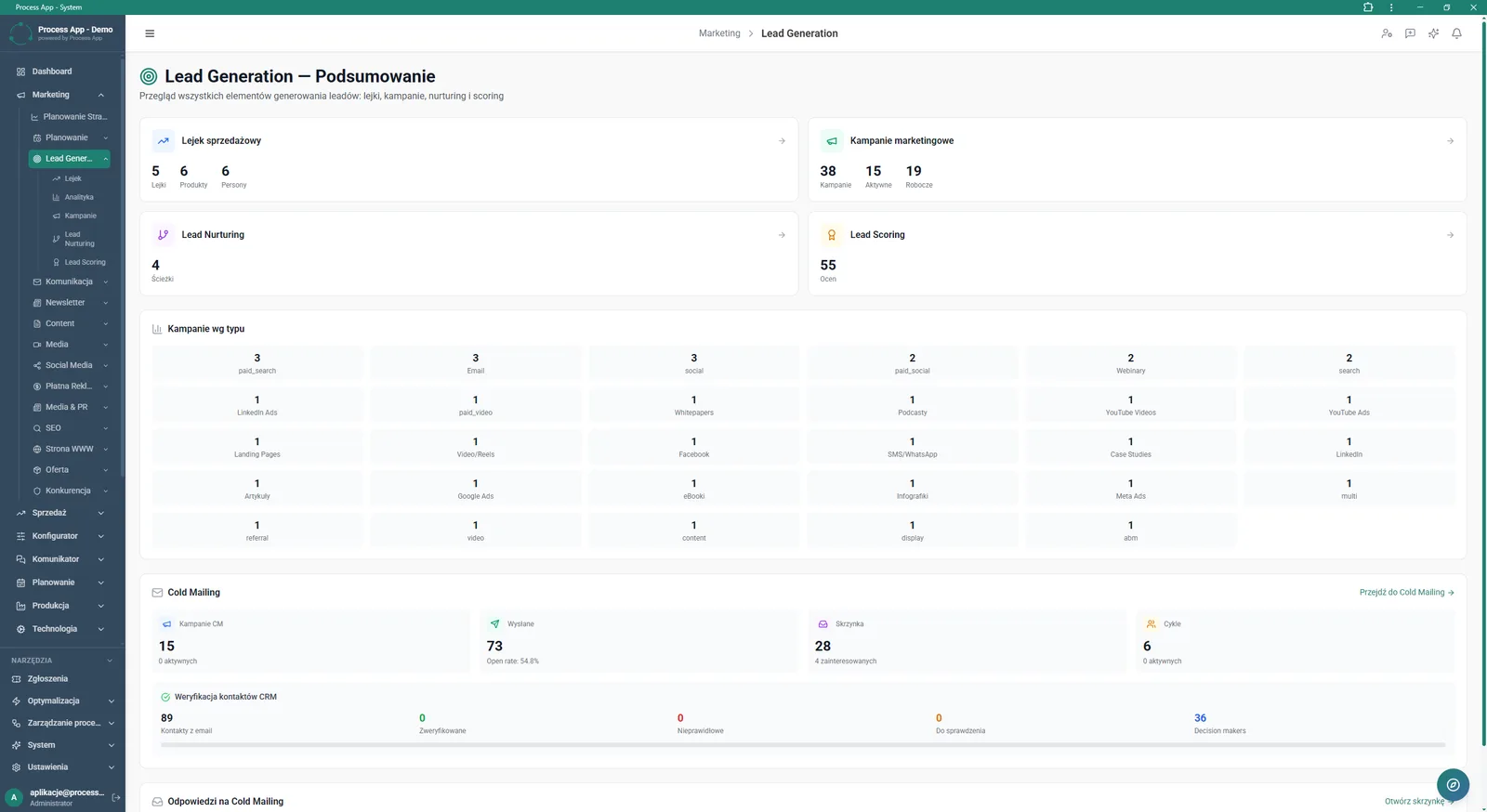
Lead generation summary screen with sales funnel views, campaign statistics by type and contact verification status.
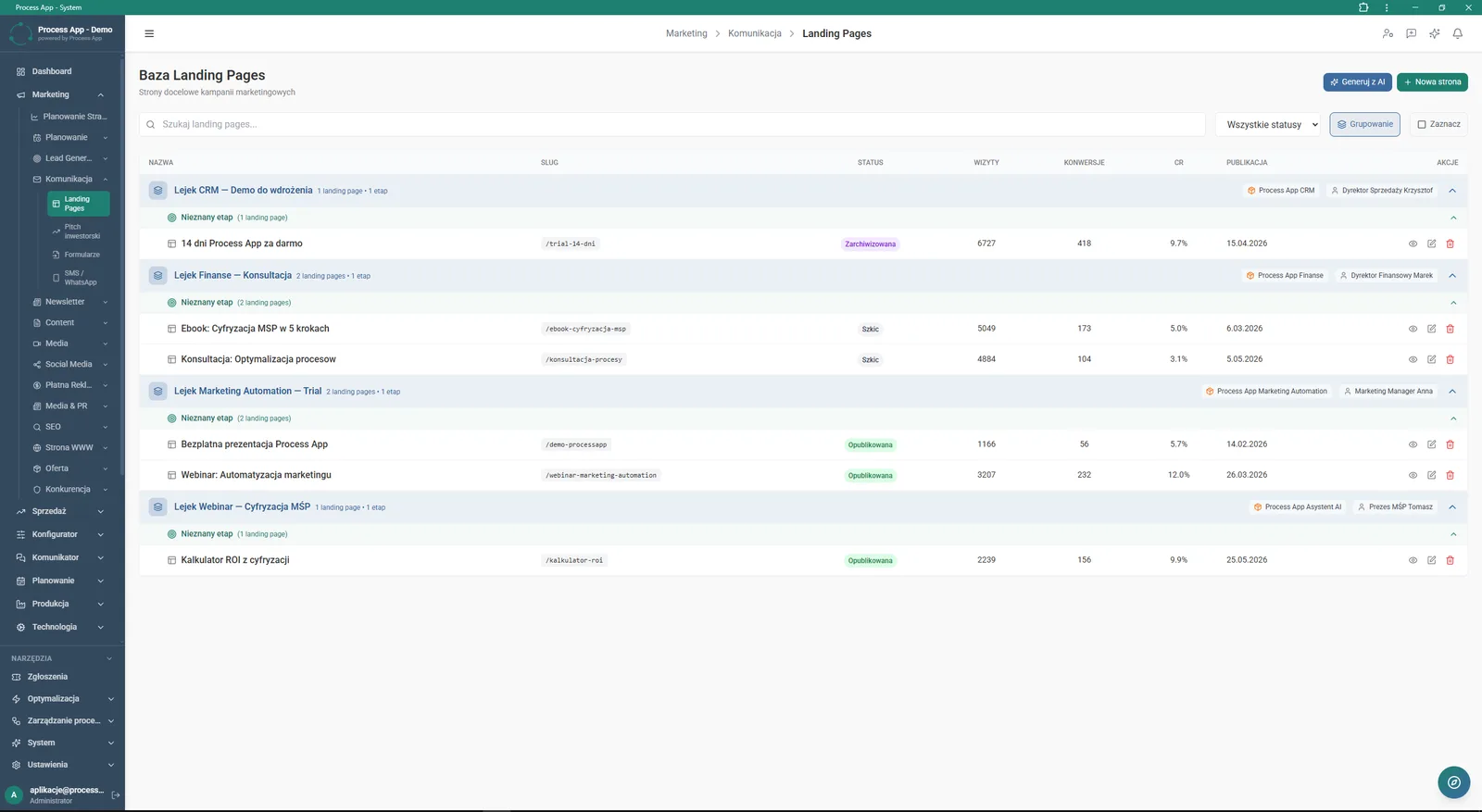
Landing pages database in a table view showing page names, their statuses, number of visits and conversion rate.
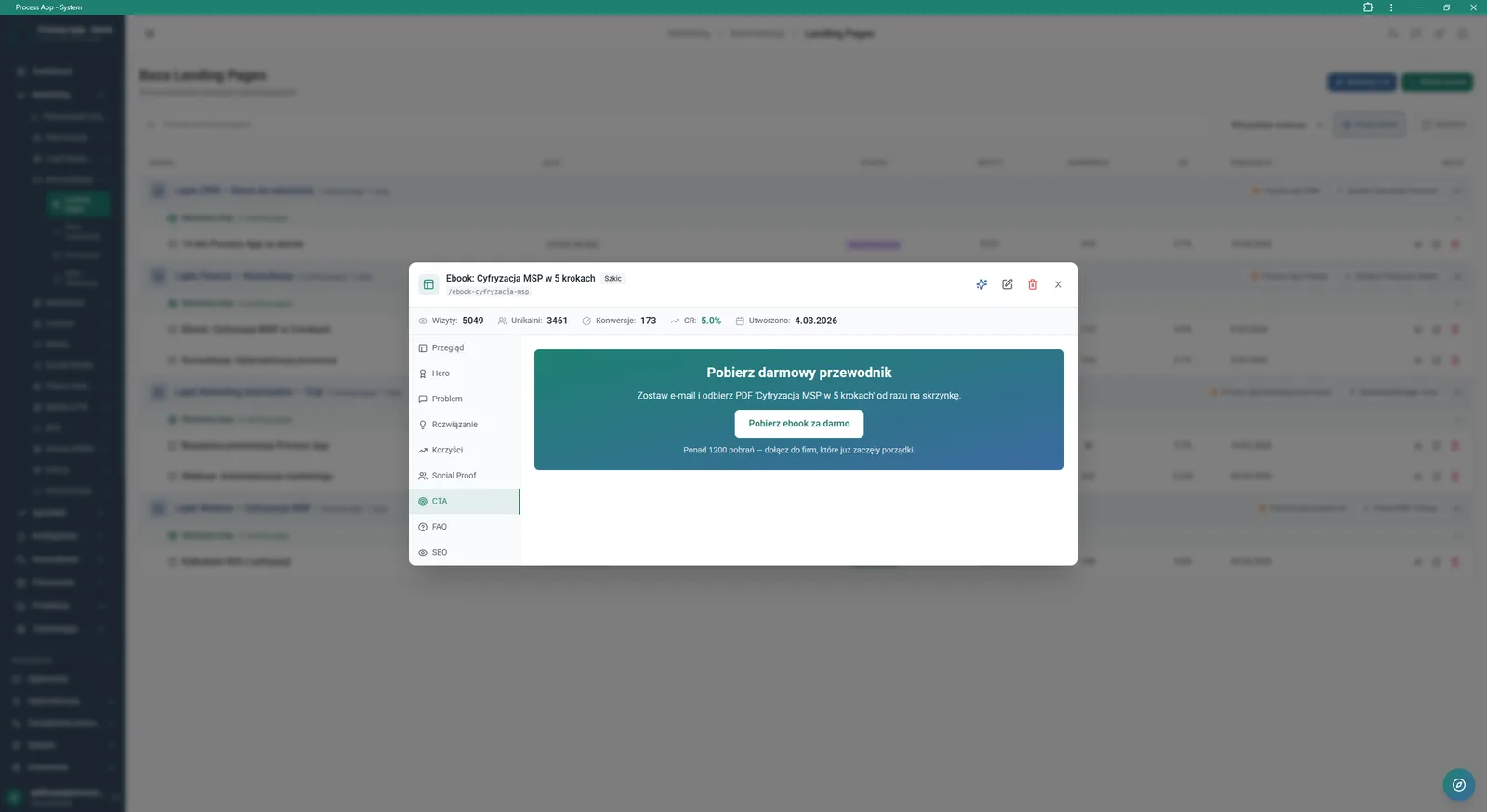
Detail view of a selected landing page with an edit menu for individual sections such as Hero, Problem or CTA.
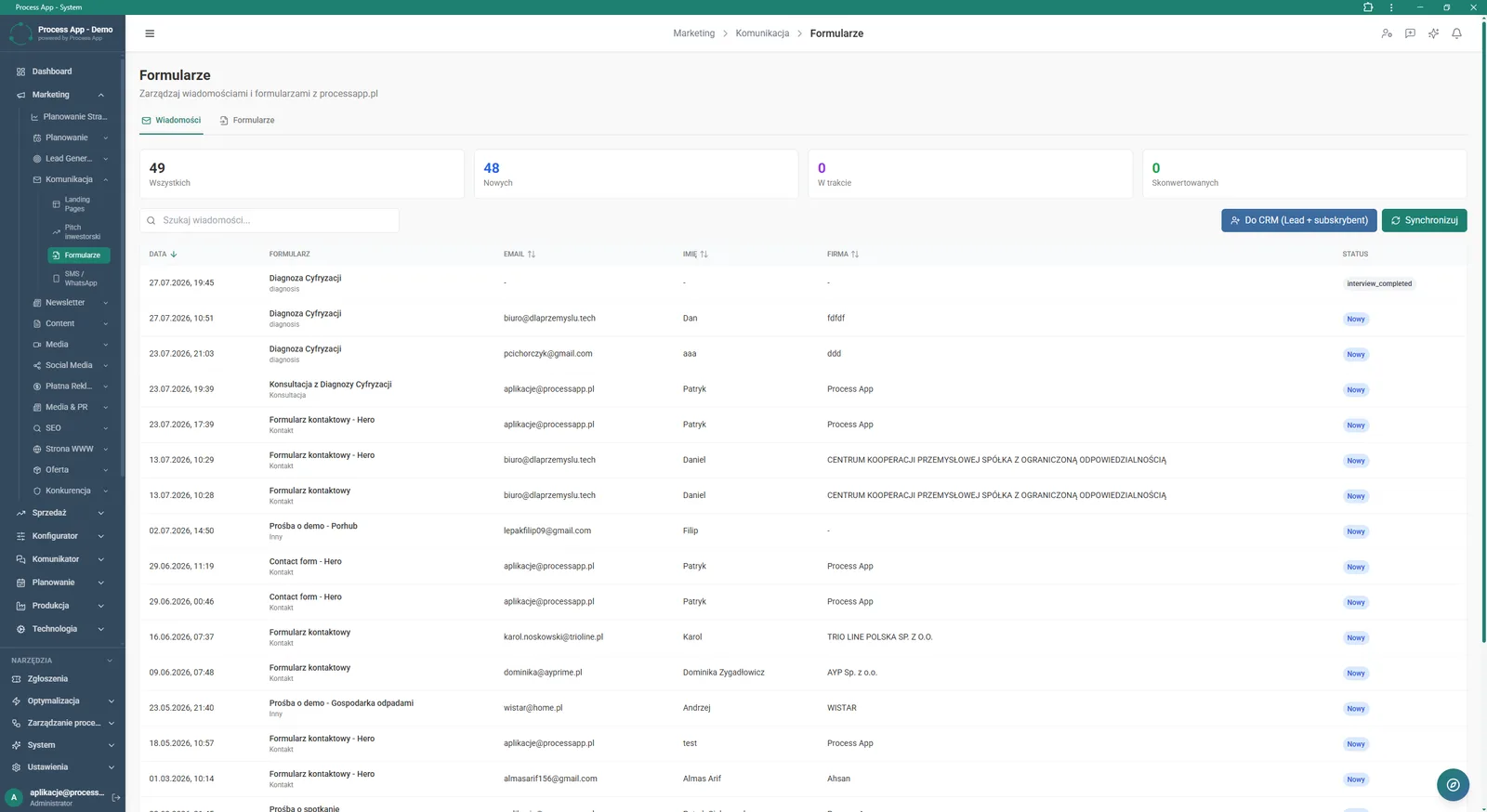
Message inbox for form submissions showing a list of enquiries with contact details, assigned form and status.
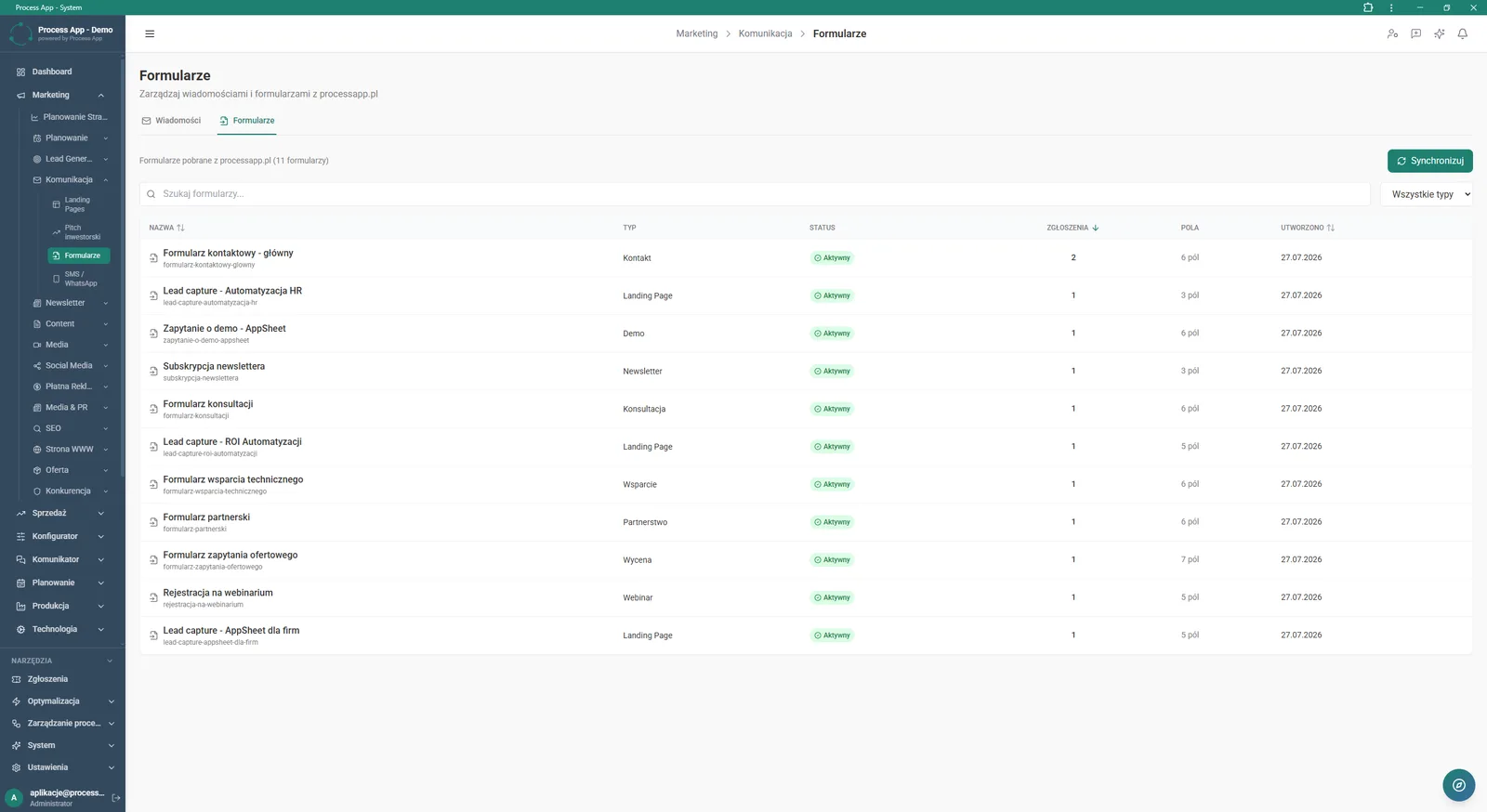
Registry of all forms in the system with information on their type, active status and number of configured fields.
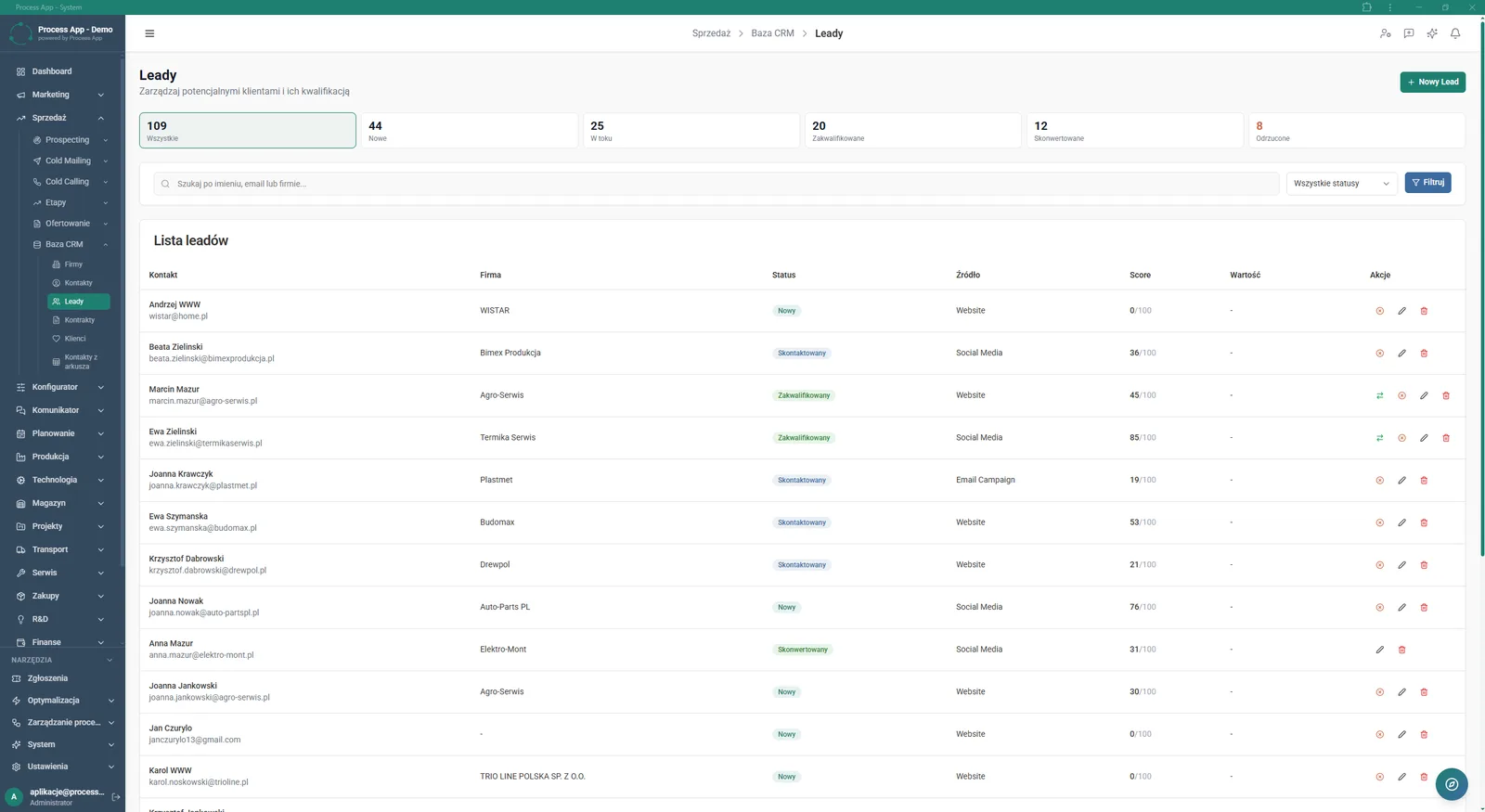
Lead list in the CRM module containing contact details, qualification status, acquisition source and score.
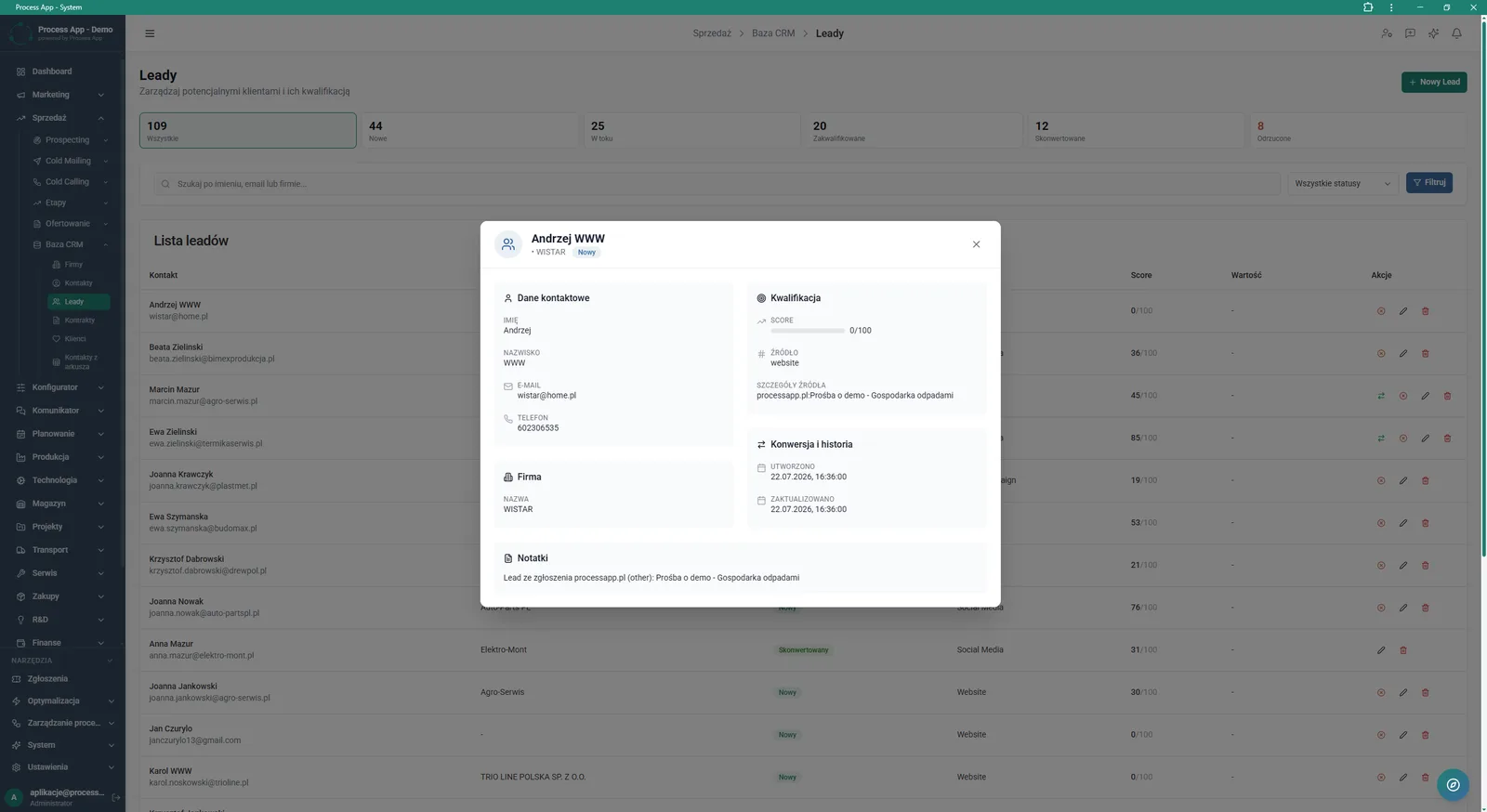
Lead detail card showing contact data, company information, source details and conversion history.
What exactly you get
Landing page builder
The system lets you edit individual landing page sections such as Hero, Problem or CTA.
Form registry
The application categorises forms by type and tracks the number of related submissions and active fields.
CRM lead database
The module stores profiles of potential customers along with their conversion history, notes and assigned source.
Marketing metrics dashboard
The system aggregates data on visits, leads and revenue, and calculates ROMI for a selected period.
Campaign categorisation
The application groups active activities by type, such as paid search, social media or webinars.
What AI does for you in this process
Landing page generation
AI automatically creates new landing page drafts directly from the database view, speeding up campaign launch.
Analytical report creation
AI processes metrics from the marketing dashboard, delivering ready‑made data summaries in a dedicated tab.
Contact verification
AI analyses email addresses in the CRM, separating verified contacts from invalid ones.
The process from start to finish
Manage your entire lead acquisition process from one place, from the first click through to qualification in the CRM. Create and publish landing pages in the Landing Pages Database module and continuously monitor visit volumes and conversion rates. Collect all submissions in a central message inbox where you can easily verify contact details and processing status. Categorise forms by type, such as contact, demo request or webinar registration, to keep your campaigns organised. Push collected contacts into the lead database with a single click, automatically assigning their acquisition source and campaign details. Track performance on the main marketing dashboard, monitoring key metrics like cost per lead and return on investment. Assess the potential of every contact with the built‑in Lead Scoring system, which makes it easier to prioritise the sales team’s work.
See this process on your own data
We will walk you through the “Lead Generation” module using your company as the example — the input, the flow and the end result in Process App.
Explore the remaining system modules
Prospecting
Cold Mailing
Cold Calling
Sales Opportunity Management
Quotation Preparation
Offer Preparation and Sending
Product configurator
BOM Development
Technology Routing
Manufacturing Cost Calculation
Demand Forecasting (Forecast)