AI prompts and automation management
Losing control over scattered prompts and bots in your company? This module lets you centrally manage prompts, automations and agents in one place. AI executes assigned tasks autonomously or based on defined events, optimising everyday processes.
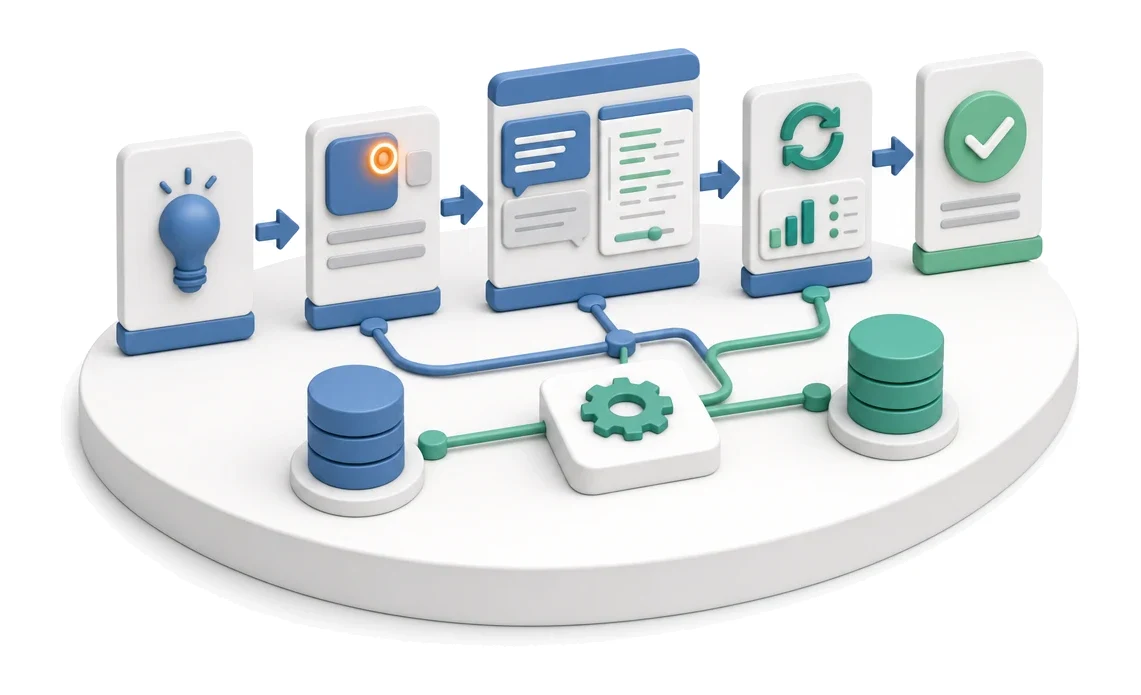
- Input
- Need for a new AI function
- Flow
- Eye icon next to the AI button → prompt preview and edit → regeneration and history
- Output
- Working prompt or automation
What changes in the company after the rollout
Prompts are visible, editable and versioned in one place. For every AI function you can preview and change the prompt.
Centralised management
You keep all prompts and bot configurations in one, easily accessible place.
Better process visibility
You quickly assess the effectiveness of automations and the number of completed tasks.
Faster change rollout
You edit and version prompts without having to search through multiple systems.
Full control over executions
You always know which agent requires approval and when it was last run.
Structured organisation
You can easily find the right assets thanks to precise tagging and categorisation.
How this process looks in Process App
Zrzuty pochodzą z działającego systemu — kliknij, aby powiększyć.
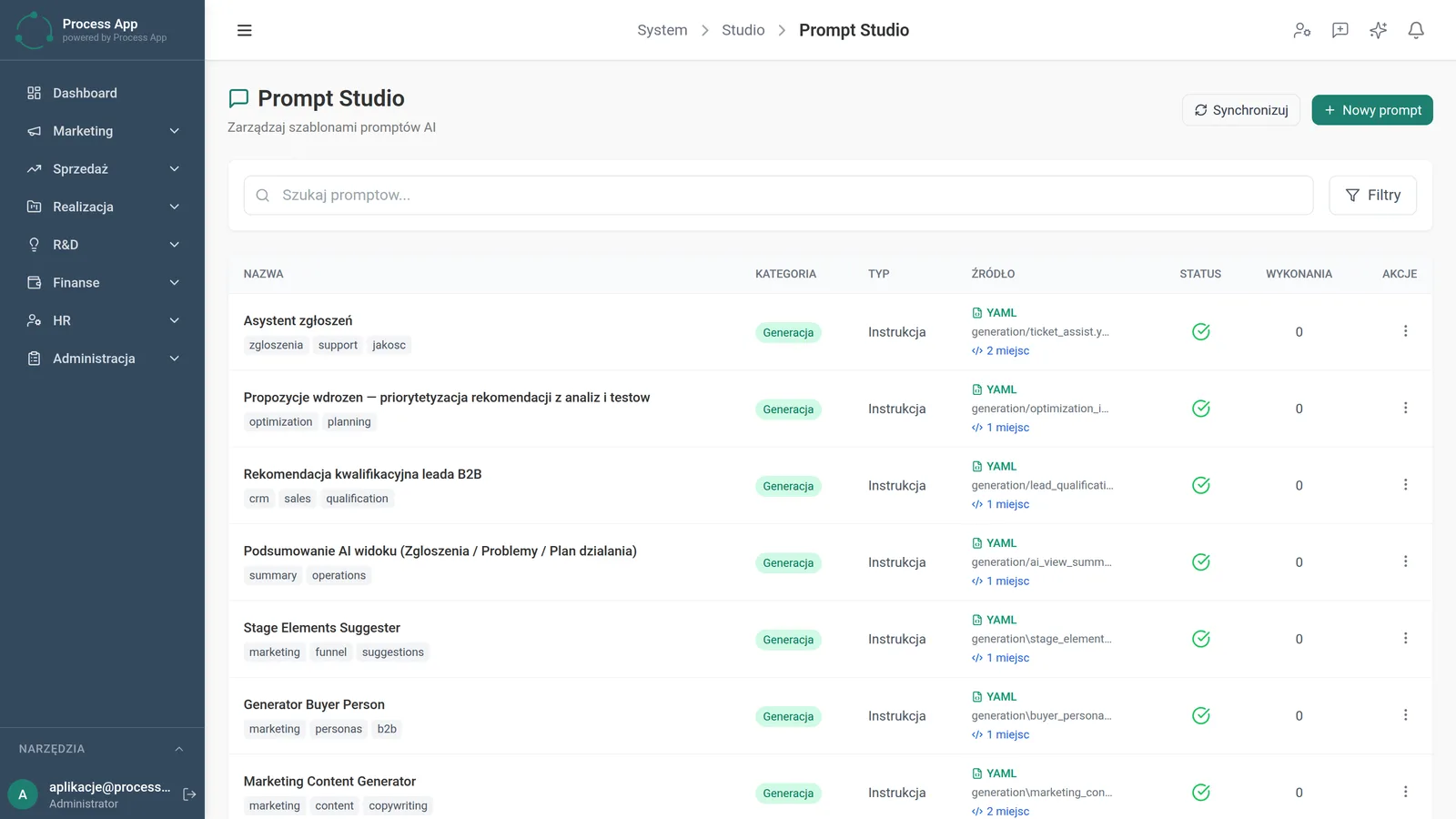
The Prompt Studio screen shows a tabular list of AI prompt templates with their tags, categories, types and sources.
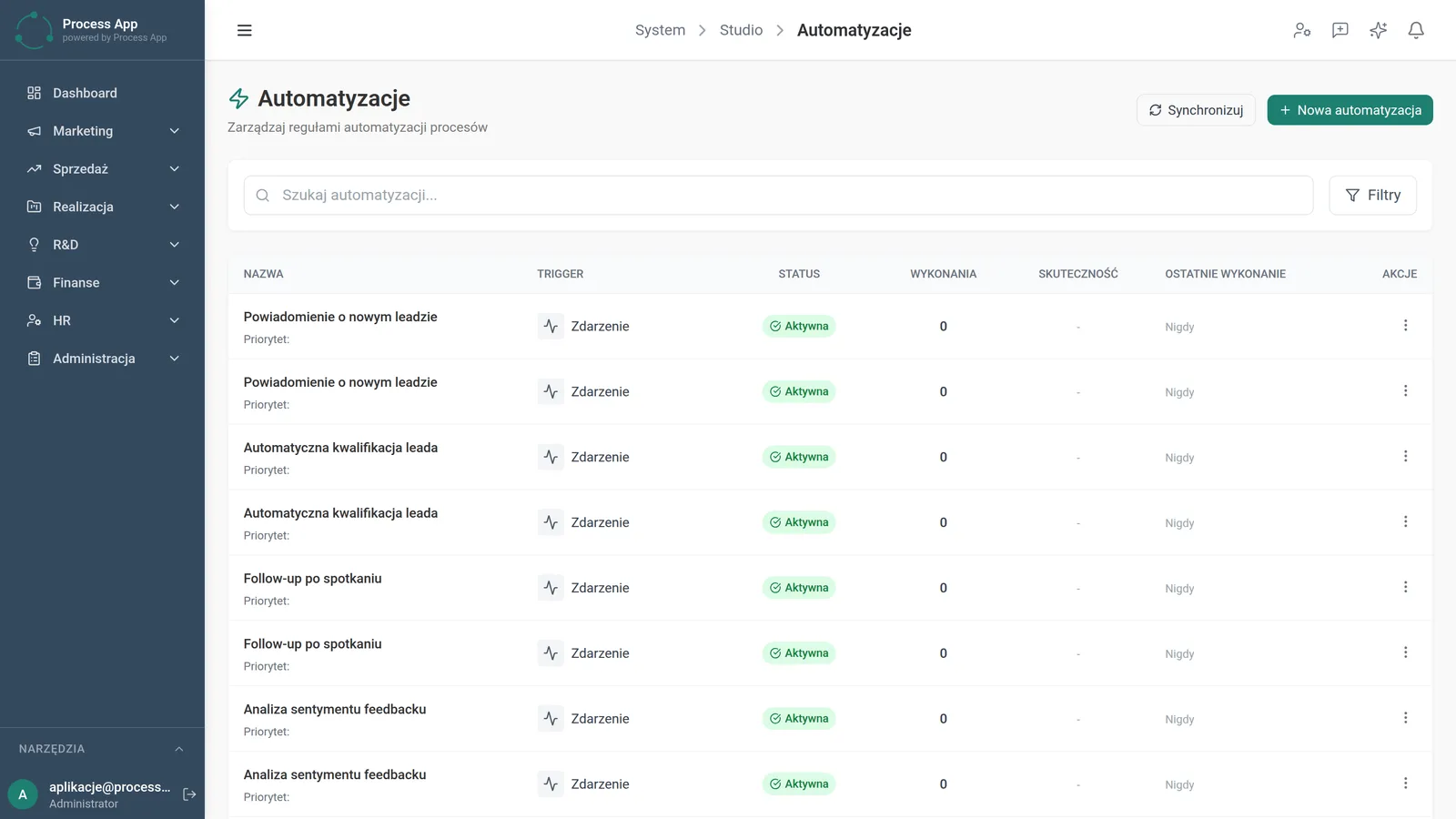
The Automations screen displays a table with a list of process automation rules, including information on triggers, statuses and execution statistics.
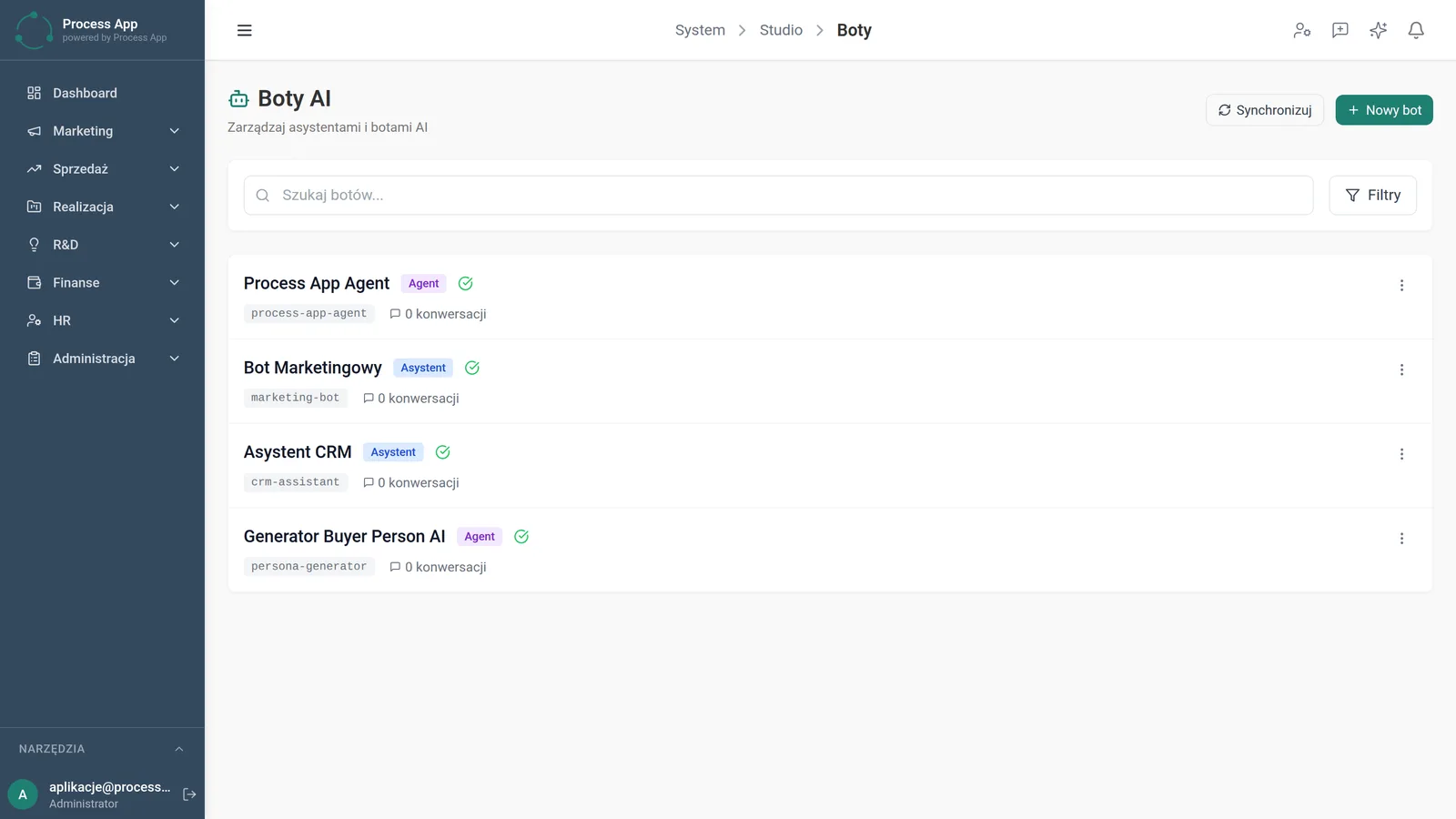
The AI Bots screen shows a list of available AI assistants and agents with their identifiers, role tags and conversation statistics.
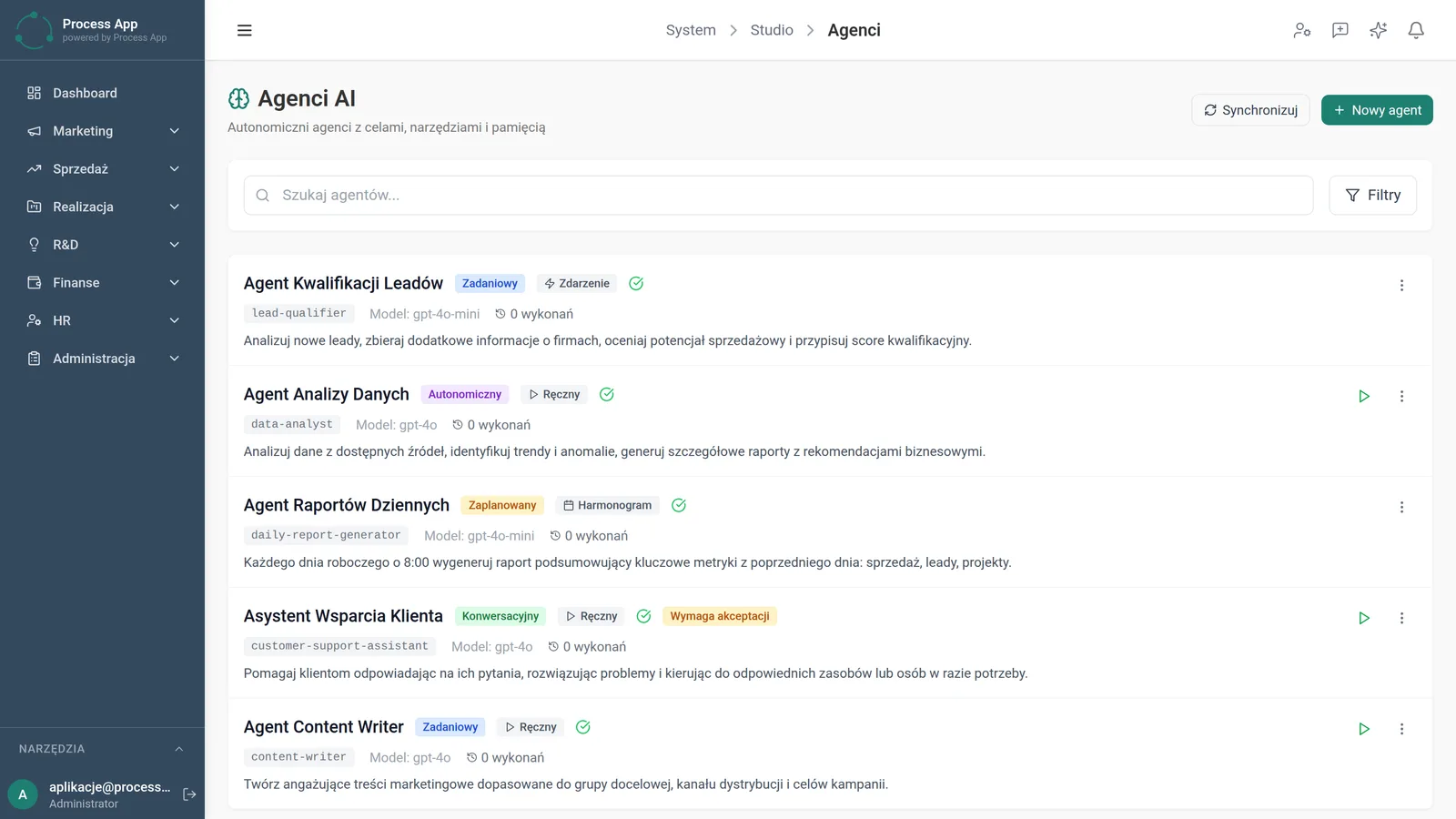
The AI Agents screen displays a list of configured agents with their tags, assigned language models, number of executions and descriptions of the tasks they perform.
What exactly you get
Search and filtering
The system enables fast discovery of prompts, bots and automations using search and filters.
Creating new assets
The application lets you add new prompts, automations, bots and agents using dedicated buttons.
Statistics monitoring
The module displays the number of bot conversations, automation effectiveness and agent executions in clear tables.
Manual agent execution
The system allows you to trigger an assigned task immediately using a play button.
Data synchronisation
The application lets you refresh and unify information on all AI assets with a single click.
What AI does for you in this process
Autonomous task execution
Artificial intelligence executes assigned processes in the background based on defined triggers and schedules.
Conversation handling
Language models conduct dialogues with users as dedicated assistants in different areas of the company.
System event analysis
Algorithms respond to specific triggers, automatically launching the actions linked to them.
Use of multiple models
The system processes requests using assigned models such as gpt-4o and gpt-4o-mini, matching the complexity of the task.
The process from start to finish
Gain full control over all artificial intelligence tools in your organisation. Manage templates in the Prompt Studio view, where you can easily check their categories, types and sources. Create new rules in the Automations tab and continuously monitor their effectiveness and last runs. Review available AI Bots, verifying statistics of their conversations with users. Configure advanced AI Agents, assigning them appropriate language models and triggers. Run selected tasks manually or rely on scheduled timetables. Synchronise all data with a single click so you always work on the most up-to-date information.
See this process on your own data
We will walk you through the “AI prompts and automation management” module using your company as the example — the input, the flow and the end result in Process App.
Explore the remaining system modules
User and Permission Management
Support Ticket Handling

On-screen Feedback (Comment Mode)
Optimization Analysis

Lead Generation
Prospecting

Cold Mailing
Cold Calling
Sales Opportunity Management
Quotation Preparation
Offer Preparation and Sending