How to Automate Budgeting in Manufacturing? | Case Study
See it on video
A step-by-step walk through the module — the same screens this write-up describes.
What is in the recording
- 0:00Introduction and the problem of spreadsheet chaos
- 0:05The finance module as a single source of truth
- 0:26Centralized cost and revenue structure
- 1:09Instant plan vs. actuals comparison
- 1:37Real-time variance control and performance indicators
- 2:08Automated alerts and artificial intelligence support
- 2:39Summary and next steps
The Challenge
Replacing scattered spreadsheets with a single system allows finance teams to reclaim dozens of hours and gain full real-time budget control.
Before implementation, the company relied on scattered spreadsheets for budgeting, requiring manual consolidation of sales and cost plans. Comparing plan versus actuals was time-consuming, and information about budget overruns reached decision-makers with significant delays.
Key challenges:
- The company relied on scattered spreadsheets for budgeting, requiring manual consolidation of sales and cost plans.
- Comparing plan versus actuals was time-consuming, and information about budget overruns reached decision-makers with significant delays.
How the deployment ran
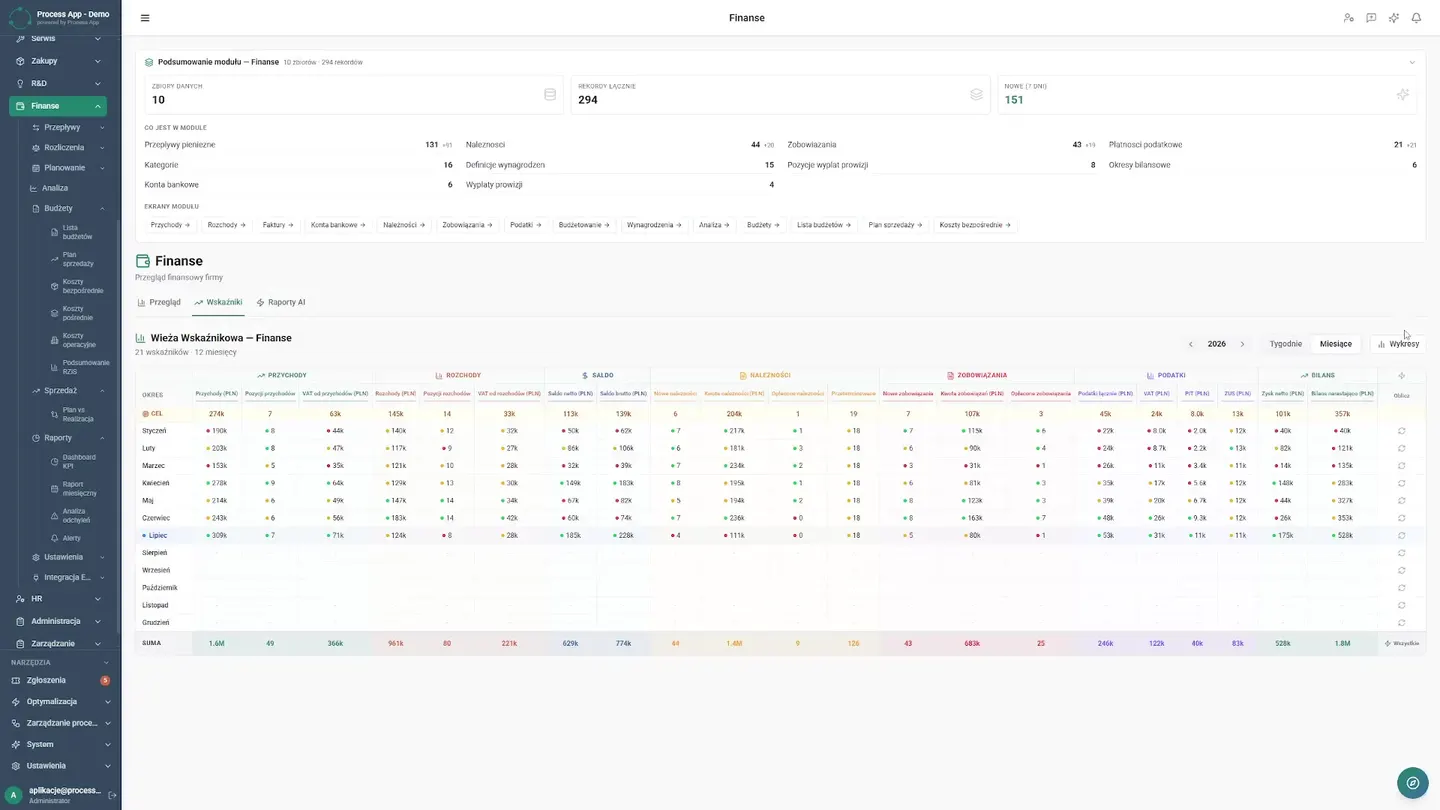
A ProcessApp financial module was implemented to centralize budgeting with a breakdown by months, operating costs, and a P&L summary. The tool continuously compares plan versus actuals, offering interactive dashboards and AI-powered reports.
Step by step
The steps taken by the implementation team — from mapping the process to going live.
The implementation team mapped the company's cost and revenue structure, transferring it into a single, cohesive system.
Automated deviation alerts were also configured, and key performance indicators (KPIs) were defined for ongoing monitoring.
What works after go-live
What actually works in the system after the deployment — every one of these screens appears in the recording above.
Single Source of Truth
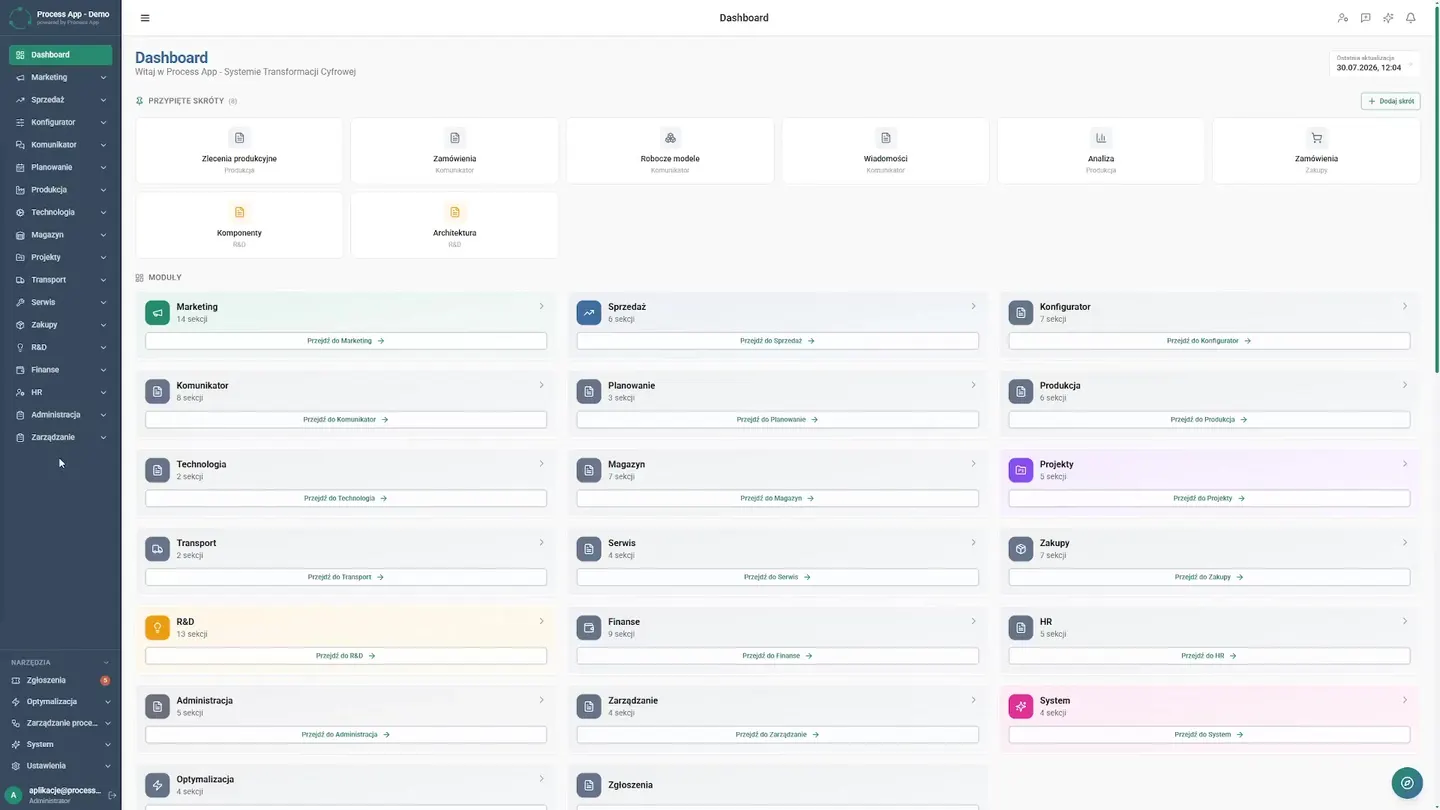
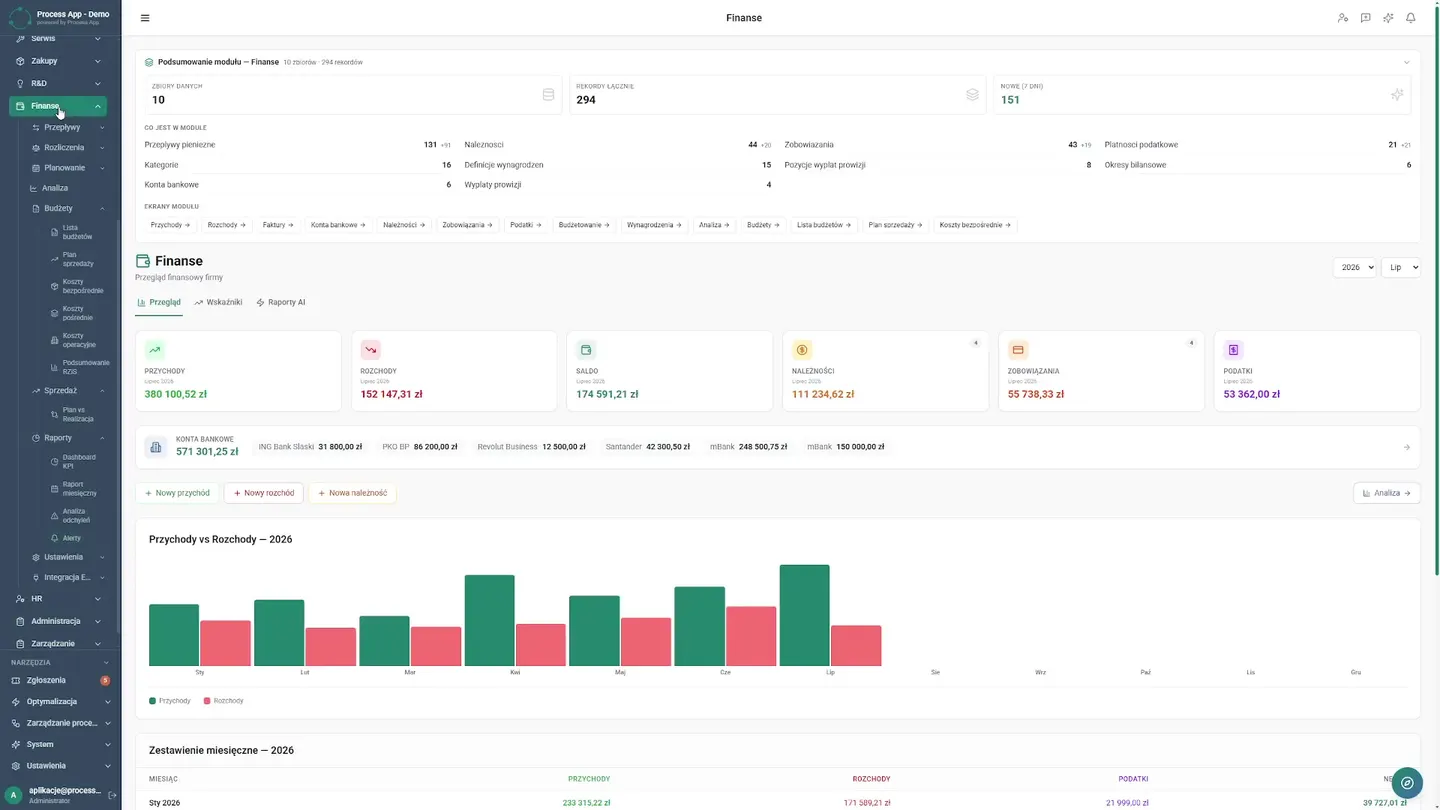
Where the controlling team once spent days searching for files, the CFO now works in an organized environment. From the dashboard, they navigate to the finance module, select the 2026 production budget, and have a complete picture of the situation.
Centralized Structure
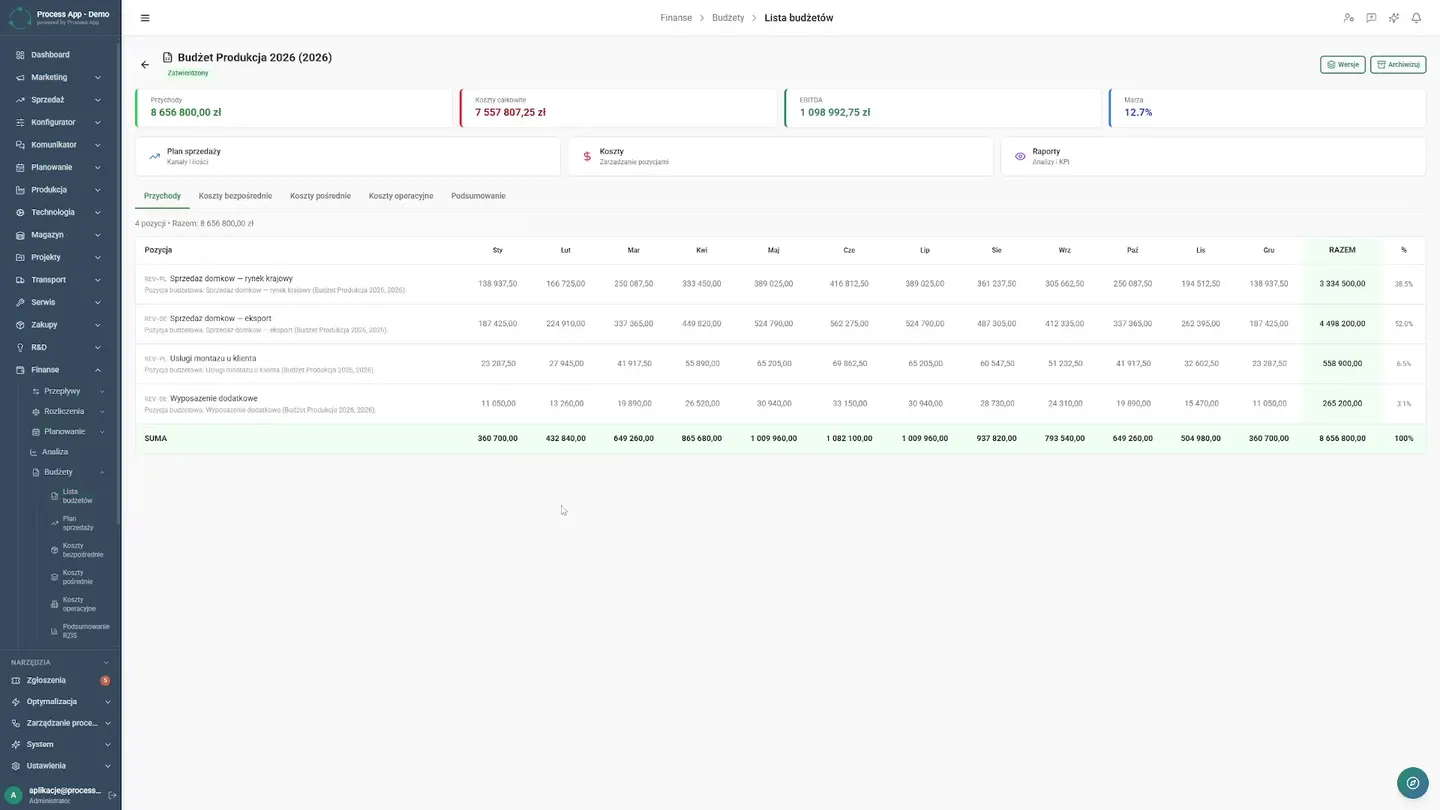
Consolidating plans from different departments used to require tedious manual data entry that introduced errors. Now the entire company structure is in one place. The CFO freely switches between key budget tabs, starting from the monthly sales plan and then moving to cost analysis to see what is burdening production. They review operating costs and open the profit and loss summary with a single click. The team no longer needs to copy or merge anything, and every entered figure automatically updates the result, giving management confidence that they are working with current financial data.
Instant Comparison
Reconciling assumptions with reality used to take entire departments a full week. Today, in the plan vs. actuals section, the CFO sees the truth immediately. They switch views from quantity-based to value-based, analyzing hard numbers without waiting for reports from production. Entering actuals data takes place within the same clear interface. This means the end of delays. The company can see in real time exactly where it is burning through the budget and where it is generating valuable savings.
Real-Time Variance Control
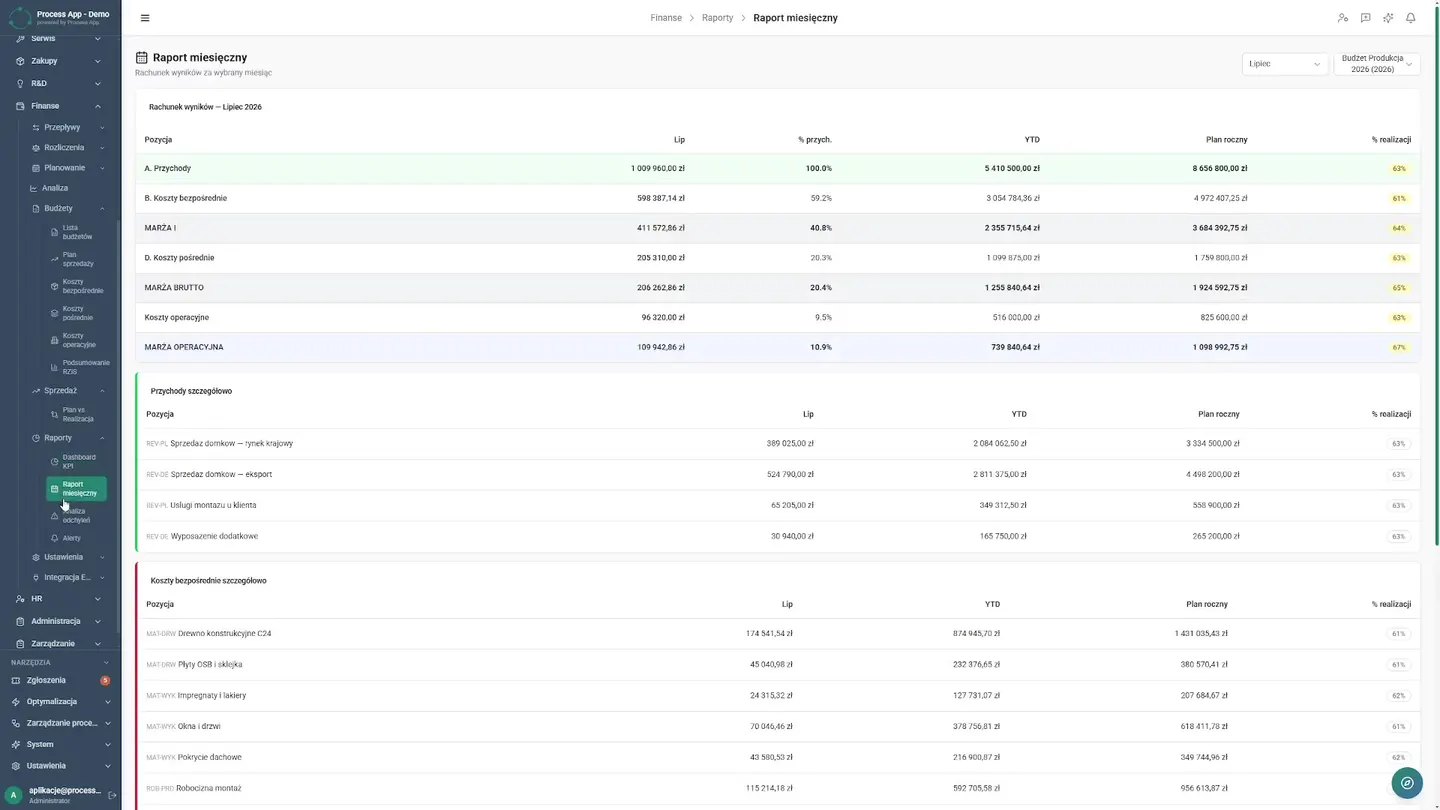
Instead of searching for anomalies row by row, decision-makers rely on clear visualizations. The CFO reviews the KPI dashboard where data reflects the company's financial health. The monthly report and variance analysis table expose every cost overrun. As a result, management makes decisions in real time, and controlling has stopped being merely a factory for spreadsheets.
AI Alerts and Reports
The system enforces financial discipline on its own. The CFO simply filters automated alerts that immediately flag the risk of a budget overrun in a specific production department. They then review advanced indicator charts and finally open a full financial report generated by artificial intelligence in a matter of seconds. This is an absolute game changer for the company. The controlling team has permanently reclaimed dozens of hours every month. Instead of manually compiling historical summaries, they finally have time to provide strategic advice to management.
Results Achieved
What changed
Before the deployment
- The company relied on scattered spreadsheets for budgeting, requiring manual consolidation of sales and cost plans.
- Comparing plan versus actuals was time-consuming, and information about budget overruns reached decision-makers with significant delays.
After the deployment
- The company gained real-time financial control through automatic budget overrun alerts.
- The controlling department no longer wastes time manually creating summaries, relying instead on ready-made variance analyses and AI-generated reports.
Screens from the deployment