How a Transport Company Cut Time Spent on CMR Documents and Route Planning
See it on video
A step-by-step walk through the module — the same screens this write-up describes.
What is in the recording
- 0:00End of document chaos
- 0:05The dispatcher's new command center
- 0:16CMR document automation
- 0:48Route planning on a chart
- 2:02Fleet and driver management
- 2:23Quality audit and security
- 2:46Take control of your transport
The Challenge
By centralizing data and automating CMR documents, the transport team reclaims time and gains full control over the fleet and costs.
Before implementation, dispatchers manually filled out freight documents (CMR) and orders, which was time-consuming and error-prone. There was no single place for route planning, and tracking fleet insurance deadlines, vehicle inspections, and driver licenses was done across scattered spreadsheets.
Key challenges:
- Dispatchers manually filled out freight documents (CMR) and orders, which was time-consuming and generated errors.
- There was no single place for route planning, and tracking fleet insurance deadlines, vehicle inspections, and driver licenses was done across scattered spreadsheets.
How the deployment ran
The Transport module in ProcessApp was implemented to centralize order management and enable automatic document generation. A Gantt chart-based route calendar, fleet and cost records, and a data audit mechanism verifying the accuracy of entered data were all set up.
Step by step
The steps taken by the implementation team — from mapping the process to going live.
The transport document workflow was analyzed and the route planning process was mapped.
Fleet, driver, and external carrier data was then migrated into a single database, with the system configured for dispatchers' day-to-day tasks.
What works after go-live
What actually works in the system after the deployment — every one of these screens appears in the recording above.
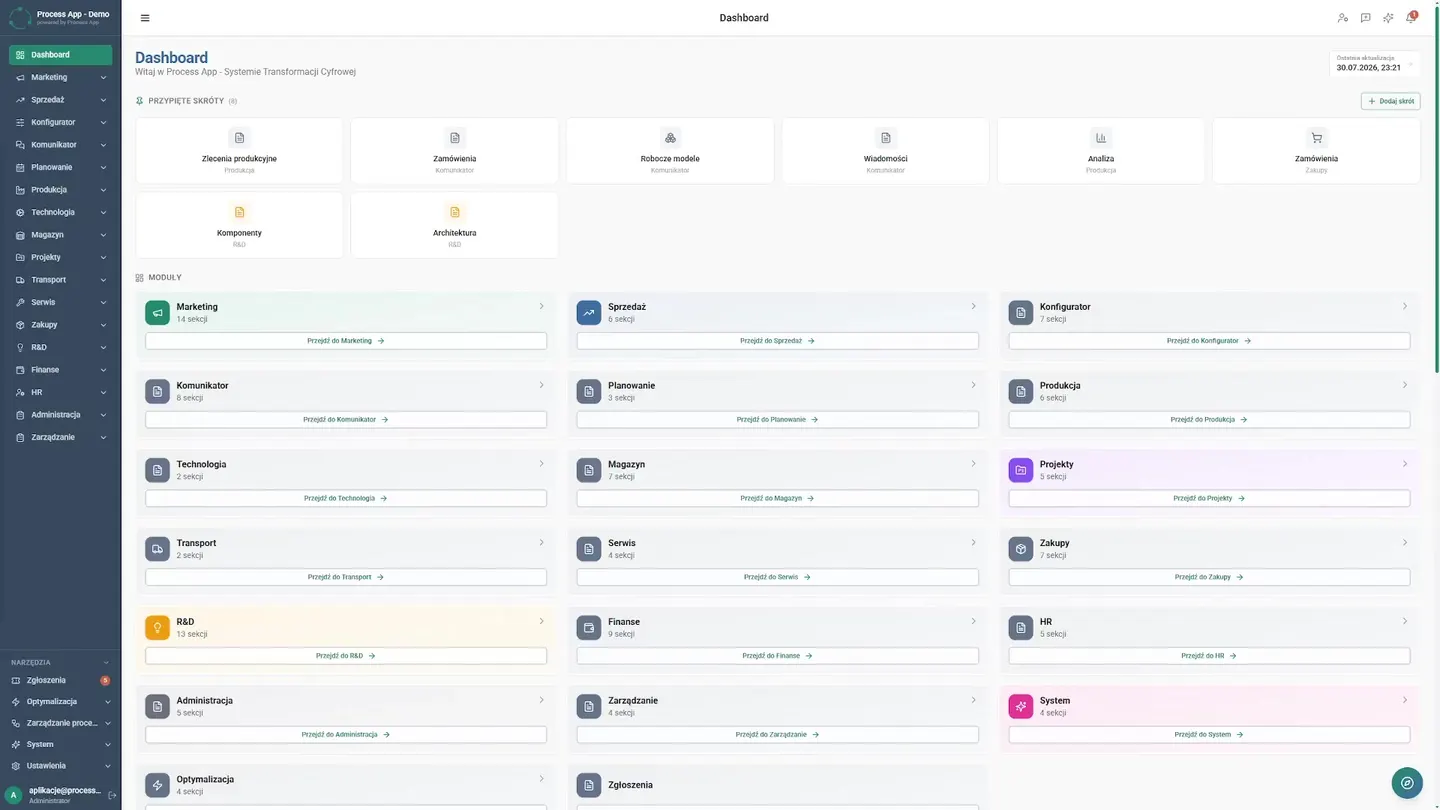
New command center
Dispatchers used to search for data across five different systems. Today they start their day from a single dashboard. Everything is there — from sales to finance — in one unified work environment.
CMR document automation
Manually filling out bills of lading took hours and generated costly errors. Now the process looks completely different. The dispatcher simply opens the details of a specific transport order in the module and immediately generates the required documents. The simplified CMR bill of lading and the delivery receipt are created automatically, pulling data directly from the system. What used to block work for an entire morning is now ready in a matter of seconds. The team reclaims time to plan the next loads.
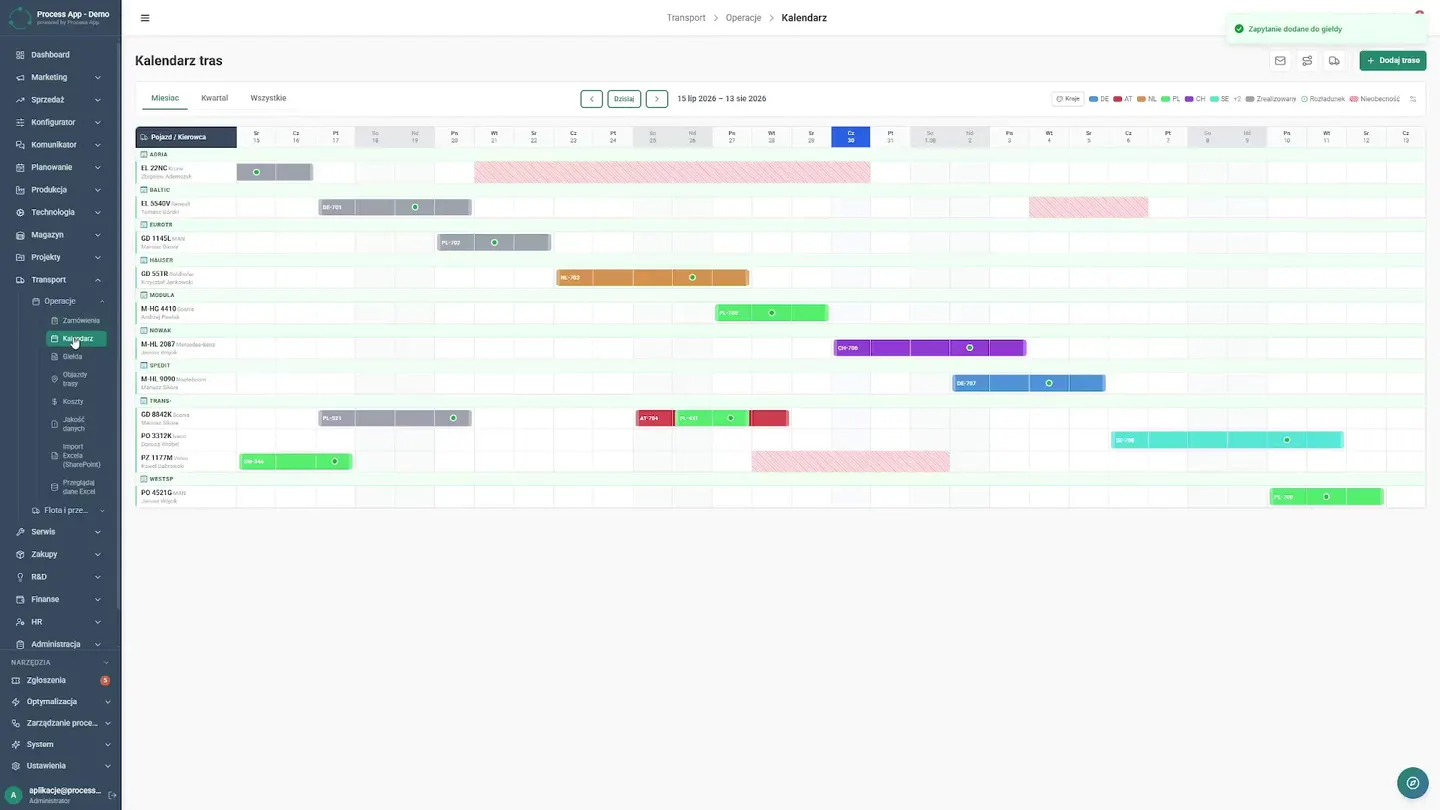
Route planning on a chart
Before implementation, they lacked a single central place for planning. Routes were arranged in their heads, on physical boards, and in scattered spreadsheets where mistakes were easy to make. Today dispatchers have a clear route calendar in the form of an interactive Gantt chart right in front of them. They can instantly see which vehicle is on the road and which is waiting to be loaded. No more calling drivers and constantly asking about the current status of an order. From the same view, the team seamlessly navigates to the internal transport request exchange to quickly fill empty runs. They also have a full list of predefined routes at hand, which drastically speeds up daily quoting for regular customers. Previously, calculating the profitability of an order took days and required tedious manual data entry. Now they switch to a detailed cost table where the system continuously compares expenses against revenue for each trip. The company finally knows exactly where it stands, analyzing every logistics cost before a truck even leaves the depot. This gives them full, tangible control over the budget.
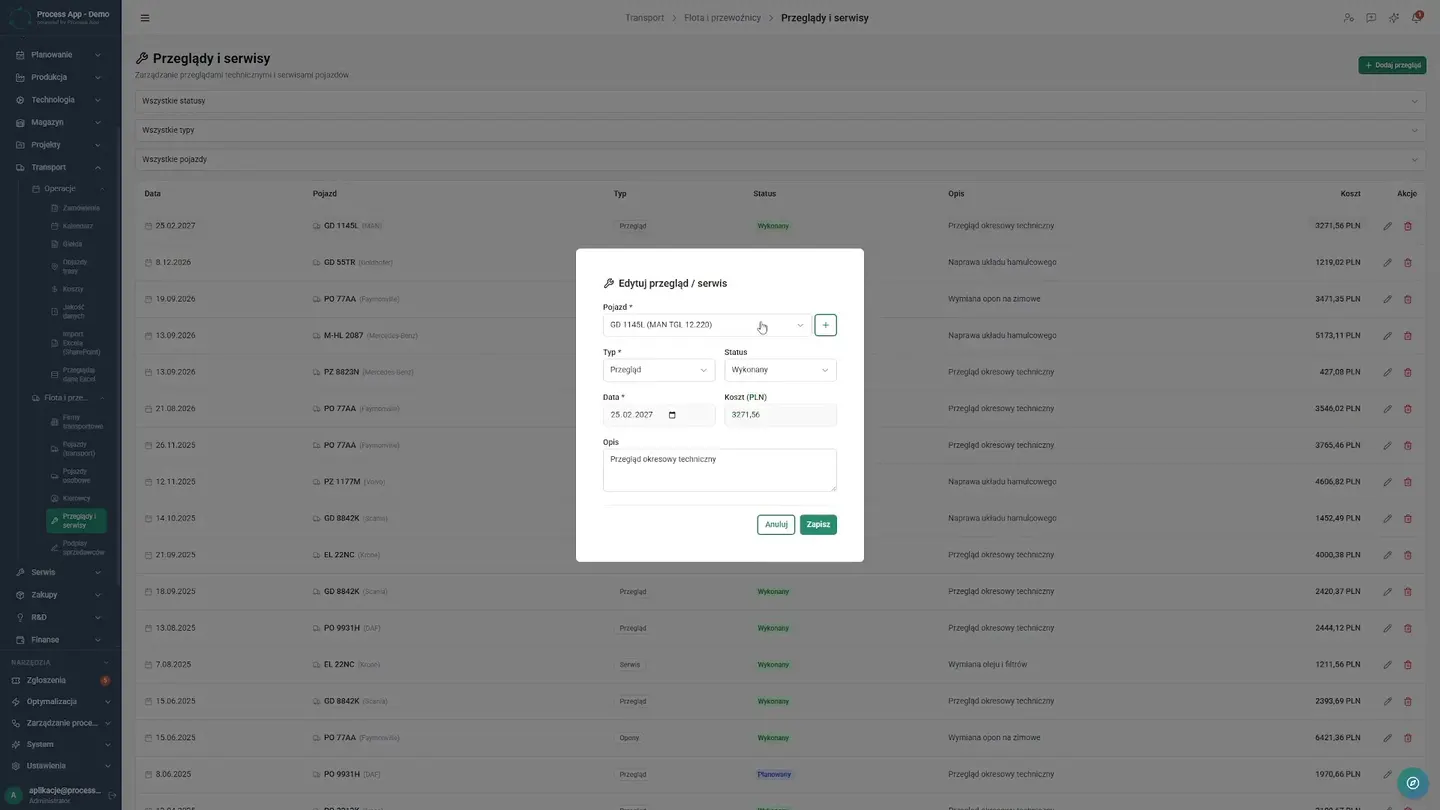
Fleet and driver management
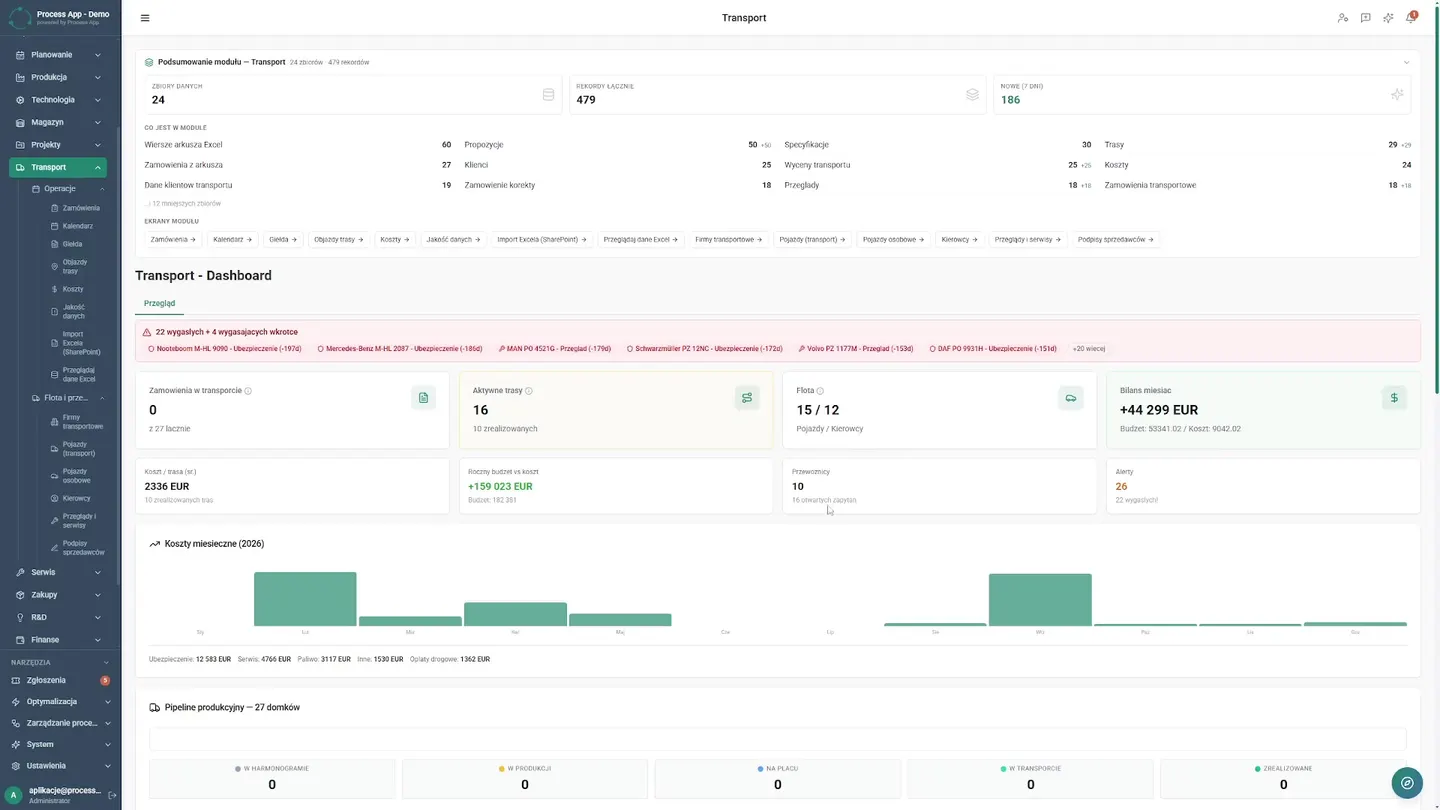
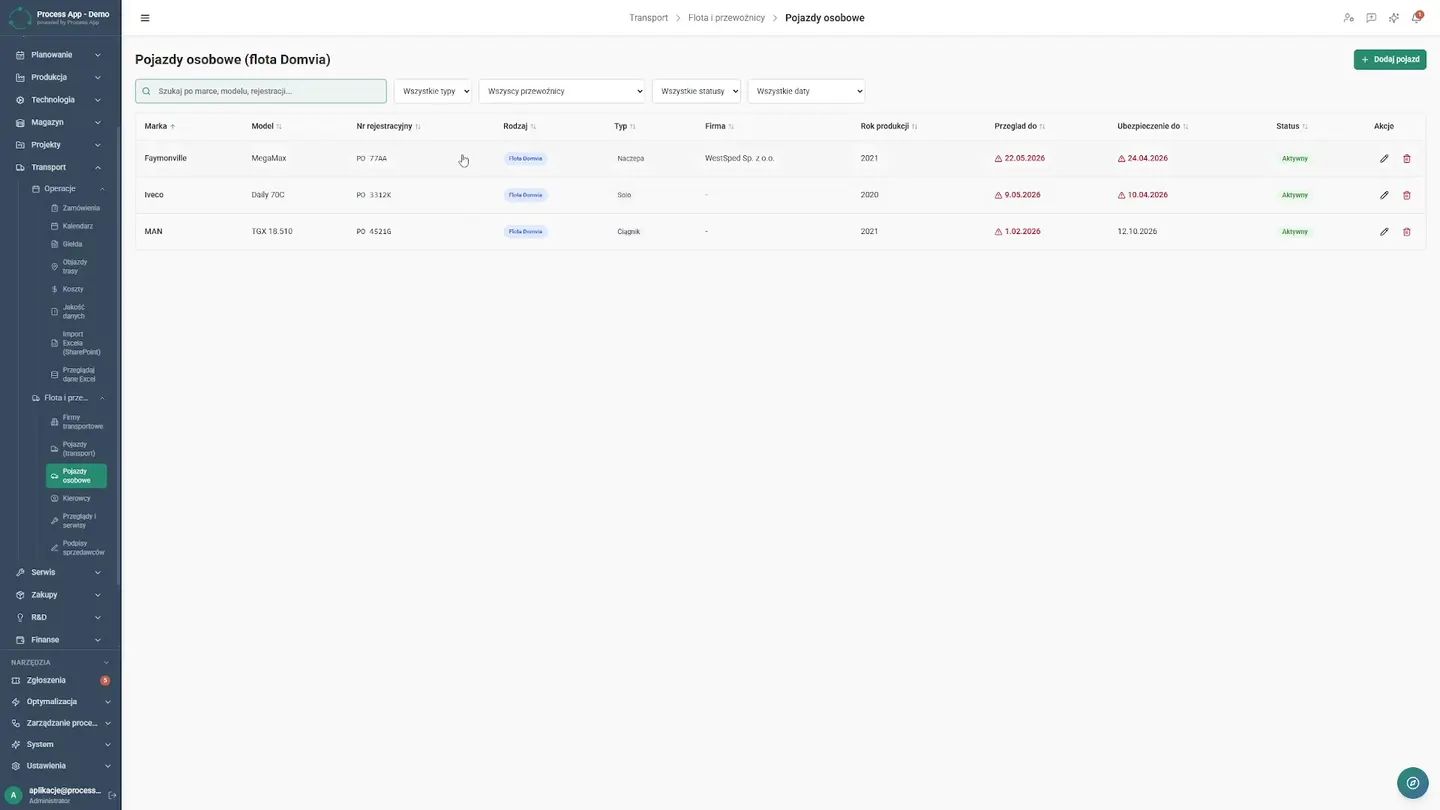
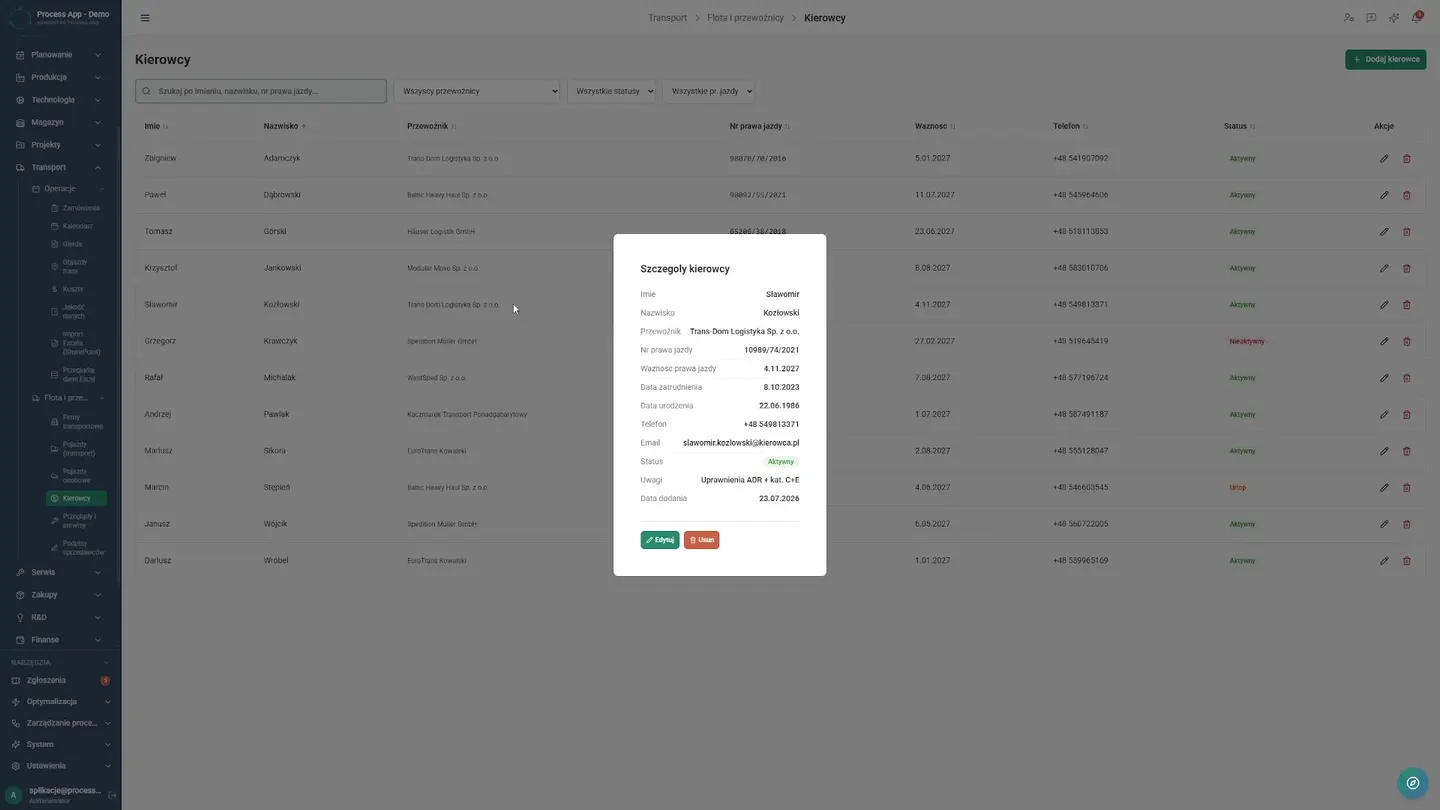
Keeping track of insurance and inspection deadlines is now straightforward. They open the fleet register and have everything in one place. They can review technical data for trucks and cars as well as the driver database. The system monitors dates, so the company avoids penalties for oversights.
Quality audit and security
In the past, errors in external subcontractors' paperwork only came to light during an inspection. Today the company is protected by a built-in data quality audit. The screen immediately flags incomplete records. The dispatcher opens the carrier database, quickly fills in the missing insurance policy data for the contractor, and saves the changes. The company only works with vetted partners, which drastically reduces business risk.
Results Achieved
What changed
Before the deployment
- Dispatchers manually filled out freight documents (CMR) and orders, which was time-consuming and generated errors.
- There was no single place for route planning, and tracking fleet insurance deadlines, vehicle inspections, and driver licenses was done across scattered spreadsheets.
After the deployment
- The company gained a unified environment in which freight documents are generated automatically based on entered orders.
- Dispatchers have a clear view of planned routes in the calendar, and the system makes it easy to keep track of costs, insurance policy deadlines, and driver license validity.
Screens from the deployment