How to Automate B2B Cold Mailing and Reclaim Time for Selling
See it on video
A step-by-step walk through the module — the same screens this write-up describes.
What is in the recording
- 00:00The problem of manual emails and lost replies
- 00:23Clean contact database and automatic verification
- 01:04Fast launch and configuration of a targeted campaign
- 01:25No more manual follow-ups and deadline tracking
- 01:41Automated sending and background A/B testing
- 02:26Shared inbox and full control over results
The Challenge
Cold mailing automation eliminates manual work and allows the sales team to reclaim time for building relationships and closing deals.
Before implementation, sales reps manually sent messages and tracked follow-up deadlines in spreadsheets. The contact database was not systematically verified, resulting in emails sent to non-existent addresses, and replies from prospects were getting lost in employees' personal inboxes.
Key challenges:
- Sales reps manually sent messages and tracked follow-up deadlines in spreadsheets.
- The contact database was not systematically verified, resulting in emails sent to non-existent addresses, and replies from prospects were getting lost in employees' personal inboxes.
How the deployment ran
The Cold Mailing module was launched within the ProcessApp platform, automating the sending of multi-step email sequences and A/B testing. Mechanisms for automatic email address verification and auto-completion were also implemented, along with a shared inbox with reply classification rules.
Step by step
The steps taken by the implementation team — from mapping the process to going live.
The team analyzed the existing lead generation process and defined key personas and campaign objectives.
Scattered contact databases were then consolidated into a single environment and standardized message templates were prepared for testing.
What works after go-live
What actually works in the system after the deployment — every one of these screens appears in the recording above.
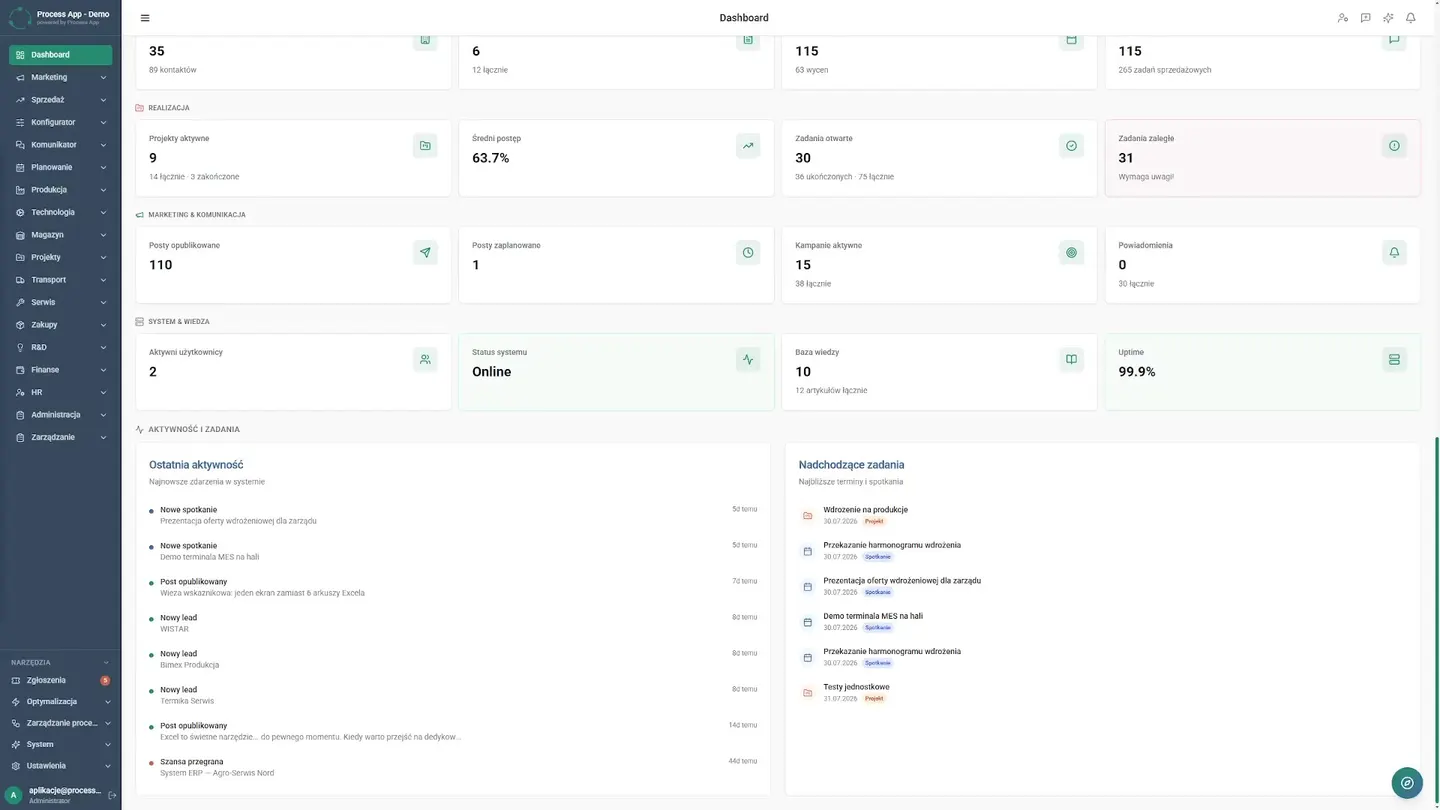
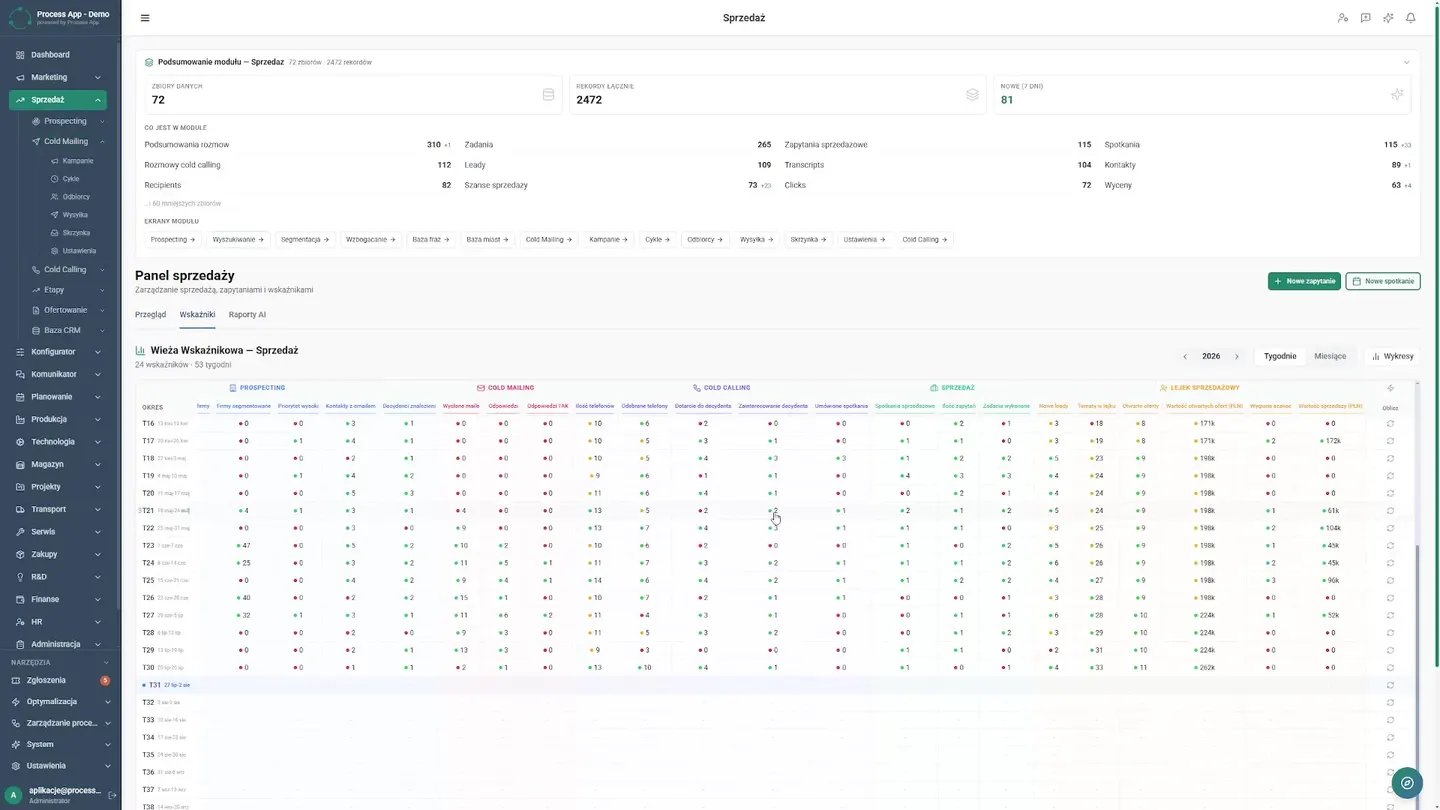
New command center
The sales director now starts the week in one clear environment, where the team sees a dedicated cold mailing dashboard and key performance indicators, bringing order to daily priorities.
Clean contact database
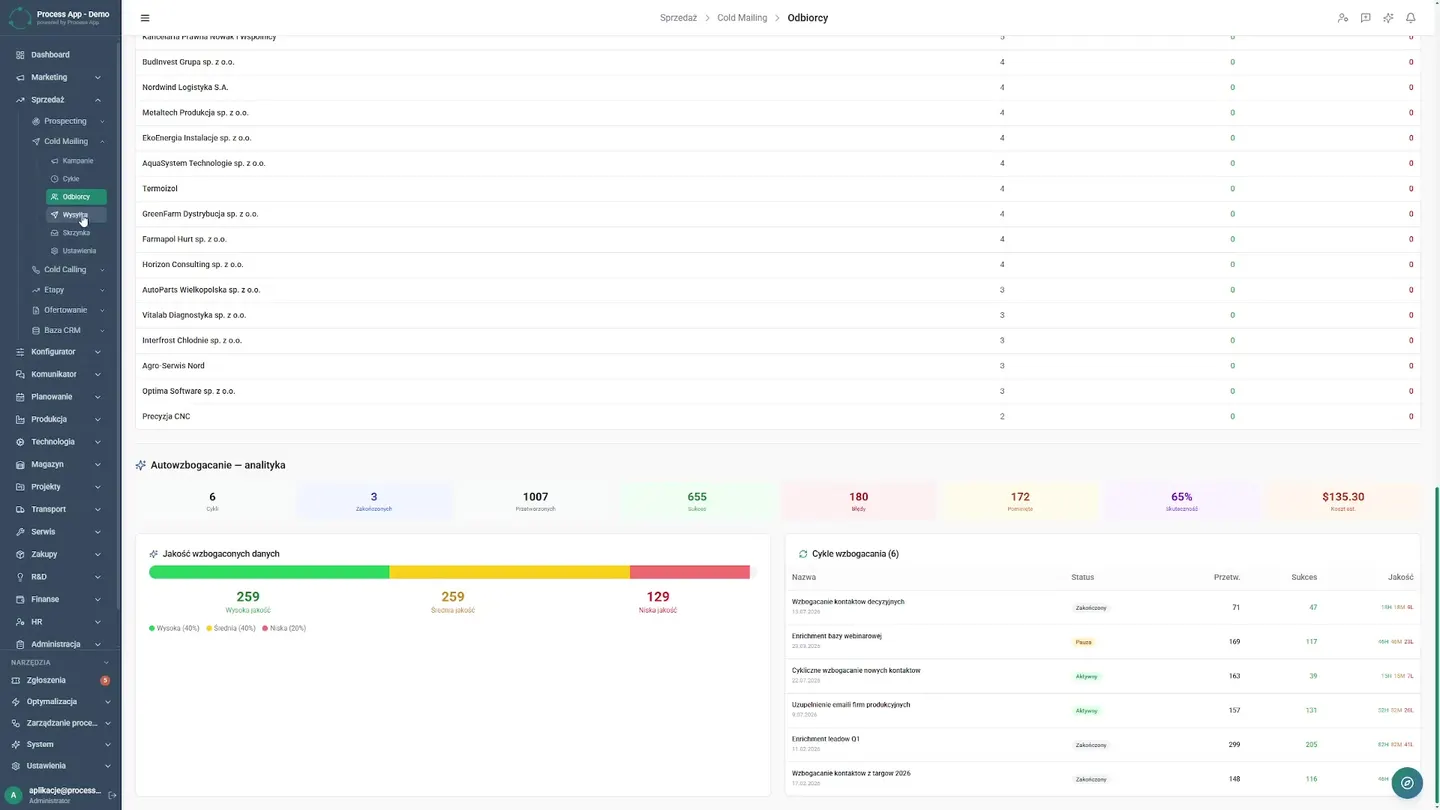
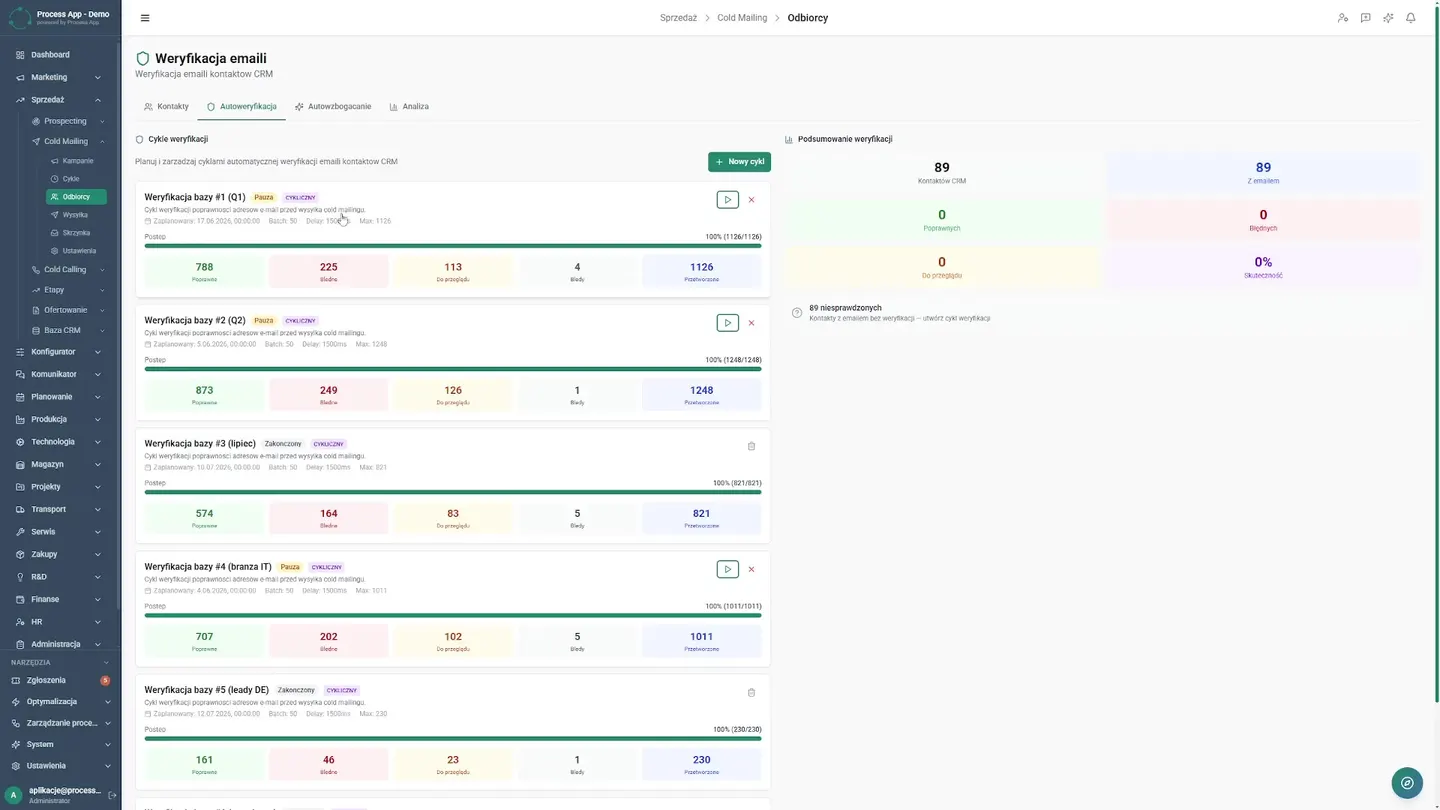
Sales reps previously sent messages blindly in bulk, damaging the domain's reputation. Now, thanks to the integrated database, the system automatically verifies addresses before a campaign begins. The sales department uses the data auto-completion module, eliminating tedious manual research. The director analyzes database quality on a dedicated dashboard, giving the company confidence that it is reaching the right decision-makers. The team no longer wastes time on invalid addresses, reclaiming valuable hours for real conversations with potential clients.
Fast campaign launch
The team works quickly, reviewing historical sends and opening the new campaign form. They define the product, select a persona, and set the objective. Sales reps plan targeted actions in just a few minutes, precisely meeting the needs of the chosen target group.
No more manual follow-ups
Today, the cycles tab shows the entire sequence, and the system automatically executes the first email and all follow-ups, so sales reps no longer need to remember the next steps.
Automated sending
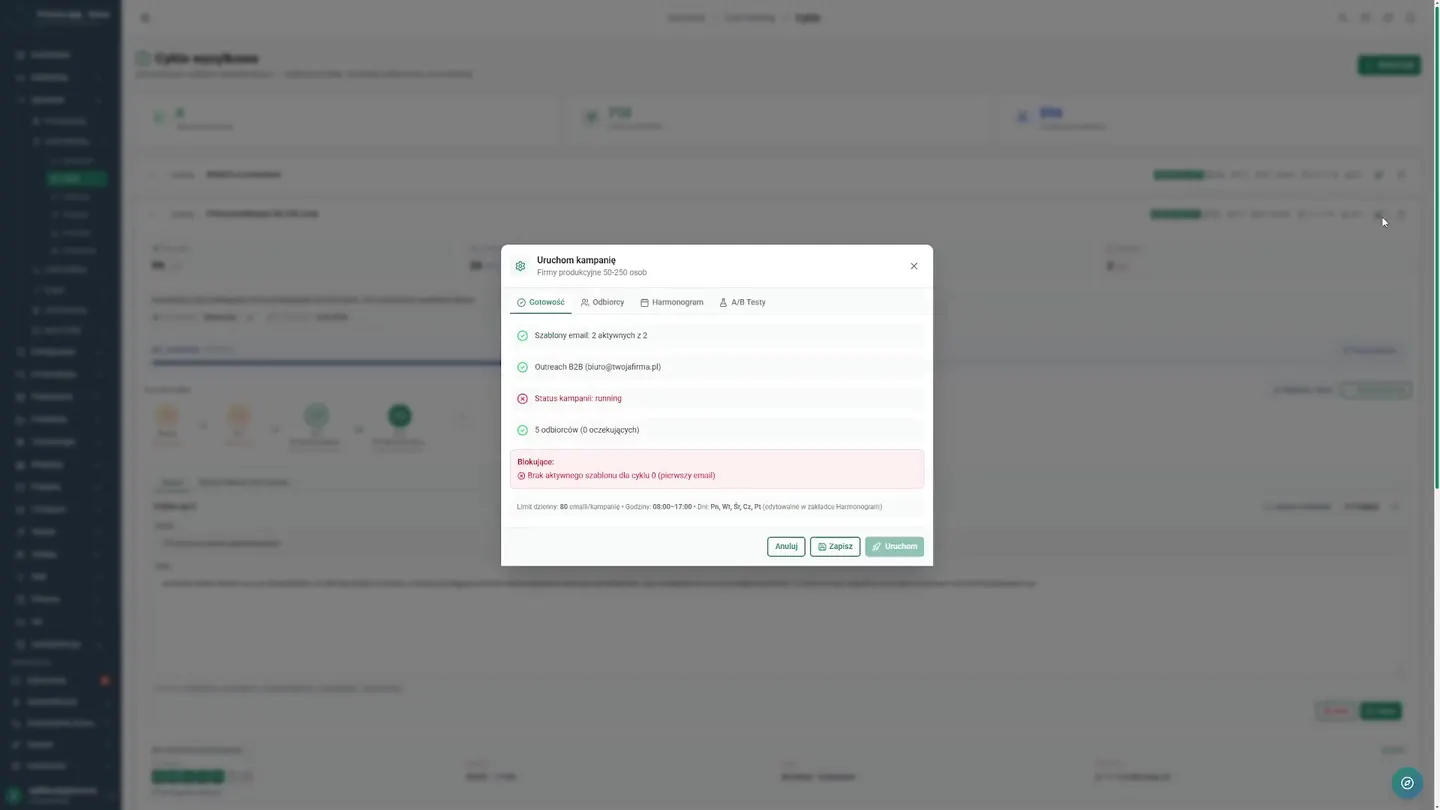
The team moves to the key stage where, after clicking the launch button, they configure a campaign that runs in the background. They define recipients from the database, and the director sets the sending days and times, tailoring them to the clients' working rhythm. The team no longer manually clicks send at eight in the morning. In the A/B testing tab, they verify different subject line and content variants, improving message effectiveness. While the application executes the strategy, sales reps regain peace of mind and can focus on substantive conversations with clients. This kind of configuration is a competitive advantage, and the lead generation process becomes predictable, leading to the building of lasting business relationships.
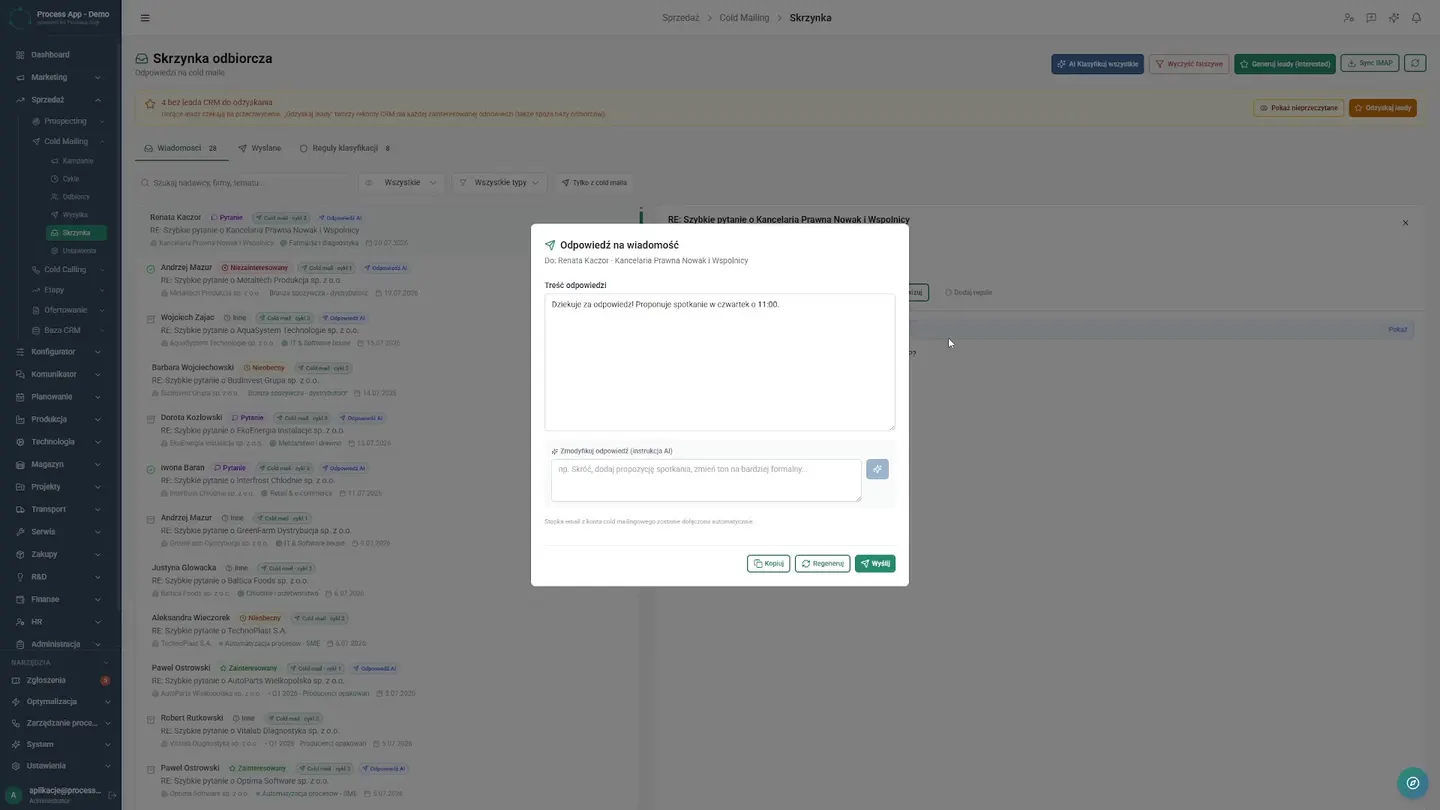
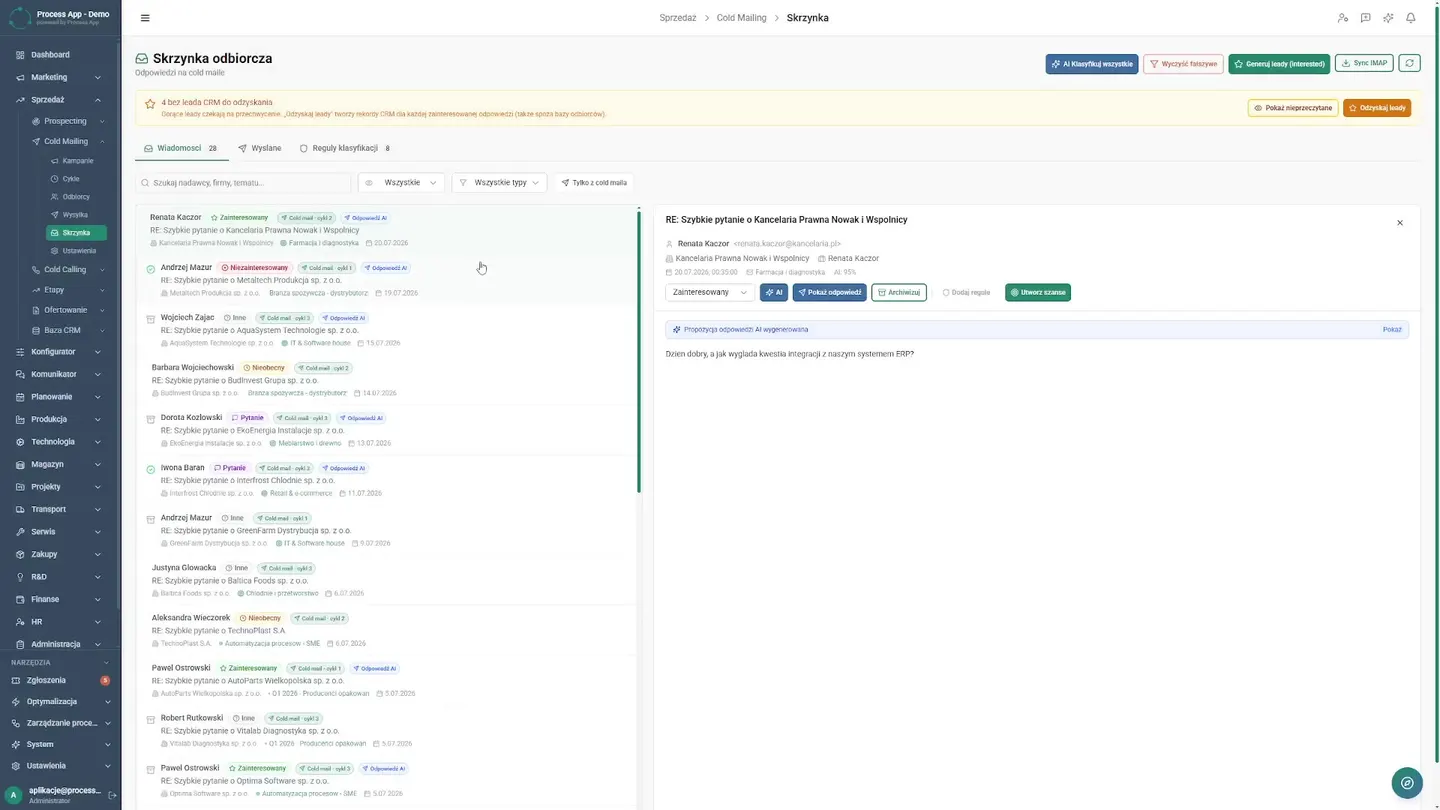
All replies in one place
Now the integrated inbox collects all messages in one place, allowing the team to respond quickly and close more leads.
Full control over results
The director needs hard data to close the process. The sending dashboard shows completed campaigns and message logs. The team evaluates key metrics such as open rate and click rate. The visual conversion funnel shows the stages of potential clients. The director has control over results, enabling optimization of activities. The company bases decisions on facts, maximizing the return on cold mailing campaigns.
Results Achieved
What changed
Before the deployment
- Sales reps manually sent messages and tracked follow-up deadlines in spreadsheets.
- The contact database was not systematically verified, resulting in emails sent to non-existent addresses, and replies from prospects were getting lost in employees' personal inboxes.
After the deployment
- The sales department gained real-time visibility into campaign performance through open rate, click rate, and conversion funnel analytics.
- Follow-up automation and database cleansing eliminated repetitive manual work, while the integrated inbox allows the team to respond to replies more quickly.
Screens from the deployment