See it on video
A step-by-step walk through the module — the same screens this write-up describes.
What is in the recording
- 0:00End of manual research and pipeline chaos
- 0:17Central prospecting module and precise search
- 1:06AI segmentation and automatic backlog ordering
- 1:31Lightning-fast company profile enrichment
- 2:02Knowledge base ensuring consistent communication
- 2:39AI reporting for the sales director and summary
The Challenge
Prospecting automation and AI prioritization free up the sales team's time, allowing them to focus exclusively on conversations and closing deals.
How many hours a week does your team lose to manually checking companies and qualifying leads? Watch the story of a company where manual research was consuming half the working week — and today that entire process is handled by artificial intelligence. The sales team used to start Monday in chaos. A full pipeline and a long list of inquiries meant hours of manual verification for every contact. Today, the same dashboard greets them with organized data, and sales reps can focus exclusively on conversations and building business relationships. Chapters: 0:00 End of manual research and pipeline chaos 0:17 Central prospecting module and precise search 1:06 AI segmentation and automatic backlog ordering 1:31 Lightning-fast company profile enrichment 2:02 Knowledge base ensuring consistent communication 2:39 AI reporting for the sales director and summary
How the deployment ran
The video presents a comprehensive walkthrough of the Prospecting module within the ProcessApp platform. The user moves through the key functionalities, starting from the general sales dashboard, through company search, automatic AI segmentation and prioritization, all the way to the data enrichment process. The demonstration also covers knowledge base management (phrases, AI templates, cities) and concludes with a presentation of advanced AI-generated reports that deliver ready-made sales insights and recommendations.
What works after go-live
What actually works in the system after the deployment — every one of these screens appears in the recording above.
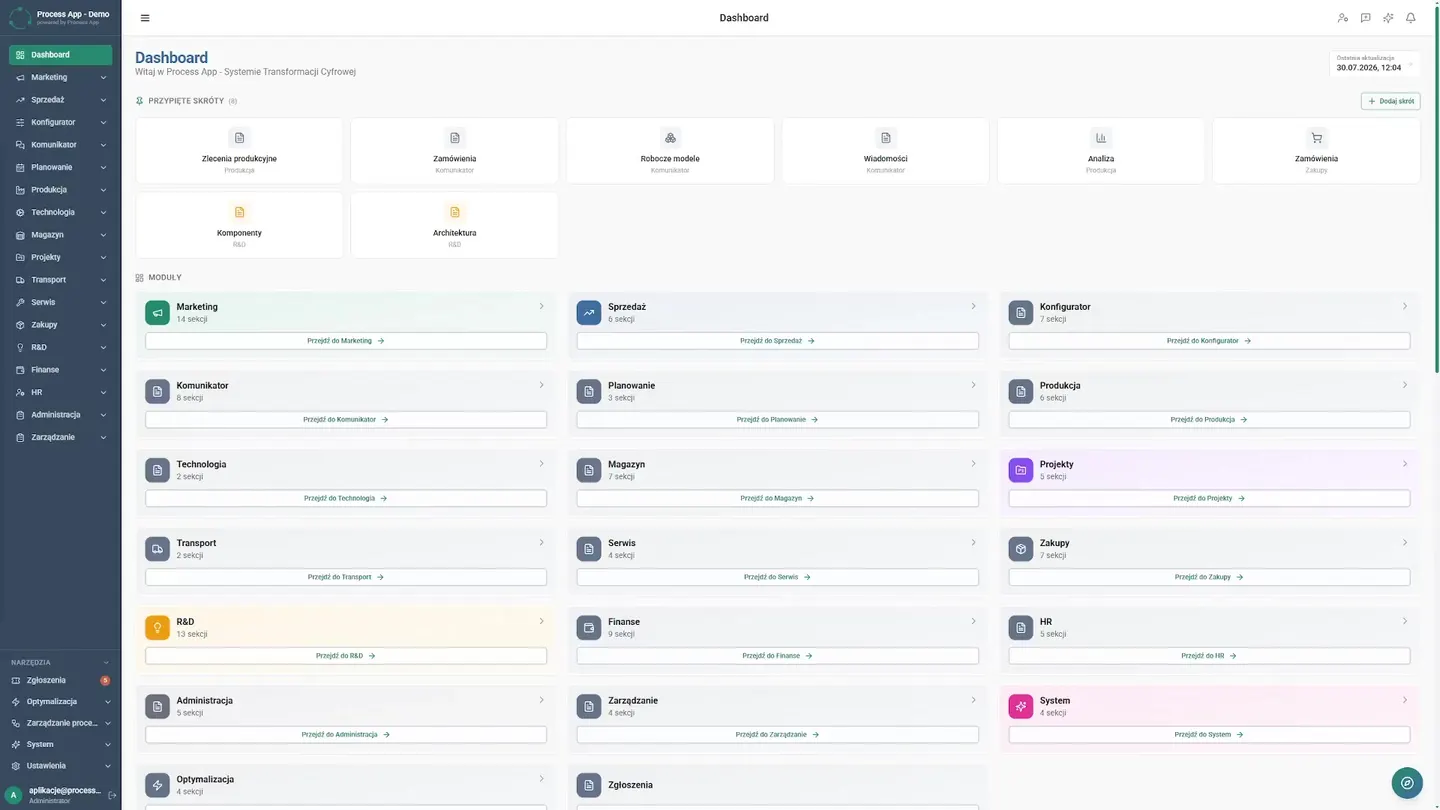
Sales Dashboard
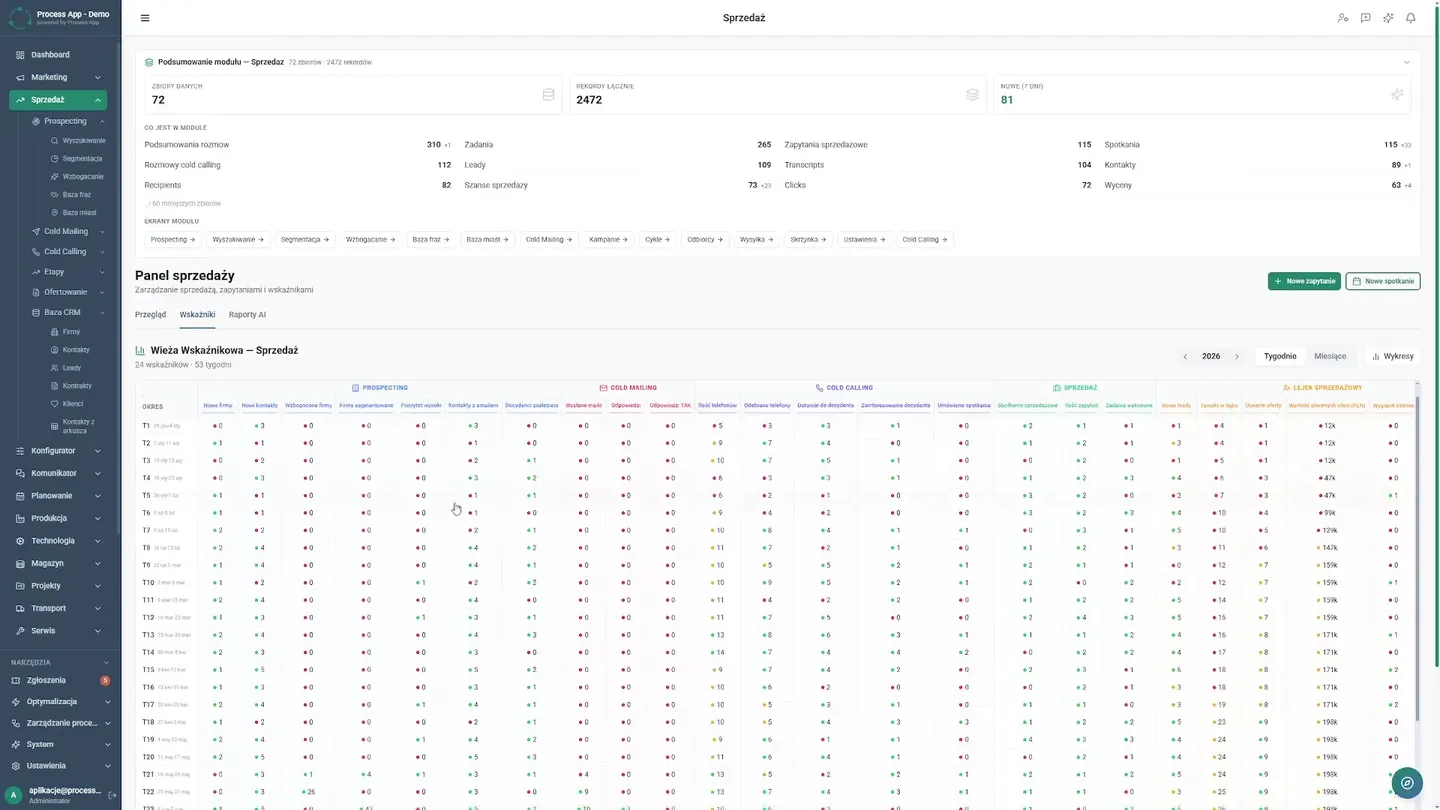
The sales team used to start Monday in chaos. A full pipeline and a long list of inquiries meant hours of manual verification for every contact. Today, the same dashboard greets them with organized data.
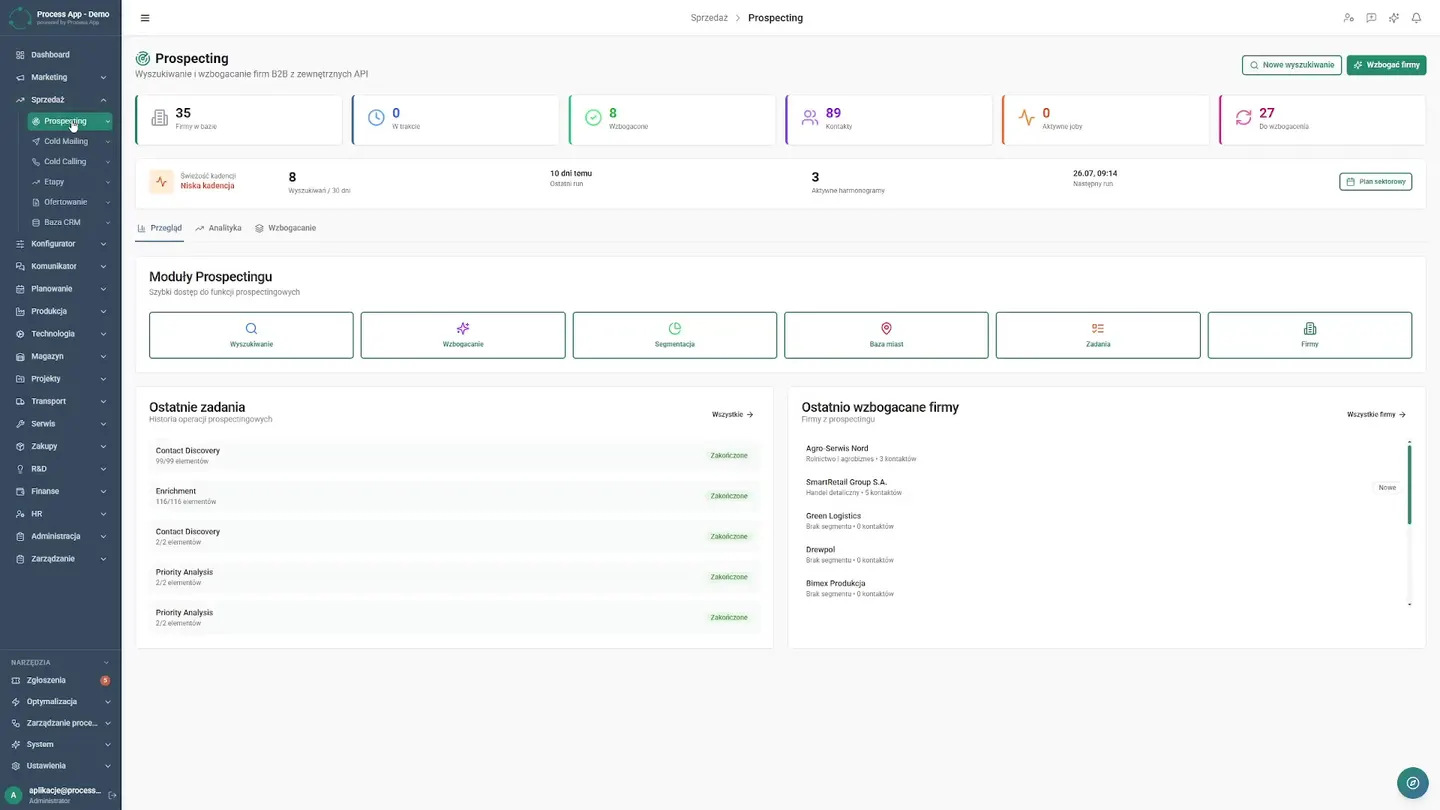
Navigating to Prospecting
Instead of getting lost in spreadsheets, the sales rep opens a single central prospecting module. They immediately see a list of priority tasks and freshly enriched company profiles. Switching to analytics gives them a complete picture of the situation. Clear activity charts and a data pipeline prove that the process is finally running smoothly, and the team has regained full control over the pipeline.
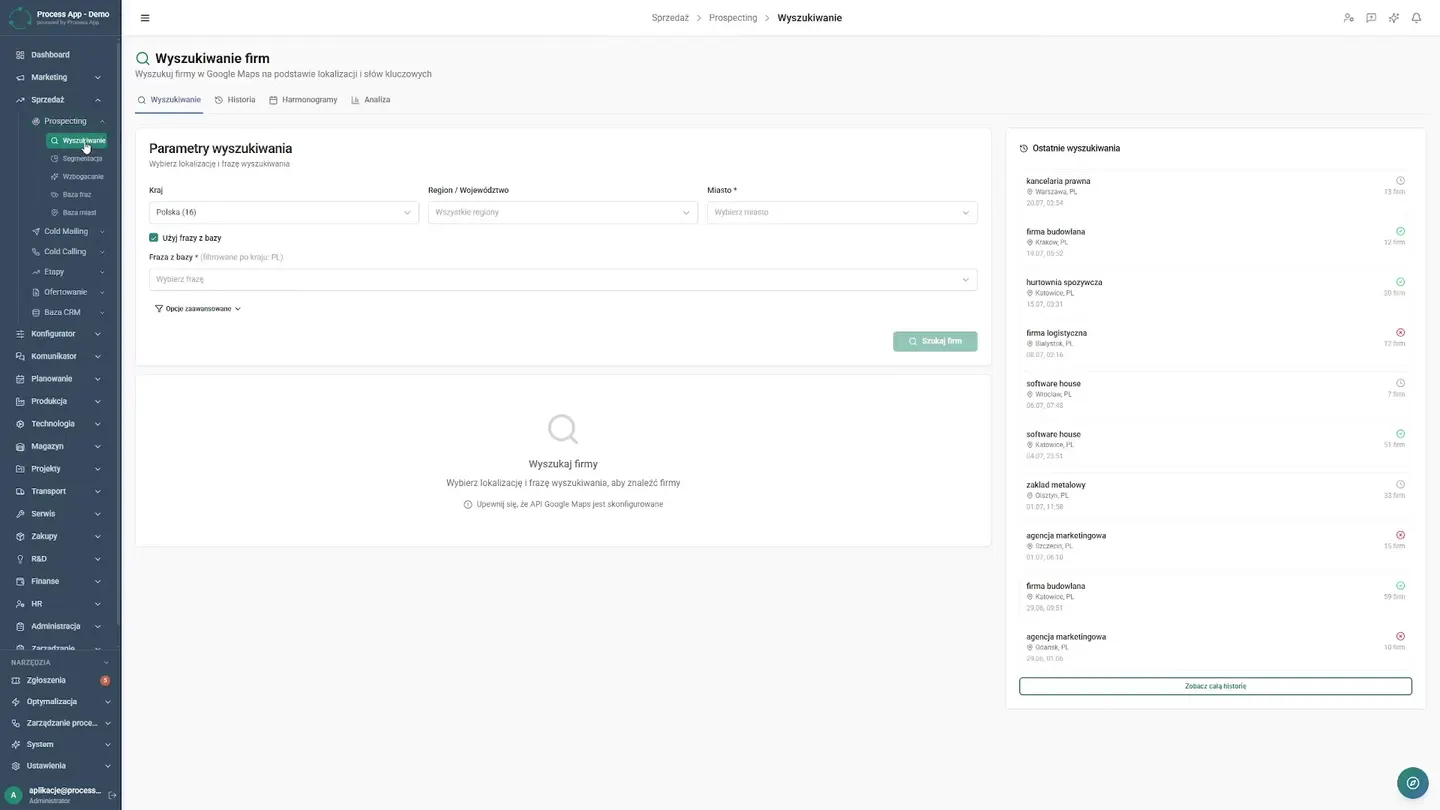
Company Search
Research used to mean tedious click-through browsing. Now the company sets parameters within the system. The sales rep reviews results and history, checking query details in dedicated windows. They see schedules and analysis. This eliminates manual data copying. The team has facts at their fingertips, which shortens the time needed to prepare for client contact.
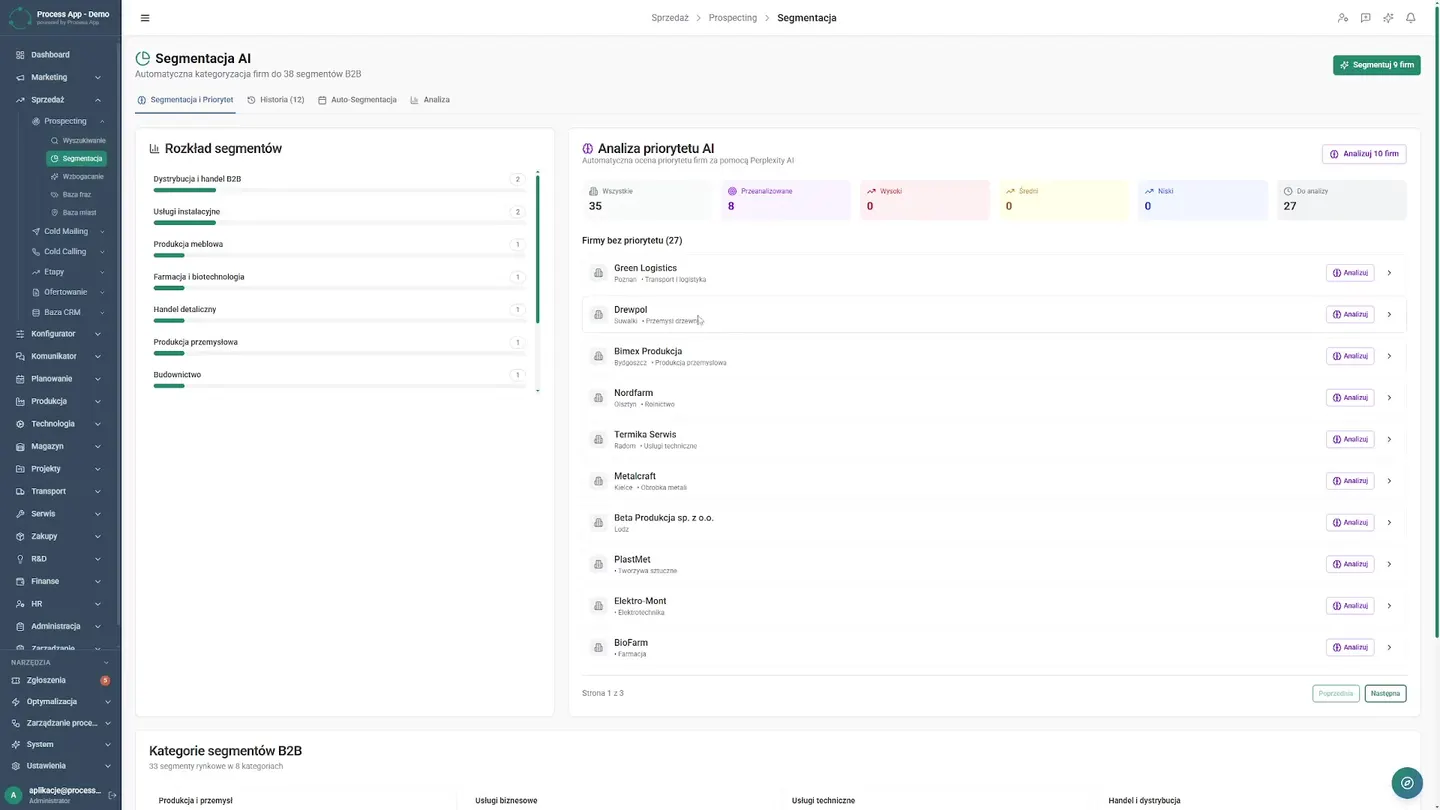
AI Segmentation
The biggest change is prioritization. Sales reps used to guess who to call. Today, artificial intelligence organizes the backlog, and priority analysis along with operation history are available at a click. The system decides who the best lead is, allowing the team to focus on conversations.
Data Enrichment
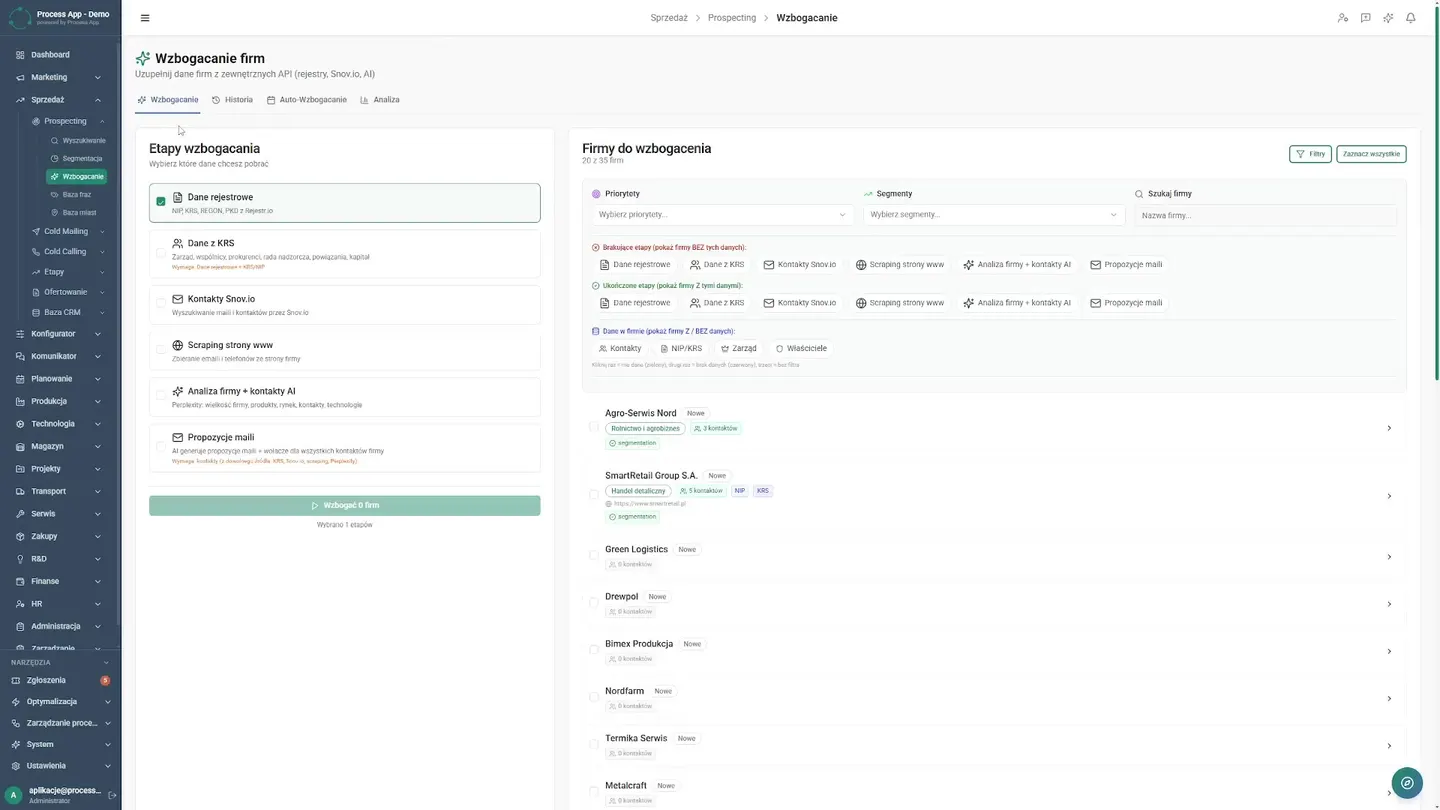
Now the company enrichment process happens automatically, and the sales rep reviews stages and operation history. Opening a report, they see fully and automatically completed profiles for multiple companies. Automation settings keep data fresh, so the team doesn't waste time on verification and has ready-made material for negotiations.
Knowledge Base Management
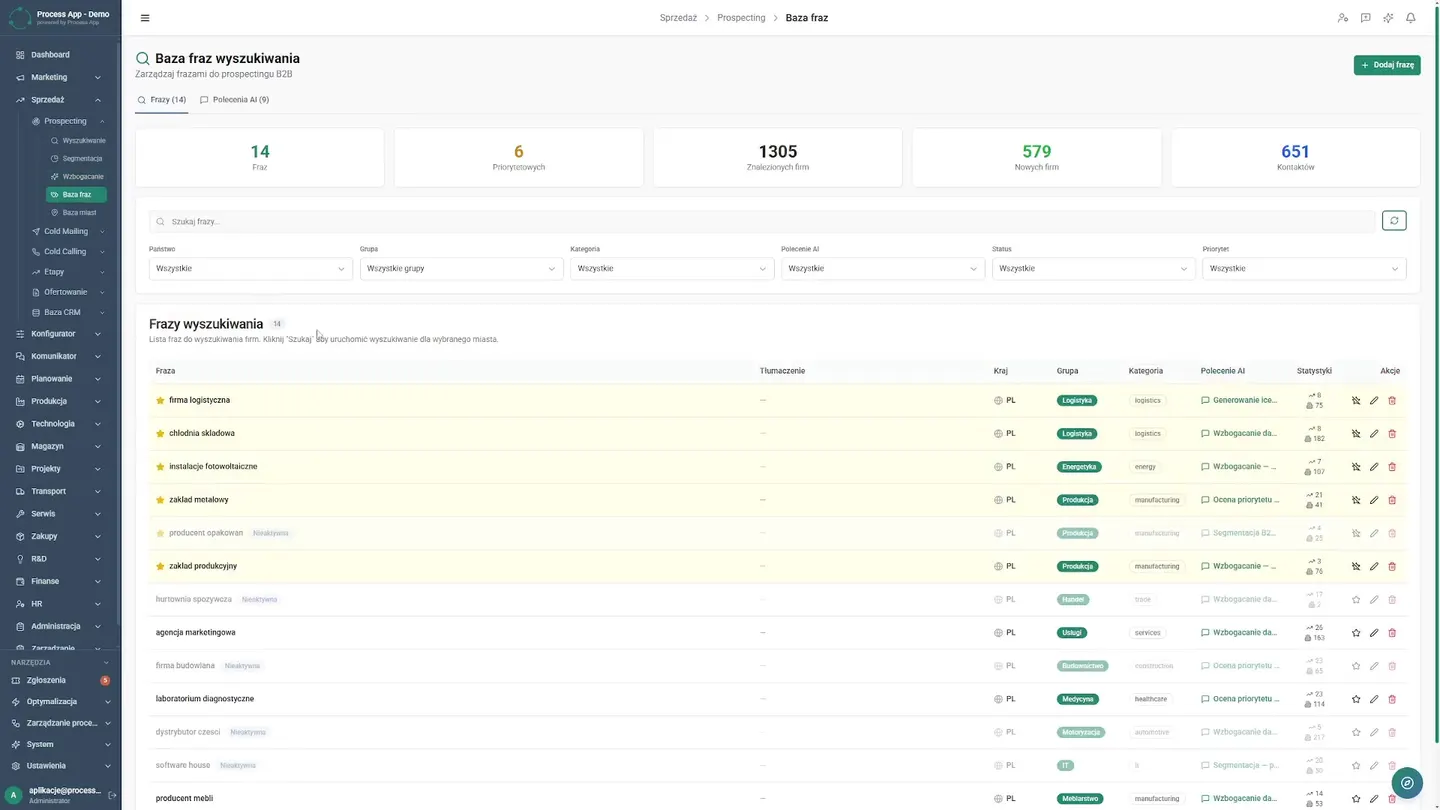
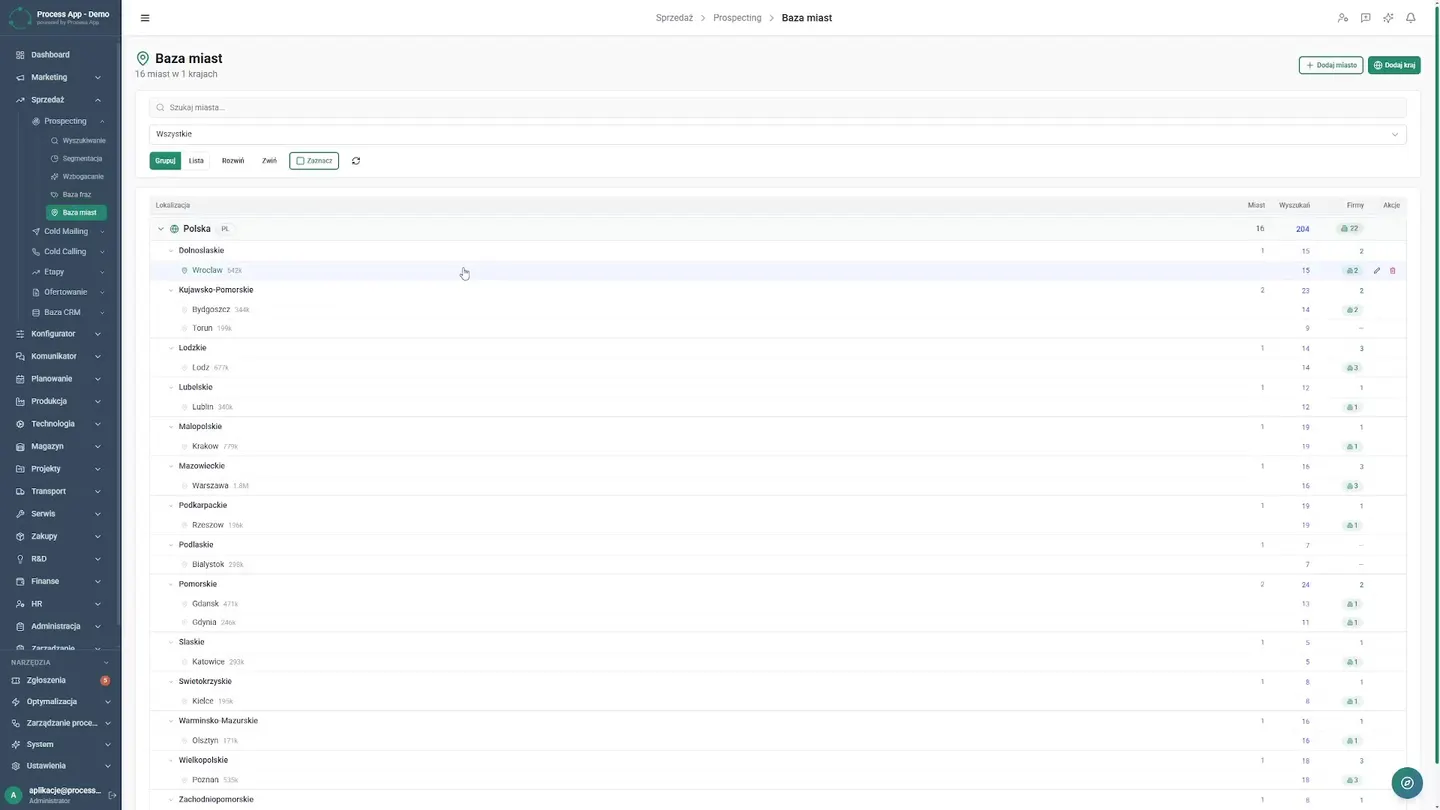
Inconsistent messaging used to generate errors and misunderstandings. Today the company relies on structured knowledge bases. The sales rep moves freely between the phrase library, AI prompt templates, and the city list. They browse summaries and record details, confident they are using approved standards. At the end, they open a specific company card that is perfectly prepared. This order eliminates repetitive mistakes, and the employee can immediately build a valuable relationship with the client.
AI Reporting
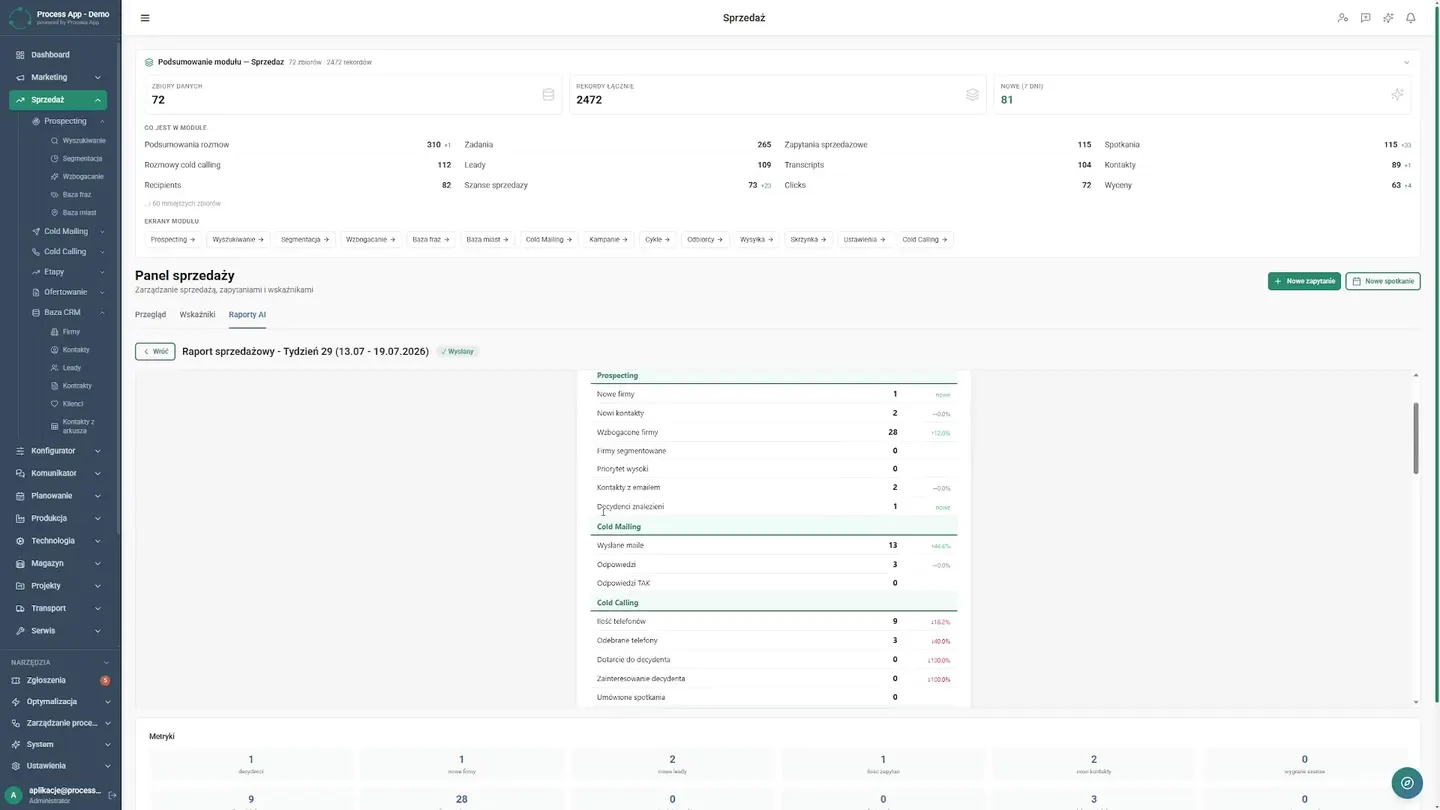
At the end of the day, the director returns to the main dashboard. The AI reports tab presents a ready-made insights table on a silver platter. They expand the detailed report and see recommendations and an action plan. They reclaim the hours once spent in Excel.
Screens from the deployment